Quick answer: Executive presence in a presentation is won or lost in the opening, before any content appears, and the senior presenters who own a room do something specific in the first few seconds that nervous presenters skip: they stop, stand still, and let a short silence settle the room before they speak. The opening that works has three moves in order — settle, frame, claim. Settle is the deliberate pause: you take the front of the room, hold for a beat or two of silence, and let the room come to you instead of rushing to fill the quiet. Frame is one sentence on why this matters now, which tells the room what is at stake. Claim is the recommendation or the point stated up front, so the room knows where you are taking them. What sinks most openings is the opposite reflex — walking in talking, apologising for the time, fiddling with the clicker, and spending the strongest moment of the whole presentation on throat-clearing. Presence is not personality. It is what you do in the first ninety seconds, and it is learnable.
JUMP TO:
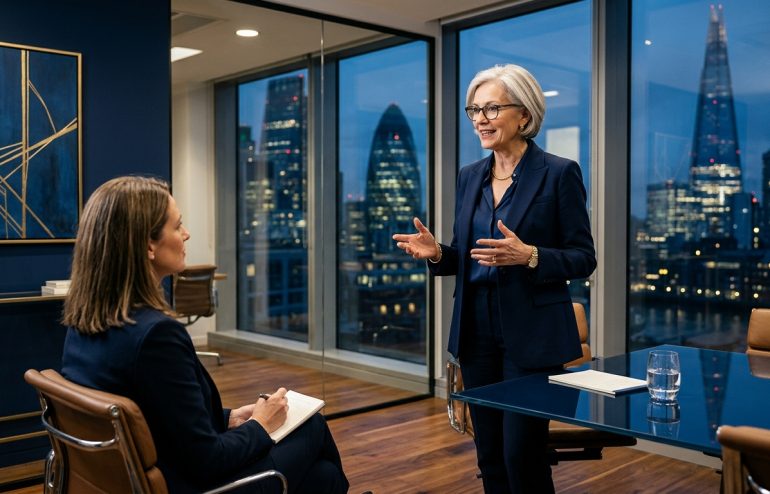
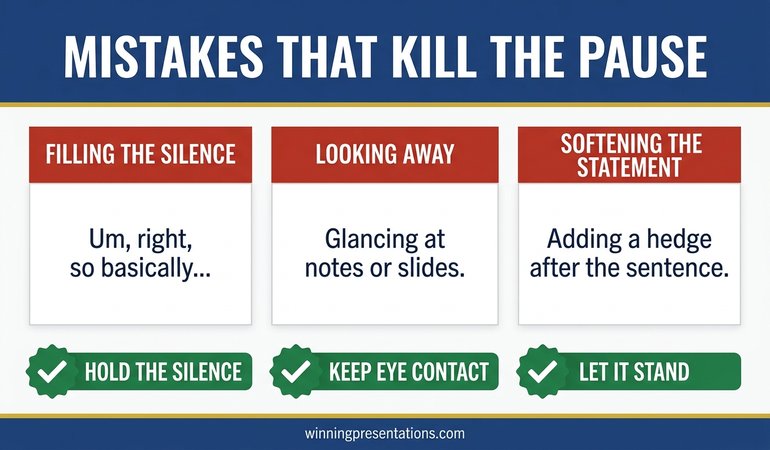
In 2012 I sat in on an executive meeting where two senior leaders presented back to back, and the contrast taught me more about executive presence than any amount of theory. The first walked to the front already talking — “sorry, give me a second, let me just get this up, I know we’re tight on time so I’ll be quick” — while wrestling the clicker and watching the screen rather than the room. By the time his title slide appeared, half the committee had drifted back to their papers; he had taught them, in fifteen seconds, that this was something to half-listen to. The second leader walked to the same spot, stopped, said nothing, and waited. Two full seconds of silence, which in a meeting room feels much longer. The last conversation died, the last person looked up, and only then did she speak: “In ninety days this division has to choose between two growth bets, and we can only fund one. Here is the one I am recommending and why.” She had the room completely, and she had it before a single content slide.
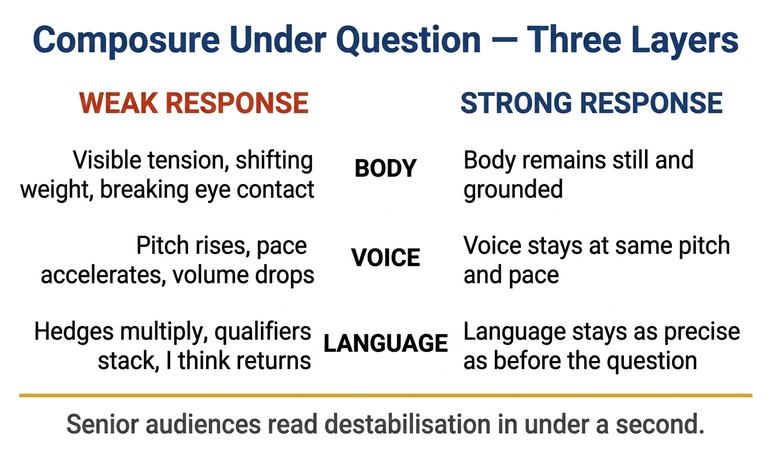
I have watched some hundreds of senior leaders open presentations across financial services, professional services, healthcare, and technology, and the gap between these two openings is the most consistent divider of executive presence I see. It almost never comes down to confidence as a trait — the rushing presenter is frequently the more naturally outgoing of the two. It comes down to what the presenter does with the opening seconds. The nervous instinct is to get talking as fast as possible to discharge the discomfort of standing in front of people in silence. The senior move is to tolerate that silence deliberately, because the silence is what hands you the room.
(This article was created with AI assistance; all stories and insights are based on 35 years of real client work.)
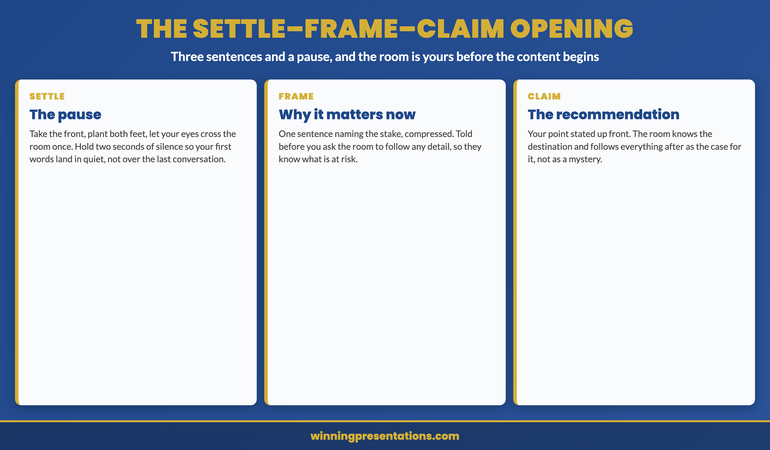
The opening I now teach every senior leader has three moves, and they go in a fixed order: settle, frame, claim. Each does a distinct job. Settle uses silence to gather the room’s attention before you spend any words. Frame tells the room why this matters now, in one sentence, so they know what is at stake. Claim states your recommendation or main point up front, so the room knows the destination and can follow the rest as the case for it. Three sentences and a pause, and the room is yours before the content begins. Most presenters do none of the three — they open with logistics and apology — which is why the strongest thirty seconds they will get all meeting are so often wasted.
If the opening is the part you always end up improvising in the doorway:
The Executive Slide System ships 26 executive templates including opening-slide structures built around the frame-and-claim move, plus 93 AI prompts for writing a sharp frame sentence and a clear up-front claim for any high-stakes presentation. It gives you the opening as a structure you prepare, rather than something you wing on the walk to the front.
Why the first ninety seconds carry so much weight
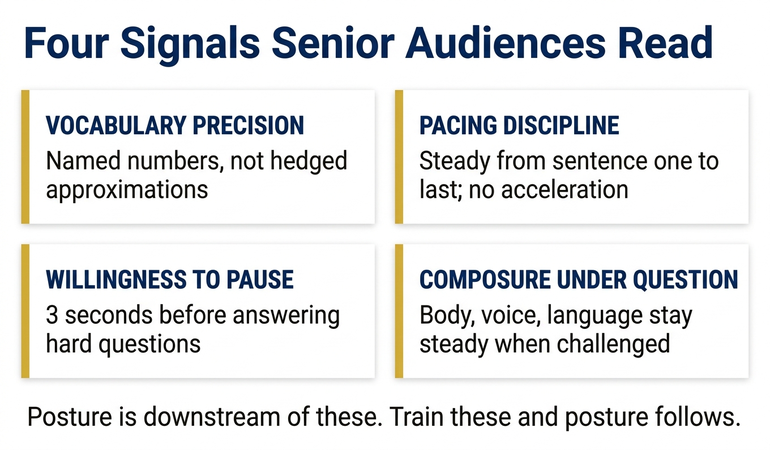
A room forms its read of a presenter faster than the presenter would like to believe, and the read is sticky. In the opening seconds the audience is deciding, mostly below the level of conscious thought, how much attention this is worth and how much authority the person at the front carries. They are reading posture, pace, and whether the presenter seems to be in control of the moment or chased by it. A presenter who opens rushed and apologetic answers those questions in the worst way — low stakes, low authority, safe to half-ignore — and then spends the rest of the presentation trying to overturn a verdict the room reached in the first fifteen seconds. A presenter who opens settled answers them the other way, and then gets to present to a room that has already decided this is worth their full attention.
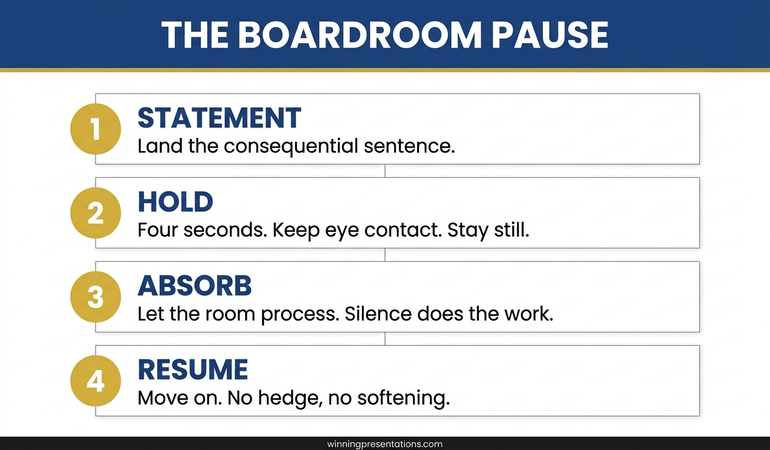
The silence does specific work that talking cannot. When you take the front and hold a deliberate pause, you do three things at once: you let the room’s residual chatter die so your first words land in quiet rather than competing with the tail of the last conversation; you demonstrate, without saying it, that you are comfortable being looked at, which reads as authority; and you create a small expectation, because a person who pauses before speaking signals that what follows is worth waiting for. None of this is available to the presenter who starts talking on the walk to the front. They spend their first words covering for their own discomfort, and the room reads the discomfort accurately. The pause is not dead air; it is the most efficient authority move available, and it costs nothing but the nerve to hold it.
The settle-frame-claim opening
Settle is the pause, and it has a physical component most presenters miss. You take your position at the front, you plant — both feet, still, no rocking or drifting toward the screen — and you let your eyes move once across the room before you speak. The stillness is what sells the settle; a presenter who pauses but fidgets has not settled, they have just gone briefly quiet. Two seconds of genuine stillness is plenty. Then frame: one sentence that names why this matters now. “In ninety days we have to choose between two growth bets and we can fund one.” The frame is not background or context — it is the stake, compressed, and it tells the room why they should care before you ask them to follow detail. Then claim: your recommendation, up front. “Here is the one I am recommending and why.” The claim gives the room the destination, which is what lets them follow everything after as evidence rather than waiting to find out where you are going.
I watched the escalation version of this with a client in 2015 who had to open a presentation to a room she knew was hostile to her proposal before she said a word. Her instinct was to open softly — to acknowledge the resistance, to ease in, to spend the opening building rapport. We rebuilt it as settle-frame-claim instead. She took the front, held the pause through the hostility rather than rushing past it, framed the stake in a single sentence both sides agreed on, and stated her recommendation directly. The directness through the pause did what the soft open could not: it signalled that she was not afraid of the room, which changed how the room treated her for the next forty minutes. Opening into resistance with a settled frame and a clear claim is far stronger than opening with an apology for the position you are about to take.
Prepare the opening instead of improvising it on the walk to the front.
The Executive Slide System ships 26 executive templates including opening structures built around the frame-and-claim move, 93 AI prompts for sharpening the frame sentence and the up-front claim, 16 scenario playbooks covering board approval and executive committee openings, and 7 checklists. Built for senior presenters who want the first ninety seconds written and rehearsed rather than left to nerve. £39, instant download, lifetime access.
- 26 executive slide templates — including opening-slide structures for the frame and the up-front claim
- 93 AI prompts — including prompts for writing a one-sentence frame and a clear recommendation
- 16 scenario playbooks — board approval, executive committee, high-stakes pitch openings
- 7 checklists — including the pre-presentation opening check most senior leaders skip
The “first words” test
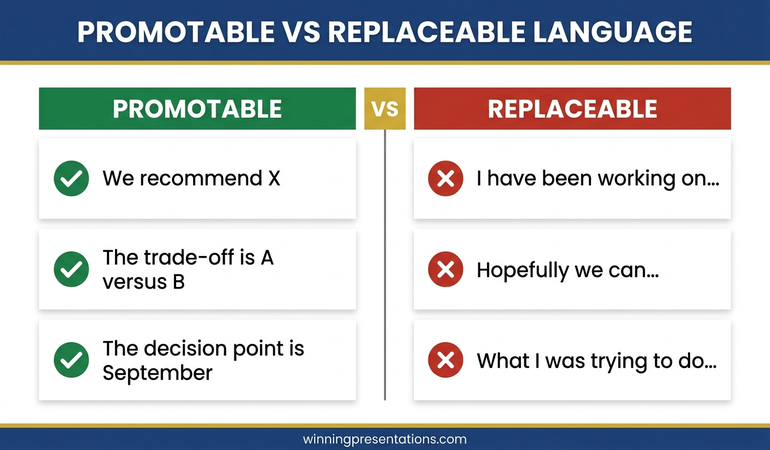
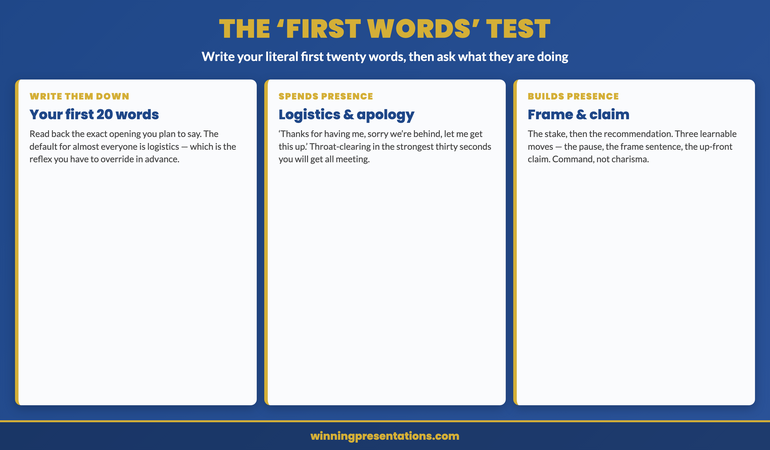
There is a quick diagnostic for whether your opening builds presence or spends it, and you can run it on any presentation before you give it. Write down the literal first twenty words you will say. Then read them back and ask what they are doing. If the first words are logistics and apology — “thanks for having me, sorry we’re running a bit behind, let me just get this up, I’ll try to keep it short” — you have planned to spend your strongest moment on throat-clearing, and the room will read it exactly as such. If the first words are a frame and a claim — the stake, then the recommendation — you have planned to use the opening for what it is worth. The test is revealing because almost everyone’s default first words are logistics; the apology and the clicker-fiddling are the involuntary reflex of a nervous moment, and the only way to override a reflex is to have written the alternative in advance.
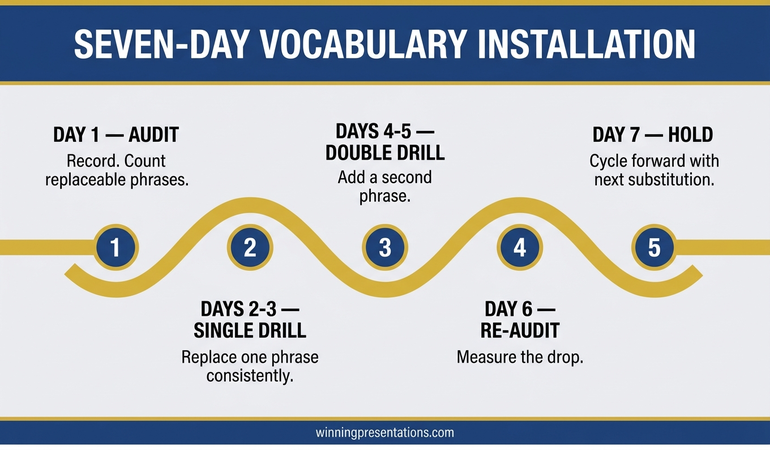
To take this from the article tomorrow: before your next presentation, write your opening’s first two sentences word for word, cut every apology and every line about time or technology, and make the first sentence a frame and the second a claim. Then rehearse the pause that comes before them — literally practise standing still and silent for two seconds, because the pause is the part that feels unnatural and therefore the part you are most likely to drop under pressure. Most senior leaders find the written opening is the single highest-return preparation they do, because it converts the most influential thirty seconds of the presentation from improvised nerves into a deliberate move. The rest of the deck can be strong, but the rest of the deck is presented to a room whose mind is already half made up about you, and the opening is where that mind is made.
For the deeper programme on commanding a senior room from the opening through the decision:
The Executive Buy-In Presentation System is a self-paced programme with 7 modules covering stakeholder analysis, case construction, and the presentation structures that hold up at board and executive committee level — including how to open into a room that has not yet decided to back you. Self-paced with monthly cohort enrolment; optional live Q&A sessions, fully recorded — watch back anytime. Lifetime access to materials. £499.
Why presence is structural, not a personality trait
The most useful thing to understand about executive presence is that the people who have it are not, for the most part, a different kind of person. They are doing a set of repeatable things, and the opening is the most repeatable of all. The pause is a choice anyone can make; the frame is a sentence anyone can write; the up-front claim is a structural decision, not an act of charisma. This matters because senior leaders who believe presence is innate stop trying to build it — they conclude they either have it or do not — whereas leaders who understand it as a set of moves can practise those moves and watch their presence improve. The quiet, reserved leader who settles, frames, and claims will out-present the naturally outgoing one who rushes in apologising, every time, because presence in a presentation is about command of the moment, and command is a behaviour.
None of this requires becoming someone you are not, which is the relief most reserved senior leaders need to hear. You do not have to be louder, more animated, or more naturally commanding. You have to be still for two seconds, say why it matters, and say what you recommend — and you have to prepare those things rather than improvise them. The same structural view of high-stakes presenting — that the things that look like talent are usually learnable moves — runs through the partner article on the board deck appendix, the work on the one-claim data slide, and the wider executive presentation coaching.
One system. Every high-stakes opening. No renewal.
Instant download, lifetime access to the Executive Slide System — 26 templates, 93 AI prompts, 16 scenario playbooks, 7 checklists. No subscription. £39 once. Built for senior presenters who want a prepared opening structure for every board, committee, and pitch rather than an improvised one each time.
Frequently asked questions
Won’t pausing in silence at the start just make me look nervous or unprepared?
It is the reverse, provided the pause is still rather than fidgety. A presenter who stands still and holds two seconds of silence reads as someone in control of the moment, because nervous presenters do the opposite — they fill silence immediately to escape it. The audience reads the willingness to tolerate the pause as confidence, not hesitation. What looks unprepared is the rush: the talking-on-the-way-in, the clicker-fiddling, the apology for the time. If you are worried the pause will feel awkward, that feeling is yours, not the room’s — two seconds that feel like ten to you register as a brief, composed beat to them. The stillness is what distinguishes a settle from a stall, so plant your feet and let your eyes move once across the room while you hold it.
What if the meeting is running late and people genuinely are short on time?
Then the settle-frame-claim opening serves you even better, because it respects their time instead of merely apologising for taking it. Do not open with “I know we’re short on time so I’ll be quick” — that spends words on the constraint without doing anything about it. Settle, then frame the stake, then state your claim, and you have given a time-pressed room the point in the first three sentences. A room under time pressure is grateful to a presenter who gets straight to what matters and punished a presenter who spends the scarce minutes on preamble about the scarce minutes. The opening that works when you have an hour works even better when you have ten minutes.
Does this work the same way on video calls as in the room?
The principle holds but the execution adapts. On video you cannot use physical stillness across a room in the same way, so the settle becomes a held beat after you unmute and before you speak, with your eyes to the camera rather than the gallery. The frame and the claim work identically — arguably they matter more on video, where attention is even more fragile and a rushed, apologetic open loses people faster. The one adjustment is that the pause needs to be slightly shorter on video, because a silent gap on a call can read as a technical problem; a beat to let the room land on you is enough. The structure — settle, frame, claim — is the same; only the length of the settle changes.
I am a naturally quiet presenter — can I really build presence this way?
Yes, and quiet presenters often build it faster, because the settle-frame-claim opening plays to composure rather than to volume. Presence in a senior room is not about being the loudest or most animated person; it is about command of the moment, and a still, deliberate opening is pure command. The naturally outgoing presenter frequently undermines their own presence by rushing and over-filling, while the reserved presenter who holds a pause and states a clear claim reads as someone with nothing to prove. You do not need to perform an extroverted version of yourself. You need to prepare the three moves and trust the stillness, both of which suit a quiet temperament well.
The Winning Edge — weekly newsletter
The Winning Edge is a weekly newsletter for senior professionals who present at the executive level. One short email a week on the moves that separate presenters a room backs from presenters it half-listens to. Subscribe to The Winning Edge →
For the wider library of presentation assets senior leaders draw on — slide system, storytelling primer, Q&A taxonomy, delivery references — the complete presenter library (£99) collects them in one place. See the wider set of coaching resources on the services page, and the partner article on the board deck appendix strategy.
About the author
Mary Beth Hazeldine is Owner & Managing Director of Winning Presentations Ltd. With 24 years of corporate banking experience at JPMorgan Chase, PwC, Royal Bank of Scotland, and Commerzbank, she advises executives across financial services, healthcare, technology, and government on structuring presentations for high-stakes funding rounds, board approvals, and strategic decisions.
Walk into your next high-stakes presentation with the first two sentences written and the pause rehearsed. Take the front, plant both feet, and hold two seconds of silence before you say anything — let the room come to you rather than rushing to fill the quiet. Then frame the stake in one sentence and state your recommendation up front, with not a word of apology or logistics in between. The presenter who settles, frames, and claims owns the room before the first content slide. The presenter who walks in talking spends the rest of the meeting trying to win back a room that decided in the first fifteen seconds it was safe to half-listen.