Tag: executive communication

13 Jan 2026
Speaking off the cuff techniques - how to use the PREP formula to sound prepared when speaking without notes

Speaking Off the Cuff: The PREP Formula That Saved My Career

Quick Answer: Speaking off the cuff becomes manageable when you have a framework ready. PREP (Point-Reason-Example-Point) works in almost any situation: state your position, explain why, give one example, restate. This structure buys thinking time while making you sound organised—even when you’re building your response in real-time.

The moment that changed my career happened in a Commerzbank elevator.

I was heading to lunch when the doors opened and the CEO stepped in. Just the two of us. Fourteen floors to go.

“Mary Beth,” he said, “I’ve been meaning to ask—what’s your honest assessment of the London integration?”

No warning. No preparation. The CEO of a major bank asking for my opinion with sixty seconds to deliver it.

Two years earlier, I would have panicked. Rambled. Said something forgettable or, worse, something I’d regret.

But by then, I had PREP. And in that elevator, it saved my career.

I took a breath, organised my thoughts around four letters, and delivered the most important sixty seconds of my professional life. Here’s exactly how—and how you can do the same.

⭐ Structure That Works With Zero Prep Time

The Executive Slide System teaches the same structural thinking that makes speaking off the cuff possible. When frameworks are internalised, you can organise thoughts instantly—whether presenting slides or answering an unexpected question.

Get the Executive Slide System → £39

What I Actually Said in That Elevator

Here’s the PREP response I delivered:

Point: “Honestly? The integration is six weeks behind where it should be, but it’s recoverable.”

Reason: “The delay is almost entirely regulatory—we underestimated the compliance requirements for cross-border data handling.”

Example: “For instance, the customer migration that was supposed to take two weeks has stretched to five because of documentation requirements we didn’t anticipate.”

Point: “So we’re behind, but the core integration is sound. The path to recovery is clear if we resource the compliance workstream properly.”

Forty-five seconds. Structured. Honest. Actionable.

The CEO nodded. “That’s the clearest answer I’ve had on this. Let’s discuss resourcing in Thursday’s meeting.”

That conversation led to my first direct presentation to the executive committee. Which led to visibility on strategic projects. Which led to promotions I wouldn’t have received if I’d rambled in that elevator.

PREP didn’t just help me answer a question. It changed my trajectory.


PREP formula for speaking off the cuff - Point, Reason, Example, Point with example response

Why PREP Works When Nothing Else Does

The genius of PREP is that it front-loads your conclusion.

Most people, when speaking without preparation, start with context. Background. Build-up. They’re buying time while figuring out their actual point. But they often never reach it—they run out of time, get interrupted, or lose their thread.

PREP forces you to state your position first. Even if you get cut off after one sentence, you’ve communicated your core message. Everything after is support.

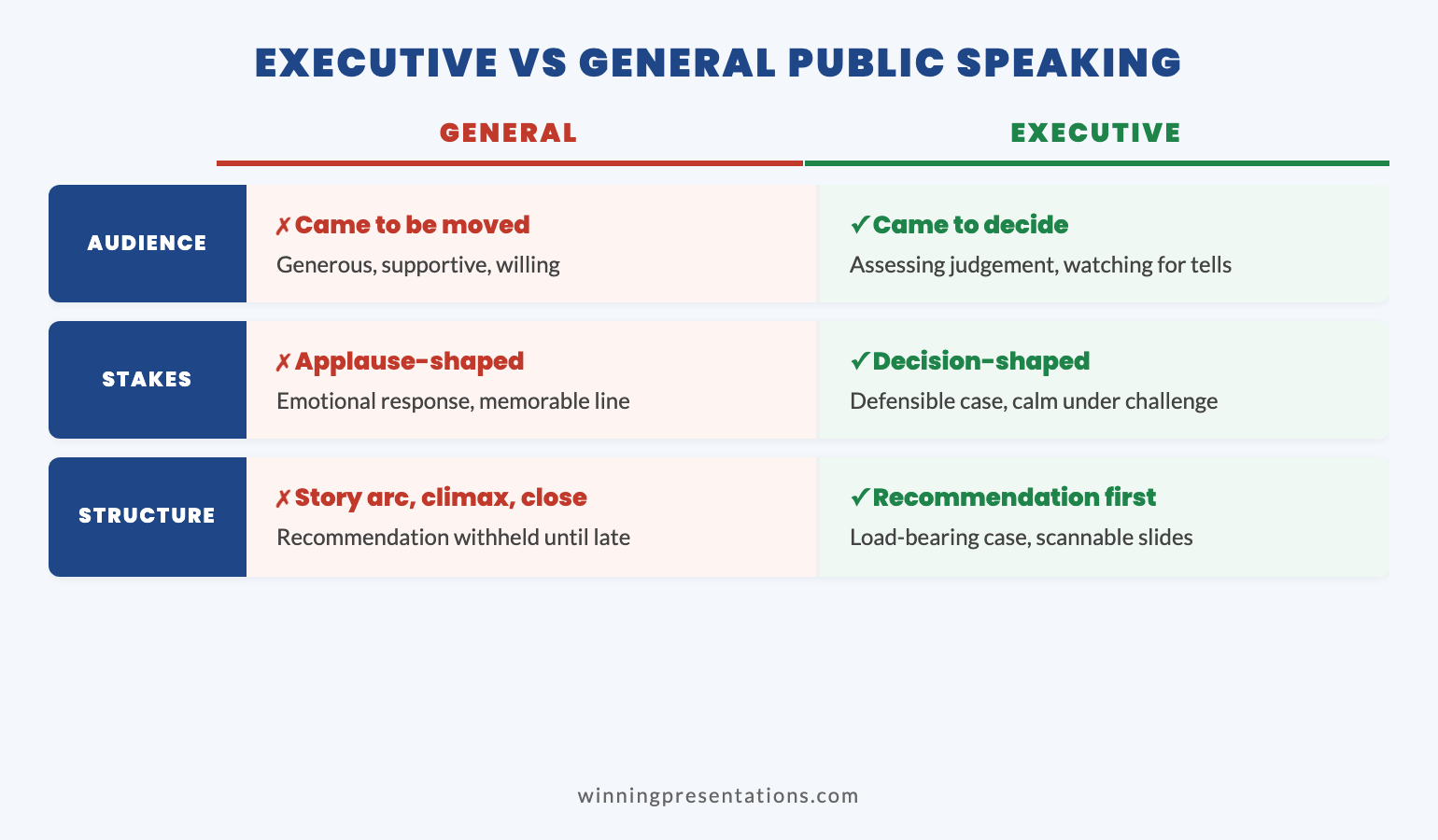
This is exactly how executive communication works. Leaders don’t have patience for build-up. They want the answer first, then the reasoning. PREP trains you to think like an executive—which is why executives respond so well to it.

For a deeper dive into frameworks for any situation, see our complete guide to impromptu speaking.

The Practice That Makes It Automatic

PREP only works if it’s automatic. If you’re thinking about the framework under pressure, you’ve added cognitive load instead of removing it.

Here’s how I made PREP reflexive:

  • Every meeting question: Before answering, I’d mentally slot my response into PREP—even simple questions.
  • Every opinion: “What did you think of the film?” became PREP practice. Point, Reason, Example, Point.
  • Every status update: “Where are we with Project X?” got a structured response, not a ramble.

Within a month, I stopped thinking about PREP consciously. It became how I organised thoughts. The framework disappeared into competence.

That’s when speaking off the cuff stopped being terrifying and started being powerful.

🏆 Master Executive Communication Completely

The Executive Buy-In Presentation System goes beyond frameworks to give you complete command of high-stakes communication—prepared presentations, impromptu moments, and everything between.

Learn More → £399

📧 Join 2,000+ professionals getting weekly presentation insights. Subscribe to The Winning Edge →

Frequently Asked Questions

What does speaking off the cuff mean?

Speaking off the cuff means communicating without preparation—answering unexpected questions, giving impromptu updates, or presenting without notes. The phrase comes from speakers who wrote quick notes on their shirt cuffs. Master it with frameworks from our impromptu speaking guide.

How do I get better at speaking off the cuff?

Master one framework (PREP: Point-Reason-Example-Point) until it’s automatic. Practice it in low-stakes situations—casual conversations, meeting updates, dinner table opinions—so it’s ready when stakes are high.

Why do I struggle with off the cuff speaking?

Your brain is trying to decide WHAT to say and HOW to organise it simultaneously. Under pressure, this dual processing causes overload. A memorised framework handles the ‘how’ automatically, freeing you to focus on content. This principle also applies to building presentation confidence.

📥 Free Download: 7 Presentation Frameworks

Get PREP and six other frameworks that work for both prepared presentations and off-the-cuff moments.

Download Free →

Related: Impromptu Speaking: The Framework That Makes You Sound Prepared


Mary Beth Hazeldine spent 24 years at JPMorgan, PwC, RBS, and Commerzbank. She’s a clinical hypnotherapist and MD of Winning Presentations..

13 Jan 2026
impromptu speaking framework - how to sound prepared and confident even when speaking without preparation

Impromptu Speaking: The Framework That Makes You Sound Prepared (Even When You’re Not)

Quick Answer: The secret to confident impromptu speaking isn’t quick thinking—it’s having a framework ready before you need it. The PREP method (Point, Reason, Example, Point) works for almost any situation: state your position, explain why, give one concrete example, then restate. This structure buys you thinking time while making you sound organised and authoritative.

The most terrifying moment of my banking career happened in a JPMorgan conference room in 2008.

I was a mid-level analyst, sitting in the back of a quarterly review meeting. The CFO had just finished presenting, and the room was quiet. Then the CEO turned, looked directly at me, and said: “You’ve been working on the European integration. What’s your view on the timeline risks?”

Every head swivelled. Twelve senior executives waiting. I had exactly zero seconds to prepare.

My mind went completely blank. I felt my face flush. Words came out—I’m not sure which ones—and I rambled for what felt like an hour but was probably forty-five excruciating seconds. When I finally stopped talking, the CEO nodded politely and moved on.

I wanted to disappear.

That evening, I made a decision: I would never be caught unprepared again. Not by having all the answers—that’s impossible. But by having a framework that would let me respond coherently even when ambushed.

Over the next two decades, I’ve refined those frameworks through thousands of high-stakes moments—board meetings, investor calls, media interviews, client presentations. I’ve taught them to over 5,000 executives who face the same terror I felt that day.

The truth is, confident impromptu speaking has nothing to do with being quick-witted. It’s about structure. And structure can be learned.

⭐ Structure That Works With or Without Prep Time

The Executive Slide System teaches the same structural frameworks that make impromptu speaking possible. When you internalise these patterns, you can organise your thoughts instantly—whether you have a week to prepare or thirty seconds.

The principle is identical: Master the framework, and content flows naturally. Stop reinventing structure every time you speak.

Get the Executive Slide System → £39

Why Smart People Freeze When Put on the Spot

Here’s what’s actually happening when your mind goes blank:

Your brain is trying to solve two problems simultaneously: what to say and how to organise it. That’s an enormous cognitive load. Under pressure, with adrenaline flooding your system, it’s often too much.

The result? Your working memory overloads. Thoughts collide. You either freeze completely or start talking without direction—rambling, circling, losing your thread.

This happens to intelligent people precisely because they have so much to say. A simpler mind might blurt out the first thing that comes up. A sophisticated mind sees multiple angles, competing priorities, nuances to acknowledge. Without structure to channel that complexity, it becomes paralysis.

The solution isn’t to think faster. It’s to remove one of those cognitive tasks entirely.

When you have a framework memorised, you don’t need to figure out how to organise your response. That’s handled. Your entire brain can focus on what to say. The framework becomes a container that your content flows into automatically.

This is why the people who seem naturally eloquent often aren’t smarter or quicker than you. They’ve simply internalised structures that make organisation automatic. What looks like talent is really preparation meeting opportunity.

Why smart people freeze - diagram showing cognitive overload when trying to determine what to say and how to organise it simultaneously

The PREP Framework: Your Impromptu Safety Net

PREP is the framework I teach most often because it works in almost any situation:

P – Point: State your position clearly in one sentence.
R – Reason: Explain why you hold that position.
E – Example: Give one concrete example or piece of evidence.
P – Point: Restate your position (reinforces and signals you’re done).

Here’s how it sounds in practice:

“What’s your view on the timeline risks?”

Point: “The timeline has three significant risks we need to watch.”

Reason: “Each depends on external factors we don’t fully control—regulatory approval, vendor delivery, and legacy system migration.”

Example: “Take the regulatory piece. We’re assuming a six-week review, but similar applications in Q2 took eight to ten weeks. That alone could shift our go-live by a month.”

Point: “So those three risks—regulatory, vendor, and migration—are where I’d focus our contingency planning.”

That response takes about thirty seconds. It’s structured, specific, and actionable. It sounds like you knew exactly what you were going to say—even though you built it in real-time using the framework.

The power of PREP is that it forces you to lead with your conclusion. Most people, when nervous, bury their point at the end (if they reach it at all). PREP puts it first, which is exactly how effective presentation structure works.

3 More Frameworks for Different Situations

PREP handles opinions and recommendations. But some situations call for different structures:

Past-Present-Future (Status Updates)

When someone asks “Where are we with Project X?”:

  • Past: What we’ve accomplished so far
  • Present: Where we are right now, including any blockers
  • Future: What happens next and when

“We completed user testing last week with 94% satisfaction. Currently we’re in final QA with three bugs being fixed. We’ll be ready for soft launch by Friday.”

Problem-Cause-Solution (Troubleshooting)

When asked about issues or challenges:

  • Problem: Name the issue clearly
  • Cause: Explain why it’s happening
  • Solution: What you recommend doing about it

“We’re seeing a 15% drop in conversion. The cause appears to be the new checkout flow—users are abandoning at the payment step. I recommend A/B testing the original flow against the new one this week.”

What-So What-Now What (Making Information Actionable)

When sharing data or findings:

  • What: The fact or finding
  • So What: Why it matters
  • Now What: The action or decision needed

“Customer complaints increased 23% this quarter. That matters because it correlates with our highest churn segment. I think we need to prioritise the support ticket backlog before launching the new feature.”

Four impromptu speaking frameworks - PREP for opinions, Past-Present-Future for updates, Problem-Cause-Solution for issues, What-So What-Now What for data

How to Buy Thinking Time (Without Looking Evasive)

Even with frameworks, you sometimes need a few seconds to gather your thoughts. Here are techniques that buy time naturally:

Repeat the Question

“So you’re asking about the timeline risks specifically?” This confirms you understood, shows you’re taking the question seriously, and gives your brain 3-4 seconds to start organising.

Acknowledge the Importance

“That’s an important question, and I want to give you a thoughtful answer.” Not filler—genuine acknowledgment that earns you thinking time.

Take a Visible Breath

A deliberate pause reads as thoughtfulness, not uncertainty. The most authoritative speakers often pause before responding. It signals confidence, not confusion.

Bridge to Your Framework

“Let me break that down into three parts.” You’ve bought time AND signalled that a structured answer is coming. Your audience settles in to listen.

The Honesty Play

When truly caught off guard: “I haven’t thought about it from that angle before. Give me a moment.” Then pause, think, and respond. Authenticity beats stammering every time.

What you should never do: start talking before you know where you’re going. That’s how rambling happens. Better to pause for three seconds than wander for thirty.

How to Practice Impromptu Speaking Daily

Impromptu speaking improves dramatically with practice—but you don’t need to join Toastmasters or take a course. Everyday situations offer perfect training:

The Meeting Prep

Before any meeting, ask yourself: “What might I be asked about?” Pick two likely questions and mentally run through PREP responses. Even thirty seconds of preparation builds the habit.

The Elevator Conversation

When someone asks “How’s your project going?” use Past-Present-Future instead of “Fine, busy.” You’re practising structure in low-stakes situations so it’s automatic in high-stakes ones.

The Dinner Table

When asked your opinion on anything—a movie, a news story, a restaurant—use PREP. “I thought it was excellent [Point]. Here’s why [Reason]. For example [Example]. So yes, I’d recommend it [Point].”

The Daily Challenge

Pick a random topic each morning and give yourself sixty seconds to answer using a framework. Politics, sports, work issues, hypothetical questions. The topic doesn’t matter—the structure practice does.

Within a month of daily practice, frameworks become automatic. You stop thinking about the structure and start thinking entirely about content. That’s when impromptu speaking stops being terrifying and starts being powerful.

Daily practice opportunities for impromptu speaking - meetings, conversations, dinner table discussions, daily challenges

🏆 Master High-Stakes Communication at Every Level

The Executive Buy-In Presentation System goes beyond frameworks to give you complete mastery of executive communication—prepared and impromptu.

Learn how to command any room, handle unexpected questions with authority, and present with the confidence that comes from deep structural understanding.

Includes: Advanced frameworks, stakeholder psychology, real-time adaptation techniques, and live coaching sessions.

Learn More About the Programme → £399

Case Study: From Freezing to Fluent

Three years ago, I worked with a senior director at a pharmaceutical company—let’s call him David—who had a specific problem: he was brilliant in prepared presentations but fell apart when executives asked unexpected questions.

“I know the answers,” he told me. “I just can’t access them under pressure. My mind goes blank, and I start rambling. By the time I find my point, I’ve lost the room.”

David’s issue was classic: he was trying to think about content AND structure simultaneously under pressure. His intelligent mind saw too many angles, and without a framework to channel them, he became overwhelmed.

We spent four weeks drilling frameworks:

  • Week 1: PREP only. Every question, every conversation, every opinion—structured through PREP.
  • Week 2: Added Past-Present-Future for status questions and Problem-Cause-Solution for troubleshooting.
  • Week 3: Practised buying time techniques—repeating questions, bridging phrases, deliberate pauses.
  • Week 4: Simulated board meetings with rapid-fire questions, forcing framework selection under pressure.

His next board meeting was the test. When the CEO asked an unexpected question about market dynamics, David paused (deliberately), repeated the question (buying time), and then delivered a PREP response that took forty-five seconds.

“Where did that come from?” his boss asked afterward. “You sounded like you’d been preparing for that question all week.”

He hadn’t. He’d simply internalised structure to the point where it was automatic. The content was always there—he just finally had a container for it.

David’s experience reinforced what I’ve seen hundreds of times: impromptu speaking isn’t a talent. It’s a skill built on frameworks. And frameworks can be learned by anyone willing to practice them deliberately.

📧 Join 2,000+ professionals getting weekly presentation insights. Subscribe to The Winning Edge →

Frequently Asked Questions

How do I speak confidently when put on the spot?

Use a framework. The PREP method (Point, Reason, Example, Point) gives you instant structure. State your position, explain why, give one concrete example, then restate your position. This buys thinking time while sounding organised. The same principles apply to presentation structure.

Why do I freeze when asked to speak without preparation?

Your brain is trying to do two things at once: figure out WHAT to say and HOW to organise it. A memorised framework handles the ‘how’ automatically, freeing your brain to focus entirely on content. This is why structure is essential for presentation confidence.

How can I improve my impromptu speaking skills?

Practice frameworks until they’re automatic. Start with PREP (Point-Reason-Example-Point) for opinions, and Past-Present-Future for updates. Use everyday conversations—meeting questions, dinner table discussions, casual opinions—as practice opportunities.

What’s the best framework for impromptu speaking?

PREP works for most situations: Point (your position), Reason (why you believe it), Example (concrete evidence), Point (restate). For status updates, use Past-Present-Future. For problems, use Problem-Cause-Solution. For data, use What-So What-Now What.

How do I buy time when put on the spot?

Repeat the question back (“So you’re asking about our Q2 projections?”), take a visible breath, or use a bridging phrase (“That’s an important question. Let me address the core issue.”). These are natural, not evasive. Learn more techniques in our guide to handling difficult questions.

Can impromptu speaking skills be learned or are they innate?

Absolutely learned. The people who seem naturally eloquent have simply internalised frameworks through practice. What looks like talent is usually structure plus repetition. Anyone can develop this skill with deliberate practice.

📥 Free Download: 7 Presentation Frameworks

Get the structural frameworks that work for both prepared presentations and impromptu moments. When you internalise these patterns, speaking without notes becomes natural.

Download Free →

Related Resources

Continue building your communication skills:

The Framework Advantage

Impromptu speaking isn’t about being the smartest person in the room. It’s about having structure ready before you need it.

The PREP framework alone will handle 80% of situations you’ll face. Add Past-Present-Future, Problem-Cause-Solution, and What-So What-Now What, and you’re prepared for virtually anything.

The executives who seem naturally articulate aren’t smarter than you. They’ve simply practised these frameworks until they’re automatic. Structure plus repetition equals apparent eloquence.

Start today. Use PREP in your next meeting, your next conversation, your next dinner table discussion. Within a month, you’ll stop dreading “Can you say a few words?” and start welcoming it.

Because when you have structure, you don’t need preparation. You just need to open your mouth—and let the framework do its job.


Mary Beth Hazeldine is a qualified clinical hypnotherapist, NLP practitioner, and Managing Director of Winning Presentations. After 5 years terrified of presenting, she built a 24-year banking career at JPMorgan Chase, PwC, RBS, and Commerzbank. She has treated hundreds of anxiety clients and trained over 5,000 executives.

07 Jan 2026
Leadership communication skills - executive commanding boardroom with strategic brevity

Leadership Communication Skills: Why Executives Talk Too Much (And Persuade Too Little)

Quick Answer: Leadership communication skills are built on brevity, not volume. Research shows executives lose audience attention after 30 seconds of continuous speaking. The most persuasive leaders use the “headline first” framework: state your recommendation in under 10 words, pause, then provide only the context requested. This reverses the common mistake of building to your point—which loses senior audiences before you reach it.

“I’ve heard enough.”

Four words that ended a £4M budget request.

I watched it happen at Commerzbank. A VP—brilliant analyst, 15 years of experience—had requested 30 minutes with the CFO to present a technology investment. He’d prepared 47 slides. He’d rehearsed for hours. His leadership communication skills, he believed, were solid.

Eleven words into his opening, the CFO raised his hand.

“What’s the number and what do you need from me?”

The VP froze. He’d planned to build context for the first 10 minutes. His recommendation was on slide 34. He stumbled through an explanation of why background mattered first.

The CFO checked his phone. Then stood up. “Send me a one-pager. I don’t have time for this.”

The meeting was over. The budget request died.

I’ve replayed this scene hundreds of times across my 24 years at JPMorgan Chase, PwC, RBS, and Commerzbank. The pattern is always identical: technically excellent professionals who confuse thorough communication with effective communication.

They talk more. They persuade less.

True leadership communication skills work in reverse. You start with your point. You stop talking. You let the room come to you.

Here’s how to build the communication skills that actually move senior stakeholders to action.

🏆 FLAGSHIP PROGRAMME

The Executive Buy-In Presentation System

Stop losing senior stakeholders with over-communication. This comprehensive system teaches you the exact frameworks used by leaders who consistently win approval, secure budgets, and accelerate their careers through high-stakes presentations.

What transforms: How you structure recommendations, command executive attention, handle C-suite pushback, and get decisions made in a single meeting.

Develop Leadership Communication That Gets Buy-In →

Why Executives Talk Too Much (The Expertise Trap)

The more you know, the worse you communicate.

This counterintuitive truth explains why so many technically brilliant professionals fail to develop effective leadership communication skills. Psychologists call it the “curse of knowledge”—once you understand something deeply, you lose the ability to imagine not understanding it.

Here’s how it plays out in executive settings:

The expert’s instinct: “I need to share the complexity so they understand my recommendation.”

The executive’s reality: “I don’t need to understand. I need to decide.”

This gap explains the epidemic of over-communication in corporate leadership. Professionals build elaborate context because they needed that context to reach their conclusion. They don’t realize executives operate on different criteria: trust, confidence, and strategic fit—not technical detail.

Research from Harvard Business Review confirms the pattern. Executives report that 70% of the information they receive is unnecessary for decision-making. More damning: they form opinions about recommendations within the first 30 seconds. Everything after is confirmation or dismissal of that initial judgment.

When you talk for 10 minutes before reaching your point, you’re not building a case. You’re triggering impatience, skepticism, and disengagement.

True leadership communication skills require unlearning the instincts that made you an expert in the first place.

The Leadership Communication Skills Framework

Effective leadership communication rests on three principles that reverse how most professionals are trained to present:

Principle 1: Conclusion First

State your recommendation before your reasoning. This isn’t rude—it’s respectful. You’re signaling that you value their time and trust them to ask for context they need.

Instead of: “Let me walk you through the market analysis, competitive landscape, and financial projections that led us to conclude…”

Say: “I recommend we proceed with Option B at £2.4M. Here’s why.”

Principle 2: Minimum Viable Context

Provide only the context necessary for a decision—not the context necessary for full understanding. These are different things. Senior executives don’t need to understand the technical nuances; they need to understand the strategic implications.

Ask yourself before each point: “Would they ask for this if I didn’t offer it?” If not, don’t include it.

Principle 3: Pull, Don’t Push

Create space for questions rather than preemptively answering them. When you anticipate every objection, you signal anxiety. When you state your position and pause, you signal confidence.

The executives who master leadership communication skills speak less than anyone in the room. They make their point. They stop. They let the room come to them.

Leadership communication skills framework - conclusion first, minimum context, pull don't push

The Headline-First Method That Commands Rooms

The single most powerful leadership communication skill is also the simplest: lead with your headline.

Here’s the method:

Step 1: Write your core message in 10 words or fewer.
If you can’t, you haven’t clarified your thinking. The discipline of compression forces clarity. “We should invest £2.4M in platform migration to reduce costs 23% by Q4.”

Step 2: Deliver the headline. Then stop.
Don’t immediately explain. Don’t justify. Don’t contextualize. Say the headline, then pause for 2-3 seconds. This pause is uncomfortable—and powerful.

Step 3: Let them pull for more.
After your pause, one of two things happens. Either they accept the recommendation (you’re done), or they ask a question (you answer only what’s asked). Both outcomes are efficient.

Step 4: Answer questions, not topics.
When they ask “What’s the risk?”, answer the risk question. Don’t expand into related topics they didn’t ask about. Answer. Stop. Wait.

This method feels unnatural at first because we’re trained to build context before conclusions. But senior executives have already built mental models for most business situations. They don’t need your context—they need your position.

I’ve watched this single technique transform careers. One client went from consistently losing budget requests to a 90% approval rate. Same quality of thinking. Different sequence of delivery.

🏆 FLAGSHIP PROGRAMME

Master the Communication That Gets Executive Buy-In

The headline-first method is just one technique in a complete system. The Executive Buy-In System gives you frameworks for every high-stakes scenario—from budget requests to strategy presentations to crisis communication.

Get the Complete Executive Buy-In System →

Strategic Silence: The Most Underused Leadership Communication Skill

Junior professionals fill silence. Senior leaders use it.

Strategic silence is the secret weapon of executive communication. When you pause after a statement, you accomplish three things simultaneously:

1. You signal confidence. Only people who trust their words can let them hang in the air. Filling silence with qualifiers signals doubt.

2. You create space for processing. Senior executives are processing your recommendation against multiple competing priorities. Silence gives them room to think.

3. You shift power dynamics. The person who speaks next often loses subtle negotiating ground. When you pause after your recommendation, you force others to respond to your position—rather than the reverse.

How to Deploy Strategic Silence

After your headline: Deliver your core recommendation, then pause for 3 full seconds. Count in your head. It will feel eternal. It isn’t.

After answering questions: Answer what was asked, then stop. Don’t fill the silence with additional context. If they want more, they’ll ask.

When challenged: Pause before responding to pushback. This prevents defensive reactions and signals that you’re considering their point seriously.

When you don’t know: “I don’t have that data. I’ll follow up by end of day.” Then silence. Don’t apologize or over-explain.

The executives with the strongest leadership communication skills are often the quietest people in the room. They speak only when it advances the decision—and they let silence do the rest.

Leadership communication skills - strategic silence technique for executive influence

5 Leadership Communication Skills Mistakes That Kill Credibility

After training 5,000+ executives, these are the communication patterns I see destroy credibility most consistently:

Mistake 1: The Throat-Clearing Introduction

“Before I get into the recommendation, let me give you some background on how we got here…”

This signals that you don’t trust your recommendation to stand on its own. It also trains audiences to tune out your openings—because you’ve taught them nothing important happens at the start.

Fix: Delete your first paragraph. Start with your second.

Mistake 2: The Defensive Pre-Answer

“Now, I know some of you might be thinking…” followed by addressing objections nobody raised.

This creates objections that didn’t exist. You’re literally teaching the room what to push back on. Worse, it signals anxiety about your position.

Fix: Let objections emerge naturally. Address them when asked—and only when asked.

Mistake 3: The Expertise Showcase

Demonstrating depth of knowledge when the situation calls for clarity of recommendation.

Executives don’t promote people who know the most. They promote people who make decisions easier. Your expertise should be invisible—manifesting in confident recommendations, not lengthy explanations.

Fix: Ask yourself: “Am I sharing this for them or for me?” Be honest.

Mistake 4: The Hedge Word Epidemic

“I think we might want to consider possibly looking at…”

Every hedge word halves your perceived conviction. Senior leaders notice this immediately. It signals that you’re not confident enough in your analysis to stake a clear position.

Fix: Delete “I think,” “maybe,” “might,” “possibly,” “perhaps,” “sort of,” “kind of.” State positions as positions.

Mistake 5: The Runaway Answer

Someone asks a simple question. You answer it. Then you keep talking—adding context, related points, and caveats until you’ve lost everyone.

This happens because silence after answering feels uncomfortable. But every additional word dilutes your answer and tests patience.

Fix: Answer the question. Stop. Count to three. If they want more, they’ll ask.

Case Study: The CFO Who Lost £4M in 11 Words

Let me return to that Commerzbank meeting—because the failure illuminates exactly what leadership communication skills require.

The VP’s first 11 words were: “Thank you for making time. I’d like to walk you through…”

That’s when the CFO stopped him.

Why? Those 11 words signaled everything wrong with the approach:

“Thank you for making time” — Gratitude is fine, but leading with it signals you view this as a favor, not a business necessity. It subtly undermines the importance of what follows.

“I’d like to walk you through” — This announces a journey, not a destination. It tells the CFO that his time will be spent on your process, not his decision.

Now consider an alternative opening:

“I’m requesting £4M for platform migration. It reduces operating costs by 23% within 18 months. Net positive ROI by month 14.”

Same meeting. Same request. Completely different frame.

This opening accomplishes everything the original failed to do:

→ States the ask immediately (£4M)
→ Provides the outcome (23% cost reduction)
→ Establishes the timeline (18 months)
→ Preempts the obvious question (when does it pay off?)

The CFO now has everything he needs to engage. He might approve on the spot. He might ask about risks. He might question assumptions. But he’s engaged with the decision—not trapped in a presentation.

Six months later, I coached a different VP on the same request. He opened with the headline. He got approval in 12 minutes.

Same £4M. Same CFO. Different leadership communication skills.

Leadership communication skills case study - 11 words that lost £4M vs opening that wins approval

🏆 FLAGSHIP PROGRAMME

Get the System That Wins £4M Approvals

The difference between rejection and approval often comes down to the first 30 seconds. The Executive Buy-In System teaches you exactly how to open, structure, and close high-stakes requests—so you get decisions made in a single meeting.

Transform Your Executive Communication →

How to Build Leadership Communication Skills

Leadership communication skills develop through deliberate practice, not passive awareness. Here’s the progression that works:

Week 1-2: The Headline Discipline

Before every meeting, email, or presentation, write your core message in 10 words or fewer. Don’t proceed until you can. This single practice forces the clarity that underpins all executive communication.

Week 3-4: The Silence Practice

In every conversation, practice pausing for 2 seconds after making a point. Notice the urge to fill silence. Don’t. Let others respond first. Track how often your pause creates space for others to engage.

Week 5-6: The Audit

Record yourself in a meeting or presentation (with appropriate permissions). Review the recording and count: How many words before your main point? How many hedge words? How much silence after key statements? The numbers will be uncomfortable. That’s the point.

Week 7-8: The Cut

Take your next presentation and cut it by 50%. Not 10%. Not 25%. Half. This forces ruthless prioritization. You’ll discover that most of what you planned to say wasn’t necessary for the decision.

Ongoing: The Feedback Loop

After every high-stakes communication, ask yourself: Did I get the outcome I needed? If not, was it because they didn’t understand—or because I didn’t persuade? The answer is almost always the latter.

📧 Join 2,000+ professionals getting weekly insights on executive communication and leadership presence. Subscribe to The Winning Edge →

FAQ: Leadership Communication Skills

What’s the biggest leadership communication skills mistake?

Over-explaining. Senior leaders assume more context helps. It doesn’t. Every additional word dilutes your core message and signals uncertainty. The executives who command rooms use half the words and twice the conviction.

How do I develop leadership communication skills quickly?

Start with the “headline first” discipline. Before any meeting or presentation, write your core message in 10 words or fewer. If you can’t, you haven’t clarified your thinking. Practice delivering that headline, then stopping. The pause after forces others to engage.

Why do technically brilliant people struggle with leadership communication skills?

Technical expertise creates a curse of knowledge. You understand the complexity, so you feel compelled to share it. But executives don’t need to understand—they need to decide. The shift from “expert who explains” to “leader who recommends” requires deliberately simplifying, not showcasing depth.

How is leadership communication different from regular presentation skills?

Regular presentation skills focus on clarity and engagement. Leadership communication skills focus on decision and action. You’re not informing—you’re influencing. Every word should move the room closer to the outcome you need.

Can introverts develop strong leadership communication skills?

Absolutely. Introversion often produces better leadership communication because introverts naturally speak less and listen more. The key is strategic contribution—speaking only when it advances the decision. Many of the most effective executive communicators I’ve coached are introverts.

How do I communicate with leadership communication skills when I’m not the most senior person in the room?

Lead with your recommendation, not your credentials. Senior executives respect people who respect their time. State your position clearly, provide the minimum context needed, and let them pull for more if they want it. Confidence in delivery matters more than title on the org chart.

📋 Free Download: CFO Questions Cheatsheet

Know exactly what CFOs and senior executives will ask before they ask it. This cheatsheet covers the 10 questions that determine budget approval—so you can prepare the answers that get to yes.

Get Your Free Cheatsheet →

Related Reading

Closing: The Leaders Who Command Rooms Speak Less

That VP at Commerzbank taught me something I’ve never forgotten: expertise doesn’t equal influence. You can be the smartest person in the room and still lose the room—if you can’t communicate at the speed of decision.

Leadership communication skills aren’t about finding more articulate ways to share what you know. They’re about finding more efficient ways to move people to action.

Less context. More conviction.
Fewer words. More weight.
Less explaining. More recommending.

The executives who get things done aren’t the ones who talk the most. They’re the ones who know when to stop talking.

Master that—and every room becomes yours.


About the Author

Mary Beth Hazeldine is a qualified clinical hypnotherapist, NLP practitioner, and Managing Director of Winning Presentations. After 5 years terrified of presenting, she built a 24-year banking career at JPMorgan Chase, PwC, RBS, and Commerzbank. She has treated hundreds of anxiety clients and trained over 5,000 executives.

12 Dec 2025
How to present to a CFO - the finance-first framework for getting budget approval

How to Present to a CFO: The Finance-First Framework [2026]

📅 Updated: December 2025 — Includes CFO presentation templates and AI prompts

Quick Answer: How Do You Present to a CFO?

To present to a CFO successfully, lead with the financial ask and expected ROI in your first 30 seconds. CFOs don’t want context first — they want to know: what do you need, how much, and what’s the return? Structure your presentation as: (1) The Ask, (2) The ROI, (3) The Risk, (4) The Timeline, then supporting detail. This “finance-first” approach respects their time and speaks their language.

🎁 FREE DOWNLOAD

CFO Presentation Cheat Sheet

The 10 questions every CFO asks — with scripts for how to answer each one.

Download Free Cheat Sheet →

No spam. Unsubscribe anytime.


I’ll never forget the silence in that JPMorgan conference room.

I was three years into my banking career, presenting a £2 million technology investment to our divisional CFO. I’d spent two weeks preparing. Every slide polished. Every data point triple-checked. I walked in confident.

Twelve minutes in, he held up his hand.

“Mary Beth, I’m sure this is all very interesting. But what do you actually want, and what’s the return?”

I’d buried my ask on slide 14. He’d stopped listening by slide 6.

That moment changed how I present forever. Over the next 21 years — through JPMorgan, PwC, Royal Bank of Scotland, and Commerzbank — I watched hundreds of brilliant people make the same mistake I’d made. Smart proposals. Strong business cases. No approval.

The problem was never the idea. It was the presentation.

They were presenting like marketers. CFOs think like investors.

Since then, I’ve helped clients secure over £250 million in funding by fixing this one fundamental shift. This guide shows you exactly how to present to a CFO in a way that gets decisions, not deferrals.

How to present to a CFO - the finance-first framework for getting budget approval

Why Most CFO Presentations Fail

CFOs reject good ideas every day. Not because the ideas are bad — because the presentations don’t answer the questions CFOs actually care about.

Here’s what’s frustrating: the advice you’ve probably heard is making things worse.

The 3 Fatal Mistakes (That “Best Practice” Taught You)

Mistake 1: “Set the context first”

Every presentation course tells you to establish context before making your ask. Build the narrative. Take them on a journey. Create understanding.

CFOs hate this.

They’re thinking about 47 other budget requests, a board meeting on Thursday, and why IT costs are up 12%. They don’t have mental bandwidth for your journey. They want to know: what do you need, and what do I get?

When you bury your ask on slide 18, you’ve lost them by slide 6.

Mistake 2: “Focus on benefits”

Marketing taught us to sell benefits, not features. “This will improve efficiency.” “This will enhance collaboration.” “This will drive innovation.”

CFOs don’t buy benefits. They buy returns.

“Improve efficiency” is meaningless. “Reduce processing costs by £180,000 annually against a £50,000 investment” is a decision. CFOs think in payback periods, IRR, and opportunity costs. If you can’t quantify it, they can’t justify it.

Mistake 3: “Keep it positive”

You’ve been told to project confidence. Don’t dwell on risks — it makes you look uncertain. Sell the upside.

This destroys your credibility.

CFOs have seen projects fail. They’ve inherited budget disasters from optimistic predecessors. They’re paid to be skeptical. When you downplay risks, they assume either you haven’t thought them through — or there are risks you don’t even know about.

The CFO who approved my first major proposal told me why: “You were the first person all week who told me what could go wrong. Everyone else was selling. You were thinking.”

Related: Budget Presentation Template: How to Get Your Budget Approved First Time

The Finance-First Framework

This framework flips the traditional presentation structure. Instead of building to your ask, you lead with it — then provide the supporting evidence CFOs need to say yes.

The Finance-First Framework: Ask, ROI, Risk, Timeline, Detail

Step 1: The Ask (First 30 Seconds)

State your request immediately. In your first sentence if possible.

“I’m requesting £400,000 for marketing automation. Expected return is £1.2 million over 24 months. That’s 3x ROI with a 6-month payback. I need a decision by January 15th to hit our Q1 implementation window.”

That’s 42 words. The CFO now knows exactly what’s at stake before you’ve shown a single slide.

Compare that to: “Thank you for making time today. I wanted to walk you through some exciting developments in our marketing technology landscape and share some research we’ve been doing on automation platforms…”

The first version respects the CFO’s time. The second wastes it.

Step 2: The ROI (Make It Scannable)

After your opening ask, show the financial case in a format CFOs can evaluate in seconds:

Metric Value
Investment Required £400,000
Expected Return (24 months) £1,200,000
ROI 200%
Payback Period 6 months
Break-Even Point Month 8

Critical: Show your assumptions.

CFOs don’t trust black-box numbers. Add a line under your ROI table: “Based on 15% conversion improvement (industry benchmark: 12-18%) and current lead volume of 2,400/month.”

This shows you’ve done the work. It also gives them something to test — if they disagree with an assumption, you can discuss it rather than having the whole proposal dismissed.

Step 3: The Risk (Address It Before They Ask)

Every CFO is thinking: “What happens if this fails?”

Answer that question proactively:

Key risks and mitigation:

Implementation delay: Vendor has guaranteed 90-day deployment with penalty clause

Adoption risk: Phased rollout with 3 pilot teams before full deployment

ROI underperformance: Kill switch at Month 4 if we’re not seeing 10% improvement

That last point — the kill switch — is powerful. It tells the CFO: “I’ve thought about failure, and I have a plan to limit downside.”

Suddenly your £400,000 request feels much less risky. It’s not “give me £400,000 and hope for the best.” It’s “give me £400,000 with built-in checkpoints.”

Step 4: The Timeline (Show You’re Ready)

CFOs want to know you can execute. A clear timeline demonstrates operational readiness:

  • January: Vendor selection finalised, contracts signed
  • February-March: Implementation and integration
  • April: Pilot with 3 teams (50 users)
  • May: Checkpoint — evaluate results, go/no-go decision
  • June: Full rollout (200 users)
  • July: First ROI measurement

Note the checkpoint in May. This reinforces the kill switch and shows you’re not asking for blind faith.

Step 5: Supporting Detail (Only If Asked)

Everything else — market research, competitive analysis, vendor comparisons, implementation details — goes in an appendix or backup slides.

Don’t present it unless the CFO asks. If they want to dive deeper, you’re prepared. If they don’t, you haven’t wasted their time.

📄
Get the CFO Question Scripts

Download the 10 questions every CFO asks — with word-for-word scripts for how to answer each one confidently.

Download Free Cheat Sheet →

The 10 Questions Every CFO Asks

After hundreds of CFO presentations, I’ve found they ask variations of the same 10 questions. Prepare for these, and you’ll handle 90% of what comes your way.

Questions About the Ask

1. “What exactly are you asking for?”

Be specific: amount, timing, and what it funds. “£400,000 in Q1, split between £280,000 for software licensing and £120,000 for implementation services.”

2. “Why this amount? How did you arrive at it?”

Show your work. Break down the components. CFOs respect rigorous cost estimation.

3. “Why now? What happens if we wait?”

Quantify the cost of delay. “Each month we delay costs £45,000 in manual processing. Q1 pricing expires March 31st.”

Questions About the Return

4. “What’s the ROI, and how confident are you in these numbers?”

State your ROI and your confidence level honestly. “200% ROI based on conservative assumptions. Even at 50% of projected benefit, we break even in 14 months.”

5. “What assumptions are you making?”

List them explicitly. Better they challenge an assumption than dismiss the whole proposal.

6. “How does this compare to other uses of this money?”

This is the opportunity cost question. Know what else is competing for budget and why your proposal ranks higher.

Questions About the Risk

7. “What could go wrong?”

Have 3-4 risks ready with mitigation plans for each. Don’t minimize — demonstrate you’ve thought it through.

8. “What’s our exit strategy if this doesn’t work?”

The kill switch. Define checkpoints, success criteria, and what happens if you don’t hit them.

9. “Who else has done this? What were their results?”

Benchmarks and case studies. CFOs trust external validation over internal optimism.

Questions About Execution

10. “Can you actually deliver this?”

Show operational readiness: team, timeline, dependencies, and what you need from other departments.

Related: How to Create Executive Presentations That Get Results

What I Learned Sitting Next to a CFO for Six Months

At RBS, I spent six months on a project that put me in every CFO review meeting for our division. I wasn’t presenting — I was supporting the presenters with financial analysis. But I had a front-row seat to what happened after they left the room.

Three things I never forgot:

First, CFOs talk to each other. After one presenter left, the CFO turned to the Finance Director and said, “That’s the third request this month where nobody could tell me the payback period.” They keep mental scorecards of who wastes their time.

Second, they decide faster than you think. Most CFOs told me they knew within 90 seconds whether they’d approve something. The rest of the meeting was either confirming that instinct or looking for reasons to say no. If you haven’t landed your ask by then, you’re playing defence.

Third, they want to say yes. This surprised me most. CFOs aren’t trying to block good investments. They’re trying to make good capital allocation decisions. When someone brings a clear ask, solid ROI, and honest risk assessment, the CFO relaxes. You’ve done the work. They can trust the numbers.

The presenters who got approved weren’t better speakers. They were better prepared.

Real Example: How One Request Went from “No” to “Yes”

A marketing director I worked with had her £400,000 automation request rejected twice. Same CFO, same request, same underlying business case.

The third time, we restructured everything using the Finance-First Framework.

Original approach (rejected):

  • 22 slides building up to the ask
  • 10 minutes of market context before any numbers
  • ROI buried on slide 18
  • Risks mentioned briefly, no mitigation
  • “We need this” energy instead of “Here’s the return” evidence

Revised approach (approved):

  • 6 slides total
  • Ask and ROI in first 30 seconds
  • Clear assumptions, visible for challenge
  • 3 risks with specific mitigation plans
  • Kill switch at Month 4
  • Backup slides ready but not presented

The result? Not only approved — she got £500,000. The CFO added budget for training because he trusted she’d thought it through.

“The kill switch is what did it,” she told me later. “He said it was the first time someone had shown him they were prepared to fail fast.”

CFO Presentation Slide Structure

If you’re presenting to a CFO, use this 6-slide structure:

6-slide CFO presentation structure: Ask, ROI, Problem, Solution, Timeline, Risk

Slide 1: The Ask
Amount, expected return, payback period, decision deadline. All in the first 30 seconds.

Slide 2: The ROI
Investment table with assumptions visible. Make it scannable in 5 seconds.

Slide 3: The Problem (Cost of Inaction)
What is the current situation costing? Quantify the pain.

Slide 4: The Solution
What you’re proposing and why this option. Keep it tight.

Slide 5: The Timeline
Key milestones with checkpoints. Show operational readiness.

Slide 6: The Risk
Top 3 risks, mitigation for each, kill switch criteria.

Everything else? Appendix. Don’t present unless asked.

Related: Budget Presentation Template: The Complete 6-Slide Structure

How to Use AI to Prepare Your CFO Presentation

Tools like PowerPoint Copilot can help you build CFO presentations faster — but only with the right prompts.

Try this prompt:

"Create a 6-slide CFO presentation requesting [amount] for [project]. 

Slide 1: Executive ask with specific amount, expected ROI, payback period, and decision deadline.
Slide 2: ROI table showing investment, return, and key assumptions.
Slide 3: Cost of current problem (quantified).
Slide 4: Proposed solution (one slide, focused).
Slide 5: Implementation timeline with checkpoints.
Slide 6: Top 3 risks with mitigation and kill switch criteria.

Audience: CFO who values brevity, data, and risk awareness.
Tone: Confident but realistic. Show you've done the work."

This gives Copilot the structure and audience context to generate something useful — not generic corporate slides.

Related: Best Copilot PowerPoint Prompts That Actually Work

Why This Framework Gets Approvals

The Finance-First Framework works because it aligns with how CFOs actually think:

CFOs are portfolio managers. They’re constantly comparing your request against every other demand on capital. You need to make the comparison easy — ROI, payback, risk-adjusted return.

CFOs are skeptics by training. They’ve seen optimistic projections fail. They’ve inherited messes from approved projects that went sideways. When you acknowledge risks upfront, you build credibility.

CFOs are time-poor. They have dozens of decisions to make. Respecting their time by leading with the ask — instead of burying it — signals that you understand their world.

CFOs want to say yes. Contrary to popular belief, CFOs don’t enjoy rejecting good ideas. They reject presentations that don’t give them what they need to justify the spend. Give them the ammunition, and they’ll often become your advocate.

Why a Framework Isn’t Enough

The Finance-First Framework will help you structure better CFO presentations. But if you’re presenting to executives regularly, you’ve probably noticed:

Every presentation type needs a different structure.

A CFO presentation is different from a board update. A budget request is different from a QBR. A strategy presentation is different from a project status update.

You could spend hours adapting frameworks for each situation. Or you could use templates that have already done the work — with the right structure, the right prompts, and the right flow built in.

That’s why I created the Executive Slide System.

⭐ RECOMMENDED FOR CFO PRESENTATIONS

The Executive Slide System (£39)

Ready-to-use templates for every executive presentation type — including CFO-ready budget requests with ROI calculators built in.

What’s inside:

  • Budget request template with pre-built ROI calculator slide
  • CFO presentation structure matching the Finance-First Framework
  • Board update, QBR, and strategy templates — 10 templates total
  • 30 AI prompts mapped to each template for quick customisation
  • Executive slide checklists to verify your deck before presenting

Get the Executive Slide System — £39 →

Used by professionals at investment banks, consultancies, and Fortune 500 companies.

Free Framework vs. Executive Slide System

What You Get This Article Executive Slide System (£39)
Finance-First Framework
Ready-to-use CFO presentation template ✓ Pre-built structure
ROI calculator slide ✓ Plug in your numbers
AI prompts for customisation 1 example 30 mapped prompts
Board, QBR, and strategy templates ✓ 10 template types
Best for Learning the approach Getting CFO approval fast

“Got my £180K budget approved in the first meeting. The ROI calculator slide made the CFO’s decision easy.”

— James T., Head of Operations, Manchester

Before Your Next CFO Meeting

Download the 10 Questions Every CFO Asks — with scripts for how to answer each one.

Download Free Cheat Sheet →

FAQ: How to Present to a CFO

How long should a CFO presentation be?

6 slides maximum for the core presentation. Have backup slides ready, but don’t present them unless asked. CFOs value brevity — 15 minutes is usually plenty.

Should I send materials in advance?

Yes. Send a 1-page executive summary 24-48 hours before. This lets the CFO come prepared with questions, which actually speeds up approval.

What if the CFO challenges my assumptions?

Good — that means they’re engaged. Have sensitivity analysis ready: “If we only achieve 50% of projected benefit, we still break even in 14 months.” Show you’ve stress-tested the numbers.

How do I handle “Let’s revisit next quarter”?

Ask directly: “What would you need to see to make a decision today?” Often there’s a specific concern you can address on the spot. If they genuinely need time, ask for a specific follow-up date.

What’s the biggest mistake people make?

Burying the ask. CFOs spend the first 5 minutes wondering “What do they want?” Instead of listening to your brilliant context. Lead with the number.

📧
Get Weekly Executive Presentation Tips

Join executives getting my best frameworks, templates, and presentation strategies every Thursday.

Subscribe to The Winning Edge →

Related Resources

About the Author

Mary Beth Hazeldine spent 24 years in corporate banking at JPMorgan Chase, PwC, Royal Bank of Scotland, and Commerzbank — presenting to CFOs, boards, and investors on deals worth billions. Her clients have raised over £250 million in funding using her proprietary “3Ps” methodology. She now trains executives at Winning Presentations.