Quick answer: In eight weeks a senior leader cannot become a different presenter, but they can move one rung up a ladder — and one rung is usually the difference between deferred and approved. The rungs, from fastest to slowest to change: the structure of the argument (days), the opening and the close (a week or two), the handling of hard questions (three to four weeks), and physical and vocal presence (the slowest, and the only one that genuinely needs a full quarter). The mistake is trying to climb all four at once. The leaders who change most pick the single rung that is currently costing them decisions, and spend the quarter on that.
JUMP TO:
Two senior leaders came to me within a month of each other in the spring of 2019, both with the same eight-week runway before an important presentation, and they made opposite choices. The first wanted to fix everything — structure, slides, delivery, his habit of speeding up when nervous, his tendency to bury the recommendation, the way his hands moved. He had read that eight weeks was enough time to transform, and he wanted the transformation. We spent the first three weeks spreading his attention across all of it, and at the end of three weeks he was marginally better at six things and noticeably better at none.
The second leader, a finance director, named one problem on the first call: her recommendations never arrived until the audience had already decided she was burying something. Everything else, she said, was fine — and when I watched her present, she was right. Her opening was clean, her presence was steady, her slides were tidy. She had one structural habit that was costing her decisions, and she spent eight weeks on that single thing. By week four she was opening with the recommendation. By week eight it was automatic. She did not become a different presenter. She moved one rung, and the rung she moved was the one that had been quietly losing her arguments for years.
(This article was created with AI assistance; all stories and insights are based on 35 years of real client work.)
The difference between the two was not effort or talent. It was the decision about what to spend a finite quarter on. One tried to climb a ladder four rungs at a time and slipped on all of them. The other identified the rung that mattered and climbed it. A quarter is enough to change one thing properly or six things barely. The leaders who change most choose the first.
If the rung costing you decisions is how the case is built:
The Executive Slide System gives you 26 templates, 93 AI prompts, and 16 scenario playbooks for senior decision presentations — board cases, capital requests, strategic proposals. It is the fastest rung to move, because structure is a decision you can make rather than a habit you have to rebuild. £39, instant access.
The transformation myth, and why it wastes a quarter
The marketing language around presentation development promises transformation, and senior leaders, being ambitious people, want the whole transformation. The problem is that “becoming a better presenter” is not one skill. It is at least four distinct capabilities that improve at completely different speeds, and treating them as a single thing guarantees you make slow progress on all of them rather than fast progress on the one that matters.
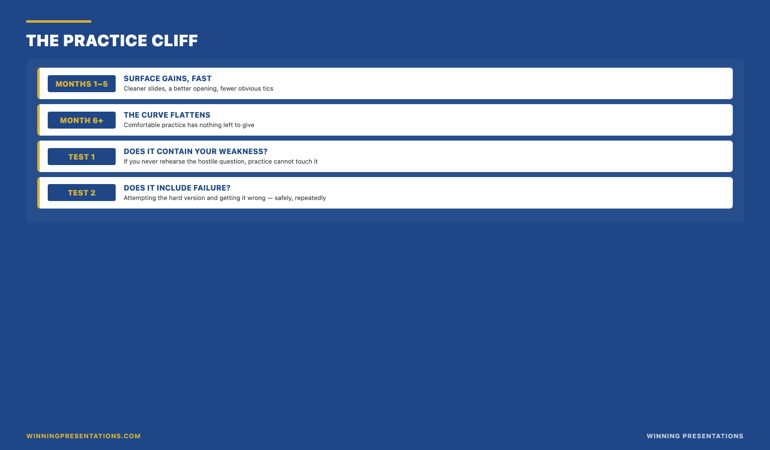
Spreading a quarter’s attention evenly across four capabilities is the single most common way senior leaders waste their development time. It feels productive — you are touching everything — but improvement does not work that way. A skill improves when you give it enough concentrated repetition to cross from conscious effort into default behaviour. Spread thin, no single capability gets enough repetition to cross over, so nothing becomes automatic, and under the pressure of a real presentation you revert to your starting point on all four.
The leaders who use a quarter well do something that feels counterintuitive: they deliberately ignore three of their four weaknesses for eight weeks. Not because the other three do not matter, but because attention is the scarce resource, and concentrated attention on one rung produces a permanent change while diluted attention on four produces a temporary wobble. The transformation myth costs people the one real improvement they could have made.
The eight-week ladder: four rungs, ranked by how fast they move
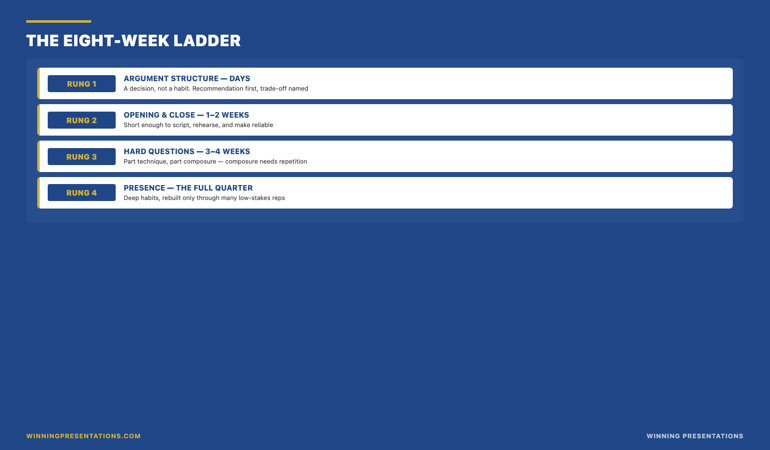
Here is the framework I use to decide what a quarter can realistically change. I call it the eight-week ladder, and the rungs are ordered by how quickly each one responds to focused work. Knowing the order matters, because it tells you what you can expect to see by the end of the quarter and what you cannot.
Rung one — the structure of the argument. This moves in days. Whether your recommendation comes first or last, whether the trade-off is named or hidden, whether the evidence supports a conclusion or wanders toward one — these are decisions, not habits. You can change them in a single deck and the change holds, because there is no reflex to override. This is the highest-return rung for most senior leaders, and the fastest.
Rung two — the opening and the close. This moves in a week or two. The first ninety seconds and the last thirty carry disproportionate weight, and they are short enough to script, rehearse, and make reliable inside a fortnight. A leader who fixes nothing else but lands a clean opening and a directive close presents visibly better.
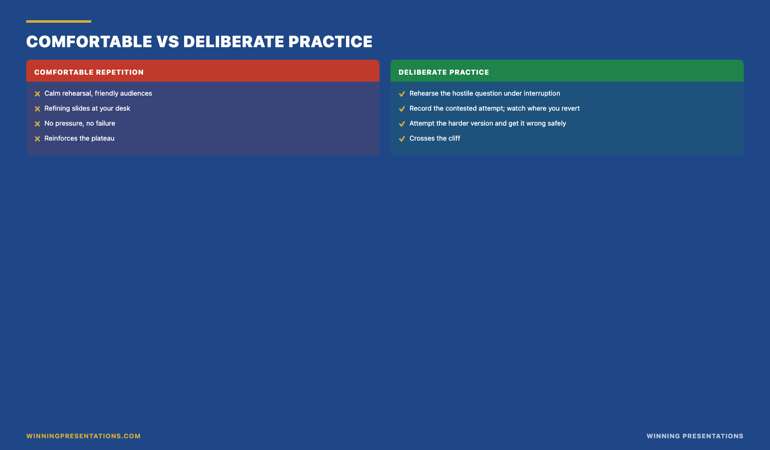
Rung three — handling hard questions. This moves in three to four weeks. It is part technique and part composure, and composure under questioning is a habit, which means it needs repetition. But four weeks of deliberately rehearsing the questions you fear, out loud, with someone pushing back, produces real change.
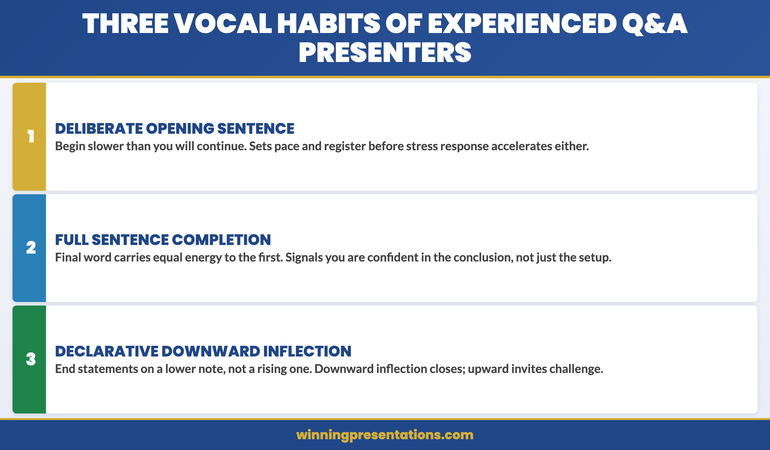
Rung four — physical and vocal presence. This is the slowest, and the only rung that genuinely needs the full quarter. How your voice behaves under pressure, what your hands do, whether you fill silences or hold them — these are deep habits, rebuilt only through many low-stakes repetitions. Expecting presence to transform in a fortnight is the source of most disappointment with presentation training.
The ladder is also a reading guide for marketing claims. Any programme promising that eight weeks will overhaul your presence is overselling rung four. Any programme that helps you fix structure and openings inside a quarter is describing rungs one and two accurately. For the slide-structure end of rung one specifically, see how senior decision slides are built in executive slide design.
Spend the quarter on the rung that wins approvals.
The Executive Buy-In Presentation System is the structured programme for senior professionals who need to secure board-level approval. It works through the rungs that move fastest — argument structure, the opening that orients the room, the case construction that holds up to scrutiny — across 7 self-paced modules. Built on 24 years in corporate banking and 16 years coaching senior professionals across financial services, insurance, consulting, and technology. £499, lifetime access, monthly cohort enrolment with optional recorded Q&A.
- 7 self-paced modules covering the structure and psychology that earn senior approval
- No deadlines, no mandatory live attendance — work through it at the pace your quarter allows
- Optional live Q&A / coaching calls, fully recorded so you can watch back anytime
- New cohort opens every month — lifetime access to all course materials
Which rung is costing you decisions right now
The ladder is only useful if you can locate the rung that is actually losing you arguments — and most senior leaders misdiagnose this, because the rung that bothers them is rarely the rung that costs them. People fixate on presence (“I hate how I sound”) when their real problem is structure (“the recommendation arrived on slide eleven”). They worry about nerves when the decision was lost to a single unhandled question.
The test is to replay your last deferred or diluted decision and find the exact moment it slipped. Walk it through minute by minute. If the room disengaged early, before you had said anything difficult, the problem is rung one — the structure did not orient them, so they stopped following. If they were with you until a specific question and never came back, the problem is rung three — composure under questioning. If they nodded along but did not act, and you cannot point to a single moment, the problem is usually rung one again: there was no clear ask for them to act on. Presence — rung four — is almost never the thing that loses a specific decision; it shapes the general impression but rarely the verdict in the room.
Run that replay on your last three high-stakes presentations and a pattern emerges. The same rung shows up as the failure point more than once. That recurring rung is your quarter’s work. Not the rung you dislike most — the rung the evidence says is costing you. For the question-handling end of the ladder specifically, the structural approach to a board’s hardest questions is covered in getting board approval through presentation training.
If you want the broad toolkit rather than a single rung:
The Complete Presenter bundle brings together seven products — slides, storytelling, confidence, and delivery — for senior professionals who want assets across the whole ladder rather than one. 7 products plus 3 bundle-only bonuses, worth £190+ separately. £99, instant access, keep everything.
Why you climb one rung, not four
There is a second reason to climb one rung rather than four, beyond the scarcity of attention: the rungs build on each other, and climbing the lower ones first makes the higher ones easier. A leader who fixes structure — rung one — almost always finds that their nerves settle, because a clear structure is something to hold onto under pressure, and holding onto something steadies the voice. They did not work on presence directly, but presence improved, because the structural fix removed one of the things that was destabilising it.
This is why the fastest rungs are also the smartest place to start even if presence is your eventual goal. Fix the structure, and a measure of the presence problem dissolves on its own. Fix the opening, and the first ninety seconds — the part that sets the tone for everything after — stop triggering the nerves that bleed into the rest. The lower rungs are not just easier; they are load-bearing for the higher ones. Trying to fix presence first, in isolation, is climbing from the top of the ladder down, which is the hardest possible direction.

So the discipline for a single quarter is: identify the lowest rung that is currently costing you decisions, spend the eight weeks making that change permanent, and let the gains it produces on the rungs above it accumulate as a bonus. One rung, climbed properly, moves you further than four rungs touched lightly — and it sets up the next quarter’s work, on the next rung, from a higher starting point. Presentation mastery is not a single quarter’s transformation. It is a sequence of quarters, each one rung, each building on the last. If you want help deciding which quarter to start — and why the timing matters as much as the work — see why senior leaders sort out coaching before summer.
This month’s cohort enrolment is open.
If the rung you need to climb this quarter is the board-level case, start now: the Executive Buy-In Presentation System opens a new cohort enrolment every month, and beginning at the start of the quarter gives you the most runway. 7 self-paced modules, optional recorded Q&A calls, lifetime access. £499.
Frequently asked questions
Can you really become a good presenter in eight weeks?
You can make one capability reliably better in eight weeks, and for most senior leaders that one improvement is the difference between decisions that get deferred and decisions that get made. What you cannot do in eight weeks is overhaul everything at once — argument structure, openings, question handling, and physical presence all improve at different speeds, and presence in particular needs far longer than a single quarter. The realistic and useful goal is one rung, made permanent, not a total transformation that does not survive the first high-stakes meeting.
Which presentation skill is fastest to improve?
The structure of the argument — where the recommendation sits, whether the trade-off is named, whether the evidence builds to a conclusion. It is fastest because it is a set of decisions rather than a habit, so there is no reflex to override; you can change it in a single deck and the change holds. It is also the highest-return rung for senior audiences, because committees disengage from decks they cannot follow long before they react to a presenter’s delivery. Start there unless your replay of recent decisions points clearly somewhere else.
What if my real problem is nerves, not structure?
Work on structure first anyway, then reassess. Nerves are frequently a symptom of having nothing solid to hold onto in the room, and a clear structure gives you that — many leaders find a large part of their nerves settles once the argument is built so they always know what comes next. If a meaningful nervous component remains after the structural fix, that is the next quarter’s rung, and it is worth addressing directly. But fixing structure first often does more for nerves than working on nerves directly does, because it removes one of the things destabilising your composure.
Is a self-paced programme enough, or do I need live coaching?
For climbing one rung over a quarter, a structured self-paced programme is usually the right tool — it gives you the framework and the patterns, and you apply them to real presentations at your own pace. Live one-to-one coaching adds the most value on the slower rungs, especially presence and question handling, where having someone observe and push back accelerates the repetition. A common and sensible pattern is the self-paced programme as the foundation, with selective live coaching reserved for the specific high-stakes occasions where the stakes justify it.
The Winning Edge — weekly newsletter
The Winning Edge is a weekly newsletter for senior professionals who present at the executive level. One short email a week on the structural moves that separate decks committees back from decks they defer. Subscribe to The Winning Edge →
About the author
Mary Beth Hazeldine is Owner & Managing Director of Winning Presentations Ltd. With 24 years of corporate banking experience at JPMorgan Chase, PwC, Royal Bank of Scotland, and Commerzbank, she advises executives across financial services, healthcare, technology, and government on structuring presentations for high-stakes funding rounds, board approvals, and strategic decisions.