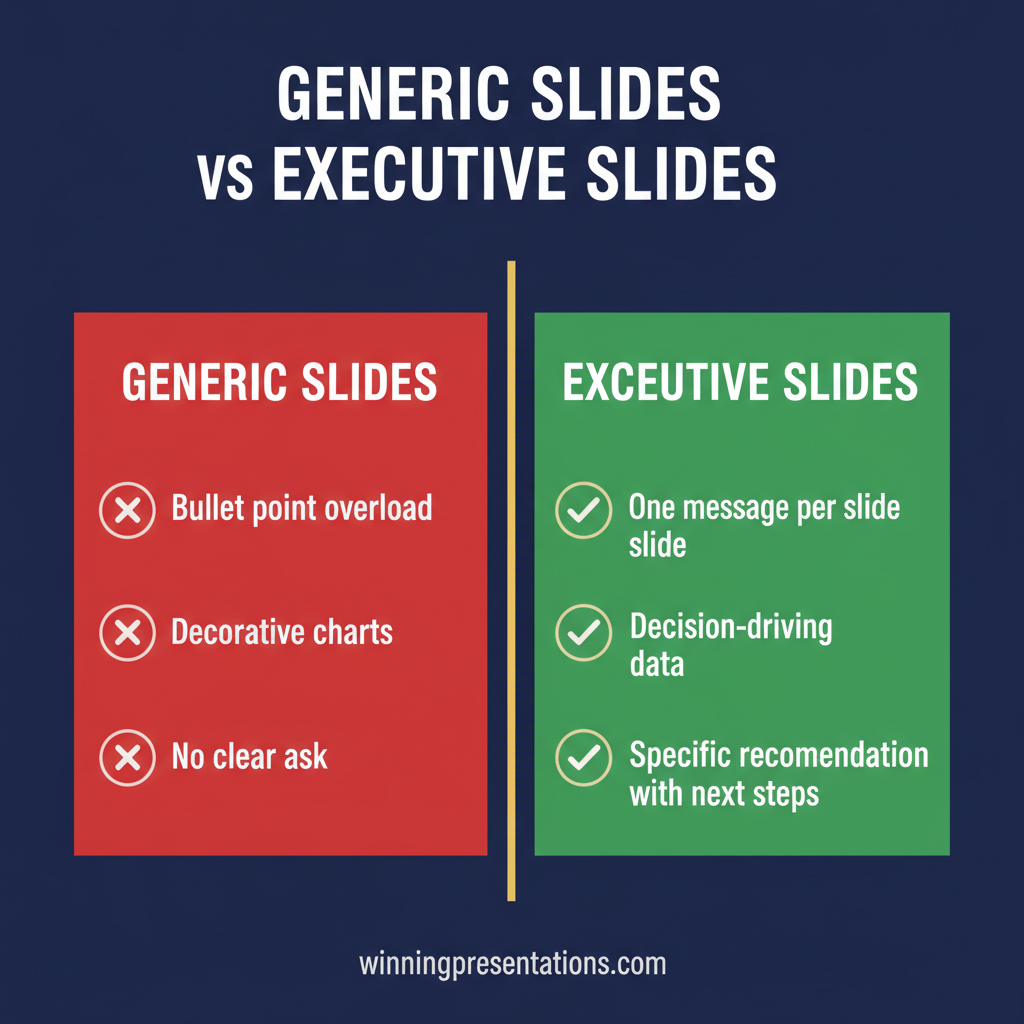
Tag: executive slide system

17 Apr 2026
Senior female executive presenting at head of boardroom table to four board members, city skyline visible, navy attire

Executive Communication Skills Training Online

Quick Answer

Executive communication skills training online covers structured communication for the settings where it matters most: board presentations, senior stakeholder briefings, committee hearings, and investment conversations. While “executive communication” is a broad discipline, the highest-leverage skill for most senior professionals is the ability to build and deliver structured presentations that drive decisions. Online programmes designed specifically for executives — rather than general business communication courses — focus on strategic framing, decision architecture, and handling high-stakes questions rather than generic presentation tips. The AI-Enhanced Presentation Mastery programme on Maven is a structured online programme that works through exactly this skill set — 8 self-paced modules with optional live coaching sessions, combining strategic presentation structure with AI tools for executives presenting at board and senior leadership level. The the next available cohort new cohorts open monthly — the next start date.

Valentina had spent twelve years in investment banking before moving into a senior strategy role at a FTSE 250 company. She could run a meeting, chair a working group, and handle a difficult conversation. None of that prepared her for the first time she had to present to the main board. “I knew the material better than anyone in the room,” she told me later. “But the moment I started speaking, I could hear myself losing the thread. I was answering questions they hadn’t asked yet. I was over-explaining the numbers. I was so busy communicating that I forgot to structure what I was saying.” She had excellent communication skills. What she lacked was the specific form of communication that boards respond to: structured, decision-focused, built around what the audience needs to hear rather than what the presenter feels compelled to say. That gap is what executive communication skills training is designed to close.

Looking for structured executive communication training online? The AI-Enhanced Presentation Mastery programme is a structured online cohort for senior professionals presenting at board and leadership level — 8 self-paced modules, optional live coaching sessions, lifetime access. the next available cohort — explore the programme details →

What Executive Communication Actually Means at Senior Level

Executive communication is not a single skill. It is a cluster of related capabilities that become more critical as seniority increases. At junior levels, good communication means being clear, concise, and responsive. At senior levels, the stakes shift: communication becomes the mechanism through which decisions are made, resources are allocated, and organisations change direction.

The cluster includes written communication — board papers, investment memos, briefing notes. It includes conversational communication — stakeholder management, crisis conversations, one-to-one influencing. And it includes structured presentation — the formal or semi-formal delivery of a case, argument, or proposal to a group that has the authority to approve, reject, or escalate it.

All three matter. But they are not equally difficult to develop, and they are not equally consequential when they go wrong. Written communication can be reviewed and revised before it reaches the reader. Conversational communication is recoverable — you can sense the room shifting and adjust. Structured presentation in front of a board or senior leadership team is the one form of executive communication where there is almost no margin for recovery in the moment.

The skills that serve you well in written documents and one-to-one conversations — nuance, qualification, thoroughness — can actively work against you in a structured presentation. Boards are time-constrained. They are evaluating multiple proposals simultaneously. They need information structured for decision-making, not for comprehensiveness. The connection between executive presence and how you structure a presentation is tighter than most executives realise until they experience the gap first-hand.

Why Structured Presentations Are the Highest-Leverage Skill

Of the three strands of executive communication, structured presentation is typically the one that receives the least deliberate development. Most executives receive some form of coaching on executive presence or stakeholder management at some point in their career. Very few receive structured training on how to build and deliver a decision-focused presentation to a senior audience.

The consequence is a pattern that repeats across sectors. A senior professional with genuine expertise, credibility, and the right answer prepares a presentation. They know their material. They prepare the slides. They deliver the content. And the board defers, asks for more information, or approves something narrower than what was proposed. Not because the content was wrong — but because the structure did not make the decision easy to take.

Structured presentation is high-leverage because its effects compound. A finance director who consistently structures board updates in a way that supports clean decision-making develops a reputation for clarity and credibility that carries across every other form of executive communication. A strategy director who secures approval at the first presentation — rather than going back for a second hearing — saves weeks of elapsed time and builds institutional authority. The return on a well-structured board presentation is not just the immediate approval: it is the ongoing currency of being someone whose thinking is trusted.

The 15-minute framework for board presentations covers the structural logic in detail — and understanding that framework makes it considerably easier to see why general communication training often misses what executives actually need.

AI-Enhanced Presentation Mastery — Maven Programme

A structured online programme for senior professionals who present at board and leadership level. 8 self-paced modules, optional live coaching sessions with Mary Beth, and lifetime access to all content. Combines strategic presentation structure with AI tools (Copilot and ChatGPT). £499 per seat — the next cohort new cohorts open monthly — 26 the current month.

  • ✓ Strategic presentation structure for board and senior leadership settings
  • ✓ AI tools integrated into the presentation-building workflow
  • ✓ Optional live coaching sessions with direct access to the programme lead (fully recorded)
  • ✓ Structured Q&A handling for high-stakes environments

Explore the Maven Cohort → £499/seat

New cohorts open every month — enrol and begin with the next available start date.

What Online Executive Communication Training Should Cover

Not all online communication programmes are equivalent. The term covers everything from generic business writing courses to highly specialised board presentation coaching. When evaluating what an online executive communication programme should cover, it helps to distinguish between foundational skills and advanced executive skills.

Foundational skills — structuring arguments logically, using clear language, adapting message to audience — are worth having but are rarely the gap for senior professionals. By the time someone reaches director or C-suite level, they have typically developed these capabilities through experience. What they often lack is the next layer: how to build the strategic frame before the deck is designed; how to structure the opening of a board presentation to secure attention in the first ninety seconds; how to anticipate the questions a sceptical committee member is likely to raise and build the answers into the narrative before they are asked.

A well-designed executive communication programme will also address the preparation process, not just the delivery. The quality of a board presentation is determined substantially by the work done in the two weeks before the room — the conversations with key decision-makers, the mapping of potential objections, the selection of the two or three messages that the presentation must land regardless of how the discussion evolves.

The stakeholder alignment work that precedes a formal presentation is often the factor that separates a smooth approval from a three-meeting discussion cycle. Programmes that cover only the delivery ignore more than half of what executive communication at board level actually involves. If you’re also exploring the full landscape of online training options, the related guide on executive presentation training online covers the broader market in detail.

Where AI Tools Fit Into Executive Communication

The integration of AI tools — Copilot in Microsoft 365, ChatGPT, and similar tools — into executive communication workflows is changing how senior professionals build presentations. The change is significant, but it requires careful calibration. AI tools are highly capable at generating draft content, structuring initial outlines, and producing alternative versions of a message. They are not capable of making the strategic judgements that determine whether a presentation is designed for a board or for a general audience.

The executives who use AI tools most effectively in their communication workflow treat the tools as accelerators of their own thinking, not substitutes for it. They use AI to get to a first draft faster; they then apply their own strategic understanding to determine what needs to change. This requires knowing what a strong board presentation structure looks like, what language senior stakeholders respond to, and what to cut when the material is too dense.

For executives who are still developing their structural intuition, AI tools can create a new problem: they produce high volumes of polished-sounding content that lacks strategic focus. A well-structured but generic presentation is worse than a direct, occasionally rough document that makes the ask clearly and backs it with the right evidence. Learning to prompt AI tools effectively for executive communication purposes is a distinct skill — and one that most generic AI training does not address.

The AI-Enhanced Presentation Mastery cohort addresses this directly, working through how to use Copilot and ChatGPT in the context of board-level and senior leadership presentations rather than general business communication.

How to Choose the Right Online Programme

The executive communication training market has expanded considerably over the last decade. Narrowing the options down to a programme that fits a specific professional context requires a few practical filters.

The first filter is specificity. A programme designed for executives presenting to boards and investment committees is a different product from one designed for general management communication or public speaking on a stage. The former should address decision architecture, stakeholder mapping, and how to handle a hostile committee member. The latter may be perfectly good at what it does, but will not close the gap for someone preparing for their next board presentation.

The second filter is format. Self-paced recorded courses offer flexibility but provide no opportunity for application feedback or live Q&A. Live cohort programmes — where participants work through material with a group and a programme lead in real time — are more effective for executives because the challenges tend to surface in live discussion rather than in watching a recording. The ability to ask a specific question about a specific presentation you are building has more immediate value than watching someone else’s scenario unfold.

The third filter is practitioner credibility. Communication training is a field where the credentials of the programme lead matter considerably. The relevant question is not what degrees or certifications the lead holds, but what operational experience they bring — ideally in a corporate setting where high-stakes presentations were part of the actual role, not just studied from outside.

With 25 years in corporate banking at JPMorgan Chase, PwC, Royal Bank of Scotland, and Commerzbank — and 16 years delivering executive communication training — Mary Beth Hazeldine brings direct operational context to every aspect of the Maven programme. The methodology is built on what actually works in boardrooms, investment committees, and senior leadership settings, not on academic frameworks developed outside those environments.

New Cohorts Open Monthly

AI-Enhanced Presentation Mastery on Maven is a structured online programme for senior professionals presenting at board and leadership level — 8 self-paced modules, optional live coaching sessions, lifetime access. £499 per seat. the next cohort new cohorts open monthly — 26 the current month.

View the Programme on Maven → £499/seat

Frequently Asked Questions

Is executive communication skills training online UK the same as a general presentation course?

Not in content or outcome, though many courses use similar terminology. General presentation courses tend to focus on delivery mechanics: how to manage nerves, how to use slides, how to structure a basic talk. Executive communication training at a senior level is concerned with a different problem — how to structure a case for a decision-making audience, how to handle technically hostile questions, and how to align stakeholders before the formal meeting. If you are preparing for board presentations, investment committees, or senior leadership briefings, look for programmes that explicitly address those contexts rather than general public speaking or presentation skills.

What does an online executive communication course typically cover?

Content varies considerably by provider. The most relevant areas for senior professionals are: strategic framing and decision architecture (how to build the opening argument), slide structure for executive audiences (what boards expect to see and in what order), Q&A preparation and handling under pressure, stakeholder alignment before the formal presentation, and — increasingly — how to use AI tools in the presentation-building workflow. Programmes that include live cohort sessions and direct feedback on real work-in-progress tend to produce faster results than self-paced recordings for executives operating at board or senior leadership level.

How to improve executive communication if I already have strong technical skills?

Technical expertise and executive communication are separate skills that do not automatically transfer. The most common gap for technically strong professionals is the ability to translate detailed knowledge into a structured case that a non-technical board can evaluate and approve. The fix involves learning to lead with the recommendation rather than the analysis, selecting the three or four data points that carry the decision rather than presenting everything, and anticipating the governance questions a committee will ask rather than the technical objections a peer would raise. Structured practice in a context that mirrors the actual board environment is consistently more effective than generic coaching for this specific gap.

What should I look for in leadership communication training online?

Practitioner credibility matters more than certification in this field. Look for a programme led by someone with direct experience presenting at the level you are targeting — not just coaching others to do it. The format should include opportunities for live application and feedback rather than passive video watching. The content should be specific to executive and leadership contexts rather than adapted from general communication theory. And the programme should address both the preparation process and the delivery — the quality of a board presentation is largely determined before anyone enters the room.

Is executive presence training online effective for board-level communication?

It depends on how “executive presence” is defined by the programme. Generic executive presence training often focuses on body language, vocal delivery, and personal brand — all of which are useful but do not address the structural and strategic dimensions of board communication. Presence in a boardroom is largely a function of the clarity and confidence that comes from knowing your material is structured correctly and your case is sound. Programmes that combine presence development with structural presentation skills tend to produce more durable improvements than those that focus on presence as a standalone quality.

The Winning Edge

Weekly insights on executive presentations, board communication, and leadership credibility.

Subscribe Free

Preparing for a high-stakes board presentation? Download the Executive Presentation Checklist — a structured framework for building decision-ready slides from first draft to final review.

About the author

Mary Beth Hazeldine, Owner & Managing Director, Winning Presentations. With 25 years of corporate banking experience at JPMorgan Chase, PwC, Royal Bank of Scotland, and Commerzbank, she advises executives across financial services, healthcare, technology, and government on structuring presentations for high-stakes approvals and board-level communication.

16 Apr 2026
Male finance director presenting a live dashboard to senior executive team in a corporate boardroom, data screens visible behind him, navy and gold tones

Dashboard Presentation: How Executives Structure Live Data Reviews

Quick answer: A dashboard presentation is not simply a data walkthrough — it is a structured briefing designed to help senior decision-makers interpret numbers in context, draw the right conclusions, and agree on a clear next step. The most effective format opens with a concise framing slide before the data, uses a consistent annotation structure to guide interpretation, and closes with a decision prompt rather than a summary. The data itself rarely does the persuading. The framing around it does.

Henrik had run finance review meetings every quarter for three years. Each time, the pattern was the same: he opened the dashboard, walked the senior team through each metric in sequence, answered the questions that came up, and then the meeting ended with no clear resolution. Whether the numbers were good or bad, the outcome was similar — a polite discussion, a few action items, and a vague sense that nothing had really been decided.

After a particularly inconclusive Q2 review, the CFO pulled him aside. The data was fine, she said. The structure was the problem. Senior leaders were being asked to process numbers without a frame. They were drawing their own conclusions, independently, and arriving at different interpretations of the same dashboard. The meeting was not producing alignment — it was producing confusion dressed as agreement.

Henrik redesigned the next review entirely. He opened with a single slide that established the three things the room needed to decide — before any data appeared. He annotated each chart with a directional headline rather than a neutral label. He ended with an explicit options slide rather than an open-ended “any questions?” The Q3 review ran twelve minutes shorter. It ended with three decisions documented. That had never happened before.

If you are structuring data presentations for senior decision-makers and want a sharper framework for framing, annotating, and closing with clarity, the Executive Slide System contains slide templates and AI prompt cards for exactly these scenarios.

Explore the System →

Why a Dashboard Presentation Is Not a Report Meeting

The most common error in dashboard presentations is treating them like reporting sessions. A report session transfers data from one party to another. A dashboard presentation is a structured decision-making meeting with data as evidence. The difference in purpose requires a fundamentally different structure.

In a reporting session, the presenter owns the data and the audience receives it. Questions emerge from curiosity or confusion, and the session ends when the data has been presented in full. There is no inherent decision requirement. The meeting is complete when the numbers have been shared.

A dashboard presentation is different in structure, purpose, and outcome. The audience is not there to receive data — they are there to interpret it, align on what it means, and make a decision about what happens next. This requires the presenter to do the interpretive work before the meeting, not during it. If you walk into a dashboard presentation and expect the room to draw its own conclusions from charts, you have misunderstood your job.

Senior decision-makers do not have the time, nor in many cases the context, to interpret raw metrics on the spot. They rely on the presenter to have already done that work — to have identified which numbers matter, why they have moved, and what the business should do about it. When that framing is absent, the room does the interpretation independently. And different people in the same room will reach different conclusions from the same data.

The practical implication is this: your role in a dashboard presentation is not to show the data. Your role is to make the data legible and to guide the room to a decision. Every structural choice — what you put on slide one, how you annotate charts, where you place your recommendation — should serve that goal. The dashboard is your evidence. The presentation is your argument.

Executive Slide System — £39, instant access

Structure Data Presentations That Drive Decisions — Not Just Discussion

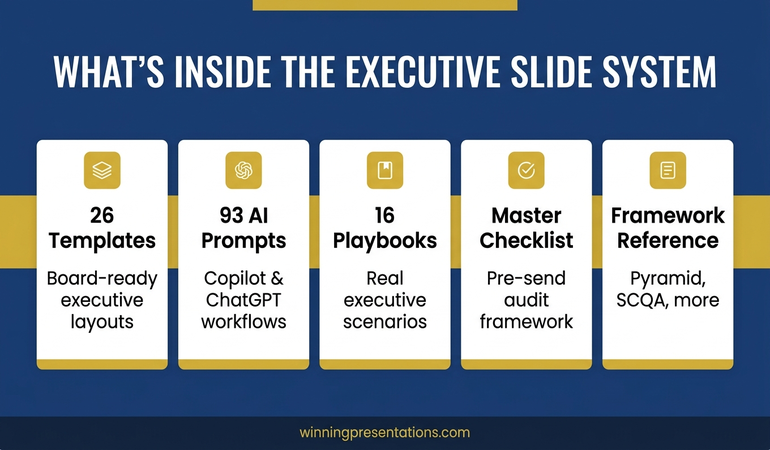
The Executive Slide System gives you professionally structured slide templates built around the scenarios finance leaders and board presenters face most. It includes dashboard and data review formats, AI prompt cards to help you frame metrics and annotate charts, and scenario playbooks for finance and governance contexts.

  • Slide templates for data reviews, board updates, and finance briefings
  • AI prompt cards to build directional headlines and frame complex metrics
  • Framework guides for structuring decisions in live review meetings
  • Scenario playbooks for quarterly, mid-year, and exception-based reviews

Get the Executive Slide System →

Designed for finance directors, CFOs, and executives presenting data to boards and senior leadership teams.

The Three-Slide Framing Sequence Before Your First Chart

The most reliable structural improvement to a dashboard presentation costs you no additional data analysis — it simply changes what happens before the first chart appears. Senior audiences who arrive in a data meeting without a shared frame tend to interpret metrics through their own individual priorities. The result is discussion rather than alignment.

A three-slide framing sequence before the dashboard data establishes the shared interpretive frame the room needs. The first slide states the decisions the meeting is designed to reach — not questions to explore, but specific choices the room needs to make before it finishes. This gives senior attendees a mental structure for evaluating everything that follows. They are no longer processing data in abstract; they are processing it in relation to a decision they know they need to make.

The second slide provides the performance context: what the targets were, what the comparison period was, and what external conditions are relevant. This slide does the audience’s contextualising work for them. Without it, different people in the room will apply different baselines — last quarter, last year, the original plan, the revised forecast — and arrive at different assessments of the same number.

The third slide is your headline summary: two or three interpretive statements about where the business stands, written as conclusions rather than observations. Not “revenue is up 4%” but “revenue growth is on track and the margin contraction warrants a response this quarter.” This third slide is the slide most presenters omit. It is also the slide that does the most work. It means the room does not need to draw their own interpretive conclusion from each chart — you have already provided it. The charts become confirmation of your interpretation rather than a puzzle the room must solve.

For executives building a clearer structure across all board-facing slides, the principles of a strong executive summary slide apply equally to dashboard framing: lead with the conclusion, support with evidence, and leave no interpretive work for the audience to do independently.


The three-slide framing sequence for dashboard presentations showing: decisions needed, performance context, and headline interpretive summary before the data

How to Present Data That Has Moved Against You

The hardest moment in a dashboard presentation is not when the data is good. It is when the data has moved in the wrong direction since the last review — and you are the person who has to present it to a senior room that expected better results.

The most common response to adverse data is to bury it — to sequence the dashboard so that stronger metrics come first, and the problematic numbers appear later when the room is already in a more positive frame. This approach is understandable and almost always counterproductive. Senior audiences notice when data has been sequenced to soften a finding. The act of sequencing itself communicates that the presenter is uncertain about the data or unwilling to address it directly. Both perceptions are worse than the underlying numbers.

A more effective approach is to introduce adverse data directly and immediately — but to introduce it with your interpretation already attached. The difference between “cost overruns increased 18% this quarter” and “cost overruns increased 18% this quarter, driven by two project-specific items we have already addressed” is the interpretive sentence. The first invites the room to speculate about cause. The second forecloses the most damaging speculative paths before they open.

For each adverse metric in your dashboard, prepare the following in advance: the cause (specific and verifiable), the action already taken or planned, and the expected impact on future performance. These three elements — cause, response, trajectory — give the room something to engage with constructively rather than a problem to diagnose in real time. You remain in control of the interpretive frame even when the numbers are unfavourable.

Annotating your charts matters here too. A dashboard chart presented without annotation is an open question. One annotated with directional language — “margins stabilising following supply chain correction” or “cost variance narrowing from Q1 peak” — provides an interpretive anchor. Even if someone in the room disagrees with your annotation, you have shaped the starting point for that conversation. An unannotated chart starts from nowhere.

For related reading on structuring data and financial evidence for governance meetings, see the companion article on audit committee presentation frameworks — the same principles of direct disclosure and interpretive pre-framing apply in compliance contexts where adverse findings carry regulatory weight.

Managing Live Questions on Data You Cannot Fully Explain

Every dashboard presentation contains at least one data point the presenter cannot fully explain in real time. Perhaps a metric has moved in a direction that the modelling did not predict. Perhaps there is a discrepancy between two figures that was not visible before the meeting. Perhaps a senior leader has access to external data that conflicts with the numbers on screen.

The instinct when this happens is to speculate — to offer a plausible cause on the spot rather than admit uncertainty. For data-confident presenters, this usually means offering three possible explanations and letting the room choose between them. This approach tends to generate more discussion than resolution, and it transfers interpretive authority from the presenter to the room.

A stronger response to live unexplained data is a clear structure: acknowledge the question directly, state what you know and what you do not, name the earliest point at which you can confirm the explanation, and move the meeting forward. This response pattern — acknowledge, scope, commit, continue — keeps you in control without requiring you to speculate or deflect. Senior audiences respond well to a presenter who knows the limits of their current data and can state them plainly.

The most important discipline here is maintaining the forward momentum of the meeting. Dashboard presentations that stall on a single unexplained data point often fail to reach their decision objective. When a question cannot be resolved in the room, parking it formally — noting it as a post-meeting follow-up, assigning it clearly — preserves the meeting’s purpose without dismissing the concern.

If you are building the executive slide system to cover data-heavy scenarios, the Executive Slide System includes AI prompt cards for annotating metrics and framing difficult data points before high-stakes finance meetings.

Ending With a Clear Decision Request

The most common structural failure in a dashboard presentation is the ending. Most data meetings end with a summary of what was covered and an open invitation for questions. Neither produces a decision. What ends a dashboard presentation effectively is an explicit decision slide: a structured choice frame that presents the options the room must choose between, the relevant considerations for each, and a prompt for the meeting to reach a conclusion before it closes.

The decision slide is not the same as a recommendation slide. A recommendation slide tells the room what you think they should do. A decision slide structures the choice and makes the act of deciding explicit. In some contexts — particularly where the room contains decision-makers with different views on the options — a decision frame is more effective than a recommendation, because it invites the room into the process rather than asking them to endorse your conclusion.

A well-structured decision slide for a dashboard presentation typically presents two or three options, names the decision owner for each, and states a clear timeline. It should not require further data analysis to evaluate — if the room needs more numbers before they can choose, the presentation has not done its preparatory work. The decision slide is the point at which everything that preceded it — the framing sequence, the data, the annotations, the adverse metric handling — either pays off or reveals a gap.

Connecting your dashboard presentation to the board’s formal agenda structure is also important. For guidance on how board agenda presentations build the context that makes finance review decisions easier for senior committees, the principles of sequence and pre-alignment apply directly.


Dashboard presentation structure showing the closing decision frame: options presented, decision owner, timeline, and criteria for each path forward

The Pre-Session Preparation That Changes Everything

The quality of a dashboard presentation is determined largely before the presenter enters the room. What happens during the meeting is shaped by the preparation that precedes it — specifically, the conversations you have with key stakeholders in the 24 to 48 hours before the session.

Pre-briefing the most senior decision-maker in the room is standard practice in effective executive communication — but it is often skipped for data reviews because the data is assumed to speak for itself. It does not. A brief conversation with the CFO, committee chair, or most influential attendee before the dashboard meeting serves three functions: it surfaces any concerns that might otherwise emerge disruptively in the meeting, it aligns on what decisions the meeting is expected to reach, and it allows you to calibrate your framing for the room’s current priorities.

It is also worth preparing for the questions that are statistically most likely to emerge. For finance review meetings, these tend to cluster around trend questions (“is this a one-time variance or a structural shift?”), comparison questions (“how does this compare to the same period last year or to the sector?”), and action questions (“what are we doing about this?”). If your dashboard presentation is structured to address these three question types within the main deck, rather than waiting for them in Q&A, the meeting runs faster and reaches its decision objective more reliably.

The preparation that matters most is not building better charts. It is knowing, before you enter the room, which decisions the meeting needs to reach, which data points are most likely to generate resistance, and what the interpretive answers are to the most predictable questions. For more on structuring the opening of a data or strategy presentation, see the framework for how to start a presentation with a frame that orients senior audiences before the main content begins.

The pre-session conversation is also your best opportunity to learn whether the agenda has shifted — whether a new concern has emerged in the business that changes how the room will interpret the data. Dashboard presentations that feel misaligned with the room’s current priorities almost always suffered from the same preparation gap: the presenter built the deck for the problem they expected, not the one the room is currently focused on.

Executive Slide System — £39, instant access

Build Finance and Data Presentations That Move Senior Rooms to a Decision

The Executive Slide System includes slide templates, AI prompt cards, and framework guides designed for finance directors and data presenters who need to brief senior audiences, committees, and boards.

Get the Executive Slide System →

Designed for finance leaders, board presenters, and executives managing high-stakes data review meetings.

Frequently Asked Questions

What is the most important structural difference between a dashboard presentation and a report?

A report transfers data. A dashboard presentation is structured to produce a decision. The key structural difference is the closing section: a report ends when the data has been covered; a dashboard presentation ends when the room has agreed on a clear next step. If your meeting ends with “let’s continue this discussion,” it has not functioned as a decision meeting. Adding an explicit decision slide — with options, decision owners, and a timeline — is the single most impactful structural change most finance presenters can make.

How should I handle a dashboard metric I cannot fully explain in the room?

Use a four-part structure: acknowledge the question directly, state what you currently know, state clearly what you do not yet know and when you will be able to confirm it, and then move the meeting forward. Avoid speculating in the room — offering possible explanations you are not confident in shifts interpretive authority to the audience and often generates more questions than it resolves. “I want to get you a confirmed answer on that by Thursday” is more authoritative than three speculative hypotheses.

When is the right moment to introduce your recommendation in a dashboard presentation?

Your recommendation or decision prompt should come at the end of the presentation, after the data has been presented in full and the room has had the opportunity to absorb the key findings. In hostile or resistant rooms, a recommendation that comes before the data is often dismissed before it has been heard. In aligned rooms, placing your recommendation early can accelerate agreement — but for dashboard presentations with mixed or uncertain stakeholder views, the end is the safer and more reliable position.

The Winning Edge — Weekly Newsletter

One Insight Per Week on Executive Communication

Each week, The Winning Edge delivers one focused insight on executive communication — structure, delivery, influence, and the mechanics of getting senior audiences to yes. Straightforward, applicable, and written for people who present under pressure.

Subscribe to The Winning Edge →

Free download: The Executive Presentation Checklist — a structured pre-presentation review covering structure, evidence sequencing, and delivery preparation.

About the Author

Mary Beth Hazeldine — Owner & Managing Director, Winning Presentations

With 25 years of corporate banking experience at JPMorgan Chase, PwC, Royal Bank of Scotland, and Commerzbank, Mary Beth now advises executives across financial services, healthcare, technology, and government on structuring presentations for high-stakes funding rounds, board approvals, and finance reviews. Winning Presentations is her specialist advisory practice.

15 Apr 2026
Male executive reviewing a structured presentation outline at a glass desk, city skyline behind him

Executive Presentation Outline: The Five-Part Structure That Builds Any High-Stakes Deck

Quick answer: An executive presentation outline has five mandatory components regardless of topic: context statement, recommendation, three-part evidence structure, risk framing, and next steps. Getting the outline right before building slides is the difference between a deck that builds itself and one requiring eight revisions. The structure forces clarity on what you are actually asking for — and why — before a single slide is designed.

Kwame had a reputation in his division for building decks fast. When colleagues had a board submission due Friday, they would glance over at his desk by Tuesday and see a nearly finished presentation sitting in PowerPoint, polished and structured. They assumed it was natural fluency — some innate ability with slides he had always possessed.

Then came the quarterly review that changed his thinking entirely. He had built the deck in his usual way — starting with the title slide and working forward, slide by slide. The content was solid. The data was accurate. But in the room, the CFO stopped him eleven slides in and asked, “Kwame, what are you actually asking us to decide today?” He didn’t have a clean answer. The meeting ended without resolution and he was asked to come back the following month.

That week, he stopped opening PowerPoint first. Instead, he drafted a five-line outline on paper before touching his laptop. Context. Recommendation. Three evidence points. Risk. Next steps. Every deck he built from that point started on a single sheet. His reputation for speed didn’t change — but the outcomes in the room did. Decisions started being made on the day, not deferred.

If your decks are taking too long to build — or landing without the clarity you intended — it’s rarely a slide design problem. It’s a structure problem. The Executive Slide System gives you the frameworks, outline templates, and AI prompt cards to plan and build high-stakes presentations with confidence.

Explore the System →

Why Most Executive Presentations Fail Before the First Slide

The most common mistake in executive deck preparation is opening PowerPoint before you have clarity on structure. It feels productive — templates fill up, slides get labelled, transitions get applied. But without a deliberate outline in place first, you are essentially writing the second draft before completing the first one.

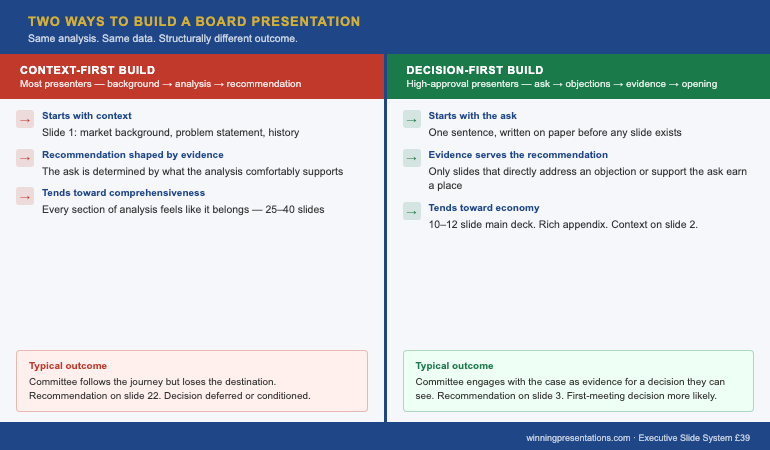
Senior decision-makers — board members, investors, C-suite stakeholders — evaluate presentations not just on content quality but on structural logic. They want to know, within the first two minutes, what you are asking them to consider and why it matters now. If your deck buries the recommendation in slide fifteen, you have already lost the room’s sharpest thinkers, who will have jumped ahead, formed their own conclusions, and stopped listening to your narrative.

Structure also protects you against scope creep. When you begin building slides without an outline, every interesting data point feels includable. Every supporting chart earns its place. Before long, a 10-slide board presentation becomes a 28-slide information dump. The outline is the editing tool — it forces you to decide what is load-bearing and what is background noise. For a deeper look at how to frame the beginning of any executive presentation, this guide on how to start a presentation covers the critical first moments in detail.

The five-part framework described in this article applies across presentation types: capital allocation requests, strategic updates, operational reviews, project sign-offs, and investor briefings. The components stay constant; only the content within them changes.

Executive Slide System — £39, instant access

Build Any High-Stakes Deck With Confidence — Starting With the Right Structure

The Executive Slide System is a structured toolkit designed for leaders who present to boards, investors, and senior leadership teams. It replaces guesswork with a disciplined process — from blank page to polished deck — that works for any high-stakes scenario.

  • Done-for-you slide templates structured around the five-part outline framework
  • AI prompt cards to generate first-draft content for each outline section
  • Framework guides covering capital requests, strategic reviews, and board sign-offs
  • Scenario playbooks for the six highest-stakes executive presentation types

Get the Executive Slide System →

Designed for leaders who present to boards, investors, and senior leadership teams.

The Five-Part Executive Presentation Outline

Every effective high-stakes deck shares the same underlying architecture, regardless of topic or audience. The five components below form the load-bearing structure. Remove any one of them and the deck becomes harder to follow, easier to challenge, and less likely to generate a decision on the day.

1. Context statement. One to three sentences establishing why this topic matters now. Not background — context. The context statement answers the question “Why are we having this conversation today?” It connects the presentation to a specific business condition, deadline, or strategic pressure.

2. Recommendation. A single, clearly stated ask or proposed course of action. This comes second — not at the end. Senior audiences do not need to be walked to a conclusion; they need to know where you are headed so they can evaluate your evidence against your recommendation as they listen.

3. Three-part evidence structure. Three distinct reasons, data points, or strategic rationales that support your recommendation. Not two, not seven. Three is the cognitive limit for retention under pressure, and it forces you to prioritise your strongest arguments rather than presenting everything you know.

4. Risk framing. An honest acknowledgement of what could go wrong, what you have considered, and how you propose to manage it. This section is frequently omitted. Its omission is what causes the sharpest person in the room to derail your presentation with a challenge you have not addressed.

5. Next steps. Specific, time-bound actions that follow a yes decision — or clarity on what happens if the decision is deferred. This closes the loop and transforms a presentation into a decision instrument rather than a status update.


Five-part executive presentation outline diagram showing context, recommendation, evidence, risk framing, and next steps in sequence

The Context Statement: One Sentence That Changes Everything

Most presenters open with background. They explain the history of a project, recap previous decisions, or summarise the market landscape before getting to the point. This approach respects the audience’s knowledge less than it should. Board members and senior leaders do not need a history lesson — they need to know immediately why this presentation is happening today and what it requires from them.

A well-formed context statement is crisp and specific. Compare these two openings:

Weak: “As you will know, our operations in the northern region have been under review for the past eighteen months following the restructure in 2024. Today I want to take you through where we have landed.”

Strong: “The northern region restructure closes on 30 April. This presentation outlines the three decisions that need board approval before that date.”

The second version creates a decision frame immediately. It tells the audience what kind of meeting this is — a decision meeting, not a status update — and it makes the deadline explicit. Every executive in the room now knows what is expected of them before the second slide appears.

When writing your context statement during the outlining phase, ask yourself two questions: What is the specific business pressure creating urgency? And what kind of response do I need from this audience? Your answers should shape a single, declarative sentence that opens your deck. For context on how the executive summary slide fits into this structure, see this guide on the executive summary slide.

Building Your Evidence Structure Around the Decision

The evidence section is where most presentations either earn or lose their credibility. The instinct — particularly for analytically trained leaders — is to present all the data and let the audience draw their own conclusions. This approach hands control of the narrative to whoever in the room is most inclined to challenge you.

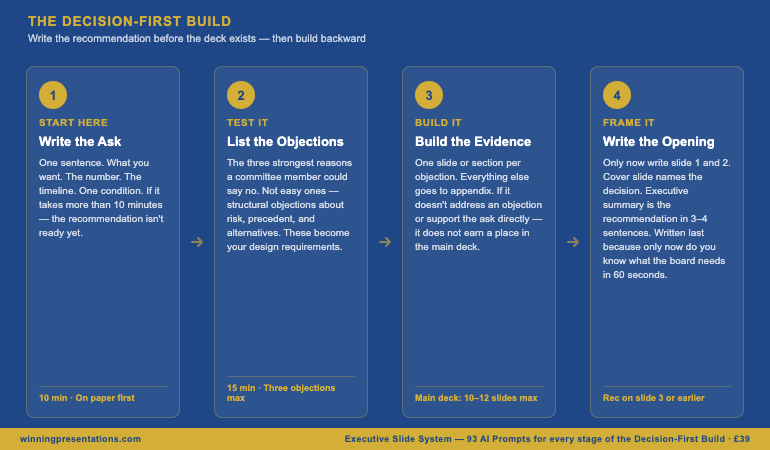
An effective evidence structure is built backwards from the recommendation. Start with what you are recommending, then ask: what are the three most compelling reasons a rational, sceptical senior executive should agree with this? Those three reasons become your evidence pillars. Each pillar should be expressible as a single, declarative sentence before you attach any data or analysis to it.

In practice, this means your outline for the evidence section looks like this before you open a single data file:

Evidence 1: The financial case — [one sentence stating the financial rationale]
Evidence 2: The strategic fit — [one sentence connecting to existing priorities]
Evidence 3: The timing imperative — [one sentence explaining why now and not later]

Each of these then becomes a section of your deck, with supporting data underneath. The discipline is in the ordering: you state the point first, then support it — not the other way around. This is the pyramid principle applied to outline architecture, and it is the difference between a deck that reads as a confident recommendation and one that reads as a hesitant data dump.

The Executive Slide System gives you pre-built outline frameworks for the executive presentations most likely to need structural clarity — including capital requests, strategic reviews, and board sign-offs where the evidence structure is the difference between a yes and a deferral.

Risk Framing: The Section Most Executives Leave Out

Omitting the risk section from your presentation outline is one of the most common — and most costly — errors in high-stakes communication. The instinct behind the omission is understandable: you are trying to build confidence in your recommendation, and explicitly surfacing risks feels counterproductive. But senior decision-makers operate differently. They are looking for evidence of judgement, not just advocacy.

A well-structured risk section demonstrates three things simultaneously: that you understand the complexity of the decision you are asking for; that you have done the work to anticipate objections; and that you are a trustworthy steward of the organisation’s resources. These three signals matter as much as the financial case.

In your outline, plan for two to three specific risks — not generic disclaimer language. Vague risk acknowledgements (“there are of course some uncertainties we will monitor”) read as evasion. Specific ones (“the primary execution risk is integration timeline, which we have addressed by bringing the programme manager’s start date forward by six weeks”) read as competence.

For each risk in your outline, draft three elements: the risk itself, your mitigation, and the residual exposure after mitigation. This three-part format prevents the risk section from feeling like a panic list. It shows that you have thought past identification to management. When a board member raises a risk you have already addressed, the credibility gain is significant. When they raise one you have not, your mitigation instinct has to work much harder.

If you are presenting to an audience that may be hostile to your recommendation, the risk framing section becomes even more important. See this article on presentation structure for hostile audiences for specific techniques when the room is divided.


Executive presentation outline risk framing section showing risk, mitigation, and residual exposure structure

Executive Slide System — £39, instant access

Stop Starting From Scratch. Build Faster With the Right Templates.

The Executive Slide System includes outline templates specifically structured for the moments where clarity matters most — board approvals, capital allocation, strategic pivots, and operational reviews. Each template is pre-loaded with the five-part framework so you start every deck in the right place.

Get the Executive Slide System →

Testing Your Outline Before You Build

The outline is a testable document — and testing it before opening PowerPoint is where the real time saving happens. A five-minute outline review at the planning stage is worth sixty minutes of deck revision at the delivery stage. There are three tests worth running on every outline before you commit to building.

The “so what” test. Read your recommendation aloud to someone outside your immediate team — a trusted colleague, a coach, a peer from another division. If their immediate response is “so what?” or “what are you asking me to do?”, your recommendation is not specific enough. A good recommendation names an action, an amount, and a timeline. “I am recommending we proceed” is not a recommendation. “I am recommending board approval of £2.4m for Phase 2, with a go-live target of Q3 2026” is.

The coverage test. Does your evidence section cover financial, strategic, and operational dimensions — or is it heavily weighted towards one category? A purely financial case is vulnerable to strategic objections. A purely strategic case is vulnerable to financial ones. The most resilient outlines have evidence that addresses multiple decision-making lenses so that different stakeholders in the room find their priorities served by at least one pillar.

The one-minute summary test. Can you summarise your entire outline — context, recommendation, three evidence points, primary risk, and next step — in under sixty seconds, out loud, without notes? This is not a presentation rehearsal. It is a clarity check. If you cannot summarise the outline in a minute, the deck will not land cleanly in thirty. Conduct this test before you build a single slide. The clarity you develop in this sixty-second exercise will shape every content decision that follows.

If your presentation is heading to a board or a senior governance committee, the testing phase also needs to include a stakeholder mapping review. Who in the room will champion the recommendation? Who will probe hardest? Where does the power to say yes actually sit? These political considerations belong in the outline phase — not discovered mid-delivery. For board-specific structural guidance, see this article on board agenda presentations.

The outline is not a planning formality. It is the most important document you will produce in the presentation process — and it is the one most leaders skip. The leaders who do not skip it are the ones whose decks consistently drive decisions rather than deferring them.

Frequently Asked Questions

How long should an executive presentation outline be?

An effective executive presentation outline should fit on a single page — typically five to eight bullet points covering context, recommendation, three evidence pillars, risk, and next steps. It is a planning document, not a content document. If your outline runs to multiple pages before you have built any slides, you are writing the presentation twice. The outline exists to establish the logic and sequence of your argument; detailed supporting content belongs in the deck itself, not the planning document.

Should the recommendation come at the start or end of an executive presentation?

For executive audiences, the recommendation comes at the start — specifically, as the second element after your context statement. This is the direct opposite of the narrative build used in consumer or public-facing communication. Senior decision-makers are time-pressured, context-rich, and scepticism-prone. They evaluate your evidence more effectively when they know what they are being asked to approve. Burying the recommendation at slide fifteen signals that you are not confident in your ask, or that you are hoping to build enough momentum to make the recommendation impossible to refuse — both of which undermine trust.

How do you outline a presentation when you don’t know the outcome yet?

When the recommendation is genuinely uncertain — exploratory briefings, scenario planning sessions, or strategic option reviews — the five-part structure adapts rather than breaks. Replace the recommendation slot with a “decision frame”: a clear statement of what options you are asking the audience to consider and what criteria they should use to evaluate them. Your evidence section then presents the case for each option rather than a single path. The risk and next steps sections remain the same. This approach maintains the structural clarity of the framework while respecting the genuinely open nature of the decision.

Get more executive communication strategies every Thursday. The Winning Edge is a weekly newsletter for senior leaders who want sharper presentations, stronger boardroom presence, and clearer communication under pressure.

Subscribe to The Winning Edge →

Free resource: The Executive Presentation Checklist — a one-page reference covering the key structural and delivery checks before any high-stakes presentation. Download it and use it before your next board or leadership team meeting.

Download the Free Checklist →

About the Author

Mary Beth Hazeldine

With 25 years of corporate banking experience at JPMorgan Chase, PwC, Royal Bank of Scotland, and Commerzbank, Mary Beth Hazeldine has spent 16 years coaching senior leaders to communicate with the clarity and authority their roles demand. She works with executives who need to perform under pressure — in board rooms, investor meetings, and high-stakes leadership settings where the quality of the presentation determines the outcome.

15 Apr 2026
Male executive reviewing AI-generated PowerPoint slides on a laptop, focused expression, Copilot interface visible, navy suit, gold accents

Copilot Prompts for Executive Presentations

Most Copilot prompts for presentations were written for generic slide decks — “create a presentation about our Q3 results.” That works for an internal update to a team who already knows the context. It does not work for a board budget approval, a project pitch to a risk-averse executive committee, or a decision recommendation where the ask needs to be framed with care. Copilot prompts for executive presentations need to be built differently — structured around how senior decision-makers read slides, not how AI tools generate them.

Marcus had been using Copilot for three months when he prepared the slides for the most important board presentation of his career — a £4M capital investment proposal. He typed his prompt, got eleven slides in forty seconds, and felt efficient. The deck covered the right topics in roughly the right order. But when he showed a draft to his director the following morning, she looked at it for two minutes and handed it back. “The recommendation is buried on slide seven,” she said. “The board will have formed a view before they get there.” Marcus had used Copilot correctly — technically. He had asked it to create a presentation. What he had not given it was a prompt built for a board approval scenario: one that specified recommendation-first structure, compressed evidence architecture, and a risk summary designed to pre-empt the questions the board’s non-executives always ask. The tool was capable. The prompt was not. He rebuilt the deck using scenario-specific prompts, moved the recommendation to slide two, condensed his evidence to four slides, and added a governance risk table. The board approved the investment on first presentation.

Already using Copilot or ChatGPT for slides? The Executive Prompt Pack contains 71 prompts built specifically for executive presentation scenarios — board updates, budget proposals, project pitches, and decision decks. Explore the Pack →

Why Generic Copilot Prompts Fail for Executive Presentations

A generic AI prompt tells the tool what to create, not how the audience will read it. “Create a ten-slide presentation for our board on the Q2 financial results” tells Copilot the topic and the format. It tells it nothing about the decision the board is being asked to take, the information the non-executive directors will focus on, the risk questions they will raise before approving any forward commitment, or the language that signals governance credibility rather than management spin.

Senior decision-makers — board members, executive committees, investment panels — read slides in a specific sequence. They look for the ask first: what is this presentation requesting me to do or approve? Then they look for the rationale: is the evidence structured logically, and does it hold under scrutiny? Then they look for risk: what has this presenter anticipated, and how competently have they addressed it? A generic prompt produces slides that answer none of these questions in the right order.

The structural problem is compounded by a register problem. Executive presentations require a precise tone — authoritative but not combative, specific without being granular, direct without appearing to pre-empt deliberation. That register is not Copilot’s default. Its default is informative and comprehensive: it covers the topic rather than making the case. Scenario-specific prompts correct for this by building the executive register into the instruction itself.

The result is that executives who use generic prompts often receive technically correct outputs that require significant restructuring before they are suitable for a senior audience. Executives who use scenario-specific prompts receive first drafts that are closer to the finished deck — because the prompt has already encoded the structure, the register, and the decision logic that the audience will apply.

71 Prompts Built for Executive Presentation Scenarios

The Executive Prompt Pack covers board updates, budget proposals, project pitches, decision recommendations, and more — designed for use with Microsoft Copilot and ChatGPT. £19.99, instant download.

  • ✓ 71 prompts covering executive presentation scenarios
  • ✓ Works with Microsoft Copilot AND ChatGPT
  • ✓ Prompts for complex, multi-stakeholder presentations
  • ✓ Instant download — use in your next presentation

Get the Executive Prompt Pack → £19.99

Designed for executives preparing high-stakes presentations

Copilot Prompts for Board Updates and Governance Briefings

Board update presentations have a specific information architecture that differs from internal management reporting. Non-executive directors do not want operational detail — they want to understand material developments, the decisions those developments require or imply, and the risk landscape. The prompt that generates a useful board update slides must encode all three.

An effective Copilot prompt for a board update includes: the type of update (strategy, performance, compliance, risk), the material development you are presenting, the decision or note you are asking the board to take, and the board’s composition in terms of background and typical focus areas. For a quarterly performance update, that might look like: “Draft a board update slide covering Q1 financial performance. The board has three non-executive directors with finance backgrounds. Lead with a single performance headline, follow with three supporting metrics, note one material variance with management’s assessment, and close with the forward-looking indicator for Q2.”

The specificity of that prompt is what makes it work. Copilot is not being asked to describe Q1 performance — it is being asked to structure it in the way a board-facing document should be structured. The output will require editing and the addition of actual data, but the architecture will be right. That is what scenario-specific prompting achieves: a structurally sound first draft that you populate and refine rather than rebuild from scratch.

For governance briefings — audit committee presentations, risk committee updates, remuneration committee papers — the prompt architecture shifts again. These presentations are read before the meeting as much as presented during it. The prompt needs to specify document-style formatting, a clear finding-and-response structure for each agenda item, and supporting appendix material that pre-empts technical questions without cluttering the main body.

Copilot Prompts for Budget Proposals and Financial Cases

Budget proposal presentations carry a specific conversational burden: you are asking for resources from people who are simultaneously trying to reduce costs or protect existing allocations. The prompt that generates a useful budget proposal must encode the tension and address it structurally, not ignore it.

The most effective Copilot prompts for budget proposals specify three things that generic prompts omit. First, the decision context: who holds the budget authority, what their current position is likely to be, and what information they will need to move from sceptical to supportive. Second, the investment logic: not just the cost but the return on doing this and the cost of not doing it. Third, the risk framing: what the committee is most likely to push back on, and how to address those objections in the deck rather than waiting to handle them in Q&A.

A prompt for an infrastructure budget proposal might specify: “Create a five-slide investment case for a £2M IT infrastructure upgrade. The audience is the CFO and two non-executive directors. Structure: (1) decision summary — what we are asking for and why now, (2) the cost of delay — operational impact of the current system over 18 months, (3) investment breakdown with first-year and ongoing costs, (4) risk table covering the top three objections with specific mitigations, (5) next steps with approval path and implementation start date.” That prompt will produce a slide set that is closer to what a CFO needs to say yes than anything a generic prompt generates.

The financial language within the output also matters. A well-constructed prompt will specify whether the audience uses NPV, payback period, or annualised cost comparison as their preferred evaluation framework — because Copilot will use whatever framing you specify, and the right framing for your committee is part of the persuasion architecture.

For the structural side of building decision-ready slides, the executive presentation outline framework covers how to sequence context, recommendation, evidence, and risk — the same logic that makes AI-generated budget proposal slides work when the prompt is built correctly.

Copilot Prompts for Decision Recommendations and Project Pitches

Decision recommendation presentations — where you are asking a senior stakeholder or committee to choose between options, approve a course of action, or commit resources — have the highest structural requirements of any executive presentation type. They are also the presentation type where generic Copilot prompts fall shortest, because they require the AI to encode a persuasion logic that generic prompts do not specify.

An effective prompt for a decision recommendation builds in the recommendation-first structure that senior decision-makers expect. It specifies that the ask comes before the evidence, not after — a structural choice that runs counter to the instinctive impulse to build the case before making it. It also builds in a clear options frame: even when you are recommending one course of action, a decision deck that presents the alternatives and explains why the recommended option is superior is more credible than one that presents a single path without context.

Project pitch prompts for new initiatives have a different emphasis. Here, the audience is often evaluating both the proposal and the presenter’s credibility to execute it. An effective pitch prompt should specify an implementation section that demonstrates operational thinking — not just “here is the plan” but “here is the first ninety days, here are the milestones, and here is how we will know it is working.” This is the section that separates presentations that secure approval from those that receive an encouraging “we’ll come back to you on this.”

For multi-stakeholder presentations — where different people in the room have different priorities and the presenter needs to address all of them without losing the thread — the prompt architecture becomes more sophisticated still. The prompt needs to specify the different audience segments, their specific interests, and the slides or sections that speak to each, while maintaining a coherent overall narrative. This is where having a library of scenario-specific prompts becomes most valuable: you select and combine the right building blocks rather than constructing the prompt logic from scratch each time.

The framework for structuring presentations to hostile audiences is directly relevant here — when your decision recommendation faces expected resistance, the prompt needs to encode a pre-emption structure, not just a persuasion structure.

If you are working on building the broader narrative architecture for your presentation before generating slides, the Executive Prompt Pack includes prompts specifically for narrative and structure generation — not just individual slide creation — which makes the overall deck architecture more coherent before you move into PowerPoint.

How to Use Copilot Prompts Effectively in Practice

Scenario-specific prompts work best when used in sequence rather than as single commands. Most executive presentations are built in layers: the narrative architecture first, then the individual slide structures, then the language refinement for specific audiences. Each stage benefits from a different prompt type.

In practice, this means using a structure prompt to generate the deck architecture (slide count, sequence, purpose of each slide), then using individual slide prompts to generate content for the most structurally critical slides — the recommendation slide, the risk table, the decision summary — and then using refinement prompts to adjust register, condense over-written sections, and sharpen the language for the specific committee or individual who will read it.

The refinement stage is where most executives using generic prompts stop making progress. They have a reasonable first draft but it reads like AI output: comprehensive but undifferentiated, covering the topic but not making the case. Refinement prompts that specify the audience’s likely objections, their preferred information density, and the register of the organisation’s decision-making culture transform adequate AI output into a presentation that sounds like it was written by someone who understands the room.

Microsoft Copilot within PowerPoint has an additional layer of utility: it can refine individual slides in the context of the full deck, adjusting language for consistency and suggesting visual layout changes. Using it at this stage — after the architecture and core content are established by ChatGPT or Copilot in a chat interface — produces better results than trying to generate the full deck from PowerPoint’s Copilot panel from a standing start.

The tools that support effective virtual executive presentations work alongside well-constructed slides — once you have the content architecture right through prompt-driven drafting, the delivery environment matters too, particularly for remote or hybrid board presentations.

71 Prompts for Executive Presentation Scenarios

The Executive Prompt Pack includes prompts for board updates, budget proposals, project pitches, decision recommendations, and multi-stakeholder presentations — designed for Microsoft Copilot and ChatGPT. £19.99, instant download.

Get the Pack Now → £19.99

Frequently Asked Questions

What are the best Copilot prompts for PowerPoint executive presentations?

The most effective Copilot prompts for executive presentations are scenario-specific — built for board updates, budget proposals, project pitches, and decision recommendations. Generic prompts like “create a presentation about X” produce generic outputs. Effective prompts specify the decision-maker audience, the ask, the structure (context, recommendation, evidence, risk, next steps), and the slide type. Prompts designed for these specific scenarios generate content that matches how senior decision-makers read and process information.

How do I use Microsoft Copilot for executive presentations?

Use Copilot most effectively by treating it as a structured drafting partner, not a one-command tool. Give it the decision context (what you are asking for and who is in the room), the structure you want (recommendation-first, evidence by slide, risk acknowledgement), and any constraints (slide count, tone, terminology). The more specific the prompt, the more usable the output. Then use Copilot’s refinement prompts to adjust register, condense evidence sections, or strengthen the recommendation slide.

Can I use the same Copilot prompts for board presentations and internal business case presentations?

Different presentation types need different prompts because the audience’s role, decision-making context, and information needs differ. A board presentation needs governance language, a clear recommendation, and compressed evidence. An internal business case needs stakeholder context, financial modelling language, and implementation detail. Using the same generic prompt for both produces slides that fit neither. Scenario-specific prompts — built for each presentation type — generate more usable first drafts.

Do these Copilot prompts work with ChatGPT as well as Microsoft Copilot?

Yes. Well-structured executive presentation prompts work across both Microsoft Copilot and ChatGPT. The Executive Prompt Pack (71 prompts) is designed to work with either tool — the prompts are built around clear instruction structures that any capable AI model can action. Some presenters use ChatGPT for the initial draft and Copilot in PowerPoint for refining individual slides; the prompts work at both stages.

The Winning Edge

Weekly insights on executive presentations, slide strategy, and boardroom communication.

Subscribe Free

About the author

Mary Beth Hazeldine, Owner & Managing Director, Winning Presentations. With 25 years of corporate banking experience at JPMorgan Chase, PwC, Royal Bank of Scotland, and Commerzbank, and 16 years training executives across financial services, healthcare, technology, and government, she advises leaders on structuring high-stakes presentations for senior decision-makers.

14 Apr 2026

Offsite Strategy Presentation: How to Structure One Deck for a 3-Day Executive Agenda

Quick Answer
An offsite strategy presentation should frame a 3-day executive agenda — not attempt to replicate it in slides. Structure it around four components: the strategic context, the debate agenda, the decisions required, and the 90-day commitments. The deck is a navigation tool, not a content delivery vehicle. Most offsite presentations fail because they try to do too much. A focused, 20-slide deck that guides three days of genuine strategic conversation outperforms a 90-slide masterwork that eliminates the conversation entirely.

Henrik was twelve days out from a three-day leadership offsite when his CEO forwarded a single message: “Can you send the deck?” He had a 94-slide PowerPoint that covered every business unit update, every market headwind, every strategic initiative and its dependencies. He sent it across at 11 pm, confident it was comprehensive.

The CEO replied the next morning: “This is a lot. I’m not sure we can get through all of this in three days. Can we talk about what we actually need to decide?” That single reply landed like cold water. Henrik had spent three weeks building a document instead of designing a conversation.

He rebuilt the deck in two days. 22 slides. One opening frame, four strategic debates, three non-negotiable decisions, and a 90-day commitment grid. The offsite ran differently. People argued more — and agreed more. Henrik later said the 22-slide version had done in 20 minutes what the 94-slide version couldn’t have done in three days: it told the team what the offsite was actually for.

If you’re building an offsite strategy presentation — or any high-stakes executive deck — the Executive Slide System gives you slide templates, AI prompt cards, and scenario playbooks for exactly these situations.

Explore the System →

Why Offsite Strategy Presentations Fail

The most common failure mode is treating the offsite presentation as a status update at scale. Executives bring every report, every metric, every initiative that has been in progress since the last offsite. The result is a deck that functions like an extended board paper — complete, exhaustive, and almost entirely unsuited to the purpose of three days in a room together.

A second failure mode is structural: decks that have no clear decision architecture. The slides present problems, but never force a choice. Attendees leave an offsite feeling informed but uncommitted — because the presentation never positioned them as decision-makers. It positioned them as an audience.

A third failure is mismatched depth. Presenters give ten slides to a topic that needs twenty minutes of discussion, and two slides to a topic that should anchor an entire afternoon. The deck’s internal weighting rarely matches the organisation’s strategic priorities in that moment. This can only be corrected if the designer first understands what decisions need to be made — and works backward from there.

What all three failure modes share is a confusion between documentation and facilitation. An offsite strategy presentation is not a record of where the organisation stands. It is a structured invitation to move the organisation forward. That distinction shapes every decision about what goes in, what stays out, and how much space each topic receives.

Four-part structure for an offsite strategy presentation: context frame, strategic pillars, decision points, and 90-day commitments

The Strategic Constraint: What to Cut

The single most useful discipline when building an offsite strategy presentation is the removal constraint: before you add a slide, ask whether removing it would change a decision. If the answer is no, it does not belong in the deck. It belongs in a pre-read document — distributed two to three days before the offsite begins, with a cover note that says, “You’re expected to have read this before we arrive.”

Status updates — divisional performance, year-to-date financials, pipeline snapshots — belong in the pre-read. Market context, competitor intelligence, and regulatory landscape belong in the pre-read. These are the shared baseline that makes the strategic debate possible. They should not consume offsite presentation time.

What belongs in the live deck are the topics that only the room can resolve: strategic choices that require debate, resource allocation decisions that require authority, and cultural commitments that require buy-in from the leaders present. These cannot be resolved asynchronously. They require the friction of real-time conversation, which is why the offsite exists.

A useful test: if a slide could be replaced with a pre-read paragraph and a question — “Given what you’ve read, what is your position on X?” — remove it from the deck. The offsite presentation is not a briefing. It is the architecture for a conversation that has already been adequately briefed.

For advice on structuring other high-stakes executive formats, the piece on the difference between a board paper and a board presentation gives useful framing on when to use each vehicle.

Executive Slide System — £39, instant access

Build Executive Decks That Drive Decisions — Not Just Discussion

The Executive Slide System gives you the slide templates, AI prompt cards, and scenario playbooks used to build decks for boards, leadership offsites, and high-stakes funding rounds. Designed for executives who need to present once and get the decision — not present repeatedly and wait for consensus.

  • Slide templates built for executive scenarios including offsites, budget reviews, and governance updates
  • AI prompt cards to build structured decks without starting from a blank slide
  • Framework guides for opening frames, decision architecture, and closing sequences
  • Scenario playbooks for the presentations most likely to derail without structure

Get the Executive Slide System →

Designed for leaders who present to boards, investors, and senior leadership teams.

The Opening Frame That Earns Attention

An offsite strategy presentation must answer one question within its first three slides: why are we here, and what will be different when we leave? If the opening frame cannot answer that question, the entire three days are at risk of drifting. Senior leaders fill ambiguity with their own agendas. An explicit opening frame prevents that drift before it starts.

The opening frame typically contains three elements. First, a one-sentence articulation of the strategic moment: what has changed in the external environment, or the organisation’s position, that makes this offsite necessary now rather than at the usual quarterly cadence? This creates urgency without alarm. Second, a statement of the three decisions that must be made before the group leaves. Not the topics for discussion — the specific decisions. “By close of Thursday, we will have agreed: our investment priority for H2, the structure of the new operating model, and the leadership appointments for the two new regions.” Third, the rules of engagement: how the three days will run, and what is expected from participants.

This opening frame should be no more than three slides. Its function is orientation, not persuasion. Executives do not need convincing that strategic planning matters — they need clarity about what this particular offsite is trying to achieve. The opening frame is the only part of the deck that addresses the group as a whole before breaking into individual strategic debates.

If you are presenting at a year-end leadership offsite, the approach overlaps significantly with the format discussed in the article on structuring a year-end review presentation. The distinction is that year-end reviews look backward by design; offsite presentations must balance backward context with forward commitment.

The Four-Part Structure That Works

Effective offsite strategy presentations follow a consistent four-part logic. This structure works because it mirrors how strategic decisions actually get made: context is established, options are debated, commitments are made, and accountability is assigned.

Part One: Context Frame (3 slides). As described above — why we’re here, what decisions must be made, and how we will work. This anchors the three days and prevents the offsite from becoming a free-floating strategy conversation with no defined output.

Part Two: Strategic Debate Agenda (4–8 slides, one per debate). Each strategic topic gets its own single slide — a crisp framing of the debate, the options available, and the criteria by which a decision should be made. These slides do not resolve the debate. They start it. Good debate agenda slides use a consistent format: “The Question” at the top, two or three strategic options in the body, and a prompt at the bottom: “What do we believe is true about this?” Not “What do we decide?” — because the group is not ready to decide before they have debated.

Part Three: Decision Architecture (3–5 slides). After debates have been run, the presentation moves into explicit decision territory. Each decision gets its own slide — the decision statement, the option selected, and the immediate implications. These slides are where the organisation formally commits on record. They should be drafted in advance as hypotheses and updated in real time as decisions are made. A skilled offsite facilitator often projects the decision slide at the close of each debate so the room can see their position being captured.

Part Four: 90-Day Commitments (2–3 slides). The offsite should not close without a concrete commitment grid: who will do what, by when, and how progress will be reported. This is not a project plan — it is a leadership compact. The 90-day commitment grid converts strategic decisions into traceable action, and it is the only slide set that will be revisited at the next quarterly review. Its presence makes the offsite accountable. Its absence makes the offsite forgettable.

If the offsite includes a capital investment decision, the framing from the article on structuring a capital expenditure presentation applies directly to Part Three — particularly the decision architecture for resource allocation under uncertainty.

You can find further guidance on handling the financial elements of strategic discussions in today’s companion piece on structuring a budget variance presentation — specifically when offsite conversations surface spending gaps that require immediate leadership alignment.

The full four-part format typically lands between 18 and 25 slides. If you find yourself approaching 40 slides, you have migrated content that belongs in the pre-read back into the live deck. Return to the removal constraint: does this slide change a decision? If not, remove it.

The Executive Slide System includes scenario playbooks for exactly this kind of multi-phase offsite structure, with templates that allow you to build the four-part framework without designing from scratch.

Comparison of ineffective versus effective offsite strategy presentation approaches: scope, opening, and closing structure

Visual Principles for Offsite Decks

Offsite presentations are frequently projected in non-standard environments: hotel conference rooms with inconsistent lighting, large screens that amplify visual clutter, or breakout spaces where participants are sitting at odd angles to the display. The visual approach must accommodate these conditions. High-contrast, clean slide design is not aesthetic preference — it is functional necessity.

Dark backgrounds with light text read well in bright rooms. Single-column layouts with large type are easier to read from a distance. Decision slides should use a consistent visual signature — perhaps a distinct colour band or a specific header format — so participants immediately recognise when they have moved from debate to commitment.

Avoid complex data visualisations in the live deck unless the data is central to the decision. Complex charts slow the room down while individuals decode them individually. Data visualisations belong in appendix slides or in the pre-read, where participants can study them at their own pace. In the live deck, reduce every data point to its strategic implication: not the chart, but the conclusion the chart supports.

Slide titles should be declarative statements rather than topic labels. “Revenue Growth” is a label. “Revenue growth is concentrated in two markets — that concentration is our primary strategic risk” is a statement. Declarative titles tell the room what to think before discussion opens. They are also more useful when the deck is reviewed six months later as a record of the leadership team’s position at the time of the offsite.

Handling Q&A Across a 3-Day Format

An offsite is not a presentation with a Q&A segment. It is a sustained Q&A environment with occasional presentation segments. This distinction matters because it changes how you manage questions. In a standard board presentation, you manage Q&A at the end of a defined slot. In an offsite, questions arise continuously, and the presenter’s role shifts between facilitator, responder, and recorder.

Build an explicit “parking lot” into the offsite structure — a shared space, whether digital or on a physical flipchart, where off-agenda questions are captured and scheduled for later. This prevents a single challenging question from derailing an entire session. When a question is parked, the response is: “That’s an important question and I want to give it proper time. I’ve added it to the parking lot — we’ll address it this afternoon.” This is not avoidance. It is discipline.

For questions that challenge the strategic assumptions underpinning the presentation, the right response is to invite the assumption to be made explicit: “You’re questioning whether the market growth assumption holds. Let me put that on the decision slide — is the group’s position that we should retest that assumption before committing to the investment?” Converting a challenge into a decision point moves the conversation forward rather than into a recursive debate.

Also see today’s piece on handling repeated questions in presentations — a pattern that surfaces frequently at offsites when a strategic concern is not being adequately addressed by the group’s debate structure.

Executive Slide System — £39, instant access

The Slides Behind High-Stakes Leadership Decisions

Offsite presentations, board decks, budget reviews — the Executive Slide System gives you the templates and AI prompt cards to build each format with authority, without designing from a blank slide under time pressure.

Get the Executive Slide System →

Designed for executives presenting to boards, leadership teams, and investors.

Frequently Asked Questions

How many slides should an offsite strategy presentation have?

Most effective offsite strategy presentations run between 18 and 25 slides for a three-day format. The four-part structure — context frame, debate agenda, decision architecture, and 90-day commitments — typically fills this range comfortably. Anything beyond 35 slides usually indicates that pre-read material has migrated into the live deck, or that status updates are included where they don’t belong. The test is simple: does each slide either set up a debate or record a decision? If not, it belongs in the appendix or the pre-read.

Should each business unit present its own section at the offsite?

Individual business unit presentations at offsites are one of the most reliable ways to convert a strategic conversation into a series of operational briefings. If each unit is given 30 minutes to present its performance, the offsite becomes a three-day board meeting rather than a leadership strategy event. Business unit performance belongs in the pre-read. What belongs in the live session is the cross-cutting strategic debate: where should we invest, where should we consolidate, and where do we have a structural competitive advantage that we are not fully exploiting?

What do you do when a debate runs over time and the agenda slips?

When a debate runs over, it is usually a signal that either the question was not framed narrowly enough, or the group has surfaced a genuinely more important issue than the one scheduled. In the first case, park the debate, sharpen the question overnight, and return to it the next morning with a 20-minute time box. In the second case, name what is happening explicitly: “This conversation has revealed that we have an unresolved assumption about X that we haven’t formally debated. I want to propose we add this to the decision architecture and defer one of the scheduled debates.” Offsites that stick rigidly to the agenda when something more important has emerged rarely produce better outcomes than ones that adapt with discipline.

Subscribe to The Winning Edge — Mary Beth’s weekly briefing for executives on presentation strategy, Q&A mastery, and high-stakes communication.

Subscribe to The Winning Edge →

Also available: Free Executive Presentation Checklist — a quick-reference guide for high-stakes presentations.

About the Author

Mary Beth Hazeldine is Owner & Managing Director of Winning Presentations. With 25 years of corporate banking experience at JPMorgan Chase, PwC, Royal Bank of Scotland, and Commerzbank, she advises executives across financial services, healthcare, technology, and government on structuring presentations for high-stakes funding rounds, board approvals, and leadership strategy events.

14 Apr 2026

Budget Variance Presentation: Explain Financial Gaps Without Losing Credibility

Quick Answer
A budget variance presentation should follow a four-part structure: acknowledge the gap, explain the root cause in one concise layer, present the recovery plan, and confirm the controls now in place. The most common mistake is opening with the raw variance number before context has been established. Executives hear a number without a frame and immediately form a judgement. Establish the context first, then the number, then the explanation. This sequence maintains credibility and positions you as someone who understands the business — not someone defending a mistake.

Valentina had managed the EMEA operations budget for six years without a significant variance. When the Q3 numbers came in £2.3 million over plan, she prepared eighteen slides: twelve pages of underlying data, three pages of market analysis, and three pages of adjusted forecasts. She opened her CFO presentation with slide one — a full variance waterfall — and watched the room’s body language shift before she had spoken a second sentence.

The CFO’s first question was not about the data. It was: “Do we have a control problem?” Valentina had not prepared for that question. She had prepared for questions about the numbers, not about her team’s governance. She spent the next forty minutes in reactive mode, answering questions she had not anticipated because she had prepared a document instead of a story.

She rebuilt the presentation overnight. Six slides: context, variance summary, root cause, immediate recovery actions, controls now in place, and a clear ask. She delivered it the following morning to a smaller group. No one questioned the governance. Three people thanked her for the clarity. The same financial problem, reframed through a different presentational architecture, produced a fundamentally different conversation.

If you present financial results to boards or senior leadership teams, the Executive Slide System includes slide templates and scenario playbooks for exactly this kind of high-pressure financial communication.

Explore the System →

Why Budget Variance Presentations Go Wrong

Budget variance presentations go wrong in a predictable sequence. First, the presenter arrives over-prepared with data and under-prepared for the emotional temperature of the room. A variance is never just a financial event — it is a credibility event. Executives hearing about a significant overspend or underperformance are simultaneously processing financial information and updating their assessment of the person in front of them. Presenters who treat the meeting as a data briefing miss this entirely.

Second, presenters frequently bury the lead. They spend the first half of the presentation on context, market conditions, and contributing factors — in the hope that by the time the audience reaches the number, they will have been sufficiently pre-framed to receive it calmly. The opposite usually happens. Executives sense that something is being withheld, and their anxiety escalates during the preamble. When the number finally appears, they are irritated at the delay as well as concerned about the figure.

Third, presenters over-explain. A budget variance presentation that runs to forty minutes of detail signals that the presenter has not yet done the analytical work of identifying the primary root cause. Senior executives do not need every contributing factor — they need the one or two factors that account for most of the variance, and they need confidence that the presenter has a clear understanding of those factors. More explanation does not convey more competence. It conveys less.

The structural answer to all three problems is the same: lead with the frame, state the number, explain the primary cause concisely, and move quickly to recovery. Every additional slide beyond that requires specific justification.

Four-stage variance response cycle: acknowledge the gap, explain root cause, present recovery plan, confirm controls in place

The Four Types of Budget Variance

Before structuring a budget variance presentation, it is worth being precise about the type of variance being explained. Each type has a different implication for credibility and a different recovery narrative.

Volume variance occurs when the volume of activity differs from plan — more units sold than forecast, or fewer projects delivered than budgeted. Volume variances are generally the easiest to explain because they are visible in the operational data and often have a clear external driver. The credibility question is: was this volume change foreseeable and, if so, why did the budget not reflect it?

Rate variance occurs when the cost or revenue rate per unit of activity differs from plan — higher supplier costs, currency movements, or wage inflation. Rate variances require a different explanation because they are often partially controllable. The credibility question is: what hedging or contractual arrangements were in place, and why were they insufficient?

Timing variance occurs when costs or revenues fall in a different period than budgeted, without changing the full-year position. Timing variances are the least alarming type but require careful communication — executives who hear “it’s just a timing issue” without clear evidence that the full-year number is intact will remain sceptical.

Scope variance occurs when the work done differs from the work planned — typically because additional requirements were added after budgeting, or because the original scope was underspecified. Scope variances require careful handling because they often touch questions of planning quality and client management. The narrative here must acknowledge the scope change cleanly and position it as a decision that was made, not a mistake that happened.

Knowing which type of variance you are presenting shapes every element of the presentation — the framing, the supporting data, the recovery narrative, and the controls slide. Treating all variances as the same kind of problem is one of the most common analytical errors in budget variance presentations.

Executive Slide System — £39, instant access

Build the Financial Presentations That Maintain Executive Credibility

The Executive Slide System includes slide templates for financial presentations — budget reviews, variance analyses, capital requests, and revenue forecasts — along with AI prompt cards to build structured arguments and scenario playbooks for presentations under pressure. Designed for finance leaders who need to present difficult numbers without losing the room’s confidence.

  • Slide templates for executive financial scenarios including budget variances and reforecasts
  • AI prompt cards to structure financial arguments without starting from scratch
  • Framework guides for presenting bad news while maintaining credibility
  • Scenario playbooks for high-pressure financial communication to boards and CFOs

Get the Executive Slide System →

Designed for leaders who present financial results to boards, investors, and senior leadership teams.

The Four-Part Structure for Finance Credibility

The most reliable structure for a budget variance presentation follows four stages. This is not a template for hiding bad news — it is a framework for presenting it in the sequence that allows executives to process it clearly and move to resolution efficiently.

Stage One: Acknowledge the gap. Open by naming the variance directly and owning it without qualification. “Our Q3 operating costs came in £2.3 million above plan. I want to walk you through what drove that and what we are doing about it.” This sentence does four things simultaneously: it confirms you know the number, it signals you are not about to excuse it, it indicates you understand the cause, and it commits to a path forward. Do not begin with context, market conditions, or contributing factors. Begin with the number and ownership.

Stage Two: Explain the root cause. State the primary root cause in one concise layer. If the variance has multiple contributing factors, identify the one or two that account for the majority of the gap, state them clearly, and acknowledge that additional detail is available in the appendix. A budget variance presentation that gives equal airtime to a £1.9 million factor and a £0.4 million factor misallocates executive attention and signals poor analytical prioritisation.

Stage Three: Present the recovery plan. Move directly from cause to action. What has already changed, what will change in the next 30 days, and what is the revised full-year position? The recovery plan should be specific: named actions, named owners, and specific timelines. Vague commitments (“we are reviewing our cost structure”) do not restore credibility. Specific commitments (“we have already renegotiated the supplier contract — effective November 1 — which recovers £800k in H2”) demonstrate that you have moved from diagnosis to execution.

Stage Four: Confirm the controls. Close with a brief statement of what governance changes are now in place to prevent recurrence. This is the answer to the question the CFO is thinking but may not ask: “Is this a one-off, or do we have a systemic control problem?” A controls slide that shows specific changes — a new approval threshold, a revised forecasting cadence, an additional sign-off requirement — signals institutional learning rather than reactive damage control.

For more on structuring financial presentations to senior leadership, the article on presenting a capital expenditure request covers the related challenge of framing large investment decisions to a financially sceptical audience.

Common Mistakes That Destroy Credibility

The most credibility-destroying mistake in a budget variance presentation is attributing the entire gap to factors outside the presenter’s control. External factors — currency movements, market conditions, regulatory changes — are legitimate components of a variance explanation when they genuinely apply. But when a presenter attributes a variance primarily to external factors without acknowledging any internal shortfall, senior executives notice. They have usually seen the same external environment and have formed their own view of how much it explains. A narrative that overstates external causation reads as evasion, not analysis.

A second mistake is presenting a revised forecast that is suspiciously close to the new run rate, without adjusting for the root cause. If costs ran 12% above plan in Q3 and the Q4 forecast shows costs returning to plan without a clear explanation of what changed, the revision is not credible. Senior executives will note the gap between the implied improvement and the actual changes being made. A conservative revised forecast — one that acknowledges continued risk while showing directional recovery — is always more credible than an optimistic forecast that assumes the problem has been solved by the act of presenting it.

A third mistake is presenting without a clear ask. Budget variance presentations sometimes conclude with a summary slide and an implicit assumption that the conversation will simply continue. Senior executives prefer precision: “I am asking for approval of the revised H2 cost ceiling of £X” or “I am asking the board to note this variance and the recovery plan — no additional approval is required.” Even when the ask is small, stating it explicitly demonstrates competence and saves time.

The Executive Slide System includes slide templates for presenting financial asks with precision — including a specific framework for the recovery plan and controls sections of a budget variance presentation.

Four categories of budget variance: volume variance, rate variance, timing variance, and scope variance — each with different recovery narratives

Presenting Variance Data Visually

The waterfall chart is the standard visualisation for budget variances, and it is widely understood by finance audiences. However, waterfall charts become difficult to read when they contain more than six to eight bars. A waterfall showing twenty contributing factors does not clarify the variance — it obscures the primary cause within a visual noise of small contributors. Apply the same prioritisation discipline to your charts as to your narrative: show the top two or three factors in the main chart, and move everything else to an appendix table.

For the revised forecast slide, a simple table with three columns — original budget, current forecast, and variance — is usually clearer than a chart. Add a fourth column for the narrative: a one-line explanation of each variance line. This format allows executives to scan the full picture quickly, drill into any line with a question, and see immediately that the presenter has a narrative for each movement rather than data without interpretation.

Colour discipline matters in financial presentations. Red for negative variances, green for positive, and grey for on-plan is a standard palette that executives read without thinking. Departing from this convention — using amber for “amber but manageable” variances, for example — forces the audience to learn your legend before they can read the data. When presenting to an executive audience, use the conventions they already know.

For further context on presenting financial data to a board audience, the piece on the difference between a board paper and a board presentation gives useful framing on when data belongs in a slide versus a supporting document.

Closing on Recovery, Not on the Gap

The last impression of a budget variance presentation shapes how the audience carries the information out of the room. A presentation that closes with a slide showing the full variance — columns of red numbers, a large unfavourable figure — leaves executives with a loss frame. A presentation that closes with a clear recovery trajectory and specific controls leaves executives with a management frame. The financial facts are identical in both cases. The cognitive residue is very different.

Structure your closing slide around the forward position: the revised full-year forecast, the specific actions already taken, and the governance now in place. Include the ask clearly at the bottom of the slide. End with: “I’m confident we have the right measures in place. I’m happy to take questions.” This phrasing is not false optimism — it is a specific claim that the presenter has a plan and is prepared to discuss it. It invites scrutiny from a position of readiness.

Budget variance presentations frequently lead into broader financial planning conversations at leadership level. See today’s companion article on structuring an offsite strategy presentation for guidance on how financial variance discussions integrate into multi-day leadership agendas. Also see the article on presenting a revenue forecast for the parallel challenge of presenting forward-looking financial numbers with authority under scrutiny.

Executive Slide System — £39, instant access

Templates for the Financial Presentations That Put Most Executives Under Pressure

Budget variances, capital requests, reforecasts, and board financial updates — the Executive Slide System gives you the slide structures and AI prompt cards to build each format confidently, without designing from a blank slide while under time pressure.

Get the Executive Slide System →

Designed for finance leaders presenting to boards, audit committees, and senior leadership teams.

Frequently Asked Questions

What if the variance is so large it will shock the room?

For large variances, the approach is the same but the pre-work is different. Before any formal presentation, the CFO or relevant executive sponsor should be briefed individually — not to soften the blow, but to ensure they are not hearing the number for the first time in a group setting. Leaders who are surprised in a group tend to respond with protective scepticism. Leaders who have already processed the number privately come to the group presentation ready to engage with the recovery plan rather than react to the headline figure. The formal presentation then becomes a governance event rather than a disclosure event.

What if you don’t yet know the full root cause?

If the analysis is not yet complete, say so explicitly and state what you do know. “We have identified two factors that account for £1.6 million of the £2.3 million variance. The remaining £0.7 million is still under analysis — I expect to have full clarity by Thursday and will circulate a written note before the end of the week.” This is significantly more credible than presenting partial analysis as if it were complete, which will be visible to any executive who reviews the numbers independently. A clear statement of what you know and what you are still confirming is a mark of analytical rigour, not weakness.

How do you maintain credibility when presenting a variance that was previously forecast as unlikely?

The most effective approach is to address the forecasting failure directly — before you are asked. “In Q2, when we reviewed the risk register, we rated the probability of this scenario at low. I want to explain why that assessment was wrong and what we are changing in our forecasting approach.” This kind of direct acknowledgement is rare enough that it consistently registers as a credibility signal rather than a vulnerability. Executives who attempt to avoid the forecasting question are usually pursued more aggressively than those who address it voluntarily.

Subscribe to The Winning Edge — Mary Beth’s weekly briefing for executives on presentation strategy, financial communication, and high-stakes delivery.

Subscribe to The Winning Edge →

Also available: Free Executive Presentation Checklist — a reference guide for high-stakes financial presentations.

About the Author

Mary Beth Hazeldine is Owner & Managing Director of Winning Presentations. With 25 years of corporate banking experience at JPMorgan Chase, PwC, Royal Bank of Scotland, and Commerzbank, she advises executives across financial services, healthcare, technology, and government on structuring presentations for high-stakes funding rounds, board approvals, and senior leadership reviews.

13 Apr 2026
Senior female director in online coaching session, laptop open on video call, composed expression, home office with navy bookshelf

Executive Presentation Coaching Online: What to Look For

Quick answer: Executive presentation coaching online ranges from solo video courses to live 1:1 sessions to structured group cohort programmes. Each serves a different need. If you are a senior professional who presents to boards, committees, or investors — and you want to improve the strategic architecture of your presentations as well as your delivery — a structured cohort programme typically offers more than unstructured 1:1 coaching alone: peer challenge, a repeatable framework, and guided practice with real-world scenarios. The Executive Buy-In Presentation System is a self-paced programme designed for exactly that context — building and delivering presentations that move decision-makers to a clear yes.

Valentina had been presenting to boards for six years. She was competent — she knew her brief, handled questions reasonably well, and had never had a presentation go badly wrong. But she had also never had one go memorably right. Her proposals were approved, often after a second meeting. Her updates were noted, then forgotten. When she finally asked for feedback from a non-exec she trusted, his answer surprised her: “Your content is sound. But I never feel like you believe your own case.” She had not thought of it that way. She booked onto a coaching programme and, three sessions in, realised she had been presenting information when her audience needed a decision-path. The coaching did not change her knowledge. It changed her architecture — how she built the case, where she placed the key ask, and how she handled the silence after she had said what she needed to say. Her next board presentation resulted in same-meeting approval. Not because she had become a different presenter. Because she had become a clearer one.

Looking for executive presentation coaching online? The Executive Buy-In Presentation System is a self-paced programme for senior professionals presenting at board and committee level. New cohorts open monthly. Explore the programme →

Coaching vs Training: A Useful Distinction

The words “coaching” and “training” are often used interchangeably in the context of executive presentations, but they describe meaningfully different things. Understanding the distinction helps you choose the right type of support for where you are now.

Training is typically structured around a curriculum. It delivers a set of frameworks, principles, or techniques that the participant learns and applies. The content is consistent — the same frameworks are taught to every participant. Training works well when you need to build capability from a defined starting point: you do not know how to structure an executive summary slide, so you learn the principles. You have not thought about Q&A strategy, so you acquire the method.

Coaching is more contextual. A coach works with what you are already doing and helps you understand why it is or is not working — and what to change. The content is personal rather than curriculum-led. Coaching works well when the gap is not knowledge but application: you know what an executive summary should contain, but your current version does not land. You have a framework, but you are not using it fluently.

In practice, the most effective executive presentation coaching online programmes combine both: a structured framework (so every participant learns a rigorous method) with personalised application (so you work on your actual presentations, not hypothetical scenarios). This is what distinguishes a good cohort programme from a self-study course on one hand and unstructured 1:1 sessions on the other.

Comparison infographic showing three executive presentation coaching formats: 1-to-1 coaching, cohort programmes, and self-study — with price tiers, best use cases, and what each delivers

What Executive Presentation Coaching Online Actually Delivers

The quality of online executive presentation coaching varies considerably. At one end, you have pre-recorded video courses with no live interaction: these are training products, not coaching, regardless of what the sales page says. At the other end, you have bespoke 1:1 sessions with a coach who watches you present live and gives feedback — these are closer to genuine coaching but depend heavily on the individual coach’s methodology.

Between those extremes sits a category that has become more viable as remote collaboration tools have matured: live cohort programmes with a structured curriculum and expert facilitation. These combine the repeatability of training (everyone works through the same framework) with the personalisation of coaching (sessions involve live practice, peer feedback, and real-scenario work).

What you should expect from a credible online executive presentation coaching programme, regardless of format:

  • A clear structural framework for building executive presentations — not just delivery advice but the logic of how to sequence information for a board or committee audience
  • Live practice with real feedback — you should be presenting, not just watching or reading about presenting
  • Q&A handling — how to respond to challenging, politically motivated, or technically complex questions without losing authority
  • Confidence and composure — managing nerves and reading the room are as important as slide structure at senior level
  • Tangible outputs — at the end, you should have improved a real presentation, not just understood a theory

Understanding the pre-decision conversations that shape executive approval is one component that separates genuinely senior-level coaching from generic public speaking advice. Coaching that stops at slide design misses the political and interpersonal layer that determines whether a board presentation moves to a decision or defers for another cycle.

Build the Case. Win the Room. Secure the Decision.

The Executive Buy-In Presentation System teaches senior professionals how to structure and deliver presentations that move boards and committees to a clear yes. Self-paced, £499, new cohorts open monthly.

Explore the Programme →

1:1 Coaching vs Cohort Programmes: Which Serves You Better?

This is not a binary choice — both formats have genuine value — but understanding what each does well helps you make a more informed decision about where to invest your time.

One-to-one coaching offers maximum personalisation. Every session is built around your specific situation: your upcoming presentation, your particular board, your current gap. If you have a specific high-stakes moment coming up in the next two weeks and need focused help, 1:1 coaching is often the right call. It is also the right format when the issue is highly individual — a specific pattern of anxiety, a particular stakeholder dynamic, a communication style mismatch with a specific audience.

The limitation of 1:1 coaching is that it is entirely dependent on the coach’s methodology. If the coach has a strong structural framework, you will get one. If they operate more intuitively, you may get excellent feedback on individual presentations without ever building a transferable method. You are also working in isolation — there is no peer dimension, no exposure to how other senior professionals structure their presentations or handle challenge.

A structured cohort programme changes that. In a small group, you see how your peers approach the same challenges — and their approaches reveal assumptions in your own thinking that you would not notice in 1:1 work. Peer challenge, when the group is appropriately senior, is often more penetrating than coach feedback. Your cohort peers know what your audience sounds like because they are the same kind of audience.

The principles behind high-stakes executive slide decisions apply in both formats — but a cohort programme allows you to stress-test your application of those principles against the perspectives of other senior professionals in real time.

The Executive Buy-In Presentation System is a self-paced programme with a defined curriculum — so you get the framework discipline of training with the structured approach and feedback of a cohort format. It is designed for the senior professional who wants a systematic method, not a one-off coaching session.

What to Look For When Choosing Executive Presentation Coaching Online

Not all executive presentation coaching online is designed for the same level of seniority. Much of what is marketed as “executive” coaching is, in practice, content aimed at early-career professionals or people presenting in lower-stakes internal meetings. Before committing time or budget, look for these indicators that a programme is genuinely built for senior-level work.

Board-and-above specificity. Does the curriculum address the particular dynamics of presenting to non-executive directors, investment committees, or senior leadership teams? These audiences behave differently from internal management audiences — they are time-constrained, politically aware, and evaluation-focused. A programme that does not address this specifically is not designed for your context.

Q&A and challenge handling. At director level and above, the Q&A session is often more consequential than the presentation itself. A coaching programme that does not include substantive work on how to handle hostile, loaded, or politically motivated questions is missing a significant portion of what actually determines whether a board presentation succeeds.

Structural framework, not just delivery tips. Delivery coaching — eye contact, pace, gesture — is available everywhere. What is harder to find is coaching on the logic of how to sequence an executive argument: how to build a case that moves from data to recommendation to decision without losing a board that has fifteen other agenda items. Look for programmes that address structure explicitly.

Facilitator credibility. The person running the programme should have direct experience of the environments they are coaching for. This does not mean they must have been a board director themselves — but they should have substantive exposure to the contexts their participants navigate. It is worth asking specifically about the facilitator’s background before booking.

Four criteria for evaluating executive presentation coaching online: board-level specificity, Q&A handling, structural framework, and facilitator credibility — shown as stacked criteria cards in navy and gold

Who Benefits Most From Executive Presentation Coaching Online

The professionals who get the most from executive presentation coaching online tend to share a common profile: they are technically credible, they know their brief, and they have been presenting for several years. They are not new to presenting. What they are encountering is a ceiling — a level of seniority where the rules of what makes a presentation effective have changed, and their existing approach is no longer adequate.

This ceiling shows up in predictable ways. Proposals go to a second meeting instead of being approved in the first. Boards ask for more information when the information was already in the deck. Key messages are misunderstood or not remembered. The presenter leaves a meeting unsure whether the audience was persuaded or merely polite.

These are structural problems, not delivery problems. They tend to improve with coaching that addresses the architecture of the presentation — the sequencing, the ask, the handling of likely objections — rather than with delivery coaching focused on vocal projection or slide aesthetics.

The profile of a participant who is likely to find the Executive Buy-In Presentation System genuinely useful: a director, head of function, or senior leader who presents to board or committee audiences at least several times a year, and who wants a systematic approach to building and delivering presentations that move decision-makers to a clear yes.

Related: if you are working on how to manage the approval process after your board presentation, that post addresses what happens once you leave the room — the follow-through that turns a promising presentation into a confirmed decision.

The Executive Buy-In Presentation System

A self-paced programme for senior professionals who present to boards, committees, and decision-making groups. Stop informing. Start deciding. £499 — new cohorts open monthly.

Explore the Programme →

Frequently Asked Questions

What is an executive presentation coach online?

An executive presentation coach online is a specialist who works with senior professionals — typically directors, heads of function, or C-suite executives — to improve the structure, delivery, and strategic effectiveness of their presentations to high-stakes audiences. Online delivery means sessions happen via video call rather than in person; the work itself is the same. Quality varies significantly: the best coaches and cohort facilitators have substantive direct experience of the environments their clients present in, and they work on structure and strategy as well as delivery technique.

What does online coaching for executive presentations cover?

Good executive presentation coaching online covers both strategy and delivery. Strategy includes: how to sequence information for a board or committee audience, how to build a case that moves a room towards a decision, and how to anticipate and prepare for likely objections. Delivery includes: composure under pressure, handling Q&A, managing the room when the conversation goes off-script, and the physical signals (pace, pause, gesture) that communicate confidence or uncertainty. A programme that addresses only delivery — without the structural and strategic layer — will not move the needle at board level.

What is presentation coaching for directors specifically?

Presentation coaching for directors addresses the specific challenges that arise when presenting to board-level or near-board audiences: non-executive directors with scrutiny responsibilities, investment committees evaluating capital allocation decisions, or executive leadership teams with authority to approve or reject major proposals. These audiences are time-constrained, politically aware, and experienced at identifying gaps in reasoning. Coaching for this context goes beyond general presentation skills — it works on how to build a case that earns decision, how to handle politically motivated questions, and how to maintain authority when challenged.

Is a presentation coach worth it at director level?

For senior professionals who present regularly to high-stakes audiences, good presentation coaching typically delivers a return that is difficult to achieve through self-study alone. The value is not in the information — most directors know the theory of executive communication. The value is in the external perspective: someone who can see the gaps in your current approach that you cannot see because you are inside it, and who can give you a structured method for closing those gaps. Whether 1:1 coaching or a cohort programme is the right format depends on your specific needs, timeline, and how much you would benefit from peer challenge alongside expert facilitation.

The Winning Edge

Weekly insights on executive presentations, board communication, and high-stakes delivery — for senior professionals.

Subscribe Free

About the author

Mary Beth Hazeldine, Owner & Managing Director, Winning Presentations. With 25 years of corporate banking experience at JPMorgan Chase, PwC, Royal Bank of Scotland, and Commerzbank, she has spent 16 years training senior professionals to present with greater clarity and confidence at board and executive committee level.

11 Apr 2026
Female executive presenting board paper slides to non-executive directors, confident posture, glass-walled boardroom, navy and gold

Board Presentation Training Course

A board presentation training course addresses one of the most underserved gaps in executive development: the specific competence of communicating to a board of directors. Presenting to a board is not an extension of presenting to your management team — it demands a different structure, a different register, and a fundamentally different understanding of what the audience needs to make a decision. This guide explains what effective board presentation training covers, how to evaluate a course that will genuinely build that competence, and what to expect from the process.

Priya had been an impressive presenter inside her organisation for years. Her quarterly updates to the executive committee were concise, well-structured, and always received positively. When she was asked to present the case for a new market entry strategy to the board for the first time, she prepared exactly as she always had: a deck with clear data, a logical flow, and a confident delivery. The board was polite, but the questions came in directions she had not anticipated. A non-executive director asked about regulatory exposure in the second market — Priya had not included it because it had not yet been flagged internally. Another asked what the position would be if the entry assumption turned out to be wrong by thirty percent. She answered as best she could, but the meeting ended without a decision. She had not failed because she lacked intelligence or preparation — she had prepared for the wrong audience. Board presentation skills, it turned out, needed specific training she had never received.

Looking for structured support before your next board presentation? The Executive Slide System includes scenario-specific templates for board updates, strategic investment cases, and executive approvals — with the narrative structure boards expect built in. Explore the System →

What Board Presentation Training Actually Covers

Effective board presentation training is not a general public speaking course with a boardroom backdrop added. It addresses the specific conditions of board-level communication: an audience of non-executives and executive directors who have limited time, broad governance responsibilities, and a mandate to scrutinise rather than simply receive information.

At its core, a board presentation skills course covers four areas. The first is decision architecture — how to structure a presentation so the board can make a decision rather than simply review information. This is one of the most commonly misunderstood aspects of board communication. Many executives still structure board papers the way they structure internal reports: background first, analysis in the middle, recommendation at the end. Boards work the other way around. They need the recommendation upfront, the rationale second, and the supporting detail available but not dominant.

The second area is risk fluency. Boards are constitutionally interested in risk — it is a core governance function. Board presentation training teaches executives to anticipate and address risk proactively, to frame risk in terms the board uses (strategic, financial, reputational, operational), and to present mitigations that are specific rather than reassuring. “We have contingency plans in place” is not a risk response. “If the primary supplier fails, we have a secondary supplier in place at eight percent additional cost with a two-week onboarding period” is.

The third area is slide architecture. A board presentation training course will typically cover how to build slides that work without narration — because board papers are often pre-read. This means slide titles that are declarative rather than descriptive, visual hierarchies that make the key point obvious at a glance, and appendices that hold detailed data without cluttering the main deck.

The fourth area is Q&A management. Board questions are often probing, occasionally adversarial, and sometimes emerge from a governance agenda you are not fully aware of. Training in this area develops the skills to handle unexpected questions without losing composure, to acknowledge uncertainty without appearing unprepared, and to redirect to your core argument without seeming evasive.

Why Board Presentations Fail — and What Training Must Address

Most board presentation failures share a common cause: the presenter has optimised for the wrong outcome. They have built a presentation that demonstrates thoroughness — extensive analysis, comprehensive data, detailed process explanations — when what the board needs is a clear case for a specific decision. Thoroughness and clarity are not the same thing. A board presentation training course that does not address this distinction directly will not produce meaningful improvement.

A second common failure is a mismatch in time horizon. Operational leaders spend their days in the detail of implementation. Boards operate at the level of strategy, governance, and accountability. When an executive presents an operational initiative to the board, they often remain at the level they know best — talking about how something will work rather than why it matters at the strategic level and what risk it manages or creates. Training that does not actively develop the capacity to shift between levels will leave this gap intact.

The third failure mode is under-preparation for challenge. Many executives prepare thoroughly for the content of their presentation and almost not at all for the questions they might face. Board questions are unpredictable — they can come from a prior agenda item, from a concern a non-executive has raised in a pre-meeting, or from a pattern the board has observed across multiple management presentations. A board presentation skills course should include structured practice in fielding unexpected challenges, not just rehearsing delivery.

Understanding the board presentation best practices that experienced presenters apply consistently is a useful starting point — but training builds the muscle memory to apply them under pressure, not just to understand them in principle.

Build Your Board Presentation Skills With the Right Structure

The Executive Slide System — £39, instant access — gives you scenario-specific slide templates for board updates, investment cases, and executive approvals, with AI prompt cards and framework guides that put the right structure at your fingertips every time.

  • ✓ Scenario-specific templates for board presentations and executive approvals
  • ✓ AI prompt cards to build decision-ready decks efficiently
  • ✓ Framework guides for narrative structure and risk communication
  • ✓ Designed for executives who present to boards and senior leadership

Get the Executive Slide System →

Instant download · £39 · No subscription

Slide Structure for Board Presentations

Board presentation structure training is one area where the gap between general presentation coaching and board-specific training is most visible. General presentation courses typically teach chronological or problem-solution structures that work well in sales or management contexts. Board presentations follow a different logic.

The structure that works consistently for board presentations opens with a one-slide executive summary containing the recommendation, the rationale in three to five words, and the decision required. This is not the conclusion — it is the starting point. Everything that follows is the evidence base for a decision the board already knows you are asking them to make. This structure reduces the cognitive load on board members who are managing multiple agenda items, and it allows the board chair to set context before you have said a word.

The second structural principle is the separation of the main deck from the supporting material. A well-structured board presentation rarely exceeds twelve slides in the main body. The detail that management teams typically include — detailed financial models, operational timelines, process diagrams — belongs in an appendix that board members can reference if they choose, not in the main presentation flow. This discipline is harder than it sounds: it requires genuine confidence that your argument holds without the scaffolding of exhaustive supporting data.

The third structural principle is explicit risk architecture. Every substantive board presentation should include a dedicated section — typically two to three slides — that addresses the risk landscape directly: what are the primary risks, how are they being mitigated, and what early indicators would signal that the risk picture is changing? This is not an optional addition for risk-averse organisations. It is what boards expect to see, and its absence is often interpreted as a sign that management has not thought carefully enough.

For board presentations that involve ESG or sustainability investment, the ESG board presentation approach adds additional dimensions — regulatory framing, materiality assessment, and stakeholder accountability — that require their own structural treatment. The Executive Slide System includes templates designed specifically for these governance-sensitive presentation scenarios.

How to Evaluate a Board Presentation Training Course

Not all board presentation training courses are built to the same standard. Several factors distinguish courses that build durable competence from those that provide a day of interesting frameworks that fade quickly without sustained application.

The first factor is specificity. A course that positions itself as covering “executive communication” broadly is unlikely to develop board-specific skills to a useful depth. Look for training that explicitly addresses the governance context of board communication — the roles of non-executive directors, the difference between board papers and management reports, and the way board-level risk scrutiny functions. If those elements are not mentioned in the course description, the training is probably not board-specific in any meaningful way.

The second factor is practice structure. Reading about slide architecture or watching someone else demonstrate it does not build skill. Effective board presentation training includes structured practice in building a board paper or deck from a real scenario, followed by feedback from someone who has genuine experience of presenting at board level. One-way instruction without application practice is better than nothing — but only marginally.

The third factor is what happens between formal training sessions. The best board presentation skills courses provide frameworks and templates that participants can use independently — so that each board presentation they prepare becomes its own training opportunity, reinforcing what they learned rather than allowing it to atrophy. A course that ends with a certificate but no ongoing structural support will not produce lasting change in high-pressure situations.

The executive presentation structure principles that underpin effective board communication are transferable across industries and seniority levels — what changes is the depth of application and the specific governance context. Strong training helps you develop that application across all the board presentations you will face in your career, not just the one you are preparing for now.

Applying Your Training Before the Next Board Meeting

The most common mistake after completing a board presentation training course is treating the new frameworks as aspirational — ideas to implement eventually rather than tools to apply immediately. The single most effective thing you can do in the days after training is to apply the structure you have learned to a presentation you are already preparing. This creates immediate reinforcement and allows you to identify where the framework requires adaptation for your specific context.

Begin with slide titles. If you cannot read only the title row of your deck and understand the argument it makes, the titles are doing the wrong job. This single discipline — making slide titles declarative rather than descriptive — will change how your board papers read more than almost any other structural intervention. A title that reads “Market Entry Options” tells the reader nothing. A title that reads “European expansion carries lower regulatory risk than APAC — recommendation: prioritise Europe” gives the board the conclusion before they have read a word of the slide body.

After titles, move to the opening summary. Write the one-slide executive summary last, once you know exactly what you are recommending and why. This forces clarity: if you cannot write the recommendation in a single sentence and the rationale in three to five words, the argument is not yet clear enough. The process of writing the summary often reveals gaps in the logic that would otherwise only surface under board questioning.

Finally, prepare for the three most difficult questions you would not want the board to ask. Not the questions you expect — the ones that would catch you off guard. This is the practice that separates presenters who survive board scrutiny from those who genuinely command it. The board presentation follow-up protocol covers the post-meeting process that keeps decisions moving — because a strong board presentation and an effective follow-up are equally important to achieving a result.

Put the Right Board Presentation Structure to Work Now

The Executive Slide System gives you templates, AI prompt cards, and framework guides for building board presentations that communicate decisions clearly — at £39, instant access. Use it alongside any training programme or independently to build every board deck on a decision-tested foundation.

Get the System → £39

Frequently Asked Questions

What is the best board presentation training available for senior executives?

The best board presentation training combines governance-specific content — understanding the role of non-executive directors, the board’s risk function, and the difference between management and board-level communication — with structured practice and transferable frameworks. One-size-fits-all executive communication training rarely develops genuine board-specific competence. Look for training that explicitly addresses board paper structure, Q&A under scrutiny, and how to communicate at the strategic level, not just the operational one.

How do I learn how to present to a board of directors?

Start with the structural differences between board and management presentations. Boards need the recommendation first, the rationale second, and the supporting detail available but not dominant in the main deck. Then build your risk fluency — understand the risk categories boards use and practise articulating mitigations specifically rather than reassuringly. Finally, practise Q&A with someone who can ask from a governance perspective rather than a management one. Formal training accelerates this significantly, but self-directed preparation using the right frameworks can achieve meaningful improvement before your next presentation.

What does a board presentation skills course cover?

A board presentation skills course should cover decision architecture (structuring for a decision, not an information transfer), slide construction for pre-read documents, risk communication at the governance level, Q&A handling under board scrutiny, and the specific language register boards expect. Courses that focus only on delivery skills — voice, posture, confidence — without addressing the structural and governance dimensions will not produce the improvement most executives need for board-level presentations.

What is the right structure for a board presentation?

The structure that works consistently for board presentations opens with a one-slide executive summary: the recommendation, the rationale, and the decision required. The main deck — typically eight to twelve slides — covers the strategic context, the business case, the risk landscape, and the implementation overview. Supporting detail belongs in an appendix. Slide titles should be declarative (stating the conclusion) rather than descriptive (naming the topic). Every board presentation should anticipate the three to five questions the board is most likely to ask and address them in the deck before they are asked.

The Winning Edge

Weekly insights on executive presentations, slide strategy, and boardroom communication — straight to your inbox.

Subscribe Free

Preparing for an upcoming board presentation? Download the Executive Presentation Checklist — a structured framework for building decision-ready slides from first draft through to final board review.

About the author

Mary Beth Hazeldine, Owner & Managing Director, Winning Presentations. With 25 years of corporate banking experience at JPMorgan Chase, PwC, Royal Bank of Scotland, and Commerzbank, she advises executives across financial services, healthcare, technology, and government on structuring presentations for high-stakes board approvals and funding decisions. She has spent 16 years in executive training, working directly with leaders preparing for their most consequential boardroom moments.

10 Apr 2026
Finance director presenting mid-year business review results on a large screen to a board of directors, confident stance, data charts visible, navy and gold tones, editorial photography style

Mid-Year Business Review Presentation: How to Structure the Second Half

Quick Answer: A mid-year business review presentation must do more than report what happened in the first half. It needs to explain why performance landed where it did, what that means for the second half, and what decisions the board or leadership team needs to make now. The structure that works puts honest assessment first, resets the forward view second, and closes with a clear ask — not a summary of slides already shown.

Henrik had been Finance Director at a professional services group for four years when he presented his first mid-year business review to the full board. He had prepared what he considered a thorough deck — twenty-two slides covering every line of H1 performance against budget, with detailed commentary on each variance. He had spent three evenings getting the numbers right.

Forty minutes into the meeting, the Chair stopped him at slide sixteen. “Henrik, I appreciate the detail. But I need to ask: are we on track, are we off track, and if we’re off track, what are you asking us to do about it?” Henrik realised he had prepared a report when the board needed a presentation. The data was all there. The judgement — and the ask — was entirely absent.

He asked for a brief recess, came back, and spent ten minutes giving the board the two-slide version of what he had just presented: H1 summary in plain language, three decisions required for H2. The Chair thanked him. The remaining board members engaged immediately. The revised deck he prepared for the next mid-year review was eight slides total. It covered everything that mattered.

Preparing for a board or leadership review?

The Executive Slide System includes slide templates designed for financial review, performance reporting, and strategic update contexts — structured for senior leadership audiences.

Explore the System →

What Most Mid-Year Reviews Get Wrong

The most common structural failure in a mid-year business review presentation is the same one Henrik made: conflating a management report with a board presentation. These are fundamentally different artefacts. A management report is a record of what happened. A board presentation is a judgement on what it means and a request for a decision. Presenting the former when the audience expects the latter creates the most common type of mid-year meeting failure — a technically thorough session that leaves leadership without the clarity they came for.

The second most common mistake is the false balance between backward-looking and forward-looking content. Mid-year reviews typically spend sixty to seventy per cent of their time on H1 performance and the remainder on H2 direction. This distribution is usually the wrong way around. Board members and senior leadership have already seen monthly management information during the first half. They are not coming to the mid-year review to hear the same numbers aggregated over a longer period. They are coming to understand the forward implications of what happened and to make decisions about the second half.

A third failure pattern is variance explanation without variance significance. Presenters often explain why revenue was down 12 per cent in March — the sales cycle lengthened, a key deal slipped — without addressing what that means for the full year, what the response is, and whether the structural assumption behind the original target is still valid. The explanation answers the question “what happened?” The board’s question is “what does it mean?” These require different slide structures.

The Structure That Works: Four Sections

The mid-year business review presentation that serves a board or senior leadership team effectively typically contains four sections, not twenty-two slides. The discipline of the structure comes from being ruthless about what each section must do — and removing anything that doesn’t serve that function.

Mid-Year Business Review presentation structure infographic showing four dimensions: H1 Performance Summary (honest assessment of results vs plan), Variance Significance (what the gaps mean for full year), H2 Direction Reset (revised targets and priorities), and Decisions Required (specific asks from leadership)

Section 1 — H1 Performance Summary. Three to five slides covering the most important performance dimensions: revenue versus plan, margin versus plan, key operating metrics, and any strategic milestones that were or were not achieved. The principle here is selectivity, not completeness. If you present twelve revenue lines when the board needs to understand two, you are making comprehension harder, not easier. Choose the metrics that tell the most important story.

Section 2 — What the H1 Results Mean. This section is the one most consistently missing from mid-year review decks. It takes the performance data from Section 1 and applies judgement: are the gaps structural or transient? Is the full-year target still achievable? Have any of the original strategic assumptions been invalidated by H1 performance? One to two slides. Direct language. This is the section where the presenter’s credibility is established or lost.

Section 3 — H2 Direction. What changes, and why. Revised targets if applicable, reprioritised initiatives, resource allocation decisions, any strategic pivots that H1 performance makes necessary. This section is also where the Q2 planning presentation framework overlaps — if the mid-year review triggers a formal Q3 planning cycle, the structure of that conversation follows naturally from this section.

Section 4 — Decisions Required. The most underused section in mid-year review presentations. A clear, numbered list of the specific decisions you are asking the board or leadership team to make. Not “feedback is welcome” — that is a non-ask. Specific decisions: approve revised budget, authorise additional headcount, endorse strategic pivot, confirm risk appetite. One decision per slide if they’re complex; a single decisions list if they’re straightforward. This section transforms the review from a briefing into a governance meeting.

Structure Your Review Deck for Decision-Quality Clarity

The Executive Slide System gives you slide templates and framework guides designed for the financial review and strategic update presentations that senior leadership teams require — structured for board-level comprehension, not management reporting.

  • Slide templates for board review and performance reporting contexts
  • Framework guides for structuring H1/H2 comparative narratives
  • AI prompt cards to build strategic review decks faster
  • Scenario playbooks for presenting difficult performance results

Get the Executive Slide System — £39

Designed for Finance Directors, Strategy leads, and business unit heads preparing senior leadership review presentations.

How to Report H1 Performance Without Losing the Room

The mechanics of how you present H1 performance data matter as much as the data itself. Two principles govern this section more than any others: narrative before numbers, and significance before detail.

Narrative before numbers means that every set of financial figures needs a one-sentence interpretive statement before the data appears. “Revenue for H1 came in at 94 per cent of plan. The shortfall is concentrated in one business line and reflects a single deal that slipped into H2.” That one sentence tells the board what they’re looking at before they look at it. Without it, every person in the room constructs their own interpretation of the same data simultaneously — and you spend the next eight minutes responding to four different reads of the same chart.

Significance before detail means leading with the implications rather than the components. For a variance that matters, present the significance first (“this puts the full-year target at risk if the trend continues”) and the detailed breakdown second. Audiences who understand why a number matters are far better equipped to process the detail than audiences who are still constructing their own significance judgements while you’re explaining line-item variances.

This approach aligns with the principles behind effective quarterly forecast presentations — the same narrative-first logic applies whether you’re presenting one quarter or six months of data. See also the team performance review presentation framework for how to apply the same structure to operational rather than financial metrics.

Resetting Strategic Direction for H2

The H2 direction section of a mid-year business review presentation is where most presenters underestimate the audience’s tolerance for directness. Boards and senior leadership teams do not need protecting from difficult strategic realities. What they cannot tolerate is ambiguity about what the presenter actually thinks.

If H1 performance has invalidated one of the strategic assumptions behind the annual plan, the H2 direction section is the place to say so clearly. “Our original assumption was that the enterprise segment would accelerate in H2 following the product launch. The H1 data suggests that assumption was optimistic. We are recommending a revised focus on the mid-market segment where conversion times are shorter and our H1 win rate was stronger.” That is a strategic pivot. Name it as such. Don’t bury it in hedging language.

The H2 direction section should also address resource implications directly. A strategic reset without resource implications is a strategic statement, not a plan. If the H2 pivot requires reallocating budget, deferring a project, or hiring in a specific area, those decisions need to appear in the deck — not be left as questions for a follow-up conversation. Leaving resource implications unresolved is the most common reason mid-year reviews generate a second meeting rather than decisions.

If you’re building the deck for a board or C-suite review, the Executive Slide System includes templates specifically structured for performance reporting and strategic review contexts.

The Ask: What Decisions Does the Board Need to Make?

The decisions-required section is the most structurally important part of a mid-year business review presentation, and the most commonly omitted. Its absence turns a governance meeting into a briefing session — the board receives information but doesn’t exercise judgement, which defeats the purpose of convening them.

Mid-Year Presentation Sequence roadmap infographic showing four milestones: Open With Judgement (state on-track or off-track in the first slide), Report H1 Honestly (narrative before numbers, significance before detail), Reset H2 Direction (name strategic pivots clearly with resource implications), and State the Decisions (numbered specific asks the board can action today)

A well-constructed decisions list is specific, bounded, and actionable within the meeting. It does not contain questions that require further investigation before a decision can be made — those belong in a pre-read or a follow-up. It contains decisions that the board has enough information to make based on what they’ve just seen in the preceding sections of the review.

The format that works most consistently is a numbered list, one decision per item, with a brief rationale attached to each. “Decision 1: Approve a revised full-year revenue target of £X, reflecting the H1 shortfall and revised H2 conversion assumptions. Rationale: the original target is no longer achievable without material upside on the deal that slipped; the revised target reflects the most credible H2 outlook.” The board can approve, reject, or request modification. That is a governance action. A vague “discussion of performance challenges” is not.

The competitive win-back presentation uses a similar bounded-ask principle — in both contexts, the precision of the ask determines whether the meeting produces a decision or a deferral.

From Performance Data to Board-Ready Presentation

The Executive Slide System gives you framework guides and scenario playbooks for translating complex performance data into the structured, decision-focused format senior leadership teams require.

Explore the Executive Slide System

Designed for senior professionals presenting to boards, executive committees, and investment committees.

Common Structural Mistakes and How to Avoid Them

Several structural patterns in mid-year business review presentations consistently undermine otherwise solid content. Recognising them in advance is more effective than diagnosing them after a difficult meeting.

Too many slides on context that the board already has. A mid-year review is not an onboarding session. Slides covering business model, market overview, and strategic objectives that the board approved in January are filler in a mid-year review. They signal that the presenter is either filling time or lacks the confidence to start directly with performance. Cut context to a single orientation slide if the board composition has changed, or omit it entirely if the audience is consistent.

Variance explanation without variance judgement. “Revenue was down 8 per cent because of a softer market environment in Q2” is an explanation. “Revenue was down 8 per cent, and based on our current pipeline we expect H2 to recover approximately half that gap, which means the full-year target is at risk by approximately 4 per cent” is a judgement with a forward implication. Boards need both; most mid-year decks only provide the former.

Ending on a summary rather than an ask. The final slide should not be “Key Takeaways from H1.” It should be “Decisions Required.” A summary restates what the audience just heard. A decisions slide asks them to act on it. If the meeting ends on a summary, the board leaves feeling informed but not empowered. If it ends on a decisions slide, they leave with clarity about what they did and what happens next.

Frequently Asked Questions

How many slides should a mid-year business review presentation contain?

For a board or senior leadership audience, eight to twelve slides is typically the right range. More than fifteen slides suggests the presenter hasn’t done the work of deciding what matters most. The discipline of reducing a full H1 performance record to twelve focused slides is itself a demonstration of strategic judgement. If supporting detail is essential, it belongs in an appendix that the board can reference rather than in the main deck.

What should go in the appendix of a mid-year review deck?

The appendix of a mid-year business review presentation is for detailed breakdowns that board members may want to reference during discussion — divisional P&Ls, segment-level variance tables, pipeline analysis — but that would slow the main narrative if included in the body of the deck. The rule is: if you need it to make the decision, it belongs in the main deck. If you might need it to answer a question, it belongs in the appendix.

How do you handle a mid-year review when performance is significantly below plan?

Present it directly. The most damaging presentation approach when performance is below plan is to soften, contextualise, or defer the difficult news. Boards have seen every version of that approach and it erodes credibility faster than the performance gap itself. Lead with the honest assessment, explain the root cause analysis, and come prepared with a specific H2 recovery plan and the decisions needed to execute it. Credibility in difficult performance conversations comes from candour and preparedness, not from minimising.

The Winning Edge Newsletter

Weekly presentation strategies, frameworks, and analysis for senior executives and finance professionals. Practical — not theoretical.

Subscribe Free →

Free resource: Download the Executive Presentation Checklist — a pre-presentation reference for board and leadership review contexts.

About Mary Beth Hazeldine

With 25 years of corporate banking experience at JPMorgan Chase, PwC, Royal Bank of Scotland, and Commerzbank, Mary Beth Hazeldine is Owner and Managing Director of Winning Presentations. She advises executives across financial services, healthcare, technology, and government on structuring presentations for high-stakes funding rounds, board approvals, and strategic review cycles. View services | Book a discovery call