Tag: presentation tips

08 Mar 2026
Executive confidently answering a question during a boardroom Q&A session with colleagues listening attentively

The 15-Second Answer Framework: Why Shorter Always Wins

Here’s the gap nobody talks about in executive presentations: You spend weeks preparing a brilliant deck. The content is solid. You rehearse the main narrative. But then the Q&A starts, and everything falls apart — not because you don’t know the answer, but because you can’t stop talking.

The room wants clarity. You’re giving complexity. The executive wants a decision driver. You’re providing context.

This is where the 15-second answer framework changes everything.

Quick Answer: The 15-second answer framework is a structured approach to deliver substantive, boardroom-ready responses that land harder than rambling explanations. It works because human attention in live settings peaks within the first 10–12 seconds. After that, you’re fighting cognitive overload. This framework teaches you to lead with your conclusion, anchor it with one piece of evidence, and stop.

🚨 Q&A session coming up this week?

Quick check: Can you answer your three most likely questions in under 15 seconds each?

  • Write your answer to the hardest question — time yourself reading it aloud
  • If it’s over 15 seconds, cut the context and lead with the conclusion
  • Practise the “Answer-Evidence-Stop” structure three times before your session

→ Want the complete Q&A prediction and response system? Get the Executive Q&A Handling System (£39)

The 14-Hour Deck Moment

Sarah had worked for three days on her deck. The analysis was clean. Her recommendations were logical. She’d built a 14-slide narrative arc that moved from problem to solution to financial impact. She was ready.

The CFO asked a single question: “How much of this cost comes from the vendor increase?”

Sarah launched into a three-minute answer. She explained the vendor negotiations. She walked through the pricing model. She touched on the broader supply chain context. She covered alternative approaches that had been considered and rejected. She brought it back to the headline number.

The room checked out after 40 seconds.

Two weeks later, Sarah’s boss pulled her aside: “Your analysis was thorough. But when the CFO asked about costs, they needed one sentence. You gave them a lecture.” The feedback wasn’t about content. It was about signal-to-noise ratio. Sarah had confused explanation with answers.

This is the hidden cost of rambling in Q&A: you don’t lose points for being wrong. You lose credibility for failing to read the room. And once that’s gone, no amount of additional context brings it back.

Why Brevity Wins: The Neuroscience Is Non-Negotiable

Here’s what happens neurologically when you exceed 15 seconds in a Q&A answer:

Seconds 0–10: Your listener is in active engagement mode. They’re parsing your words, assessing credibility, asking themselves if they agree. Their prefrontal cortex is doing the work.

Seconds 10–15: Attention begins to fragment. They’re still listening, but their brain is now wondering about the next question, the time, whether they need to respond. Cognitive load increases.

Seconds 15+: They’ve mentally checked out. You’re speaking into silence. Your words are noise.

Executives who present under pressure often misinterpret this silence as permission to keep explaining. It’s the opposite. Silence means your listener has disengaged and is waiting for you to finish so they can ask someone else.

The short answer framework executive Q&A approach works because it respects this neurological boundary. You’re not being brief because it’s polite. You’re being brief because that’s when cognitive retention peaks.

Research in executive decision-making shows that executives remember approximately 65% of information delivered in 10–15 second segments, versus 22% of information delivered over 45 seconds or more. The difference isn’t about the quality of content. It’s about bandwidth.

Infographic about the rambling answer vs. the 15-second answer explaining that brevity isn't about saying less, it's about deciding what matters most.

Real Q&A Before and After: The Framework in Practice

Scenario: Funding round, investor asks about your path to profitability.

Before the Framework (32 seconds):
“That’s a great question, and it’s something we’ve spent considerable time thinking about. We have a clear roadmap towards profitability that spans three phases. In the first phase, we’re focused on market penetration and building our user base. In the second phase, which we expect to begin in Q3 of next year, we’ll optimise our cost structure and introduce tiered pricing. And in the third phase, we expect to leverage our data infrastructure to unlock adjacent revenue streams. We project profitability in month 24 of operations, which aligns with peer companies in our segment.”

After the Framework (14 seconds):
“We reach profitability in month 24. We get there through user acquisition costs declining as we optimise our marketing funnel — we’ve already dropped CAC by 31% — and by launching our tiered pricing model in Q3.”

The after version has more specificity (the 31% CAC reduction), more precision (month 24, Q3), and more confidence. The before version has volume without substance. It’s easier to dismiss.

Scenario: Board presentation, director asks if you can hit your revenue target with current headcount.

Before (38 seconds):
“We’ve modelled several scenarios, and headcount is really the constraint. If we maintain our current team, we can reach approximately 85% of our target, assuming current conversion rates hold. However, if we bring on two additional account executives, which is in our budget, we could potentially hit 92–95%, which is within our stretch range. The ROI on those two hires would be approximately 4.2x in year one, based on our average contract value and close rates. We’re also exploring some process improvements in our sales cycle that could unlock an additional 5–7% uplift without headcount, but those are dependent on the new CRM implementation, which we’re targeting for Q2.”

After (13 seconds):
“No, not without two additional account executives. With them, we hit 94% of target. They’re already budgeted, and the ROI is 4.2x in year one.”

The before version buries the answer in nuance and caveats. The after version is direct, specific, and shows you’ve already thought through the trade-offs.

Master the Short Answer: Build Boardroom Credibility in 15 Seconds

The difference between executives who control their Q&A and those who ramble isn’t confidence. It’s structure. The Executive Q&A Handling System gives you the complete framework: how to predict questions, structure answers for impact, handle curveballs, and emerge from Q&A stronger than when you entered.

  • The Question Prediction Map: anticipate 9 out of 10 questions before you walk in
  • The Answer-Evidence-Stop framework: deliver substantive responses in under 15 seconds
  • The Confidence Sequence: practise without anxiety, perform with control
  • Real-world Q&A scripts from 50+ boardroom scenarios
  • The Pause Protocol: how to handle tough questions when you’re not sure

Get the Executive Q&A Handling System → £39

Used by 1,800+ executives across banking, tech, and professional services

Already rambling in your Q&A sessions?

You’re not the only one. 73% of executives we’ve worked with report that they say too much when answering difficult questions under pressure. The short answer framework fixes this in one week of focused practise.

Get the Executive Q&A Handling System → £39

The Three-Part Answer Structure: Answer-Evidence-Stop

The framework has three non-negotiable components:

1. The Answer (First 3–4 Seconds)

Start with your conclusion. Not context. Not background. The actual answer to the question asked.

Weak: “Well, there are several factors at play here, and we’ve looked at this from multiple angles, but essentially…”

Strong: “No, we cannot absorb that cost without reducing headcount.”

The executive asked a yes/no question. Give them yes or no in the first sentence. Everything after that is explanation, not answer.

2. The Evidence (Next 8–10 Seconds)

Now provide one data point, one precedent, or one logical anchor that makes your answer defensible. Not three reasons. Not a full analysis. One supporting element.

Weak evidence: “Our costs have risen 23% this year due to inflation, market dynamics, supply chain constraints, and increased demand for specialised talent, which has also affected our competitors, who’ve reported similar increases…”

Strong evidence: “Our vendor costs rose 23% this year. That’s above inflation and eats into our margin entirely.”

You’ve given the executive one fact they can hold onto. It’s specific. It’s directional. It’s enough.

3. Stop (0–2 Seconds)

This is the hardest part. After you’ve delivered your answer and evidence, silence. No “does that answer your question?” No “let me know if you need more detail.” No trailing off with additional context.

Stop. Breathe. Wait for the next question.

The silence is not awkward. It’s powerful. It signals confidence and control. It tells the room you’ve said what needs saying and you’re comfortable with it.

Why This Matters Beyond the Boardroom

The executives we work with often say the same thing after they’ve integrated this framework: “I thought this was just about Q&A. But it’s changed how I communicate in every meeting.”

That’s because the 15-second answer framework isn’t a Q&A technique. It’s a thinking discipline. It forces you to distil complexity down to its essential elements. It reveals which parts of your argument actually matter and which are just noise.

In a world where attention is scarce and cognitive overload is the default state, this discipline is a competitive advantage. Executives who can deliver substantive answers in 15 seconds stand out. They appear confident, prepared, and in control — not because they’re smarter, but because they’ve done the work to understand what their audience actually needs.

The short answer framework executive Q&A approach isn’t about being brief for politeness. It’s about being sharp for impact.

Common Questions About the Framework

What if 15 seconds isn’t enough for your specific question?

Almost always, 15 seconds is enough for an answer. What takes longer is over-explanation and context-building. If you find yourself needing more than 15 seconds, ask yourself: “What is the core answer to this specific question?” Deliver that in 15 seconds. If they want elaboration, they’ll ask.

Doesn’t this framework make you sound robotic or scripted?

Only if you practise it until it sounds scripted. The goal is to practise until the structure is invisible. When you deliver your answer, you’re not thinking about the framework — you’re thinking about the content. The framework ensures that content is organised cleanly.

What happens if the room wants you to go deeper?

They’ll ask a follow-up question. And you’ll answer that in 15 seconds too. One question leads to another, and each answer builds on the previous one. This actually keeps you in control. You’re not guessing what they want to know; they’re telling you.

Ready to Control Your Next Q&A Session?

The anxiety around Q&A isn’t about the content. It’s about not knowing how to structure your thoughts under pressure. The Executive Q&A Handling System teaches you the framework, the practise sequence, and the confidence protocols that make Q&A your strongest moment in any presentation.

  • Step-by-step question prediction process
  • Answer templates that work across sectors
  • The Pause Protocol for questions you don’t know

Get the Executive Q&A Handling System → £39

30-day refund guarantee — no questions asked

Worried you’ll forget the framework under pressure?

That’s exactly why practise matters. By the time you step into the boardroom, the Answer-Evidence-Stop structure is automatic. You won’t be thinking about technique. You’ll be thinking about your answer.

Get the Executive Q&A Handling System → £39

The Three Traps That Kill Short Answers

Trap 1: Mistaking “Brief” for “Shallow”

Executives often resist the 15-second framework because they worry it makes them sound uninformed. It’s the opposite. A well-constructed 15-second answer proves you’ve done the thinking. A rambling 45-second answer suggests you’re making it up as you go.

Your job in Q&A is not to show how much you know. It’s to show you understand what matters to this question right now.

Trap 2: Leading with Caveats Instead of Conclusions

Anxiety makes us hedge: “Well, it depends…”, “There are several factors…”, “It’s complicated, but…”. These openers signal you’re uncertain, even if you’re not. They also eat your 15 seconds without providing any answer.

Lead with your conclusion. Caveats come after, if they’re necessary at all.

Trap 3: Confusing the Questioner’s Question with the Question You Want to Answer

If someone asks, “Can we launch in Q2?”, the answer is yes or no. Not a 10-minute breakdown of your launch readiness assessment. Not a history of your previous launches. Answer what was asked, then stop.

This is where the framework forces discipline. You have 15 seconds. You cannot afford to answer a different question.

How to Practise This Framework: From Awkward to Automatic

Day 1: Script Your Three Hardest Questions

Identify the three questions most likely to come up in your next presentation. Write out your answer to each one using the Answer-Evidence-Stop structure. Read each answer aloud and time it. If you’re over 15 seconds, cut ruthlessly. Remove adjectives. Remove explanations. Keep only the answer and one supporting fact.

Day 2–3: Record and Listen

Record yourself answering each question twice. Listen back. You’ll hear where you’re padding, hedging, or repeating yourself. Edit your script. Record again.

Day 4–5: Speak Without the Script

Now answer the question from memory, without reading. You should know the structure well enough that you can deliver it naturally. Time yourself again. You’ll likely run a bit longer (3–4 seconds) when you’re not reading, which is fine. You’re still under 15 seconds.

Day 6–7: Add the Pressure

Have someone ask you the question and listen like a sceptic. Watch your instinct to keep explaining. Pause after you’ve answered. Let them sit with your answer. If they want more, they’ll ask. Most won’t.

By the time you step into the boardroom, the Answer-Evidence-Stop structure is automatic. You’re not thinking about framework. You’re thinking about what to say, and the framework ensures you say it cleanly.

Is This Right For You?

This framework works best if you:

  • Present regularly in boardrooms, investor meetings, or executive forums
  • Know your content but struggle to deliver clear, concise answers under pressure
  • Find yourself over-explaining or getting derailed by follow-up questions
  • Want to build confidence in high-stakes Q&A environments
  • Recognise that your technical knowledge isn’t your weakness — your ability to communicate it is

If you’re already comfortable and concise in Q&A, you probably don’t need this. But if any of the above resonates, the framework is designed specifically for you.

Why Brevity Is Your Competitive Advantage

There’s a moment in every high-stakes Q&A when the room is deciding whether to trust you. It doesn’t happen when you deliver your presentation. It happens when you answer a hard question quickly, clearly, and with visible confidence.

That moment is where credibility is made or lost.

The executives who thrive in these moments aren’t the ones with the most information. They’re the ones with the discipline to deliver the essential information and stop. They’ve trained themselves to see brevity not as a limitation but as a strength.

The 15-second answer framework isn’t a trick. It’s an investment in your credibility. And in boardrooms, credibility is everything.

Infographic about the rambling answer vs. the 15-second answer explaining that brevity isn't about saying less, it's about deciding what matters most.

The Complete Q&A Mastery System: Answer, Evidence, Control

This is the system we use to train executives who present under pressure. It covers question prediction, answer architecture, managing curveballs, and the psychological protocols that keep you steady when the room is tough.

  • Full question prediction framework with 50+ real boardroom scenarios
  • The Answer-Evidence-Stop structure with video walkthroughs
  • Scripts and templates for the most common tough questions
  • The Pause Protocol for handling questions you don’t know
  • Post-Q&A debrief system to improve every session

Get the Executive Q&A Handling System → £39

Join 1,800+ executives who’ve transformed their Q&A confidence

Common Questions About the Framework

What if 15 seconds isn’t enough for your specific question?

Almost always, 15 seconds is enough for an answer. What takes longer is over-explanation and context-building. If you find yourself needing more than 15 seconds, ask yourself: “What is the core answer to this specific question?” Deliver that in 15 seconds. If they want elaboration, they’ll ask.

Doesn’t this framework make you sound robotic or scripted?

Only if you practise it until it sounds scripted. The goal is to practise until the structure is invisible. When you deliver your answer, you’re not thinking about the framework — you’re thinking about the content. The framework ensures that content is organised cleanly.

What happens if the room wants you to go deeper?

They’ll ask a follow-up question. And you’ll answer that in 15 seconds too. One question leads to another, and each answer builds on the previous one. This actually keeps you in control. You’re not guessing what they want to know; they’re telling you.

📬 The Winning Edge

Weekly strategies for executives who present under pressure. Concise, actionable, no filler.

Subscribe Free →

🆓 Want to start free? Download the 7 Presentation Frameworks first.

Related Reading

You might also find these articles useful:

About the Author

Mary Beth Hazeldine is the Owner & Managing Director of Winning Presentations. With 24 years of corporate banking experience at JPMorgan Chase, PwC, Royal Bank of Scotland, and Commerzbank, she has delivered high-stakes presentations in boardrooms across three continents.

A qualified clinical hypnotherapist and NLP practitioner, Mary Beth combines executive communication expertise with evidence-based techniques for managing presentation anxiety. She has trained thousands of executives and supported presentations for high-stakes funding rounds and approvals.

Book a discovery call | View services

11 Jan 2026
Presentation energy tips - why forcing enthusiasm backfires and what actually engages audiences

Presentation Energy: Why ‘Being Dynamic’ Backfires

Quick Answer: Forcing presentation energy makes you look desperate, not dynamic. When you manufacture enthusiasm you don’t feel, your voice says one thing while your face and body say another. Audiences detect this mismatch instantly. Real presentation energy comes from conviction about your content—not performance tricks.

Early in my banking career, a well-meaning mentor gave me the worst presentation advice I’ve ever received: “You need more energy. Be dynamic!”

So I tried. I gestured bigger. I varied my pitch. I smiled more. I practically bounced on stage.

The feedback after my next presentation was brutal: “You seemed nervous.” “It felt like you were selling something.” “Hard to take seriously.”

I wasn’t being dynamic. I was performing energy I didn’t feel—and everyone in the room could tell.

It took me years to understand what my mentor actually meant. He wasn’t asking me to perform. He was pointing at a symptom (low energy) without understanding the cause (disconnection from my content).

Here’s what I’ve learned from coaching over 5,000 executives on presentation confidence: energy can’t be faked.

🎯 Build Genuine Confidence, Not Performed Energy

Conquering Speaking Fear addresses the root cause of flat presentations—the anxiety that makes you disconnect from your content and retreat into performance mode.

Includes hypnotherapy techniques I’ve used with hundreds of clients to build authentic presence that audiences trust.

Get the Programme → £39

Why Forced Energy Always Fails

When you try to project energy you don’t feel, three things happen—all of them bad.

Your Signals Become Misaligned

Your words say “This is exciting!” but your eyes look terrified. Your gestures are big but your shoulders are tense. Your smile is wide but your jaw is clenched.

Audiences process these mixed signals as “something is wrong here.” They may not consciously identify the mismatch, but they feel it. Trust erodes. Engagement drops.

You Exhaust Yourself

Performing takes enormous cognitive resources. While you’re monitoring your energy level, you’re not present with your content or your audience. You can’t think clearly, respond to questions naturally, or adapt to the room.

I’ve seen executives finish “high-energy” presentations completely drained—not from the content, but from the performance.

You Look Desperate

There’s a specific quality to performed enthusiasm that reads as desperation. It’s the energy of someone trying too hard. Audiences instinctively pull back from it.

The irony: the harder you try to seem confident and dynamic, the less confident you appear. Real confidence in presentations looks almost effortless.

Comparison of authentic versus performed presentation energy showing audience perception differences

Where Real Energy Comes From

Authentic presentation energy has one source: conviction about what you’re saying.

When you genuinely believe your content matters—when you care about whether your audience understands and acts—energy happens naturally. Your voice becomes animated because you have something to say. Your gestures emerge because you’re emphasising what matters. Your eyes engage because you want to connect.

This is why preparation matters so much. The more deeply you understand your content and its importance, the more natural energy you’ll have. It’s not about memorising scripts—it’s about connecting to meaning.

Before your next presentation, ask yourself: Why does this matter? Who benefits if I communicate this well? What happens if I don’t?

Those answers create energy that no performance technique can match.

📧 Join 2,000+ professionals getting weekly presentation insights. Subscribe to The Winning Edge →

Frequently Asked Questions

How do I have more energy when presenting?

Stop trying to manufacture energy. Forced enthusiasm reads as desperate. Instead, connect to why your content matters—genuine conviction creates natural energy that audiences trust. Build this foundation with our guide to presentation confidence.

Why does my presentation energy feel fake?

Because it probably is. When you perform energy you don’t feel, your voice, face, and body become misaligned. Audiences detect this instantly. Authenticity always beats performance.

Can I be low-energy and still give a good presentation?

Absolutely. Quiet conviction often outperforms loud enthusiasm. The goal isn’t high energy—it’s appropriate energy that matches your content and feels genuine to your audience. See our tips on building authentic confidence.

📥 Free Download: 7 Presentation Frameworks

Structure creates confidence. When you know exactly where you’re going, energy flows naturally. Get proven frameworks that eliminate the uncertainty that kills authentic presence.

Download Free →

Related: Presentation Confidence: How to Build It (And Why “Fake It Till You Make It” Doesn’t Work)


Mary Beth Hazeldine spent 24 years at JPMorgan, PwC, RBS, and Commerzbank. She’s a clinical hypnotherapist and MD of Winning Presentations.

11 Jan 2026

Presentation Time Management: Why Most Presenters Run Over

Quick Answer: Presenters run over for three predictable reasons: they don’t practice out loud, they have too much content, and they don’t know what to cut. Running over time destroys credibility faster than weak content—it signals you can’t prioritise, can’t prepare, and don’t respect your audience’s time.

The most painful presentation I ever witnessed wasn’t bad because of the content. It was bad because it wouldn’t end.

A senior director at RBS had been given 10 minutes to update the executive committee on his division’s performance. At minute 12, he was still on his third slide. At minute 15, the CEO started checking her phone. At minute 18, she interrupted: “We need to move on.”

He rushed through his final eight slides in 90 seconds, skipped his conclusion entirely, and sat down red-faced. Everything he’d prepared—the analysis, the recommendations, the ask—was lost in the scramble.

The irony? His content was strong. But nobody remembered that. They remembered he couldn’t manage his own time.

After 24 years in banking and coaching over 5,000 executives, I’ve seen this pattern destroy more presentations than weak content ever has.

🎯 Quick-Reference Guides for Every Presentation Challenge

The Public Speaking Cheat Sheets include timing guides, pacing frameworks, and delivery techniques you can review in minutes before any presentation.

Get the Cheat Sheets → £14.99

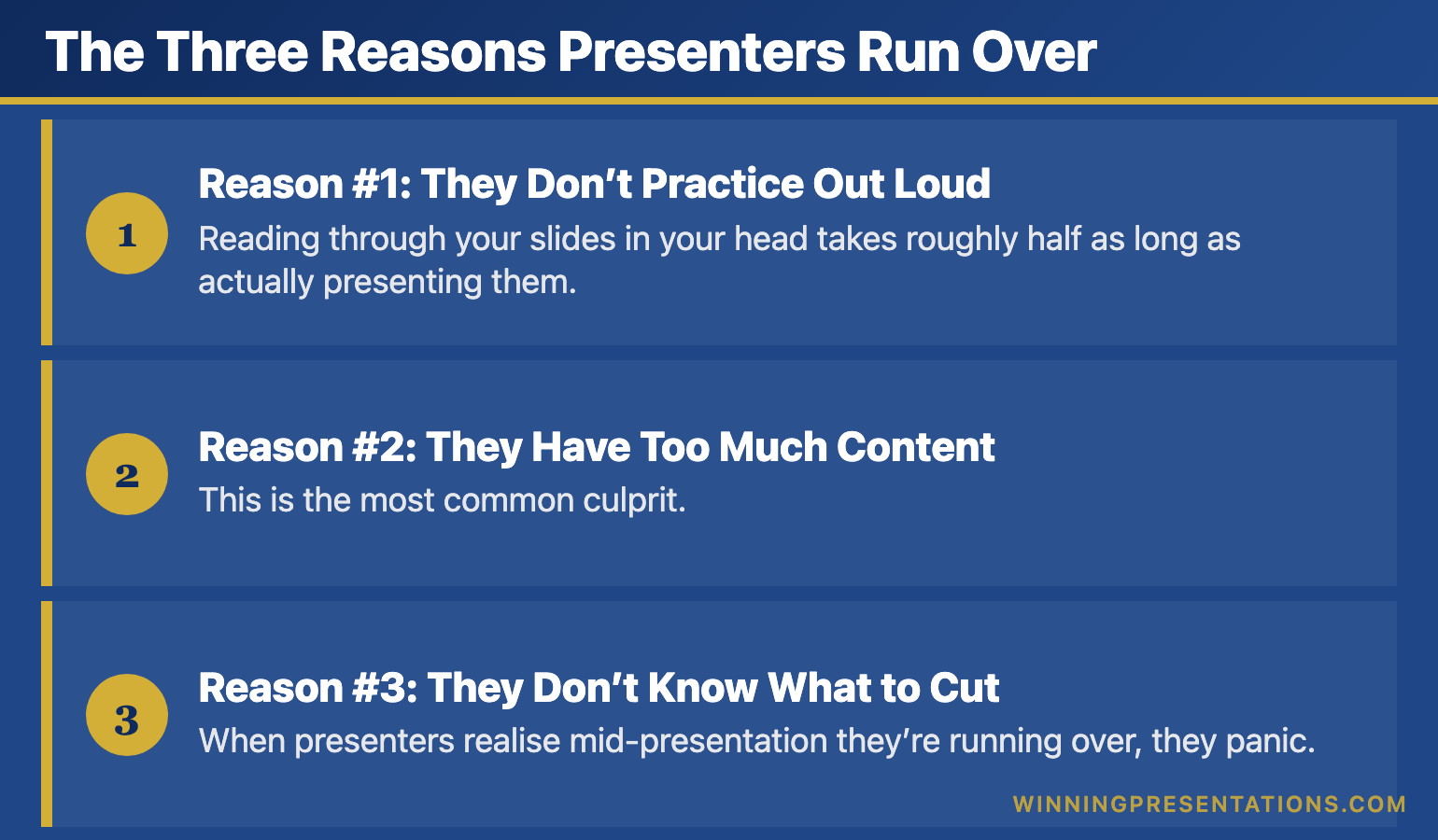
The Three Reasons Presenters Run Over

After analysing thousands of presentations that ran over time, I’ve found the cause is almost always one of three preparation failures—not delivery failures.

Reason #1: They Don’t Practice Out Loud

Reading through your slides in your head takes roughly half as long as actually presenting them. Every time, without exception.

When you rehearse mentally, you skip the pauses. You don’t stumble over transitions. You don’t repeat yourself for emphasis. You don’t wait for the slide to advance. Mental rehearsal is a fantasy—it has almost nothing to do with real delivery time.

The fix: Practice standing up, speaking at full volume, with your slides actually advancing. Do this at least three times with a timer running.

Reason #2: They Have Too Much Content

This is the most common culprit. Presenters prepare 20 minutes of content for a 10-minute slot, then try to “speak faster” to fit it in.

Speaking faster doesn’t work. It makes you seem nervous. It overwhelms your audience. And you still run over because faster speech doesn’t compress pauses, transitions, or the inevitable moments where you lose your place.

The fix: Cut content until you can deliver comfortably in 85% of your allotted time. For a 10-minute presentation, that means practising until you hit 8:30.

Reason #3: They Don’t Know What to Cut

When presenters realise mid-presentation they’re running over, they panic. Without a pre-planned “cut list,” they either rush through everything (bad) or skip their conclusion (worse).

The fix: Before you present, identify one “nice to have” example or point in each section. Know exactly what you’ll skip if you need to recover time. Never cut your conclusion—it matters more than any supporting detail.

[IMAGE: presentation-time-management-three-reasons.png]

Alt text: Three reasons presenters run over time – don’t practice out loud, too much content, don’t know what to cut

Dimensions: 770 × 450px

The Buffer Rule

Here’s the principle that transformed my own presentation time management: your practice time is your minimum time.

Under pressure, you’ll speak faster in some places and slower in others. You’ll lose your place. You’ll add an unplanned clarification. It roughly nets out to taking longer than practice, not shorter.

Build buffer into your preparation:

  • 5-minute slot: Practise until you hit 4:15-4:30
  • 10-minute slot: Practise until you hit 8:30-9:00
  • 15-minute slot: Practise until you hit 12:30-13:00

That buffer will save you every time. It accounts for nerves, for audience reactions, for the technology hiccup you didn’t anticipate. Good presentation pacing requires this margin.

📧 Join 2,000+ professionals getting weekly presentation insights. Subscribe to The Winning Edge →

Frequently Asked Questions

Why do presenters always run over time?

Three reasons: they don’t practice out loud (mental rehearsal takes half as long), they have too much content for the slot, and they don’t know what to cut when time runs short. All three are preparation failures, not delivery failures. Master the 10-minute presentation format to build discipline.

How do I stay on time during a presentation?

Practice with a timer at least three times out loud. Build in 10-15% buffer (aim for 9 minutes if you have 10). Know exactly which points you’ll cut if needed. Place a clock or timer where you can see it without being obvious.

What should I cut if I’m running over during a presentation?

Cut examples and evidence first, not main points. Never cut your conclusion or call to action—these matter more than extra supporting detail. Decide before you present which examples are “nice to have” versus essential. Strong presentation structure makes these decisions easier.

📥 Free Download: 7 Presentation Frameworks

Get proven structures that naturally fit standard time slots—5 minutes, 10 minutes, and beyond. When your structure is right, timing takes care of itself.

Download Free →

Related: 10-Minute Presentation: Why This Format Dominates Business Communication


Mary Beth Hazeldine spent 24 years at JPMorgan, PwC, RBS, and Commerzbank. She’s a clinical hypnotherapist and MD of Winning Presentations.

This article was created with AI assistance; all stories and insights are based on 35 years of real client work.

10 Jan 2026
presentation pacing guide - how speaking speed affects audience engagement and credibility

Presentation Pacing: The Speed Trap That Loses Every Audience

Quick Answer: Most presenters speak too fast when nervous, losing their audience within minutes. Optimal presentation pacing is 120-150 words per minute—slower than natural conversation. The fix isn’t willpower; it’s cutting content so you don’t feel rushed, plus strategic pauses that signal confidence.

During my years at Commerzbank, I sat through a quarterly update where a brilliant analyst presented 47 slides in 12 minutes.

Forty-seven slides. Twelve minutes. Do the math—that’s roughly 15 seconds per slide.

He spoke so fast that words blurred into each other. Data points flew past before anyone could process them. By slide eight, half the room had mentally checked out. By slide twenty, people were checking phones under the table.

When he finished, breathless and sweating, the MD’s only comment was: “Could you send that round? I couldn’t follow it.”

All that work. All that data. Completely wasted because he confused speed with efficiency.

Here’s what nobody told him about presentation pacing—and what I wish someone had told me earlier in my career.

🎯 Master Your Delivery With Confidence

The Public Speaking Cheat Sheets give you quick-reference guides for pacing, pauses, vocal variety, and body language—everything that makes the difference between forgettable and commanding.

Get the Cheat Sheets → £14.99

Why Fast Feels Right (But Isn’t)

When you’re nervous, your brain interprets the situation as threatening. Your heart rate increases. Adrenaline floods your system. And your speech accelerates—it’s a physiological response, not a choice.

The problem is that fast speech signals nervousness to your audience. They may not consciously think “this person is nervous,” but they’ll feel something is off. Trust erodes. Credibility suffers.

Meanwhile, you’re burning through your content faster than anyone can absorb it. You’re not communicating more—you’re communicating less, just more quickly.

This is why voice control is so critical. Your pacing communicates as much as your words do.

Presentation pacing chart showing how speaking speed affects audience comprehension and speaker credibility

The Pacing Sweet Spot

Research consistently shows that audiences comprehend and retain information best when presenters speak at 120-150 words per minute. That’s noticeably slower than typical conversation (which runs 150-180 wpm).

Here’s what optimal presentation pacing looks like in practice:

  • Key points: Slow down to 100-120 wpm. Give important ideas room to land.
  • Transitions: Speed up slightly to 140-150 wpm. This signals movement.
  • Stories: Vary your pace. Speed up during action, slow down for impact moments.
  • Data: Always slower. Numbers need processing time.

The executives who command attention understand this intuitively. Their vocal delivery ebbs and flows with intention, not panic.

Three Fixes That Actually Work

1. Cut 20% of Your Content

If you feel rushed, you have too much material. The solution isn’t speaking faster—it’s saying less. Cut your content until you could deliver it comfortably with time to spare.

2. Script Your Pauses

Write “PAUSE” into your notes at key moments. After your opening hook. Before your main message. After important data points. Pauses feel awkward to you but powerful to your audience.

3. Record and Time Yourself

Most presenters have no idea how fast they actually speak. Record a practice run and count your words per minute. You’ll likely be shocked—and motivated to slow down.

These techniques work together with proper voice training to transform your delivery from rushed to commanding.

📧 Join 2,000+ professionals getting weekly presentation insights. Subscribe to The Winning Edge →

Frequently Asked Questions

How fast should I speak during a presentation?

Aim for 120-150 words per minute for most business presentations. This feels slower than conversation but gives your audience time to process. Slow down further for complex points and speed up slightly for transitions. For more on vocal delivery, see our complete guide to presentation voice tips.

Why do presenters speak too fast?

Nerves trigger faster speech as part of the fight-or-flight response. Presenters also speed up when they’ve crammed too much content and feel time pressure. The solution is editing content, not speaking faster.

How do I slow down my presentation pacing?

Use strategic pauses after key points, practice with a timer to catch rushing, and cut 20% of your content so you don’t feel time pressure. Breathing exercises before presenting also help regulate pace—see our guide to calming nerves before presenting.

📥 Free Download: 7 Presentation Frameworks

Get proven structures that naturally build in pacing variety—so you never feel rushed or monotonous again.

Download Free →

Related: Presentation Voice Tips: How to Sound Confident and Commanding


Mary Beth Hazeldine spent 24 years at JPMorgan, PwC, RBS, and Commerzbank. She’s a clinical hypnotherapist and MD of Winning Presentations.

10 Jan 2026
5-minute presentation structure - the 1-3-1 framework for short presentations that work

5-Minute Presentations: Why Most Fail in the First 30 Seconds

Quick Answer: Most 5-minute presentations fail because presenters try to compress 15 minutes of content into 5 minutes. The solution is the 1-3-1 structure: 1 minute for your hook and main message, 3 minutes for three supporting points, and 1 minute for your call to action. Start with your conclusion, not your background.

Three years ago, I watched a senior analyst at JPMorgan destroy his promotion chances in exactly 4 minutes and 47 seconds.

He’d been given the slot every ambitious professional dreams of—five minutes with the Managing Director to present his team’s quarterly results. Five minutes to prove he was ready for the next level.

He spent the first two minutes on background. “As you know, the market conditions this quarter have been…” The MD’s eyes glazed over before he’d finished his second sentence.

By minute three, he was rushing through slides, skipping key data because he’d run out of time. By minute four, he was apologising. “I know I’m running over, but just one more point…”

The MD cut him off at 4:47. “Thank you. Next presenter.”

I’ve seen this pattern hundreds of times in my 24 years across JPMorgan Chase, PwC, RBS, and Commerzbank. Talented professionals who can command a room for an hour somehow fall apart when given five minutes. They treat short presentations as long presentations that need trimming, when they’re actually an entirely different format requiring an entirely different approach.

The analyst who bombed? He’d prepared a 20-minute presentation and tried to speed through it. That’s not a 5-minute presentation. That’s a 20-minute presentation delivered badly.

Here’s what actually works when time is your scarcest resource.

🎯 Never Struggle With Short Presentations Again

The Presentation Openers & Closers Swipe File gives you 50+ proven opening hooks and closing techniques specifically designed for time-pressured situations. Stop wasting your first 30 seconds on “thank you for having me” and start commanding attention immediately.

What’s inside:

  • 15 opening hooks that work in 10 seconds or less
  • 12 closing techniques that drive immediate action
  • Templates for 5, 10, and 15-minute presentations
  • The “first sentence” formulas top executives use

Get the Swipe File → £9.99

Why 5 Minutes Is Harder Than 50

Here’s a counterintuitive truth that took me years to understand: a 5-minute presentation requires more preparation than a 50-minute one, not less.

When you have an hour, you can explore tangents. You can build context gradually. You can recover from a weak opening with a strong middle. Time forgives mistakes.

Five minutes forgives nothing.

Every word counts. Every second of hesitation costs you. There’s no room for “let me just add some background” or “one more thing.” You’re either focused or you’re failing.

Mark Twain allegedly said, “I didn’t have time to write a short letter, so I wrote a long one instead.” Whether he said it or not, the principle holds. Compression is hard. Clarity under constraint is a skill most professionals never develop.

The executives I’ve trained—over 5,000 across two decades—consistently rate short-format presentations as their biggest challenge. Not board presentations. Not investor pitches. Five-minute updates where the stakes feel lower but the margin for error is actually higher.

Comparison showing 50-minute vs 5-minute presentation - more preparation time required for shorter format

The 30-Second Mistake That Loses Every Audience

Watch any unsuccessful 5-minute presentation and you’ll see the same pattern in the first 30 seconds:

“Good morning everyone. Thank you for having me. My name is [name] and I’m the [title] in [department]. Today I’m going to talk about [topic]. Before I begin, let me give you some background on…”

That opening just consumed 20-25% of your total time. And you’ve said nothing your audience didn’t already know or couldn’t read on your title slide.

This is what I call the “warm-up waste”—the instinct to ease into a presentation that serves the speaker’s comfort but destroys the audience’s attention.

Your audience’s attention peaks in the first 30 seconds. They’re deciding whether to listen or mentally check out. They’re forming impressions about your competence, confidence, and whether you have anything worth hearing.

And you’re wasting that peak attention on pleasantries.

What to Do Instead

Start with your conclusion. Not your introduction. Not your background. Your actual point.

Consider the difference:

Weak opening: “I’m going to walk you through our Q3 results and give you some context on the market conditions that affected our performance.”

Strong opening: “We beat target by 12% this quarter. Here’s the one decision that made the difference.”

The second version takes five seconds. It delivers your key message immediately. It creates curiosity. And it positions everything that follows as supporting evidence rather than build-up.

This is what great presentation openings do—they start with the destination, not the journey.

Side-by-side comparison of weak vs strong 5-minute presentation openings with timing

The 1-3-1 Structure for 5-Minute Success

After coaching thousands of short presentations, I’ve found one structure that works consistently across industries, audiences, and stakes levels. I call it the 1-3-1.

Minute 1: Hook + Main Message

Your first 60 seconds must accomplish three things:

  1. Capture attention with a hook—a surprising fact, a bold claim, or a provocative question
  2. State your main message—the one thing you want your audience to remember
  3. Preview your structure—”I’ll show you three reasons why” (takes 5 seconds, saves your audience cognitive load)

Notice what’s not in minute one: your background, the history of your project, acknowledgments, or “context setting.” All of that either gets cut or woven into your supporting points.

Minutes 2-4: Three Supporting Points

You have three minutes for your content. That means three points, roughly one minute each.

Why three? Because three is the maximum number of distinct ideas people can hold in working memory during a short presentation. Four points in five minutes means none of them land. Two points feels incomplete. Three is the sweet spot.

Each point follows a micro-structure:

  • Claim (10 seconds): State the point clearly
  • Evidence (30 seconds): One piece of proof—a number, an example, a brief story
  • Implication (20 seconds): Why this matters for your audience

If you’re presenting data, this is where data storytelling becomes essential. Don’t just show numbers—show what the numbers mean.

Minute 5: Call to Action + Close

Your final minute must answer the question every audience member is subconsciously asking: “What do you want me to do with this information?”

Be specific. “I’d like you to consider…” is weak. “I need approval by Friday” or “The decision we need today is…” gives your audience clarity.

Then close cleanly. The best presentation endings don’t trail off or add “one more thing.” They land with intention.

The 1-3-1 in Practice

Time Section Content
0:00-1:00 Hook + Message Attention-grabber, main point, preview
1:00-2:00 Point 1 Claim → Evidence → Implication
2:00-3:00 Point 2 Claim → Evidence → Implication
3:00-4:00 Point 3 Claim → Evidence → Implication
4:00-5:00 CTA + Close Specific ask, memorable close

What to Cut (And What to Keep)

The hardest part of a 5-minute presentation isn’t what to include. It’s what to cut.

I worked with a product manager at a tech firm who had 47 data points she wanted to share in her five-minute product review. “They’re all important,” she insisted. “Leadership needs to see the full picture.”

Leadership saw nothing. Her presentation was a blur of numbers that left everyone confused about what actually mattered.

Here’s the brutal truth about short presentations: your audience will remember at most one to three things. If you try to communicate ten things, they’ll remember zero.

The Ruthless Cutting Framework

For every piece of content, ask these three questions:

  1. Does this support my one main message? If not, cut it—no matter how interesting.
  2. Can my audience understand this without additional context? If it needs explanation, either simplify it or cut it.
  3. Will anyone care about this in 48 hours? If it’s not memorable, it’s not essential.

What Almost Always Gets Cut

  • Background and history—unless directly relevant to your ask
  • Methodology explanations—say “we analysed” not “here’s how we analysed”
  • Caveats and disclaimers—handle these in Q&A if they come up
  • Acknowledgments—thank people afterwards, not during your precious five minutes
  • Everything after “just one more thing”—if you didn’t plan for it, don’t say it

Strong presentation structure isn’t about including everything. It’s about excluding everything that doesn’t directly serve your purpose.

🎯 Structure Any Presentation in Minutes

Stop staring at blank slides. The Presentation Openers & Closers Swipe File includes ready-to-use templates for 5-minute presentations that you can customise for any situation.

Copy a proven structure. Plug in your content. Present with confidence.

Download the Templates → £9.99

Delivery Secrets for Short Presentations

Structure is only half the equation. How you deliver a 5-minute presentation matters as much as what you say.

Pace: Slower Than You Think

When time is limited, most presenters speed up. This is exactly wrong.

Fast delivery signals nervousness. It overwhelms your audience. It makes you seem like you’re trying to cram in content you couldn’t edit down.

Slow delivery signals confidence. It gives your points room to land. It shows you’ve prioritised and you trust your content.

Counterintuitively, speaking slightly slower in a short presentation often means you communicate more effectively, even if you say fewer words.

Pauses: Your Secret Weapon

A strategic pause before a key point does three things:

  1. It signals importance—”what comes next matters”
  2. It gives your audience time to process what came before
  3. It gives you time to breathe and reset

In a 5-minute presentation, plan for two or three deliberate pauses. One after your opening hook. One before your call to action. One between your second and third points if you want the third to land with impact.

Eye Contact: Strategic, Not Random

You don’t have time to connect with everyone in a 5-minute presentation. Don’t try.

Instead, use strategic eye contact:

  • Decision makers first—if one person’s opinion matters most, they get the most eye contact
  • Sceptics second—connecting with a doubter can shift room dynamics
  • Supporters third—they’ll nod along and boost your confidence

This is part of what I teach executives about presentation body language—intentional physical presence that serves your message.

Three delivery secrets for 5-minute presentations - pace, pauses, and eye contact

The Practice Protocol

A 5-minute presentation should be practiced at least five times out loud. Not in your head. Out loud.

Here’s my recommended practice sequence:

  1. Practice 1: Read through your content. Time it. You’ll probably run over.
  2. Practice 2: Cut until you hit 4:30. You need buffer for nerves and natural variation.
  3. Practice 3: Focus on your opening. Get the first 30 seconds locked.
  4. Practice 4: Focus on transitions between points. These are where most people stumble.
  5. Practice 5: Full run-through. Record yourself. Watch it once. Note one thing to improve.

Building presentation confidence doesn’t require hours of rehearsal. It requires deliberate, focused practice on the elements that matter most.

Case Study: From 12 Minutes to 5 (And a Promotion)

Remember the analyst I mentioned at the beginning? The one who bombed his five-minute slot with the MD?

Six months later, he got another chance. Same format. Same MD. Different outcome.

Here’s what changed.

His first version had been 23 slides. His revision had 4. One title slide. Three content slides. Zero bullet points.

His first version opened with “Q3 Market Overview.” His revision opened with: “Our team generated £2.3 million in unexpected revenue this quarter. I’m here to tell you how—and how we can double it next quarter.”

The MD leaned forward. That had never happened before.

His first version crammed in seven different metrics. His revision focused on one: unexpected revenue. Everything else supported that single story.

He finished at 4:42. The MD asked questions for another three minutes—not because the presentation was unclear, but because he was genuinely interested.

Two months later, that analyst was promoted. “The turning point,” he told me later, “was learning that a 5-minute presentation isn’t a compressed long presentation. It’s a different skill entirely.”

That skill—persuading under constraint—is what separates people who advance from people who plateau.

📧 Join 2,000+ professionals getting weekly presentation insights. Subscribe to The Winning Edge →

Frequently Asked Questions

How many slides should a 5-minute presentation have?

Aim for 3-5 slides maximum. The rule of thumb is one slide per minute, but for a 5-minute presentation, fewer slides with stronger visuals work better than cramming in content. I’ve seen executives deliver powerful 5-minute presentations with just a single impactful slide.

How many words should a 5-minute presentation be?

Approximately 600-750 words if you speak at a conversational pace (125-150 words per minute). However, leave room for pauses and audience processing—aim for 500-600 words of actual scripted content. Your presentation structure matters more than word count.

What’s the biggest mistake in 5-minute presentations?

Trying to cover too much. Most presenters attempt to compress a 15-minute presentation into 5 minutes, resulting in rushed delivery that overwhelms audiences instead of persuading them. Edit ruthlessly. Say less, but say it better.

How do I structure a 5-minute presentation?

Use the 1-3-1 structure: 1 minute for your hook and main point, 3 minutes for your three supporting points (one minute each), and 1 minute for your call to action and close. This framework works across industries and presentation types.

Should I use notes for a 5-minute presentation?

Brief bullet points are fine, but avoid reading from a script. With only 5 minutes, every second of eye contact matters. Practice until you can deliver your key points naturally without relying heavily on notes.

How do I handle Q&A after a 5-minute presentation?

If Q&A is separate from your 5 minutes, great. If it’s included, allocate only 3.5-4 minutes for your presentation and keep answers brief. Better to say “Let’s discuss offline” than to ramble past your time. Learn more about handling difficult questions.

📥 Free Download: 7 Presentation Frameworks

Not sure which structure fits your situation? Download 7 proven frameworks—including specific templates for 5-minute presentations—and find the one that works for your next high-stakes moment.

Download Free →

Related Resources

Continue building your short-presentation skills:

The 5-Minute Advantage

Most professionals dread short presentation slots. They see them as constraints—impossible situations where they can’t possibly communicate everything they need to.

The best professionals see them differently. A 5-minute presentation is a test. Can you identify what truly matters? Can you communicate it with clarity and confidence? Can you respect your audience’s time while still delivering value?

Master the 5-minute presentation and you’ll stand out in every meeting, every update, every opportunity to speak. You’ll be known as someone who gets to the point. Someone whose time is worth claiming.

That’s a reputation worth building.


Mary Beth Hazeldine is a qualified clinical hypnotherapist, NLP practitioner, and Managing Director of Winning Presentations. After 5 years terrified of presenting, she built a 24-year banking career at JPMorgan Chase, PwC, RBS, and Commerzbank. She has treated hundreds of anxiety clients and trained over 5,000 executives.

05 Jan 2026
Presentation voice tips - how to use pace, pitch, volume, and pauses for confident delivery

Presentation Voice Tips: How to Sound Confident and Commanding [2026]

Last updated: January 2026

The CFO leaned back and crossed his arms. “I don’t believe those numbers.”

The problem wasn’t the numbers — they were solid. The problem was how my client delivered them. Her voice stayed flat throughout, with no emphasis on the critical data points. Everything sounded equally important, which meant nothing sounded important.

We spent an hour on vocal delivery alone. Same presentation, same numbers — but this time she varied her pace, dropped her voice for authority on key figures, and paused before the recommendation. The CFO didn’t just believe the numbers. He championed the proposal.

Your voice is your primary delivery instrument. Even in a room where people can see you, research shows vocal variety carries more persuasive weight than body language. Master your voice, and you command attention whether presenting in a boardroom or on Zoom.

Here’s how to transform your presentation voice from forgettable to compelling.

🎁 Free resource: Download my 7 Presentation Frameworks PDF — includes vocal delivery cues for each framework.

Why Your Presentation Voice Matters

When content and delivery conflict, audiences believe delivery. You can say “this is urgent” — but if your voice is monotone, they hear “this is routine.”

Vocal variety does three things:

Signals importance. Changes in pace, pitch, and volume tell your audience what matters. Without variation, everything blurs together.

Maintains attention. Monotone voices are sleep-inducing. Variety keeps people engaged by creating auditory interest.

Conveys confidence. A varied, controlled voice signals that you’re comfortable with your material and in command of the room.

The Four Elements of Presentation Voice Tips

The four elements of presentation voice - pace, pitch, volume, and pause with examples
Master these four elements and your presentation voice transforms:

1. Pace: Speed as a Tool

Most presenters speak too fast when nervous. Rushing signals anxiety and prevents audiences from processing information.

The baseline: Aim for 120-150 words per minute — slower than normal conversation. This feels uncomfortably slow at first but sounds professional to listeners.

Faster for energy: Speed up slightly when describing exciting developments, building momentum, or conveying urgency.

Slower for importance: Slow down for key points, data, and recommendations. The pace change signals “this matters — pay attention.”

Practice tip: Record yourself and time a section. Most people discover they’re speaking 20-30% faster than they thought.

2. Pitch: High and Low for Effect

Pitch variation prevents monotone delivery and conveys different emotional tones.

Higher pitch: Conveys excitement, enthusiasm, and energy. Use for positive developments, opportunities, and calls to action.

Lower pitch: Conveys authority, seriousness, and gravitas. Use for important data, recommendations, and concluding statements.

The danger zone: Rising pitch at the end of statements (upspeak) makes everything sound like a question. It undermines authority. Statements should end with falling pitch.

Practice tip: Read the same sentence three ways — as a question, as an excited statement, as a serious declaration. Notice how pitch changes meaning.

3. Volume: Loud, Soft, and Strategic

Volume variation is the simplest technique with the most immediate impact.

Louder for emphasis: Increase volume on key words, phrases, and data points. “We saved them three MILLION pounds.”

Softer for intimacy: Drop your volume to draw people in. Softer delivery can be more powerful than shouting — it forces attention.

The contrast effect: A soft phrase after sustained volume creates dramatic impact. The sudden change commands attention.

Practice tip: Identify the three most important sentences in your presentation. Practice delivering them at different volumes to find what works.

Want a quick-reference for vocal techniques? My Public Speaking Cheat Sheets (£14.99) include a voice techniques card with specific examples for pace, pitch, and volume variation.

4. Pause: The Most Underused Tool

Silence is powerful. Most presenters fear it. That’s backwards — pause is your most effective vocal technique.

Pause before important points: Creates anticipation. “And the result was… [pause] …a 40% increase.”

Pause after important points: Lets them land. “We need to act now. [pause]” The silence gives weight to your words.

Pause instead of fillers: When you’d normally say “um” or “uh,” say nothing instead. Silence sounds confident; fillers sound uncertain.

The three-beat rule: Important pauses should last about three beats (roughly two seconds). This feels eternal to you but registers as deliberate to your audience.

Presentation Voice Tips for Common Problems

Problem: Monotone Delivery

You know you should vary your voice, but when presenting, everything flattens out.

The fix: Mark your notes with delivery cues. Underline words to emphasise. Write “PAUSE” in capital letters. Note “↑” for higher pitch, “↓” for lower. In practice, exaggerate these cues until variation feels natural.

Problem: Speaking Too Fast

Nerves accelerate your pace until words blur together.

The fix: Build deliberate pauses into your structure. End of each section = pause. Before each key point = pause. The pauses act as speed bumps, forcing you to slow down.

Problem: Voice Trails Off

You start sentences strong but lose volume and energy by the end.

The fix: Focus on landing the final word of each sentence. Think of each sentence as having a target you need to hit. The target is the last word, delivered with full voice.

Problem: Nervous Voice Quality

Your voice shakes, tightens, or sounds strained when presenting.

The fix: Breathe from your diaphragm, not your chest. Before presenting, take three deep breaths. When speaking, pause to breathe rather than rushing through without oxygen. Physical tension in shoulders and jaw transfers to voice — consciously relax them.

Voice Projection Without Shouting

Projection isn’t about volume — it’s about carrying power. A projected voice reaches the back of the room without strain.

Breath support: Project from your diaphragm, not your throat. Put your hand on your belly; it should move when you breathe and speak.

Open posture: Stand tall, shoulders back, chest open. This allows full breath and natural resonance.

Aim for the back: Visualise speaking to someone at the back of the room. This adjusts your projection naturally without forcing.

Resonance: A projected voice resonates in your chest, not just your throat. Hum to find your natural resonance point, then speak from there.

Presentation Voice Tips for Virtual Delivery

Virtual presentations require adjusted voice technique:

More variation, not less: Video flattens everything. Increase your vocal variety by 30% compared to in-person.

Microphone awareness: Don’t lean into the mic for emphasis — the volume spike is jarring. Keep consistent distance and use pitch and pace for variation instead.

Shorter phrases: Audio compression and latency make long sentences harder to follow. Keep sentences punchy and pause more frequently.

For the complete virtual guide, see: Virtual Presentation Tips

Presenting to executives? My Executive Slide System (£39) includes delivery notes for high-stakes presentations where your voice and presence matter most.

Practice Exercises for Presentation Voice

The volume range exercise: Pick a sentence. Say it at a whisper. Say it at normal volume. Say it loudly. Practice moving between all three fluidly.

The emphasis exercise: Take “I didn’t say she stole the money.” Say it seven times, emphasising a different word each time. Notice how meaning changes.

The pause exercise: Practice inserting three-second pauses before and after key statements. Time them. They will feel too long until you see how natural they sound on recording.

The recording exercise: Record yourself presenting for two minutes. Listen back without watching. Does your voice sound varied? Where does it flatten? What would you change?

Your Voice, Your Instrument

Your voice is the primary tool for presentation delivery. Body language supports it. Slides accompany it. But voice carries your message.

Start with one technique from this guide. Maybe it’s pausing more. Maybe it’s varying volume. Maybe it’s slowing your pace. Practice that one technique until it becomes natural, then add another.

For the complete delivery framework including body language and presence, see: How to Deliver a Presentation

For body language techniques that complement your voice, see: Presentation Body Language

Want live feedback on your presentation voice? My Executive Buy-In Presentation System includes practice sessions where you’ll receive real-time coaching on vocal delivery.

Free weekly tips: Join 2,000+ professionals getting my Wednesday newsletter. Subscribe here.


About the AuthorMary Beth Hazeldine is the Owner & Managing Director of Winning Presentations, where she’s helped thousands of professionals command the room for over 15 years. With 24 years in corporate banking at JPMorgan Chase, PwC, Royal Bank of Scotland, and Commerzbank, she brings real boardroom experience to every technique she teaches. Mary Beth is also a qualified clinical hypnotherapist, combining business expertise with the psychology of confidence and persuasion.

Frequently Asked Questions

How do I stop sounding monotone in presentations?

Practice deliberate contrast. Mark your notes for emphasis — underline words to stress, write “PAUSE” where needed. Record yourself and listen for variation. Exaggerate in practice until natural variation emerges.

How can I project my voice without shouting?

Projection comes from breath support, not volume. Breathe from your diaphragm, stand tall to open your chest, and speak to the back of the room. Shouting strains; projection carries.

What’s the ideal pace for a presentation?

Most people speak too fast when nervous. Aim for 120-150 words per minute — slower than conversation. Vary pace for effect: faster for excitement, slower for important points.

(This article was created with AI assistance; all stories and insights are based on 35 years of real client work.)

05 Jan 2026
How to deliver a presentation - the complete guide to voice, body language, and stage presence

How to Deliver a Presentation: The Complete Performance Guide [2026]

Last updated: January 2026

I once watched a brilliant strategy director present a plan that would save her company £3 million. Her analysis was flawless. Her slides were clear. Her recommendation was exactly right.

The board said no.

Not because the content was wrong — but because her delivery undermined everything. Monotone voice. Eyes fixed on her laptop. Shoulders hunched like she was apologising for existing. The board didn’t trust her recommendation because her delivery said “I’m not sure about this.”

Three weeks later, I coached her through the same presentation. Same slides. Same data. Same recommendation. This time she delivered it with vocal contrast, purposeful movement, and eye contact that said “I’ve done the work and I’m certain.” The board approved it unanimously.

Content gets you in the room. Delivery gets you the yes.

🎁 Free resource: Download my 7 Presentation Frameworks PDF — includes delivery cues and timing guidance for each framework.

This guide covers how to deliver a presentation with impact — the voice techniques, body language, and presence that transform competent presenters into compelling ones. Everything here comes from 24 years presenting in corporate boardrooms and 15 years coaching executives to command the room.

Why Delivery Matters More Than You Think

Research from UCLA suggests that when content and delivery conflict, audiences believe delivery. If your words say “this is urgent” but your voice says “I’m bored,” they hear bored.

This isn’t about being a performer. It’s about alignment — ensuring your voice, body, and presence support your message rather than undermine it.

The good news: delivery is a skill, not a personality trait. Every technique in this guide can be learned and improved with practice.

The Presentation Delivery Framework

Effective delivery has three components. Master all three, and you’ll command any room — physical or virtual.

The presentation delivery framework showing voice, body, and presence elements

1. Voice: Your Primary Instrument

Your voice does most of the delivery work. Even in a room where people can see you, vocal variety carries more impact than movement.

Pace: Most presenters speak too fast when nervous. Deliberately slow down, especially for important points. A pause before a key statement signals “this matters.”

Pitch: Vary your pitch to avoid monotone. Higher pitch conveys excitement; lower pitch conveys authority and seriousness.

Volume: Louder for emphasis, softer to draw people in. A whispered phrase after several loud ones creates dramatic contrast.

Pause: The most underused tool. Pause before important points (creates anticipation). Pause after important points (lets them land). Pause instead of “um” (sounds confident instead of uncertain).

For a deep dive on vocal techniques, see: Presentation Voice Tips

2. Body: Physical Communication

Your body either reinforces your words or contradicts them. The goal isn’t to perform — it’s to remove the physical habits that distract from your message.

Posture: Stand balanced, shoulders back, weight evenly distributed. This isn’t about looking powerful — it’s about breathing properly and projecting your voice.

Gestures: Use them purposefully to emphasise points, not as nervous energy release. When not gesturing, hands at sides or lightly clasped in front — not in pockets, not crossed.

Movement: Move with intention. Step toward the audience for important points. Move to different areas for different sections. Never pace or rock.

Eye contact: The single most important physical element. Look at individuals, not the crowd. Hold for a complete thought (3-5 seconds), then move to someone else. In virtual settings, this means looking at your camera lens.

For specific body language techniques, see: Presentation Body Language

3. Presence: The Intangible Quality

Presence is what remains when voice and body are working well. It’s the quality that makes people pay attention even before you speak.

Groundedness: Being fully in the room rather than in your head. Focus on your message and your audience, not on how you’re being perceived.

Conviction: Believing in what you’re saying. If you don’t believe it, neither will they — and it shows.

Calm authority: The quiet confidence that comes from preparation and experience. You’ve done the work. You know your material. You belong here.

Presence can’t be faked, but it can be developed through practice and preparation.

Ready to master delivery? My Public Speaking Cheat Sheets (£14.99) include a delivery quick-reference card — voice techniques, body language cues, and presence builders on one page.

How to Deliver a Presentation: Step-by-Step

Here’s the sequence I teach executives for any high-stakes presentation:

Before You Speak

Arrive early. Stand where you’ll present. Get comfortable in the space. If virtual, test your tech and settle into your environment.

Breathe. Three deep breaths before you start. This lowers your heart rate and grounds your voice.

Set your opening line. Know your first sentence cold. The opening is where nerves peak — having it memorised prevents stumbling.

The First 30 Seconds

Pause before speaking. Look at your audience. Let them settle. This brief silence signals confidence.

Deliver your hook. Your opening line should grab attention immediately. See How to Open a Presentation for specific techniques.

Establish eye contact. Connect with 2-3 individuals in your first 30 seconds. This grounds you and signals connection.

During the Presentation

Vary your delivery deliberately. Faster for excitement, slower for importance. Louder for emphasis, softer for intimacy. Movement for transitions, stillness for key points.

Use the power of contrast. A whisper after sustained volume. A pause after rapid delivery. Stillness after movement. Contrast creates attention.

Read the room. Watch for signs of engagement or disengagement. Adjust your pace, add interaction, or cut content as needed.

Return to your notes without apology. If you need to check your notes, do it cleanly. Pause, look down, find your place, look up, continue. No “sorry, I just need to check…” — it’s unnecessary and undermines confidence.

The Close

Signal the end. “Let me leave you with this…” or “In closing…” tells the audience to pay attention to what follows.

Deliver your key message. Your final statement should be memorable — the one thing you want them to remember if they forget everything else.

Pause, then thank. After your final line, pause for a beat. Let it land. Then a simple “Thank you” ends cleanly.

Common Presentation Delivery Mistakes

Common presentation delivery mistakes and how to fix them

After coaching thousands of presenters, these are the delivery mistakes I see constantly:

Mistake 1: Speaking Too Fast

Nerves accelerate speech. What feels normal to you sounds rushed to your audience.

The fix: Practice at 75% of your natural speed. It will feel awkwardly slow — but it will sound professional to listeners. Record yourself to calibrate.

Mistake 2: Monotone Voice

When nervous, vocal variety disappears. Everything comes out at the same pitch and pace.

The fix: Mark your script or notes with delivery cues. Underline words to emphasise. Add “PAUSE” where you need to breathe. Practice with deliberate exaggeration until variation feels natural.

Mistake 3: Reading Slides

Turning your back to read your own slides destroys connection and credibility.

The fix: Know your content well enough to speak without reading. Glance at slides briefly to orient yourself, then turn back to the audience. Use presenter view or notes if needed.

Mistake 4: Avoiding Eye Contact

Looking over heads, at the floor, or at the back wall signals discomfort and prevents connection.

The fix: Pick specific individuals and speak directly to them. Rotate through the room. One complete thought per person. In virtual settings, look at your camera lens, not the screen.

Mistake 5: Nervous Physical Habits

Pacing, rocking, fidgeting, touching your face, clicking a pen — all distract from your message.

The fix: Record yourself presenting and watch for habits. Most people are unaware of theirs. Once identified, consciously replace them — keep hands at sides, plant your feet, hold the pen still.

Mistake 6: No Pauses

Filling every moment with words signals nervousness and exhausts your audience.

The fix: Build in deliberate pauses. Before key points. After key points. Where you’d normally say “um.” Silence feels longer to you than to your audience — embrace it.

Presenting to executives? My Executive Slide System (£39) includes delivery guidance specifically for boardroom and C-suite presentations where the stakes are highest.

How to Deliver a Presentation Virtually

Virtual delivery requires adaptation, not abandonment, of these principles. The fundamentals remain — but execution changes.

Voice matters more. Without physical presence, your voice carries all the delivery weight. Increase vocal variety by 30% compared to in-person.

Camera is your audience. Eye contact means looking at your camera lens, not at faces on screen. This feels unnatural but reads as direct connection.

Energy must be amplified. Video flattens you. What feels slightly too energetic in person will land as normal on screen.

Gestures stay in frame. Hand movements that work in person may be invisible or distracting on camera. Keep gestures smaller and within the visible frame.

For the complete virtual delivery guide, see: Virtual Presentation Tips

Practice Methods That Actually Work

Reading advice won’t improve your delivery. Practice will. Here’s how to practice effectively:

Record Yourself

Video is brutal but essential. Record your practice runs and watch them. You’ll spot habits you never knew you had. Focus on one improvement at a time.

Practice Out Loud

Silent mental rehearsal doesn’t build delivery skills. You must practice speaking at full volume, with full delivery, as if presenting to a real audience.

Practice the Difficult Parts More

Run your opening 10 times. Practice your close until it’s automatic. Rehearse the transition where you always stumble. Targeted practice beats full run-throughs.

Practice With Distraction

Once you know your material, practice with the TV on, while walking, or with someone asking random questions. This builds the resilience to handle real-world interruptions.

Get Real Feedback

Practice with someone who will be honest. Not “that was good” — specific feedback on what works and what doesn’t. A coach, colleague, or friend who understands presentation skills.

Delivery for Different Situations

Delivery should adapt to context. Here’s how to adjust:

Small Meetings (5-10 people)

More conversational, less performative. Sit or stand depending on room setup. Make eye contact with everyone multiple times. Encourage interruptions and questions.

Large Presentations (50+ people)

Bigger gestures, more vocal projection, deliberate movement across the stage. Eye contact with sections of the room rather than individuals. Fewer interruptions, clear structure.

Executive Presentations

Get to the point fast. Confident but not arrogant. Ready to answer challenges. Delivery should say “I’ve done the work and I’m certain of this recommendation.”

Virtual Presentations

Higher energy, camera eye contact, attention resets every 10 minutes. See Virtual Presentation Tips for the complete guide.

Building Confidence in Delivery

Confident delivery comes from three sources:

Preparation: Know your content cold. When you trust your material, you’re free to focus on delivery.

Practice: Rehearse until delivery is automatic. Nervousness decreases as familiarity increases.

Experience: Every presentation teaches you something. Over time, you build a track record that supports confidence.

If presentation anxiety is a significant challenge, see my guide: Presentation Confidence, which draws on my training as a clinical hypnotherapist to address the psychological dimension.

Your Next Step

Pick one element from this guide and focus on it in your next presentation. Just one. Maybe it’s pausing more. Maybe it’s varying your volume. Maybe it’s making eye contact with individuals.

One improvement at a time, compounded over presentations, transforms delivery. Trying to fix everything at once overwhelms and changes nothing.

Want to master presentation delivery systematically? My Executive Buy-In Presentation System includes live practice sessions where you’ll deliver presentations and receive real-time feedback on voice, body language, and presence.

Get weekly delivery tips: Join 2,000+ professionals getting my Wednesday newsletter — real techniques from real presentations. Subscribe free here.


About the AuthorMary Beth Hazeldine is the Owner & Managing Director of Winning Presentations, where she’s helped thousands of professionals command the room for over 15 years. With 24 years in corporate banking at JPMorgan Chase, PwC, Royal Bank of Scotland, and Commerzbank, she brings real boardroom experience to every technique she teaches. Mary Beth is also a qualified clinical hypnotherapist, combining business expertise with the psychology of confidence and persuasion.

Frequently Asked Questions

What makes a good presentation delivery?

Good delivery combines vocal variety (pace, pitch, volume), purposeful body language, genuine eye contact, and confident presence. Content matters, but delivery determines whether anyone remembers it.

How can I improve my presentation delivery quickly?

Focus on three things: pause more than feels comfortable, make eye contact with individuals not the crowd, and vary your volume for emphasis. These create immediate impact with minimal practice.

Why do I sound monotone when presenting?

Nerves flatten vocal variety. The fix is deliberate contrast — whisper a phrase, then speak loudly. Your brain needs permission to vary, so exaggerate in practice until natural variation emerges.

Should I memorise my presentation?

Memorise your opening, key transitions, and closing. Know the rest well enough to speak naturally. Fully memorised presentations sound robotic and collapse if you lose your place.

How do I handle nerves during delivery?

Channel nervous energy into movement and vocal power rather than trying to eliminate it. Pause and breathe before starting. Focus on your message, not yourself. Nervousness usually peaks in the first 90 seconds then fades.

02 Jan 2026
How to make a presentation - 5-step process from purpose to delivery

How to Make a Presentation: The Complete Guide to Creating Slides That Work [2026]

Learning how to make a presentation doesn’t have to take hours. Whether you’re creating your first PowerPoint for school, preparing a business pitch, or building slides for a conference talk — the fundamentals are the same.I’ve spent 24 years making presentations at JPMorgan Chase, PwC, Royal Bank of Scotland, and Commerzbank. I’ve created hundreds of decks — from quick team updates to £50 million investment pitches. And I’ve watched talented people fail because they didn’t understand one thing:

A presentation isn’t about slides. It’s about moving people from where they are to where you need them to be.

The slides are just the vehicle.

In this guide, I’ll show you exactly how to make a presentation that works — step by step. You’ll learn the process I use for every presentation, whether it takes 30 minutes or 3 hours to create.

By the end, you’ll know how to make a presentation for any situation: work, school, conferences, or pitches.

How to make a presentation - 5-step process from purpose to delivery

The 5-step process for making presentations that work — regardless of which software you use

🎁 Free Download: Grab my 7 Presentation Frameworks Cheat Sheet — the structures I use for every presentation I create. Works with any software.

How to Make a Presentation: The 5-Step Process

Every great presentation follows the same basic process — regardless of whether you’re using PowerPoint, Google Slides, Canva, Keynote, or AI tools.

Here’s the framework for how to make a presentation that actually lands:

  1. Define your purpose — What do you want your audience to do?
  2. Know your audience — Who are they and what do they care about?
  3. Build your structure — What’s the logical flow?
  4. Create your slides — What visuals support your message?
  5. Refine and practise — What needs polishing?

Most people jump straight to step 4 — opening PowerPoint and staring at a blank slide. That’s why they struggle.

Let me walk you through each step.

Step 1: Define Your Purpose (Before You Touch Any Software)

Before you learn how to make a presentation in any tool, you need to answer one question:

“What do I want my audience to think, feel, or do after this presentation?”

This isn’t your topic. It’s your destination.

Weak purpose: “I’m presenting our Q3 results.”

Strong purpose: “I need the board to approve increased marketing spend for Q4.”

The weak version describes what you’ll talk about. The strong version describes what you need to achieve.

Write your purpose in one sentence. Everything else flows from this.

Examples of strong presentation purposes:

  • “Convince my professor I understand the key themes of this novel”
  • “Get my team excited about the new project direction”
  • “Persuade investors to schedule a follow-up meeting”
  • “Help new hires understand our company culture”
  • “Get my manager to approve this budget request”

If you can’t state your purpose clearly, you’re not ready to make a presentation yet.

Step 2: Know Your Audience

The second step in how to make a presentation is understanding who you’re presenting to.

A presentation to your CEO looks different from a presentation to new graduates. Not just in content — in structure, depth, and tone.

Ask yourself these five questions before you start building slides:

Answer these 5 questions BEFORE you open PowerPoint or Google Slides

A common mistake when learning how to make a presentation: creating the same slides for every audience. Don’t do this. A technical audience wants data. Executives want recommendations. Students want relatable examples.

Adapt your presentation to your audience — every single time.

Step 3: Build Your Structure

Now you’re ready to plan your presentation’s structure — still without opening any software.

This step separates people who know how to make a presentation from people who just make slides.

Your structure is the logical flow that takes your audience from where they are now to your desired outcome (your purpose from Step 1).

Three Structures That Work for 90% of Presentations

Choose ONE of these structures before you start building slides

Structure 1: Problem → Solution → Action

Best for: Pitches, proposals, requesting approval

  1. Here’s the problem we’re facing
  2. Here’s the solution I recommend
  3. Here’s what I need you to do/approve

Structure 2: What → So What → Now What

Best for: Updates, reports, presenting data

  1. Here’s what happened / what the data shows
  2. Here’s why it matters / what it means
  3. Here’s what we should do next

Structure 3: Context → Options → Recommendation

Best for: Complex decisions, strategy presentations

  1. Here’s the situation and constraints
  2. Here are the options we considered
  3. Here’s what I recommend (and why)

Choose a structure. Write out your main points as bullet points — one per slide. This is your presentation skeleton.

For a typical 15-minute presentation, you need 5-8 main points. For 30 minutes, 10-15.

Don’t write full sentences yet. Just capture the flow:

  • Opening: The problem with our current process
  • Point 1: What’s causing the delays
  • Point 2: The cost of doing nothing
  • Point 3: My proposed solution
  • Point 4: How it works in practice
  • Point 5: Investment required
  • Point 6: Expected results
  • Closing: What I need from you today

That’s a complete presentation structure — before you’ve created a single slide.

📋 Need Help With Structure?

The Presentation Openers & Closers Swipe File (£9.99) includes 50+ tested scripts for starting strong and ending memorably — plus templates for each structure above.

Step 4: How to Make a Presentation — Creating Your Slides

Now you’re ready to open your presentation software and start making slides.

Here’s how to make a presentation that looks professional — regardless of which tool you use.

Choosing Your Presentation Software

The best tool depends on your situation:

Choose your presentation software based on your situation — not trends

If you’re making a business presentation, PowerPoint or Google Slides are usually your best options. Most organisations expect these formats.

If you’re learning how to make a presentation for the first time, start with Google Slides — it’s free and simpler than PowerPoint.

The One-Slide-One-Point Rule

The most important principle when making slides: each slide should make exactly one point.

If you have two points, make two slides. Slides are free.

This rule alone will make your presentations clearer than 80% of what your audience usually sees.

How to Design Slides That Don’t Overwhelm

When you’re learning how to make a presentation, less is always more.

Apply these 4 rules to every slide you create

Text:

  • Maximum 6 bullet points per slide
  • Maximum 6 words per bullet point
  • Never write full sentences (that’s what you say, not what they read)

Fonts:

  • Stick to one or two fonts
  • Minimum 24pt for body text, 32pt+ for titles
  • Sans-serif fonts (Arial, Calibri, Helvetica) are easier to read on screen

Colours:

  • Use 2-3 colours maximum
  • Ensure high contrast between text and background
  • If in doubt, dark text on light background works best

Images:

  • Use high-quality images (no pixelated photos)
  • One image per slide maximum
  • Images should support your point, not decorate

The Squint Test

After making each slide, squint at it from arm’s length.

Can you tell what the slide is about?

If not, simplify. Remove elements until the main point is unmistakable.

Step 5: Refine and Practise

The final step in how to make a presentation: polish your work and prepare to deliver it.

The Refinement Checklist

Go through your presentation and check each section:

Complete this checklist before you present — catches 90% of common issues

Opening (Slide 1-2):

  • Does it grab attention?
  • Is your purpose clear within the first 30 seconds?

Flow (All slides):

  • Does each slide lead naturally to the next?
  • Are there any jumps that might confuse people?

Closing (Final slide):

  • Is there a clear call to action?
  • Will your audience know exactly what to do next?

Technical:

  • Have you spell-checked everything?
  • Do all images display correctly?
  • Is the file saved in the right format?

Practise Out Loud

Knowing how to make a presentation is only half the battle. You also need to deliver it well.

Practise your presentation out loud at least twice before you deliver it for real. This helps you:

  • Find awkward transitions
  • Check your timing
  • Build confidence
  • Discover slides that don’t work

If possible, practise in front of someone else and ask for honest feedback.

How to Make a Presentation Quickly (When You’re Short on Time)

Sometimes you don’t have hours to prepare. Here’s how to make a presentation when time is tight:

60 minutes available:

  • 10 minutes on purpose and structure
  • 40 minutes creating slides
  • 10 minutes refining

30 minutes available:

  • 5 minutes on purpose and structure
  • 20 minutes creating slides
  • 5 minutes quick review

15 minutes available:

  • Write 5 headlines on paper
  • Create 5 simple slides with just headlines
  • Let your speaking do the work

The key insight: never skip the purpose and structure steps, even when rushed. A clear 5-slide presentation beats a confusing 20-slide one.

For a detailed breakdown of making presentations quickly using AI, see my guide: How to Make a Presentation With AI: The 90-Minute Method.

How to Make a Presentation Using AI Tools

AI tools like Microsoft Copilot, ChatGPT, and Canva AI can dramatically speed up how you make a presentation.

Here’s when they’re useful:

  • Generating first drafts — AI can create a starting structure
  • Writing content — AI can help with bullet points and speaker notes
  • Design suggestions — AI can recommend layouts and formats
  • Editing — AI can help simplify and clarify your text

But AI tools have limitations. They don’t know your specific audience, your company context, or the politics in your boardroom. You still need to apply Steps 1-3 yourself.

Think of AI as a fast assistant, not a replacement for thinking.

For a complete guide to using AI effectively, see: How to Make a Presentation With AI: The Complete Guide.

Common Mistakes When Learning How to Make a Presentation

After reviewing thousands of presentations, these are the most common mistakes I see:

Mistake 1: Starting with slides instead of structure. Plan first, design second. Always.

Mistake 2: Too much text on slides. Your slides are prompts, not scripts. Say more, show less.

Mistake 3: No clear purpose. If you don’t know what you want from your audience, neither will they.

Mistake 4: No call to action. Every presentation should end with “Here’s what I need from you.”

Mistake 5: Reading slides aloud. If you’re just reading what’s on screen, why does your audience need you?

Mistake 6: Too many slides. A 30-minute presentation needs 10-15 slides, not 40. Quality over quantity.

How to Make a Presentation: Frequently Asked Questions

How many slides should a presentation have?

A useful rule: one slide per 2-3 minutes of speaking. For a 15-minute presentation, aim for 5-8 slides. For 30 minutes, 10-15 slides. For an hour, 20-30 slides maximum. But quality matters more than quantity — 5 clear slides beat 20 cluttered ones.

What’s the best presentation software for beginners?

Google Slides is free, simple, and works in any browser. It’s the easiest way to learn how to make a presentation. Once you’re comfortable, you can move to PowerPoint for more advanced features.

How long does it take to make a presentation?

A simple 10-slide presentation takes most people 2-4 hours. With practice and templates, you can reduce this to 1-2 hours. Experienced presenters using AI tools can create solid presentations in under an hour.

Should I use animations in my presentation?

Use animations sparingly. Simple fade-ins can help reveal information gradually. But flying text and bouncing graphics distract from your message. When in doubt, skip the animations.

How do I make a presentation for school vs work?

The process is the same. The difference is audience expectations. School presentations often require more explanation of methodology. Work presentations focus more on outcomes and recommendations. Always adapt your depth and language to your audience.

What if I don’t have design skills?

Use templates. Every presentation tool includes professional templates that handle the design for you. Canva has particularly good free options. You don’t need design skills to make a presentation that looks professional.

Your Complete Presentation Toolkit

Now you know how to make a presentation from scratch. But having the right resources makes it faster and easier.

Here’s what I recommend based on where you are:

🎁 FREE: 7 Presentation Frameworks Download
The same structures I use for every presentation — works with any software.


📋 QUICK WINS:


🎯 BEST VALUE — The Presentation Confidence Bundle (£29.99)

Get all three resources together and save 33%:

  • Public Speaking Cheat Sheets (£14.99 value)
  • Presentation Openers & Closers (£9.99 value)
  • Calm Under Pressure Guide (£19.99 value)

Total value: £44.97 → Bundle price: £29.99


🏆 COMPLETE SYSTEM: The Executive Slide System (£39)
17 templates + 51 AI prompts + video training. The framework clients have used to secure approvals totalling over £250 million.

🎓 Want to Master High-Stakes Presentations?

If you present to executives, boards, or investors, knowing how to make a presentation is just the start. The Executive Buy-In Presentation System teaches you how to structure for approval, handle tough questions, and deliver with confidence.

  • 7 modules of video training
  • The Decision Definition Canvas
  • Executive-ready templates
  • AI prompt sequences that work
  • Live Q&A sessions

Learn More About the Course →


Related Articles:

📧 Get The Winning Edge

Weekly presentation tips, templates, and insights from 24 years in corporate boardrooms. No fluff. No spam.

Subscribe Free →


Mary Beth Hazeldine spent 24 years in corporate banking at JPMorgan Chase, PwC, Royal Bank of Scotland, and Commerzbank. She now trains professionals on high-stakes presentations through Winning Presentations. Her clients have raised over £250 million using her frameworks.

01 Jan 2026
How to give a presentation at work - first-timer's checklist with 7 steps

How to Give a Presentation at Work: A First-Timer’s Complete Guide [2026]

📅 Updated: January 2026 | The method that’s helped 5,000+ professionals present with confidence

Quick Answer

How to give a presentation successfully comes down to three things: preparation (know your material and your audience), structure (open strong, deliver clearly, close with impact), and managing your nerves (which is a skill, not a personality trait). Most presentation anxiety comes from uncertainty — and uncertainty is fixable with the right approach.

I used to be terrified of presentations.

For five years, I’d feel sick for days before any speaking engagement. My voice would shake. My hands would tremble. I’d forget everything I’d prepared the moment I stood up.

This wasn’t some minor anxiety — I’m talking about full-body panic. At JPMorgan, I once excused myself mid-presentation to be sick in the bathroom. I seriously considered leaving banking entirely just to avoid presenting.

Today, I train executives at Fortune 500 companies on high-stakes presentations. I’ve helped clients present to boards, investors, and thousands-strong audiences. The transformation wasn’t magic — it was method.

After 24 years in corporate banking and qualifying as a clinical hypnotherapist specifically to understand presentation anxiety, I’ve developed a system that works for anyone. Whether you’re giving your first presentation at work or your hundredth, this guide will show you exactly how to do it well.

⭐ Finally Present Without the Anxiety Taking Over

The presentation skills are useless if fear stops you from using them. Address the root cause first.

Conquer Speaking Fear includes:

  • The 5-step method that rewired my own presentation anxiety
  • Audio exercises for the night before and morning of
  • Emergency techniques for when panic hits mid-presentation

Get the Complete System — £39 →

Created by a clinical hypnotherapist who overcame 5 years of presentation terror. Instant download.

The 7 Steps to Giving a Great Presentation

Whether it’s a team meeting, a client pitch, or a conference keynote, the process is the same. Here’s the complete method.

Step 1: Know Your Audience Before You Know Your Content

The biggest mistake presenters make is starting with “what do I want to say?” The right question is “what does my audience need to hear?”

Before you create a single slide, answer these questions:

  • Who’s in the room? Their roles, knowledge level, and what they care about
  • What do they want? Information, a decision, reassurance, inspiration?
  • What’s their current state? Skeptical, supportive, neutral, rushed?
  • What do you want them to do after? Approve something, change behaviour, remember key points?

A presentation to senior executives requires a different approach than one to your team. A pitch to skeptical investors is different from an update to supportive colleagues.

Know your audience, then build your content around what they need.

Step 2: Structure Your Content for Clarity

Every effective presentation follows this structure:

Opening (10% of your time): Hook their attention, establish why this matters, preview what’s coming.

Body (80% of your time): Your main content, organised into 3-5 clear sections. Each section should have one main point.

Closing (10% of your time): Summarise key points, call to action, memorable final statement.

The rule of three is powerful: three main points are memorable. Five is pushing it. Seven means no one will remember any of them.

Related: How to Structure a Presentation: The Step-by-Step Guide

Step 3: Craft an Opening That Commands Attention

You have about 30 seconds to capture attention. Don’t waste them on “Hi, my name is… and today I’ll be talking about…”

Effective opening techniques:

  • Start with a question: “What would you do if your biggest client called tomorrow and said they’re leaving?”
  • Share a surprising statistic: “73% of people fear public speaking more than death. Today, I’ll show you why that fear is optional.”
  • Tell a brief story: “Last Tuesday, I watched a junior analyst get a standing ovation from the board. Here’s what she did differently.”
  • Make a bold statement: “Everything you’ve been taught about presentations is wrong.”

The goal is to make them think: “I need to pay attention to this.”

Step 4: Design Slides That Support (Not Replace) You

Your slides are visual aids — not a script and not the presentation itself.

Slide design principles:

  • One idea per slide: If you have two points, use two slides
  • Minimal text: 6 words per bullet, 6 bullets maximum (and even that’s pushing it)
  • Visual over verbal: A chart beats a table, an image beats a bullet list
  • Readable fonts: 28pt minimum for body text, 36pt+ for titles

If your audience is reading your slides, they’re not listening to you. And if they can get everything from the slides, why are you there?

Your slides should make your audience curious about what you’ll say — not tell them everything before you say it.

The 7 steps to giving a great presentation: know audience, structure content, craft opening, design slides, rehearse effectively, manage nerves, deliver with presence

The best presentation skills in the world won’t help if anxiety hijacks your brain. Conquer Speaking Fear gives you the techniques to stay calm and present — developed by a clinical hypnotherapist who’s been exactly where you are.

Step 5: Rehearse Effectively (Not Obsessively)

There’s a right way and a wrong way to practice.

Wrong way: Reading through your slides silently, memorising word-for-word, practicing 20 times until you’re robotic.

Right way: Speaking out loud, practicing transitions between sections, rehearsing your opening and closing until they’re natural.

The rehearsal method that works:

  1. First run: Talk through the whole presentation out loud, no slides. Just you and your ideas.
  2. Second run: Add slides. Practice transitions: “Now that we’ve covered X, let’s look at Y.”
  3. Third run: Time yourself. Cut if you’re over. You probably are.
  4. Fourth run: Practice your opening and closing 3x each. These are the moments that matter most.

Four focused rehearsals beats twenty anxious run-throughs.

And never, ever memorise word-for-word. Memorise your structure, your opening line, and your closing line. Everything else should be natural.

Step 6: Manage Your Nerves (This Is the Real Skill)

Here’s what nobody tells you: nervousness before a presentation is normal and useful. It means you care. The problem isn’t the nerves — it’s when they overwhelm you.

Physical techniques that work:

  • Box breathing: Inhale 4 counts, hold 4 counts, exhale 4 counts, hold 4 counts. Repeat 4x before you present.
  • Power posing: 2 minutes of expansive posture before presenting reduces cortisol and increases confidence.
  • Grounding: Feel your feet on the floor. Notice the temperature of the room. This pulls you out of anxious thoughts.

Mental techniques that work:

  • Reframe the fear: “I’m not nervous, I’m excited” — research shows this simple reframe improves performance.
  • Focus outward: Anxiety is self-focused. Shift attention to your audience and what they need.
  • Visualise success: Spend 2 minutes imagining the presentation going well. Your brain doesn’t distinguish vividly imagined success from real success.

Related: How to Calm Nerves Before a Presentation: The 5-Minute Reset

⭐ What If the Nerves Just… Stopped Running the Show?

I spent 5 years with presentation anxiety so bad I considered leaving my career. Then I found what actually works.

Conquer Speaking Fear gives you:

  • The nervous system reset that stops panic before it starts
  • What to do when your mind goes blank mid-presentation
  • The pre-presentation routine that builds unshakeable calm

Get the Complete System — £39 →

From a clinical hypnotherapist and former presentation-phobic banker. Used by 5,000+ professionals.

Step 7: Deliver With Presence

You’ve prepared. You’ve rehearsed. Now it’s time to deliver.

Body language:

  • Stand grounded: Feet shoulder-width apart, weight evenly distributed. No swaying, pacing, or fidgeting.
  • Use gestures purposefully: Hands should reinforce points, not distract from them.
  • Make eye contact: Not with the screen, not with the floor — with actual people. Hold each person’s gaze for 3-5 seconds before moving on.

Voice:

  • Slow down: Nervousness makes us rush. Consciously speak slower than feels natural.
  • Pause: After key points, pause. Let them land. Silence is powerful.
  • Vary your tone: Monotone kills engagement. Let your natural enthusiasm come through.

Handling the unexpected:

  • Technology fails: Have a backup plan. Can you present without slides? Know your material well enough to continue.
  • Tough questions: “That’s a great question. Let me address that.” Then answer directly. If you don’t know, say so.
  • Mind goes blank: Pause, take a breath, glance at your notes. It feels like forever to you; it looks like a thoughtful pause to them.

Related: Presentation Confidence: How to Build It (And Why “Fake It Till You Make It” Doesn’t Work)

If you’ve ever had your mind go blank, your voice shake, or your heart race so loud you’re sure others can hear it — you know that tips alone don’t fix the problem. Conquer Speaking Fear addresses the root cause, not just the symptoms.

Common Presentation Mistakes (And How to Avoid Them)

Mistake #1: Starting With an Apology

“Sorry, I’m a bit nervous” or “I’m not really a presenter” undermines you before you begin. Your audience wants you to succeed. Don’t give them reasons to doubt you.

Mistake #2: Reading From Slides

If you’re reading, you’re not connecting. Know your material well enough to talk about it, not read it.

Mistake #3: Cramming Too Much Content

A 20-minute presentation should have 15 minutes of content. Leave room for pauses, interaction, and running slightly over on engaging sections.

Mistake #4: Ignoring the Audience

Presenting isn’t broadcasting — it’s a conversation. Watch their reactions. Adjust if they look confused. Speed up if they look bored. Slow down if they’re taking notes.

Mistake #5: Ending With “Any Questions?”

Weak endings kill strong presentations. End with your key message, a call to action, or a memorable statement. Then invite questions.

How to Handle Presentation Anxiety

Let’s address the elephant in the room: for many people, “how to give a presentation” really means “how to give a presentation without dying of fear.”

I understand. I lived it for five years.

Here’s what I’ve learned, both from my own experience and from training as a clinical hypnotherapist:

Presentation anxiety is not a character flaw. It’s a nervous system response that can be retrained.

The fear is usually about uncertainty: What if I forget? What if they judge me? What if I fail? Preparation reduces uncertainty.

Physical symptoms can be managed: The racing heart, sweaty palms, and shaky voice respond to specific techniques.

Avoidance makes it worse: Every presentation you avoid reinforces the fear. Every presentation you complete — even imperfectly — weakens it.

If anxiety is seriously affecting your career, it’s worth investing in proper support. Whether that’s coaching, therapy, or a structured programme, addressing the root cause changes everything.

⭐ Ready to Present Without Fear Running the Show?

I created this system after 5 years of presentation terror — and a career change to understand why fear hijacks us.

Conquer Speaking Fear includes:

  • The 5-step method that rewires your response to speaking situations
  • Audio exercises you can use the night before and morning of
  • Emergency techniques for when panic hits unexpectedly
  • The pre-presentation routine that builds lasting confidence

Get the Complete System — £39 →

Created by a clinical hypnotherapist. Used by 5,000+ professionals. 30-day money-back guarantee.

Frequently Asked Questions

How do I calm down before a presentation?

Box breathing works fastest: inhale for 4 counts, hold for 4, exhale for 4, hold for 4. Repeat 4 times. This activates your parasympathetic nervous system and physically calms your body within 2 minutes. Also helpful: arrive early to familiarise yourself with the space, do a brief walk to burn off adrenaline, and run through your opening out loud.

What should I do if my mind goes blank during a presentation?

First, pause. It feels like an eternity to you but looks like a thoughtful pause to your audience. Take a breath. Glance at your notes or your current slide for a prompt. If needed, briefly summarise what you just covered: “So we’ve established that X…” — this often triggers what comes next. The audience is more forgiving than you expect.

How long should a presentation be?

Shorter than you think. A good rule: take however long you’ve been given and prepare 20% less content. If you have 30 minutes, prepare 24 minutes of material. This leaves room for pauses, questions, and breathing space. Nobody complains about a presentation that finishes early.

How do I handle difficult questions?

Listen fully before responding. Acknowledge the question: “That’s an important point.” If you know the answer, give it directly. If you don’t, say so honestly: “I don’t have that specific data, but I’ll follow up by end of day.” Never bluff — audiences can tell, and it destroys credibility.

What if I’m presenting virtually?

All the same principles apply, plus: look at your camera (not the screen) to create eye contact, ensure good lighting on your face, minimise on-screen distractions, and check in with your audience more frequently since you can’t read the room as easily. Consider standing if possible — it improves your energy and voice projection.

How do I get better at presenting?

Present more. There’s no substitute for practice. Volunteer for opportunities. Record yourself and watch it back (uncomfortable but invaluable). Get feedback from trusted colleagues. And address any underlying anxiety that might be holding you back — because confidence compounds with every successful presentation.

📧 The Winning Edge Newsletter

Weekly insights on presentation skills, speaking confidence, and what’s actually working for professionals like you.

Subscribe Free →

Related Resources

🎁 Free: Public Speaking Cheat Sheets

Quick-reference guides for openings, closings, handling nerves, and recovering from mistakes. Print them and keep them in your notebook.

Download Free Cheat Sheets →

No email required. Instant download.

About the Author

Mary Beth Hazeldine spent 24 years in corporate banking at JPMorgan Chase, PwC, Royal Bank of Scotland, and Commerzbank — and spent five of those years terrified of presentations. After qualifying as a clinical hypnotherapist to understand and overcome her own fear, she now trains executives to present with confidence. She’s helped over 5,000 professionals transform their relationship with public speaking. She runs Winning Presentations.

01 Jan 2026
How to give a presentation - 7-step framework showing preparation to delivery

How to Give a Presentation: The Complete Step-by-Step Guide [2026]

I once watched a senior analyst give the worst presentation of his career. The data was perfect. His slides were beautiful. And nobody cared.

Fourteen slides. Forty-five minutes. A recommendation that could have transformed the company’s European strategy.

When he finished, the Managing Director nodded politely and said: “Interesting. Let’s revisit this next quarter.”

That was 2008. I was sitting in a JPMorgan conference room in London, watching someone with brilliant ideas fail to land them — not because of what he said, but because of how he said it.

I’ve sat through thousands of presentations over 24 years at JPMorgan Chase, PwC, Royal Bank of Scotland, and Commerzbank. The pattern is painfully consistent: smart people, good ideas, and audiences who walk away unsure what they just heard or what they’re supposed to do about it.

If you want to learn how to give a presentation that actually lands, you need more than tips. You need a framework.

A presentation isn’t a data transfer. It’s a performance that moves people from where they are to where you need them to be. The best presenters don’t just share information — they shape decisions.

Here’s the complete guide to giving presentations that get results.

How to give a presentation - 7-step framework showing preparation to delivery

Why Most People Don’t Know How to Give a Presentation That Works

The typical presentation is built backwards.

Most people start with: “What do I want to say?”

The result? Slide after slide of information the presenter finds interesting — but the audience didn’t ask for.

The best presentations start with: “What does my audience need to understand, believe, or do by the end?”

That single shift — from presenter-centric to audience-centric — changes everything about how to give a presentation. Your structure becomes clearer. Your slides become simpler. Your delivery becomes more confident.

An effective presentation answers three questions before it begins:

  1. What does my audience already know? (So you don’t waste time on basics)
  2. What do they need to know? (So you don’t overwhelm with irrelevant detail)
  3. What do I need them to do? (So you end with clear direction)

If you can’t answer these questions, you’re not ready to build slides.

How to Give a Presentation: The 7-Step Framework

Every effective presentation follows a structure. Not rigidly — but as a foundation that ensures your message lands. Here’s the framework I’ve refined over 35 years of training executives:

Step 1: Start With the Destination

Before you open PowerPoint, write one sentence: “By the end of this presentation, my audience will _______________.”

Examples:

  • “…approve the Q2 budget request”
  • “…understand why we’re recommending the new vendor”
  • “…know exactly what to do in their first 30 days”

This isn’t your opening line. It’s your compass. Every slide you build should move your audience closer to that destination.

Weak destination: “I’ll present the project status.”

Strong destination: “By the end, leadership will understand why we’re two weeks behind and approve the resource request to get back on track.”

See the difference? The first is about you sharing information. The second is about what your audience will do with it.

Step 2: Know Your Audience (Specifically)

“Know your audience” is advice everyone gives and nobody explains.

Here’s what it actually means when learning how to give a presentation:

Question Why It Matters
Who are the decision-makers? Focus your content on their concerns
What do they already know? Avoid explaining the obvious
What are their objections likely to be? Address them before they raise them
What format do they prefer? Some want detail; some want headlines
How much time do they really have? Plan for half of what you’re given

A presentation to your CEO should look different from a presentation to your team. Not just in content — in structure, depth, and delivery.

Pro tip: If you’re presenting to someone senior, ask their assistant: “What makes a presentation land well with [name]?” You’ll get gold.

Step 3: Structure for Clarity

The best structure depends on your purpose. Here are three frameworks that cover 90% of business presentations:

Framework 1: Problem → Solution → Action
Use when: Proposing something new or requesting approval

  1. Here’s the problem we’re facing
  2. Here’s the solution I recommend
  3. Here’s what I need you to approve/do

Framework 2: What → So What → Now What
Use when: Presenting data, updates, or findings

  1. Here’s what happened / what the data shows
  2. Here’s what it means / why it matters
  3. Here’s what we should do about it

Framework 3: Context → Options → Recommendation
Use when: Complex decisions with multiple paths

  1. Here’s the situation and constraints
  2. Here are the options we considered
  3. Here’s what I recommend (and why)

Don’t reinvent the structure for every presentation. Pick a framework and let it do the heavy lifting.

Related: Presentation Structure: 7 Frameworks That Actually Work

📖 FREE DOWNLOAD: 7 Presentation Frameworks

The same structures I teach executives — ready to use for your next presentation.

Download Free →

Step 4: Build Slides That Support (Not Compete)

Your slides should be visual evidence for what you’re saying — not a script you read aloud.

The biggest mistake? Putting everything on the slide.

When slides are dense with text, your audience faces a choice: read the slide or listen to you. They can’t do both. Most will read — and you become background noise to your own presentation.

Rules for cleaner slides:

  • One idea per slide. If you have two points, use two slides.
  • Headlines, not titles. “Revenue Increased 23% YoY” beats “Q3 Revenue Data”
  • Less text, more white space. If it doesn’t add meaning, delete it.
  • Visuals with purpose. Charts should make a point obvious, not require interpretation.

How to give a presentation - before and after slide comparison showing busy and clean design

The same information: one confuses, one converts

Your slide should take 3 seconds to understand. If it takes longer, simplify.

Step 5: Open Strong

You have 30 seconds to capture attention. Waste them on “Thank you for having me” and “Today I’ll be covering…” and you’ve already lost momentum.

Openings that work:

  • Start with a story: “Last Tuesday, a client called me in a panic…”
  • Start with a question: “What if I told you we could cut costs by 40%?”
  • Start with a bold statement: “The strategy we approved six months ago isn’t working.”
  • Start with a statistic: “73% of executive presentations fail to get a decision.”

What all these have in common: they create curiosity. They make your audience lean in rather than check their phones.

Openings to avoid:

  • “Let me introduce myself…” (they know who you are — or they can read it)
  • “I’ll be covering three topics today…” (a preview isn’t a hook)
  • “Sorry, I know this is a lot of slides…” (never apologise for your deck)

Related: How to Start a Presentation: 15 Opening Lines That Capture Attention

🎯 Presenting This Week?

The Presentation Openers & Closers Swipe File (£9.99) gives you 50+ tested scripts for starting strong and ending memorably. Skip the blank-page panic.

Get the Swipe File → £9.99

Step 6: Deliver With Confidence

Delivery is where good presentations become great ones — or where great content dies.

The truth: your audience will remember how you made them feel more than what you said.

The fundamentals of how to give a presentation with confidence:

  • Eye contact: Pick three spots in the room and rotate between them. Don’t stare at your slides or notes.
  • Pace: Slow down. Nervous presenters rush. Pauses feel awkward to you but confident to your audience.
  • Voice: Vary your tone. Monotone = boring. Emphasis = engagement.
  • Posture: Stand balanced, shoulders back. Grounded posture projects confidence.
  • Hands: Use gestures naturally. If you don’t know what to do, rest them at your sides.

What to do when nerves hit:

Nervousness is physical — so the solution is physical too.

Before your presentation:

  • Take 5 slow breaths (4 counts in, 6 counts out)
  • Stand in a power pose for 2 minutes (sounds ridiculous, works)
  • Clench and release your fists to release tension

During your presentation:

  • Plant your feet (stops pacing)
  • Slow your first sentence (fights the urge to rush)
  • Find a friendly face and deliver your first point to them

Related: How to Calm Nerves Before a Presentation: The 5-Minute Reset

😰 Struggling With Presentation Nerves?

Calm Under Pressure (£19.99) combines proven NLP techniques with practical exercises to build lasting confidence — not just cope with symptoms. Created by a clinical hypnotherapist who spent 5 years terrified of presenting.

Build Real Confidence → £19.99

Step 7: End With a Clear Ask

The end of your presentation is the most important moment — and the most often wasted.

Most presenters end with: “Any questions?” or “That’s it from me.”

Both are weak. The first invites silence. The second fades to nothing.

Strong endings:

  • Summarise and ask: “To summarise: we’re recommending Option B because of X, Y, Z. I’m asking for your approval to proceed.”
  • Call back to your opening: “Remember the story I started with? This is how we fix it.”
  • Leave them with one thought: “If you take one thing from today, let it be this: [key message].”

Your final words should make clear what happens next. Does the audience need to make a decision? Take an action? Simply remember something?

Tell them explicitly. “Any questions?” is not a call to action.

Related: How to End a Presentation: 7 Closings That Drive Action

5 Presentation Mistakes That Kill Your Credibility

Now that you know how to give a presentation properly, here are the mistakes that undo all your preparation:

How to give a presentation 5 mistakes

Mistake 1: Reading your slides word-for-word.
Nothing signals “I’m not prepared” like reading aloud what everyone can see. Your slides are signposts, not scripts. Know your content well enough to speak to it — not from it.

Mistake 2: Starting with an apology.
“Sorry, this is a lot of data…” or “I know you’re all busy…” undermines your message before you deliver it. If something isn’t worth presenting without apology, it isn’t worth presenting.

Mistake 3: Burying the lead.
Don’t make your audience wait 15 slides to understand why this matters. Lead with your recommendation or main point — then support it with evidence.

Mistake 4: No clear structure.
A presentation without structure forces your audience to do the organisation work. They won’t. They’ll zone out. Use a framework. Make the logic obvious.

Mistake 5: Weak ending.
“That’s all I have” or trailing off into “…so yeah” kills all the momentum you built. Plan your closing words. Make them count.

The One-Page Checklist: How to Give a Presentation

Before any presentation, run through this:

Element Check
Destination I can state my goal in one sentence
Audience I know who decides and what they care about
Structure My logic flow is clear (Problem → Solution → Action or equivalent)
Slides Each slide makes one point clearly
Opening My first 30 seconds create curiosity
Closing I end with a clear ask or action
Delivery I’ve practiced aloud at least twice

If any of these are weak, fix them before you present.

How to Give a Presentation: Frequently Asked Questions

How long should my presentation be?

Shorter than you think. Audiences have limited attention. Plan for 50% of the time you’re given — then you have room for questions and won’t feel rushed. A 30-minute slot means a 15-minute presentation.

Should I memorise my presentation?

Never memorise word-for-word. Memorise your structure — the flow from one point to the next. Know your opening and closing by heart. Let the middle be conversational.

What if I’m presenting someone else’s slides?

Request them early. Understand the story they’re trying to tell. Prepare your own notes. If you can, suggest edits — most slide owners welcome improvements.

How do I handle tough questions?

Don’t panic. Repeat the question (buys time). Acknowledge it (“Good question”). If you know the answer, give it concisely. If you don’t, say “I don’t have that figure, but I’ll follow up by end of day.” Never bluff.

What if I blank in the middle of my presentation?

Pause. Take a breath. Look at your slide — it should remind you of the point. If truly stuck, say “Let me come back to that” and move on. Your audience won’t notice as much as you think.

Your Next Step: From Knowledge to Mastery

Knowing how to give a presentation is one thing. Mastering it — so you can walk into any room and secure buy-in — takes structured practice.

If you’re serious about transforming your presentation skills in 2026, I’ve created something specifically for professionals who need to win executive decisions.

🎓 The Executive Buy-In Presentation System

A complete system for professionals who present to decision-makers. Learn how to structure for buy-in, deliver with confidence, and turn presentations into approved decisions.

  • 7 modules of video training
  • The Decision Definition Canvas
  • Executive-ready templates
  • AI prompt sequences that actually work
  • Live Q&A sessions

Learn More About the Course →

Get the Tools That Make It Easier

Whether you’re presenting tomorrow or building skills for the long term, these resources will help:

📖 FREE: 7 Presentation Frameworks Download
The same structures I teach executives — ready to use.


📋 QUICK WIN (£9.99): Presentation Openers & Closers Swipe File
50+ tested scripts for starting strong and ending memorably.


🎯 COMPLETE SYSTEM (£39): The Executive Slide System
17 templates + 51 AI prompts + video training. The same frameworks clients have used to secure approvals totalling over £250 million.


Related Articles:

📧 Get The Winning Edge

Weekly presentation tips, AI prompts that actually work, and insights from 24 years in corporate boardrooms. No fluff. No spam.

Subscribe Free →


Mary Beth Hazeldine spent 24 years in corporate banking at JPMorgan Chase, PwC, Royal Bank of Scotland, and Commerzbank. As a qualified clinical hypnotherapist and NLP practitioner, she now trains executives on high-stakes presentations through Winning Presentations.