
Executive Presentation Examples: Before/After Transformations
📅 Updated: December 2025 | Real examples from client work

Need a Faster Way to Build Executive Slides?
Most executives spend hours on slides that still miss the mark. The Executive Slide System gives you a structured framework for building slides that land with senior audiences — without starting from scratch every time.
Quick Answer
The best executive presentation examples share three traits: they lead with the recommendation, quantify everything, and make the decision obvious. Below are five real before/after transformations showing how small changes to structure, titles, and content turn forgettable slides into decision-driving presentations.
🎁 FREE DOWNLOAD
Executive Presentation Checklist
12-point checklist to transform your slides before your next executive meeting.
No spam. Unsubscribe anytime.
I’ve reviewed thousands of executive presentations over more than 16 years of coaching. The difference between slides that get ignored and slides that get decisions usually comes down to a handful of fixable mistakes.
A Head of Product at a fintech company came to me last month with a “failed” board presentation. She’d requested £2M for a platform rebuild. The board said “not now.”
I looked at her deck. The content was solid. The analysis was thorough. But the structure was backwards — she’d buried her ask on slide 14 of 18.
We restructured it in an afternoon. Same content. Different order. She re-presented two weeks later and got full approval.
Here are five transformations that show what actually changes.
Building an executive presentation this week?
The Executive Slide System gives you 26 slide templates with these transformations already applied — decision-first titles, executive summaries that fit on one slide, and AI prompts to populate them in minutes.
Example 1: The Executive Summary Slide
❌ Before: Information Dump
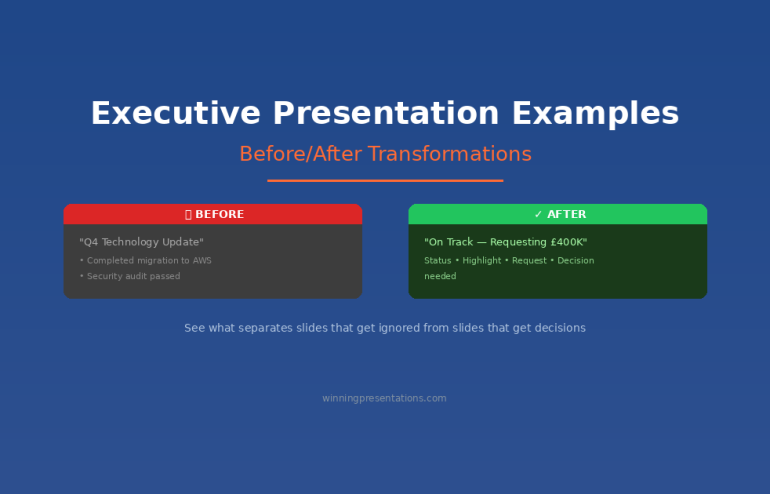
Title: “Q4 Technology Update”
Content:
- Completed migration to AWS (3 months ahead of schedule)
- Security audit passed with zero critical findings
- New CRM integration live across 4 regions
- Mobile app downloads up 34% QoQ
- Technical debt reduced by 40%
- Team expanded to 47 FTEs
- Budget tracking 3% under forecast
Problem: No recommendation. No ask. No clear “so what?” The executive has to work to figure out what matters.
✅ After: Decision-Ready
Title: “Q4 Technology: On Track — Requesting £400K for Q1 Security Enhancement”
Content:
- Status: All major initiatives on track, 3% under budget
- Highlight: AWS migration complete 3 months early, saving £180K annually
- Request: £400K Q1 investment in security automation (ROI: 200% over 2 years)
- Decision needed: Approve budget allocation by January 15
Why it works: The title tells you everything. Status, headline win, and the ask — all visible in 10 seconds.
Related: The Executive Summary Slide: How to Write the Only Slide That Matters
Built for High-Stakes Presentations
Move Beyond Examples — Build Your Own Executive Deck
The Executive Slide System (£39, instant access): 17 field-tested structures for executive presentations — board updates, budget requests, strategic recommendations. Each template comes with the exact narrative flow that keeps senior audiences engaged.
Designed for executives who need slides that work in high-stakes boardrooms, not just look good.

Example 2: The Budget Request
❌ Before: Buried Ask
Slide 1: “Marketing Technology Assessment”
Slides 2-8: Current state analysis, market research, competitor benchmarking
Slide 9: Vendor evaluation matrix
Slide 10: Implementation considerations
Slide 11: “Recommendation: Invest £350K in marketing automation platform”
Problem: The CFO stopped listening at slide 4. By the time you reached your ask, the room had mentally moved on.
✅ After: Ask First
Slide 1: “Requesting £350K for Marketing Automation — 280% ROI in 18 Months”
- The ask: £350K one-time + £40K annual
- The return: £980K revenue impact by Q4 2026
- The risk: Vendor lock-in mitigated by 90-day exit clause
- Decision needed today: Approve for Q1 implementation
Slides 2-4: Supporting evidence (for those who want it)
Appendix: Full analysis, vendor comparison, implementation plan
Why it works: Executives can say yes at slide 1. Everything else is backup.
Related: Budget Presentation Template: How to Get Your Budget Approved First Time
Transform Your Next Presentation
Get the 12-point checklist to audit your slides before any executive meeting.
Example 3: The Slide Title
This is the single highest-impact change you can make. Most presenters use slide titles as labels. Executives want slide titles as headlines.
❌ Before: Label Titles
- “Q3 Sales Results”
- “Customer Satisfaction Data”
- “Competitive Analysis”
- “Risk Assessment”
- “Next Steps”
✅ After: Headline Titles
- “Q3 Sales Beat Target by 12% — Driven by Enterprise Segment”
- “NPS Up 18 Points: Product Changes Working”
- “We’re Losing on Price but Winning on Support”
- “Three Risks to Monitor — All Have Mitigation Plans”
- “Approve £200K Today to Capture Q4 Opportunity”
The test: Could an executive skip your presentation, read only the titles, and understand your message? If yes, you’ve done it right.
Related: Stop Writing Slide Titles Like This (Before and After Examples)
Example 4: The Risk Slide
❌ Before: Risk Register Dump
A 30-row table with columns for risk ID, category, description, likelihood, impact, owner, status, mitigation, and last updated. Unreadable. Ignored.
✅ After: Top 3 That Matter
Title: “Three Risks to Watch — All Have Mitigation Plans”
| Risk | Impact | Mitigation |
|---|---|---|
| Vendor delivery slips | 6-week delay | Backup vendor on standby; penalty clause in contract |
| Key hire doesn’t close | 3-month delay | Two backup candidates in final stage |
| Regulatory change | Scope increase | Monitoring weekly; 15% contingency in budget |
Why it works: Executives don’t want to see every risk. They want to know you’ve thought about what matters and have a plan.
Related: How to Present to a CFO: The Finance-First Framework
Example 5: The Recommendation Slide
❌ Before: Vague Direction
Title: “Recommendation”
Content: “We recommend investing in customer experience improvements to drive retention and growth.”
Problem: What investment? How much? What improvements? When? This isn’t a recommendation — it’s a direction.
✅ After: Specific and Actionable
Title: “Recommendation: Approve £180K for CX Platform by December 15”
Content:
- Investment: £180K (£120K platform + £60K implementation)
- Timeline: Go-live March 2026
- Expected return: 8% improvement in retention = £420K annual revenue
- Alternative: Do nothing — continue losing 2.3% customers monthly to competitors
- Your decision: Approve budget allocation today
Why it works: Specific. Quantified. Clear consequence of inaction. Easy to say yes.
Related: Executive Presentation Template: 12 Slides That Command the Room
Example 6: The Crisis Briefing
❌ Before: Reassurance Without Substance
Title: “Service Outage Update”
Content: “We experienced a service disruption affecting some customers. The team is working hard to resolve it and we apologise for any inconvenience caused.”
Problem: No scope. No cause. No timeline. No decision. The executive reading this knows less than before — and can’t act, defend the company, or reassure anyone above them.
✅ After: Contained, Quantified, Decision-Ready
Title: “Payments Outage Contained — Approving £80K to Prevent Recurrence”
Content:
- Impact: 3.5-hour outage, 12% of transactions, ~£140K delayed revenue (recoverable)
- Cause: Single point of failure in payment gateway — now identified
- Status: Service restored 14:20; root cause confirmed; no data loss
- Request: £80K for redundant gateway to remove the single point of failure
- Your decision: Approve mitigation budget today; full post-incident report Friday
Why it works: Leads with containment, not apology. Quantifies the damage so it can’t be exaggerated. Names the fix and the ask. Turns a crisis into a decision the executive can own.
Related: Presenting Bad News to Senior Leadership: The Structure That Maintains Credibility
The Pattern Across All Examples
Every transformation follows the same principles:
- Lead with the conclusion — Put your recommendation in the title, not the body
- Quantify everything — “Significant improvement” means nothing; “12% increase” means something
- Make the decision obvious — Tell them exactly what you need and when
- Respect their time — If it can be in the appendix, put it in the appendix
Want Ready-to-Use Templates?
These examples show the principles. But building slides from scratch takes time.
The Executive Slide System gives you pre-built templates with these transformations already applied — so you can focus on your content, not your structure.
⭐ RECOMMENDED
If you present to senior leadership regularly, the Executive Slide System gives you a structured framework for building slides that land — without starting from scratch each time.
The Executive Slide System (£39)
Executive Slide System — £39, instant access.
10 ready-to-use templates with the structure that gets decisions — plus before/after examples for every slide type.
- 10 executive templates — Board, budget, strategy, project update, and more
- Before/after examples — See exactly how to transform each slide
- 30 AI prompts — Customise templates in minutes with Copilot
- Headline title formulas — Never write a weak title again
Get the Executive Slide System →
Instant download. Use for unlimited presentations.
Start With the Free Checklist
12 questions to audit any executive presentation. Print it before your next meeting.
The before examples in this article aren’t unusual — they’re the default for most executive decks.
The Executive Slide System gives you the “after” versions as ready-made templates — so your next presentation starts from the right structure, not a blank slide.
Executive Slide System — £39, instant access.
Designed for executives who present where decisions are made.
Structure That Commands Attention
From Example to Action in 30 Minutes
The Executive Slide System (£39) gives you the structure behind the best executive presentations — not just examples to admire, but frameworks you can apply to your next deck immediately.
Want the complete toolkit?
Studying executive presentation examples is one of seven steps senior presenters take to refine their craft. The Complete Presenter Bundle pulls all seven products together — slides, Q&A, anxiety, storytelling, delivery, openers, cheat sheets — for £99 (save £91.97 vs buying separately). Lifetime access.
Frequently Asked Questions
How long should an executive presentation be?
12 slides maximum for a major decision. 6 slides for an update. Put everything else in the appendix — most executives won’t look at it, but it shows you’ve done the work.
Should every slide have a headline title?
Yes. If you can’t summarise the slide’s message in the title, the slide probably doesn’t have a clear message. Fix the thinking, then fix the title.
What if my executive prefers detailed slides?
Ask them. Some executives genuinely want more detail. But most who say this actually want confidence that detail exists — which the appendix provides. Test with your specific audience.
The Winning Edge Newsletter
Weekly before/after examples and executive presentation tips. No fluff.
Related Resources
- Executive Presentation Template: 12 Slides That Command the Room (HUB)
- The Executive Summary Slide: How to Write the Only Slide That Matters
- Stop Writing Slide Titles Like This (Before and After Examples)
- How to Present to a CFO: The Finance-First Framework
About the Author
Mary Beth Hazeldine has trained executives on high-stakes presentations for more than 16 years. These examples come from real client transformations across banking, biotech, SaaS, and consulting. She teaches at Winning Presentations.