07 May 2026
Professional woman in a navy blazer sits at a table with papers, speaking to colleagues during a business meeting margins.

“Why Should I Believe Your Numbers?” — Answering the Hardest Q&A Challenge

Quick answer: The credibility-attack question — “why should I believe your numbers?” — is not a request for data. It is a test of composure and source transparency. The response that works has three moves in 30 seconds: name the specific source, surface the one limitation the questioner has not yet seen, and invite them to a deeper follow-up. Attempting to defend the numbers on their merits loses the moment. Attempting to counter-challenge the questioner loses the room.

Ines was presenting a market analysis to the investment committee at a mid-size asset manager. She had been at the firm eight months. Her analysis recommended reducing exposure to a specific sector by four percent. The work was careful. The sources were solid. The conclusion was defensible.

Partway through, the senior partner — who had championed the sector for twenty years — put down his pen. “Ines. Why should I believe your numbers?” Not “where did you get that figure” or “how did you account for the recent regulatory change.” The broader challenge. To her analysis, her judgement, and by implication her presence on the committee.

She had thirty seconds. What she did in those thirty seconds decided not just whether the recommendation got approved that day but whether she would be invited to present to the committee again. She chose the response that held. The sector reduction was not approved, but Ines was asked to lead the follow-on analysis the same afternoon. The senior partner later told her manager, “She handled the challenge well.”

Want a structured approach to handling tough executive questions?

The Executive Q&A Handling System covers the frameworks for predicting, preparing, and delivering composed responses to executive challenges — including the credibility-attack pattern described in this article.

Explore the Executive Q&A Handling System →

Why this question is never really about the numbers

Senior executives who ask “why should I believe your numbers?” are almost never asking you to walk them through the data. They have been in rooms with data their whole career. They know what careful analysis looks like. The question is a different kind of probe.

It is a composure test. The question is deliberately broader than it needs to be. It forces the presenter to choose between defending the data in detail — which reads as not quite understanding the question — and responding at a higher level, which reads as confident. Most presenters reach for the detail, because the detail is comfortable ground. Reaching for the detail is exactly what the questioner is watching for.

It is also a source transparency check. Part of what the executive wants to see is whether you know, at a speaking-level fluency, where your numbers came from. Not the page number. The underlying dataset, the methodology, and the known limitations. If you have to pause to look these up, the executive has their answer — your ownership of the analysis is not as deep as it needs to be.

And it is sometimes a signalling move to the rest of the room. A senior executive who questions a junior presenter’s numbers in front of the committee is reminding everyone who holds the final judgement on analysis. This is not malicious. It is an organisational norm in many firms. The presenter’s job is not to resent it. The presenter’s job is to pass the test cleanly.

The three-move response that holds

The response needs to happen inside 30 seconds. Not because speed is impressive, but because a longer response extends the zone in which the presenter can make a mistake. The shorter, cleaner response closes the moment and returns control to the meeting.

Move one: name the source precisely. Not “the data came from our market team.” Specific. “The underlying data is from the MSCI sector attribution series, February 2026 release, cross-referenced against the Bloomberg consensus forecast for the same period. I pulled the cuts myself on the 28th.” That sentence does three things. It signals specific source knowledge. It signals recency. It signals personal ownership of the analysis. A presenter who says “I pulled the cuts myself” is not outsourcing the defence.

Move two: name the limitation before they do. “The piece I would flag is that the MSCI series does not yet reflect the March regulatory change. For the sector we are discussing, that adjustment would move the estimate by roughly 1 to 1.5 percentage points in the same direction.” This is the move that separates strong presenters from everyone else. Surfacing your own analytical limitation, unprompted, is the fastest way to restore credibility under a credibility attack. It tells the executive you have thought about what could be wrong, not just what is right.

Move three: invite the deeper follow-up. “I can walk through the full source methodology and sensitivity analysis in a separate 30-minute session if that would be useful, or I can return with a written note by end of day.” Now the decision of how much further to probe sits with the executive. You have offered both a rapid deliverable and a deeper one. Most executives will accept one or the other, or ask one tightened follow-up question. The credibility-attack pattern has ended.

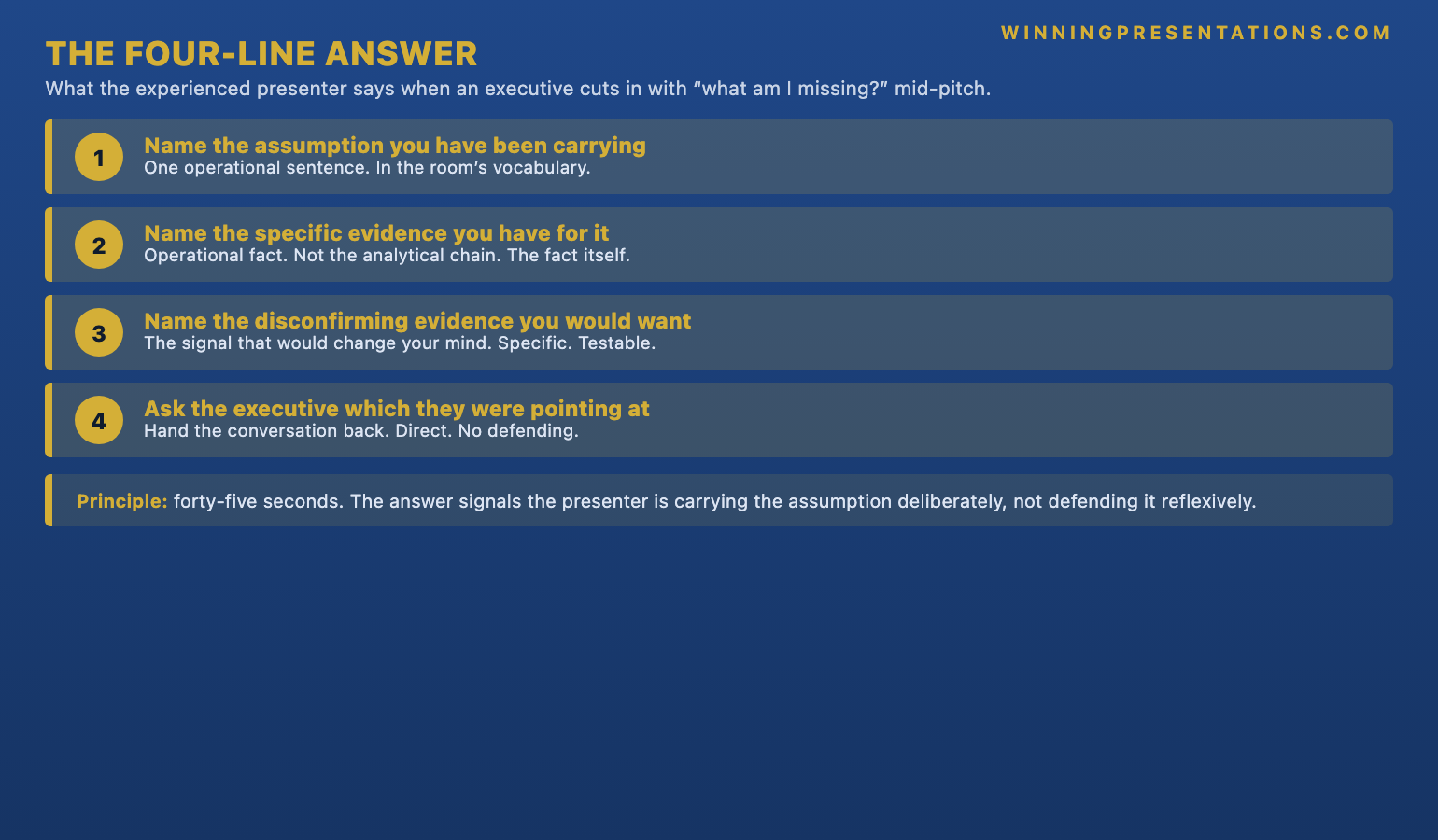
The three-move response framework shown as a 30-second timeline infographic: name the source precisely, name the limitation before they do, invite the deeper follow-up, with each move's function annotated

Four failure modes (and why each one loses the room)

The credibility attack generates predictable failure modes. Knowing them by name helps you catch yourself in the moment.

Failure mode 1: the data defence. The presenter reaches for specific numbers and starts walking through methodology. “Well, the four percent comes from taking the MSCI data on slide 14 and adjusting for…” This extends the moment and signals that the presenter has not understood the question. The room reads defensiveness. The executive’s concern is confirmed rather than answered.

Failure mode 2: the appeal to authority. The presenter cites who approved the analysis — “this was reviewed by the quant team and signed off by head of research last week.” This deflects responsibility away from the presenter and onto an absent third party. Executives read this as unwillingness to own the analysis. The sign-off may have happened. The presenter’s name is still on the work.

Failure mode 3: the counter-challenge. The presenter pushes back — “what specifically are you concerned about?” — or worse, questions the questioner’s assumptions. In some rooms this works. In most executive settings it reads as lack of composure. The credibility attack is social, not analytical, and responding with a social counter-attack escalates rather than de-escalates.

Failure mode 4: the apology. The presenter says some variant of “I understand if the analysis is not where you want it to be.” This concedes the attack on the presenter’s behalf. Executives rarely expect the presenter to concede. They expect a composed defence. The apology forfeits the ground the presenter was standing on.

The three-move response is designed to avoid all four failure modes. It does not defend the data, appeal to authority, counter-challenge, or apologise. It owns the source, names the known limitation, and offers a deeper session. That is the exit the room is looking for.

Preparing the response before the meeting

You cannot compose the three-move response live, under pressure, in front of a senior executive. The response has to be drafted before the meeting, for the two or three pieces of analysis most likely to be challenged.

Step one is to identify the attackable numbers. Usually three or four in any deck. They tend to cluster around one of three things: a central recommendation figure (the percentage change, the revenue estimate, the risk-adjusted return), a comparative benchmark (how the proposed option stacks up against the status quo), or a forward-looking projection (any number with a future date attached). For each attackable number, assume a credibility attack will come. If no attack comes, you have wasted thirty minutes of preparation. If an attack comes and you have not prepared, you have lost thirty minutes of meeting time and an unknowable amount of credibility.

Step two is to write the three moves for each attackable number. Specifically. With the exact phrasing you will use. “The underlying data is from the MSCI sector attribution series…” is a line you rehearse, not improvise. Read it aloud three times. Make sure the sentence is delivered as a single unit — if you have to pause mid-sentence to remember the next word, the pause itself reads as hesitation. Keep the sentences short enough to survive being spoken under pressure.

Step three is the limitation. Most presenters find this step uncomfortable. They are trained to present strength, and surfacing limitations feels like conceding ground. In the credibility-attack context, the opposite is true. The limitation is the strongest move you have. For each attackable number, identify one real, material, currently unresolved limitation. Not a trivial caveat. A real one. Write the limitation in the form you will say it. Practise saying it without apologising. “The piece I would flag…” is the opener that works. “I have to be honest with you…” is the opener that does not.

The Executive Q&A Handling System covers the structured preparation process for these responses in more detail, including the scenario playbooks for different executive meeting types.

Harder variants and how they shift the response

The pure “why should I believe your numbers?” is the standard form. Several variants are harder and require response adjustments.

Variant 1: “I have seen this analysis before, and I did not believe it then either.” This adds a historical layer. The response has to acknowledge the earlier context without litigating it. “That is useful context — I was not involved in the earlier piece, and my version uses the February MSCI release rather than the previous year’s. The piece I would flag…” Then continue into the three-move structure. Do not ask about the earlier work. Do not defend the earlier work. Acknowledge and redirect.

Four Q&A failure modes shown as a grid infographic: the data defence, the appeal to authority, the counter-challenge, and the apology — each with the reason it loses the room

Variant 2: “Your analysis assumes something I do not think is true.” This is sharper because it names a specific assumption. The response is adjusted. Move one becomes the assumption you used, specifically, and the reason you chose it. Move two becomes what happens to the conclusion if the assumption is wrong — you have already done the sensitivity analysis, haven’t you? Move three stays the same: offer the deeper session.

Variant 3: “What would change your mind about this?” This is actually the most respectful variant, and the easiest to underestimate. It sounds like an attack but it is an invitation. The response is direct. Name two or three specific pieces of evidence that would update your analysis. “Three things would move me. A regulatory development in the opposite direction. A change in the baseline rate assumption above 250 basis points. Or confirmation that the MSCI methodology revision, expected in Q3, materially changes the sector attribution.” Presenters who cannot answer this question usually have not done the full analysis.

The full system for handling executive Q&A

The Executive Q&A Handling System — £39, instant access — gives you the frameworks for predicting, preparing, and delivering composed responses to executive challenges. Covers the credibility-attack pattern, the detailed technical question, the hostile challenge, and the ambiguous meta-question. Designed for senior professionals presenting to boards, investment committees, and executive sponsors.

  • Response frameworks for the most common executive challenge patterns
  • Preparation protocols for predictable question types
  • Scenario playbooks covering boardroom, investment committee, and executive sponsor settings
  • Master checklist and framework reference materials
  • Instant download, lifetime access, no subscription

Get the Executive Q&A Handling System →

Designed for senior professionals facing structured executive questioning.

When the follow-up session matters more than the original meeting

If you offer the deeper 30-minute follow-up session and the executive accepts, the follow-up matters more than the original meeting. It is the moment you demonstrate, on your own terms, that the credibility concern was unfounded.

Prepare the follow-up differently from the original presentation. Strip the slides to two or three, at most. Bring the source files, the sensitivity analysis, and the specific methodology documentation. Open the session by naming the question that triggered the follow-up. “We are here because you raised a credibility question on the sector attribution. I want to address that directly.” Then walk through the three elements: exact source, specific methodology steps, complete sensitivity analysis.

The executive’s behaviour in this session tells you which of two things is happening. If they engage deeply with the detail, they were genuinely interested in the analysis and will likely update their view. If they engage lightly and move quickly to other topics, the original question was primarily a composure test and you have now passed it. Either outcome is good. Both require the same preparation.

Need the slide layouts that support defensible analysis?

The Executive Slide System — £39 — includes 26 templates, 93 AI prompts, and 16 scenario playbooks, including layouts for source-transparent analysis slides that make the three-move response easier to execute.

Get the Executive Slide System →

FAQ

What if I genuinely do not know the exact source of a number in my deck?

Do not guess. Do not improvise a source. Say so, honestly: “I can confirm the exact source and methodology within the next two hours — let me come back with a precise answer rather than approximate it now.” This preserves credibility. Approximating a source that turns out to be wrong loses it permanently. Executives do not expect presenters to know every detail live. They expect presenters to know what they do and do not know.

Is it ever correct to push back on the question itself?

Occasionally, and only with a specific form. If the question contains a factual error — for example, the executive has misremembered which dataset you used — a brief, neutral correction is appropriate. “Just to clarify, the data is from MSCI not FactSet — and the February release, not the December one.” Delivered flat, without defensiveness. This is a correction, not a counter-challenge. It protects the accuracy of the exchange without escalating the social dynamic.

How do I prepare if I do not know which numbers will be attacked?

Attackable numbers cluster predictably around the recommendation, comparative benchmarks, and forward-looking projections. For a deck of any length, there are usually three to five such numbers. Prepare the three-move response for each. Yes, you will not use most of them. That is the point. Having the response ready for numbers you were not attacked on is the price of being ready for the one that matters.

What if the credibility attack comes from someone other than the most senior person in the room?

The three-move response is the same. What changes is whether the senior person interjects. Sometimes a chair will step in to redirect after a junior committee member has pushed a credibility attack too hard. If that happens, accept the redirect and continue. Do not return to the earlier question unless directly invited. The chair has already signalled that the moment is over.

The Winning Edge — Thursday newsletter

The Winning Edge covers one specific technique per Thursday — Q&A handling, slide structure, executive communication, and delivery under pressure. Subscribe to The Winning Edge →

Want a simpler place to start? Download the free 7 Presentation Frameworks Quick Reference Card — useful for matching the right structure to the right kind of executive meeting before the Q&A preparation begins.

Next step: take the next deck you are preparing, identify the three most attackable numbers, and draft the three-move response for each one. Thirty minutes of preparation you may not use. The one time you do use it is the one time it matters.

Related reading: How to preempt objections in executive Q&A before they are raised.

About the author. Mary Beth Hazeldine is Owner & Managing Director of Winning Presentations Ltd, founded in 1990. With 24 years of corporate banking experience at JPMorgan Chase, PwC, Royal Bank of Scotland, and Commerzbank, she advises executives across financial services, healthcare, technology, and government on structuring presentations for high-stakes funding rounds, approvals, and board-level decisions.

07 May 2026
Blonde businesswoman in a navy blazer with arms crossed in a modern office; a male colleague appears blurred in the background.

Presenting to a Skeptical CEO: Staying Steady When They Have Decided Against You

Quick answer: Presenting to a CEO who has already decided against you is a different kind of pressure from standard presentation nerves. The fear is not of failure — it is of being publicly dismissed by someone with power. The preparation is different too. You stop rehearsing persuasion. You start rehearsing composure. Three specific techniques work under this pressure: physiological down-regulation, a two-sentence opening you can deliver on autopilot, and a prepared response for the exact moment the CEO cuts you off.

Rafaela had been rehearsing for three days. The business case was solid. The slides were tight. She had a sponsor on the board. But the CEO — Henrik — had made it clear in a hallway exchange the previous week that he was not persuaded. “I do not see why we would invest in this when the market is moving the other way” was the exact phrase. Her proposal went on the executive committee agenda anyway, because her sponsor pushed for it.

The night before the meeting, Rafaela could not eat. Not anxiety about the proposal — she knew it was good. The fear was more specific. It was the fear of walking into a room and being publicly cut short by the person with the most power in the organisation. Of her sponsor watching it happen. Of the story becoming “Rafaela was in way over her head” by Friday.

She got through the meeting. Henrik did interrupt, twice. The committee did not approve the proposal — they parked it for two months with a list of additional analysis requests. But Rafaela left the room with her credibility intact, because she had prepared for the right thing. She had not prepared to win Henrik over. She had prepared to stay clear-headed while Henrik did what she knew he was going to do.

Looking for a structured approach to presentation fear when the stakes are high?

Conquer Your Fear of Public Speaking is a self-paced programme designed for professionals whose nervous system reacts strongly to high-stakes presentation contexts. It covers the physiological regulation, cognitive reframes, and rehearsal protocols that support steadier delivery.

Explore Conquer Speaking Fear →

Why this fear is different

Standard presentation nerves are largely about performance — forgetting your words, losing your place, saying something wrong. The physiological response is familiar: elevated heart rate, shallow breathing, the dry mouth, the sense of the room tilting slightly. Most presentation training addresses this kind of fear. Techniques like box breathing, power posing, and mental rehearsal are designed for it.

Presenting to a CEO who has already decided against you produces a different fear. It is the fear of being seen to be overridden. The physiological signature is similar, but the underlying trigger is social, not performative. You are not worried about fluffing a word. You are worried about the political story that will be told about this meeting in the weeks after.

This matters because the techniques that work for standard nerves are only partially useful here. Box breathing helps, but it does not address the narrative fear. Rehearsing your material more does not help at all — the material is not the problem. The problem is what your nervous system does when a high-status person visibly signals disapproval in front of other high-status people.

The realistic goal is also different. You are not presenting to change the CEO’s mind in the room. That will almost never happen. CEOs rarely reverse a position publicly under a junior presenter’s argument, regardless of how strong the argument is. What you are presenting for is a different outcome: to keep the proposal alive long enough for the decision to be made in a context where the CEO can update their view without losing face.

The physiological reset that actually works

There is a specific breathing technique that outperforms box breathing for the acute pressure of hostile-audience situations. It is called the physiological sigh, and it works by taking two short inhales followed by a long, slow exhale. Two inhales through the nose — the second one short and stacked on top of the first. One long exhale through the mouth, deliberately slower than the inhales. One cycle takes about five seconds. Three cycles takes fifteen seconds.

This pattern can help shift the body’s balance back toward the parasympathetic side of the nervous system during acute stress. The reason it matters for hostile-audience situations is that the usual breathing pattern under stress — shallow chest breathing — reinforces the stress response in a loop. The physiological sigh interrupts the loop. You can use it while sitting at the meeting table, with no one noticing, provided you keep your shoulders still.

When to use it. Not thirty minutes before the meeting. Not in the car on the way. Use it in the final two minutes before the meeting starts — ideally in a private space, but the bathroom stall works — and then again at two key moments during the meeting: just before you start speaking, and immediately after any interruption. Those are the two highest-pressure points, and they are the points at which most presenters’ voices tighten and their pace quickens.

Do not rely on caffeine for this. Coffee before a high-pressure meeting feels productive but it shortens the window before your hands start to shake. If you normally drink coffee in the morning, have one cup with breakfast and nothing after 9am on the day. Switch to water from there. Your nervous system is already activated by the meeting. Caffeine adds more activation you do not need.

Infographic showing the physiological sigh breathing technique: two inhales through the nose followed by one long exhale through the mouth, with timing and application moments annotated

The two-sentence autopilot opening

The first 30 seconds of any high-pressure presentation are where voice quality deteriorates fastest. Under stress, the throat tightens, the pace accelerates, and the pitch rises. If you are trying to compose your opening words live, under pressure, in front of a CEO who has already signalled disapproval, the delivery will almost certainly wobble.

The fix is to write two sentences you can deliver on autopilot. Not three. Not a paragraph. Two. Rehearse them until you can say them while thinking about something else entirely. The point is not eloquence. The point is to buy yourself 30 seconds in the room while your nervous system adjusts to being there.

Sentence one: a single-sentence framing of the decision. “Today I am proposing the committee approve the phase one scope, with full detail on two alternative scopes for comparison.” Sentence two: the time bound. “I will present for six minutes and then open for discussion.” That is it. Those two sentences are your runway. You deliver them flat and controlled. The room orients itself. Your nervous system catches up.

Once you are past those two sentences, the body is calibrated. Your breathing slows. Your pace steadies. You are ready to deliver the substance. If you try to open with substance — a striking statistic, a personal story, a provocative claim — you are asking your most stressed 30 seconds to carry your most delicate content. It rarely works in hostile-audience situations. Save the substance for minute two.

When the CEO interrupts — what to say

A skeptical CEO will often interrupt within the first three minutes. The interruption is a test. How the presenter responds in the next twenty seconds sets the tone for the rest of the meeting — and, in a surprising number of cases, for how the presenter is talked about in the weeks following.

There are three things not to do. Do not argue back immediately. Do not collapse into agreement. Do not try to resume the prepared presentation as if the interruption had not happened. All three are natural responses. All three damage credibility.

The response that works is a three-move pattern. Acknowledge the point specifically. Ask a short clarifying question. Offer to address it now or return to it. The whole sequence takes about fifteen seconds. Something like: “That is a fair concern on the cost curve. Can I check — are you worried primarily about the phase-two ramp or the ongoing run rate? I can cover either now, or return to it in the trade-off section in four minutes.” Then stop. Let the CEO decide.

Two things happen when you use this pattern. The first is that you demonstrate you have heard the CEO — not dismissed them, not defended against them, heard them. CEOs notice this. The second is that you give yourself a chance to calibrate. While the CEO is clarifying, you are breathing and deciding which of your prepared responses fits. The prepared responses are drafted in advance, as part of the pre-meeting work, for the two or three objections you already know are coming.

If you are building the skill to stay composed under this specific kind of pressure, the Conquer Your Fear of Public Speaking programme covers the physiological regulation and cognitive reframing techniques that support it.

The three-move response to hostile interruption shown as numbered steps: Acknowledge the point, ask a clarifying question, offer to address now or return later — with the fifteen-second timing visible

What if your voice starts to shake mid-sentence

Tremor arrives when the vocal folds tense involuntarily under stress. It is not a signal that you are about to fall apart. It is a localised physiological response that you can interrupt.

The move is to pause deliberately at the end of the current sentence. Do not finish the sentence and then pause; finish, then take the pause. Take one slow exhale. Drop your pitch a quarter step as you begin the next sentence. The pitch drop requires conscious effort for about two or three sentences. After that, your voice settles. Attempting to plough through without pausing is what extends the tremor. Pausing and re-entering at a lower pitch shortens it.

No one in the room reads this as weakness. A deliberate pause reads as authority. The CEO who has been interrupting you will almost certainly not interrupt during the pause, because the pause is visibly composed. You are signalling: I am in control of this moment. Speaking too fast signals the opposite — and usually speeds up the interruption pattern.

The full programme for presentation fear

Conquer Your Fear of Public Speaking is a self-paced programme — £39, instant access — for professionals whose nervous system reacts strongly to high-pressure presentation situations. Cognitive reframes, physiological regulation, and rehearsal protocols designed for executive contexts.

  • Structured modules on the physiology of presentation fear
  • Cognitive reframing techniques for high-stakes contexts
  • Rehearsal protocols that address voice, pace, and pause
  • Material designed for senior professional settings
  • Instant download, lifetime access, no subscription

Get Conquer Your Fear of Public Speaking →

Designed for senior professionals facing high-stakes presentation pressure.

What to do afterwards (regardless of outcome)

The moment the meeting ends matters almost as much as the meeting itself. How you behave in the 30 minutes after a hostile presentation shapes the narrative. Most presenters, running on adrenaline, make one of two mistakes. Either they debrief emotionally with a colleague in the corridor — and that debrief gets overheard or retold — or they retreat to their desk and mentally replay the worst moment for the next three hours.

The better move is to take fifteen minutes somewhere quiet — a walk, a coffee shop, even a bathroom stall with the door locked. Do three things. Write down, on paper or in a notes app, exactly what happened. Not how it felt. What happened. Who said what, in what order. This captures the data while it is fresh. Second, identify one thing you did well. Just one. Write it down. Third, identify one thing you would do differently, framed as a specific behaviour rather than a judgement. “I will start the response with ‘that is a fair concern’ instead of ‘well, actually'” beats “I need to stop being defensive.”

Then close the notes app, eat something with protein, and get on with the rest of the day. The temptation to replay the meeting for hours is almost irresistible and almost entirely unproductive. Your nervous system needs the replay to stop in order to reset for the next high-stakes meeting. Giving it 15 structured minutes of replay, and then stopping, is the compromise that works.

Lower-priced alternative: Calm Under Pressure

If you want the core regulation and recovery techniques at a smaller entry price, Calm Under Pressure (£19.99) covers the physiological and attentional practices for the acute moment, without the full depth of Conquer Your Fear of Public Speaking.

Get Calm Under Pressure →

FAQ

Should I cancel the meeting if I know the CEO has already decided against me?

Rarely. A cancelled meeting closes the door permanently. A presented proposal that is deferred stays on the agenda for future discussion. If the CEO is likely to reject the proposal outright, your goal is to have it parked, not killed — and that requires presenting it, even under difficult conditions. The exception is if your sponsor tells you directly that the CEO will not just reject but will retaliate against the sponsorship. In that specific case, discuss a delay with your sponsor.

Will a CEO respect me more if I push back on their objections?

Occasionally, in a very specific way. CEOs respect presenters who hold a position under pressure when the position is well-reasoned. They do not respect presenters who argue back defensively. The difference is tone, not content. A calm “I understand the concern and my view is still that phase one delivers the lower-risk path, for these two reasons” reads as conviction. A tense “that is not quite right — the data actually shows…” reads as defensiveness. Same content, different registers, different outcomes.

What if I cannot stop shaking during the presentation?

Shaking is almost always visible only to you. What feels like obvious hand tremor is usually unnoticeable to the room. Keep your hands on the table or lightly grip the edge of a folder — the small pressure reduces the tremor and hides it if it is visible. If your voice shakes, pause and use the pitch-drop technique described above. The shaking usually subsides within two or three minutes once you are actively presenting. Getting started is the hardest moment.

How do I recover credibility if the meeting really did go badly?

Within 24 hours, send a short follow-up email to your sponsor and to the committee secretary. Not a defensive email. A factual one. Thank them for the time, acknowledge the feedback raised, confirm the two or three specific actions you will take before returning to the committee. That email is the artefact that defines the meeting’s narrative afterwards. A composed follow-up email after a hard meeting often restores more credibility than the original meeting damaged.

The Winning Edge — Thursday newsletter

The Winning Edge covers the specific moves that support executive presenters under pressure — structural, psychological, and vocal. One technique per Thursday. Subscribe to The Winning Edge →

Not ready for the full programme? Start here instead: download the free 7 Presentation Frameworks Quick Reference Card — the right structure for any presentation situation, useful when you need a stable structural anchor for high-pressure contexts.

Next step: pick the next high-stakes presentation on your calendar and identify which two or three moments will carry the most nervous-system pressure. Design your breathing, opening, and interruption responses for those specific moments. That is the preparation that matters most.

Related reading: What to do when your voice starts to shake mid-presentation.

About the author. Mary Beth Hazeldine is Owner & Managing Director of Winning Presentations Ltd, founded in 1990. With 24 years of corporate banking experience at JPMorgan Chase, PwC, Royal Bank of Scotland, and Commerzbank, she advises executives across financial services, healthcare, technology, and government on structuring presentations for high-stakes funding rounds, approvals, and board-level decisions.

07 May 2026
Businesswoman presenting data on a screen to colleagues in a modern conference room.

The Decision Meeting Slide Framework Executives Actually Read

Quick answer: Decision meetings stall when the slides describe the situation instead of framing the decision. The fix is a four-slide structure — the Decision slide, the Options slide, the Trade-off slide, and the Recommendation slide. Everything else in the deck is appendix. Executives read the four. The committee approves the four. Anything more is material for a different meeting.

Kenji walked into the quarterly capital allocation meeting with a 34-slide deck. He had spent three weeks on it. The slides were beautiful: brand-consistent, charts formatted properly, every number sourced. He opened with the market context. He walked through the competitive landscape. By slide nine, the committee chair interrupted. “Kenji, I am going to stop you. What are we actually deciding today?”

Kenji looked at his notes. The answer was on slide 27. He said so. The chair laughed, not unkindly. “Bring that one forward.” Kenji jumped to slide 27. It contained three options and an argument for option two. The committee debated for twelve minutes. They chose option two. Twenty-six slides never got used.

The meeting was a success. The deck was a failure. Every slide before 27 was preparation material — a story Kenji had told himself as he built up the argument. None of it belonged in the room. The committee needed four slides. Kenji gave them 34. That gap, multiplied across every decision meeting, is why decks keep growing and decisions keep slipping.

Looking for structured slide templates that frame decisions clearly?

The Executive Slide System includes 26 slide templates, 93 AI prompts, and 16 scenario playbooks designed for senior presentations. The decision-framing layouts are part of the standard set.

Explore the Executive Slide System →

Why most decision meetings use the wrong slides

The slides that fail in decision meetings are the slides that would succeed in an education meeting. That is the whole problem. Presenters build decks the way consultants build reports — background, analysis, findings, recommendations. The structure teaches. It does not decide.

Executive committees are not there to learn. They have done the learning in pre-reads, side conversations, and months of operational briefings. By the time the meeting starts, the committee members know roughly what is at stake. They arrive to do one thing: convert that knowledge into a decision. A deck that teaches them material they already know is a deck that wastes their time. Worse, it trains them to believe your proposal is not ready.

This is the subtle mechanism by which long decks damage credibility. When a committee chair interrupts on slide nine to ask what is being decided, they are not curious. They are signalling a concern about the presenter. “This person is not senior enough to frame the decision for us” is the unsaid message. Every slide that delays the decision extends that perception.

The inversion is counterintuitive. Short decks look underprepared. In fact, short decks reveal deeper preparation, because the work of compression is harder than the work of expansion. A 34-slide deck takes three weeks. A four-slide deck takes four weeks — because you have to know what to cut. Executives can feel the difference. They trust the four-slide deck more.

The four slides every decision meeting needs

The framework is deliberately small. Four slides, each doing one job, each designed so that a committee member who missed the pre-read can still follow the conversation. Every other slide you have built goes in the appendix. The appendix is there to answer questions. The four slides are there to move the decision.

Slide one: the Decision. What is being decided, by whom, today. Slide two: the Options. The real alternatives, not the strawmen. Slide three: the Trade-offs. What each option costs, in dimensions that matter to the committee. Slide four: the Recommendation. Your recommended option, the reasoning in three bullets, and the specific ask.

That is it. You can run a 90-minute decision meeting on four slides. You can run a 20-minute one on four slides. Length is controlled by how long you spend on each, not by the quantity of material. Committees that need more detail drill into the appendix on the question-and-answer moment. They do not need it live.

The four decision meeting slides in a 2x2 grid infographic: Decision, Options, Trade-offs, Recommendation, with each slide's single purpose labelled

The Decision slide (the one that changes the room)

This slide contains one sentence and a deadline. The sentence begins with a verb. “Approve £3.2m capital expenditure for the platform consolidation, running from July 2026 to June 2027, with a six-month checkpoint review.” No more than 25 words. No adjectives that are not load-bearing. No “strategic” or “transformational” — those are filler words that signal the presenter is hedging.

Beneath the sentence, the context that the sentence needs and nothing more. Who holds the decision right — “Capital Committee, with concurrence from the Board Risk Committee.” What happens if no decision is taken today — “Phase one slips from July to October; vendor pricing expires August 15.” The meeting cadence — “Next review checkpoint: November 2026 steering committee.”

The Decision slide re-orients the room instantly. Committee members who were drifting re-engage. Chairs who were uncertain about the meeting’s purpose stop redirecting it. The quality of the questions shifts from “what is this?” to “should we?” — which is the conversation you actually want.

One practical note on formatting: the decision sentence should be in the largest type on the slide, and positioned in the upper third. Not centred. Not as a footer. Not as a subtitle under a banner about “strategic platform transformation.” The sentence is the slide. Everything else is supporting metadata.

Options and Trade-offs: the two slides that do the real work

Slide two lists the options. Most decks fail here by listing either too many or too few. Two options is rarely enough — it looks like a forced choice. Five is too many — committees cannot hold that many alternatives in working memory. Three is the sweet spot. Occasionally four.

Each option gets a one-line name and a two-line description. “Option A: Single-vendor phased migration. Eighteen-month timeline, £3.2m capex, single procurement process, concentrated vendor risk.” The language is neutral — you are not yet arguing for the recommendation. If the option description reads like a sales pitch, the committee discounts everything else you say.

Watch for the strawman trap. Committee members can spot an option that was only included to make another one look good. The tell is usually a description that includes obvious disqualifiers: “Option C: Build in-house. Requires hiring 40 engineers within six months.” Everyone in the room knows Option C is window dressing. It makes the real options less credible, not more. Either include it as a genuine alternative with real trade-offs, or leave it out.

Slide three does the analysis. Trade-offs, not a recommendation yet. Three to five dimensions that the committee cares about — typically cost, timeline, risk, organisational readiness, optionality. For each dimension, how each option performs. Use a simple visual — coloured dots or a light heat map — rather than dense numbers. Committees read the pattern first and the numbers second. A three-by-four grid shows the pattern in under ten seconds.

The trade-off slide is where experienced presenters differentiate themselves. Junior presenters make the trade-off slide look like a score card, with one option clearly winning. Senior presenters make it honest — each option strong on some dimensions, weak on others. The honest trade-off slide is what gives the committee confidence to approve the recommendation on the next slide. If the trade-off slide says “everything favours option B,” the committee suspects you have been selective.

For a deeper treatment of how these layouts work inside a full deck, the Executive Slide System includes the decision-framing templates as part of the core 26 templates.

The Recommendation slide (why the usual one fails)

Most recommendation slides fail by being too long. They list six reasons, four caveats, three implementation notes, and a timeline. The committee stops reading at reason three.

The recommendation slide needs four elements. The recommended option — stated as one sentence that echoes the decision sentence from slide one. Three reasons — exactly three, not four, and definitely not five. Each reason in one short sentence. The specific ask — what you need from the committee, today, in this meeting. And the nearest-term risk — the thing that could go wrong first, with the mitigation already in place.

The three reasons are where presenters most often drift. Strong reasons tie back to the trade-off dimensions. Weak reasons restate benefits that every option shares. “It will improve customer experience” is weak because every option probably claims that. “It reaches phase one delivery four months earlier than alternatives” is strong because it is comparative and specific.

Anatomy of the Recommendation slide shown as a labelled diagram with the four required elements: recommended option sentence, three reasons, specific ask, and nearest-term risk with mitigation

The nearest-term risk is the step most presenters skip. They treat risk as something that might undermine the recommendation, and therefore something to avoid raising. In fact, naming the most immediate risk openly — with the mitigation already designed — is what makes committees comfortable approving. An unnamed risk makes the committee wonder what else you have not thought about. A named risk with a named mitigation gives them something concrete to approve alongside the recommendation itself.

The full framework for executive-ready slides

The Executive Slide System — £39, instant access — gives you 26 slide templates including the Decision, Options, Trade-offs, and Recommendation layouts, plus 93 AI prompts and 16 scenario playbooks for board, committee, and senior stakeholder presentations.

  • 26 templates including decision-framing layouts
  • 93 AI prompts for drafting and refining slide copy
  • 16 scenario playbooks covering common executive meeting types
  • Master Checklist and Framework Reference documents
  • Instant download, lifetime access, no subscription

Get the Executive Slide System →

Designed for senior presenters in financial services, consulting, technology, and regulated industries.

What goes in the appendix — and why

The four decision slides cannot carry everything, and they should not try to. The appendix is where every other piece of preparation lives. A good appendix has two properties: it is organised so that any question can be answered by jumping to a single slide, and it is visible to the committee as a reassurance, even if no one opens it during the live meeting.

Typical appendix slides: the underlying financial model summary, vendor evaluation detail, risk register, organisational readiness assessment, implementation timeline, benchmark comparisons, regulatory considerations. Each titled so the index at the front of the appendix tells the committee chair where to look if a question arises. The appendix is navigated, not presented.

Visibility matters because it shifts the committee’s perception of preparation. A four-slide deck with no appendix suggests you have oversimplified. A four-slide deck with a 40-slide appendix — indexed, titled, ready — suggests you have done the full analysis and chosen, with discipline, which four slides to present live. The second suggestion is the one that earns trust.

The mid-meeting pivot — when the room wants a different decision

Sometimes the committee does not want to approve the recommendation. They want a variant. “Approve £3.2m but with a quarterly review, not six-monthly.” “Approve, but move the vendor selection to a different procurement lead.” These are not rejections; they are edits.

Presenters with four-slide decks can handle these pivots gracefully. Presenters with 34-slide decks cannot, because the variant usually requires rethinking the trade-off analysis and the recommendation — work the 34-slide structure has already baked in and cannot easily unpick. The four-slide structure is more flexible precisely because less is already committed.

When a pivot emerges, return to the decision slide. Ask the committee to restate the amended decision in a single sentence. Write it down. Then confirm whether the three reasons still hold for the amended decision. Usually two do and one needs reframing. Reframing one reason takes 90 seconds. That is the entire pivot, handled in the room.

When the decision requires board-level buy-in

If the decision involves securing stakeholder alignment across multiple senior leaders, the Executive Buy-In Presentation System is a self-paced programme (7 modules, £499, lifetime access) covering the psychology and structure that gets senior approval. Optional recorded Q&A sessions.

Explore the Buy-In System →

FAQ

Is a four-slide deck always right for decision meetings?

For a pure decision meeting — yes. For a discovery meeting, a strategy session, or an information update, the structure is different. The test is simple: if the committee is expected to leave the room with a specific decision made, use the four-slide framework. If the committee is expected to build understanding, add questions, or direct further work, use a longer structure with appendix material moved into the main deck.

What if the decision is too complex for four slides?

Usually the decision is not too complex — the preparation is not finished. If the options cannot be described in one line each, they have not been refined enough. If the trade-offs need more than five dimensions, some dimensions are not load-bearing. The discipline of the four-slide structure forces the work that most presenters skip. It is uncomfortable. It also produces better decisions.

Should I send the four slides as the pre-read or include the appendix?

Send both, with the four slides in a short document at the front and the appendix as a linked reference. Committee members who have time read the full appendix. Those who do not read only the four. Both groups arrive prepared to make the decision. A pre-read that is only the appendix forces everyone to assemble the decision themselves, which is unreliable.

How long should I spend on each of the four slides in the meeting?

Decision slide: 60 seconds. Options slide: 2 minutes. Trade-off slide: 3 minutes. Recommendation slide: 2 minutes. That is 8 minutes of presentation, leaving the rest for questions and debate. If you need longer to present, the slides have too much on them. The four-slide framework assumes short, deliberate delivery of each slide. The committee does the work from there.

The Winning Edge — Thursday newsletter

Every Thursday, The Winning Edge covers one specific executive presentation technique. Structural decisions, language choices, and the small moves that change how senior committees respond. Subscribe to The Winning Edge →

Not ready for the full system? Start here instead: download the free Executive Presentation Checklist — a page-by-page review of what every executive slide should contain before the meeting.

Next step: take your next decision deck, identify which four slides would carry the full meeting, and move the rest to an appendix. That is the whole exercise. The committee will notice the difference in the first meeting.

Related reading: How to prepare executive sponsors to advocate in steering committees.

About the author. Mary Beth Hazeldine is Owner & Managing Director of Winning Presentations Ltd, founded in 1990. With 24 years of corporate banking experience at JPMorgan Chase, PwC, Royal Bank of Scotland, and Commerzbank, she advises executives across financial services, healthcare, technology, and government on structuring presentations for high-stakes funding rounds, approvals, and board-level decisions.

07 May 2026
Two businesswomen sit at a polished conference table in a modern office, one speaking and gesturing.

Executive Sponsor Buy-In: Why Your Biggest Advocate Goes Quiet

Quick answer: Executive sponsors disappear in steering committees because the presenter gave them nothing to defend. The fix is not a private pep talk. It is giving your sponsor three things in writing before the meeting — the single decision at stake, the two objections you know will surface, and the one sentence you want them to repeat when those objections land. Sponsors who have rehearsed phrases advocate. Sponsors who have absorbed vibes freeze.

Astrid had worked at the bank for eleven years when she finally got a seat at the digital transformation steering committee. The proposal she was presenting — a three-year platform consolidation — had the backing of her executive sponsor, a Group COO with a reputation for moving decisions forward. They had met four times. He had signed off on the scope. He had written her a note the week before saying “I am fully behind this.”

She walked into the committee. She presented for twelve minutes. The CFO raised a concern about the phase-two cost curve. Astrid answered it. The Chief Risk Officer asked about vendor concentration. Astrid answered that too. Then the Head of Operations said something vague about “not being sure the organisation is ready” — and the room went quiet. Astrid looked at her sponsor. He was reading his phone. He said nothing. The committee parked the decision for the next quarter.

Afterwards he pulled her aside. He was apologetic. He said he had been “waiting for the right moment to jump in.” The right moment never came because she had given him nothing to jump in with. The problem was not his commitment. The problem was structural. Sponsors do not advocate in the abstract. They advocate from prepared lines. And Astrid had never given him any.

Looking for a structured way to prepare sponsors and secure senior approval?

The Executive Buy-In Presentation System is a self-paced programme designed for senior professionals who need the structured approach to securing approval for initiatives, budgets, and strategic decisions. Seven modules, monthly cohort enrolment, optional recorded Q&A calls.

Explore the Buy-In System →

Why sponsors go quiet at the worst moment

The pattern is so consistent it deserves a name. Sponsors are confident and vocal in one-to-one meetings. They nod. They commit. They offer to “fight for this one.” Then the steering committee convenes and a strange inversion happens: the sponsor becomes the quietest person in the room on the very decision they said they would champion.

Three forces produce this. The first is political. A sponsor who defends a proposal loudly is visibly staking their own capital on it. If the initiative fails, the failure attaches to them. Quiet advocacy carries less political cost. A nodding sponsor who lets the proposal survive on its own merits can distance themselves later if the execution wobbles.

The second is linguistic. Most sponsors cannot remember the specific phrases you used in your one-to-one briefing. They retained the gist — “cost savings, risk reduction, platform modernisation” — but not the argument architecture. When an objection arrives, they have feelings but no sentences. Feelings do not win meetings. Sentences do.

The third is structural. You did not build the briefing to arm them. You built it to persuade them. Those are different jobs. A persuasion briefing gets the sponsor to say yes. An advocacy briefing gets the sponsor to say the right thing when the room turns hostile. Most presenters stop at the first job.

Infographic showing the three reasons executive sponsors go quiet in steering committees: political exposure, forgotten language, and briefing built for persuasion instead of advocacy

The three things every sponsor needs before the meeting

The advocacy briefing has a surprisingly short list of ingredients. You do not need to rebuild your full presentation for them. You need three items, written down, sent in advance, rehearsed once. That is it.

1. The single decision at stake. Not the topic. Not the theme. The actual decision you need the committee to take in this meeting. Write it as one sentence that begins with a verb: “Approve phase one funding of £2.4m to run from July to December” is a decision. “Discuss the platform strategy” is not. A sponsor who knows the exact decision can steer the conversation back to it when the room drifts. A sponsor who thinks the meeting is about “the platform” has no anchor.

2. The two objections you already know will land. Most decisions get derailed by two predictable concerns, not twenty. You know what they are. You have heard them in corridors, in pre-meetings, in the chair’s personal reservations. Name them explicitly in the sponsor brief. Do not soften them. Do not bury them. Your sponsor needs to see the exact shape of the resistance before they hear it in the room.

3. The one sentence you want them to say. For each objection, write the exact phrase you want your sponsor to use when it surfaces. Not a bullet. A sentence. In quotation marks. Something like: “I have looked at the vendor concentration question in detail with the team, and I am comfortable that the phase-one scope contains the risk.” That is a sentence a sponsor can deliver in twelve seconds without having to compose it live. You are not putting words in their mouth. You are removing the cognitive load of inventing words under pressure.

Writing the sponsor pre-read (two pages, not twenty)

The document that does this work is short. Two pages, sent 48 hours before the meeting, formatted in a way that respects the fact your sponsor will read it once — probably in the back of a car.

Page one carries four sections. The decision sentence at the top. The committee dynamics beneath it — who is in the room, who usually speaks first, who the chair is likely to look to for confirmation. The two objections, each with a three-line summary of why they matter and what has changed since they were raised. And the win condition — what a successful meeting looks like. “Approval granted, subject to a six-month review checkpoint” beats “it goes well.”

Page two carries the sponsor’s advocacy lines. One short paragraph introducing why their voice matters on this specific proposal. Then the objection-response pairs: the objection in their likely phrasing, followed by the sentence you want the sponsor to use. Two or three pairs is plenty. Do not write five. If you need five prepared responses, your proposal has problems the sponsor cannot paper over.

The tone of this document matters. It is not a briefing from you to them — that language positions them as your pupil. It is a shared preparation document, written in the first person plural where possible. “Here is what we expect the committee to press on” reads collaboratively. “Here is what you should say when…” reads transactionally. Committed sponsors respond to the first framing. The second triggers defensiveness.

The 15-minute sponsor rehearsal conversation

Send the pre-read 48 hours ahead. Then request a 15-minute call the day before the meeting. Do not skip this step. Do not replace it with a Teams message. The rehearsal is where the sponsor internalises the language — and where you find out whether they have actually read the document.

Open the rehearsal by asking them to read the decision sentence aloud. This seems unnecessary. It is not. Hearing themselves say the sentence encodes it differently from reading it silently. You will hear stumbles on specific words; those are the words to change before the meeting. If your sponsor trips on “subject to” every time, replace it with “contingent on.” Removing friction from the sponsor’s own mouth is half the battle.

Then run the two objections as a live drill. You voice the objection exactly as you expect the committee member to raise it. Your sponsor responds in their own words. Listen for three failure modes. The first is the sponsor hedging — “well, there are concerns, but…” That is a sponsor who has not yet decided to advocate. Work on the underlying discomfort, not the words. The second is the sponsor over-committing — “this is absolutely the right call and anyone who doesn’t see that is missing the point.” That is a sponsor who will escalate a debate you wanted to keep calm. Soften them. The third is the sponsor forgetting the specific words you supplied. Rewrite those words until they match the sponsor’s natural cadence.

Do not correct. Rewrite. If your sponsor cannot say “we have contained the risk at phase one,” and keeps saying “we have dealt with the risk,” change the document. Your sponsor’s phrasing always wins.

If you are building your case from scratch and want a framework that covers stakeholder analysis, case construction, and the presentation structures that hold up under senior scrutiny, the Executive Buy-In Presentation System walks through each stage with seven self-paced modules.

The sponsor pre-read two-page layout shown as a split infographic: page one with decision, dynamics, objections, and win condition; page two with advocacy lines and objection-response pairs

What to do when the sponsor still goes silent

Even prepared sponsors sometimes freeze. The objection lands in a phrasing you did not predict. The room mood is tenser than expected. Your sponsor is distracted by a separate political fight they are having with one of the committee members. The silence arrives anyway.

You have two moves. The first is a direct invitation. “James, you reviewed this in some detail last week — where did you land on the vendor question?” This is not passive aggression. It is giving your sponsor the verbal cue they need to re-enter the conversation. Most silent sponsors are waiting for permission. Direct invitation grants it. Keep the phrasing neutral — you are not flagging their silence, you are creating an entry point.

The second move is to answer the objection yourself, briefly, and then loop back to them. “On vendor concentration — we have contained phase one to a single provider with a clear exit path at month six. James, that matches the approach you flagged last week, correct?” That formulation gives the sponsor a one-word agreement to deliver, which is the lowest possible cognitive load. Many silent sponsors will nod and then expand: “Correct. And I would add…” You have restarted their advocacy by lowering the entry cost to a single syllable.

Do not default to speaking for them. If you take every objection yourself, the committee learns that the sponsor is not engaged. That perception damages future meetings more than a single awkward silence damages this one. Your job is to keep the sponsor in the conversation, not to replace them.

The complete framework for sponsor-led buy-in

Build the case your stakeholders cannot dismiss. The Executive Buy-In Presentation System is a self-paced framework — 7 modules walking you through the structure, psychology, and delivery that get senior approval. Monthly cohort enrolment, optional recorded Q&A calls. £499, lifetime access to materials.

  • 7 modules of self-paced course content
  • Optional live Q&A sessions, fully recorded — watch back anytime
  • No deadlines, no mandatory session attendance
  • New cohort opens every month — enrol whenever suits you
  • Lifetime access to all course materials

Explore the Executive Buy-In System →

Designed for senior professionals who present decisions to boards, investment committees, and executive sponsors.

The sponsor debrief — the step everyone skips

Within 24 hours of the meeting, book 15 minutes with your sponsor. Not to celebrate. To learn. Three questions only. What surprised them about the room’s reaction. Which of the prepared lines worked and which felt awkward. What they would want in the brief for the next decision. Write the answers down. Those notes become the template for the next sponsor briefing — either for this initiative or a different one. Sponsors who are asked what worked become better sponsors. Sponsors who are only contacted when the presenter needs something become reluctant ones.

This debrief is also where you surface any private feedback the sponsor picked up after the meeting. Often a committee member will make a comment in the corridor that never appears in the formal minutes. Your sponsor heard it. You did not. Capturing that intelligence in a structured debrief — not a passing chat — is the difference between handling the next meeting on data and handling it on guesses.

Need the slide structures that support sponsor advocacy?

The Executive Slide System — £39, instant access — includes 26 slide templates, 93 AI prompts, and 16 scenario playbooks designed for senior presentations. The pre-read document style, decision-framing slides, and objection-handling structures are part of the system.

Get the Executive Slide System →

FAQ

What if my sponsor refuses to meet for a 15-minute rehearsal?

That is a data point worth acting on before the meeting, not after. A sponsor who will not invest 15 minutes in rehearsing their advocacy is telling you their commitment is softer than their verbal commitment suggests. Send the two-page pre-read anyway, and prepare to answer the objections yourself. Consider whether the proposal needs a co-sponsor, and flag to your own manager that the advocacy arrangement is shakier than planned. Do not walk into the meeting pretending the sponsor is fully armed when they are not.

Should the sponsor see my full deck before the meeting?

Usually not. The full deck is for the committee, and showing it to the sponsor in detail distracts them from their advocacy job. The two-page pre-read is calibrated specifically for the sponsor’s role. If the sponsor asks for the full deck, share it — but pair it with the pre-read and a short note that explains the pre-read is the document that matters most for the meeting.

What if my sponsor contradicts my prepared lines in the meeting?

That is a signal the lines were not right, and the sponsor made a live adjustment. Do not correct them in the room. Follow their lead and adapt your subsequent responses to match the framing they have just established. In the debrief, ask what prompted the change. Sometimes the sponsor picked up a signal you missed. Sometimes the prepared phrasing sounded more certain than they were willing to be. Both are useful information for the next brief.

How do I handle a sponsor who is a peer, not a senior executive?

Peer sponsors carry different dynamics. They cannot deliver seniority-based advocacy (“I have reviewed this and I am comfortable”), so build their contribution around subject-matter credibility instead. Prepare lines that draw on their specific expertise — “Having run the procurement process three times, the risk profile here is meaningfully lower than standard vendor engagement” — rather than positional authority. The structure of the pre-read stays the same. The content shifts from seniority-based reassurance to expertise-based reassurance.

The Winning Edge — Thursday newsletter

Every Thursday, The Winning Edge delivers one structural insight for executives presenting to boards, investment committees, and senior stakeholders. No general tips. No motivational framing. One specific technique, one executive scenario, one action. Subscribe to The Winning Edge →

Not ready for the full system? Start here instead: download the free Executive Presentation Checklist — a single-page review your pre-read document has covered the structural basics before you send it to a sponsor.

Next step: take the two-page pre-read template above, apply it to the next steering committee decision you own, and send it to your sponsor 48 hours ahead. Book the 15-minute rehearsal the day before. That is the whole system. It works because sponsors who have rehearsed phrases advocate.

Related reading: Anticipating executive objections before they derail your presentation.

About the author. Mary Beth Hazeldine is Owner & Managing Director of Winning Presentations Ltd, founded in 1990. With 24 years of corporate banking experience at JPMorgan Chase, PwC, Royal Bank of Scotland, and Commerzbank, she advises executives across financial services, healthcare, technology, and government on structuring presentations for high-stakes funding rounds, approvals, and board-level decisions.

06 May 2026
Traditional persuasion training teaches tactics. Senior leaders need something different: a structured framework for moving decisions that actually holds up.

Executive Influence and Persuasion Training: How Senior Leaders Move Decisions

QUICK ANSWER

Executive influence and persuasion training for senior leaders is not about charisma, body language, or negotiation tactics. It is about a structured framework for moving decisions among people who have already heard every standard persuasion technique and see through them immediately. The framework has four parts: understanding what your stakeholders actually need to say yes, building a case that addresses their real concerns, presenting it in a way that respects their intelligence, and following up in a way that converts private agreement into public commitment.

The structured framework this article describes

The Executive Buy-In Presentation System is Mary Beth’s self-paced Maven programme covering the complete framework for securing buy-in from senior stakeholders, boards, and executives.

Explore the Programme →

Kenji, a senior director at a global consumer-goods company, walked out of a strategy approval meeting last autumn with a decision he did not expect. His proposal — a £14m restructure of the regional operating model — had been in preparation for six months. Three previous versions had failed. This one passed unanimously. He called me two days later to ask what had actually changed.

The data had not changed. The strategy had not fundamentally shifted. The slides looked similar. What changed was how Kenji had understood the meeting. In the previous three attempts, he had gone in to persuade. This time, he had gone in to address three specific concerns he had privately mapped before the meeting, carried by three specific executives whose support he needed. He had not persuaded anyone. He had made it easy for them to say yes.

Executive influence and persuasion training at senior levels is not about becoming more persuasive. Most senior executives are immune to persuasion tactics because they have seen all of them. What they are not immune to is a well-constructed case that directly addresses the concerns they are already carrying. That is the skill senior leaders need to develop. It looks less like charisma and more like careful, structured preparation.

Why standard persuasion training fails at senior levels

Most persuasion training is designed for sales contexts or early-career leadership, and it teaches tactics: mirroring, framing, storytelling structure, emotional hooks, the use of silence, the “yes ladder”. These tactics work in some contexts. They fail consistently at senior executive level for three reasons.

The first reason is recognition. Senior audiences have seen every tactic. When the tactic is deployed, it registers. A mirrored phrase from a middle manager in an internal meeting reads as coaching. A dramatic storytelling opening in a board update reads as theatrical. The tactics do not land because the audience is fluent in them.

The second reason is asymmetry. Senior stakeholders are evaluating you as much as your proposal. They are asking whether you understand the business well enough to have a defensible view, whether you have anticipated the hard parts, whether your recommendation holds up under pressure. Persuasion tactics signal that you are trying to influence them, which raises their defences rather than lowering them.

The third reason is stakes. Senior decisions are not binary. They carry precedent, political cost, and reputational risk for the people approving them. A persuasive case without a structured answer to those dimensions will not succeed regardless of how well it is delivered. The training needs to address the structure, not just the delivery.

Four-part framework for executive influence and persuasion training covering stakeholder understanding, case construction, presentation, and follow-up

THE STRUCTURED FRAMEWORK FOR EXECUTIVE INFLUENCE

Build the case your stakeholders cannot dismiss

The Executive Buy-In Presentation System is a self-paced Maven programme — 7 modules walking senior professionals through the structure, psychology, and delivery that get executive approval. Bonus Q&A calls (optional, recorded). Monthly cohort enrolment; lifetime access to materials.

  • 7 modules on stakeholder analysis, case construction, and delivery
  • Self-paced — no deadlines, no mandatory live attendance
  • Optional Q&A / coaching calls (fully recorded, watch back anytime)
  • Monthly cohort enrolment — enrol any time
  • Lifetime access to all course materials

£499, lifetime access to all course materials.

Explore the Executive Buy-In Presentation System →

Designed for senior professionals who present decisions to boards, investment committees, and executive sponsors.

Part 1: Understand what stakeholders actually need to say yes

Every senior decision has a set of concerns that live beneath the surface arguments. The surface arguments are the ones people say out loud — budget, timing, strategic fit. The underlying concerns are the ones people do not say out loud because they are political, personal, or uncertain. Senior leaders who influence successfully have learned to map the underlying concerns before the meeting.

The mapping exercise is not complicated. For each stakeholder whose approval you need, write down three things: what the surface argument against your proposal would be if they chose to make one, what the underlying concern probably is (reputation, precedent, control, fear of being seen to change direction), and what specific evidence would make that underlying concern less sharp.

In Kenji’s case, one senior executive had consistently pushed back on previous proposals. On the surface, the pushback was about cost. Underneath, the concern was that the restructure would reduce his remit, which was a status issue rather than a financial one. Kenji spent half a slide on the restructure’s effect on that executive’s remit — not defensively, but transparently. The executive’s objection evaporated because it had been anticipated.

This is the move that standard persuasion training does not teach. It is not about arguing better. It is about understanding what the other person is carrying into the room and addressing it explicitly. For more on the mapping approach, see stakeholder buy-in training.

Part 2: Build a case that addresses real concerns

Once the concerns are mapped, the case has to be built around them, not around the presenter’s own favourite arguments. Most proposals fail because they are organised around what the presenter finds most compelling, which is usually a mixture of the data that supports their view and the strategic logic they have internalised.

A case built around stakeholder concerns is organised differently. It leads with the concern that is most important to the most influential stakeholder, and it addresses that concern with evidence the stakeholder will actually find reassuring — not evidence the presenter finds reassuring. These are often different.

A second move is to surface the strongest counter-argument before the stakeholders do. Naming the strongest argument against your proposal — and then explaining why you have judged it not decisive — is one of the highest-credibility moves in executive communication. It signals that you have thought this through rather than avoiding the hard parts, and it takes the counter-argument off the table in a way a defensive response cannot.

For the slide-structure side of this, the executive presentations buy-in approach maps out how to sequence the case visually so the concerns get addressed in the right order.

Part 3: Present in a way that respects intelligence

Senior audiences do not want to be persuaded. They want to be informed enough to make a good decision. The difference is subtle but it changes every part of delivery.

Presenters who are trying to persuade usually over-explain, over-emphasise, and under-pause. They repeat their key points. They use adjectives like “robust”, “comprehensive”, and “aligned” that signal effort rather than substance. They fill silences. Each of these habits signals anxiety and effort to senior audiences, which reduces credibility.

Presenters who respect the intelligence of the room do the opposite. They explain once, at the right level of detail, and let the point land. They use pauses deliberately. They make their recommendation explicit, defend it in one sentence, and stop. They answer questions directly rather than taking the chance to repeat their case. They let the audience arrive at the conclusion rather than dragging them to it.

This is a delivery style that takes practice to develop because it runs counter to most presentation training. It also requires confidence in the material — if you are uncertain about your own recommendation, the under-explanation will read as evasion rather than authority. The getting executive buy-in presentations framework covers the specific delivery habits that make this tone work.

Cycle diagram showing the four stages of executive influence: map concerns, build case, present, follow up

For the slide structure that carries the case

The Executive Slide System provides 26 templates, 93 AI prompts, and 16 scenario playbooks designed for senior-level presentation work — including buy-in scenarios. £39, instant download.

Get the Executive Slide System →

Part 4: Follow up to convert agreement to commitment

Private agreement in a meeting room is not the same as public commitment. Senior executives will often nod during a presentation and then quietly disengage afterward, especially if the proposal touches something they find politically uncomfortable. The influence work is not finished when the meeting ends.

The follow-up move that converts agreement to commitment is a short, structured recap sent within 24 hours. Not a long document. A three-paragraph note confirming the decision reached, the immediate next step, and the specific commitment you need from each stakeholder to move forward. The note makes the agreement visible to the group, which makes quiet disengagement harder.

A second move is to identify one stakeholder whose support is strongest and ask them to be the visible sponsor of the next step. Sponsorship moves the proposal from the presenter’s proposal to a shared proposal, which changes the politics of any subsequent pushback. This is not manipulative. It is how senior decisions actually move forward in complex organisations.

The influence work is cumulative. Each meeting either strengthens or weakens the overall case, and the follow-up is where most of the cumulative work happens. Senior leaders who treat the meeting as the event and the follow-up as admin usually find their proposals losing momentum between meetings.

Frequently asked questions

How is this different from negotiation training?

Negotiation training assumes an adversarial or bargaining context — you and the other party are trying to reach agreement on terms. Executive influence and persuasion is usually not a negotiation. It is a presentation to decision-makers who have the authority to say yes or no. The skills overlap in some places, but the structure of the conversation is fundamentally different.

Can this be learned through a self-paced course, or do I need in-person coaching?

Most of the structural work — stakeholder mapping, case construction, delivery discipline — can be learned through a self-paced programme and practised in real meetings. The Executive Buy-In Presentation System is designed as a self-paced course with 7 modules, optional recorded Q&A calls, and monthly cohort enrolment. In-person coaching adds value for specific high-stakes moments but is not necessary for building the underlying skill.

How long does it take to see results from this kind of training?

The structural techniques (stakeholder mapping, case building, follow-up) can be applied to the next meeting on your calendar and typically produce a noticeable difference in audience engagement. The delivery discipline takes longer — usually three to four presentations to feel natural. Most senior professionals who work through the full framework see a meaningful shift in their approval rates within two to three months.

Does this work for influencing peers, not just senior stakeholders?

Partly. The stakeholder mapping and case construction translate cleanly to peer influence. The delivery work is slightly different because peer audiences often respond to more conversational framing rather than the formal presentation style that works in board contexts. The core framework still applies.

Is there a risk that this approach comes across as too calculated?

Only if the stakeholder mapping is used manipulatively. Used well, addressing people’s real concerns openly and respectfully reads as thoughtful rather than calculated. The signal you are giving is that you have thought about what they are carrying into the room, which most senior people quietly appreciate. The risk comes from pretending you have not done the work — which reads as false — not from having done it.

The Winning Edge

Weekly thinking for senior professionals on executive influence, stakeholder work, slide structure, and the judgement calls that frameworks do not cover.

Subscribe to The Winning Edge →

Not ready for the full programme? Start here instead: download the free Pyramid Principle Template — the structural scaffold that most persuasive executive cases quietly rely on.

Next step: pick one proposal you have coming up in the next 30 days. Do the stakeholder mapping exercise before you build the deck. Notice how differently the case comes together when the map is done first.

For the AI-assisted side of preparing these cases, see Copilot PowerPoint for board presentations.


About the author

Mary Beth Hazeldine is Owner & Managing Director of Winning Presentations Ltd, a UK company founded in 1990. With 24 years of corporate banking experience at JPMorgan Chase, PwC, Royal Bank of Scotland, and Commerzbank, she advises senior professionals on structuring presentations for board approvals, investment committees, and stakeholder-critical decisions.

06 May 2026
Senior leaders using AI often feel less credible, not more. The anxiety is real and the fix is not about better tools. It is about confidence boundaries.

AI Anxiety for Executives: When the Tech Makes You Feel Less Credible

QUICK ANSWER

AI anxiety for executives is not about the technology. It is about the quiet worry that using AI makes you seem less capable, less original, or less in control. The anxiety shows up as hesitation to use AI tools even when they would help, a reluctance to admit AI involvement, and a sense that the work is somehow not fully yours. The fix is not better tools. It is a clear internal boundary between what AI drafts and what you judge — and the recognition that judgement is the credible part.

For the underlying confidence work

Conquer Your Fear of Public Speaking is a structured programme for senior professionals whose anxiety shows up in high-stakes presentation moments.

Explore the Programme →

Astrid, a senior partner in a professional services firm, described something to me recently that she had not admitted to her peers. She had started using ChatGPT to structure her client-facing presentations. The output was genuinely better than what she had produced alone. Her clients had noticed. And she felt worse about her work than she had in years.

She was not worried about being caught. She was worried about something harder to name. It felt as though the good parts were not fully hers. Every time she gave a presentation that landed well, a quiet voice asked whether the landing was her skill or the tool’s. She had started avoiding AI for important client work — not because it made the work worse, but because it made her feel less capable.

This is AI anxiety for executives. It is not about AI. It is about the identity work that senior professionals do around competence, originality, and earned authority — and the way those things feel threatened when a machine starts producing drafts that hold up at their level.

What AI anxiety looks like in senior leaders

AI anxiety in senior professionals rarely announces itself. It shows up as a cluster of small behaviours that look like preferences but are really defences. The senior partner who avoids Copilot for the quarterly report “because I prefer to think on paper first.” The director who writes the first draft manually, then asks AI for minor edits, rather than the reverse. The executive who uses AI extensively in private and downplays it publicly. The leader who rereads their own output and cannot tell whether they wrote it or the AI did, and finds that a surprisingly uncomfortable question.

The common thread is that the anxiety runs alongside genuine capability. These are not people who need AI. They are people who have quietly noticed that AI makes some parts of their work easier, and who have started worrying about what that means. The worry is not irrational. It is about identity and signal.

The usual advice — “just use the tools, they are amazing” — misses the point. The anxiety is not technical. It is existential in the mild, everyday sense of that word. It is about what counts as your work and what counts as the tool’s work, and whether the distinction matters when the output is the same either way.

Why AI can feel like a credibility threat

Senior professionals have built credibility over years, often decades, through the accumulated evidence that they can produce good work reliably. The work is the signal. Reduce the visible effort behind the work and the signal weakens — at least, that is what the anxious part of the mind concludes. This is not a careful conclusion. It is a fast one, running in the background while the thinking mind is doing something else.

There is also a second layer. Senior audiences can increasingly tell when output has been AI-drafted. The tonal patterns, the structural defaults, the particular flavour of competent-but-generic writing — these become recognisable. Senior leaders who use AI start to worry that their audience will detect it, and that detection will be interpreted as laziness or as intellectual outsourcing. This worry is usually larger than the actual risk, but it is real.

Four ways AI anxiety shows up in senior professionals and what each behaviour is actually protecting

Underneath both layers is something worth naming directly. The real credibility of a senior professional is not in the words on the slide. It is in the judgement behind those words — which questions to ask, which data to trust, which argument to commit to, which risk to take. AI cannot replicate that. What AI can do is draft, assemble, and format. These are the parts of the work that are the least credibility-carrying, even though they take the most visible time.

Senior professionals who feel less credible when using AI are usually confusing the drafting with the judging. They still do the judging. AI does not. But because drafting becomes faster and more polished, the professional loses the visible evidence of the effort that was not actually the credible part in the first place.

WHEN ANXIETY SHOWS UP IN HIGH-STAKES PRESENTATION MOMENTS

Structured work for senior professionals whose presentation anxiety is affecting performance

Conquer Your Fear of Public Speaking is Mary Beth’s programme for professionals whose anxiety shows up in the moments that matter most — board rooms, client pitches, high-stakes presentations. Drawn from 5 years of personal experience with acute presentation anxiety and 16 years of coaching senior leaders through it.

  • Structured anxiety-reduction protocols for high-stakes moments
  • Pre-presentation preparation routines
  • In-the-moment recovery techniques
  • Mindset work for senior professionals
  • Instant download, lifetime access

£39, instant access.

Explore Conquer Your Fear of Public Speaking →

Designed for senior professionals facing high-stakes presentation moments.

The boundary that restores confidence

The fix for AI anxiety in senior leaders is not more or less AI. It is an explicit internal boundary between two categories of work. Category one is what AI drafts. Category two is what you judge. The boundary clarifies which parts of the work are credibility-carrying and which parts are operational.

AI drafts: the structural outline, the first-pass copy, the tonal calibration, the bullet points, the summary paragraphs. These are the visible parts. They were never where your credibility lived. Senior professionals with 20 years of experience do not have more credibility than junior professionals because they can write bullets faster. They have more credibility because they know which bullets matter.

You judge: which argument to build the deck around, which audience member is the real decision-maker, which risk to surface explicitly and which to leave in the appendix, which number to lead with, which counter-argument to engage directly, which option to recommend, which question to be ready for. Every one of these decisions is yours. AI cannot do any of them without your strategic inputs. You are still doing all the credibility-carrying work. The drafting just happens faster.

Once the boundary is clear, AI stops feeling like a threat to your competence. It becomes a drafting tool, like the word processor that you already use without any existential anxiety. The operational parts get faster. The judgement parts remain yours and always were. The clean version of this workflow is covered in why Copilot’s first draft fails boardroom tests, which shows exactly where AI drafting ends and human judgement takes over.

If you want a reliable starting point for AI prompts

The Executive Prompt Pack contains 71 ChatGPT and Copilot prompts designed for senior professionals — prompts you can use immediately without the anxiety of getting them wrong. £19.99, instant download.

Get the Executive Prompt Pack →

What to say if asked whether you used AI

The question “did you use AI for this?” is usually a proxy question. What the asker often wants to know is whether the presenter has understood the material well enough to answer questions about it. “Yes, I used AI to draft the structure, and then I made the decisions about what to keep, what to change, and what position to take” is a strong answer. It is also true. It separates the drafting from the judging, which is the distinction that matters.

Leading with “I didn’t use AI” when you did has a predictable cost. If any part of the output reads as AI-drafted — and senior audiences increasingly pick this up — the presenter has now lied about a small thing, which undermines trust on larger things. The pretence is not worth it.

Leading with “I used AI to draft this” without qualification sometimes lands poorly because it suggests the professional did nothing. The useful phrasing names both halves. “I drafted with AI, edited with judgement” — or a variation in your own words — captures the distinction accurately.

There is one context where AI involvement genuinely matters: client work, regulated decisions, or output that will be audited. In those cases, the correct thing to do is disclose according to the relevant rules, without anxiety about it. The rules exist because AI use is now a normal part of professional work, not an exception.

Frequently asked questions

How is AI anxiety different from ordinary presentation anxiety?

Ordinary presentation anxiety is about the moment of delivery — the racing heart, the shaking hands, the fear of freezing. AI anxiety is quieter and more cognitive. It happens before the presentation, often while preparing, and it is about identity rather than physiology. Both can coexist and both can affect performance, but they have different triggers and need different interventions.

Is there a point at which using AI for presentation work becomes inauthentic?

Authenticity in senior work is not about how much you wrote yourself. It is about whether the argument, decisions, and positions represent your thinking. If you used AI to draft the structure and then you committed to what the deck recommends because you believe it is the right recommendation, the deck is authentic. If you presented a recommendation you did not understand or did not agree with, the deck would be inauthentic — regardless of whether AI was involved.

Should I tell my board that I used AI to prepare the materials?

Usually not, and not because there is anything to hide. Board time is for decisions, not for explanations of drafting tools. If asked directly, answer honestly using the “drafted with AI, edited with judgement” framing. If not asked, there is no reason to offer the information unless your organisation has a disclosure policy.

I use AI extensively and feel fine about it. Am I missing something?

Probably not. People who have clear internal boundaries between AI drafting and their own judgement usually do not experience AI anxiety. The worry is most common in people who are either new to AI tools or who are uncertain about which parts of their work are credibility-carrying. If you have thought through the distinction and feel settled, you are where you want to be.

Can AI anxiety affect presentation delivery on the day?

Yes, indirectly. Senior leaders who feel uncertain about the provenance of their material sometimes deliver with less confidence than usual, even when the material itself is strong. This shows up as extra caveating, over-explanation, or a defensive edge during Q&A. The fix is the internal boundary described above — once it is clear, delivery confidence returns.

The Winning Edge

Weekly thinking for senior professionals on executive presentation craft — the judgement calls, confidence boundaries, and quiet practices that frameworks do not cover.

Subscribe to The Winning Edge →

Not ready for the full programme? Start here instead: download the free 7 Presentation Frameworks Quick Reference — the structural scaffolds that give your own thinking a reliable shape, with or without AI.

Next step: draw the boundary for yourself this week. Write down three parts of your next presentation that AI can draft and three parts that are yours to judge. Notice how different it feels when the distinction is explicit rather than implicit.

For the structural side of AI-assisted executive work, see Copilot PowerPoint for board presentations.


About the author

Mary Beth Hazeldine is Owner & Managing Director of Winning Presentations Ltd, a UK company founded in 1990. With 24 years of corporate banking experience at JPMorgan Chase, PwC, Royal Bank of Scotland, and Commerzbank, she advises senior professionals on the psychology of high-stakes presentation work — including the quieter confidence issues that affect senior performers.

06 May 2026
Copilot's first draft feels polished but falls apart under boardroom scrutiny. Here is exactly what goes wrong and the editing pass that repairs it.

Why Copilot’s First Draft Fails Boardroom Tests (And the Editing Pass That Fixes It)

QUICK ANSWER

Copilot’s first draft of a board deck usually fails on four specific dimensions: the opening buries the answer, the middle over-explains context, the recommendation lacks a defended position, and the close invites vague Q&A instead of framing it. The fix is an editing pass with a specific order — answer first, cut context second, commit to a position third, frame the questions fourth. The editing pass takes around 30 minutes and is usually the difference between a deck that lands and one that earns polite nods.

For the full editing framework

The AI-Enhanced Presentation Mastery programme covers the full editorial pass that turns AI drafts into executive-grade material — from opening structure to Q&A preparation.

Explore the Programme →

Tomás, the commercial director at a European logistics business, sent me a Copilot-generated board deck the evening before his quarterly review. He was nervous. The deck looked professional. The sections were reasonable. The language was competent. But when I read it back from the perspective of a board member at 2pm after four other agenda items, the problem was obvious. The deck answered no specific question, took no defended position, and gave the board nothing to decide. It felt like a very well-dressed placeholder.

We spent 35 minutes editing it together. The deck that arrived at the meeting the next morning was the same length. The data was the same. The design was the same. What changed was the centre of gravity. The opening answered a question the board was actually asking. The middle cut the context that was not serving the decision. The recommendation committed. The close told the board what Tomás was ready to discuss. The decision went his way.

Copilot’s first drafts fail boardroom tests for predictable reasons. They are not bad drafts. They are first drafts that have not yet been edited with boardroom judgement applied. The four failures below are the ones that appear in almost every AI-generated executive deck. Each has a specific repair.

Failure 1: The opening buries the answer

Copilot’s default is to build toward the answer. The draft begins with context, moves through background, arrives at supporting data, and eventually reveals the recommendation three or four slides in. This is how students are taught to write essays. It is not how board presentations work.

Board members are not reading an essay. They are deciding whether to engage. The first two slides are where they decide. If the answer is not in those slides, the board mentally files the presentation as “update” rather than “decision”, and attention shifts elsewhere. The deck can still be delivered successfully — but the board is no longer leaning in.

The repair is to move the answer to Slide 1. One sentence. “We recommend investing £X in initiative Y to achieve Z by Q3.” Slide 2 is the three supporting points that justify the recommendation. Everything else becomes the evidence. This is the Pyramid Principle, and Copilot does not apply it by default because most text in its training data does not follow it. You have to apply it in the edit.

Failure 2: The middle over-explains context

Copilot writes thoroughly. For most uses that is a strength. For board decks it is a liability. The middle of a Copilot draft usually contains two to four slides of context that the board already knows — market overview, business background, historical performance — and that would otherwise be handled in two lines of the opening.

The test for every middle slide is: does this slide directly serve the decision the board is about to make? If not, it goes into the appendix or gets cut. Most Copilot drafts have at least one “journey of the quarter” slide that tells the board what happened in the sequence it happened. The board does not need this. They need to know what the presenter learned and what it means for the decision.

In the edit, read every middle slide and ask one question. “If I cut this slide, does the board’s decision get worse?” If no, cut it. The usual outcome is that a 12-slide Copilot draft becomes an 8-slide deck. The 8-slide version lands harder.

Four boardroom failures of Copilot first drafts: buried answer, over-explained context, undefended recommendation, vague close

TURN AI DRAFTS INTO BOARDROOM MATERIAL

The editing framework senior professionals use to make AI output executive-ready

AI-Enhanced Presentation Mastery is a self-paced Maven programme. 8 modules, 83 lessons covering prompt design, editorial passes, and the workflow that turns AI drafts into decks that hold up under senior scrutiny. 2 optional live coaching sessions with Mary Beth, fully recorded. Monthly cohort enrolment; lifetime access.

  • 8 modules, 83 lessons — self-paced
  • Editing frameworks for AI-generated executive drafts
  • Prompt patterns that reduce rework
  • 2 optional live coaching sessions (recorded)
  • Lifetime access to all materials

£499, lifetime access.

Explore AI-Enhanced Presentation Mastery →

Designed for senior professionals producing AI-assisted executive presentations.

Failure 3: The recommendation lacks a defended position

This is the most common failure and the hardest one to spot. Copilot drafts tend to present options. “Option A, Option B, Option C, each with these tradeoffs.” The board reads this and sees neutrality. Neutrality, in a board setting, gets interpreted as the presenter not having a view — or worse, not being willing to commit to one. Both readings cost credibility.

A defended position names the preferred option and explains why it is preferred — including the strongest argument against it and why that argument is not decisive. This is not the same as removing the other options. The options can still appear, usually in a single slide. But the recommendation slide names one and defends it.

In the edit, find the recommendation slide. Ask: “If a board member asked me ‘which option do you actually want?’ — is the answer unambiguous on this slide?” If not, rewrite until it is. Then add one sentence on the strongest counter-argument and why the recommendation still holds. Board members trust presenters who have already reasoned through the objection, because it signals they have done the work.

Failure 4: The close invites vague Q&A

Most Copilot drafts end with a “Thank you. Questions?” slide or a summary of everything that was said. Both are wasted. The slide on screen at the moment the Q&A opens is the slide that shapes the first question. A blank thank-you slide produces whatever question the board members happen to have first. A summary slide produces questions about what has already been covered.

A close that frames the Q&A does something different. It lists the three questions the presenter is ready to answer — the hardest questions about the proposal. This earns attention for two reasons. It signals that the presenter has anticipated the difficult parts. And it implicitly invites the board to ask one of those questions, which means the conversation stays on the terrain the presenter has prepared.

In the edit, replace the “Questions?” slide with a three-question framing slide. Draft the questions honestly — what are the hardest things the board could ask about this proposal? — and list them with one-sentence direct answers. This is not a script for the Q&A. It is a scaffold.

Ready-made editing prompts for AI drafts

The Executive Prompt Pack contains 71 ChatGPT and Copilot prompts, including editing-pass prompts for cleaning up AI-generated executive drafts. £19.99, instant download.

Get the Executive Prompt Pack →

The editing pass that fixes the draft

Running the four fixes above in the order they appear in the deck takes about 30 minutes for a 10 to 12 slide draft. The order matters. Answer first, because the answer determines what the middle has to support. Context second, because cutting context reveals which supporting evidence is actually load-bearing. Position third, because only a defined recommendation can be defended. Close fourth, because the Q&A framing has to match the position the deck has committed to.

A useful way to run the pass is to read the deck end-to-end first, in one sitting, from the board’s perspective. Not yours. Not the drafter’s. The perspective of a board member who has already sat through three agenda items. What is missing? What would they actually decide on the basis of this? Where does their attention drift? The answers to those three questions tell you where to cut and where to sharpen.

The editing pass is where human judgement meets AI drafting. Copilot produces the draft. The presenter produces the decision-ready deck. The cleaner version of this is covered in Copilot PowerPoint for board presentations, which gives the three prompts that make the first draft closer to decision-ready from the start. And for the parallel view on tool selection, see Copilot vs ChatGPT for executive slides.

One more note. Do not skip the editing pass because the draft looks polished. Polish is the thing Copilot does best. Polish without a defended position is what gets board decks politely acknowledged and quietly shelved. The 30-minute pass is the work that prevents that outcome. The best Copilot PowerPoint prompts make the first draft stronger; the editing pass makes the final deck land.

Frequently asked questions

Can I prompt Copilot to avoid these four failures from the start?

Partially. The three prompts in the stakeholder-mapped, decision-framed, predicted-question sequence produce first drafts that are closer to decision-ready. But even those drafts need an editorial pass. No prompt gets you past the need for human judgement on what to keep, cut, and commit to.

How do I spot “buried answer” when I am close to the deck?

Open Slide 1 and read it aloud. If you cannot tell a colleague “this is what I am asking the board to do” from the text on that slide alone, the answer is buried. The fix is to rewrite Slide 1 as a one-sentence recommendation.

What if my organisation expects long, context-rich decks?

Separate the deck the board sees from the read-ahead pack. The read-ahead can contain all the context Copilot generated. The live deck is the 8-slide version with the answer first, the position defended, and the close framed. Most organisations respect this separation once they see it in action.

Does the editing pass work on ChatGPT drafts too?

Yes. The four failures are shared across both tools because they reflect how generative AI defaults to pattern-matched, essay-style output. The editing pass is the same. The difference is that ChatGPT drafts tend to be longer and may need more cutting; Copilot drafts tend to be shorter and may need more strengthening of position.

How long should I spend on the editing pass for a smaller internal deck?

The same time. A non-board internal deck does not have the same scrutiny, but the four failures still degrade any executive presentation. 30 minutes of editing is rarely the wrong investment for a deck that a senior audience will see.

The Winning Edge

Weekly thinking for senior professionals on executive presentation craft — slide structure, Q&A, delivery, AI, and the judgement calls the frameworks do not cover.

Subscribe to The Winning Edge →

Not ready for the full programme? Start here instead: download the free Pyramid Principle Template — the structure that prevents the buried-answer failure in the first place.

Next step: pick the next AI-drafted deck on your desk. Run the 30-minute editing pass before you send it to anyone. The deck you send will land differently — and you will know why.

For a related deep-dive on the psychological side of AI-assisted executive work, see AI anxiety for executives.


About the author

Mary Beth Hazeldine is Owner & Managing Director of Winning Presentations Ltd, a UK company founded in 1990. With 24 years of corporate banking experience at JPMorgan Chase, PwC, Royal Bank of Scotland, and Commerzbank, she advises senior professionals across financial services, healthcare, technology, and government on structuring presentations for high-stakes decisions.

06 May 2026
Senior leaders want to know which AI writes boardroom-ready content. The real answer turns on workflow, not output quality. Here is how they differ.

Copilot vs ChatGPT for Executive Slides: What Actually Differs

QUICK ANSWER

For executive slides, neither Copilot nor ChatGPT produces consistently better content. The real difference is workflow. Copilot wins when your deck lives inside Microsoft 365 and you need slide-level editing without context-switching. ChatGPT wins when you want deeper reasoning passes before building slides. Most senior leaders end up using both — ChatGPT for the thinking, Copilot for the drafting — and the decision is about which one carries the most value at your stage of preparation, not which one is smarter.

If you want the framework that makes both tools genuinely useful

The AI-Enhanced Presentation Mastery course is a self-paced Maven programme covering how to use AI (including both Copilot and ChatGPT) for executive-grade presentation work.

Explore the Programme →

Rafaela, a chief of staff at a mid-sized insurance group, told me last month she had run the same executive brief through both Copilot and ChatGPT and could not tell which was which. Her frustration was not that the output was bad. It was that both looked competent and neither felt right. She wanted a clear answer to a clear question — which one is better for executive slides — and she was not getting one.

She is not alone. Senior leaders across financial services, pharma, and tech keep asking the same version of this question. Part of what makes it hard to answer is that the honest response is “it depends on your workflow, not on the model.” That is an unsatisfying answer, so people keep looking for a cleaner one. There is not one. But there is a useful structure for thinking about when each tool earns its place in executive preparation.

The question senior leaders are actually asking

Under the surface question — which tool writes better boardroom-ready content — there is usually a more specific question. Senior leaders are trying to decide whether to pay for a ChatGPT subscription when their company already provides Copilot. They are trying to work out whether switching tools mid-workflow costs them more time than it saves. They are wondering if choosing the “wrong” AI will make their slides worse.

The honest answer to each of those questions is the same. Output quality between Copilot and ChatGPT on executive presentation work, holding the prompt constant, is close enough that it stops being the deciding factor. What differs is the surrounding workflow: where the tool sits, what it connects to, and what friction it removes or adds as you move from strategic thinking to slide drafting.

Once you stop comparing on output quality and start comparing on workflow fit, the choice gets simpler. So does the decision to use both.

Side-by-side comparison of Copilot and ChatGPT workflow strengths for executive slides

BEYOND “WHICH TOOL IS BETTER”

Learn the prompt and workflow framework that turns AI into a presentation partner

AI-Enhanced Presentation Mastery is a self-paced Maven programme — 8 modules, 83 lessons covering prompt design, Copilot and ChatGPT workflows, and the editorial judgement that separates usable output from generic AI drafts. 2 optional live coaching sessions, fully recorded. Monthly cohort enrolment; lifetime access.

  • 8 modules, 83 lessons — self-paced
  • Prompt patterns that work across Copilot and ChatGPT
  • Workflow templates for executive slide preparation
  • 2 optional recorded coaching sessions with Mary Beth
  • Lifetime access to materials

£499, lifetime access to all course materials.

Explore AI-Enhanced Presentation Mastery →

Designed for senior professionals using AI to produce executive-grade presentations.

Where Copilot wins for executive slides

Copilot’s natural advantage is context. It lives inside PowerPoint, reads the slides you are already building, and can operate on them directly. When the question is “rewrite this title slide to be punchier” or “turn these three bullets into a two-sentence summary in the same tone as slide 4”, Copilot does not need the context explained. It has it. ChatGPT would require copy-paste in both directions.

That matters more than it sounds. Senior leaders editing executive decks at the detail level make hundreds of small adjustments. Every context-switch — copy the slide, paste into ChatGPT, edit prompt, copy output, paste back — costs attention. Multiply by thirty adjustments and the workflow friction becomes the dominant cost. Copilot in PowerPoint removes that friction.

Copilot also wins when the deck draws on internal documents or email threads. If your proposal references last quarter’s board minutes, an earlier project brief, and a recent executive memo, Copilot (with tenant-level permissions) can pull from those directly. ChatGPT cannot, unless you paste the relevant content in.

Where Copilot’s natural advantage ends is in deeper reasoning. Copilot is tuned for task completion within Microsoft 365, which means it tends to produce shorter, more tactical responses. For “help me think through the argument structure” work, it is less useful than ChatGPT.

Where ChatGPT wins for executive slides

ChatGPT’s natural advantage is depth of reasoning in a single conversation. For the strategic thinking that has to happen before you start building slides — what is the actual argument, who is the audience, what counter-arguments need addressing, what is the strongest one-sentence answer — ChatGPT is usually the better environment. You can run several iterations of thinking, push back, add new constraints, and work through to a structured answer before you open PowerPoint.

It also wins when you want to explore multiple framings of the same idea. “Give me three different ways to open this proposal” produces more varied output on ChatGPT than on Copilot, which tends to converge quickly on a single patterned response.

For the predicted-question close of a board deck — anticipating the hardest questions and drafting concise answers to each — ChatGPT’s longer reasoning window means it can hold the full context of the argument while generating the Q&A material. Copilot, working slide by slide, loses that context between turns. For the underlying approach see Copilot PowerPoint for board presentations, which covers the three-prompt framework that makes either tool more useful.

Where ChatGPT ends is in operational tasks. “Apply this design change to every slide in the deck” is not ChatGPT’s work. That is Copilot’s.

Dashboard showing executive AI workflow stages: thinking, structuring, drafting, editing, and which tool fits each stage

Is the output quality genuinely different?

This is where most comparison articles fall apart. They run the same prompt through both tools, compare the output, and declare a winner. The test is misleading because it holds the prompt constant but ignores workflow. A prompt that is optimal for Copilot (slide-level, context-aware, short) is not optimal for ChatGPT (multi-turn, reasoning-rich, longer). The reverse is also true.

When you prompt each tool in the way that suits it, the output on executive presentation work is close. There are tonal differences — Copilot tends toward corporate and compact; ChatGPT tends toward considered and longer — and those differences matter for taste more than they matter for quality. Neither produces a finished executive deck from a generic prompt. Both produce useful drafts when prompted with the strategic context the presenter supplies.

The useful question is not “which one is better?” It is “which one removes friction at the stage of preparation I am currently in?” Strategic thinking stage — ChatGPT. Slide-level drafting and editing stage — Copilot. Most executive decks benefit from both.

Ready-made prompts for both tools

The Executive Prompt Pack contains 71 ChatGPT and Copilot prompts for PowerPoint work — including strategic-thinking prompts for ChatGPT and slide-level operational prompts for Copilot. £19.99, instant download.

Get the Executive Prompt Pack →

How to use both without duplicating effort

The senior leaders who get the most from both tools run a simple two-stage workflow. Thinking in ChatGPT first. Drafting and editing in Copilot second. The stages rarely overlap. When they do, the result is usually worse than using one tool cleanly.

Stage one: open ChatGPT. Work out the argument. What is the one-sentence answer? Who is the most influential decision-maker and what is their quiet concern? What are the two realistic options the audience is choosing between? What is the strongest argument against the recommended option? What are the three hardest questions?

Stage two: open PowerPoint with Copilot active. Start building. Feed Copilot the output from stage one as slide-level prompts. Let Copilot draft titles, bullets, and summaries. Edit directly on the slides. Use Copilot for design-level adjustments and cross-slide consistency.

The handoff from stage one to stage two takes about a minute. The total time from blank deck to editable first draft usually drops to 30 to 40 minutes for a 10 to 12 slide board update. That is with both tools doing the work each is suited for. It compares well to the two to three hours most senior leaders spend when using a single tool for everything.

For the full landscape on executive AI presentation work see ChatGPT for PowerPoint presentations. For the editing pass that cleans up AI drafts before they reach a board, see the best Copilot PowerPoint prompts.

Frequently asked questions

Is Copilot included free with Microsoft 365?

Microsoft 365 Copilot is a paid add-on for most business tiers. Your organisation may or may not have provided access. If you already have it, start there — the integration advantages are real and there is no extra cost. If you do not, a ChatGPT subscription is usually the quicker path to improved executive presentation work because it does not require enterprise procurement.

Can I use ChatGPT plugins to edit PowerPoint directly?

Not in the same way Copilot does. Some ChatGPT integrations can generate a draft deck, but they do not read and operate on slides you are already building. For slide-level editing inside an existing deck, Copilot remains the more practical option in the Microsoft environment.

Does it matter which tool I use for the Q&A preparation?

Slightly. ChatGPT tends to produce more considered and varied possible questions because it holds the argument context over a longer conversation. Copilot produces tighter, more operational Q&A material. For hostile or complex board Q&A, ChatGPT is often the better starting point. For straightforward operational updates, either works.

Is it safe to paste confidential board material into ChatGPT?

Check your organisation’s AI policy first. Many organisations have approved Copilot because it runs within their Microsoft 365 tenant and keeps data inside the boundary. The same organisations often prohibit pasting confidential material into consumer ChatGPT. ChatGPT Enterprise or Team tiers address this concern but require an account at the organisational level.

Will this preference change as the models improve?

The integration advantages of Copilot and the reasoning advantages of ChatGPT are structural to where each tool sits. Model improvements will narrow the output-quality gap further, which makes workflow fit the dominant factor rather than the secondary one.

The Winning Edge

Weekly thinking for senior professionals on executive presentation craft — slide structure, Q&A, delivery, AI, and the judgement calls the frameworks do not cover.

Subscribe to The Winning Edge →

Not ready for the full programme? Start here instead: download the free Pyramid Principle Template — the argument structure both Copilot and ChatGPT draft better output against.

Next step: pick the next executive deck on your calendar. Do the first 20 minutes of thinking in ChatGPT. Then open PowerPoint with Copilot and draft from that thinking. Notice whether the handoff felt cleaner than your usual single-tool workflow. The answer is usually yes.

For a related deep-dive on what to do when Copilot’s first draft does not hold up under boardroom scrutiny, see why Copilot’s first draft fails boardroom tests.


About the author

Mary Beth Hazeldine is Owner & Managing Director of Winning Presentations Ltd, a UK company founded in 1990. With 24 years of corporate banking experience at JPMorgan Chase, PwC, Royal Bank of Scotland, and Commerzbank, she advises senior professionals across financial services, healthcare, technology, and government on structuring presentations for high-stakes decisions.

06 May 2026
Senior leaders waste hours on generic Copilot output. Three specific prompts turn Copilot into a genuine board-presentation partner. Here is how.

Copilot PowerPoint for Board Presentations: The 3 Prompts That Work

QUICK ANSWER

Most senior leaders use Copilot to ask for a complete board presentation. That is why the output reads generic. Three specific prompts, used in the right order, turn Copilot into a genuine board-presentation partner: a stakeholder-mapped opening, a decision-framed middle, and a predicted-question close. Each prompt assumes the strategic work is yours. Copilot drafts the structure so you can spend your time on judgement, not formatting.

If you want the structured approach behind these prompts

The AI-Enhanced Presentation Mastery course from Maven is a self-paced programme covering the prompt and workflow patterns that take Copilot from drafting tool to presentation partner.

Explore the Programme →

Ngozi, a regional operations director at a biotech company, rebuilt the same board deck four times in one afternoon. She had used Copilot to generate the first draft — a 12-slide update for the quarterly operations review. The output looked polished. The sections were logical. The language was professional. But when she read it back, it could have belonged to any company, in any industry, at any quarter. Her board would read three slides and switch off.

She opened a blank prompt window and tried again. “Build a board deck covering Q1 operations performance.” Same result. Slight variations in headings. Same generic feel. By the third attempt she had realised something that changes how senior leaders should use Copilot for presentations: the AI is not the problem. The prompt is asking the AI to do strategic work that only the presenter can do.

The professionals who get genuinely useful Copilot output for board presentations do something different. They do the strategic thinking first, then use Copilot to draft the structure their thinking requires. Three specific prompts, used in the right order, make this work. Each assumes that the judgement is yours and the drafting is Copilot’s.

Why most Copilot board decks read generic

Copilot is a drafting tool. It is very good at producing coherent text that matches patterns it has seen before. It is not good at knowing which board member will block your proposal, what the finance director is quietly worried about, or why this particular quarter matters differently from the last three. These are strategic inputs only the presenter has.

When senior leaders prompt Copilot with “build a board deck on X” the AI has nothing to work with except pattern-matching. It produces the average of every board deck it has ever seen. Average board decks are unmemorable. They earn polite acknowledgement and no action.

The shift is to stop asking Copilot for decks and start asking Copilot for specific structural work. The three prompts below do that. Each names exactly what structural output is needed. Each supplies the strategic context Copilot cannot guess. Each produces drafts that feel tailored because they are.

Three-prompt framework for using Copilot on board presentations: stakeholder-mapped opening, decision-framed middle, predicted-question close

WHEN COPILOT HAS TO HOLD UP IN A BOARDROOM

Move beyond basic AI usage to executive-grade output

The AI-Enhanced Presentation Mastery course is a self-paced programme with 8 modules and 83 lessons on using AI (including Copilot) to structure, draft, and refine presentations that hold up at senior levels. 2 optional live coaching sessions with Mary Beth, fully recorded — watch back anytime. Monthly cohort enrolment; lifetime access to materials.

  • 8 modules, 83 lessons on AI-assisted executive presentation work
  • Prompt and workflow patterns for Copilot and ChatGPT, board-level output
  • 2 optional live coaching sessions with Mary Beth (recorded)
  • Self-paced, no deadlines, no mandatory live attendance
  • Monthly cohort enrolment — enrol any time

£499, lifetime access to all course materials.

Explore AI-Enhanced Presentation Mastery →

Designed for senior professionals who need AI to produce executive-grade output, not generic drafts.

Prompt 1: The stakeholder-mapped opening

The opening of a board presentation carries more weight than the middle. Board members decide in the first two or three slides whether to lean in or let their attention drift. The opening has to land for the specific people in the room, not for boards in general.

Before you prompt Copilot, write down three facts:

  • Which board member matters most on this topic — who will either support or block the decision?
  • What that person is quietly worried about before the meeting (risk, cost, reputation, precedent)
  • What they need to see in the first two slides for you to have their attention for the rest

Now the prompt:

“I am presenting to a board where the most influential decision-maker on this topic is [role]. Their primary concern before this meeting is [specific worry]. I need a two-slide opening that addresses their concern in the first 60 seconds, without burying the answer. Draft Slide 1 (the one-sentence answer to the implied question they’re bringing into the room) and Slide 2 (three supporting points that map to their concern). No preamble, no company-of-the-future language.”

Copilot produces an opening grounded in a real person’s real concern. That is different from every generic board-opener it would otherwise draft. You will still edit the output. But the draft will have a centre of gravity to edit around.

Prompt 2: The decision-framed middle

The middle of a board deck is where most presentations drift. Slide after slide of context, data, background. By the time the presenter arrives at the ask, the board has spent its attention on material that was the journey, not the answer. Board members rarely say this out loud. They just disengage.

A decision-framed middle does the opposite. Every slide exists because it supports a specific decision the board is about to make. Slides that do not serve that decision get cut or moved to an appendix.

The prompt:

“The decision the board is making is: [specific decision]. Assume they already know [common background you would otherwise over-explain]. Build a 4-slide middle that (1) names the decision in one sentence at the top of Slide 1, (2) shows the two realistic options the board can choose between, (3) gives the supporting evidence for the recommended option, and (4) addresses the strongest argument against. Each slide must directly serve the decision. No context slides, no history, no company-values language.”

The output will be tighter than a generic Copilot draft because the prompt has told Copilot what to leave out, not just what to include. The discipline of naming the decision forces Copilot to cut the padding that would otherwise fill the deck. If you want an overview of where this fits in the broader AI-for-presentations landscape, ChatGPT for PowerPoint presentations covers the parallel approach for non-Microsoft environments.

Before and after comparison of Copilot board deck drafts showing how strategic context in the prompt changes the output quality

Prompt 3: The predicted-question close

The close of a board presentation is the slide you land on before the Q&A begins. Most closes are either a generic “Thank you, questions?” slide or a summary of everything already covered. Both waste the moment. The slide the board is looking at when the first question comes is the slide that shapes the first question.

A predicted-question close shows the board the three questions you are ready to answer. That does two things at once. It frames the Q&A around the questions you want. And it signals preparation — the board member about to ask a harder question will often reframe it because your visible preparedness has raised the bar.

The prompt:

“The three hardest questions the board will ask about [specific proposal] are likely to be [Q1], [Q2], [Q3]. Draft a single closing slide that lists all three as bullet points with a one-sentence direct answer under each. Professional tone, no defensive language, no hedging. The purpose of the slide is to show readiness, not to answer in full — each answer should invite a conversation, not close it down.”

The closing slide produced by this prompt does something unusual. It leaves the board with the impression that you have already thought through the hard parts. That is the impression most senior leaders want and rarely manage to create. It also makes the Q&A shorter and more focused, which every board member quietly appreciates.

Want the prompts ready to use?

The Executive Prompt Pack contains 71 ChatGPT and Copilot prompts for PowerPoint presentations — including board-level prompts, stakeholder-mapped openings, and decision-framed middle sections. £19.99, instant download.

Get the Executive Prompt Pack →

How to sequence the prompts

The three prompts are designed to be used in order. Opening first, because the opening sets what the rest of the deck has to support. Middle second, because the middle adapts to the opening you have committed to. Close third, because the close has to match the questions the opening and middle will provoke.

Running them in any other order usually produces a deck that feels stitched together. Running them in order produces a deck that feels coherent, even when each prompt runs in a separate Copilot session. Senior leaders who use this sequence regularly report that the total time from blank deck to editable first draft drops from two or three hours to around 25 minutes — and the draft is actually worth editing.

One more thing. Copilot’s output still needs an editorial pass. The prompts give you a draft with a real centre of gravity. They do not give you a final deck. The best Copilot PowerPoint prompts and the editing workflow that cleans up the output work together. Neither replaces the other.

The three prompts also apply when you are using Copilot to refine an existing deck, not to build from scratch. Run the opening prompt against the first two slides you already have. The gap between the current opening and the stakeholder-mapped version is usually where the board was losing attention. Fix that first.

Frequently asked questions

Do these prompts work with ChatGPT as well as Copilot?

Yes. The structural logic is the same. ChatGPT and Copilot will produce slightly different drafts because their training and defaults differ, but the prompts give both models the strategic context they need. If you are comparing the two tools for executive slide work, Copilot vs ChatGPT for executive slides covers the differences in detail.

How long should it take to prepare the strategic inputs before prompting?

Around 15 to 20 minutes for most board presentations. That feels slow the first time, but it replaces one to two hours of generic output and rework. The strategic inputs are the same work the presenter would have had to do anyway — the prompts just make the thinking explicit up front.

What if I do not know who the most influential board member on the topic is?

Ask one of your peers or your sponsor. Board influence is rarely what the org chart suggests. The influential member on a cost decision is usually not the one who dominates strategy discussions. If the topic is genuinely novel, the most influential person is whoever has asked the sharpest questions at the last two meetings on adjacent topics.

Should I tell the board I used Copilot to draft the deck?

No, and the question itself points to a worry worth examining. Copilot is a drafting tool, the same way Word is a typing tool. The value you bring is the strategic thinking, the editorial judgement, and the delivery. Leading with “I used AI” tends to shift attention from the decision to the tool, which is not what board time is for.

Do these prompts apply to investor presentations as well as board presentations?

Partially. The stakeholder-mapped opening and the predicted-question close translate cleanly. The decision-framed middle needs adapting because investor presentations often have a different centre of gravity — investment thesis rather than operating decision. The structural discipline still helps.

The Winning Edge

Weekly thinking for senior professionals on executive presentation craft — slide structure, Q&A, delivery, AI, and the judgement calls the frameworks do not cover. Thursday mornings, one considered issue.

Subscribe to The Winning Edge →

Not ready for the full programme? Start here instead: download the free Pyramid Principle Template — the structure most board slides fail to use, in a one-page reference.

Next step: pick one upcoming board presentation. Run the stakeholder-mapped opening prompt this week. See whether the draft lands differently from your usual Copilot output. That one change tends to be the one that reveals the rest.

For the parallel comparison between Copilot and ChatGPT on executive slide work, see Copilot vs ChatGPT for executive slides. For what happens when Copilot’s first draft does not hold up under boardroom scrutiny, see why Copilot’s first draft fails boardroom tests.


About the author

Mary Beth Hazeldine is Owner & Managing Director of Winning Presentations Ltd, a UK company founded in 1990. With 24 years of corporate banking experience at JPMorgan Chase, PwC, Royal Bank of Scotland, and Commerzbank, she advises senior professionals across financial services, healthcare, technology, and government on structuring presentations for high-stakes decisions, board approvals, and executive scrutiny.

05 May 2026
Senior executive reviewing a professional presentation deck on a large monitor in a modern glass-walled boardroom

Professional Presentation Course Online: A Practical System for Executive-Level Decks

Professional Presentation Course Online: A Practical System for Executive-Level Decks

If you’re searching for a professional presentation course online, you’re likely preparing for real stakes — a board update, a budget ask, a strategic recommendation, a client pitch — and you want structure rather than general theory. The Executive Slide System (£39) is a self-contained online programme that gives you 26 executive-ready slide templates, 93 AI prompts for Copilot and ChatGPT, 16 scenario playbooks covering real corporate situations, a Master Checklist, and a Framework Reference. You get instant access, work through it at your own pace, and keep lifetime use of every file. This page explains exactly what’s inside, who it’s built for, and how to judge whether it’s the right fit for the work you’re doing.

Why Most Online Presentation Courses Miss the Mark for Senior Professionals

Most online presentation courses are built around general communication skills — eye contact, voice modulation, opening hooks, slide aesthetics. Useful early in a career, but a poor match for the problem most senior professionals actually face. By the time you’re presenting to a board, an executive committee, or a client leadership team, the gap isn’t your ability to hold attention. It’s the ability to build a deck quickly, structure a recommendation that survives scrutiny, and walk into the room with materials that look like they came from a senior-level environment.

The trouble is that training on executive-level deck construction is rare, and most of what’s available is either six-figure corporate coaching or generic templates that don’t map to the scenarios senior work actually involves — budget rejections, client escalations, quarterly reviews, board approvals, cross-functional conflict. What’s missing is a structured resource built specifically for the formats and situations that dominate senior professional life, at a price that makes it easy to try.

Infographic showing what's inside the Executive Slide System: 26 templates, 93 AI prompts, 16 scenario playbooks, Master Checklist, Framework Reference

A Complete System for Building Executive-Level Presentations

The Executive Slide System is built around a simple premise: the quickest way to improve as an executive presenter isn’t more theory — it’s a set of templates, frameworks, and AI prompts that let you produce board-ready slides in 30 minutes rather than starting from a blank screen every time. It’s delivered as three downloadable files, accessed online and used on your own machine. There are no live sessions to attend, no cohort schedule to fit around, no drip-feed release of material. Everything is available the moment you enrol, and you keep it indefinitely.

The system is drawn from Mary Beth Hazeldine’s 25 years working with executives across banking, professional services, and corporate leadership — environments where the standard for presentation materials is high and the consequences of a weak deck show up quickly. What’s inside is the distilled version of how senior people actually structure recommendations, handle the scenarios that recur at that level, and use AI tools to accelerate the work without losing executive polish. It’s not a theory course. It’s the toolkit, organised so you can find the right piece for the situation in front of you and use it straight away.

The format suits professionals who prefer to learn by applying the materials to live work rather than sitting through lectures. You open the relevant template or playbook, adapt it to your situation, and move forward. Over time, the patterns become internalised — which is when presentation skill actually compounds.

What You Get

  • 26 executive slide templates — board-ready layouts for the structures that recur at senior level (executive summary, recommendation, decision slide, risk framing, and more)
  • 93 AI prompt cards — Copilot and ChatGPT prompts organised around an Instant Draft / Refine / Executive Polish workflow, so you can produce a first draft of a deck in minutes and sharpen it to executive standard
  • 16 scenario playbooks — real corporate situations including board meetings, budget rejections, quarterly reviews, and client escalations, each with a suggested structure and slide flow
  • Master Checklist — a pre-send audit covering Clarity & Structure, Executive Tone, Decision Readiness, Persuasion Logic, Slide Flow, CFO Questions, and AI-Human Balance
  • Framework Reference — the thinking structures senior presenters rely on (Pyramid Principle, SCQA, Problem-Solution-Benefit, What-So What-Now What, Modular Deck, and others), with examples of when to use each
  • Lifetime access — use the files on any presentation for as long as you need them

£39 — instant access, three files, complete system.

The Online Presentation Course Built for Real Executive Work

Most online presentation courses teach theory. The Executive Slide System (£39) gives you the templates, AI prompts, and scenario playbooks to build board-ready decks in 30 minutes — drawn from 25 years of executive work across banking and corporate leadership. Instant access, three files, lifetime use. No cohort dates. No live sessions to attend. Just the toolkit, organised so you can apply it to the presentation you’re building this week.

Get the Executive Slide System → £39

Instant download. Lifetime access.

Is This Right for You?

The Executive Slide System is designed for mid-to-senior professionals who regularly build presentations for executive audiences — boards, leadership teams, investment committees, client leadership groups, or cross-functional decision-makers. It suits people working in corporate, financial services, consulting, technology, and public sector environments, particularly those who find themselves building decks under time pressure and want a set of proven structures to pull from rather than starting from scratch every time.

It is not a delivery skills course. If your primary goal is improving eye contact, voice, stage presence, or handling presentation nerves, other resources will serve you better. The Executive Slide System is narrowly focused on the structural side of presenting: the slides themselves, the frameworks behind them, and the AI workflow for building them quickly. If that’s the gap you’re closing, it’s built precisely for you.

Frequently Asked Questions

Is this a live course or a self-paced download?

It’s entirely self-paced. You download three files the moment you purchase, and you can use them on any presentation immediately. There are no live sessions, no cohort dates, and no set pace to keep up with. Work through the material in whatever order makes sense for the presentation you’re currently building.

Is £39 realistic for an executive-level presentation course?

The price reflects the format rather than the depth. Because it’s a structured set of templates, prompts, and playbooks rather than coaching or live instruction, the cost stays low. For professionals who build executive presentations regularly, the time saved on a single high-stakes deck typically covers the cost many times over. It’s also considerably less expensive than the corporate training equivalents that cover similar material.

Do the AI prompts work with both Copilot and ChatGPT?

Yes. The 93 prompt cards are written to work with either Microsoft Copilot or ChatGPT, and the Instant Draft / Refine / Executive Polish workflow is designed to help you move from a blank slide to a polished executive version regardless of which AI tool you use.

Do the templates work in PowerPoint, Google Slides, or Keynote?

The templates are designed around structure and logic rather than proprietary formatting, so they translate across PowerPoint, Google Slides, and Keynote. You adapt the structure to whichever tool your organisation uses.

Who is this not suitable for?

The system is built for executive-level deck work. It’s less useful for junior professionals who haven’t yet encountered the scenarios the playbooks cover, or for those whose primary presentation challenge is delivery confidence rather than slide structure. If delivery is your gap, a speaking confidence programme is a better starting point.

Can I use the system on multiple presentations?

Yes. Lifetime access means you can apply the templates, prompts, and playbooks to every presentation you build from the day you download them onward. That’s the value of the system — it keeps earning its place every time you face a new executive-level deck.