Tag: presentation skills

27 Dec 2025
Presentation skills for promotion - what actually gets you ahead in corporate environments

Presentation Skills for Promotion: What Actually Gets You Ahead

What I learned from watching 24 years of promotions (and non-promotions) in corporate banking

Presentation skills for promotion matter more than most professionals realize. I’ve sat in hundreds of promotion discussions. Not as the candidate — as the observer. First as a junior banker watching who got tapped for senior roles, then as a trainer noticing which clients advanced and which plateaued.

The link between presentation skills and promotion became undeniable. The conversation is never “Who has the best technical skills?” It’s “Who can we put in front of the board? Who will represent us well?”

Those questions all have the same answer: the person with presentation skills that drive promotion.

Why Presentation Skills for Promotion Matter So Much

This isn’t about corporate politics or style over substance. It’s about what leadership roles actually require.

The higher you go, the less you do the work yourself. Your job shifts from execution to influence — getting others to act on your recommendations. That requires communication skills that most technical training never develops.

When a senior leader evaluates you for promotion, they’re running a mental simulation: “Can I picture this person presenting to the executive committee? Will they hold their own when challenged? Can they explain complex issues simply?”

Your spreadsheet skills don’t answer those questions. Your presentation skills do — and that’s why presentation skills drive promotion decisions.

Related: Professional Presentation Skills: What Sets Top Performers Apart

The 3 Presentation Skills for Promotion That Matter Most

Not all presentation skills matter equally for advancement. These three consistently separate people who get promoted from people who don’t:

1. Leading With Conviction

Promoted professionals don’t just present information — they take positions. They tell the room what they think in the first 60 seconds, then defend it.

This signals ownership. It shows you’ve processed the information and formed a judgment. Executives don’t promote people who wait for others to interpret their data.

The difference:

  • Analyst: “Here’s the data. What do you think we should do?”
  • Leader: “I’m recommending Option B. Here’s why.”

2. Composure Under Challenge

Every promotion decision includes an unspoken evaluation: “How will this person handle pressure from the board? From difficult clients? From hostile stakeholders?”

The answer shows up in how you respond when challenged. If you get defensive, justify immediately, or repeat yourself more forcefully — that’s noticed. If you acknowledge the concern, stay calm, and respond substantively — that’s noticed too.

One graceful response under fire is worth ten smooth presentations. It’s the moment senior leaders remember when your name comes up for promotion.

3. Strategic Brevity

The ability to explain complex issues simply is rare — and highly valued. When you can communicate in 10 minutes what others take 40 minutes to say, you demonstrate two things executives prize: deep understanding and respect for their time.

Brevity isn’t about dumbing down. It’s about ruthless prioritisation — knowing what must be said versus what could be said. That judgment is a leadership skill in itself.

Related: How to Create Executive Presentations That Get Results

Quick Reference for Promotion-Ready Presentations

The Public Speaking Cheat Sheets (£14.99) give you pocket-sized reminders for all three skills — plus frameworks for openings, closings, and handling tough questions.

Get the Cheat Sheets →

Why Most Professionals Never Develop Presentation Skills for Promotion

If these presentation skills drive promotion so reliably, why don’t more people develop them?

No one teaches them explicitly. Business schools teach analysis, not communication. Corporate training focuses on slide design, not strategic presence. Most professionals are left to figure it out through trial and error — in high-stakes situations where errors are costly.

Practice happens under pressure. You don’t get 20 rehearsals before a board presentation. You get one shot, with your reputation on the line. That’s a terrible environment for skill development.

Feedback is vague or absent. “Good presentation” tells you nothing. “You got defensive when the CFO pushed back and it created doubt about your recommendation” — that’s actionable. But most professionals never receive feedback that specific.

This is why deliberate training matters. You need to develop these skills in low-stakes environments with specific feedback before deploying them when it counts.

Related: Business Presentation Skills: What Actually Matters in Corporate Environments

Develop Presentation Skills for Promotion Systematically

AI-Enhanced Presentation Mastery is designed specifically to build the presentation skills that drive promotion — with frameworks, practice, and personalised feedback.

8 self-paced modules (January–April 2026):

  • The AVP Framework: Action-Value-Proof structure that forces conviction upfront
  • The 132 Rule: How to cut ruthlessly without losing impact
  • Q&A Handling: Frameworks for staying composed under hostile questioning
  • The S.E.E. Formula: Story-Evidence-Emotion for persuasive messaging
  • NLP Delivery Techniques: Composure and presence under pressure
  • AI-Powered Preparation: Build presentations faster so you can rehearse more

Plus: 2 live coaching sessions (April 2026) with personalised feedback on your real presentations. This is where the skill becomes permanent — practicing under observation with specific, actionable feedback.

Presale price: £249 (increases to £299 early bird, then £499 full price)

60 seats total. Lifetime access to all materials.

See the full curriculum and reserve your seat →

The Career ROI of Presentation Skills for Promotion

Let’s be direct about what’s at stake.

A promotion typically comes with a 15-25% salary increase. For a professional earning £80,000, that’s £12,000-£20,000 annually. Over a career, the compound effect of earlier promotions is measured in hundreds of thousands of pounds.

The professionals who develop these presentation skills don’t just get promoted once. They get promoted repeatedly — because the same skills that got them the first advancement continue working at each level.

The investment in developing presentation skills for promotion isn’t an expense. It’s a multiplier on your entire career trajectory.


Your Next Step: Build Presentation Skills for Promotion

You can continue developing presentation skills through trial and error in high-stakes situations. Most people do.

Or you can build them systematically — with frameworks, practice, and feedback — so they’re ready when the moment matters.

📖 Read the complete guide: Professional Presentation Skills: What Sets Top Performers Apart — all 7 skills that distinguish those who advance.

📋 Get the quick reference (£14.99): Public Speaking Cheat Sheets — pocket-sized reminders for high-stakes moments.

🎓 Build the skills systematically (£249): AI-Enhanced Presentation Mastery — 8 modules + 2 live coaching sessions. January–April 2026, 60 seats.


Mary Beth Hazeldine spent 24 years in corporate banking at JPMorgan, PwC, Royal Bank of Scotland, and Commerzbank — watching which professionals advanced and which plateaued. She now trains executives in the presentation skills that drive promotion and career growth.

23 Dec 2025
How to tell a story in a presentation - the 60-second delivery framework

How to Tell a Story in a Presentation: The 60-Second Delivery Framework

Structure is only half the equation — here’s how to deliver stories that actually land

You know the story structures. You’ve found a good anecdote. But when you tell it, something falls flat.

The problem usually isn’t the story. It’s the delivery. Knowing how to tell a story in a presentation means mastering timing, transitions, and the small techniques that separate rambling from riveting.

Here’s the framework I use — and teach to executives who need stories that persuade.

🎁 Free Download: 7 Presentation Frameworks — includes story structure templates to use with this delivery framework.

How to Tell a Story in a Presentation: The 60-Second Rule

Business stories should be 60-90 seconds. Longer, and you lose the room. Shorter, and you haven’t created enough emotional investment.

Here’s how to hit that window:

10 seconds: Setup. Who, where, and what’s at stake. No backstory. No scene-setting. Start as close to the tension as possible.

30 seconds: Tension. The problem, challenge, or moment of uncertainty. This is where the audience leans in.

15 seconds: Resolution. What happened? Keep it tight.

5 seconds: The lesson. Why you told this story. Make it explicit — don’t make the audience guess.

If your story runs longer than 90 seconds, you’re including details that don’t serve the point. Cut them.

Related: Storytelling in Presentations: The NLP Techniques That Captivate Any Audience

How to Tell a Story in a Presentation: Delivery Techniques

Slow down at emotional moments. Speed signals unimportance. When you hit the tension or the insight, drop your pace by 30%. The contrast signals “this matters.”

Use present tense for the climax. “And then he says to me…” pulls the audience into the scene. Past tense creates distance; present tense creates immersion.

Pause before the lesson. Two full seconds of silence before your key insight. The pause creates anticipation and signals that what comes next is important.

Make eye contact during the lesson. Tell the story to the room generally, but deliver the insight to specific individuals. This creates personal connection with your conclusion.

Related: Presentation Structure: 7 Frameworks That Actually Work

Want the Complete System?

The Business Storytelling Mini-Course (£29) covers structures, delivery techniques, and exercises for finding your best stories.

What’s included:

  • All 5 story structures with fill-in templates
  • The 60-second delivery framework
  • NLP techniques for emotional impact

Get the Storytelling Mini-Course →

How to Transition Into and Out of Stories

Clunky transitions kill momentum. Here’s what works:

Into a story:

  • “Let me give you an example…” (simple, direct)
  • “This reminds me of…” (conversational)
  • “I saw this play out last quarter…” (establishes relevance)

Out of a story:

  • “That’s why [lesson]. And it’s the reason I’m recommending [next point].”
  • “The lesson? [Lesson]. Which brings us to [next slide].”

The story should feel like setup for what comes next, not a detour.

Related: Business Presentation Skills: What Actually Matters in Corporate Environments


Your Next Step

Knowing how to tell a story in a presentation is a skill that improves with practice. Start with the 60-second framework, then refine your delivery.

📖 Go deeper: Storytelling in Presentations: The NLP Techniques That Captivate Any Audience — the complete guide with 5 story structures, neuroscience, and finding stories.

🎁 Get the frameworks: 7 Presentation Frameworks — free, includes story structure templates.

📘 Master it: Business Storytelling Mini-Course — £29, complete system with NLP delivery techniques.


Mary Beth Hazeldine is a qualified NLP practitioner who spent 24 years in corporate banking. She now trains executives in the storytelling techniques that drive decisions.

22 Dec 2025
The presentation skills gap - why most professionals plateau and how AI-enhanced systems close it

The Presentation Skills Gap: Why Most Professionals Plateau (And What Actually Closes It)

Here’s something I’ve noticed after training 5,000+ executives: most professionals hit a presentation skills gap around year 3-5 of their career. It’s not about practice. It’s about systems.

They’re competent. They can get through a deck without disaster. They’re not embarrassing themselves.

But they’re not improving. And they can’t figure out why.

The advice they get — “practice more,” “get feedback,” “study great speakers” — isn’t wrong. It’s just incomplete. If you want to genuinely improve presentation skills, you need more than repetition. Because the real gap isn’t about delivery or confidence or slide design.

The real gap is systems.

🎁 Free Download: The Executive Presentation Checklist — a systematic pre-presentation checklist for high-stakes presentations.

Why Presentation Skills Plateau

The professionals who plateau share three patterns:

1. They spend 80% of their time on the wrong 20%.

Most preparation time goes to slides — formatting, tweaking layouts, finding images. Meanwhile, the things that actually determine success (structure, the ask, Q&A prep) get squeezed into the final hour.

2. They rebuild from scratch every time.

No frameworks. No templates that actually work. Every presentation is a blank page, which means every presentation takes too long and produces inconsistent results.

3. They improve through repetition, not reflection.

Doing the same thing 100 times doesn’t make you better if the approach is flawed. It just makes you faster at a mediocre process.

I watched this happen to a senior manager at RBS. Brilliant analyst, solid presenter — but stuck. She’d been “good enough” for five years. Every presentation was a struggle: 8 hours of prep, decent delivery, polite applause, nothing changed. When I asked about her process, she described rebuilding every deck from scratch, spending most of her time on formatting, and never quite knowing if her structure was right until she was in the room.

Six months later, after learning the AVP framework and building an AI-assisted workflow, she was preparing board presentations in 90 minutes. Not because she’d practiced more — because she finally had systems.

Related: Business Presentation Skills: What Actually Matters in Corporate Environments

What Actually Closes the Presentation Skills Gap

The professionals who keep improving — who go from “competent” to “the person everyone wants presenting to the board” — do something different.

They build systems.

Structure systems: Frameworks like AVP (Action-Value-Proof) they can apply to any presentation type, so they’re not inventing from scratch every time.

Messaging systems: Formulas like S.E.E. (Story-Evidence-Emotion) that transform jargon-heavy content into executive-ready messaging.

AI systems: Customised prompts that handle the 80% that doesn’t require human judgment, so they can focus on the 20% that does.

This is the shift that changed how I work — and what I now teach.

Related: AI Presentation Workflow: How I Cut Creation Time from 6 Hours to 90 Minutes

How AI Helps You Improve Presentation Skills Faster

Most people use AI for presentations wrong. They ask ChatGPT to “create a presentation about X” and get generic garbage.

That’s not how AI closes the skills gap.

Here’s what actually works:

  • AI for structure: Use AVP prompts to build compelling outlines in minutes, not hours
  • AI for messaging: Transform jargon-heavy content into executive-ready language that sounds like you
  • AI for data storytelling: Turn KPIs and analytics into narratives that guide decisions
  • AI for quality control: Run a 10-minute deck audit that catches what you’d miss

The result: first drafts in 30 minutes using your personal AI playbook. Presentations that used to take 6-8 hours now take 90 minutes — and the quality is better, because you’re spending time on strategy instead of formatting.

Related: Best Copilot Prompts for PowerPoint

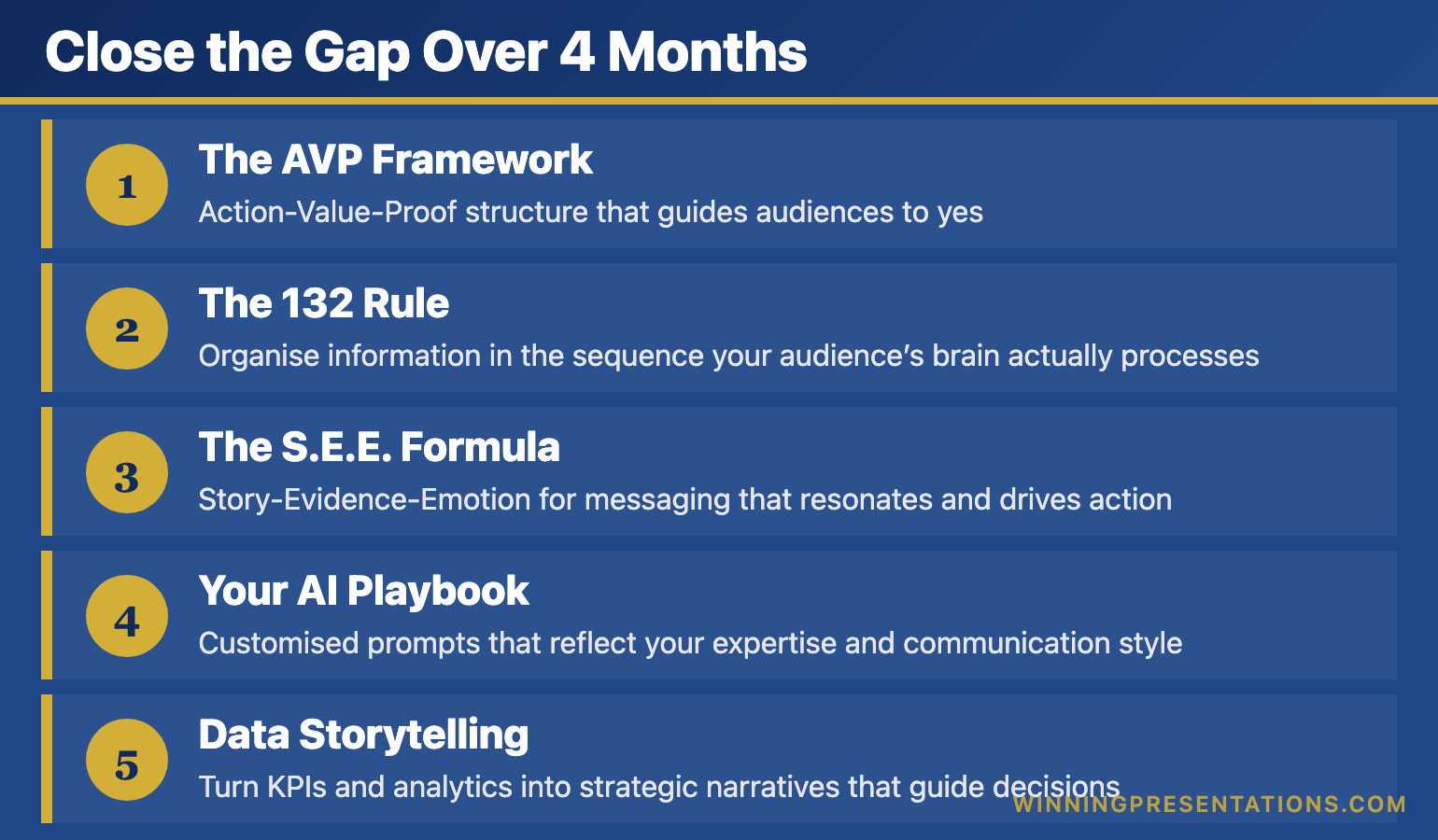
Close the Gap Over 4 Months

AI-Enhanced Presentation Mastery gives you the systems that separate professionals who plateau from professionals who keep improving — 8 self-paced modules delivered January through April 2026:

  • The AVP Framework: Action-Value-Proof structure that guides audiences to yes
  • The 132 Rule: Organise information in the sequence your audience’s brain actually processes
  • The S.E.E. Formula: Story-Evidence-Emotion for messaging that resonates and drives action
  • Your AI Playbook: Customised prompts that reflect your expertise and communication style
  • Data Storytelling: Turn KPIs and analytics into strategic narratives that guide decisions

Plus: 2 live coaching sessions in April, Master Prompt Pack, templates, before/after examples, and lifetime access to everything.

Presale price: £249 (increases to £299 when modules release, then £499)

60 seats total.

See the full curriculum and join →

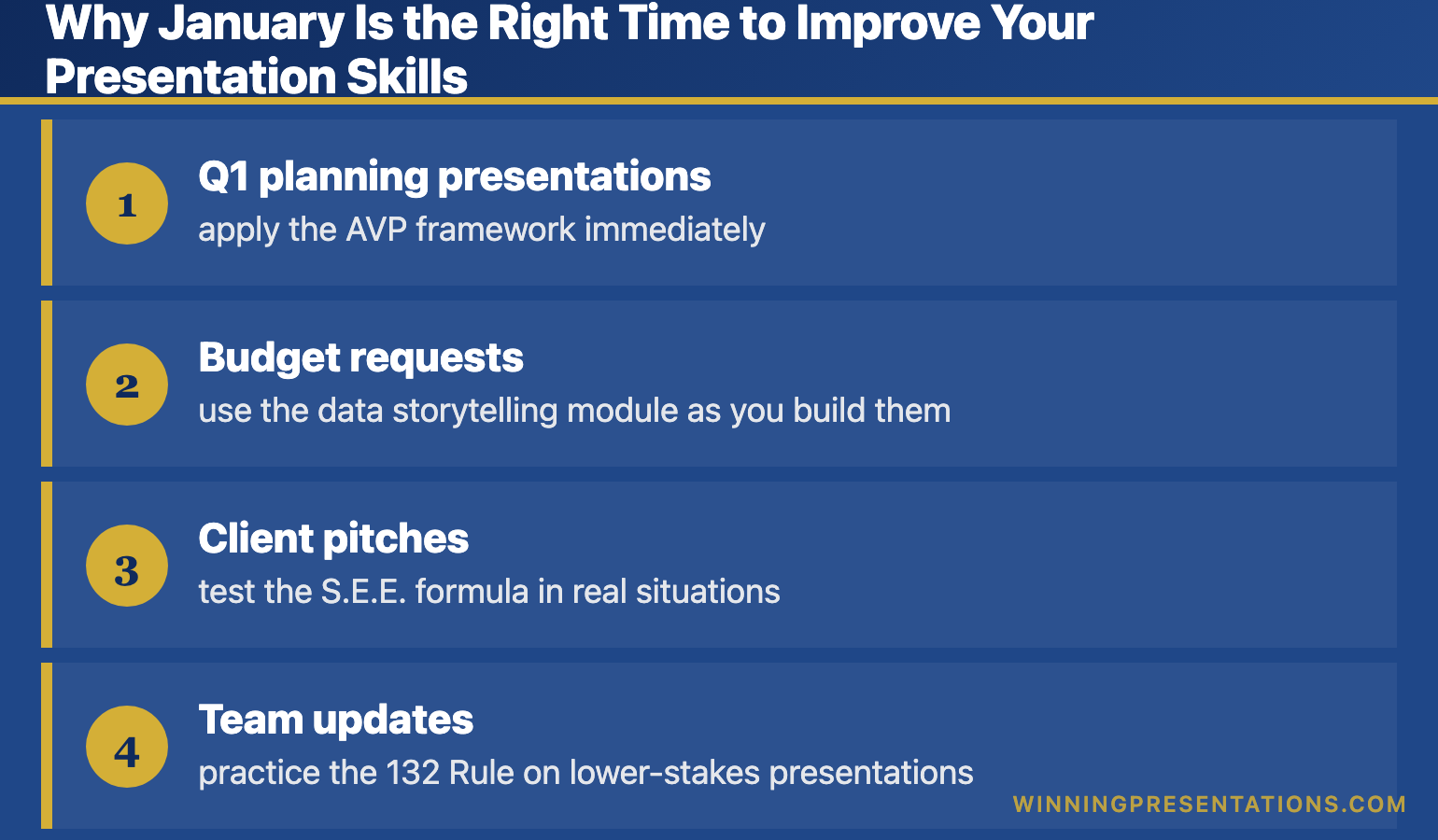
Why January Is the Right Time to Improve Your Presentation Skills

The course delivers 8 modules from January through April — one new module every couple of weeks. This pacing is intentional.

It means you’re building these skills while you’re actually presenting:

  • Q1 planning presentations — apply the AVP framework immediately
  • Budget requests — use the data storytelling module as you build them
  • Client pitches — test the S.E.E. formula in real situations
  • Team updates — practice the 132 Rule on lower-stakes presentations

By April, when the live coaching sessions happen, you’ll have four months of practice and real questions to bring.

Build the systems now. Apply them to every presentation this year. Compound the improvement.

Related: Presentation Structure: 7 Frameworks That Actually Work

FAQ: How to Improve Presentation Skills

I’m already decent at presentations. Is this for me?

Yes — “decent” is exactly the plateau this course addresses. If you’re getting through presentations but not getting promoted off the back of them, the systems in this course close that gap.

Do I need to be technical with AI?

No. This is not a software tutorial. You’ll learn to use AI as a thinking partner. The prompts are copy-paste ready. If you can use ChatGPT at a basic level, you can use everything in this course.

What if I can’t attend the live sessions in April?

All sessions are recorded. You’ll receive lifetime access to recordings, and you can join the next cohort at no additional cost if you want live participation later.


Your Next Step

The gap between “competent presenter” and “presenter who advances” isn’t about talent. It’s about systems.

📖 Go deeper: Business Presentation Skills: What Actually Matters — today’s comprehensive guide.

🎓 Build the systems: AI-Enhanced Presentation Mastery — 8 modules from January–April 2026, presale price £249 (60 seats).


Mary Beth Hazeldine spent 24 years in corporate banking before founding Winning Presentations. She now trains executives in AI-enhanced presentation systems — the frameworks and tools that close the gap between competent and compelling.

21 Dec 2025
How to use AI for presentations - complete guide to saving hours and creating better slides with AI tools

How to Use AI for Presentations: Save Hours and Create Better Slides

A practical guide to using AI for presentations — with 50+ prompts, proven frameworks, and a complete workflow from a presentation skills trainer

If you want to learn how to use AI for presentations effectively, you’re in the right place. Most professionals are either ignoring AI completely or using it badly — getting generic content that sounds like a robot wrote it.

There’s a better way.

Last month, I watched a senior consultant spend an entire Sunday preparing a 20-minute client presentation. Research. Structure. Slides. Rewrites. More rewrites. Eight hours for twenty minutes of content.

The following week, I helped another consultant prepare a similar presentation. We used AI strategically throughout the process.

Total time: 90 minutes. And honestly? The second presentation was better.

This isn’t about AI replacing your skills. It’s about AI amplifying them — so you create better presentations in a fraction of the time. After 24 years of corporate presenting and training over 5,000 executives, I’ve developed a systematic approach to using AI for presentations that actually works.

🎁 Free Download: Get my Executive Presentation Checklist — includes the AI prompts I use for rapid presentation preparation.

Why Most People Use AI for Presentations Wrong

Here’s what traditional presentation preparation looks like:

  1. Stare at blank slides
  2. Write too much content
  3. Reorganize everything
  4. Cut half of it
  5. Redesign slides
  6. Practice and realize the structure doesn’t flow
  7. Reorganize again
  8. Run out of time
  9. Deliver something “good enough”

Sound familiar?

Now here’s what most people do when they try using AI for presentations: they ask ChatGPT to “write a presentation about X” and get generic, bloated content that sounds nothing like them.

The problem isn’t AI. It’s how they’re using it.

AI works when you use it for specific tasks within a proven framework — not as a magic button that does everything.

Related: Microsoft Copilot for Presentations: What Works and What Doesn’t

AI presentation tools workflow showing how to use AI for research, structure, content, and Q&A preparation

The Right Way to Use AI for Presentations

AI changes presentation preparation completely — but not by doing the work for you. It accelerates every step of a proven process:

  • Research that took 2 hours now takes 15 minutes
  • First drafts that took an afternoon now take 20 minutes
  • Anticipating questions becomes systematic, not guesswork
  • Structure emerges quickly instead of through painful iteration

The result? Better presentations in less time. And when you’re well-prepared with a solid structure, you naturally feel more confident delivering it.

Here’s the framework I teach:

Step 1: Start With Structure (Before You Touch AI)

Before you use any AI tool, you need to know what you’re building. I use a simple 3-part framework that works for any presentation:

  • Opening: Hook them in 30 seconds with a problem, question, or surprising fact
  • Body: 3-5 key points maximum (one idea per slide)
  • Close: Clear call to action or key takeaway

This takes 5 minutes to sketch out — and it transforms how you use AI because now you have specific sections to fill, not a blank page.

Related: Presentation Structure: The 3-Part Framework That Works Every Time

Step 2: Use AI for Research and Content Generation

Now AI becomes powerful. Instead of “write me a presentation,” you prompt:

  • “Give me 5 compelling statistics about [topic] that would surprise a senior executive”
  • “What are the 3 strongest counterarguments to [my recommendation] and how would I address them?”
  • “Write a 2-sentence opening hook for a presentation about [topic] to [audience]”

Specific prompts = useful outputs. Generic prompts = generic garbage.

Step 3: Use AI for Q&A Preparation

This is where AI saves the most stress. Prompt:

“I’m presenting [topic] to [audience]. What are the 10 toughest questions they might ask, and give me a 2-sentence answer for each.”

You’ll walk in prepared for questions you never would have anticipated.

Step 4: Refine (Don’t Use Raw AI Output)

Raw AI content sounds like AI. Your job is to:

  • Add your stories and examples
  • Cut the filler words AI loves
  • Adjust the tone to sound like you
  • Verify any facts or statistics

AI does the heavy lifting. You add the human elements that make presentations land.

Related: 10 ChatGPT Prompts for Better Presentations

AI for presentations time savings - preparation reduced from 6-8 hours to 90 minutes with AI workflow

Want the Complete AI Presentation System?

My AI-Enhanced Presentation Mastery course gives you the full framework — 50+ tested prompts, proven structures for any presentation type, and live coaching to apply it to your specific work.

What’s included:

  • 4 weeks of structured curriculum (frameworks + AI tools)
  • 50+ copy-paste AI prompts for research, structure, content, and Q&A
  • 2 live coaching sessions with personalized feedback
  • Community access for peer support
  • Lifetime access and all future updates

January cohort: £249 (increases to £499 in April)

Only 60 seats. Early bird ends December 31st.

See the full curriculum →

Executive Resource

Stop Writing AI Prompts From Scratch

The Executive Prompt Pack gives you 50 battle-tested prompts for executive-level presentations — board updates, budget requests, investor briefs, and Q&A preparation. Built for PowerPoint Copilot and ChatGPT.

Get the Executive Prompt Pack →

Used by executives preparing for board briefings, budget requests, and high-stakes presentations.

Best AI Tools for Presentations in 2025

You don’t need expensive tools to use AI for presentations effectively. Here’s what actually works:

For Research and Content

ChatGPT (Free or Plus): Best for brainstorming, research synthesis, and generating first drafts. The free version works fine for most tasks.

Claude: Better for longer, more nuanced content. Excellent for refining messaging and anticipating objections.

Perplexity: Best for research with sources. Use when you need verified facts and statistics.

For Slides

Microsoft Copilot for PowerPoint: Creates slides from prompts or documents. Good for first drafts, but requires heavy editing. Best if you’re already in the Microsoft ecosystem.

Gamma: Creates beautiful presentations from prompts. Better design than Copilot, but less control over structure.

Your existing tools + AI-generated content: Often the best approach. Use AI to create the content, then build slides in whatever tool you already know.

Related: Microsoft Copilot for PowerPoint: Complete Guide

My Recommendation

Start with ChatGPT or Claude for content, and your existing slide tool. Don’t add complexity until you’ve mastered the fundamentals. The prompts matter more than the tools.

Complete AI Presentation Workflow: Step by Step

Here’s exactly how I use AI for presentations — the same workflow I teach in my course:

Phase 1: Preparation (15 minutes)

  1. Define your audience and their key concerns
  2. Clarify your one main message (if they remember one thing, what is it?)
  3. Sketch the 3-part structure: hook, 3-5 key points, close

Phase 2: AI-Assisted Content Creation (30-45 minutes)

  1. Use AI for research: statistics, examples, counterarguments
  2. Generate first draft content for each section
  3. Create your opening hook (test 3-5 options)
  4. Prepare Q&A responses for tough questions

Phase 3: Refinement (30 minutes)

  1. Add your personal stories and examples
  2. Cut anything that doesn’t serve your main message
  3. Adjust tone to sound like you
  4. Verify facts and statistics

Phase 4: Slides (20-30 minutes)

  1. One idea per slide
  2. Minimal text (your words, not the slides, do the work)
  3. Use AI-generated content as speaker notes, not slide text

Total time: 90 minutes to 2 hours for a presentation that used to take 6-8 hours.

“The AI workflow alone was worth the course fee. I used to spend entire weekends preparing for Monday presentations. Now I do it in a couple of hours on Friday afternoon. The prompts are incredibly specific and practical.”

— James T., Product Manager

Common Mistakes When Using AI for Presentations

Avoid these errors that make AI-generated presentations sound robotic:

Mistake 1: Using AI output without editing. Raw AI content is generic. Always add your voice, stories, and specific examples.

Mistake 2: Prompting too broadly. “Write me a presentation” gives you garbage. “Write a 2-sentence hook for [specific audience] about [specific topic]” gives you gold.

Mistake 3: Skipping the structure step. AI can’t read your mind about what the presentation needs to accomplish. Define structure first, then use AI to fill sections.

Mistake 4: Trusting AI facts without verification. AI makes things up. Always verify statistics, quotes, and specific claims.

Mistake 5: Putting AI text directly on slides. AI-generated text belongs in your speaker notes or script, not on the slides your audience sees.

Related: The 10 Presentation Mistakes That Kill Your Credibility

“I was skeptical about AI for presentations — I thought it would make everything sound generic. But Mary Beth’s approach is different. The AI accelerates the slow parts (research, first drafts, Q&A prep) while you keep control of what matters (story, strategy, voice). My presentations are better AND faster now.”

— Rachel K., Strategy Consultant

AI Presentation Prompts That Actually Work

Here are 10 prompts from my collection of 50+ that I use regularly:

For Research

1. “Give me 5 surprising statistics about [topic] that would make a [job title] pay attention. Include sources.”

2. “What are the 3 biggest misconceptions about [topic] that my audience of [description] probably believes?”

For Structure

3. “I need to present [topic] to [audience] in [X] minutes. Give me a structured outline with timing for each section.”

4. “What’s the most compelling order to present these 5 points: [list points]? Explain your reasoning.”

For Opening Hooks

5. “Write 5 different opening hooks for a presentation about [topic] to [audience]. Include: a surprising statistic, a provocative question, a brief story, a counterintuitive statement, and a vivid scenario.”

For Q&A Preparation

6. “I’m presenting [recommendation] to [audience]. What are the 10 toughest questions they might ask? Give me a confident 2-sentence response for each.”

7. “What are the strongest objections to [my proposal] and how would I address each one?”

For Storytelling

8. “Help me turn this data point [insert data] into a brief story that illustrates why it matters to [audience].”

For Slides

9. “Reduce this paragraph to a 6-word slide headline that captures the key message: [paste paragraph]”

10. “What visual or diagram would best illustrate this concept: [describe concept]?”

The full course includes 50+ prompts across research, structure, storytelling, slides, and Q&A — plus the context for when and how to use each one.

Frequently Asked Questions About Using AI for Presentations

Can AI create an entire presentation for me?

Technically yes, but you shouldn’t let it. AI-generated presentations without human refinement sound generic and miss the nuances of your specific audience and message. Use AI for the time-consuming parts (research, first drafts, Q&A prep) and add the human elements yourself (stories, insights, your voice).

What’s the best AI tool for presentations?

For content creation, ChatGPT and Claude are both excellent — and free tiers work fine. For slides, Microsoft Copilot works if you’re already in PowerPoint; Gamma creates better-looking slides but with less control. Start with AI for content + your existing slide tool before adding new platforms.

How do I make AI-generated content sound like me?

Three techniques: First, give AI examples of your previous writing and ask it to match the tone. Second, always edit AI output to add your specific stories and examples. Third, read the content aloud — if it doesn’t sound like something you’d say, rewrite it until it does.

Will my audience know I used AI?

Not if you use it correctly. When you use AI for research and first drafts, then add your own stories, examples, and voice, the result is distinctly yours. The only presentations that “sound like AI” are ones where someone used raw AI output without refinement.

How much time can AI really save on presentations?

In my experience and my students’ experience: 60-70%. A presentation that took 6-8 hours typically takes 2-3 hours with a proper AI workflow. The biggest time savings come from research (AI synthesizes information faster), first drafts (no more staring at blank pages), and Q&A prep (systematic instead of guesswork).

“I was preparing a board presentation and dreading the usual weekend of work. Used the Week 3 prompts and had a solid draft in 45 minutes. The frameworks from Week 1 meant I knew exactly what to include. Game changer.”

— David L., Finance Director

AI-Enhanced Presentation Mastery course overview - 4 weeks covering structure, storytelling, AI tools, and delivery

Learn the Complete AI Presentation System

This article covers the fundamentals — but there’s much more to master.

My AI-Enhanced Presentation Mastery course gives you the complete system:

Week 1: Structure That Works Every Time

Proven frameworks for client pitches, board updates, team meetings, and keynotes. The foundation that makes AI useful (instead of a source of generic content).

Week 2: Storytelling That Connects

How to turn data into compelling narratives. Finding stories in “boring” business content. The emotional arc that keeps audiences engaged.

Week 3: AI-Powered Preparation

50+ prompts for research, structure, storytelling, and slides. My complete workflow for client presentations. How to refine AI output so it sounds like you.

Week 4: Delivery and Executive Presence

Present your well-prepared content with confidence. Handle Q&A (including “I don’t know”). Virtual and in-person techniques.


Your Next Step: Master AI for Presentations

You now have a complete framework for using AI to create better presentations in less time. But knowledge isn’t transformation — implementation is.

Choose your path:

🎁 START FREE: Download the Executive Presentation Checklist — includes AI prompts for rapid preparation.

📘 GO DEEPER (£39): Get Presentations with AI: The Complete Prompt Collection — 50+ prompts with examples and use cases.

🎓 GET THE FULL SYSTEM (£249): Join AI-Enhanced Presentation Mastery — 4 weeks of curriculum, live coaching, community, and personalized feedback. Early bird ends December 31st.

AI is changing how presentations get made. The professionals who master this now will have a significant advantage over those still spending weekends on slide decks.

AI-Enhanced Presentation Mastery

Proven frameworks + 50+ AI prompts + Live coaching

£249 £499

Early bird ends December 31st • 60 seats • Full refund guarantee

Enroll Now →


Mary Beth Hazeldine is Managing Director of Winning Presentations, with 24 years of corporate banking experience at JPMorgan, PwC, Royal Bank of Scotland, and Commerzbank. She’s trained over 5,000 executives in presentation skills and specializes in AI-powered presentation techniques — testing every method on real client work before teaching it.

20 Dec 2025
Presentation confidence guide - how to build lasting confidence with frameworks not fake it till you make it

Presentation Confidence: How to Build It (And Why “Fake It Till You Make It” Doesn’t Work)

A hypnotherapist explains why presentation confidence isn’t a personality trait — and the framework that transformed a nervous junior banker into a confident presenter for 19 years

For my first five years in banking, I had zero presentation confidence. Not because I lacked knowledge — I knew my material cold. But every time I had to present, my voice would shake, my mind would go blank, and I’d avoid speaking up entirely.

I wasn’t presenting to boards back then. I was too junior. It was the everyday moments that terrified me: credit committee presentations, client meetings, speaking up in internal discussions. I’d sit there with something valuable to say and stay silent because I didn’t trust myself to deliver it.

Then I took a training course called “Pitching to Win” — and everything changed.

It didn’t make me a confident person. It gave me something far more powerful: a framework. A structure I could follow every single time. And that framework gave me presentation confidence for the next 19 years at JPMorgan, PwC, RBS, and Commerzbank.

Years later, when I trained as a clinical hypnotherapist and treated hundreds of anxiety clients, I finally understood the science behind why that framework worked — and why “fake it till you make it” never does.

The 5 Pillars of Lasting Presentation Confidence

After 35 years of presenting and training others to become confident presenters, I’ve identified five pillars that create lasting presentation confidence. Notice that none of them require you to “be” confident — they require you to do specific things.

The 5 pillars of presentation confidence - structure, rituals, recovery, evidence, and physiology

Pillar 1: Structural Certainty

Know exactly how your presentation flows before you start. Not word-for-word memorisation — structural certainty. You should be able to answer:

  • What’s my opening line? (Memorised, word-for-word)
  • What are my 3-5 key points?
  • What transitions move me between sections?
  • What’s my closing line? (Memorised, word-for-word)

When you have structural certainty, your brain relaxes. It knows where you’re going even if you stumble along the way. This is the foundation of speaking with confidence.

Related: How to Start a Presentation: 15 Powerful Opening Techniques

Pillar 2: Preparation Rituals

Confident presenters don’t wing it. They have rituals — consistent pre-presentation routines that signal to their brain: “We’ve done this before. We know what happens next.”

My ritual before every high-stakes presentation:

  1. Review my opening (2 minutes)
  2. 3-Breath Reset — in for 4, hold for 4, out for 6, repeat 3 times (90 seconds)
  3. Ground my feet — press them firmly into the floor (30 seconds)
  4. Say out loud: “I’m excited to share this” (5 seconds)

The content of the ritual matters less than its consistency. Your nervous system learns that this sequence leads to successful presenting — and that builds presentation confidence automatically.

Related: How to Calm Nerves Before a Presentation: The 5-Minute Reset

Pillar 3: Recovery Protocols

Here’s a secret about confident presenters: they make mistakes too. The difference is they have recovery protocols — pre-planned responses to common problems.

When you know you can recover from anything, mistakes lose their power to create panic.

Pre-plan your recovery phrases:

  • Mind goes blank: “Let me come back to that point…” (look at notes, continue)
  • Lose your place: “The key thing I want you to take away is…” (pivot to your main message)
  • Technical failure: “While we sort this out, let me tell you the story behind this data…”
  • Hostile question: “That’s a fair challenge. Here’s how I see it…”

When I finally understood this — that confident presenters aren’t mistake-free, they’re recovery-ready — my entire relationship with presenting changed.

Pillar 4: Competence Evidence

Your brain needs evidence that you can do this. Not affirmations. Evidence.

Build your evidence bank:

  • Record yourself presenting (painful but invaluable)
  • Start small — team meetings before board meetings
  • Collect wins — keep a note of presentations that went well
  • Get specific feedback — “What worked?” not just “That was great”

Every successful presentation is evidence your brain can reference next time. The more evidence, the more your nervous system trusts that you’ll be okay — and the more you become a genuinely confident presenter.

Pillar 5: Physiological Control

This is where my hypnotherapy training transformed my understanding. Presentation confidence isn’t just mental — it’s physiological.

You can directly influence your nervous system state through:

  • Breathing patterns — Extended exhales activate the parasympathetic response
  • Posture — Open posture signals safety to your brain
  • Grounding — Physical connection to the floor redirects nervous energy
  • Anchoring — NLP techniques that access confident states on demand

These aren’t tricks. They’re how your nervous system works. When you understand the machinery, you can operate it deliberately — and that’s the fastest path to confident public speaking.

Related: Public Speaking Tips: 15 Psychology-Backed Techniques

Related:  How to Look Confident When Presenting (Even When You’re Not)

Want to Build Lasting Presentation Confidence?

My AI-Enhanced Presentation Mastery course teaches the complete system — frameworks that eliminate uncertainty, psychology techniques from my hypnotherapy practice, plus AI tools that cut preparation time by 75%.

What’s included:

  • The structural frameworks that build real confidence
  • Psychology techniques for managing your nervous system
  • Self-paced modules with lifetime access
  • 50+ AI prompts to prepare faster and better

£499 — self-paced, immediate access.

See the full curriculum →

How to Build Presentation Confidence in Different Situations

The five pillars apply everywhere, but different contexts require different emphasis. Here’s how to become a confident presenter in specific situations:

Building Confidence for Internal Meetings

This is where most presentation anxiety actually lives — not in formal presentations, but in everyday meetings where you need to speak up with confidence.

Build presentation confidence by:

  • Preparing one key point before every meeting
  • Speaking early — the longer you wait, the harder it gets
  • Using grounding (press your feet into the floor) while seated
  • Starting with questions rather than statements if direct contribution feels hard

I spent five years avoiding contribution in internal meetings. The framework that changed this: prepare one thing to say, say it in the first 10 minutes, then relax.

Building Confidence for Client Presentations

Client presentations carry stakes — which means your nervous system is more alert. Combat this with over-preparation on structure:

  • Know your opening cold (word-for-word memorised)
  • Have your three key messages written on a card
  • Prepare answers to the five most likely questions
  • Arrive early and familiarise yourself with the room

Related: How to Create Executive Presentations That Get Results

Building Confidence for High-Stakes Presentations

Board presentations. Investor pitches. Career-defining moments. The framework matters even more here — high stakes amplify everything, including the benefit of preparation.

  • Rehearse out loud at least three times (not in your head — out loud)
  • Do a full dress rehearsal if possible — same room, same setup
  • Front-load your confidence — put your strongest material in the first two minutes when you’re most nervous
  • Have a pre-presentation ritual and do it without fail

Related: How CEOs Actually Present: Executive Presentation Skills

Stop the Racing Heart Before Your Next Meeting

Conquer Your Fear of Public Speaking is a neuroscience-based programme covering nervous system regulation, cognitive reframing, physical symptom management, and pre-presentation protocols — £39, instant access.

Get Conquer Your Fear of Public Speaking →

Designed for professionals who want to present with genuine confidence

Why Presentation Confidence Compounds Over Time

Here’s what nobody tells you about becoming a confident presenter: confidence compounds.

Each successful presentation — even a small one — deposits evidence in your brain that you can do this. Over time, these deposits accumulate. Your nervous system references them automatically. What once required conscious effort becomes unconscious competence.

I wasn’t “confident” after one good presentation. I became a confident presenter after hundreds — each one building on the last, each one reinforced by the same framework.

That’s why the framework matters so much. It’s not just about surviving individual presentations. It’s about building a system that makes you more confident every time you use it.

35 years later, I still use the same principles. The content changes. The framework doesn’t.

Building presentation confidence - what works vs what doesn't work comparison chart How presentation confidence compounds over time - each success builds evidence for your nervous system

Presentation Confidence Killers (And How to Avoid Them)

Killer #1: Comparing Yourself to “Natural” Presenters

There’s no such thing as a natural confident presenter. There are people who’ve had more practice, better training, or more supportive environments. But nobody was born confident at presenting.

Fix: Focus on your own progress, not others’ apparent ease.

Killer #2: Perfectionism

Waiting until you feel “ready” means waiting forever. Perfectionism is anxiety wearing a productivity mask.

Fix: Aim for “good enough to be useful” not “perfect.” Your audience wants value, not perfection.

Killer #3: Avoiding Presentations

Every presentation you avoid is evidence you’re collecting against yourself. Your brain learns: “This is dangerous. We should keep avoiding it.”

Fix: Take small opportunities. Team updates. Brief contributions. Build the evidence bank.

Killer #4: Post-Presentation Rumination

Replaying every mistake after a presentation trains your brain to associate presenting with pain.

Fix: Do a structured debrief instead. Three things that worked, one thing to improve next time. Then stop.

Want the complete nervous system toolkit? Conquer Speaking Fear (£39) gives you the clinical framework behind these five pillars — structured for executives who present under pressure.

If this pattern sounds familiar

You are not alone in this — and it is not a willpower problem. When preparation and practice have not been enough on their own, a structured approach that works at the nervous system level can make the difference. Conquer Speaking Fear was designed for exactly this situation.

If your preparation is solid but your nerves still derail you, Conquer Your Fear of Public Speaking gives you a structured system to manage exactly this.

Frequently Asked Questions About Presentation Confidence

How long does it take to build presentation confidence?

Most people notice meaningful improvement within 3-5 presentations when using a consistent framework. Real confidence — the kind that feels automatic — typically takes 15-20 presentations over several months. The key is consistency: same framework, same rituals, same recovery protocols.

Can introverts become confident presenters?

Absolutely. Some of the most confident presenters I’ve trained are introverts. Introversion means you process internally and may need recovery time after social interaction — it doesn’t mean you can’t present well. In fact, introverts often prepare more thoroughly, which builds more presentation confidence.

What if I’ve tried building confidence before and it didn’t work?

Usually this means you were trying to “feel” confident rather than “do” confident. Confidence isn’t an emotion you summon — it’s an outcome of preparation, practice, and physiological management. Focus on the five pillars (structure, rituals, recovery, evidence, physiology) rather than trying to feel a certain way.

Does presentation confidence come from knowing your material?

Knowing your material is necessary but not sufficient. I’ve seen experts freeze because they knew the content but had no framework for delivering it. You need both: subject matter expertise AND presentation structure. The framework is what lets your expertise come through.

How do I build confidence when I rarely present?

Create opportunities. Volunteer for team updates. Offer to present someone else’s work. Join a speaking group. The less you present, the less evidence your brain has — and the more anxious you’ll be when presentations do arise. Frequency builds presentation confidence more than intensity.

Can I build presentation confidence quickly before an important presentation?

You can’t build deep confidence overnight, but you can create the conditions for a confident performance. Focus on: knowing your opening cold, having a clear structure, preparing recovery phrases, and doing your pre-presentation ritual. This won’t make you permanently confident, but it will get you through the presentation — and that’s one more deposit in your evidence bank.


Your Nerves Aren’t the Problem — Your Response to Them Is

Conquer Your Fear of Public Speaking gives you a structured system to manage physical symptoms, reframe anxious thoughts, and build genuine confidence for any speaking situation — £39, instant access.

Get the Programme →

Designed for executives who want to stop dreading presentations

Your Next Step to Becoming a Confident Presenter

Building presentation confidence is simple, but not easy. It requires you to stop waiting to “feel” confident and start doing the things that create confidence.

Here’s what I suggest:

  1. Choose your next presentation — even a small team update
  2. Apply one framework — structure your content with a clear opening, three points, and a strong close
  3. Create one ritual — even just three deep breaths before you start
  4. Notice what happens — collect the evidence

That’s how it starts. One framework. One ritual. One presentation at a time.

Go deeper: Public Speaking Tips: 15 Psychology-Backed Techniques That Actually Work — the complete guide to speaking with confidence.

Presentation confidence cheat sheet - the 5 pillars and key techniques for confident presenting

Ready to Build Real Presentation Confidence?

AI-Enhanced Presentation Mastery

Frameworks that build confidence + Psychology that makes it stick + AI that cuts prep time

£249 £499

Early bird ends December 31st • 60 seats • Full refund guarantee

Learn More →

The Winning Edge — Weekly Presentation Insights

One technique, one mindset shift, and one real-world scenario every week. Practical, evidence-based, read in under 3 minutes.

Join The Winning Edge — Free


Mary Beth Hazeldine is a qualified clinical hypnotherapist and Owner & Managing Director of Winning Presentations. She spent 25 years in corporate banking at JPMorgan, PwC, Royal Bank of Scotland, and Commerzbank. After struggling with presentation anxiety for her first five years, she discovered that frameworks — not fake confidence — were the key to becoming a confident presenter. She works with executives across financial services, consulting, and corporate leadership, helping them present with genuine confidence.

16 Dec 2025
How to Start a Presentation: 15 Powerful Openers That Grab Attention

How to Start a Presentation: 15 Powerful Openers That Grab Attention

Quick Answer: The best way to start a presentation is to grab attention in the first 10 seconds with a surprising statistic, a bold statement, a relevant story, or a thought-provoking question. Avoid starting with “Today I’m going to talk about…” — you’ll lose your audience before you begin.

I’ve watched over 500 executive presentations in my career. Investment bankers pitching billion-pound deals. Biotech founders presenting to skeptical investors. Senior leaders defending budgets to hostile boards.

And I can tell you exactly when most of them lost their audience: the first 30 seconds.

The opening of your presentation isn’t just important — it’s everything. Get it wrong, and you’re fighting an uphill battle for the next 20 minutes. Get it right, and your audience leans in, ready to hear what you have to say.

After 25 years in investment banking at JPMorgan, PwC, RBS, and Commerzbank — plus 16 years coaching executives on high-stakes presentations — I’ve identified exactly what works. Here are 15 powerful openers that grab attention and set you up for success.

Want 50 ready-to-use opening lines?

My Presentation Openers & Closers Swipe File gives you structured opening lines for every situation — from board meetings to investor pitches.

Get 50 Opening Lines →

Why the First 10 Seconds Matter More Than Anything Else

Neuroscience tells us something uncomfortable: your audience decides whether to pay attention within the first 10 seconds. Not 10 minutes. Ten seconds.

This is called the “primacy effect” — we remember beginnings and endings far more than middles. And in those crucial first moments, your audience is asking one question:

“Is this going to be worth my time?”

If you start with “Good morning, my name is Sarah and today I’m going to talk about our Q3 results…” — you’ve already answered that question. And the answer is no.

Here’s what the best presenters do differently.

15 Powerful Ways to Start a Presentation

15 Powerful Presentation Openers Infographic

1. The Shocking Statistic

Numbers that surprise create instant engagement. The key is contrast — show them something that challenges their assumptions.

Example: “75% of venture-backed startups fail. But the companies that master investor presentations are 40% more likely to get funded. Today, I’m going to show you exactly what separates the funded from the forgotten.”

Why it works: You’ve created a gap between what they know and what they need to know. Now they have to keep listening.

2. The Bold Statement

Make a claim that’s unexpected or even slightly controversial. This triggers curiosity and positions you as someone with a point of view.

Example: “Everything you’ve been taught about presenting to boards is wrong. And it’s costing you promotions.”

Why it works: You’ve challenged the status quo. Even if they disagree, they want to hear your reasoning.

3. The Relevant Story

Stories activate different parts of the brain than data alone. A well-chosen story creates emotional connection and makes abstract concepts concrete.

Example: “Three years ago, I sat in a boardroom in Frankfurt and watched a CFO lose a £4 million budget approval in eleven words. He opened with ‘I know we’re over budget, but let me explain.’ The meeting was over before it started.”

Why it works: Stories create suspense. Your audience wants to know what happened next — and how to avoid the same fate.

4. The Thought-Provoking Question

Questions engage the brain differently than statements. They force your audience to think, which means they’re actively participating rather than passively listening.

Example: “When was the last time you sat through a presentation and thought, ‘I wish this was longer’?”

Why it works: You’ve made them smile and acknowledged a shared frustration. You’re on the same side now.

5. The “Imagine” Scenario

Invite your audience into a future state. This technique, borrowed from hypnotherapy, creates a vivid mental picture that makes your solution feel tangible.

Example: “Imagine walking into your next board presentation completely calm. You know exactly what to say. The executives are nodding. And when you finish, the CEO says, ‘That was exactly what we needed.’ What would that be worth to you?”

Why it works: You’ve made them feel the outcome before you’ve explained the process.

6. The Counterintuitive Truth

Share something that goes against conventional wisdom. This positions you as an expert with insider knowledge.

Example: “The best presentations I’ve ever seen had zero bullet points. None. And they won billion-pound deals.”

Why it works: You’ve challenged a default assumption. Now they need to understand why.

Stop Fumbling Your Presentation Openings

The Executive Slide System gives you structured opening frameworks that command attention immediately — so you walk into every presentation knowing exactly how to start.

Executive Slide System →

7. The Specific Promise

Tell them exactly what they’ll get from the next few minutes. Be specific and benefit-focused.

Example: “In the next 12 minutes, I’m going to give you the three-slide structure that’s helped my clients raise over £250 million in funding. You can implement it in your next presentation tomorrow.”

Why it works: You’ve set clear expectations and promised immediate value. They know what’s coming and why it matters.

8. The Shared Problem

Articulate the pain your audience is experiencing. When people feel understood, they trust you to provide the solution.

Example: “You’ve spent three weeks on this presentation. You’ve rehearsed it a dozen times. And you still can’t shake the feeling that when you stand up, your mind will go blank and everyone will see you’re not ready.”

Why it works: You’ve demonstrated that you understand their world. You’re not just another presenter — you’re someone who gets it.

Struggling with presentation anxiety?

My Calm Under Pressure Toolkit gives you breathing techniques, confidence frameworks, and mental preparation strategies used by professional speakers.

Get the Confidence Toolket →

9. The Behind-the-Scenes Insight

Give them access to information they wouldn’t normally have. This creates a sense of exclusivity and trust.

Example: “I’ve sat in due diligence meetings at four global banks. And I can tell you exactly what the investment committee says after you leave the room…”

Why it works: You’re offering insider knowledge. They’re getting something not everyone gets access to.

10. The Historical Parallel

Connect your topic to a famous moment in history. This adds weight and context to your message.

Example: “In 1984, Steve Jobs stood in front of shareholders and said three words that changed Apple forever. Those three words weren’t about technology — they were about belief. And they’re the same three words you need in your next pitch.”

Why it works: You’ve borrowed credibility from a known success story and created curiosity about the connection.

11. The Live Demonstration

Show rather than tell. A well-executed demo captures attention like nothing else.

Example: Start by silently walking to the front of the room, pausing for three full seconds, and making eye contact with five people before saying a word. Then say: “That silence made you pay attention. Today, I’m going to show you how to command a room before you even speak.”

Why it works: You’ve demonstrated your expertise in real-time. No one is checking their phone now.

12. The Personal Failure

Vulnerability creates connection. When you share a mistake, you become human — and your audience trusts you more.

Example: “The worst presentation of my career was in front of 200 people at a banking conference. I blanked on my own name. Literally forgot who I was. And what I learned in the next 30 seconds saved my career.”

Why it works: They want to know how you recovered. And they believe you’ll help them avoid the same fate.

13. The Unexpected Object

Bring a physical prop. Objects create visual interest and give you something to anchor your message.

Example: Hold up a single slide printout. “This is the only slide that mattered in a £50 million deal. One slide. The other 47 were background noise. Today, I’ll show you how to find your one slide.”

Why it works: Physical objects break the pattern of typical presentations. People pay attention to what’s different.

14. The Direct Challenge

Challenge your audience to think differently or take action. This creates engagement through a sense of urgency.

Example: “By the end of this presentation, you’ll either change how you open every meeting — or you’ll keep losing your audience in the first 30 seconds. The choice is yours.”

Why it works: You’ve raised the stakes. This isn’t just information — it’s a decision point.

15. The Silence

Sometimes the most powerful opening is no words at all. Strategic silence commands attention and demonstrates confidence.

Example: Walk to the front. Stand still. Look at your audience for 5 full seconds. Then, quietly: “Now that I have your attention… let’s talk about why most presentations lose it.”

Why it works: Silence is unexpected. In a world of noise, quiet commands the room.

The Openings That Kill Your Credibility

Now that you know what works, here’s what to avoid:

❌ “Can everyone hear me?” — Start as if you’re already in command.

❌ “I’m just going to quickly talk about…” — The word “just” diminishes your message before you’ve delivered it.

❌ “I know you’re all busy, so I’ll try to be quick…” — You’ve just signaled that what you’re about to say isn’t important.

❌ “Today I’m going to talk about…” — Boring. They know you’re going to talk. Show them why they should care.

❌ “Let me just share my screen…” — Technical fumbling kills momentum. Have everything ready before you speak.

❌ Apologizing for anything — Never open with an apology. It puts you on the back foot immediately.

A Powerful Opening Deserves an Equally Powerful Deck

The Executive Slide System pairs your strong opening with a decision-first slide structure that keeps executives engaged from your first word to your final ask.

Executive Slide System →

If you want opening slides that command attention from the first second, The Executive Slide System gives you 22 ready-made templates to start from.

How to Choose the Right Opening for Your Situation

Not every opener works for every context. Here’s how to match your opening to your audience:

Board presentations: Use the Bold Statement, Specific Promise, or Shocking Statistic. Executives want confidence and clarity.

Investor pitches: Use the Relevant Story, Specific Promise, or Behind-the-Scenes Insight. Investors need to trust you before they trust your numbers.

Team meetings: Use the Shared Problem, Thought-Provoking Question, or “Imagine” Scenario. Internal audiences need to feel included.

Sales presentations: Use the Counterintuitive Truth, Direct Challenge, or Personal Failure. Buyers are skeptical — surprise them.

Conference keynotes: Use the Live Demonstration, Silence, or Historical Parallel. Large audiences need theatrical moments to stay engaged.

Ready to Transform How You Present?

For immediate help:

For complete transformation:

My AI-Enhanced Presentation Mastery course covers everything — from opening to closing, from confidence to content. Live cohort starts January 2026.

Join the Maven Course →

The 30-Second Opening Framework

If you remember nothing else from this article, use this simple framework for your next presentation:

Second 1-5: Establish presence (pause, make eye contact, breathe)

Second 6-15: Hook them (statistic, story, question, or bold statement)

Second 16-25: Create relevance (why this matters to THEM)

Second 26-30: Preview the value (what they’ll get from the next X minutes)The 30-Second Opening Framework: Presence, Hook, Relevance, Preview

That’s it. Thirty seconds to change the trajectory of your entire presentation.

One More Thing — Before You Go

If you want a complete presentation system — not just a strong opening — the Executive Slide System gives you the full structure from first slide to final close.

Explore the System

What Happens After a Great Opening

A powerful opening does more than grab attention — it changes the dynamic of the entire presentation.

When you open strong, you feel more confident. Your audience is engaged. You have momentum. Everything that follows is easier.

When you open weak, you spend the rest of the presentation trying to recover. You can feel the room’s attention drifting. You rush. You doubt yourself.

The difference between a presentation that wins and one that’s forgotten often comes down to those first 30 seconds.

Choose your opening carefully. Practice it until it’s second nature. And walk into that room knowing that before you’ve even finished your first sentence, you’ve already won half the battle.


Mary Beth Hazeldine is an executive presentation coach with 25 years in investment banking (JPMorgan, PwC, RBS, Commerzbank) and 16 years training executives to present with confidence. She has trained over 10,000 executives through Winning Presentations.

Related Reading:

Frequently Asked Questions

How should I start a presentation to grab attention?

Open with a surprising statistic, a bold statement, a relevant story, or a thought-provoking question. The first 10 seconds determine whether your audience leans in or checks out. Avoid starting with your name, your agenda, or ‘Today I’m going to talk about…’ — these signal a routine presentation.

What is the best opening line for a business presentation?

The best opening lines create immediate relevance for the audience. Try a specific problem statement they recognise (‘Every quarter, we lose three days rebuilding the same slides’), a counterintuitive claim, or a brief client scenario. The key is making the audience feel the topic matters to them personally, not just to you.

How do you start a presentation without being nervous?

Prepare your opening line word-for-word and practise it until it feels natural. Arrive early, claim your space, and take one slow breath before speaking. Starting with a well-rehearsed line gives you momentum — nervousness typically drops after the first 30 seconds once you hear your own voice sounding confident.

Should I start a presentation with a joke?

Only if humour is natural to your style and the setting allows it. In executive and board settings, opening with a relevant observation or insight is more effective than a joke. A failed joke creates awkwardness that takes minutes to recover from, while a compelling question or story creates instant engagement with zero risk.

📧 The Winning Edge Newsletter

Weekly insights on executive presentations, QBR strategies, and what’s actually working in boardrooms right now.

Subscribe Free →

11 Dec 2025
The 3Ps Framework - how my clients have raised £250M+ in funding - executive presentation coaching

The 3Ps Framework: How My Clients Have Raised £250M+ in Funding [2026]

📅 Last Updated: December 2025 — Now includes AI-enhanced coaching methods

If you want a ready-made framework for executive presentations: Explore The Executive Slide System →

Templates, AI prompts, and scenario playbooks for building board-ready slides.

Quick Answer: What Is Executive Presentation Coaching?

Executive presentation coaching transforms how leaders communicate high-stakes ideas. The most effective approach addresses three elements: your Proposition (what you’re actually saying), your Presentation (how you structure and visualise it), and your Personality (how you deliver it). This is the 3Ps Framework I’ve used to help clients raise over £250 million in funding — because slides alone don’t close deals. The person presenting them does.

🎓
Want to Master All Three Ps?

I’m teaching the complete 3Ps Framework in an 8-week live course starting January 2026. Limited to 60 executives who want to transform how they present to boards, investors, and leadership.

✓ Live weekly sessions
✓ Personal feedback on your decks
✓ AI-enhanced techniques
✓ Peer cohort of 60 executives

Join the January Cohort — £249 Early Bird

Early bird pricing ends January 15 • Regular price £499


The Presentation That Changed Everything

In 2018, I watched a client lose a £15 million funding round in 12 minutes.

His slides were beautiful. McKinsey would have approved. Every chart was perfect, every bullet point polished. He’d rehearsed for two weeks.

But when the lead investor asked, “Why should we back you instead of your three competitors?” — he froze. Stumbled through a generic answer about “market opportunity” and “strong team.”

The meeting ended politely. The money went elsewhere.

Three months later, he came back to me. Different approach. Same investor. Same ask.

This time, he got £18 million — more than he’d originally requested.

The slides were actually less polished than before. But everything else had changed. His proposition was sharper. His structure was tighter. And when that same question came — “Why you?” — he didn’t just answer it. He made them feel foolish for even asking.

That transformation is what I now call the 3Ps Framework. And after more than 16 years of executive presentation coaching — at JPMorgan Chase, PwC, Royal Bank of Scotland, and Commerzbank — I’ve seen it work hundreds of times.

Here’s how it works.

The 3Ps Framework - Proposition, Presentation, Personality - for executive presentation coaching

Presenting to a board or investor in the next 30 days?

Proposition, Presentation, and Personality all need to work together. The Executive Slide System gives you the slide frameworks and AI prompts to build the Presentation P — board-ready templates so you can invest your time in sharpening the other two.

The 3Ps Framework Explained

Most presentation training focuses on slides. Maybe some delivery tips. “Make eye contact.” “Don’t read from the screen.” “Use fewer bullet points.”

That’s like teaching someone to drive by explaining how the radio works.

The 3Ps Framework addresses what actually determines whether your presentation succeeds or fails:

P1: Proposition — What You’re Actually Saying

Before you open PowerPoint, you need to answer one question: What is your one irreducible point?

Not your three key messages. Not your five main themes. One point.

If someone walked out of your presentation and could only remember a single sentence, what would it be? If you can’t answer that clearly, neither can your audience.

The client who lost the £15 million? His proposition was muddled. He was trying to say too many things: market opportunity AND team strength AND product differentiation AND financial projections AND competitive moat. The investors heard noise.

Three months later, his proposition was razor-sharp: “We’re the only platform that reduces enterprise onboarding from 6 weeks to 3 days — and we’ve already structured it with enterprise clients.”

Everything else supported that single point. Nothing competed with it.

How to sharpen your proposition:

  • Write your presentation’s main point in one sentence (under 20 words)
  • Ask: “So what?” — keep asking until you reach the real value
  • Test it: Can someone repeat it back after hearing it once?
  • Kill anything that doesn’t directly support this point

P2: Presentation — How You Structure and Visualise It

Once your proposition is clear, the structure should serve it. Not the other way around.

Most executives build presentations backwards. They gather all their content, then try to organise it into slides. That’s why most decks feel like data dumps — because they are.

The better approach: Start with the decision you need, then build backwards.

What does your audience need to believe to say yes? What evidence would convince them? What objections will they have? In what order should they encounter these ideas?

This is where frameworks like the 4-Line Executive Summary and the 6-Slide Budget Template come from. They’re not arbitrary structures — they’re engineered to move people toward decisions.

Key principles:

  • Lead with your conclusion, not your process
  • Every slide should answer “So what?”
  • If a slide doesn’t advance your proposition, cut it
  • Design for scanning — executives read slides in 3 seconds

Related: Board Presentation Template: Complete Executive Guide

📧
Get Weekly Presentation Insights

Join executives getting my best frameworks, AI prompts, and presentation strategies every Thursday.

Subscribe to The Winning Edge →

P3: Personality — How You Deliver It

Here’s the uncomfortable truth: the same deck, delivered by two different people, will get completely different results.

The third P is the one most presentation training ignores — and it’s often the one that matters most.

Personality isn’t about being charismatic or extroverted. It’s about being congruent. Your words, your tone, your body language, and your conviction all pointing in the same direction.

When my client answered “Why you?” the first time, his words said one thing but his energy said another. He was reciting. The investors could feel the gap.

The second time, he’d internalised the answer. He believed it. He didn’t need to remember it — he just needed to say what was true. That’s congruence. And investors can smell the difference instantly.

What personality coaching actually addresses:

  • Handling pressure: How do you respond when challenged? Do you get defensive or curious?
  • Executive presence: Do you command the room or defer to it?
  • Authenticity: Are you performing or communicating?
  • Recovery: What happens when something goes wrong?

This is where my background in NLP and persuasion psychology becomes relevant. The techniques that work aren’t tricks — they’re about aligning your internal state with your external message.

💡
This Is What We Cover in the Course

The AI-Enhanced Presentation Mastery course teaches all three Ps over 8 weeks — with live coaching, real deck reviews, and techniques you can apply to your next presentation.

If you want to apply the 3Ps framework with ready-made slide templates, The Executive Slide System gives you 22 ready-made templates to start from.

Why Most Executive Presentation Training Fails

I’ve seen executives spend £10,000 on presentation training and come out no better than when they started. Here’s why:

Problem 1: It focuses on symptoms, not causes

“Don’t say ‘um'” doesn’t fix anything. It just makes people self-conscious about saying “um.” The real question is: why are they saying “um”? Usually because they’re uncertain about their content or uncomfortable with silence. Fix those, and the “ums” disappear naturally.

Problem 2: It’s generic

A board presentation is not an investor pitch is not a sales demo is not an all-hands update. They require different structures, different tones, different pacing. Generic “presentation skills” training treats them all the same.

Problem 3: It stops at slides

You can have perfect slides and still lose the room. Presentation training that doesn’t address proposition clarity and delivery congruence is missing two-thirds of what determines success.

Problem 4: No real practice

Watching videos and reading tips doesn’t build skill. Presenting does. Getting feedback does. Iterating does. Most training is passive consumption, not active practice.

Related: Why Most Presentation Training Fails (And What Actually Works)

Before and after results from 3Ps Framework executive presentation coaching

What Two Decades of High-Stakes Presentations Taught Me

Over more than 16 years of executive presentation coaching, I’ve seen what makes presentations persuade. Not because I’m magic — because the 3Ps Framework forces clarity that most presentations lack.

Here’s what the successful ones have in common:

They know their one point. Not three points. Not five. One irreducible idea that everything else supports. When investors leave, they remember that one thing.

They answer objections before they’re asked. Every smart investor has the same concerns: market size, competition, team, defensibility. The best presenters address these in their structure, so by the time Q&A arrives, the hard questions are already answered.

They’re comfortable with silence. When asked a tough question, they pause. Think. Then answer. Amateurs rush to fill space. Executives let the room breathe.

They ask for what they want. You’d be amazed how many pitch decks never clearly state the ask. How much money? For what? By when? In exchange for what? Clarity isn’t aggressive — it’s respectful of everyone’s time.

Proposition and Personality are yours to develop. The slides don’t have to be.

The Executive Slide System gives you 10 board-ready templates and 30 AI prompts so the Presentation P takes hours off your prep.

Executive Slide System — £39, instant access.

Designed for executives who present where decisions are made.

How AI Changes Executive Presentations

The 3Ps Framework was developed over 20 years. But AI — particularly tools like Copilot’s new Agent Mode — has changed how we apply it.

What AI does well:

  • First drafts of slide structures in minutes, not hours
  • Reformatting content for different audiences
  • Generating variations to test which framing works best
  • Consistency and formatting across large decks

What AI can’t do:

  • Sharpen your proposition (it doesn’t know what matters most)
  • Judge what will resonate with your specific audience
  • Replace your executive presence and delivery
  • Handle the Q&A after your presentation

The executives who will win in 2026 aren’t the ones avoiding AI or blindly trusting it. They’re the ones who use AI to accelerate the mechanical parts (P2: Presentation) so they can invest more time in the parts that actually differentiate them (P1: Proposition and P3: Personality).

Related: From 6 Hours to 30 Minutes: The AI Presentation Skills Executives Need

How to Apply the 3Ps Framework Today

You don’t need a course to start using this framework. Here’s how to apply it to your next presentation:

Step 1: Clarify your proposition (before opening PowerPoint)

  • Write your main point in one sentence, under 20 words
  • Ask yourself “So what?” until you reach the real value
  • Share it with someone outside your team — can they repeat it back?

Step 2: Structure your presentation around the decision

  • What do they need to believe to say yes?
  • What evidence supports each belief?
  • What objections will they have?
  • What’s the minimum number of slides to achieve this?

Step 3: Practice the human elements

  • Record yourself presenting to a wall — watch it back
  • Have someone ask you the three hardest questions — practise your responses
  • Notice where you feel uncertain — that’s where your proposition needs work

Frequently Asked Questions

What is executive presentation coaching?

Executive presentation coaching is specialised training that helps leaders communicate high-stakes ideas effectively. Unlike generic presentation skills training, executive coaching addresses the specific challenges of boardroom presentations, investor pitches, and strategic communications — including proposition clarity, deck structure, and delivery under pressure. The best coaching addresses all three elements: what you say, how you structure it, and how you deliver it.

How much does executive presentation coaching cost?

Executive presentation coaching ranges from £1,000 for individual 1:1 coaching programmes to £5,000+ for group workshops. The investment typically depends on the level of personalisation, the coach’s experience, and whether the coaching includes live deck reviews. Group cohort programmes (like the Maven course) offer a middle ground — more affordable than 1:1 coaching, but more personalised than generic workshops.

Can AI replace presentation coaching?

AI can accelerate slide creation and formatting, but cannot replace coaching for proposition clarity and delivery skills. Tools like Copilot are excellent for the “Presentation” part of the 3Ps Framework — generating first drafts, reformatting content, and ensuring consistency. But they can’t sharpen your core message or help you handle tough questions under pressure. The executives who succeed use AI to save time on mechanical tasks so they can invest more in the human elements that actually differentiate their presentations.

What’s the 3Ps Framework?

The 3Ps Framework is a methodology for executive presentations that addresses three elements: Proposition (your core message and value), Presentation (how you structure and visualise your content), and Personality (how you deliver it with presence and authenticity). Most presentation training focuses only on slides — the 3Ps Framework ensures you’re not missing the other two-thirds of what determines success.

Related Resources

About the Author

Mary Beth Hazeldine spent 25 years in corporate banking at JPMorgan Chase, PwC, Royal Bank of Scotland, and Commerzbank, helping clients raise over £250 million in funding. She now teaches the 3Ps Framework to executives at Winning Presentations. Her background includes certifications in NLP and hypnotherapy, which inform her approach to executive presence and delivery.

09 Dec 2025
Why most executive presentation training fails - 90% of skills lost within 1 week - January 2026 Maven course on executive presentations with only 60 seats

Why Most Presentation Training Fails (And What Actually Works) [2026]

📅 Published: December 9, 2025 — New AI-enhanced executive presentation training course launching January 2026

Updated 27 March 2026 — Revised for the latest Microsoft Copilot and ChatGPT capabilities.

I’m going to say something that might upset the training industry: most presentation training is a waste of money.

I’ve been on both sides. I’ve sat through corporate presentation workshops that cost £10,000 and changed nothing. I’ve also delivered training that transformed how executives communicate.

The difference isn’t the content. It’s not the slides. It’s not even the trainer’s credentials.

After 25 years in corporate banking and a decade of training executives, I’ve identified exactly why most presentation training fails — and the three elements that make training actually stick.

If you want a ready-made framework for executive presentations: Explore The Executive Slide System →

Templates, AI prompts, and scenario playbooks for building board-ready slides.

The Uncomfortable Truth About Presentation Training

Here’s what typically happens:

A company books a presentation skills workshop. An enthusiastic trainer delivers two days of content. Participants practice, get feedback, feel inspired. Everyone leaves with a workbook they’ll never open again.

Three weeks later? They’re presenting exactly the same way they did before.

Research backs this up. Studies on corporate training show that 90% of new skills are lost within a week if not reinforced. The “forgetting curve” is brutal — and most presentation training ignores it completely.

So why do companies keep spending money on training that doesn’t work?

Because the problem isn’t obvious. The training feels valuable. People enjoy it. HR can tick a box. But behaviour change? That’s much harder to achieve — and measure.

Why Traditional Executive Presentation Training Fails

I’ve analysed hundreds of presentation training programmes. The failures cluster around three core problems:

Problem #1: Generic Content for Specific Challenges

Most presentation training teaches universal principles: make eye contact, use fewer bullet points, tell stories.

That’s fine. But it ignores the reality that a board presentation requires completely different skills than a sales pitch. A biotech investor deck has different conventions than a SaaS demo. An internal strategy update isn’t the same as an external keynote.

The symptom: Participants learn “presentation skills” but can’t apply them to their actual high-stakes moments.

I spent 25 years at JPMorgan Chase, PwC, Royal Bank of Scotland, and Commerzbank. I know that a presentation to a credit committee requires surgical precision. A pitch to private equity demands a different energy. A board update needs executive brevity. Generic training doesn’t address any of this.

Problem #2: No Practice Under Pressure

Presenting in a safe training room is nothing like presenting when it matters.

When the CEO is watching. When £5 million is on the line. When your promotion depends on the next 15 minutes. That’s when nerves kick in. That’s when habits take over. That’s when all that training evaporates.

The symptom: People perform well in workshops but freeze in real situations.

Effective presentation training must simulate pressure. Not artificial pressure — real pressure. With stakes. With feedback that stings a little. With enough repetition that new behaviours become automatic.

Problem #3: One-and-Done Events

A two-day workshop is an event, not a transformation.

Real skill development requires:

  • Spaced repetition (practice over weeks, not hours)
  • Real-world application between sessions
  • Feedback on actual presentations, not role-plays
  • Accountability to implement changes

The symptom: Temporary enthusiasm followed by permanent reversion to old habits.

This is why executive coaching works better than workshops — but costs £500-1,000 per hour. Most people can’t access that level of support.

Three reasons presentation training fails: generic content for specific challenges, no pressure practice, and one-and-done events leading to permanent reversion to old habits

A DIFFERENT APPROACH TO EXECUTIVE PRESENTATION TRAINING

AI-Powered Executive Presentations

Live cohort course designed to fix everything wrong with traditional training

Join the January Waitlist

£249 early bird • Only 60 seats • Launching January 2026

The 3 Elements of Presentation Training That Actually Works

Not all training fails. Some transforms careers. Here’s what separates effective executive presentation training from expensive theatre:

Element #1: Context-Specific Application

Effective training starts with your actual presentations. Not hypotheticals. Not case studies from other industries. Your board deck. Your investor pitch. Your client presentation.

What this looks like:

  • Participants bring real presentations they’re working on
  • Feedback addresses their specific challenges
  • Templates and frameworks match their industry context
  • Practice scenarios mirror their actual high-stakes moments

When I train investment bankers, we work on pitch books and credit committee presentations. When I train biotech executives, we focus on investor days and scientific advisory boards. When I train SaaS leaders, we refine demo flows and QBR structures.

The principles are universal. The application must be specific.

Element #2: Distributed Practice with Accountability

The research is clear: distributed practice beats massed practice. Five one-hour sessions over five weeks creates more lasting change than one five-hour workshop.

What this looks like:

  • Training spread over weeks, not crammed into days
  • Assignments to apply learning between sessions
  • Peer accountability and feedback loops
  • Real presentations reviewed and refined throughout

This is why cohort-based courses outperform self-paced learning. You’re not just learning — you’re implementing, getting feedback, and iterating. The social pressure of a cohort keeps you accountable.

Element #3: Modern Tools Integration

Here’s where most executive presentation training is stuck in 2015.

AI tools like PowerPoint Copilot have fundamentally changed how presentations are created. Executives who master these tools save 10+ hours per week. Those who don’t are competing with one hand tied behind their back.

What this looks like:

  • Training that integrates AI tools from day one
  • Prompts and workflows specific to executive presentations
  • Focus on human + AI collaboration, not replacement
  • Practical application: use AI to build your actual presentations during training

The future of executive communication isn’t choosing between presentation skills and AI skills. It’s mastering both — using AI to handle the tedious work so you can focus on strategy, storytelling, and delivery.

💡 The Compound Effect: Executives who combine strong presentation skills with AI mastery don’t just save time — they produce better work. The AI handles structure and first drafts. The human brings judgment, nuance, and persuasion. Together, they’re unbeatable.

What Changes When Training Actually Works

I’ve seen what happens when executive presentation training is done right:

A VP of Strategy went from dreading board meetings to requesting them. Her proposals started getting approved on first presentation instead of being deferred for “more analysis.”

A startup founder raised his Series A in half the meetings his advisors predicted. His pitch wasn’t just clearer — it was structured to address investor objections before they were raised.

A management consultant got promoted two years ahead of peers. Her partners specifically cited her “exceptional client communication” — skills she developed in eight weeks of focused training.

The common thread? They didn’t just learn presentation skills. They transformed how they communicate under pressure, in their specific context, using modern tools.

The Hidden Cost of Bad Presentations

Let’s talk about what ineffective presentations actually cost:

Direct costs:

  • Deals lost to competitors with better pitches
  • Budgets rejected and projects delayed
  • Strategies misunderstood and poorly executed
  • Hours wasted on presentations that don’t land

Career costs:

  • Promotions that go to people who “present well”
  • Ideas attributed to whoever communicated them best
  • Executive presence questions that stall advancement
  • Confidence erosion from repeated underwhelming performances

Opportunity costs:

  • Influence you could have but don’t
  • Relationships that never deepen because communication falls flat
  • The compounding effect of years of suboptimal presentations

Most executives don’t calculate these costs. They accept mediocre presentations as normal. But the executives who invest in genuine skill development? They pull ahead — and keep pulling ahead.

Calculate Your ROI

If better presentations helped you close one extra deal, secure one budget approval, or accelerate one promotion — what’s that worth? For most executives, it’s 10-100x the cost of proper training.

See Course Details →

Why I’m Launching a Different Kind of Course

After years of corporate training, I kept hitting the same frustrations:

Companies wanted two-day workshops. I knew those don’t create lasting change.

Budgets limited training to generic content. I knew context-specific application is essential.

Traditional formats ignored AI tools. I knew these tools are transforming executive productivity.

So I designed something different.

AI-Powered Executive Presentations is an 8-week cohort course that addresses everything wrong with traditional executive presentation training:

Instead of generic content: You’ll work on your actual presentations throughout the course. Board decks. Investor pitches. Client presentations. Whatever high-stakes moments you’re facing.

Instead of one-and-done: Eight weeks of distributed learning with assignments, peer feedback, and accountability. The research-backed approach to lasting skill development.

Instead of ignoring AI: Deep integration of Copilot, ChatGPT, and other tools. You’ll learn to use AI as a force multiplier — saving hours while producing better work.

Instead of passive learning: Live cohort sessions. Hot seats where participants present and get real-time feedback. A community of peers facing similar challenges.

AI-Powered Executive Presentations 8-week curriculum covering foundations, AI creation, high-stakes delivery, and application with live cohort learning for January 2026

What You’ll Master in 8 Weeks

Weeks 1-2: Executive Communication Foundations

  • The 3Ps Framework (Proposition, Presentation, Personality) — the methodology behind the Executive Slide System gives you exactly what to type, updated for the latest Copilot and ChatGPT capabilities.

    Who This Course Is For

    This isn’t for everyone. It’s specifically designed for:

    Executives and senior managers who present to boards, leadership teams, or external stakeholders — and want those presentations to drive decisions, not just inform.

    Founders and entrepreneurs raising capital or pitching to enterprise clients — where every presentation directly impacts the business.

    Consultants and advisors whose credibility depends on how they communicate recommendations — and who want to stand out from peers.

    High-potential professionals who know that executive presence and communication skills are the difference between good careers and exceptional ones.

    If you’re already an excellent presenter, this course will make you exceptional. If you’re struggling with high-stakes presentations, this course will give you the skills and confidence to perform under pressure.

    Who This Course Is NOT For

    To be direct:

    Not for passive learners. This course requires active participation. You’ll present, get feedback, and iterate. If you want to sit back and absorb content, this isn’t the right fit.

    Not for people seeking quick fixes. Transformation takes eight weeks of consistent effort. If you’re looking for a magic bullet, you’ll be disappointed.

    Not for those uncomfortable with AI. This course integrates AI tools throughout. If you’re resistant to using Copilot and ChatGPT, you won’t get full value.

    Not for beginners. This is executive-level training. If you’ve never given a business presentation, start with foundational resources first.

    Stop Rebuilding Every Deck From Scratch

    22 executive slide templates, 51 AI prompts, and 15 scenario playbooks — designed so you can structure any board presentation, investment case, or strategic review in 30 minutes. Executive Slide System — £39, instant access.

    Get the Executive Slide System →

    Designed for executives and senior managers presenting in high-stakes environments.

    Start With a Framework, Not a Blank Slide

    The three elements of effective presentation training — context-specific application, distributed practice, and modern AI integration — are built into the Executive Slide System.

    10 board-ready templates. 30 AI prompts. Each template is structured around the frameworks that actually drive decisions in high-stakes executive environments.

    Executive Slide System — £39, instant access.

    Designed for executives and senior managers presenting to boards, leadership teams, and investors.

    Frequently Asked Questions

    How is this different from other presentation courses?

    Three key differences: (1) You work on your actual presentations, not generic exercises. (2) AI tools are integrated throughout, not ignored. (3) The cohort format with distributed practice creates lasting change, not temporary inspiration.

    What if I can’t attend all live sessions?

    Sessions are recorded. But the value comes from live participation, hot seats, and peer interaction. If you can’t commit to most live sessions, consider waiting for a future cohort.

    I’m not technical. Will I be able to use the AI tools?

    Yes. We start from basics and provide step-by-step guidance. By week 4, you’ll be using AI tools confidently — regardless of your starting point.

    What presentations can I work on during the course?

    Any high-stakes business presentation: board decks, investor pitches, client proposals, internal strategy presentations, QBRs, or keynotes. The more important the presentation, the more value you’ll get.

    Is there a guarantee?

    If you actively participate in the first two weeks and don’t find value, I’ll refund your investment. I’m confident in the methodology — it’s the same approach that has transformed how executives communicate under pressure.

    Why only 60 seats?

    Cohort size matters. Too large, and you lose the personalised feedback and community connection. Sixty participants is the maximum for maintaining quality while creating diverse peer interactions.

    Start Improving Today

    Whether or not the course is right for you, here are resources to improve your executive presentations now:

    About Mary Beth Hazeldine

    After 25 years in corporate banking at JPMorgan Chase, PwC, Royal Bank of Scotland, and Commerzbank, Mary Beth now trains executives to communicate with impact. She’s particularly focused on helping leaders integrate AI tools like Copilot into their workflow — creating better presentations in less time. She runs Winning Presentations and is launching the AI-Powered Executive Presentations course on Maven in January 2026.

02 Dec 2025
10 executive presentation templates - QBR, budget request, board meeting, investor pitch, strategic recommendation slides

What 500+ Executive Presentations Taught Me About Getting Buy-In

I’ve reviewed over 500 executive presentations in my career — and most of them failed to get buy-in.

Not because the ideas were bad. Not because the data was wrong. These executive presentations failed because the presenter didn’t understand how executives actually make decisions.

After 25 years in corporate banking at JPMorgan Chase, PwC, Royal Bank of Scotland, and Commerzbank — followed by 16 years training professionals on executive presentations — I’ve identified the patterns that separate approved proposals from rejected ones.

Here’s what 500+ executive presentations taught me about getting buy-in. These same lessons helped one client secure £2M in funding and another turn a failing quarterly review into a promotion conversation.

10 executive presentation templates - QBR, budget request, board meeting, investor pitch, strategic recommendation slides
Different executive presentations require different approaches — but the principles of buy-in remain constant

Presenting a proposal to leadership in the next 30 days?

The Executive Slide System gives you the slide structures that put these buy-in principles into practice — 10 decision-ready templates with AI prompt cards to build them in under an hour.

Need a Faster Way to Build Executive Slides?

Most executives spend hours on slides that still miss the mark. The Executive Slide System gives you a structured framework for building slides that land with senior audiences — without starting from scratch every time.

Explore the System →

Lesson 1: Executive Presentations Are Decided in the First 2 Minutes

Most presenters build to a conclusion. They set up context, walk through analysis, address objections, and finally — on slide 15 — reveal the recommendation.

By slide 15, the executive has already decided. Usually “no” or “I need to think about it” — which is also “no.”

The executive presentations that get buy-in flip this structure. They open with the recommendation, then provide supporting evidence. The first two minutes tell leadership exactly what you want and why they should approve it.

The pattern for executive presentations: Lead with your ask. If the answer is yes, you’ve succeeded in two minutes. If they have questions, the rest of your presentation answers them. Either way, you’re in control.

What I’ve seen work: “I’m requesting £500K for platform modernisation. Here’s why it’s urgent: our current system fails 3x per quarter, costing us £200K each incident. The investment pays back in 8 months.”

That’s 30 seconds. The executive now knows exactly what’s being asked and has a reason to keep listening to your executive presentation.

Lesson 2: “What If We Do Nothing?” Wins Buy-In in Executive Presentations

Most executive presentations focus on benefits. Here’s what we’ll gain, here’s how great it will be, here’s the ROI.

Benefits are abstract. Risk is concrete.

The executive presentations that consistently get buy-in include the cost of inaction. Not as a scare tactic — as an honest assessment of what happens if leadership says no.

The pattern: Every recommendation in your executive presentations should include a “do nothing” option with explicit consequences. Make it clear that saying no is also a decision with costs.

What I’ve seen work: “If we don’t address this now, we’ll face mandatory compliance remediation in Q3 — estimated at 3x the cost of proactive investment, plus regulatory scrutiny.”

Executives are responsible for risk management. When your executive presentations show them the risk of inaction, you’re speaking their language.

Built for High-Stakes Presentations

Get Stakeholders to Say Yes — Not “Let Me Think About It”

The Executive Slide System (£39, instant access): includes dedicated buy-in presentation structures — objection-pre-emption frameworks, stakeholder mapping templates, and the exact slide sequences that move decisions forward.

Designed for executives who need approval, not just attention.

Get the Executive Slide System →

Lesson 3: One Decision Per Executive Presentation

I’ve watched presenters ask for budget approval, headcount, timeline extension, and strategic endorsement — all in one meeting. They got none of it.

Multiple asks in executive presentations create multiple opportunities to say no. And when executives face decision fatigue, the default is to defer everything.

The pattern: Identify the single most important decision you need. Build your entire executive presentation around getting that one yes. Everything else is a follow-up meeting.

What I’ve seen work: A director needed both budget and headcount. Instead of asking for both in her executive presentation, she requested budget approval first: “I’m asking for £300K for Phase 1. If approved, I’ll return next month with a staffing plan for Phase 2.”

She got the budget. The headcount conversation was easier because she’d already established momentum with her first executive presentation.

Want executive presentation templates built for buy-in?

I’ve built these lessons into The Executive Slide System — 10 PowerPoint templates with structures designed for approval. Designed for executives who need approval for proposals that matter.

Lesson 4: Executive Presentations Need Patterns, Not Promises

Anyone can promise results. Executive presentations that get buy-in show evidence — specifically, evidence that you’ve delivered before.

This doesn’t mean bragging in your executive presentations. It means referencing past performance as a predictor of future success.

The pattern: Before asking for something new in executive presentations, remind leadership of something you’ve already delivered. Create a pattern of reliability, then position your new request as the next step in that pattern.

What I’ve seen work: “In Q2, we launched the CRM integration on time and 10% under budget. In Q3, we delivered the mobile app ahead of schedule. This request continues that track record — same team, same methodology, higher impact.”

You’re not asking them to take a leap of faith with your executive presentation. You’re asking them to continue backing a winning approach.

Executive slide before and after example - transforming a weak marketing update into a clear headline with recommendation

The same information, restructured for buy-in: vague labels become clear headlines with recommendations

The structure of a proposal matters as much as its content.

The Executive Slide System gives you 10 decision-first templates — each structured around the buy-in principles above.

Executive Slide System — £39, instant access.

Designed for executives who present where decisions are made.

If you present to senior leadership regularly, the Executive Slide System gives you a structured framework for building slides that land — without starting from scratch each time.

Lesson 5: Address the Elephant in Your Executive Presentations

Every executive presentation has a weakness. A risk you’re downplaying, an assumption that might not hold, a question you’re hoping nobody asks.

Executives always find it. And when they do, your credibility takes a hit.

The executive presentations that get buy-in address the elephant proactively. They name the biggest concern and explain how it’s being managed — before anyone asks.

The pattern: Identify your executive presentation’s weakest point. Address it directly, early, with a clear mitigation plan. Turn a potential objection into evidence of thorough thinking.

What I’ve seen work: “The obvious question is timeline risk — we’re proposing an aggressive 6-month delivery. Here’s why we’re confident: we’ve already completed the architecture design, secured the technical lead, and identified no dependencies on other teams. If we do hit delays, we have a descoped Phase 1 that still delivers 70% of the value.”

Now the executive doesn’t need to probe for weaknesses in your executive presentation. You’ve shown you already know them.

Lesson 6: Make Executive Presentations Easy to Approve

I’ve seen 80-slide executive presentations. I’ve never seen an 80-slide presentation get buy-in.

More information doesn’t build confidence. It builds confusion and delays. Executives want enough information to decide, not all the information available in your executive presentation.

The pattern: For every piece of information in your executive presentations, ask: does this help them decide yes or no? If it’s “interesting background” or “might be useful,” cut it. Save it for the appendix or follow-up questions.

What I’ve seen work: The best executive presentations I’ve reviewed were 6-10 slides. They respected the audience’s time and focused relentlessly on the decision at hand. Executives could say yes in 15 minutes instead of deferring a 60-minute data dump.

The test: If your executive presentation takes more than 20 minutes to deliver, it’s too long. Cut until it hurts, then cut again.

Building an executive presentation this week?

The Executive Slide System includes 10 templates for every executive presentation type — QBRs, budget requests, board openers, strategic recommendations — plus 30 AI prompts to generate content in minutes. One client used the budget request template to secure approval in a single 15-minute meeting.

Lesson 7: Buy-In for Executive Presentations Starts Before the Meeting

This is the lesson that took me longest to learn: executive presentations that get buy-in usually have buy-in before the presentation happens.

The meeting is confirmation, not persuasion.

Experienced presenters socialise their ideas before the formal pitch. They have one-on-ones with key stakeholders, gather input that shapes the proposal, and build alignment so the executive presentation is a formality.

The pattern: Before any high-stakes executive presentation, identify the 2-3 people whose support you need. Meet with them individually. Ask for their input. Incorporate their feedback. When you present, they’re already invested in your success.

What I’ve seen work: A VP preparing a board presentation spent two weeks in pre-meetings. By the time he delivered his executive presentation, every board member had seen an early version and provided feedback. The presentation felt like a collaborative conclusion, not a surprise pitch. Approved unanimously.

The Meta-Lesson About Executive Presentations

Here’s what all 500+ executive presentations taught me: the audience isn’t “executives.” The audience is specific people with specific concerns, priorities, and decision-making styles.

A CFO reviewing executive presentations cares about ROI and risk. A CEO cares about strategy and competitive position. A board cares about governance and shareholder value. A COO cares about execution and resources.

The executive presentations that get buy-in are tailored to the actual people in the room — not a generic “leadership” audience.

The pattern: Before building any executive presentation, answer: Who exactly will be in the room? What do they each care about? What would make each of them say yes? Then build slides that address those specific concerns.

The Executive Presentation Buy-In Checklist

Before your next executive presentation, run through these questions:

Executive Presentation Buy-In Checklist

  1. ☐ Is my recommendation in the first 2 minutes?
  2. ☐ Have I shown the cost of doing nothing?
  3. ☐ Am I asking for ONE decision only?
  4. ☐ Have I referenced past success as evidence?
  5. ☐ Have I addressed the biggest objection proactively?
  6. ☐ Is the executive presentation under 20 minutes?
  7. ☐ Have I socialised this with key stakeholders beforehand?
  8. ☐ Have I tailored content to the specific people in the room?

If you can’t check every box, your executive presentation isn’t ready. Keep working until you can.

Structure That Commands Attention

Structure Your Next Buy-In Presentation in 30 Minutes

The Executive Slide System (£39) gives you 17 tested structures including the buy-in deck template — pre-built to address the objections senior audiences raise before you reach slide three.

Get the Executive Slide System →

FAQs About Getting Buy-In on Executive Presentations

What if I don’t know who’ll be in the room for my executive presentation?

Ask. Email the meeting organiser: “Can you confirm who’ll be attending? I want to make sure I address the right priorities.” This also signals professionalism and preparation for your executive presentation.

How do I get pre-meetings with senior executives?

Position it as seeking input, not pitching: “I’m developing a proposal for [topic] and would value your perspective before the formal executive presentation. Can I have 15 minutes to walk you through the approach?” Most executives appreciate being consulted.

What if my executive presentation genuinely needs 30+ slides?

It doesn’t. You have 30+ slides of content — that’s different. Distill it to 10 slides for your executive presentation, put the rest in an appendix for reference, and offer to send the full deck afterward for anyone who wants detail.

How do I address objections without sounding defensive in executive presentations?

Frame it as thorough thinking, not defensiveness: “The question I’d ask if I were in your seat is [objection]. Here’s how we’re managing that risk…” You’re showing you’ve anticipated concerns in your executive presentation, not responding to criticism.

Your Next Executive Presentation

You probably have an executive presentation coming up. A budget request, a project proposal, a quarterly review, a board update.

Before you build another slide, step back and ask:

  • What’s the one decision I need from this executive presentation?
  • Who specifically will decide?
  • What would make them say yes?
  • What’s the biggest reason they’d say no — and how do I address it?

Answer those questions first. Then build your executive presentation. That order matters.

Executive presentations aren’t about impressing people with your analysis. They’re about making it easy for smart, busy people to say yes.

Make it easy, and they will

The Executive Slide System complete package - 10 PowerPoint templates, 30 AI prompts, and quick start guide for executive presentations

Get Templates for Executive Presentations That Get Buy-In

These lessons are built into The Executive Slide System — 10 PowerPoint templates structured for approval, plus 30 AI prompts to generate your content in minutes.

Designed for executives who present where decisions are made. One client used these to turn a rejected proposal into a funded initiative.

GET INSTANT ACCESS →

Executive Slide System — £39, instant access.
10 templates • 30 AI prompts • Instant download • 30-day guarantee


Related: How to Create Executive Presentations That Get Approved in 2025 — the complete guide covering all 10 executive presentation types with structures and frameworks for buy-in.

📧 The Winning Edge Newsletter

Weekly insights on executive presentations, QBR strategies, and what’s actually working in boardrooms right now.

Subscribe Free →

30 Nov 2025
The Executive Slide System - AI-powered templates for executive presentations that get approved

How to Create Executive Presentations That Get Results in 2026

📅 Updated: January 2026 | The complete framework for presentations that get approvals

Need a Faster Way to Build Executive Slides?

Most executives spend hours on slides that still miss the mark. The Executive Slide System gives you a structured framework for building slides that land with senior audiences — without starting from scratch every time.

Explore the System →

Quick Answer

Executive presentations that get results follow a specific structure: lead with your recommendation (not background), limit to 12 slides maximum, include only three supporting points per argument, and end with a clear ask. The difference between presentations that get approved and those that get “let’s revisit this” is almost never the content — it’s the structure and delivery.

I spent the first five years of my banking career getting it wrong.

At JPMorgan, I’d build comprehensive 40-slide decks. I’d walk executives through every detail of my analysis. I’d save my recommendation for the end — like a detective revealing the killer in the final scene.

The result? “Send us a summary.” “Let’s table this.” “Interesting analysis — what do you recommend?” (on slide 35).

Then I watched a senior Managing Director present a £50M investment decision. Eight slides. Four minutes of talking. Approved unanimously.

That’s when I understood: executive presentations aren’t about showing your work. They’re about enabling decisions.

After 25 years presenting to C-suite leaders at JPMorgan, PwC, Royal Bank of Scotland, and Commerzbank — and training senior professionals on their own presentations — I’ve codified what works into a repeatable system.

This guide gives you the complete framework.

Presenting to a board or senior leadership in the next 30 days?

The Executive Slide System gives you 10 board-ready slide templates and 30 AI prompt cards — built around the principles in this guide so your next presentation takes an afternoon, not a weekend.

Why Most Executive Presentations Fail

Before we get to what works, let’s understand why the typical approach fails.

Problem #1: Building Up to the Conclusion

Academic training teaches us to present evidence, then reach a conclusion. Executive presentations require the opposite: lead with your conclusion, then provide evidence for those who want it.

Executives are processing dozens of decisions daily. They don’t have time to follow your journey of discovery. They want to know: What do you recommend? Why? What do you need from me?

Problem #2: Too Much Content

Your 40-slide deck demonstrates how much work you’ve done. Executives don’t care about your effort — they care about the decision in front of them.

The appendix exists for a reason. Put supporting detail there. Keep your core presentation to 12 slides maximum.

Problem #3: Presenting Information Instead of Decisions

“Here’s an update on Project X” is information.

“Project X is on track. We need a decision on the vendor delay — I recommend accepting it. Here’s why.” is a decision.

Executives want the second one. Every time.

Problem #4: Weak Executive Summary

If your opening slide doesn’t tell them everything they need to know in 60 seconds, you’ve already lost momentum.

Related: The Executive Summary Slide: How to Write the Only Slide That Matters

Problem #5: No Clear Ask

If you don’t tell executives what you need, they’ll assume you don’t need anything — and move on to someone who does.

The 5 problems that cause executive presentations to fail: buried conclusions, too much content, information vs decisions, weak summary, no clear ask

Built for High-Stakes Presentations

Turn This Guide Into Your Next Executive Deck

The Executive Slide System (£39, instant access): 17 structured templates for every executive presentation scenario — board updates, budget requests, strategic recommendations, and stakeholder buy-in decks.

Designed for executives who present at board level, to investors, and to senior leadership teams.

Get the Executive Slide System →

The Executive Presentation Framework That Works

After hundreds of executive presentations — and watching thousands more — I’ve identified five principles that separate presentations that get approved from those that get deferred.

Principle #1: Lead With Your Recommendation

Your recommendation should be visible within 60 seconds. Ideally, it’s in your slide title or the first line of your executive summary.

Weak: “Technology Infrastructure Assessment”

Strong: “Recommendation: Approve £1.2M Platform Upgrade — 180% ROI”

The strong version tells executives instantly what this presentation is about and what you want them to do.

Principle #2: Structure for Scanning

Executives often flip through decks before meetings. Your presentation should be comprehensible even if they never hear you speak.

This means:

  • Slide titles that tell the story (not “Overview” or “Background”)
  • Key points visible without reading paragraphs
  • Visual hierarchy that guides the eye to what matters

Test: Can someone understand your argument by reading only the slide titles?

Principle #3: Three Supporting Points Maximum

The human brain struggles to hold more than three to four items in working memory. Give executives five reasons and they’ll remember none. Give them three and they’ll remember all of them.

Force yourself to identify the three strongest arguments. Put them in order of impact. Cut the rest.

Principle #4: Anticipate Objections

Executives will have concerns. Address the obvious ones before they’re raised — it demonstrates you’ve thought rigorously.

Include a risks slide that covers:

  • Top 3-5 risks (no more)
  • Likelihood and impact for each
  • Your mitigation strategy

When executives ask about risks and you already have a thoughtful answer, you build credibility. When they surprise you with an obvious risk you didn’t consider, you lose it.

Principle #5: End With a Clear Ask

Don’t end with “Questions?” End with exactly what you need from them.

Weak: “We’d appreciate your guidance on next steps.”

Strong: “I need budget approval today to hit the Q3 deadline. Implementation plan is ready to execute.”

Be specific about the decision, the deadline, and what happens after they approve.

Related: Executive Presentation Template: 12 Slides That Command the Room

Want ready-made templates with this framework built in? The Executive Slide System includes 10 executive templates with the structure already done — just add your content.

Build Your Next Executive Presentation in Under an Hour

These five principles are the foundation. The Executive Slide System gives you the structure to apply them — 10 slide templates for board updates, budget requests, investor pitches, and more.

Executive Slide System — £39, instant access.

  • 10 executive slide templates — board, budget, strategy, QBR, and more
  • 30 AI prompt cards — one per slide type, works with Copilot and ChatGPT
  • Narrative-first layouts so your recommendation is visible in 60 seconds

Designed for directors and senior managers who present to boards, leadership teams, and investors.

The 12-Slide Executive Presentation Structure

This structure works for board updates, strategic recommendations, budget requests, and major initiative proposals.

Slide 1: Executive Summary — Everything they need in 60 seconds

Slide 2: Situation — Current state, briefly

Slide 3: Problem/Opportunity — Why action is needed

Slide 4: Recommendation — What you want them to do

Slide 5: Options Considered — Shows rigorous thinking

Slide 6: Implementation Plan — How you’ll execute

Slide 7: Resource Requirements — What you need

Slide 8: Risk Assessment — What could go wrong

Slide 9: Timeline — Key milestones

Slide 10: Success Metrics — How you’ll measure

Slide 11: Governance — Who’s accountable

Slide 12: The Ask — Specific decision needed

Not every presentation needs all 12. Project updates might use 6. Board presentations might emphasise governance. Adapt the structure to your context — but keep the flow.

Related: Board Presentation Template: The Executive’s Complete Guide

Executive Presentation Examples: What Works vs. What Doesn’t

Let me show you the difference with real examples from my coaching practice.

Example 1: Budget Request

What doesn’t work:

  • Opens with market analysis and competitive landscape
  • Slides 2-15 cover research methodology and findings
  • Recommendation appears on slide 16
  • Budget ask buried in appendix
  • Result: “Interesting research — send us a summary”

What works:

  • Opens with: “Requesting £400K for customer platform upgrade — payback in 8 months”
  • Slide 2 shows the problem (capacity hitting limits Q3)
  • Slide 3 shows three options with recommendation highlighted
  • Slides 4-8 cover implementation, resources, risks, timeline
  • Final slide: “Need approval today to hit Q3 deadline”
  • Result: Approved in 20 minutes

Example 2: Strategic Initiative

What doesn’t work:

  • Title: “Digital Transformation Strategy Overview”
  • 45 slides covering every aspect of the transformation
  • Multiple asks scattered throughout
  • No clear prioritisation
  • Result: “Good thinking — let’s break this into smaller pieces”

What works:

  • Title: “Phase 1 Digital Transformation: £2M Investment, £8M Return”
  • Executive summary: Phase 1 scope, cost, timeline, expected ROI
  • Clear recommendation: Approve Phase 1 now, revisit Phase 2 in Q3
  • 12 slides covering essentials, 30-slide appendix for detail
  • One ask: “Approve Phase 1 budget today”
  • Result: Approved with request to accelerate timeline

Example 3: Project Status Update

What doesn’t work:

  • Comprehensive status on all 15 workstreams
  • Every milestone listed with percentage complete
  • Issues mentioned but minimised
  • No clear decision requested
  • Result: Executives tune out, miss the one thing that needed attention

What works:

  • Opens with: “Project Phoenix: On track overall, need decision on vendor issue”
  • Green/amber/red summary of all workstreams on one slide
  • Deep dive only on the issue requiring decision
  • Clear options presented with recommendation
  • Result: Decision made in 10 minutes, meeting ends early

How to Deliver Executive Presentations With Confidence

Structure gets you 80% of the way. Delivery gets you the rest.

Know Your First 30 Seconds

Memorise your opening. Not word-for-word — but know exactly what you’ll say for the first 30 seconds. This is when nerves are highest and first impressions form.

“I’m here to request approval for our platform upgrade. £1.2M investment, 180% ROI over three years. I’ll walk you through the business case, risks, and implementation plan. I need a decision today to hit our Q3 deadline.”

That’s 15 seconds. You’ve told them everything they need to know.

Don’t Read Your Slides

Your slides are evidence. Your voice provides insight, context, and conviction.

If you’re reading slides aloud, you’re wasting everyone’s time. They can read faster than you can speak.

Pause After Key Points

When you make an important statement, pause. Let it land. Rushing through signals you’re nervous or don’t believe what you’re saying.

Handle Questions Confidently

When challenged, don’t get defensive. Acknowledge the concern. Ask a clarifying question if needed. Then address it directly.

“That’s a fair point. The main risk is vendor delivery — we’ve mitigated it by building a 3-week buffer and identifying a backup vendor we can switch to if needed.”

End Decisively

Don’t trail off with “so, um, any questions?” End with your ask, clearly stated, then stop talking.

“I need your approval for the £1.2M budget to proceed. We’re ready to start Monday if approved.”

Then wait. Silence is uncomfortable, but it’s their turn to speak.

The executives who consistently get approvals follow a structured delivery approach. The Executive Slide System gives you that structure with before/after examples for every scenario.

Using AI to Create Executive Presentations Faster

For prompts structured around the 12-slide framework, the Executive Slide System includes slide-by-slide AI prompt cards for Copilot and ChatGPT.

AI tools like ChatGPT, Claude, and PowerPoint Copilot can accelerate your executive presentations — if you use them correctly.

What AI Does Well

  • Structuring your thoughts into the 12-slide format
  • Drafting executive summaries from your notes
  • Tightening wordy language
  • Generating consistent formatting
  • Creating first-draft risk assessments

What AI Can’t Do

  • Know your audience’s politics and priorities
  • Determine the right recommendation for your context
  • Anticipate the specific questions your executives will ask
  • Provide the conviction and presence that sells your idea

Use AI for speed. Use your judgment for substance.

Effective AI Prompts for Executive Presentations

For executive summary:

“Write an executive summary slide for [topic]. Include: one-sentence situation, specific recommendation, three supporting points (quantified), and clear ask. Keep under 75 words total.”

For risk assessment:

“Generate top 5 risks for [project/initiative]. For each risk, provide: description, likelihood (high/medium/low), impact (high/medium/low), and one-sentence mitigation strategy.”

For slide titles:

“Convert these descriptive slide titles into action-oriented titles that tell the story: [list your titles]”

Related: Best Copilot PowerPoint Prompts That Actually Work

Executive Presentation Checklist

Before you present, verify:

  • ☐ Recommendation visible within 60 seconds
  • ☐ Executive summary contains: situation, recommendation, 3 supporting points, ask
  • ☐ 12 slides or fewer (excluding appendix)
  • ☐ Slide titles tell the story when read in sequence
  • ☐ Three supporting points maximum per argument
  • ☐ Risks addressed with mitigation strategies
  • ☐ Clear ask on final slide
  • ☐ First 30 seconds memorised
  • ☐ Total presentation under 20 minutes
  • ☐ Appendix ready for detailed questions

Structure gets you 80% of the way. The Executive Slide System handles the structure.

Ten decision-ready templates — one for each executive scenario you’re most likely to face.

Executive Slide System — £39, instant access.

Designed for executives who present where decisions are made.

Structure That Commands Attention

From Guide to Deck in 30 Minutes

The Executive Slide System (£39) gives you the frameworks behind every technique in this guide — ready to apply to your next presentation without starting from scratch.

Get the Executive Slide System →

Frequently Asked Questions

How long should an executive presentation be?

12 slides maximum for a major decision. 6 slides for an update. If your meeting is 30 minutes, plan for 15 minutes of presentation and 15 minutes of discussion. The discussion is where decisions get made.

Should I send the presentation before the meeting?

Yes — 24-48 hours in advance when possible. This lets executives come with informed questions rather than processing raw information in the meeting. Some will read it; some won’t. Accommodate both.

How do I handle pushback from executives?

Don’t get defensive. Acknowledge the concern, ask a clarifying question if needed, then address it directly. If you don’t have an answer, say so: “I don’t have that data with me — I’ll follow up by end of day.”

What if I have more content than fits in 12 slides?

Put it in the appendix. Your core presentation should contain only what’s essential for the decision. Everything else is backup for questions that may or may not arise.

How do I present bad news to executives?

Lead with it. Don’t bury bad news on slide 15. Open with: “We have an issue that needs your attention” and then present the situation, impact, options, and your recommendation. Executives respect honesty; they don’t respect surprises.

What’s the biggest mistake in executive presentations?

Burying the recommendation. I’ve reviewed thousands of executive decks, and the most common failure is saving the conclusion for the end. Lead with what you want them to do. Everything else is supporting evidence.

📧 The Winning Edge Newsletter

Weekly insights on executive presentations, boardroom strategies, and what’s actually working in corporate communication.

Subscribe Free →

Related Resources

🎁 Free: Executive Presentation Checklist

The 12-point checklist I use before every executive presentation. One page. Covers structure, timing, and the mistakes that get decks rejected.

Download Free Checklist →

No email required. Instant download.

About the Author

Mary Beth Hazeldine spent 25 years in corporate banking at JPMorgan Chase, PwC, Royal Bank of Scotland, and Commerzbank — presenting to C-suite leaders on deals worth billions. She’s trained executives across industries on high-stakes presentations and She teaches at Winning Presentations. She now runs Winning Presentations, training senior professionals to communicate with impact.