QUICK ANSWER
AI anxiety for executives is not about the technology. It is about the quiet worry that using AI makes you seem less capable, less original, or less in control. The anxiety shows up as hesitation to use AI tools even when they would help, a reluctance to admit AI involvement, and a sense that the work is somehow not fully yours. The fix is not better tools. It is a clear internal boundary between what AI drafts and what you judge — and the recognition that judgement is the credible part.
For the underlying confidence work
Conquer Your Fear of Public Speaking is a structured programme for senior professionals whose anxiety shows up in high-stakes presentation moments.
JUMP TO
Astrid, a senior partner in a professional services firm, described something to me recently that she had not admitted to her peers. She had started using ChatGPT to structure her client-facing presentations. The output was genuinely better than what she had produced alone. Her clients had noticed. And she felt worse about her work than she had in years.
She was not worried about being caught. She was worried about something harder to name. It felt as though the good parts were not fully hers. Every time she gave a presentation that landed well, a quiet voice asked whether the landing was her skill or the tool’s. She had started avoiding AI for important client work — not because it made the work worse, but because it made her feel less capable.
This is AI anxiety for executives. It is not about AI. It is about the identity work that senior professionals do around competence, originality, and earned authority — and the way those things feel threatened when a machine starts producing drafts that hold up at their level.
What AI anxiety looks like in senior leaders
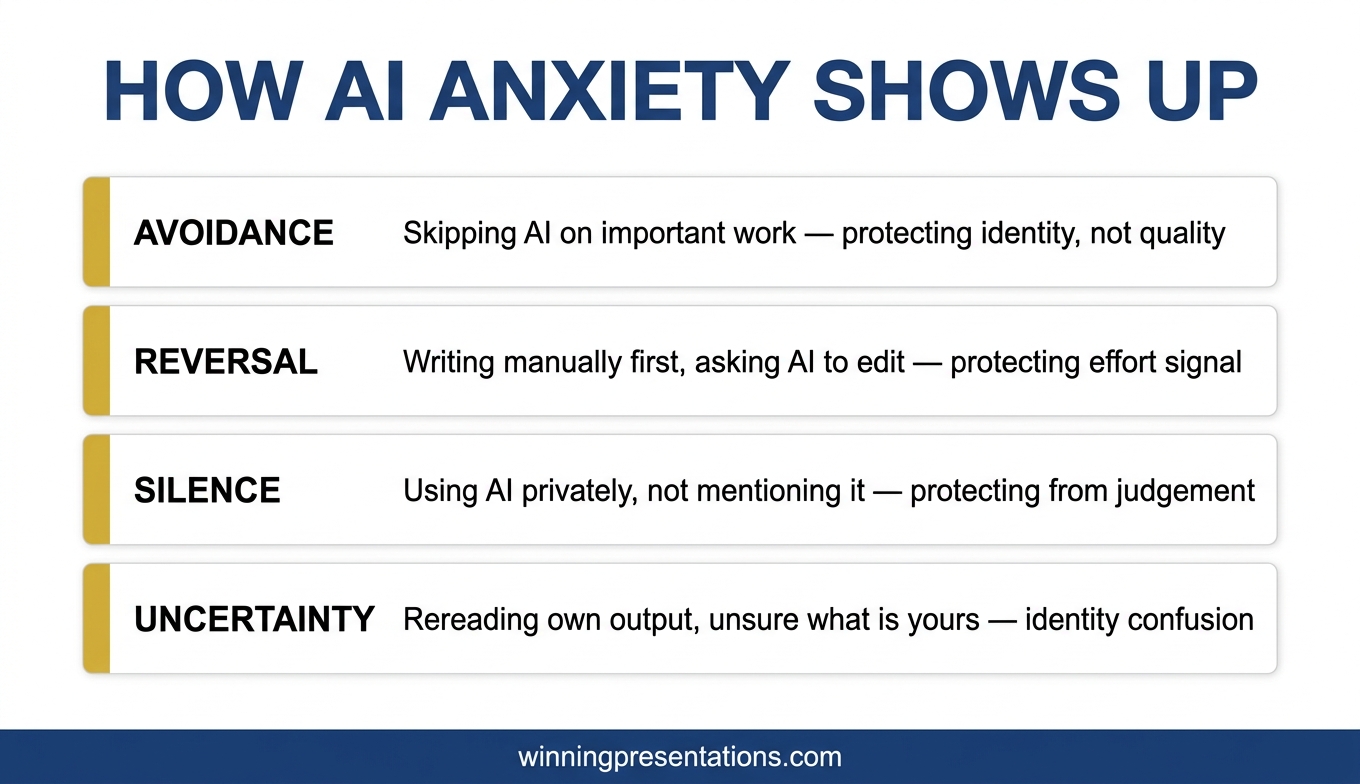
AI anxiety in senior professionals rarely announces itself. It shows up as a cluster of small behaviours that look like preferences but are really defences. The senior partner who avoids Copilot for the quarterly report “because I prefer to think on paper first.” The director who writes the first draft manually, then asks AI for minor edits, rather than the reverse. The executive who uses AI extensively in private and downplays it publicly. The leader who rereads their own output and cannot tell whether they wrote it or the AI did, and finds that a surprisingly uncomfortable question.
The common thread is that the anxiety runs alongside genuine capability. These are not people who need AI. They are people who have quietly noticed that AI makes some parts of their work easier, and who have started worrying about what that means. The worry is not irrational. It is about identity and signal.
The usual advice — “just use the tools, they are amazing” — misses the point. The anxiety is not technical. It is existential in the mild, everyday sense of that word. It is about what counts as your work and what counts as the tool’s work, and whether the distinction matters when the output is the same either way.
Why AI can feel like a credibility threat
Senior professionals have built credibility over years, often decades, through the accumulated evidence that they can produce good work reliably. The work is the signal. Reduce the visible effort behind the work and the signal weakens — at least, that is what the anxious part of the mind concludes. This is not a careful conclusion. It is a fast one, running in the background while the thinking mind is doing something else.
There is also a second layer. Senior audiences can increasingly tell when output has been AI-drafted. The tonal patterns, the structural defaults, the particular flavour of competent-but-generic writing — these become recognisable. Senior leaders who use AI start to worry that their audience will detect it, and that detection will be interpreted as laziness or as intellectual outsourcing. This worry is usually larger than the actual risk, but it is real.
Underneath both layers is something worth naming directly. The real credibility of a senior professional is not in the words on the slide. It is in the judgement behind those words — which questions to ask, which data to trust, which argument to commit to, which risk to take. AI cannot replicate that. What AI can do is draft, assemble, and format. These are the parts of the work that are the least credibility-carrying, even though they take the most visible time.
Senior professionals who feel less credible when using AI are usually confusing the drafting with the judging. They still do the judging. AI does not. But because drafting becomes faster and more polished, the professional loses the visible evidence of the effort that was not actually the credible part in the first place.
WHEN ANXIETY SHOWS UP IN HIGH-STAKES PRESENTATION MOMENTS
Structured work for senior professionals whose presentation anxiety is affecting performance
Conquer Your Fear of Public Speaking is Mary Beth’s programme for professionals whose anxiety shows up in the moments that matter most — board rooms, client pitches, high-stakes presentations. Drawn from 5 years of personal experience with acute presentation anxiety and 16 years of coaching senior leaders through it.
- Structured anxiety-reduction protocols for high-stakes moments
- Pre-presentation preparation routines
- In-the-moment recovery techniques
- Mindset work for senior professionals
- Instant download, lifetime access
£39, instant access.
Explore Conquer Your Fear of Public Speaking →
Designed for senior professionals facing high-stakes presentation moments.
The boundary that restores confidence
The fix for AI anxiety in senior leaders is not more or less AI. It is an explicit internal boundary between two categories of work. Category one is what AI drafts. Category two is what you judge. The boundary clarifies which parts of the work are credibility-carrying and which parts are operational.
AI drafts: the structural outline, the first-pass copy, the tonal calibration, the bullet points, the summary paragraphs. These are the visible parts. They were never where your credibility lived. Senior professionals with 20 years of experience do not have more credibility than junior professionals because they can write bullets faster. They have more credibility because they know which bullets matter.
You judge: which argument to build the deck around, which audience member is the real decision-maker, which risk to surface explicitly and which to leave in the appendix, which number to lead with, which counter-argument to engage directly, which option to recommend, which question to be ready for. Every one of these decisions is yours. AI cannot do any of them without your strategic inputs. You are still doing all the credibility-carrying work. The drafting just happens faster.
Once the boundary is clear, AI stops feeling like a threat to your competence. It becomes a drafting tool, like the word processor that you already use without any existential anxiety. The operational parts get faster. The judgement parts remain yours and always were. The clean version of this workflow is covered in why Copilot’s first draft fails boardroom tests, which shows exactly where AI drafting ends and human judgement takes over.
If you want a reliable starting point for AI prompts
The Executive Prompt Pack contains 71 ChatGPT and Copilot prompts designed for senior professionals — prompts you can use immediately without the anxiety of getting them wrong. £19.99, instant download.
What to say if asked whether you used AI
The question “did you use AI for this?” is usually a proxy question. What the asker often wants to know is whether the presenter has understood the material well enough to answer questions about it. “Yes, I used AI to draft the structure, and then I made the decisions about what to keep, what to change, and what position to take” is a strong answer. It is also true. It separates the drafting from the judging, which is the distinction that matters.
Leading with “I didn’t use AI” when you did has a predictable cost. If any part of the output reads as AI-drafted — and senior audiences increasingly pick this up — the presenter has now lied about a small thing, which undermines trust on larger things. The pretence is not worth it.
Leading with “I used AI to draft this” without qualification sometimes lands poorly because it suggests the professional did nothing. The useful phrasing names both halves. “I drafted with AI, edited with judgement” — or a variation in your own words — captures the distinction accurately.
There is one context where AI involvement genuinely matters: client work, regulated decisions, or output that will be audited. In those cases, the correct thing to do is disclose according to the relevant rules, without anxiety about it. The rules exist because AI use is now a normal part of professional work, not an exception.
Frequently asked questions
How is AI anxiety different from ordinary presentation anxiety?
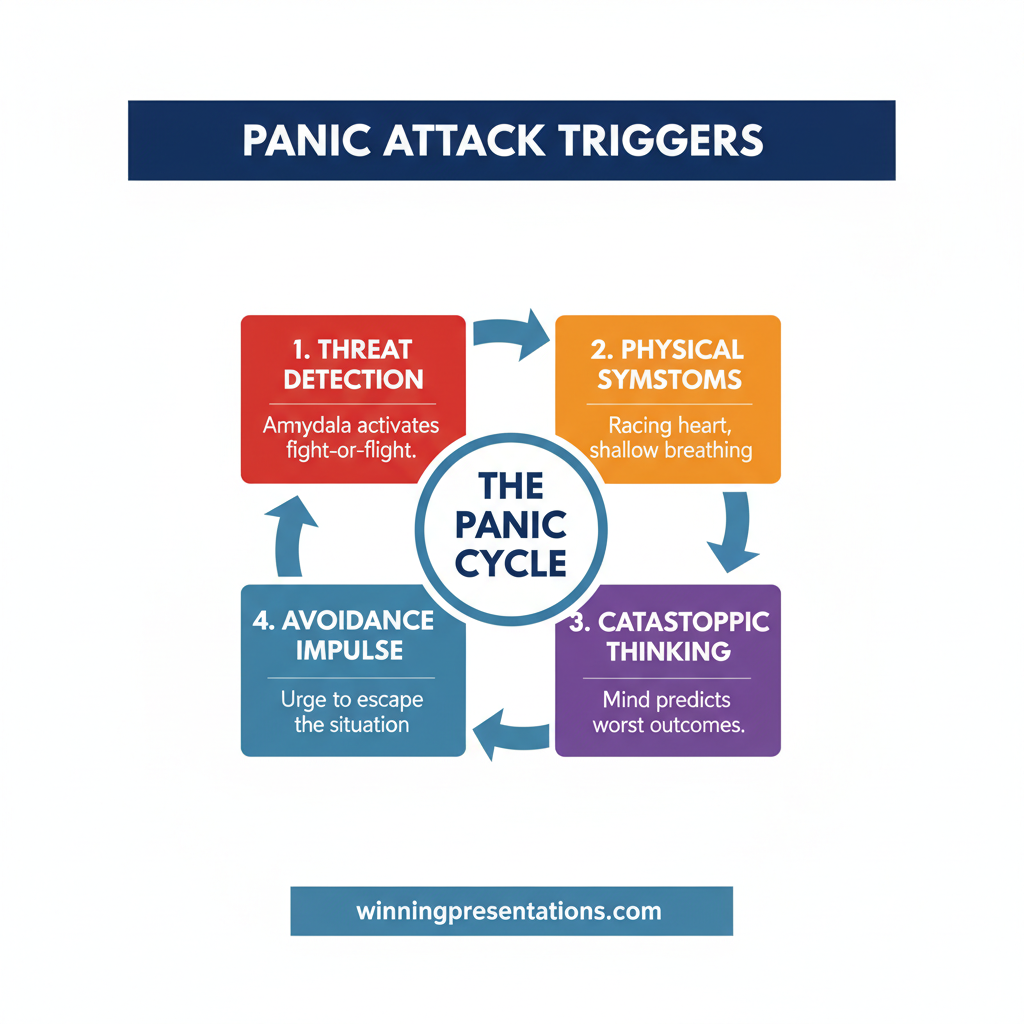
Ordinary presentation anxiety is about the moment of delivery — the racing heart, the shaking hands, the fear of freezing. AI anxiety is quieter and more cognitive. It happens before the presentation, often while preparing, and it is about identity rather than physiology. Both can coexist and both can affect performance, but they have different triggers and need different interventions.
Is there a point at which using AI for presentation work becomes inauthentic?
Authenticity in senior work is not about how much you wrote yourself. It is about whether the argument, decisions, and positions represent your thinking. If you used AI to draft the structure and then you committed to what the deck recommends because you believe it is the right recommendation, the deck is authentic. If you presented a recommendation you did not understand or did not agree with, the deck would be inauthentic — regardless of whether AI was involved.
Should I tell my board that I used AI to prepare the materials?
Usually not, and not because there is anything to hide. Board time is for decisions, not for explanations of drafting tools. If asked directly, answer honestly using the “drafted with AI, edited with judgement” framing. If not asked, there is no reason to offer the information unless your organisation has a disclosure policy.
I use AI extensively and feel fine about it. Am I missing something?
Probably not. People who have clear internal boundaries between AI drafting and their own judgement usually do not experience AI anxiety. The worry is most common in people who are either new to AI tools or who are uncertain about which parts of their work are credibility-carrying. If you have thought through the distinction and feel settled, you are where you want to be.
Can AI anxiety affect presentation delivery on the day?
Yes, indirectly. Senior leaders who feel uncertain about the provenance of their material sometimes deliver with less confidence than usual, even when the material itself is strong. This shows up as extra caveating, over-explanation, or a defensive edge during Q&A. The fix is the internal boundary described above — once it is clear, delivery confidence returns.
The Winning Edge
Weekly thinking for senior professionals on executive presentation craft — the judgement calls, confidence boundaries, and quiet practices that frameworks do not cover.
Not ready for the full programme? Start here instead: download the free 7 Presentation Frameworks Quick Reference — the structural scaffolds that give your own thinking a reliable shape, with or without AI.
Next step: draw the boundary for yourself this week. Write down three parts of your next presentation that AI can draft and three parts that are yours to judge. Notice how different it feels when the distinction is explicit rather than implicit.
For the structural side of AI-assisted executive work, see Copilot PowerPoint for board presentations.
About the author
Mary Beth Hazeldine is Owner & Managing Director of Winning Presentations Ltd, a UK company founded in 1990. With 24 years of corporate banking experience at JPMorgan Chase, PwC, Royal Bank of Scotland, and Commerzbank, she advises senior professionals on the psychology of high-stakes presentation work — including the quieter confidence issues that affect senior performers.