In this article:
- Why CFOs Derail Quarterly Reviews at Slide Three
- The Opening Summary That Pre-Empts the CFO’s First Question
- A Variance Framework That Removes Defensiveness
- Forward-Looking Commitments That Survive Scrutiny
- Handling the “What’s Changed Since Last Quarter?” Question
- CFO-Aligned Language Patterns for Every Slide
- Frequently Asked Questions
Mateus Oliveira had run the industrial coatings division of a FTSE 250 manufacturer for two years. The previous October, he was on slide three of his quarterly review, walking through divisional highlights, when the CFO lifted a hand and said, “Mateus, I’m going to stop you. I have no idea where we stand on gross margin. Can we come back when you can tell me?”
The meeting ended nine minutes after it started. Mateus walked out carrying a deck he had spent eleven hours building and a clear sense that his review structure had nothing to do with what finance leadership actually wanted to hear. His operations narrative had been thorough. His customer wins had been genuine. But he had buried the number the CFO cared about most under three slides of divisional context, and that was the only thing anyone remembered afterwards.
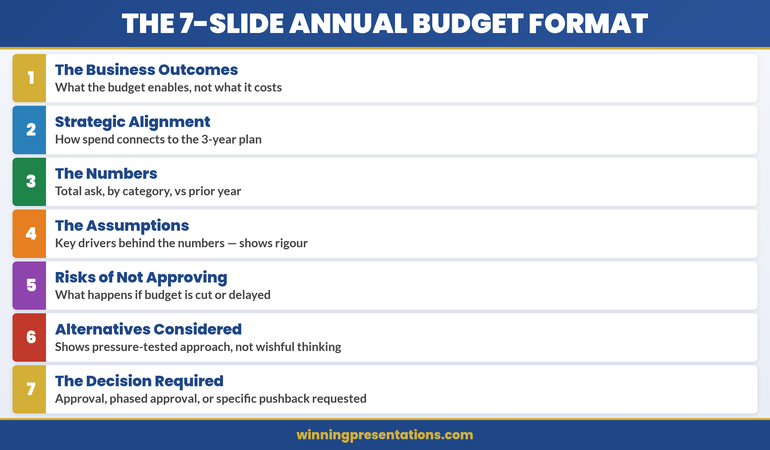
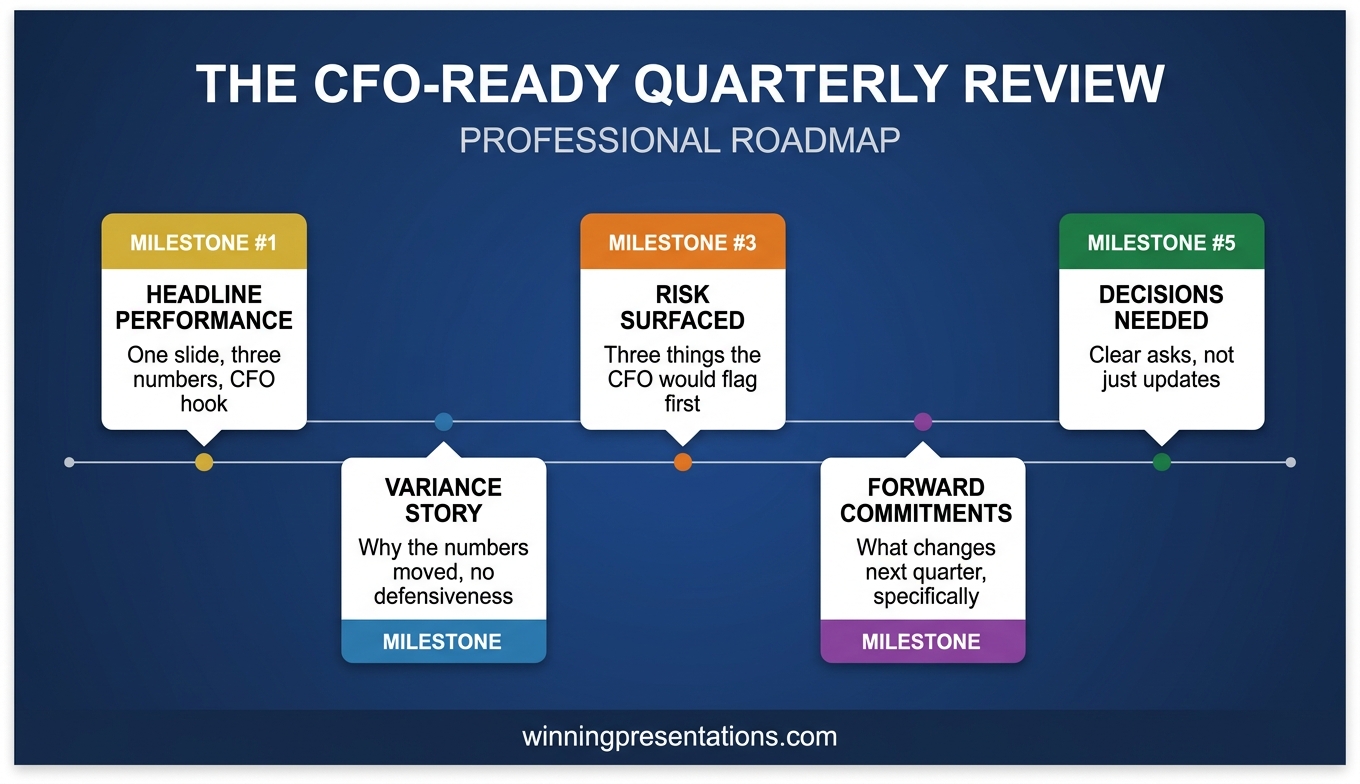
Two weeks before the January review, Mateus rebuilt the deck with a single question taped to his monitor: “What would the CFO ask in the first four minutes?” The answer reorganised everything. Slide one became a performance headline with revenue, margin, and cash conversion. Slide two became a variance summary naming the three biggest deltas before anyone could raise them. Slide three became forward commitments framed in quarters, not activities.
The January review ran for eighteen minutes. The CFO asked three follow-up questions — all anticipated and answered without hesitation. Sign-off was unanimous. What had changed was not Mateus’s performance, nor his analytical depth. It was the sequence in which he released information, and whose mental model that sequence served.
If you want a structured approach to CFO-facing quarterly reviews, the Executive Slide System provides templates and frameworks built for executive review scenarios where financial leadership will scrutinise every number.
Why CFOs Derail Quarterly Reviews at Slide Three
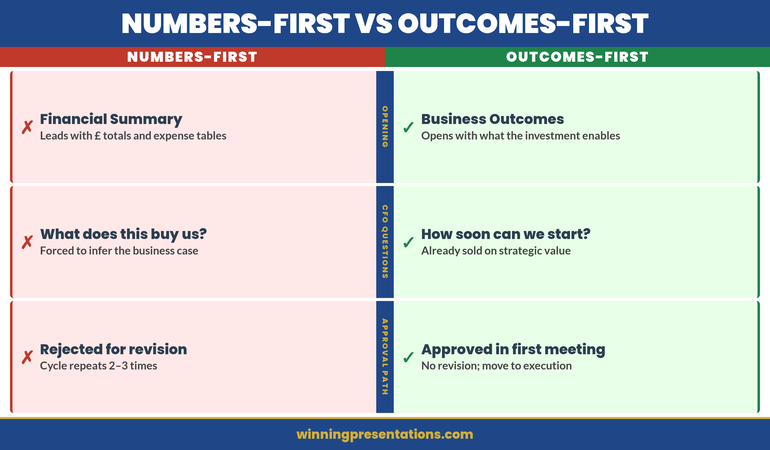
The most common structural mistake in a quarterly review presentation is front-loading operational narrative before financial headlines. Division heads and operations leaders typically build their decks in the order they experienced the quarter — customer wins, team progress, projects delivered — and place the financial summary somewhere in the middle. From the presenter’s perspective, this feels like good storytelling. From the CFO’s perspective, it feels like withholding.
The CFO arrives with a specific mental model. They have pre-read the numbers. They know your revenue landed two points below plan and your gross margin slipped sixty basis points. What they do not know is whether you know, whether you understand why, and whether your forward plan addresses it. When you open with operational context, the CFO reads that as a presenter who either has not grasped the financial reality or is hoping the narrative will soften the numbers.
This is structurally identical to the challenge explored in quarterly business review structure, where the temptation to tell the story chronologically consistently loses against the discipline of telling it financially first. The executive audience wants the conclusion in the first minute and the evidence afterwards — not the other way around. When a CFO interrupts at slide three, it is rarely because the slide is wrong. It is because they have decided the deck does not respect their time. Pre-empting their questions is an act of professional courtesy that signals you understand how financial leadership reviews divisional performance.
Build a CFO-Ready Quarterly Review Deck in One Evening
The Executive Slide System includes 26 templates, 93 AI prompts, and 16 scenario playbooks — covering quarterly reviews, variance presentations, and board-level performance briefings. Stop rebuilding your review structure from scratch every quarter.
£39 — instant access. Designed for executives who present to CFOs and executive committees.
The Opening Summary That Pre-Empts the CFO’s First Question
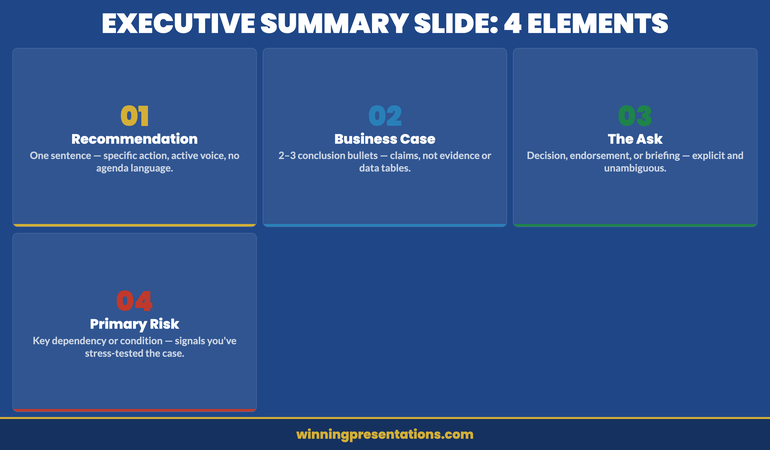
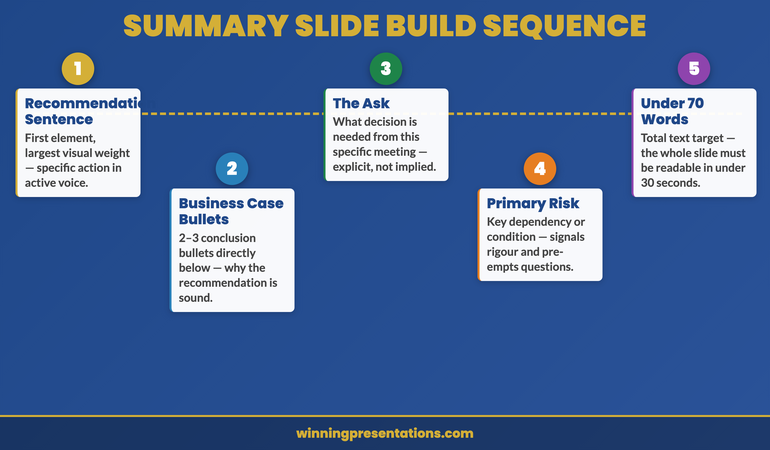
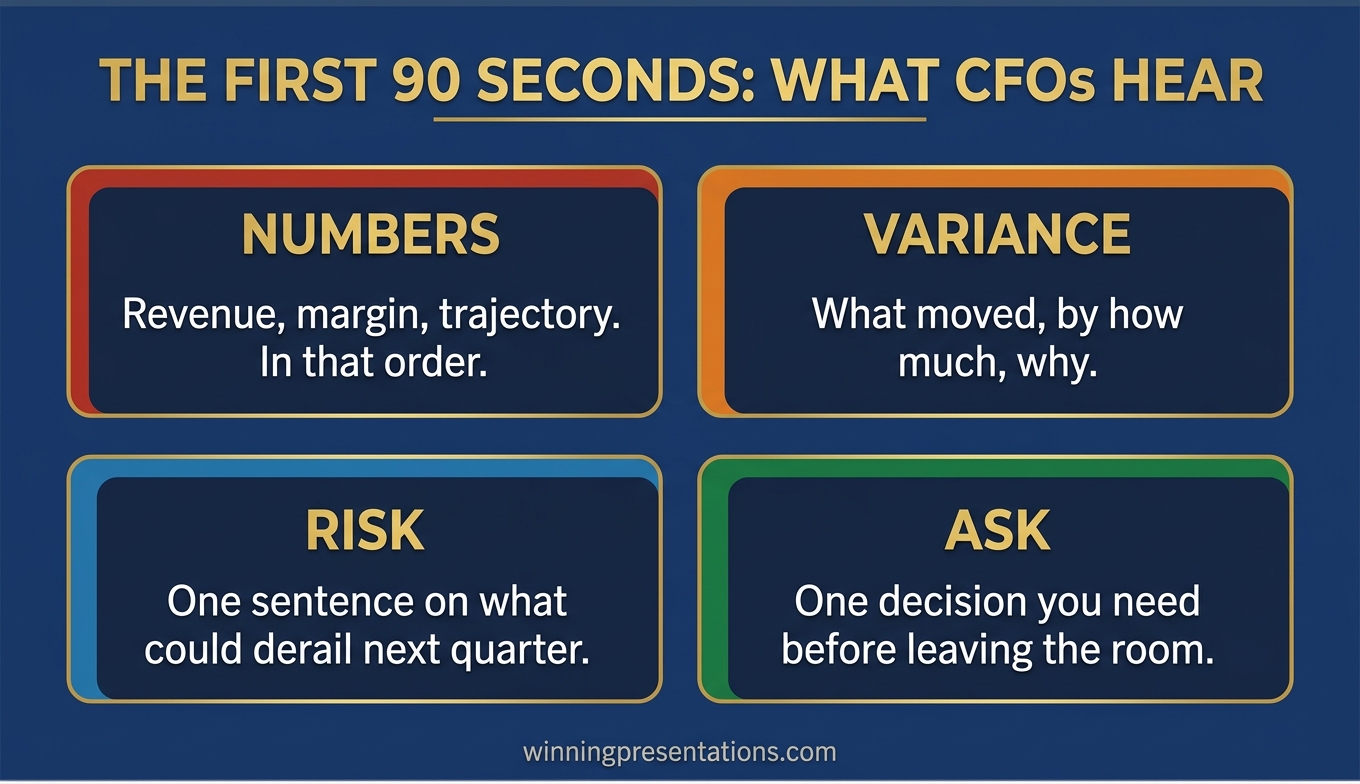
The first slide of a quarterly review presentation is not an agenda, a team photo, or a customer quote. It is a two-sentence performance headline followed by three numbers and a verdict.
Sentence one states the quarter’s headline in plain financial language: “The division delivered revenue of £84.2m against a plan of £86.5m, gross margin of 37.4% against 38.0%, and cash conversion of 92% against 95%.” Sentence two states your verdict: “This is a below-plan quarter driven primarily by timing of two strategic customer contracts that have since closed.” No softening language. The CFO’s first question is now answered before it is asked.
Three financial metrics is the right number for this opening. Fewer, and the CFO will ask for the ones you left out. More, and you dilute the headline. Revenue, margin, and a third metric that reflects operational quality — cash conversion, working capital, customer retention, backlog coverage — will cover most quarterly review scenarios. The third metric is where you signal what you consider the true health indicator for your division, and that signalling is watched closely.
The verdict sentence is where presenters retreat into hedge language. Resist it. “Mixed quarter” and “progress against a challenging backdrop” communicate that you are not prepared to name reality. A clear verdict earns credibility that buys the room’s attention. A disciplined CFO presentation language pattern reinforces that across every slide.
A Variance Framework That Removes Defensiveness
Once the opening summary has pre-empted the first question, the second slide must address the second: “why?” This is where most quarterly reviews lose control of the room, because variance explanation done badly reads as excuse-making. Done well, it reads as professional judgement. A CFO-ready variance slide uses three categories, in this order:
Timing variances. Revenue or cost movements that shifted between quarters but remain within the financial year. “£1.8m of revenue slipped from Q3 to Q4 as the Henderson contract moved its go-live date by six weeks. The contract has since signed.” Timing variances are least threatening because they imply the underlying business is intact.
Structural variances. Movements that reflect a real change in the underlying business — a lost customer, margin pressure, an expanded cost base. “Gross margin slipped 60 bps due to a 4% raw materials increase not fully passed through in contracts signed before the price review.” Name these clearly. Hiding them in aggregated categories triggers the CFO’s “what aren’t you telling me?” instinct.
Investment variances. Deliberate spending decisions that widen variance against plan in the short term but serve strategic objectives the executive committee has already approved. “Sales headcount is three positions above plan following the board’s October decision to accelerate European expansion. The incremental cost is £180k this quarter.” Investment variances should never be a surprise to the CFO.
This three-category structure mirrors how a financial leader already thinks about variance. When your slide uses their mental model, the conversation that follows is collaborative rather than adversarial. The discipline of executive variance explanation — naming timing, structural, and investment movements separately — is what converts a defensive Q&A into a governance conversation.
If you want a ready-made template for this variance slide — including language patterns and example framings — the Executive Slide System includes templates designed for quarterly review and CFO-facing scenarios.
Forward-Looking Commitments That Survive Scrutiny
After variance, the next question on the CFO’s mind is “what are you going to do about it?” This is where executive presenters most often make commitments they cannot keep, because the pressure of the room pushes them toward optimism. A deck that survives scrutiny builds forward commitments the presenter can defend twelve weeks later. Three principles make forward commitments durable:
Quantify or stay silent. Every forward commitment must have a number and a date attached. “We will recover the margin gap by Q2” is not a commitment. “We will recover 40 basis points of the 60 bps margin gap by end Q2 through the contract price review completing in March” is. If you cannot quantify something, do not commit to it — put it on a watchlist.
Name the dependencies. Every financial commitment rests on conditions that may not hold. State them explicitly. “Assuming the Henderson contract remains on the revised March timeline and raw materials pricing holds, we expect to close £2.1m of the £2.3m shortfall.” Naming dependencies is not hedging — it gives the CFO a clear basis for confidence and a clear trigger for escalation.
Separate commitments from ambitions. A CFO-ready deck uses two distinct labels: “we will” for commitments, “we aim to” for ambitions. Commitments are what the CFO can hold you to at the next review. Mixing them creates accountability problems that surface two quarters later when a stretch target has been quietly reinterpreted as a firm forecast.
Quarterly Reviews That Earn Credibility Instead of Eroding It
The Executive Slide System gives you 16 scenario playbooks and 93 AI prompts to structure quarterly reviews, variance presentations, and CFO briefings that drive decisions instead of triggering interruptions. Templates for executive review decks and divisional performance reporting.
£39 — instant access.
Handling the “What’s Changed Since Last Quarter?” Question
Every experienced CFO asks some version of this question, and the quality of your answer determines the trajectory of the meeting. It is a credibility test: do you have a live mental model of your division, or did you simply refresh last quarter’s deck with new numbers? The best answer has three components, delivered in under ninety seconds:
What we said we would do last quarter, and what actually happened. Pull three specific commitments from the previous review and report on each one. “Last quarter we committed to signing the Henderson contract by January; it signed on 8 February. We committed to holding gross margin at 38%; we delivered 37.4%. We committed to closing two sales vacancies; both are now filled.” Directors who see a presenter report against prior commitments — including the missed ones — conclude that the next commitments are worth trusting.
What we now know that we did not know last quarter. Name one or two material insights from the past twelve weeks — a competitor move, a customer behaviour shift, a regulatory signal. This tells the CFO you are running the division with open eyes.
What we are doing differently as a result. Close the loop. “Because the Henderson go-live pattern reflects a broader procurement slowdown in the sector, we have adjusted Q2 pipeline conversion assumptions downwards by 8%.” Responding to new information with specific adjustments is the behaviour CFOs reward most consistently. Prepare this ninety-second answer in writing before every quarterly review — delivering it fluently transforms the rest of the conversation.
CFO-Aligned Language Patterns for Every Slide
The final discipline that separates a quarterly review that survives scrutiny from one that stalls is word choice. CFOs operate in a narrow vocabulary: cash, margin, risk, timing, dependencies, assumptions, variance. When your slide language matches that vocabulary, the conversation stays strategic. When it drifts into operational or aspirational language, the CFO starts translating and losing patience. Three language shifts make the largest difference:
Replace activity verbs with outcome verbs. “We launched a new training programme” is an activity. “Sales productivity improved 11% following the May training programme” is an outcome. CFOs listen for outcome verbs because activities cost money and outcomes justify it.
Attach numbers to every significant claim. “Strong pipeline progression” means nothing. “Pipeline coverage of 2.8x against the 2.5x threshold” means something. If you cannot attach a number to a claim, consider whether the claim belongs in an executive review at all.
Lead with risk and dependency before certainty. “We expect to deliver the Q2 revenue target, though this depends on two renewals closing by end March and raw materials pricing holding” earns more trust than “We will deliver the Q2 revenue target” — even though the second sentence sounds more confident. CFOs have been burned by confident sentences without dependencies.
Frequently Asked Questions
How long should a quarterly review presentation be?
Aim for 8 to 12 slides in the core deck, presented in 15 to 20 minutes, with the full divisional appendix available for questions. Most executive review slots allocate 30 to 45 minutes in total, and your presentation should consume no more than half of that — the remainder is for the CFO and executive committee to challenge, probe, and confirm commitments.
What should the first slide of a quarterly review presentation show?
The first slide should show a two-sentence performance headline, three financial metrics (typically revenue, margin, and a third operational quality metric such as cash conversion), each with plan and actual, and a clear verdict on whether the quarter was above plan, below plan, or mixed. Avoid opening with an agenda, a team photo, or customer logos. The CFO has already pre-read the numbers, and opening with anything other than the financial headline reads as delay.
How do you explain variance in a quarterly review without sounding defensive?
Separate variance into three named categories: timing variances that will reverse within the financial year, structural variances that reflect underlying business changes, and investment variances that are deliberate and already approved. Name each variance with a specific amount, cause, and recovery expectation. The professional signal is specific, categorised variance with named causes and dependencies.
Should you show divisional wins in a quarterly review presentation?
Yes, but only after the financial summary, variance, and forward commitments. Divisional wins belong in a short context section after the CFO-facing core, or in the appendix. Leading with wins reads as an attempt to soften the numbers. Putting wins after the numbers allows them to be appreciated on their own merits rather than discounted as spin.
Join The Winning Edge
Free weekly newsletter for executives who present to CFOs and executive committees. Practical frameworks, variance-explanation strategies, and slide structures that survive scrutiny — delivered every Thursday.
Not ready for the full system? Start here instead: download the free Executive Presentation Checklist — a quick-reference guide for structuring any high-stakes executive review or board presentation.
Read next: If your quarterly review is being delivered to a multinational executive committee, see Cross-Cultural Virtual Presentation: How to Structure a Deck That Lands in Every Region for a complementary framework on presenting to distributed executive audiences.
Mary Beth Hazeldine is the Owner & Managing Director of Winning Presentations. With 25 years of corporate banking experience at JPMorgan Chase, PwC, Royal Bank of Scotland, and Commerzbank, she advises executives across financial services, healthcare, technology, and government on structuring presentations for high-stakes scenarios.