Tag: Ai presentation tools

19 Jan 2026
Why AI-generated slides look generic - the framework-first fix for executive-quality presentations

Why Your AI-Generated Slides Look Generic (And How to Fix It)

Quick answer: Your AI-generated slides look generic because you’re asking AI to do the thinking for you. The tool isn’t brokenβ€”the input is. When you prompt AI without a clear framework (structure, audience, decision point), it defaults to safe, templated output. The fix isn’t better prompts. It’s building your presentation framework first, then using AI to accelerate execution.

This fixes the endless cycle of generate β†’ cringe β†’ delete β†’ redo that wastes hours and leaves you with slides you’re embarrassed to present.

⚑ Need to fix generic AI slides right now? Do this before your next prompt:

Step 1: Write your main message in one sentence (what do you want them to decide/believe?)

Step 2: List your 3 supporting points in order of importance

Step 3: Identify your audience’s #1 objection

Step 4: NOW prompt AI with this structureβ€”watch the output transform

The Β£2M Pitch That AI Almost Ruined

A client came to me last year in a panic. She’d used AI to create her investor pitch deckβ€”Gamma for the slides, ChatGPT for the script. The output looked polished. Professional fonts, clean layouts, smooth transitions.

The investors passed in under five minutes.

“It felt like every other pitch we’ve seen this month,” one told her. “Nothing stood out.”

That’s the trap. AI-generated slides look generic not because the tools are bad, but because they’re designed to be safe. They optimise for “acceptable to everyone” rather than “compelling to your specific audience.”

Six weeks later, we rebuilt her deck using a framework-first approach. Same information. Same AI tools for execution. Different result: Β£2.1M raised.

The AI didn’t change. Her input did.

⭐ Master the Framework That Makes AI Output Executive-Ready

Stop fighting with prompts. Learn the structure-first methodology that transforms any AI tool from “generic template generator” to “presentation accelerator.”

In this live cohort course:

  • The Decision-First Framework for AI-enhanced presentations
  • How to brief AI tools so they produce executive-quality output
  • Live feedback on your actual presentations
  • Templates that work with Copilot, Gamma, ChatGPT, and any future tool

Join AI-Enhanced Presentation Mastery β†’

Live cohort course with Mary Beth Hazeldine. Limited seats per session. Framework-first methodology tested across banking, consulting, and FTSE 100 environments.

If you have an investor pitch, board deck, or QBR in the next 2–3 weeks, this will pay for itself immediately.

Why Every AI Tool Produces Generic Output

Here’s what most people don’t understand about AI presentation tools: they’re trained on millions of slides, which means they’ve learned to produce the average of all those slides.

Average is, by definition, generic.

When you prompt Copilot with “Create a presentation about Q3 results,” it generates what a Q3 presentation typically looks likeβ€”across thousands of companies, industries, and contexts. It doesn’t know your audience is a skeptical CFO. It doesn’t know your Q3 results contain a critical pivot point. It doesn’t know the board has seen 47 similar presentations this month.

So it gives you:

  • Safe bullet points that could apply to any company
  • Stock imagery that signals “corporate presentation”
  • Slide titles like “Overview” and “Key Takeaways” that tell the audience nothing
  • A structure that builds to a conclusion (when executives want conclusions first)

This isn’t a flaw in the AI. It’s working exactly as designed. The problem is the input, not the tool.

If you’ve tried fixing generic Copilot slides with better prompts, you’ve probably noticed: better prompts help marginally. They don’t solve the core problem.

The Framework-First Method That Changes Everything

The executives I’ve trained over 24 years in banking don’t start with slides. They don’t start with AI prompts. They start with a framework.

Framework-first means answering these questions before you touch any tool:

1. What’s the one decision I need from this audience?

Not “inform them about Q3.” A specific decision: “Approve the Β£500K investment in the new system.”

2. What’s their biggest objection or concern?

A CFO worries about ROI. A board worries about risk. A client worries about implementation. Name it.

3. What evidence will overcome that objection?

Not all your data. The specific proof points that address their specific concern.

4. What’s the logical flow that leads to yes?

Decision β†’ Impact β†’ Risk mitigation β†’ Evidence. This is the executive presentation structure that actually works.

Once you have this framework, AI becomes extraordinarily useful. You’re not asking it to think for you. You’re asking it to execute your thinking faster.

Instead of prompting: “Create a presentation about our new CRM system”

Prompt with framework: “Create a 6-slide presentation for our CFO requesting Β£500K for a CRM upgrade. Main message: this investment pays back in 14 months through reduced customer churn. Address the objection that implementation will disrupt Q4 sales. Structure: recommendation first, then ROI evidence, then risk mitigation, then timeline.”

The output from the second prompt is unrecognisable from the firstβ€”even though it’s the same AI tool.

Want to master framework-first AI presentations? AI-Enhanced Presentation Mastery is a live cohort course that teaches the complete methodologyβ€”with feedback on your actual presentations. See upcoming sessions β†’

Before and After: Same Tool, Different Input

Here’s what the framework-first difference looks like in practice:

BEFORE (prompt-first approach):

Prompt:

“Create a presentation about implementing a new project management system”

AI Output:

  • Slide 1: Title slide with generic stock image
  • Slide 2: “Agenda” (why do executives need an agenda for 8 slides?)
  • Slide 3: “Current Challenges” (vague bullet points)
  • Slide 4: “Proposed Solution” (feature list)
  • Slide 5: “Benefits” (generic claims)
  • Slide 6: “Implementation Timeline” (Gantt chart)
  • Slide 7: “Budget Overview” (numbers without context)
  • Slide 8: “Next Steps” / “Questions?”

AFTER (framework-first approach):

Framework completed first:

Decision: Approve Β£85K for project management system. Audience: COO + Finance Director. Main objection: disruption to current workflow. Key evidence: 23% productivity gain from pilot team.

Prompt:

“Create a 6-slide executive presentation requesting Β£85K budget approval for a project management system. Lead with the recommendation and expected ROI. Address workflow disruption concerns by showing pilot results. Include risk mitigation. Audience is COO and Finance Director who value efficiency metrics.”

AI Output:

  • Slide 1: “Recommendation: Approve Β£85Kβ€”Expected 340% ROI in 18 months”
  • Slide 2: Pilot results showing 23% productivity gain
  • Slide 3: Workflow disruption mitigation plan
  • Slide 4: Financial breakdown with payback timeline
  • Slide 5: Risk assessment with contingencies
  • Slide 6: Decision requested + implementation start date

Same AI. Same topic. Completely different output. The difference is worth thousands in approved budgets and closed deals. Learning to create framework-first presentations can transform how decision-makers perceive your proposalsβ€”and your readiness for senior roles.


Framework-first vs prompt-first approach comparison showing how the same AI tool produces generic versus executive-quality slides based on input quality

⭐ Stop Producing Slides That Look Like Everyone Else’s

The framework-first methodology works with any AI toolβ€”because it fixes the input, not the technology. Learn it once, apply it forever.

What you’ll master:

  • The 4-question framework that transforms AI output
  • Executive presentation structures that work across industries
  • How to brief any AI tool for professional results
  • Live practice with real-time feedback

Join the Next Cohort β†’

Live sessions + async practice. Includes templates, frameworks, and direct feedback on your presentations.

Which AI Tool Actually Matters? (Hint: None of Them)

People ask me constantly: “Should I use Copilot or Gamma? Is ChatGPT better than Claude for slides? What about Beautiful.ai?”

The honest answer: it barely matters.

Every major AI tool can produce executive-quality slidesβ€”if you give it executive-quality input. And every tool will produce generic output if you give it generic prompts.

The tools will keep changing. Copilot will update. New competitors will launch. GPT-6 will arrive. But the framework-first methodology stays constant because it’s based on how humans make decisions, not how AI generates content.

This is why I teach frameworks that are tool-agnostic. My clients use the same methodology whether they’re in Copilot, Gamma, or building slides manually. The AI presentation workflow accelerates execution, but the thinking happens before any tool is opened.

What to ask instead of “which tool is best?”:

  • “Do I have a clear decision I’m asking for?”
  • “Have I identified my audience’s main objection?”
  • “Do I know the evidence that overcomes that objection?”
  • “Is my structure decision-first or conclusion-last?”

Answer those questions, and any AI tool will serve you well.

Ready to master framework-first presentations? AI-Enhanced Presentation Mastery teaches the complete systemβ€”70% framework thinking, 30% AI execution. Works with any tool, now and in the future. View course details β†’

Related: Once your slides are executive-ready, make sure your structure and delivery match. Read Executive Presentation Structure: The Format That Gets Instant Buy-In and How to Stop Saying Um (Without Sounding Robotic).

Common Questions About AI-Generated Slides

Why do AI presentations look so generic?

AI tools are trained on millions of slides, so they produce the statistical average of all presentations. Average means generic. The tool optimises for “safe and acceptable” rather than “compelling for your specific audience.” To get non-generic output, you must provide specific input: the decision you need, the objection you’re addressing, and the evidence that overcomes it.

How do I make AI-generated slides look professional?

The secret isn’t in the promptsβ€”it’s in the framework you create before prompting. Define your one key decision, your audience’s main concern, and your supporting evidence structure. Then prompt AI with this specific context. The same tool that produces generic bullet points will produce executive-ready slides when given framework-quality input.

What’s wrong with AI presentation tools?

Nothing is wrong with the tools. Copilot, Gamma, ChatGPT, and others are all capable of producing excellent output. The problem is how most people use themβ€”asking AI to think instead of asking AI to execute. When you do the strategic thinking first (framework) and use AI for tactical execution (slides), the results transform completely.

⭐ Create Presentations That Don’t Look AI-Generated

Learn the methodology that makes AI your presentation acceleratorβ€”not your presentation liability.

Inside the course:

  • The Decision-First Framework (works with any AI tool)
  • Executive presentation templates with prompting guides
  • Live cohort sessions with direct feedback
  • How to brief AI for boardroom-quality output

Enroll in AI-Enhanced Presentation Mastery β†’

Live cohort format with Mary Beth Hazeldine. Framework-first methodology developed from 24 years in corporate banking and executive coaching.

FAQ

Which AI tool is best for presentations?

The tool matters far less than the input. Copilot, Gamma, ChatGPT, Beautiful.ai, and Canva’s AI features can all produce excellent presentationsβ€”if you give them framework-quality input. Choose based on what integrates with your workflow (Copilot for Microsoft users, Gamma for standalone, etc.), not based on which “produces the best slides.” They all produce generic slides with generic prompts.

Can AI really create executive-quality slides?

Yesβ€”but only when you provide executive-quality thinking first. AI excels at execution: formatting, visual consistency, generating variations quickly. It struggles with strategy: understanding your specific audience, identifying the key decision, structuring for persuasion. Do the strategy yourself, use AI for execution, and the output will impress executives.

How long does the framework-first approach take?

About 10-15 minutes of structured thinking before you open any tool. This feels slower initially but dramatically reduces total time. You eliminate the “generate, delete, regenerate” cycle that wastes hours. Most of my clients report cutting total presentation creation time by 40-60% once the framework-first approach becomes habit.

Will this work with Copilot/Gamma/ChatGPT?

The framework-first methodology works with any AI tool because it focuses on input quality, not tool features. I’ve tested it extensively with Copilot, Gamma, ChatGPT, Claude, and several others. The specific prompting syntax varies slightly by tool, but the core framework remains identical. Learn the framework once, adapt to any tool.

πŸ“§ The Winning Edge Newsletter

Weekly insights on AI-enhanced presentations, executive communication, and framework-first thinking. Practical techniques from 24 years in corporate bankingβ€”no AI hype, just what actually works.

Subscribe Free β†’

Your Next Step

Your AI-generated slides look generic because AI is doing what it’s designed to do: produce safe, average output. The fix isn’t a better tool or better prompts. It’s better input.

Before your next presentation, take 10 minutes to answer the framework questions: What decision do you need? What’s the main objection? What evidence overcomes it? What’s the logical structure?

Then prompt AI with that framework. The output will transformβ€”and so will how your audience responds.

If you want to master the complete framework-first methodology with live feedback and executive-tested templates, join AI-Enhanced Presentation Mastery.

About the Author

Mary Beth Hazeldine is the Owner & Managing Director of Winning Presentations and a former corporate banker with 24 years of experience at JPMorgan Chase, PwC, Royal Bank of Scotland, and Commerzbank. She has trained thousands of executives on high-stakes presentation skills and helped clients secure more than Β£250 million in funding and budget approvals.

Mary Beth is also a qualified clinical hypnotherapist and NLP practitioner, specialising in helping professionals overcome presentation anxiety. She developed the framework-first AI methodology after seeing countless executives struggle with generic AI outputβ€”and discovering that the fix was strategic thinking, not better technology.

Book a discovery call | View services

02 Jan 2026
How to make a presentation with AI - the complete 90-minute workflow

How to Make a Presentation With AI: The Complete 90-Minute Method [2026]

Want to make a presentation with AI in under 90 minutes? Last Tuesday, a client called me in a panic β€” board presentation in 4 hours, zero slides ready.By the time she walked into that boardroom, she had 12 polished slides, a clear narrative, and the confidence that comes from knowing exactly what to say.

The presentation landed. The board approved her proposal.

Total time to make a presentation with AI from scratch? 87 minutes.

I’ve spent 24 years creating presentations at JPMorgan Chase, PwC, Royal Bank of Scotland, and Commerzbank. For most of that time, a decent presentation took a full day. Sometimes two.

Not anymore.

If you want to learn how to make a presentation with AI that actually works β€” without spending your entire weekend on it β€” you need a system. Not random prompts. Not AI gimmicks. A repeatable process that combines human thinking with AI speed.

Here’s the exact method I use with clients.

For the fundamentals of presentation creation without AI tools, see my complete guide: How to Make a Presentation: The Complete Guide.

🎁 Want the prompts? Download my 10 Essential Copilot Prompts (free) β€” the exact prompts I use in the workflow below.

Why AI Changes How You Make a Presentation

The average professional spends 4-8 hours creating a single presentation. Some spend entire weekends.

Here’s why learning to make a presentation with AI is a game-changer:

  • First drafts in minutes β€” AI generates starting content instantly
  • Structure suggestions β€” AI can propose logical flows
  • Content expansion β€” AI fills in bullet points and speaker notes
  • Editing assistance β€” AI helps simplify and clarify

But here’s what most people get wrong: AI can’t replace thinking.

If you don’t know your purpose and audience, AI will just help you make a presentation faster β€” but it won’t be a good presentation. Garbage in, garbage out.

The 90-minute method works because it combines human strategy with AI execution.

How to Make a Presentation With AI: The 90-Minute Method

This workflow uses AI tools (Copilot, ChatGPT, or Claude) to accelerate each phase. Set a timer. Each phase has a strict time limit.

Phase 1: The Decision Frame (10 Minutes) β€” Human Only

Before you touch any AI tool, answer four questions in writing:

  1. What decision do I need from this presentation?
    Not “inform about Q3 results” but “approve the Q4 budget increase”
  2. Who makes that decision?
    Name them. Understand what they care about.
  3. What would make them say yes?
    What evidence, logic, or reassurance do they need?
  4. What would make them say no?
    What objections will they have? Plan to address them.

Write your answers in 2-3 sentences each. This is your presentation’s foundation.

If you skip this step, the next 80 minutes will be wasted. AI will help you make a presentation faster β€” but it’ll be the wrong presentation.

Phase 2: The Narrative Spine (15 Minutes) β€” AI-Assisted

Now use AI to help create your presentation’s structure.

Use this prompt:

I need to create a presentation to [YOUR DECISION FROM PHASE 1].My audience is [WHO DECIDES]. They care about [WHAT THEY VALUE].Their likely objections are [YOUR PHASE 1 ANSWERS].

Give me a 5-7 slide structure using the Problem β†’ Solution β†’ Action framework. For each slide, give me the headline (what the slide says) and the purpose (why this slide exists).

Review the AI output. Adjust the order if needed. You now have your narrative spine.

The test: Can you explain your presentation in 30 seconds using only these headlines? If not, ask AI to simplify the structure.

Phase 3: Content Generation (25 Minutes) β€” AI-Powered

Now β€” and only now β€” do you open PowerPoint or Google Slides. This is where AI dramatically accelerates how you make a presentation.

If you have Copilot in PowerPoint:

Create a slide about [YOUR HEADLINE]. Include [SPECIFIC DATA OR POINTS]. Keep text minimal β€” maximum 4 bullet points of 6 words each.

If you’re using ChatGPT or Claude:

I’m creating a slide with this headline: [HEADLINE]The purpose of this slide is: [PURPOSE]Give me 3-4 bullet points (maximum 6 words each) that support this headline. Make them specific and actionable.

For each slide in your structure:

  1. Use AI to generate initial content
  2. Review and edit (remove anything generic)
  3. Move to the next slide

At the end of Phase 3, you should have a complete first draft.

⚑ Get 25 Tested AI Prompts

The Copilot Quick-Start Prompt Pack (Β£9.99) includes prompts for every phase β€” structure, content, refinement, and speaker notes. Stop guessing what to ask AI.

Phase 4: Visual Refinement (20 Minutes) β€” Human-Led

AI can help you make a presentation quickly, but human judgment is still needed for refinement.

Go through each slide and apply these rules:

The One-Point Rule: Each slide makes ONE point. If you have two points, you need two slides.

The 6-Word Rule: No bullet point longer than 6 words. If it’s longer, ask AI to shorten it:

Shorten this bullet point to 6 words maximum while keeping the meaning: “[YOUR LONG BULLET POINT]”

The Squint Test: Squint at your slide. Can you still tell what it’s about? If not, simplify.

Phase 5: The Polish Pass (15 Minutes) β€” AI-Assisted

Final refinements that separate good from great:

Opening check (3 minutes): Does your first slide create curiosity? Ask AI:

My presentation is about [TOPIC]. My opening slide says “[CURRENT TITLE]”. Give me 3 alternative opening headlines that create curiosity and hint at the value the audience will get.

Flow check (5 minutes): Click through in slideshow mode. Mark any transitions that feel abrupt.

Closing check (3 minutes): Does your final slide tell the audience exactly what to do?

Spelling/grammar check (4 minutes): Run spell-check. Read titles aloud.

Phase 6: Speaker Notes (5 Minutes) β€” AI-Powered

Use AI to generate speaker notes for each slide:

Write brief speaker notes for this slide. Include: one conversational opening sentence, key talking points (not reading the slide), and a transition to the next topic which is [NEXT SLIDE HEADLINE].

You’re done. Total time: 90 minutes.

The Best AI Tools to Make a Presentation

Here’s what works best for different situations:

Tool Best For Limitations
Microsoft Copilot PowerPoint users, enterprise Requires Microsoft 365 subscription
ChatGPT Content generation, any platform Can’t edit slides directly
Claude Long content, detailed structures Can’t edit slides directly
Canva AI Visual-first presentations Less control over structure
Gamma Quick drafts from prompts Limited customisation

My recommendation: Use ChatGPT or Claude for Phases 1-2, then Copilot (if available) for Phases 3-6.

Common Mistakes When Using AI to Make a Presentation

Mistake 1: Skipping the Decision Frame. AI can’t read your boss’s mind. You need to define purpose and audience first.

Mistake 2: Using generic prompts. “Make a presentation about sales” gives generic results. Include your specific context, audience, and goals.

Mistake 3: Accepting AI output without editing. AI gives you a starting point, not a finished product. Always review and refine.

Mistake 4: Over-relying on AI for structure. AI suggests common structures. For high-stakes presentations, human judgment about what your specific audience needs is irreplaceable.

Mistake 5: Forgetting to fact-check. AI can make things up. Verify any statistics or claims before presenting.

The 90-Minute AI Presentation Checklist

Print this and use it every time you make a presentation with AI:

Phase Time AI Role Done?
Decision Frame 10 min Human only ☐
Narrative Spine 15 min AI-assisted ☐
Content Generation 25 min AI-powered ☐
Visual Refinement 20 min Human-led ☐
Polish Pass 15 min AI-assisted ☐
Speaker Notes 5 min AI-powered ☐

FAQs: Making Presentations With AI

Can AI make a complete presentation for me?

AI can generate slides, but it can’t replace thinking. You still need to define your purpose, know your audience, and review the output. Think of AI as a fast assistant, not a replacement for strategy.

Which AI tool is best for PowerPoint?

Microsoft Copilot is best if you have it β€” it works directly in PowerPoint. Otherwise, use ChatGPT or Claude to generate content, then paste into PowerPoint manually.

How do I make AI output less generic?

Include specific context in your prompts: your industry, audience, their concerns, your company’s situation. The more specific your input, the more useful the output.

Is 90 minutes realistic for a good presentation?

Yes β€” for most business presentations. The method works because it eliminates time wasted on blank-page syndrome, template hunting, and rewriting. You focus only on what matters.

Your AI Presentation Toolkit

Here’s everything you need to make a presentation with AI efficiently:

🎁 FREE: 10 Essential Copilot Prompts
The exact prompts from this article β€” ready to copy and paste.


⚑ QUICK WIN (£9.99): Copilot Quick-Start Prompt Pack
25 tested prompts for every phase of AI-powered presentation creation.


πŸ“š COMPLETE AI TOOLKIT (Β£29): PowerPoint Copilot Master Guide
201-page guide with prompts, workflows, and advanced techniques for AI presentations.


🎯 COMPLETE SYSTEM (£39): The Executive Slide System
17 templates + 51 AI prompts + video training. For high-stakes presentations to executives.

πŸŽ“ Master AI-Enhanced Presentations

Ready to go beyond prompts? The Executive Buy-In Presentation System teaches you how to combine AI tools with proven frameworks to create presentations that win executive approval.

  • 7 modules of video training
  • AI prompt sequences that build on each other
  • The Decision Definition Canvas
  • Executive-ready templates
  • Live Q&A sessions

Learn More About the Course β†’


Related Articles:

πŸ“§ Get The Winning Edge

Weekly AI presentation tips, new prompts, and insights from 24 years in corporate boardrooms. No fluff. No spam.

Subscribe Free β†’


Mary Beth Hazeldine spent 24 years in corporate banking at JPMorgan Chase, PwC, Royal Bank of Scotland, and Commerzbank. As a qualified clinical hypnotherapist and founder of Winning Presentations, she now trains executives on high-stakes presentations β€” combining proven frameworks with AI tools that actually work.

21 Dec 2025
How to use AI for presentations - complete guide to saving hours and creating better slides with AI tools

How to Use AI for Presentations: Save Hours and Create Better Slides

A practical guide to using AI for presentations β€” with 50+ prompts, proven frameworks, and a complete workflow from a presentation skills trainer

If you want to learn how to use AI for presentations effectively, you’re in the right place. Most professionals are either ignoring AI completely or using it badly β€” getting generic content that sounds like a robot wrote it.

There’s a better way.

Last month, I watched a senior consultant spend an entire Sunday preparing a 20-minute client presentation. Research. Structure. Slides. Rewrites. More rewrites. Eight hours for twenty minutes of content.

The following week, I helped another consultant prepare a similar presentation. We used AI strategically throughout the process.

Total time: 90 minutes. And honestly? The second presentation was better.

This isn’t about AI replacing your skills. It’s about AI amplifying them β€” so you create better presentations in a fraction of the time. After 24 years of corporate presenting and training over 5,000 executives, I’ve developed a systematic approach to using AI for presentations that actually works.

🎁 Free Download: Get my Executive Presentation Checklist β€” includes the AI prompts I use for rapid presentation preparation.

Why Most People Use AI for Presentations Wrong

Here’s what traditional presentation preparation looks like:

  1. Stare at blank slides
  2. Write too much content
  3. Reorganize everything
  4. Cut half of it
  5. Redesign slides
  6. Practice and realize the structure doesn’t flow
  7. Reorganize again
  8. Run out of time
  9. Deliver something “good enough”

Sound familiar?

Now here’s what most people do when they try using AI for presentations: they ask ChatGPT to “write a presentation about X” and get generic, bloated content that sounds nothing like them.

The problem isn’t AI. It’s how they’re using it.

AI works when you use it for specific tasks within a proven framework β€” not as a magic button that does everything.

Related: Microsoft Copilot for Presentations: What Works and What Doesn’t

AI presentation tools workflow showing how to use AI for research, structure, content, and Q&A preparation

The Right Way to Use AI for Presentations

AI changes presentation preparation completely β€” but not by doing the work for you. It accelerates every step of a proven process:

  • Research that took 2 hours now takes 15 minutes
  • First drafts that took an afternoon now take 20 minutes
  • Anticipating questions becomes systematic, not guesswork
  • Structure emerges quickly instead of through painful iteration

The result? Better presentations in less time. And when you’re well-prepared with a solid structure, you naturally feel more confident delivering it.

Here’s the framework I teach:

Step 1: Start With Structure (Before You Touch AI)

Before you use any AI tool, you need to know what you’re building. I use a simple 3-part framework that works for any presentation:

  • Opening: Hook them in 30 seconds with a problem, question, or surprising fact
  • Body: 3-5 key points maximum (one idea per slide)
  • Close: Clear call to action or key takeaway

This takes 5 minutes to sketch out β€” and it transforms how you use AI because now you have specific sections to fill, not a blank page.

Related: Presentation Structure: The 3-Part Framework That Works Every Time

Step 2: Use AI for Research and Content Generation

Now AI becomes powerful. Instead of “write me a presentation,” you prompt:

  • “Give me 5 compelling statistics about [topic] that would surprise a senior executive”
  • “What are the 3 strongest counterarguments to [my recommendation] and how would I address them?”
  • “Write a 2-sentence opening hook for a presentation about [topic] to [audience]”

Specific prompts = useful outputs. Generic prompts = generic garbage.

Step 3: Use AI for Q&A Preparation

This is where AI saves the most stress. Prompt:

“I’m presenting [topic] to [audience]. What are the 10 toughest questions they might ask, and give me a 2-sentence answer for each.”

You’ll walk in prepared for questions you never would have anticipated.

Step 4: Refine (Don’t Use Raw AI Output)

Raw AI content sounds like AI. Your job is to:

  • Add your stories and examples
  • Cut the filler words AI loves
  • Adjust the tone to sound like you
  • Verify any facts or statistics

AI does the heavy lifting. You add the human elements that make presentations land.

Related: 10 ChatGPT Prompts for Better Presentations

AI for presentations time savings - preparation reduced from 6-8 hours to 90 minutes with AI workflow

Want the Complete AI Presentation System?

My AI-Enhanced Presentation Mastery course gives you the full framework β€” 50+ tested prompts, proven structures for any presentation type, and live coaching to apply it to your specific work.

What’s included:

  • 4 weeks of structured curriculum (frameworks + AI tools)
  • 50+ copy-paste AI prompts for research, structure, content, and Q&A
  • 2 live coaching sessions with personalized feedback
  • Community access for peer support
  • Lifetime access and all future updates

January cohort: Β£249 (increases to Β£499 in April)

Only 60 seats. Early bird ends December 31st.

See the full curriculum β†’

Best AI Tools for Presentations in 2025

You don’t need expensive tools to use AI for presentations effectively. Here’s what actually works:

For Research and Content

ChatGPT (Free or Plus): Best for brainstorming, research synthesis, and generating first drafts. The free version works fine for most tasks.

Claude: Better for longer, more nuanced content. Excellent for refining messaging and anticipating objections.

Perplexity: Best for research with sources. Use when you need verified facts and statistics.

For Slides

Microsoft Copilot for PowerPoint: Creates slides from prompts or documents. Good for first drafts, but requires heavy editing. Best if you’re already in the Microsoft ecosystem.

Gamma: Creates beautiful presentations from prompts. Better design than Copilot, but less control over structure.

Your existing tools + AI-generated content: Often the best approach. Use AI to create the content, then build slides in whatever tool you already know.

Related: Microsoft Copilot for PowerPoint: Complete Guide

My Recommendation

Start with ChatGPT or Claude for content, and your existing slide tool. Don’t add complexity until you’ve mastered the fundamentals. The prompts matter more than the tools.

Complete AI Presentation Workflow: Step by Step

Here’s exactly how I use AI for presentations β€” the same workflow I teach in my course:

Phase 1: Preparation (15 minutes)

  1. Define your audience and their key concerns
  2. Clarify your one main message (if they remember one thing, what is it?)
  3. Sketch the 3-part structure: hook, 3-5 key points, close

Phase 2: AI-Assisted Content Creation (30-45 minutes)

  1. Use AI for research: statistics, examples, counterarguments
  2. Generate first draft content for each section
  3. Create your opening hook (test 3-5 options)
  4. Prepare Q&A responses for tough questions

Phase 3: Refinement (30 minutes)

  1. Add your personal stories and examples
  2. Cut anything that doesn’t serve your main message
  3. Adjust tone to sound like you
  4. Verify facts and statistics

Phase 4: Slides (20-30 minutes)

  1. One idea per slide
  2. Minimal text (your words, not the slides, do the work)
  3. Use AI-generated content as speaker notes, not slide text

Total time: 90 minutes to 2 hours for a presentation that used to take 6-8 hours.

“The AI workflow alone was worth the course fee. I used to spend entire weekends preparing for Monday presentations. Now I do it in a couple of hours on Friday afternoon. The prompts are incredibly specific and practical.”

β€” James T., Product Manager

Common Mistakes When Using AI for Presentations

Avoid these errors that make AI-generated presentations sound robotic:

Mistake 1: Using AI output without editing. Raw AI content is generic. Always add your voice, stories, and specific examples.

Mistake 2: Prompting too broadly. “Write me a presentation” gives you garbage. “Write a 2-sentence hook for [specific audience] about [specific topic]” gives you gold.

Mistake 3: Skipping the structure step. AI can’t read your mind about what the presentation needs to accomplish. Define structure first, then use AI to fill sections.

Mistake 4: Trusting AI facts without verification. AI makes things up. Always verify statistics, quotes, and specific claims.

Mistake 5: Putting AI text directly on slides. AI-generated text belongs in your speaker notes or script, not on the slides your audience sees.

Related: The 10 Presentation Mistakes That Kill Your Credibility

“I was skeptical about AI for presentations β€” I thought it would make everything sound generic. But Mary Beth’s approach is different. The AI accelerates the slow parts (research, first drafts, Q&A prep) while you keep control of what matters (story, strategy, voice). My presentations are better AND faster now.”

β€” Rachel K., Strategy Consultant

AI Presentation Prompts That Actually Work

Here are 10 prompts from my collection of 50+ that I use regularly:

For Research

1. “Give me 5 surprising statistics about [topic] that would make a [job title] pay attention. Include sources.”

2. “What are the 3 biggest misconceptions about [topic] that my audience of [description] probably believes?”

For Structure

3. “I need to present [topic] to [audience] in [X] minutes. Give me a structured outline with timing for each section.”

4. “What’s the most compelling order to present these 5 points: [list points]? Explain your reasoning.”

For Opening Hooks

5. “Write 5 different opening hooks for a presentation about [topic] to [audience]. Include: a surprising statistic, a provocative question, a brief story, a counterintuitive statement, and a vivid scenario.”

For Q&A Preparation

6. “I’m presenting [recommendation] to [audience]. What are the 10 toughest questions they might ask? Give me a confident 2-sentence response for each.”

7. “What are the strongest objections to [my proposal] and how would I address each one?”

For Storytelling

8. “Help me turn this data point [insert data] into a brief story that illustrates why it matters to [audience].”

For Slides

9. “Reduce this paragraph to a 6-word slide headline that captures the key message: [paste paragraph]”

10. “What visual or diagram would best illustrate this concept: [describe concept]?”

The full course includes 50+ prompts across research, structure, storytelling, slides, and Q&A β€” plus the context for when and how to use each one.

Frequently Asked Questions About Using AI for Presentations

Can AI create an entire presentation for me?

Technically yes, but you shouldn’t let it. AI-generated presentations without human refinement sound generic and miss the nuances of your specific audience and message. Use AI for the time-consuming parts (research, first drafts, Q&A prep) and add the human elements yourself (stories, insights, your voice).

What’s the best AI tool for presentations?

For content creation, ChatGPT and Claude are both excellent β€” and free tiers work fine. For slides, Microsoft Copilot works if you’re already in PowerPoint; Gamma creates better-looking slides but with less control. Start with AI for content + your existing slide tool before adding new platforms.

How do I make AI-generated content sound like me?

Three techniques: First, give AI examples of your previous writing and ask it to match the tone. Second, always edit AI output to add your specific stories and examples. Third, read the content aloud β€” if it doesn’t sound like something you’d say, rewrite it until it does.

Will my audience know I used AI?

Not if you use it correctly. When you use AI for research and first drafts, then add your own stories, examples, and voice, the result is distinctly yours. The only presentations that “sound like AI” are ones where someone used raw AI output without refinement.

How much time can AI really save on presentations?

In my experience and my students’ experience: 60-70%. A presentation that took 6-8 hours typically takes 2-3 hours with a proper AI workflow. The biggest time savings come from research (AI synthesizes information faster), first drafts (no more staring at blank pages), and Q&A prep (systematic instead of guesswork).

“I was preparing a board presentation and dreading the usual weekend of work. Used the Week 3 prompts and had a solid draft in 45 minutes. The frameworks from Week 1 meant I knew exactly what to include. Game changer.”

β€” David L., Finance Director

AI-Enhanced Presentation Mastery course overview - 4 weeks covering structure, storytelling, AI tools, and delivery

Learn the Complete AI Presentation System

This article covers the fundamentals β€” but there’s much more to master.

My AI-Enhanced Presentation Mastery course gives you the complete system:

Week 1: Structure That Works Every Time

Proven frameworks for client pitches, board updates, team meetings, and keynotes. The foundation that makes AI useful (instead of a source of generic content).

Week 2: Storytelling That Connects

How to turn data into compelling narratives. Finding stories in “boring” business content. The emotional arc that keeps audiences engaged.

Week 3: AI-Powered Preparation

50+ prompts for research, structure, storytelling, and slides. My complete workflow for client presentations. How to refine AI output so it sounds like you.

Week 4: Delivery and Executive Presence

Present your well-prepared content with confidence. Handle Q&A (including “I don’t know”). Virtual and in-person techniques.


Your Next Step: Master AI for Presentations

You now have a complete framework for using AI to create better presentations in less time. But knowledge isn’t transformation β€” implementation is.

Choose your path:

🎁 START FREE: Download the Executive Presentation Checklist β€” includes AI prompts for rapid preparation.

πŸ“˜ GO DEEPER (Β£39): Get Presentations with AI: The Complete Prompt Collection β€” 50+ prompts with examples and use cases.

πŸŽ“ GET THE FULL SYSTEM (Β£249): Join AI-Enhanced Presentation Mastery β€” 4 weeks of curriculum, live coaching, community, and personalized feedback. Early bird ends December 31st.

AI is changing how presentations get made. The professionals who master this now will have a significant advantage over those still spending weekends on slide decks.

AI-Enhanced Presentation Mastery

Proven frameworks + 50+ AI prompts + Live coaching

Β£249 Β£499

Early bird ends December 31st β€’ 60 seats β€’ Full refund guarantee

Enroll Now β†’


Mary Beth Hazeldine is Managing Director of Winning Presentations, with 24 years of corporate banking experience at JPMorgan, PwC, Royal Bank of Scotland, and Commerzbank. She’s trained over 5,000 executives in presentation skills and specializes in AI-powered presentation techniques β€” testing every method on real client work before teaching it.

15 Dec 2025
Why AI presentations fail - the hidden problem with AI-generated slides and how to fix them

Why AI Presentations Fail (And How to Fix Them)

πŸ“… Updated: December 2025

Why AI presentations fail - the hidden problem with AI-generated slides and how to fix them

Why AI Presentations Fail (And How to Fix Them)

Quick Answer

AI presentations fail because they optimise for speed, not persuasion. Tools like Copilot, ChatGPT, and Gamma generate slides in seconds β€” but the output is generic, forgettable, and often counterproductive. The fix isn’t avoiding AI; it’s using frameworks first (AVP, 132 Rule, S.E.E. Formula) and AI second. This article explains why most AI-generated presentations underperform and the 4-step system to make yours actually work.

🎁 FREE DOWNLOAD

Executive Presentation Checklist

The 12-point framework that makes AI presentations actually persuade. Complete this BEFORE you prompt any AI tool.

Download Free Checklist β†’

No spam. Unsubscribe anytime.


AI presentation tools promise to save you hours. And they do β€” if you measure success by how fast you create slides.

But speed isn’t the goal. Persuasion is. Decisions are. Results are.

And by those measures, most AI presentations fail spectacularly.

I’ve trained executives on presentations for 35 years. In the last two years, I’ve watched AI tools transform how people create slides β€” and I’ve seen the results. The presentations are faster to create. They’re also worse at persuading.

Here’s what’s actually happening, and how to fix it.

The 5 Reasons AI Presentations Fail

1. AI Optimises for Completeness, Not Clarity

Ask ChatGPT or Copilot to create a presentation about your product, and you’ll get comprehensive slides covering every feature, benefit, and use case.

The problem? Comprehensive isn’t persuasive.

Human attention is limited. The best presentations focus ruthlessly on 2-3 key messages. AI doesn’t know which messages matter most to YOUR audience in THIS context. So it includes everything β€” which means nothing stands out.

The result: Your audience remembers nothing. The decision gets delayed. You’ve saved 4 hours of creation time and lost 4 weeks of momentum.

2. AI Can’t Read the Room

A CFO cares about ROI and risk. A technical buyer cares about integration and security. A CEO cares about strategic fit and competitive advantage.

AI doesn’t know who’s in the room. It generates generic content for a generic audience β€” which resonates with no one specifically.

I recently reviewed a sales deck created with Copilot for a client pitching a private equity firm. Beautifully formatted. Professionally structured. And completely wrong for the audience β€” they wanted 3 slides on financial returns, not 15 slides on product features. The deal went to a competitor who understood what the audience actually wanted.

The result: The AI presentation looked professional but felt tone-deaf.

3. AI Produces “Correct” But Forgettable Content

AI-generated text is grammatically perfect and factually accurate. It’s also utterly forgettable.

Why? Because AI optimises for the average of all presentations it’s trained on. It produces the most statistically likely content β€” which is, by definition, the most generic.

Great presentations aren’t average. They have a point of view. They take a stance. They make you think. AI doesn’t do that β€” unless you specifically prompt it to, and most people don’t.

The result: Your slides look like everyone else’s slides. In a competitive pitch, you blend in when you need to stand out.

5 reasons AI presentations fail - completeness over clarity, generic content, no audience awareness, missing structure, false confidence

4. AI Skips the Strategic Thinking

The hardest part of a presentation isn’t making slides. It’s deciding what to say.

What’s your core message? What action do you want? What objections will arise? What story ties it together?

AI tools skip this entirely. They jump straight to slide creation β€” which is like writing a novel by generating sentences without knowing the plot.

When I work with clients, we spend 70% of our time on strategy and 30% on slides. AI inverts this ratio. You spend 5 minutes prompting and get 20 slides β€” none of which answer the fundamental question: “Why should this audience care?”

5. AI Creates False Confidence

This might be the most dangerous failure mode.

When you struggle to create a presentation manually, you’re forced to think. You wrestle with structure. You cut slides that don’t work. You refine your message through iteration.

AI eliminates that productive struggle. You get a polished-looking deck in minutes and assume it’s ready. But “looks professional” isn’t the same as “will persuade.”

I’ve seen executives walk into board meetings with AI-generated decks that looked beautiful and completely failed to land. They trusted the tool instead of testing the thinking.

πŸ“„
Fix Your AI Presentations

Start with the free checklist β€” complete this BEFORE prompting any AI tool. It’s the strategic thinking AI can’t do for you.

Download Free Checklist β†’

The Hidden Costs of Failed AI Presentations

When AI presentations fail, the costs are real β€” even if they’re invisible.

Lost revenue: A SaaS company I worked with had a 23% close rate with AI-generated decks. We restructured their pitch around the AVP framework (Action-Value-Proof) and their close rate hit 34%. On an Β£8M pipeline, that’s an Β£880K swing β€” from changing how they presented the same product.

Wasted time: The promise of AI is saving time. But if your AI presentation requires 3 follow-up meetings to clarify what you meant, you’ve saved nothing. I’ve seen teams spend 4 hours “perfecting” AI output that would have taken 90 minutes to create properly from scratch.

Career stagnation: The executives who rely on AI for high-stakes presentations often plateau. They’re not developing the strategic thinking that separates good from great. Meanwhile, colleagues who understand frameworks and audience psychology advance faster.

I worked with a director at a major consulting firm who’d been passed over twice for partner. His presentations were technically solid but forgettable. After applying the AVP framework to his next client pitch, the feedback was: “That’s the clearest we’ve ever seen our strategy articulated.” He made partner 8 months later.

Decision paralysis: Generic AI presentations don’t drive decisions. They create more questions. “Can we schedule a follow-up to clarify…?” is the sound of an AI presentation failing.

Related: Best Copilot PowerPoint Prompts That Actually Work

How to Make AI Presentations Actually Work

AI isn’t the problem. Using AI without frameworks is the problem.

Here’s the 4-step approach that transforms AI from a liability into a genuine advantage:

Step 1: Start With Frameworks, Not Prompts

Before you touch any AI tool, answer these questions:

  • What’s the ONE action you want? (Not three actions. One.)
  • What’s the core value proposition for THIS audience?
  • What proof will they find credible?

This is the AVP framework: Action-Value-Proof. It takes 10 minutes to complete and makes your AI prompts 10x more effective.

Step 2: Use the 132 Rule for Structure

The 132 Rule: 1 message, 3 supporting points, 2 minutes maximum per section.

AI generates endless content. The 132 Rule forces focus. Before you prompt, decide your one message and three supporting points. Then prompt AI to develop ONLY those β€” not everything it thinks might be relevant.

Step 3: Prompt for Specificity, Not Completeness

Bad prompt: “Create a presentation about our product for potential customers.”

Better prompt: “Create 5 slides for a CFO audience. Core message: Our platform reduces month-end close from 12 days to 4. Focus on: (1) time savings, (2) error reduction, (3) ROI within 6 months. Tone: Direct, data-driven, no fluff.”

The difference? The second prompt embeds your strategic thinking into the AI request. You’re using AI as an execution tool, not a thinking tool.

Step 4: Apply the S.E.E. Formula to Proof

AI-generated proof is generic: “Companies see significant improvements…”

The S.E.E. Formula makes proof memorable: Story-Evidence-Emotion.

  • Story: “Acme Corp’s finance team was drowning in manual reconciliation…”
  • Evidence: “Within 90 days, they reduced close time from 12 days to 4.”
  • Emotion: “Their CFO told me it was the first time she left work before 7pm during month-end.”

AI can help you draft this β€” but only after YOU identify which story, what evidence, and what emotional hook matters for this audience.

Related: Executive Presentation Template: 12 Slides That Command the Room

The 4-step framework for AI presentations that work - AVP, 132 Rule, Specific Prompts, S.E.E. Formula

Who Gets AI Presentations Right β€” And Wrong

In my experience, AI presentations work for:

  • People who already know how to present β€” They use AI to execute faster, not to think for them
  • Internal updates with low stakes β€” When “good enough” is actually good enough
  • First drafts that will be heavily edited β€” AI as starting point, not final product

AI presentations fail for:

  • High-stakes pitches β€” Board meetings, investor presentations, competitive deals
  • Audiences you don’t understand well β€” AI can’t compensate for missing audience insight
  • People who skip the strategic thinking β€” Garbage in, garbage out

The professionals pulling ahead use AI as a strategic execution tool, not a content generator. They apply frameworks first, then use AI to execute 10x faster.

The Course That Fixes This

I’ve spent 35 years training executives on presentations. In the last two years, I’ve watched AI tools transform the landscape β€” creating new opportunities and new problems.

The old approach to presentation training doesn’t work anymore. Day-long workshops teach techniques you forget by Friday. And they don’t address the AI question: How do you use these powerful tools without producing generic garbage?

I built AI-Enhanced Presentation Mastery because the people who master frameworks + AI will have an unfair advantage. They’ll create better presentations in less time while everyone else struggles with AI output that looks professional but fails to persuade.

Think about the hidden costs: The Β£880K revenue swing from fixing one company’s presentation approach. The partner promotion that followed learning to structure presentations properly. The decision-makers who say yes in the room instead of “let’s schedule a follow-up.”

Against those stakes, the investment is almost irrelevant. But I’ve priced the course to be accessible: less than the cost of a single hour with most consultants.

πŸŽ“ JANUARY 2026 COHORT

AI-Enhanced Presentation Mastery

Persuade Faster. Influence More. Master the frameworks that make AI presentations actually work.

8 self-paced modules + 2 live group coaching sessions with me. You’ll get direct feedback on your presentations β€” not just theory.

  • AVP Framework β€” Structure presentations that guide audiences to yes
  • 132 Rule β€” Force focus so AI doesn’t drown you in content
  • S.E.E. Formula β€” Make proof memorable instead of generic
  • AI Workflow System β€” Create first drafts in 30 minutes with prompts that actually work
  • Before/After Transformations β€” See exactly how to fix AI-generated slides
  • Lifetime access β€” All modules, recordings, and future updates

⏰ PRESALE ENDS DECEMBER 31

Β£249 Β£499

60 seats total β€’ January 1: Early Bird Β£299 β€’ Full Price Β£499

“Mary Beth’s frameworks changed how I approach every presentation. I used to dread board meetings β€” now I look forward to them.”
β€” Sarah Chen, Senior Director, Biotech

Reserve Your Seat β€” Β£249 β†’

Backed by the Maven Guarantee. Full refund available until halfway point.

What Changes With Frameworks

Metric AI Without Frameworks AI + Frameworks
Creation time 5 minutes 30 minutes
Content quality Generic, forgettable Focused, persuasive
Audience fit One-size-fits-all Tailored to audience
Decision outcome “We’ll get back to you” Clear action taken
Follow-up required 2-3 clarification meetings Minimal or none
Total time investment 5 min + 3 hours follow-up 30 min total

The 25 extra minutes upfront saves hours of follow-up and dramatically improves outcomes.

Not Ready for the Course?

Start with the free checklist. It won’t fix everything, but it’ll improve your next AI presentation immediately.

Download Free Checklist β†’

Frequently Asked Questions

What are the disadvantages of AI presentations?

The main disadvantages are: generic content that doesn’t resonate with specific audiences, missing strategic structure, false confidence from polished-looking slides that don’t actually persuade, and skipping the thinking work that makes presentations effective. AI optimises for completeness and speed, not for the focus and audience awareness that drive decisions.

Why do AI-generated slides fail?

AI-generated slides fail because they produce statistically average content β€” the most likely output based on training data. Great presentations aren’t average. They have a point of view, focus ruthlessly on 2-3 key messages, and tailor everything to the specific audience. AI can’t do that thinking for you.

Is Copilot good for presentations?

Copilot is excellent for presentations β€” if you use it correctly. The tool itself is powerful. The problem is how people use it. When you apply frameworks like AVP (Action-Value-Proof) before prompting, Copilot becomes a massive time-saver. When you skip frameworks and just prompt, you get fast garbage. The tool is only as good as the thinking you bring to it.

How do I make AI presentations better?

Four steps: (1) Use the AVP framework to clarify your action, value proposition, and proof before touching AI. (2) Apply the 132 Rule β€” 1 message, 3 supporting points, 2 minutes per section. (3) Prompt for specificity, not completeness β€” tell AI exactly what to focus on. (4) Use the S.E.E. Formula (Story-Evidence-Emotion) to make proof memorable. This approach takes 25 extra minutes upfront but saves hours of follow-up and dramatically improves results.

What’s the time commitment for the course?

2-3 hours per week over 8 weeks. The modules are self-paced. If you’re currently spending 4+ hours per AI presentation (including revision and follow-up time), the course will pay for itself in time savings within the first few weeks.

πŸ“§
The Winning Edge Newsletter

Weekly insights on presentations that close deals, win budgets, and advance careers.

Subscribe Free β†’

Related Resources

About the Author

Mary Beth Hazeldine has trained executives on high-stakes presentations for 35 years. With 24 years in corporate banking at JPMorgan Chase, PwC, Royal Bank of Scotland, and Commerzbank, she’s seen the real cost of poor communication β€” and the transformative ROI of getting it right. Her clients have raised over Β£250 million using her presentation frameworks. She teaches at Winning Presentations.

11 Nov 2025
Comparison of Copilot for PowerPoint alternatives including Gamma, Plus AI, and Beautiful.ai interfaces showing generated presentations.

Copilot vs Its Alternatives: What Each Tool Is Actually Good For


πŸ“‹ Quick Answer

The best Copilot for PowerPoint alternatives in 2025 are Gamma (fastest generation at $8/month), Plus AI (native PowerPoint integration at $10/month), and Beautiful.ai (strongest brand control at $12/month).

Choose Gamma for creative decks, Plus AI if you need to stay in PowerPoint, or master Copilot itselfβ€”which remains unbeatable for Microsoft 365 integration when paired with proper training.


πŸ€” Why You’re Looking for Copilot Alternatives (And When You Shouldn’t Be)

Microsoft Copilot for PowerPoint costs $30/month on top of your Microsoft 365 subscription. For many professionals, that’s Β£360+ annually for a tool thatβ€”according to G2 reviewersβ€”“works only if data is in a table” and “images aren’t always inserted the way you want.”

But here’s what most comparison articles won’t tell you: Copilot isn’t the problem. Knowing how to use it is.

After 35 years helping professionals master presentations and training thousands on AI tools, I’ve seen the pattern. Teams spend Β£30/month on Copilot, use it three times with mediocre prompts, get frustrated, and cancel. Then they spend another Β£15/month on an alternative that has the exact same learning curve.


❓ Before you switch tools, answer this:

Are you getting poor results because Copilot is limited, or because you’re using it wrong?

If you’re generating generic slides with prompts like “create a presentation about Q4 sales,” that’s a skill issue, not a tool issue. Copilot excels when you know how to prompt it properly, integrate it with Word documents, and leverage your existing PowerPoint templates.


βœ… That said, Copilot genuinely isn’t right for everyone:

  • ❌ Don’t have Microsoft 365 Business/Enterprise? You can’t access Copilot. Full stop.
  • ⚑ Need faster generation speeds? Gamma creates decks 25% faster (45-60 seconds vs 60-90 seconds).
  • 🎨 Want creative, web-style presentations? Copilot’s rigid PowerPoint structure won’t cut it.
  • πŸ’° Working on a budget? Β£30/month vs Β£8-10/month alternatives adds up.

This guide compares the 7 best Copilot alternativesβ€”tested with identical promptsβ€”so you can make the right choice for your workflow, budget, and presentation style.


πŸ§ͺ How We Tested: The “Q4 Marketing Review” Benchmark

Every tool in this comparison generated the same presentation: a 10-slide executive deck for Q4 marketing performance review including metrics, ROI analysis, and Q1 recommendations.

We measured:

  • βœ“ Generation speed (prompt to complete deck)
  • βœ“ Content quality (does it make sense or is it AI slop?)
  • βœ“ Design polish (board-ready or needs 2 hours of cleanup?)
  • βœ“ Editing workflow (how easy is it to fix AI mistakes?)
  • βœ“ Export quality (what happens when you download?)
  • βœ“ True cost (pricing + time spent fixing)

πŸ† The 7 Best Copilot for PowerPoint Alternatives


1. πŸš€ Gamma β€” Best for Creative Professionals & Fast Iteration

πŸ’° Price: Β£7/month (annual) or Β£9/month
⏱️ Generation Time: 45-60 seconds
πŸ‘₯ Best For: Modern web-style presentations, quick iterations, visual storytelling

Gamma doesn’t try to be PowerPoint. It uses flexible “cards” instead of rigid slides, creating presentations that feel more like interactive documents than traditional decks.


✨ What Gamma Does Better Than Copilot:

  • ⚑ 25-33% faster generation speeds
  • 🎨 GPT-Image-1 integration (edit images by typing commandsβ€”no Photoshop needed)
  • πŸ“€ Export to websites, PDFs, PowerPoint, and social media formats
  • 🎁 400 free credits (roughly 10 presentations before paying)

πŸ… Where Copilot Wins:

  • πŸ“Š Native PowerPoint features (slide masters, precise formatting, offline access)
  • πŸ”— Seamless Excel/Word integration for data-heavy presentations
  • 🏒 Better for corporate environments requiring strict brand guidelines

πŸ’Ό Real-World Use Case:

A startup founder needs to iterate quickly on a pitch deck, testing different narratives with investors. Gamma’s speed and modern aesthetic win.

But if that same founder needs to submit a deck to a conservative corporate VC? Export to PowerPoint and polish, or use Copilot from the start.


🎯 Bottom Line:

Choose Gamma if speed and aesthetics matter more than PowerPoint compatibility.

Avoid if you need pixel-perfect control or work in heavily regulated industries.

πŸ”— Try Gamma Free β†’


2. 🎯 Plus AI β€” Best for PowerPoint Power Users

πŸ’° Price: Β£9/month (annual) or Β£13/month
⏱️ Generation Time: 60-90 seconds
πŸ‘₯ Best For: Staying inside PowerPoint/Google Slides workflow, professional business presentations

Plus AI is what Copilot should have been: a purpose-built AI that lives inside PowerPoint and actually understands presentation design.


✨ What Plus AI Does Better Than Copilot:

  • βœ… Works with personal Microsoft 365 accounts (Copilot requires Business/Enterprise)
  • 🎨 Superior template variety (hundreds of slide layouts vs Copilot’s limited options)
  • πŸ”„ “Remix” feature: regenerate individual slides without starting over
  • 🧠 Better prompt understanding for complex requirements

πŸ… Where Copilot Wins:

  • πŸ”— Deeper Microsoft 365 ecosystem integration (pulls from Outlook, Teams, OneDrive natively)
  • πŸ’° Included if your org already pays for Microsoft 365 Copilot license

πŸ’Ό Real-World Use Case:

A management consultant creates 15 client decks monthly. She needs PowerPoint compatibility, custom templates, and the ability to edit AI output quickly.

Plus AI’s native integration means zero workflow disruptionβ€”she never leaves PowerPoint.


🎯 Bottom Line:

If you live in PowerPoint but don’t have access to Copilot (or find it lacking), Plus AI is your best bet.

πŸ”— Try Plus AI Free β†’


3. 🎨 Beautiful.ai β€” Best for Brand Consistency & Team Collaboration

πŸ’° Price: Β£11/month (individual) or Β£130/user/year (team)
⏱️ Generation Time: 90-120 seconds
πŸ‘₯ Best For: Agencies, corporates with strict brand guidelines, teams needing design governance

Beautiful.ai enforces design rules automatically. If you’ve ever worked with a designer who made you feel bad about your font choices, Beautiful.ai is that designer, in software form.


✨ What Beautiful.ai Does Better Than Copilot:

  • πŸ›‘οΈ “Anti-fragile templates” adapt content to maintain design quality
  • 🎨 Team brand kits with locked colors, fonts, and layouts
  • πŸ‘₯ Real-time collaboration with granular permissions
  • πŸ“Š Analytics showing where viewers dropped off

πŸ… Where Copilot Wins:

  • ⚑ Faster generation (Copilot: 60-90 seconds, Beautiful.ai: 90-120 seconds)
  • πŸ’° Lower cost for individual users (Β£30/month vs Β£11/month… wait, Copilot is MORE expensive)
  • πŸ”„ Better for ad-hoc presentations without strict branding needs

πŸ’Ό Real-World Use Case:

A marketing agency creates 50+ client presentations monthly. Brand consistency is non-negotiableβ€”every deck must match client guidelines perfectly.

Beautiful.ai’s design enforcement prevents junior team members from creating off-brand disasters.


🎯 Bottom Line:

Choose Beautiful.ai if brand control matters more than speed.

Skip if you’re a solopreneur who doesn’t care about design governance.

πŸ”— Try Beautiful.ai Free β†’


4. 🌈 Canva Magic Design β€” Best for Visual-First Presentations

πŸ’° Price: Β£10/month (Pro) or Β£8/user/month (Teams)
⏱️ Generation Time: 60-90 seconds
πŸ‘₯ Best For: Social-media-style presentations, visual-heavy decks, non-business contexts

Canva’s AI presentation tool feels like it wandered in from Instagram and decided to crash a board meeting. It creates beautiful, highly visual decksβ€”but the content can feel shallow for business use.


✨ What Canva Does Better Than Copilot:

  • 🎨 Massive template library (100,000+ designs)
  • πŸ–ΌοΈ Superior image generation and editing
  • πŸŽ₯ Export to video (MP4) for auto-playing presentations
  • πŸ–±οΈ Drag-and-drop ease for non-technical users

πŸ… Where Copilot Wins:

  • πŸ“Š Business-appropriate content depth and structure
  • 🧠 Better text-to-slide logic for complex topics
  • πŸ“€ Native PowerPoint export (Canva exports look polished but aren’t always editable)

πŸ’Ό Real-World Use Case:

A teacher creating engaging classroom presentations, or a personal brand creator making Instagram carousel posts. Canva’s visual-first approach shines.

But for a CFO presenting to the board? The aesthetic might feel too casual.


🎯 Bottom Line:

Canva is brilliant for visuals, weak for serious business content. If your presentation needs to look good on social media, it’s perfect. If it needs to persuade a risk committee, use something else.

πŸ”— Try Canva Magic Design Free β†’


5. ⚠️ Tome β€” Best for… Actually, Don’t Use Tome

πŸ’° Price: N/A
πŸ“› Status: Discontinued as of March 2025

Tome pivoted from presentation tool to “AI tools for sales teams” and sunsetted their slides product. Including it here because you’ll see it mentioned in older articlesβ€”just know it’s gone.


πŸ“š What happened?

Tome built beautiful, narrative-driven presentations with AI-generated images. But the market spoke: people wanted PowerPoint integration, not another standalone tool. They pivoted, couldn’t compete, and shut down the presentation feature.


⚠️ Lesson:

Beware of VC-funded AI tools with uncertain futures. Stick to established players (Microsoft, Google) or profitable independents (Gamma, Plus AI, Beautiful.ai).


6. πŸŽͺ Prezi AI β€” Best for Non-Linear Storytelling

πŸ’° Price: Β£5/month (Plus) or Β£14/month (Premium)
⏱️ Generation Time: 90-120 seconds
πŸ‘₯ Best For: Teachers, trainers, creative presentations requiring unique navigation

Prezi’s “zooming user interface” creates presentations that zoom between concepts rather than clicking through slides. Love it or hate itβ€”there’s no middle ground.


✨ What Prezi Does Better Than Copilot:

  • 🎨 Unique visual storytelling format (great for educational content)
  • πŸ€– “Ask AI” tools for text editing, flowcharts, animated stories
  • πŸ“Š Presentation analytics (track views, viewer behavior)
  • πŸ’° Lower cost (Β£5/month vs Β£30/month)

πŸ… Where Copilot Wins:

  • πŸ“‘ Traditional slide format (clients expect PowerPoint, not Prezi)
  • πŸ“€ Export quality (Prezi exports to PDF only, not editable PowerPoint)
  • ⚑ Faster generation times

πŸ’Ό Real-World Use Case:

A high school teacher wants to create engaging history lessons that zoom through timelines. Prezi’s format captivates teenage attention spans.

But if you’re pitching to investors who want a “normal deck,” Prezi’s format is a liability.


🎯 Bottom Line:

Prezi is brilliant for education and training. Avoid for business contexts unless you’re intentionally being provocative.

πŸ”— Try Prezi AI Free β†’


7. 🏒 Microsoft Copilot β€” Still the Best for Microsoft 365 Power Users

πŸ’° Price: Β£25/month (requires Microsoft 365 Business/Enterprise)
⏱️ Generation Time: 60-90 seconds
πŸ‘₯ Best For: Organisations deeply embedded in Microsoft ecosystem, professionals creating data-heavy presentations

Let’s be honest: if you’re already paying for Microsoft 365 Copilot and your organisation allows it, Copilot for PowerPoint is exceptionalβ€”when you know how to use it.


✨ What Copilot Does Better Than Alternatives:

  • πŸ”— Native integration with Word, Excel, Outlook, Teams (pull data seamlessly)
  • 🎨 Understands your organisation’s existing templates and branding
  • πŸ“΄ Offline functionality (alternatives require internet)
  • πŸ”’ Enterprise security and compliance (SOC 2, GDPR, industry-specific requirements)
  • πŸ’Ό Single license across all Microsoft tools (Word, Excel, Outlook, PowerPoint, Teams)

πŸ… Where Alternatives Win:

  • πŸ’° Lower cost (Β£8-13/month vs Β£25/month)
  • βœ… Available on personal Microsoft accounts
  • ⚑ Faster generation speeds (Gamma)
  • 🎨 Better creative flexibility (Gamma, Canva)
  • 🧠 Superior prompt understanding (Plus AI)

⚠️ The Problem Most People Have With Copilot:

They’re using it wrong. Generic prompts like “create a presentation about Q4 sales” generate generic slides.


βœ… Copilot excels when you:

  1. Reference specific Word documents: “Create a presentation from Q4_Sales_Report.docx using our corporate template”
  2. Provide detailed context: “Create a 12-slide executive presentation about Q4 marketing performance. Include: executive summary, key metrics dashboard, campaign highlights with ROI, channel breakdown, challenges faced with solutions implemented, competitor analysis, and Q1 recommendations. Professional tone, data-driven approach.”
  3. Use it with existing templates (it adapts your brand guidelines automatically)

πŸ’Ό Real-World Use Case:

A pharmaceutical company needs presentations for FDA submissions. They’re already paying for Microsoft 365 E5 licenses.

Security, compliance, and integration with their existing document workflows matter infinitely more than saving Β£15/month on a faster alternative. Copilot isn’t just the best choiceβ€”it’s the only choice.


πŸŽ“ Want to actually master Copilot instead of fighting it?

Get our Copilot for PowerPoint Master Guide (Β£9.99). It includes:

  • βœ… 100+ tested prompts
  • βœ… Step-by-step tutorials
  • βœ… Common mistakes to avoid
  • βœ… Time-saving workflows
  • βœ… Troubleshooting for when Copilot produces garbage

Most users save 5-10 hours per week once they learn proper prompting techniques. The guide pays for itself with your first saved presentation.


πŸ“Š Comparison Table: Copilot vs Top Alternatives

Feature Copilot Gamma Plus AI Beautiful.ai Canva Prezi
πŸ’° Price/Month Β£25 Β£7-9 Β£9-13 Β£11 Β£10 Β£5-14
⏱️ Speed 60-90s 45-60s 60-90s 90-120s 60-90s 90-120s
πŸ“€ PowerPoint Export Native Yes Native Limited Limited PDF only
🎨 Brand Control Good Moderate Good Excellent Good Moderate
πŸ“š Learning Curve Steep Easy Moderate Easy Easy Moderate
πŸ‘₯ Best For M365 orgs Creative pros PowerPoint users Teams/agencies Visual content Teachers
🎁 Free Trial No 400 credits 7 days 14 days Free tier Free tier

πŸ€” When to Use Copilot vs When to Switch


βœ… Stick with Copilot if:

  • βœ“ Your organisation already pays for Microsoft 365 Copilot licenses (it’s “free” to you)
  • βœ“ You create data-heavy presentations pulling from Excel, Word, Outlook
  • βœ“ Security and compliance are non-negotiable (regulated industries)
  • βœ“ You need offline access to presentation tools
  • βœ“ Your presentations follow strict corporate templates

πŸ”„ Switch to an alternative if:

  • βœ— You don’t have Microsoft 365 Business/Enterprise (can’t access Copilot)
  • βœ— Budget matters (Β£8-13/month alternatives vs Β£25/month)
  • βœ— You need faster generation speeds (Gamma wins)
  • βœ— Creative flexibility matters more than PowerPoint compatibility (Gamma, Canva)
  • βœ— You’re a PowerPoint power user without Copilot access (Plus AI)

πŸŽ“ Master Copilot first before switching if:

  • ⚠️ You’re getting poor results because you don’t know how to prompt AI tools
  • ⚠️ You’ve only used Copilot 3-5 times (not enough to judge)
  • ⚠️ Your company is paying for it anyway

Most professionals who “hate Copilot” are using prompts like “make a presentation about marketing.” That’s like ordering “food” at a restaurant and being surprised the chef brings you something random.

Learn to prompt properly, and Copilot transforms from frustrating to indispensable.


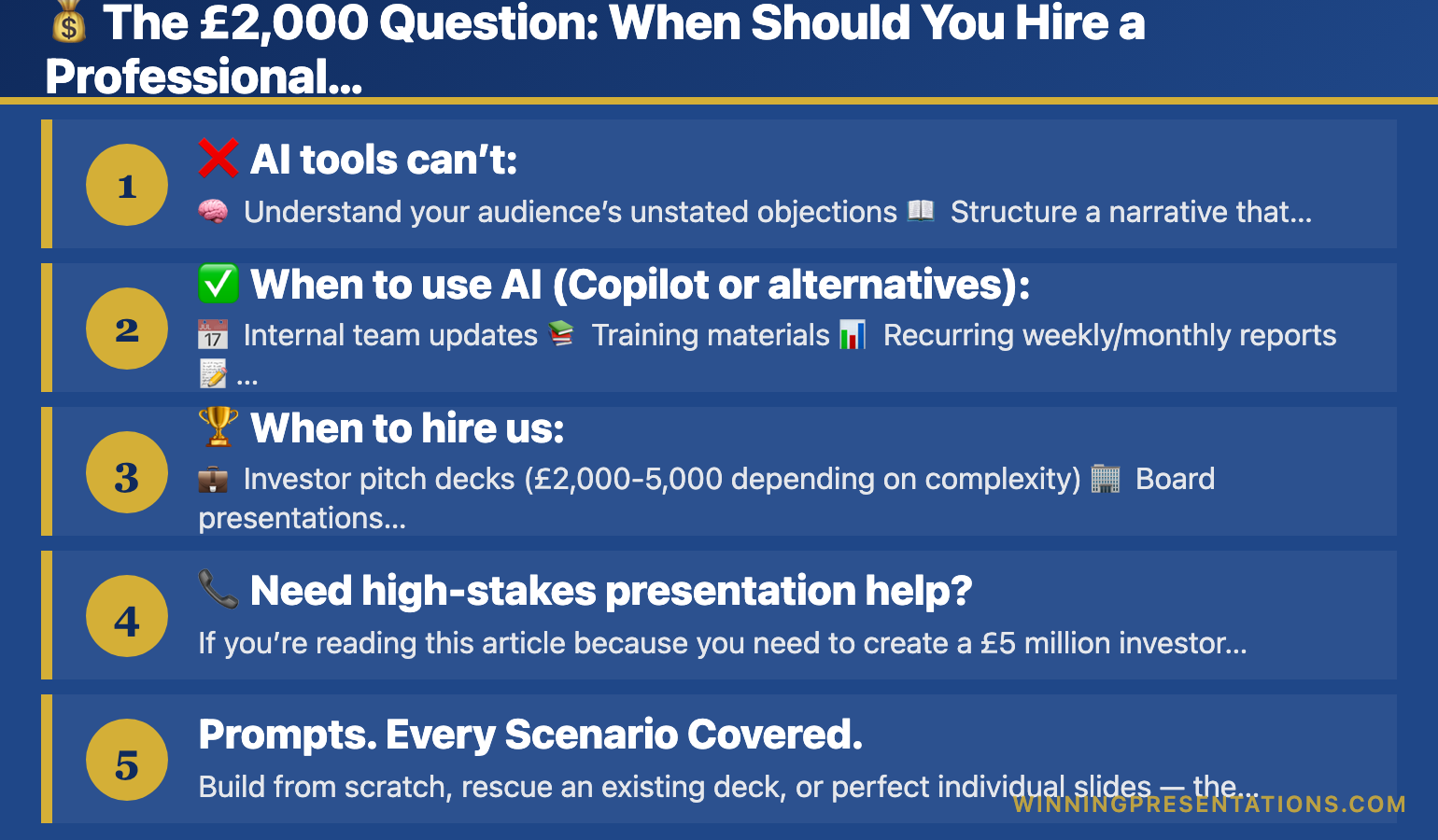
πŸ’° The Β£2,000 Question: When Should You Hire a Professional Instead?

Here’s the uncomfortable truth after 35 years in this industry: AI presentation toolsβ€”including Copilot and all these alternativesβ€”are brilliant for internal meetings, training decks, and recurring presentations.

They’re terrible for high-stakes situations where Β£2 million rests on your pitch.


❌ AI tools can’t:

  • 🧠 Understand your audience’s unstated objections
  • πŸ“– Structure a narrative that builds to an inevitable conclusion
  • πŸ“Š Know which data points matter and which distract
  • 🎨 Design slides that guide attention to your key message
  • ❓ Anticipate questions and embed answers preemptively

I’ve seen clients spend 40 hours fighting with AI tools, producing mediocre decks, for pitches worth Β£500,000+. They would have saved time and money hiring a professional from the start.


βœ… When to use AI (Copilot or alternatives):

  • πŸ“… Internal team updates
  • πŸ“š Training materials
  • πŸ“Š Recurring weekly/monthly reports
  • πŸ“ First drafts for iteration
  • πŸ”„ High volume, moderate stakes

πŸ† When to hire us:

  • πŸ’Ό Investor pitch decks (Β£2,000-5,000 depending on complexity)
  • 🏒 Board presentations requiring strategic narrative
  • πŸ’° Sales pitches to enterprise clients
  • πŸ”„ Transformation/change management presentations to executives
  • ⚠️ Any situation where failure costs more than Β£2,000

At Winning Presentations, our clients have raised over Β£250 million using methodologies we’ve refined over 35 years. We combine AI tools (yes, including Copilot and these alternatives) with human expertise in narrative structure, visual hierarchy, and audience psychology.


πŸ“ž Need high-stakes presentation help?

If you’re reading this article because you need to create a Β£5 million investor pitch, stop.

Book a consultation call β†’ (free discovery session).

We’ll assess whether you need:

  • Full deck creation
  • Coaching to improve your existing deck
  • Strategic advice

Sometimes the answer is “your deck is 90% there, fix these three slides”β€”and we’ll tell you that honestly.


❓ FAQ: Copilot for PowerPoint Alternatives


❓ Can I use Copilot with a personal Microsoft 365 account?

No. Copilot for PowerPoint requires a Microsoft 365 Business or Enterprise subscription plus a Copilot license (approximately Β£25/month additional).

Personal accounts can use Copilot Chat on the web, but not the integrated PowerPoint features. Plus AI is the best alternative for personal account users who want native PowerPoint integration.


❓ Which is faster: Copilot or Gamma?

Gamma generates presentations 25-33% faster than Copilot (45-60 seconds vs 60-90 seconds for a 10-slide deck).

However, Copilot’s integration with your existing Microsoft 365 content can save time in other waysβ€”it pulls data from your Word docs, Excel sheets, and emails automatically, which Gamma can’t do.


❓ Do these alternatives work offline?

No. Gamma, Plus AI, Beautiful.ai, Canva, and Prezi all require internet connections.

Only Copilot (and regular PowerPoint) offer offline functionality. If you travel frequently or work in locations with poor connectivity, this is a significant limitation of cloud-based alternatives.


❓ Can I export presentations from Gamma to PowerPoint?

Yes, but with caveats. Gamma exports to PowerPoint (.pptx), PDF, and even websites. However, the PowerPoint export isn’t always pixel-perfectβ€”some formatting may need adjustment.

Plus AI avoids this issue entirely by creating native PowerPoint files from the start.


❓ Are these tools worth it for a small business?

Depends on your presentation volume. If you create 2+ presentations weekly, any of these tools (Β£8-13/month) save enough time to justify the cost.

But if you make one deck every quarter, invest that budget in learning to prompt properly instead. Our Copilot Master Guide (Β£9.99 one-time) will serve you better than 12 months of subscription fees you barely use.


❓ Why are there so many AI presentation tools suddenly?

The AI presentation software market grew from Β£5.1 billion in 2024 to Β£7.5 billion in 2025, with projections reaching Β£16.5 billion by 2032. Every company sees the opportunity. Most will fail.

Stick to established players (Microsoft, Google) or profitable independents with clear business models (Gamma, Plus AI, Beautiful.ai).


❓ Is Copilot worth Β£25/month?

For individuals? Rarely.

For organisations already paying for Microsoft 365? Absolutely. The single license works across Word, Excel, PowerPoint, Outlook, and Teams.

If you only use it for PowerPoint, probably not worth itβ€”switch to Plus AI (Β£9/month) or Gamma (Β£7/month). But if you use AI assistance across all Microsoft tools, the value multiplies.


🎯 Final Recommendation: What Should You Actually Use?

Here’s the decision tree:
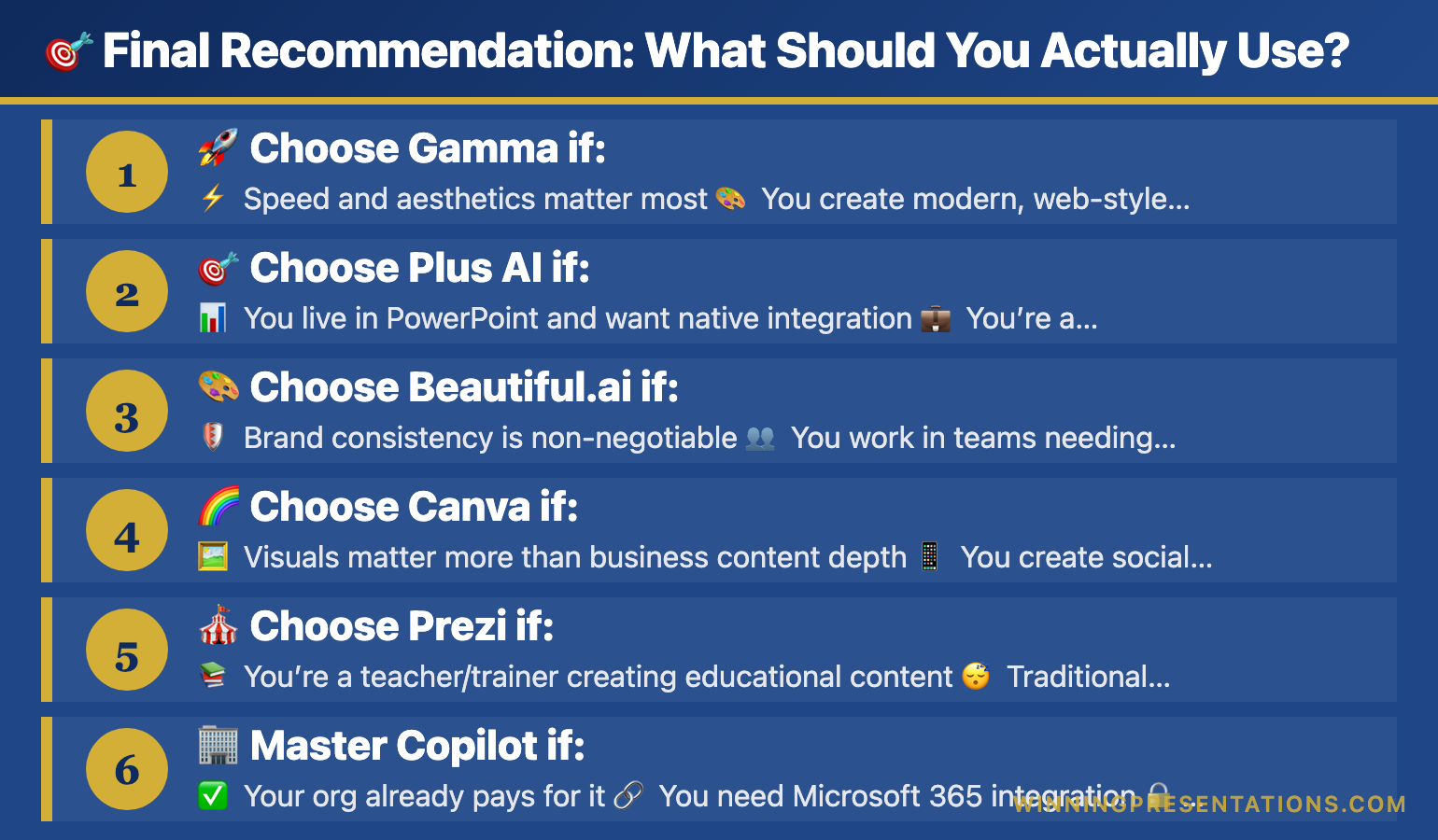

πŸš€ Choose Gamma if:

  • ⚑ Speed and aesthetics matter most
  • 🎨 You create modern, web-style presentations
  • πŸ’° Budget is tight (Β£7/month annual)

🎯 Choose Plus AI if:

  • πŸ“Š You live in PowerPoint and want native integration
  • πŸ’Ό You’re a PowerPoint power user without Copilot access
  • 🧠 You need superior prompt understanding

🎨 Choose Beautiful.ai if:

  • πŸ›‘οΈ Brand consistency is non-negotiable
  • πŸ‘₯ You work in teams needing design governance
  • πŸ’° You can afford Β£11-130/user/year

🌈 Choose Canva if:

  • πŸ–ΌοΈ Visuals matter more than business content depth
  • πŸ“± You create social media content alongside presentations
  • βœ… You’re already a Canva user

πŸŽͺ Choose Prezi if:

  • πŸ“š You’re a teacher/trainer creating educational content
  • 😴 Traditional slides bore your audience
  • πŸ”„ You want unique navigation/storytelling

🏒 Master Copilot if:

  • βœ… Your org already pays for it
  • πŸ”— You need Microsoft 365 integration
  • πŸ”’ Security/compliance matters
  • πŸ“Š You create data-heavy presentations

πŸŽ“ Stop Fighting With AI – Get The Master Guide

And if you’re still getting mediocre results from Copilot (or any alternative), it’s probably your prompts, not the tool.

Stop fighting with AI and get our Master Guide β†’ (Β£9.99). It includes:

  • βœ… 100+ tested prompts
  • βœ… Step-by-step tutorials with screenshots
  • βœ… Common mistakes guide
  • βœ… Time-saving workflows for recurring presentations
  • βœ… Industry-specific examples
  • βœ… Troubleshooting for when things go wrong

πŸ“Š Investment Details:

πŸ’° Investment: Β£9.99 one-time (no subscription)
⏰ Time saved: 5-10 hours weekly once mastered
πŸ“ˆ ROI: Your first saved presentation pays for itself


πŸ† Or Hire Us for High-Stakes Presentations

For high-stakes presentations worth Β£100,000+, stop messing around with AI tools and contact us directly β†’.

After 35 years and Β£250+ million raised by our clients, we know what worksβ€”and it’s not hoping an AI tool magically creates a winning pitch.


πŸ‘€ About the Author

With 35 years of experience helping professionals master presentations, pitch decks, and business communication, I’ve trained thousands on leveraging AI tools effectively.

My clients have raised over Β£250 million using the methodologies we teach.

Connect:


Disclosure: This article contains affiliate links for Canva, Gamma, and other presentation tools. We may earn a small commission if you purchase through these links at no extra cost to you. All recommendations are based on our 35 years of presentation expertise and genuine testing.