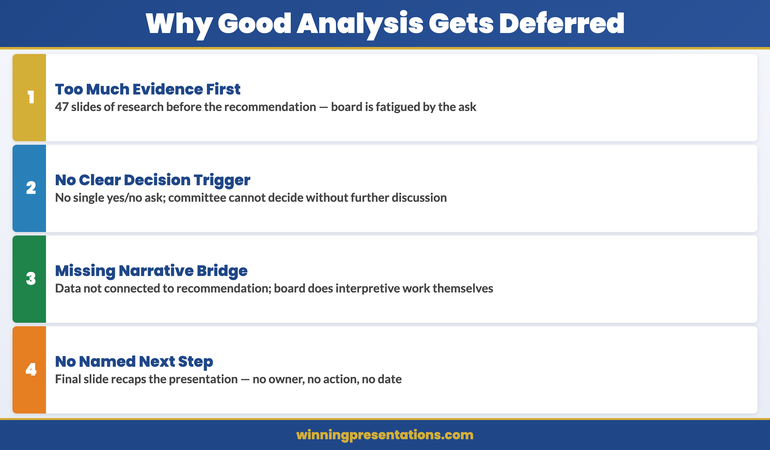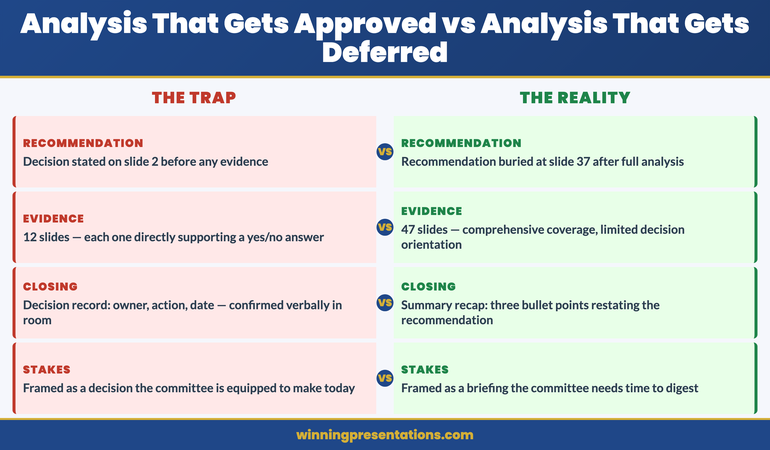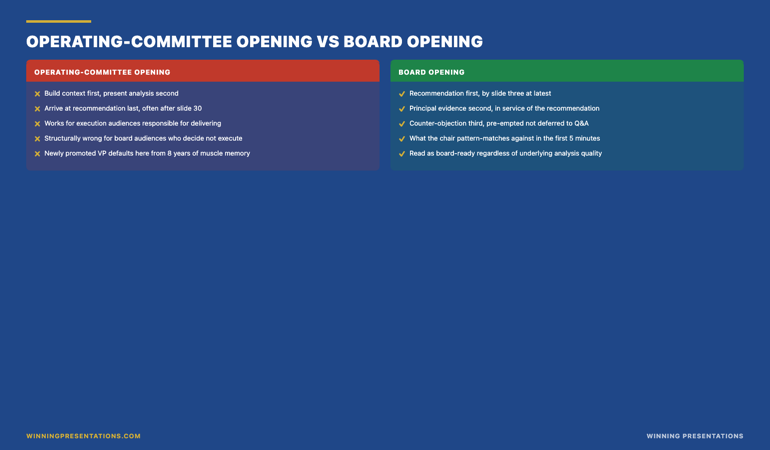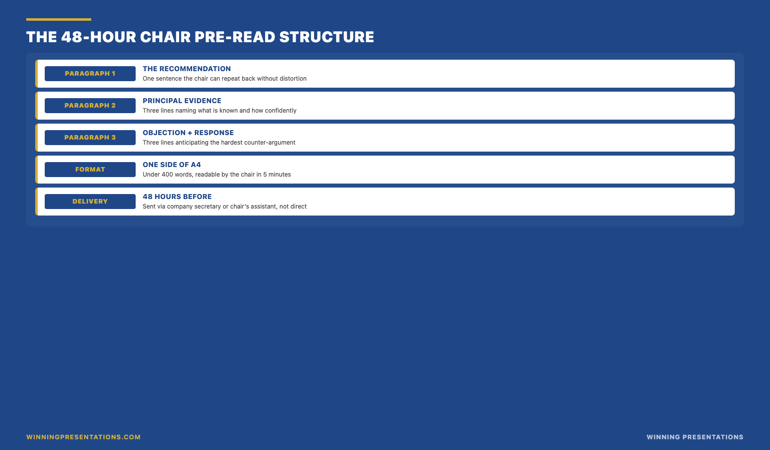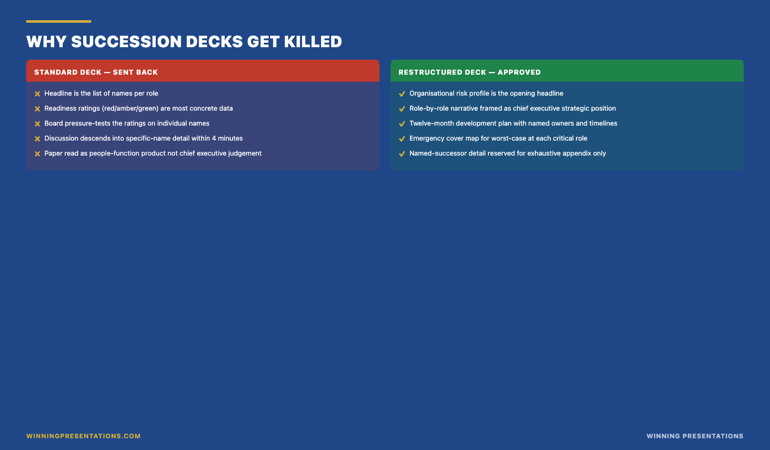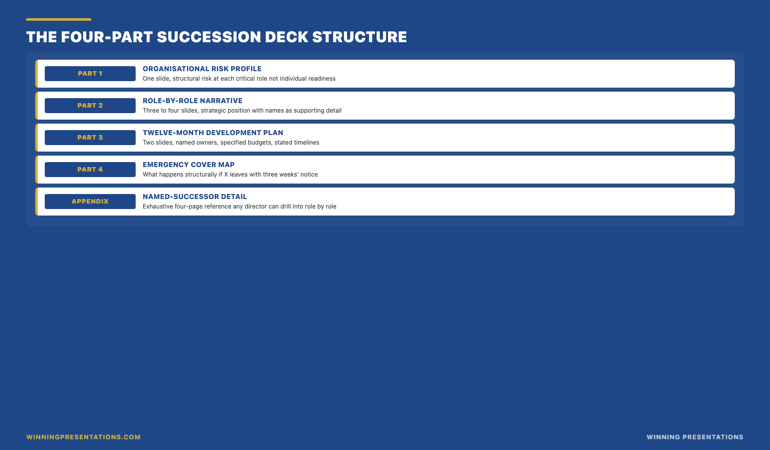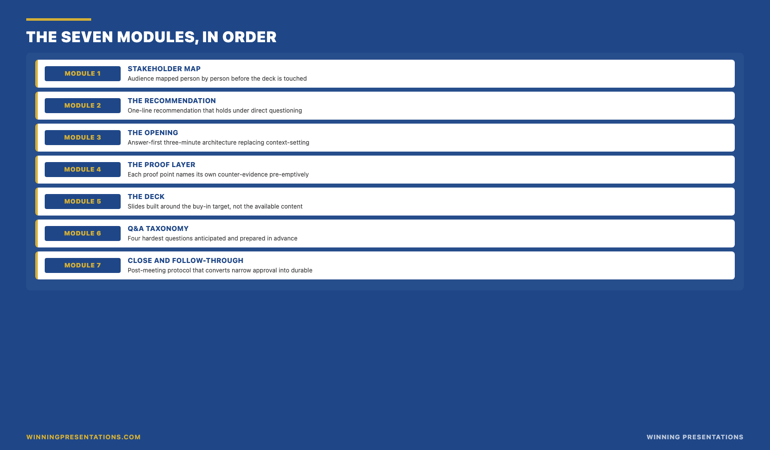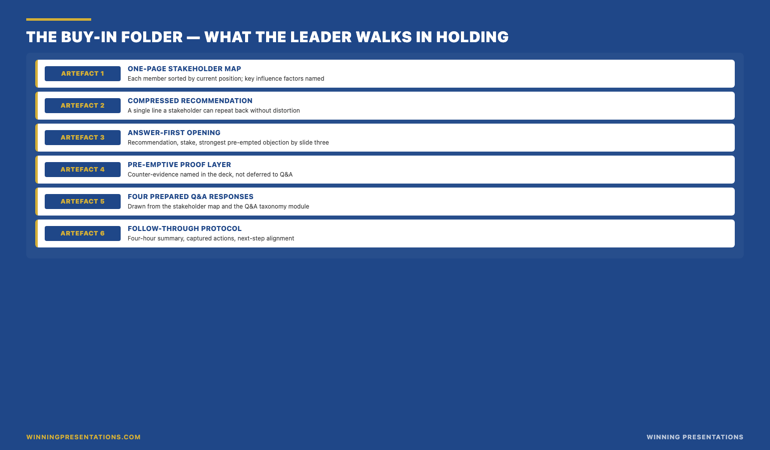
Tag: board approval

08 May 2026
Businesswoman presenting at a conference table with city skyline behind her; colleagues listen and take notes from laptops and documents.

Board Buy-In Presentation Skills Training: What Senior Professionals Need to Learn

Quick answer: Board buy-in presentation skills training varies enormously in depth. Generic presentation training teaches slide design and delivery. Buy-in training is different — it teaches stakeholder analysis, case construction under scrutiny, the structures that survive board-level interrogation, and the recovery moves when a decision starts to wobble. The right programme covers all four. Most cover only the first or rebrand a generic presentation course as buy-in training without the substantive difference.

Ngozi runs commercial strategy at a UK insurance group. Last year she enrolled in a presentation skills training programme her HR team had recommended, hoping it would help with the board papers she had been struggling to get approved. The programme was well-run. The instructor was experienced. By the end of the three-day course she could open a presentation more confidently, design cleaner slides, and deliver with better pacing. Three months later she was still losing the same board votes. The training had taught her presentation skills. The board votes were not a presentation skills problem.

Buy-in is a structurally different challenge. Presentation skills get you through a delivery; buy-in gets you to a decision. The two require overlapping but materially different capabilities. A presenter with strong delivery and weak buy-in skills will look polished and walk out without the approval they came for. A presenter with weak delivery and strong buy-in skills will look more nervous than they should and walk out with the decision in hand. The board is voting on the substance, not the polish — and most generic presentation training does not teach the substance work that buy-in requires.

Knowing what genuine buy-in training covers, and what generic presentation training relabelled as “executive buy-in” leaves out, is the difference between a programme that changes your board approval rate and one that improves your stage presence while leaving the underlying problem untouched. Four capability areas distinguish serious buy-in training from everything else.

Looking for a structured programme on board-level buy-in?

The Executive Buy-In Presentation System is a self-paced programme designed for senior professionals who need to secure approval from boards, executive committees, and senior stakeholders. Seven modules, monthly cohort enrolment, optional recorded Q&A calls.

Explore the Buy-In System →

Why buy-in training is different from presentation skills training

Presentation skills training and buy-in training share some surface elements — both involve speaking, slides, and audience engagement — but they target different parts of the same problem. Presentation skills training focuses on the presenter’s performance: how to open, how to structure a talk, how to manage nerves, how to handle questions. Buy-in training focuses on the decision the audience is being asked to make: who needs to support it, what they will object to, what evidence will move them, what structure will keep the decision intact under scrutiny.

The two skill sets are complementary, but they are not interchangeable. A senior professional who has strong presentation skills but weak buy-in skills will deliver an articulate, confident presentation that fails to secure approval because the underlying case has not been built for the room it is being made to. A senior professional who has strong buy-in skills but weak presentation skills will look less polished but will more often walk out with the decision they came for, because the substance under the delivery is doing the work.

Most “executive presentation training” courses teach presentation skills almost exclusively. They use words like “buy-in”, “stakeholder management”, and “executive influence” in their marketing because those words generate searches. The actual curriculum is presentation skills with a board-themed wrapper. This is fine training if presentation skills are what you actually need. It is the wrong training if you are losing decisions because the case you are presenting cannot survive the board’s scrutiny — which is what most senior professionals who feel they need buy-in training are actually facing.

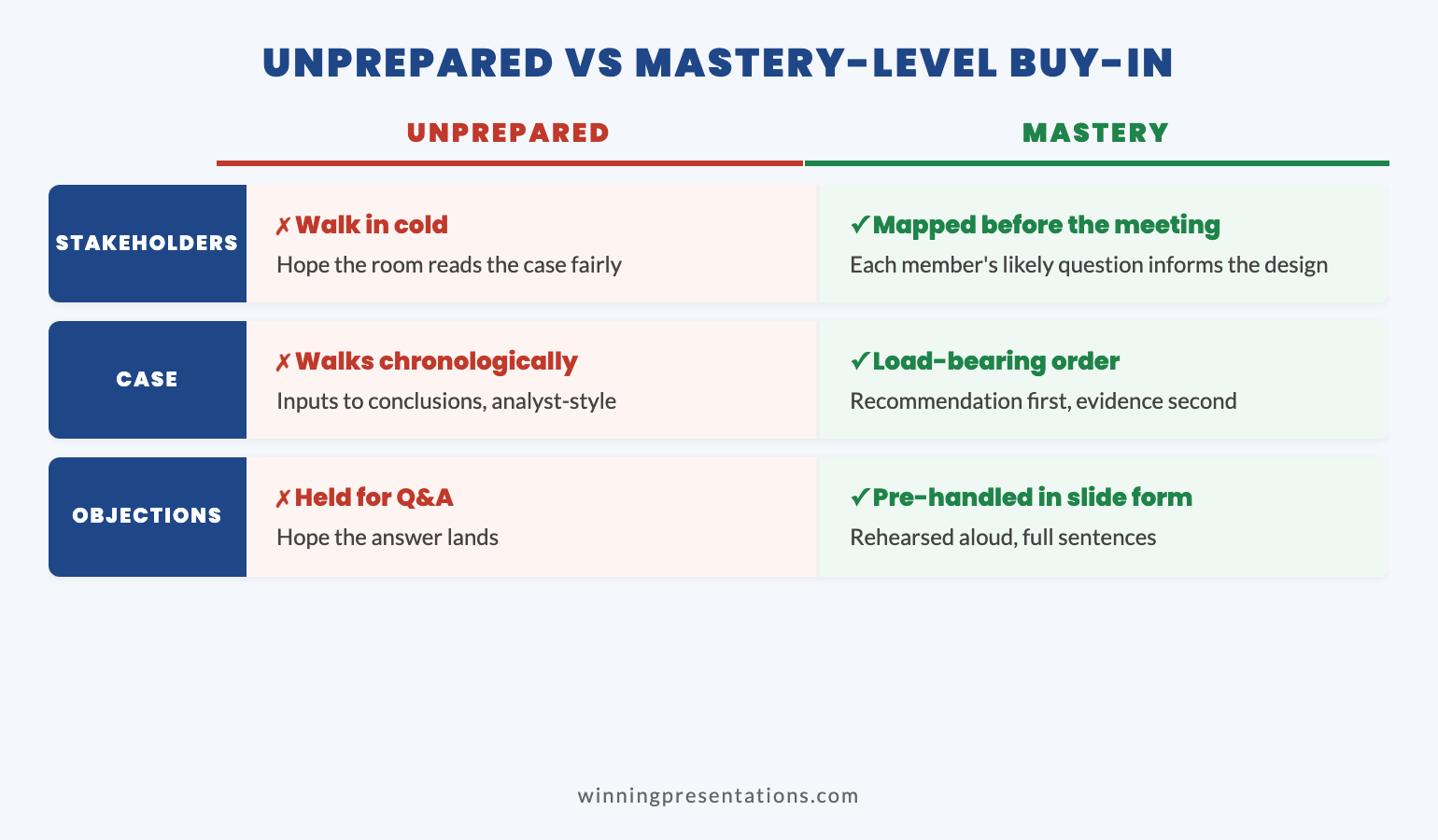
Split comparison infographic showing the difference between presentation skills training and board buy-in training across four capability areas: focus, what gets taught, what success looks like, and what changes after the programme

Capability one: stakeholder analysis

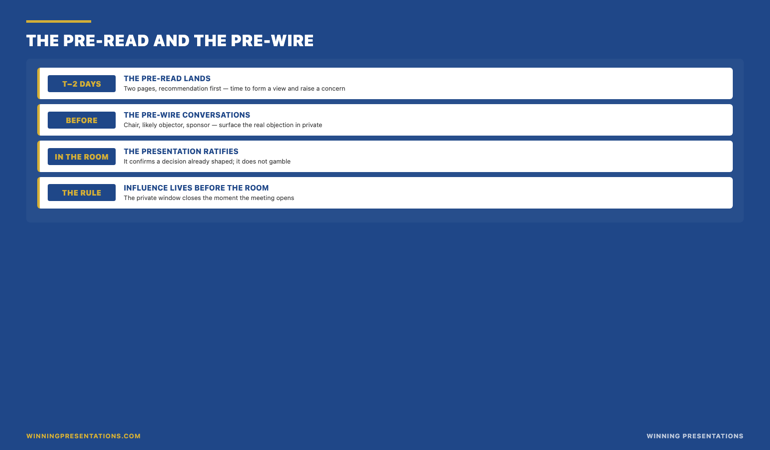
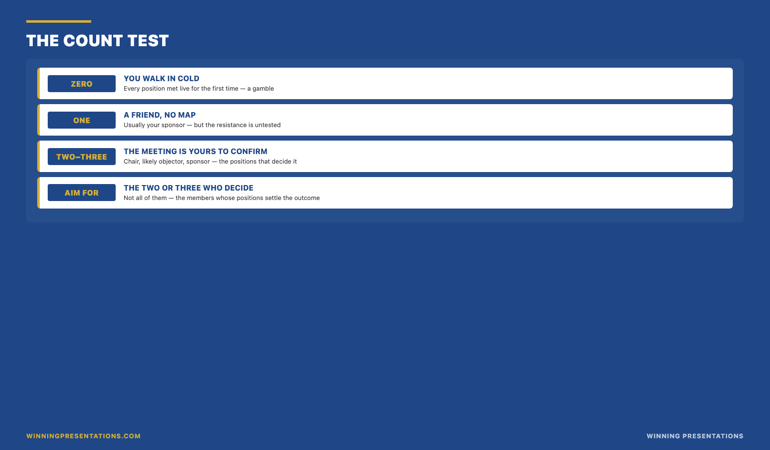
The first capability is stakeholder analysis — and not the version that produces a generic two-by-two matrix on a workshop flipchart. Real stakeholder analysis for board work is granular, named, and political. It identifies who in the room has informal authority that exceeds their position; who has historical baggage with the topic; who tends to set the chair’s view in the pre-meeting; who is likely to swing on the basis of evidence and who has already made up their mind for non-evidential reasons.

A serious programme teaches you to map the room in three layers. The first layer is the formal seating chart and decision rights. The second layer is the informal influence network — who defers to whom, who blocks whom, where the historical alliances and tensions sit. The third layer is the agenda layer — what each member is currently being measured on, what their next twelve months look like, what they need this proposal to give them in order to support it. Without the third layer, you are presenting to titles. With it, you are presenting to people whose support you can structure your case to earn.

Generic presentation training does not cover any of this. The closest most courses get is a sentence telling you to “know your audience”. Buy-in training operationalises that sentence into a structured analytical exercise you do for every significant board paper, often with a stakeholder map you actively maintain across multiple meetings. The sponsor analysis specifically is a sub-discipline of stakeholder analysis that most generic training omits entirely.

Capability two: case construction under scrutiny

The second capability is case construction. Generic presentation training teaches structure — opening, body, close. Buy-in training teaches case construction — the deeper work of building an argument that holds together under directed pressure. The two are not the same. A well-structured presentation can have a weak case underneath. A strong case can be carried by even imperfect presentation skills.

Case construction has its own internal disciplines. The proposition has to be expressible in a single sentence that the board can vote on. The evidence base has to be visibly connected to the proposition rather than sitting alongside it as decorative content. The alternatives considered and rejected have to be named explicitly, because boards probe for “what about” alternatives by reflex and a case that has not pre-empted them looks underbaked. The risks have to be addressed in the same voice as the benefits — symmetric treatment signals that the analysis is honest, not partisan.

None of these disciplines are taught in standard presentation skills courses. They sit in a different intellectual tradition — closer to legal argumentation, consulting analysis, or investment committee preparation than to public speaking. A board buy-in programme that does not teach case construction is teaching delivery, not approval. The deck looks better. The vote does not change.

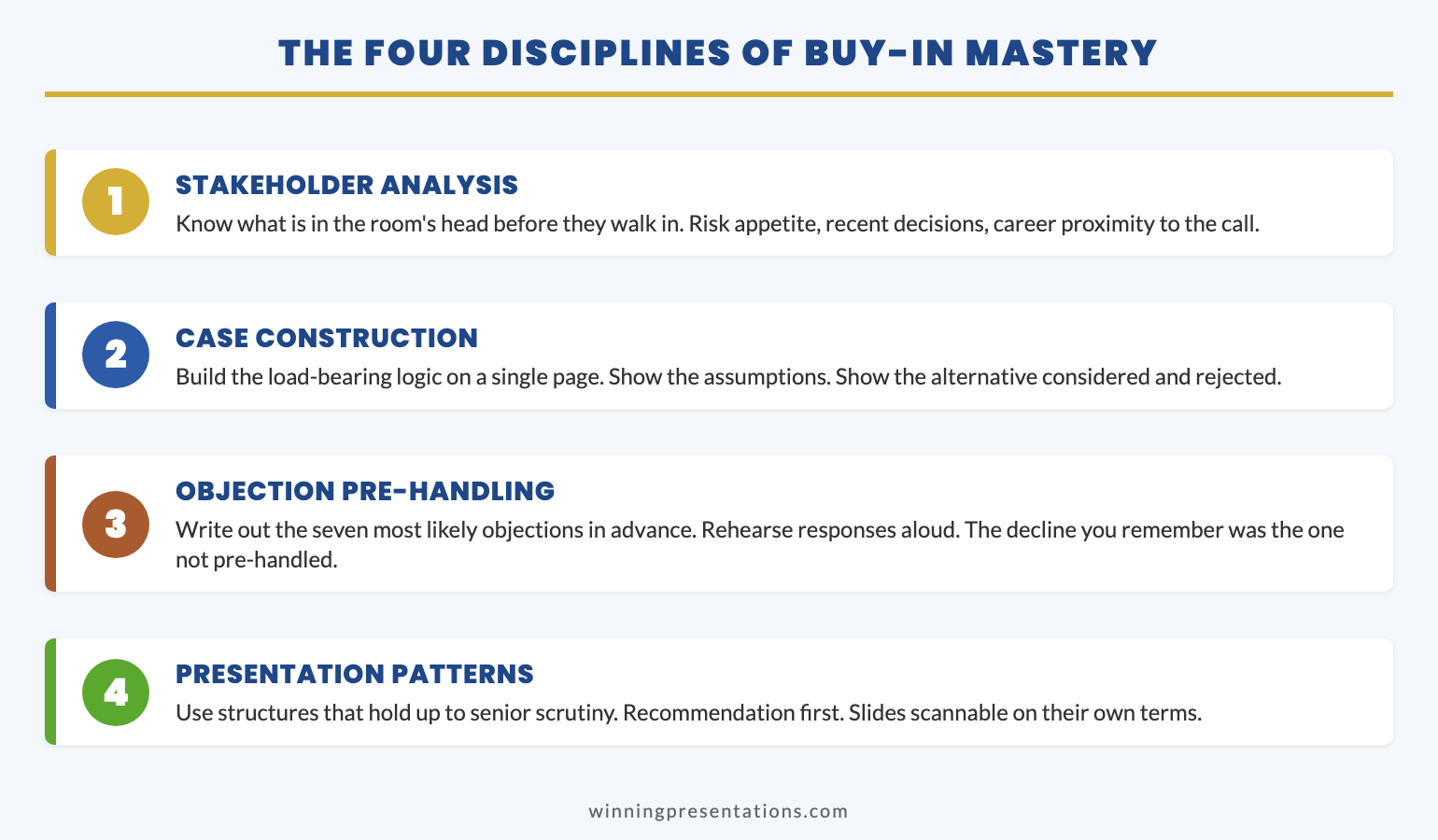
Stacked cards infographic showing the four buy-in capability areas: stakeholder analysis, case construction under scrutiny, structures that survive interrogation, and recovery moves when the decision wobbles

Capability three: structures that survive interrogation

The third capability is the slide and document structure designed for boards specifically. Most presentation training teaches general-purpose slide design. Board-paper structure is a more specific discipline because boards read in particular ways, under particular time pressures, and with particular instincts for where to push back.

Three structural conventions matter for board-level work. First, the executive summary needs to carry the full decision in a form the board could vote on without reading the rest of the deck — because some members will. Second, the body of the deck needs to be navigable in any order — board members read non-sequentially, jumping to the section that interests them and skipping the build-up. Third, every claim needs to be locatable to its source within the deck or its appendices, because the verification reflex is automatic at board level and a claim that cannot be sourced is treated as unsupported.

A workflow programme for board-level approval work

Build the case your stakeholders cannot dismiss. The Executive Buy-In Presentation System is a self-paced framework — 7 modules walking you through the structure, psychology, and delivery that get senior approval. Monthly cohort enrolment, optional recorded Q&A calls. £499, lifetime access to materials.

  • 7 modules of self-paced course content
  • Optional live Q&A sessions, fully recorded — watch back anytime
  • No deadlines, no mandatory session attendance
  • New cohort opens every month — enrol whenever suits you
  • Lifetime access to all course materials

Explore the Executive Buy-In System →

Designed for senior professionals who present decisions to boards, investment committees, and executive sponsors.

These conventions sound technical, but they shape the substantive outcome. A board paper that cannot be navigated non-sequentially loses the members who skim. A board paper without a sourceable evidence base loses the members who probe. A board paper without a vote-ready summary loses the members who only read the front page. Each lost member is a vote at risk. Structure is not cosmetic; it is the architecture that protects the case from common failure modes. A serious buy-in programme teaches the structures explicitly and provides templates for the most common board-paper formats.

Capability four: recovery moves when the decision wobbles

The fourth capability is the live-meeting one. Most presentation training stops at “deliver well and answer questions calmly”. Buy-in training goes further into the specific moves that recover a meeting when the decision starts to wobble — when an objection lands harder than expected, when the chair starts steering toward “let us think about this”, when a senior member who was supposed to support you goes quiet at the wrong moment.

The recovery moves are situational and structured. The bridging move that reframes a hostile objection as a refinement rather than a rejection. The committee-redirect move that surfaces the silent supporter without singling them out. The decision-pivot move that converts an indecisive room into a smaller bounded decision they can take today. The follow-up move that turns a parked decision into a tighter agenda for the next meeting rather than a fade-out. Anticipating the most common objection patterns is a prerequisite for all of these moves; the moves themselves are the live execution of the preparation.

None of this is generic presentation skills. It is closer to negotiation training, mediation training, or live deal-making — fields with their own discipline of in-the-moment recovery. A buy-in programme that does not teach the recovery moves leaves the presenter armed for the easy meeting and unarmed for the hard one. Most board votes that change in the room change because the presenter executed a recovery move well, not because the underlying case got stronger during the meeting. The case gets approved or parked in the recovery, not in the opening pitch.

Why format matters as much as curriculum

The curriculum question is half of the evaluation. The other half is format. Senior professionals do not have stable weekly schedules. The board paper you need to apply the training to is rarely the one you happen to be working on during the week the relevant module is taught. The cohorts that complete fixed-schedule live training tend to be the ones whose calendars permit attendance — which often correlates with seniority levels below the audience the training claims to serve.

The format that actually fits senior schedules is self-paced with optional live elements that are recorded. Self-paced removes the diary collision problem. Optional live elements (coaching calls, peer Q&A) provide the discussion benefit without the attendance constraint. Recording the live elements means a missed call is not a missed opportunity — the participant can watch the recording at the right moment, which is often the week before a specific board paper rather than the week the call happens.

Two questions to ask any programme that markets itself as “live cohort” or “four-week programme”: is attendance mandatory, and are the live sessions recorded? If attendance is mandatory and live sessions are not recorded, the format is built around the trainer’s convenience, not the participant’s reality. If attendance is optional and sessions are recorded, the format is built for the way senior professionals actually work, even if the marketing language uses “cohort”. Self-paced does not mean unsupported. Mandatory live does not mean intensive. The labels matter less than the underlying access pattern.

Need the slide structures and templates that buy-in training is editing toward?

The Executive Slide System — £39, instant access — includes 26 slide templates, 93 AI prompts, and 16 scenario playbooks for senior presentations. The board-paper structures, decision-framing slides, and objection-handling templates are part of the system.

Get the Executive Slide System →

FAQ

Is generic presentation skills training useful at all for senior professionals?

Yes — for the parts of presentation work that are genuinely about delivery (opening, pacing, vocal control, slide design fundamentals). The error is treating presentation skills training as a substitute for buy-in training. The two address different problems and require different curricula. A senior professional who is losing board votes because of weak case construction will not solve that problem with better delivery training, no matter how good the trainer is.

How long does serious buy-in training take?

For a senior professional already comfortable with the basics of presentation work, buy-in capability tends to develop over twelve to twenty hours of structured learning, with deliberate application to live board papers between sessions. Compressed into a single weekend it does not absorb properly because the application is what builds the capability. The right pace is two to three hours per week for two months, applied to a real board paper you have on the calendar.

Can I get the same training in-house from a senior leader who is good at buy-in?

Sometimes — if that senior leader has the time and the inclination to teach you, and if their buy-in approach is structured enough to be transferable rather than implicit. The barrier is usually that senior leaders who are good at buy-in have absorbed the discipline so deeply that they cannot articulate it as a teachable framework. Structured training fills the gap by making the framework explicit. Combine the two if you can: structured training to learn the framework, mentoring from a senior practitioner to apply it inside your specific organisational context.

What is the difference between board buy-in training and executive influence training?

Significant overlap, but a different emphasis. Buy-in training centres on the structured presentation work that gets a specific decision approved at a specific meeting. Executive influence training is broader — it covers ongoing relationship management, informal channels, and the build-up to board moments rather than the moments themselves. For senior professionals who own specific approval-seeking presentations as part of their role, buy-in training is the more direct fit. For senior professionals whose challenge is broader executive positioning, influence training may be more relevant. A structured buy-in programme covers the presentation moments end to end; influence work happens in the gaps between them.

The Winning Edge — Thursday newsletter

Every Thursday, The Winning Edge delivers one structural insight for executives presenting to boards, investment committees, and senior stakeholders. No general tips. No motivational framing. One specific technique, one executive scenario, one action. Subscribe to The Winning Edge →

Not ready for the full programme? Start here instead: download the free Executive Presentation Checklist — a single-page review of the structural basics any board paper should pass before it goes to the room.

Next step: pick the next board paper on your calendar and check the case against the four capability areas above — stakeholder analysis, case construction, board-paper structure, and recovery moves. The areas that feel weakest are the parts of training that will pay back fastest.

Related reading: Why your executive sponsor goes quiet in the steering committee — and how to give them the lines they need.

About the author. Mary Beth Hazeldine is Owner & Managing Director of Winning Presentations Ltd, founded in 1990. With 24 years of corporate banking experience at JPMorgan Chase, PwC, Royal Bank of Scotland, and Commerzbank, she advises executives across financial services, healthcare, technology, and government on structuring presentations for high-stakes funding rounds, approvals, and board-level decisions.

28 Apr 2026
Businesswoman presents data on a large screens to colleagues in a modern conference room with city skyline outside the windows.

Technology Investment Presentation: How to Build a Business Case Your Board Will Approve

Quick answer: A technology investment presentation that wins board approval needs three elements most proposals lack: a financial narrative framed around business risk rather than technical capability, a phased implementation roadmap that de-risks the spend, and a clear decision framework that makes approval feel like the conservative choice. This article walks you through how to structure each element so your board sees the commercial logic before they see the price tag.

Marek had done everything right. His team had spent nine weeks evaluating platforms, running vendor demos, building comparison matrices, and stress-testing integration requirements. The final technology investment presentation to his organisation’s board was 42 slides of meticulous technical analysis.

The CFO stopped him on slide six.

“Marek, I understand the technology is impressive. What I need to understand is what happens to our operating margin if we don’t do this, and what happens to our risk exposure if we do.”

Marek had the answers. They were buried in appendix slides that the board would never see. He had built a technology proposal when what the board needed was a financial argument with a technology solution attached. Six weeks later, he restructured the entire narrative around business risk and financial outcomes. The board approved the full spend in twenty minutes. The technology hadn’t changed. The framing had.

That gap between technical rigour and board-level persuasion is where most technology proposals fail. Not because the investment is wrong, but because the presentation speaks the wrong language.

If you are building a technology investment case and want a structured starting point for your slides, the Executive Slide System includes scenario-specific templates for board-level presentations, along with AI prompts designed to help you frame technical proposals in financial terms.

Explore the System →

Why Most Technology Investment Proposals Get Sent Back

Board members who approve capital expenditure are not evaluating your technology. They are evaluating risk, return, and timing. When a CTO or IT director presents a technology investment case built around platform features, vendor comparisons, and migration timelines, the board hears complexity without a clear financial thesis.

The result is rarely outright rejection. More often, it is a request for “more information” or a suggestion to “come back next quarter.” Both responses mean the same thing: the board did not have enough financial clarity to make a decision.

Three patterns account for most stalled technology proposals:

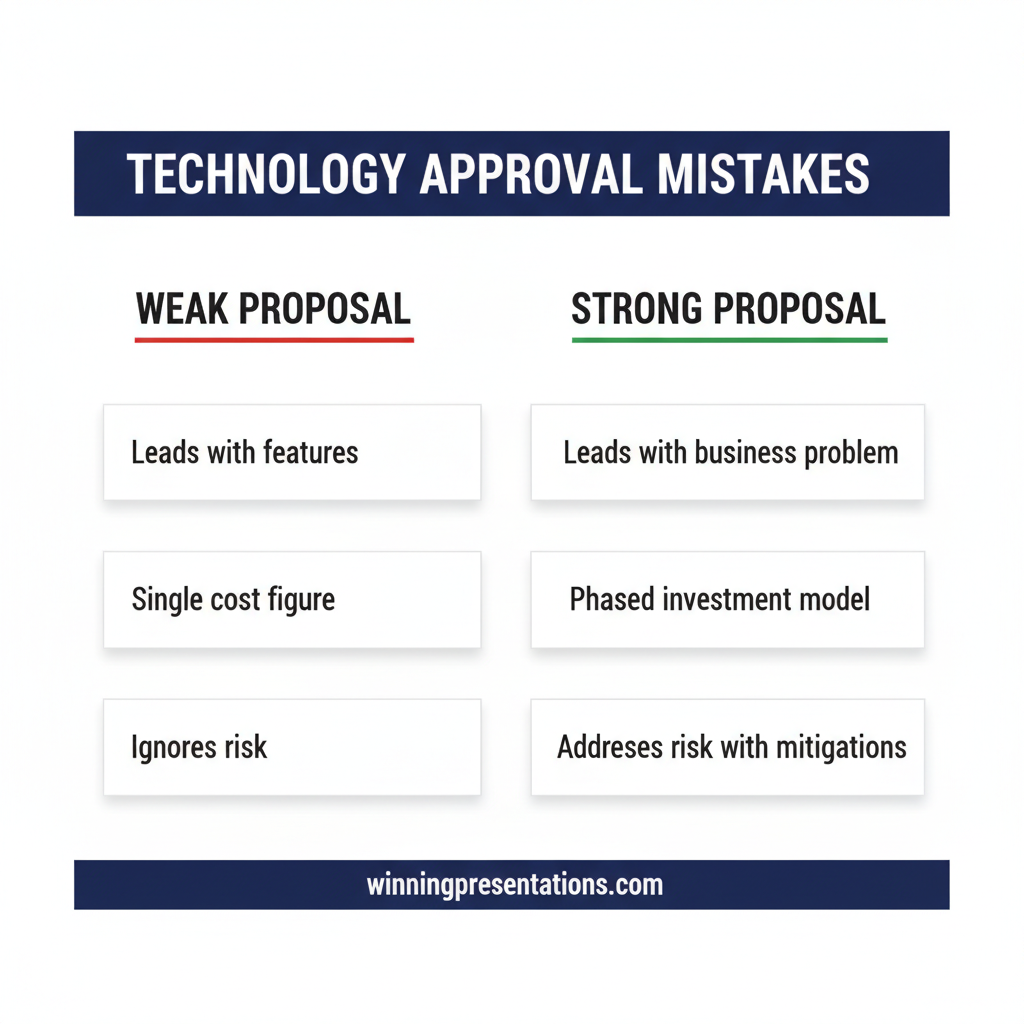
  • Leading with the solution instead of the problem. Your board needs to feel the cost of inaction before they can evaluate the cost of action. If your first five slides describe what the new platform does, you have already lost the room.
  • Presenting total cost without a phased commitment. A request for a large capital allocation with no off-ramps feels like a binary gamble. Boards approve staged investments far more readily than single-tranche commitments.
  • Mixing technical detail with financial argument. When architecture diagrams sit alongside ROI projections, neither gets the attention it deserves. The board presentation 15-minute framework applies here: separate the decision narrative from the supporting evidence.

Understanding these patterns is the first step toward building a proposal that your board can actually approve in a single meeting.

Build Your Technology Investment Case in Hours, Not Weeks

The Executive Slide System gives you 26 board-ready slide templates, 93 AI prompts for structuring executive-level arguments, and 16 scenario playbooks covering high-stakes presentations from funding requests to strategic pivots. Instead of starting from a blank deck, you start from a structure that already speaks your board’s language.

Executive Slide System — £39, instant access.

Get the Executive Slide System →

Instant download. 3 files. Use it for your next board presentation.

Building a Financial Narrative Your Board Will Follow

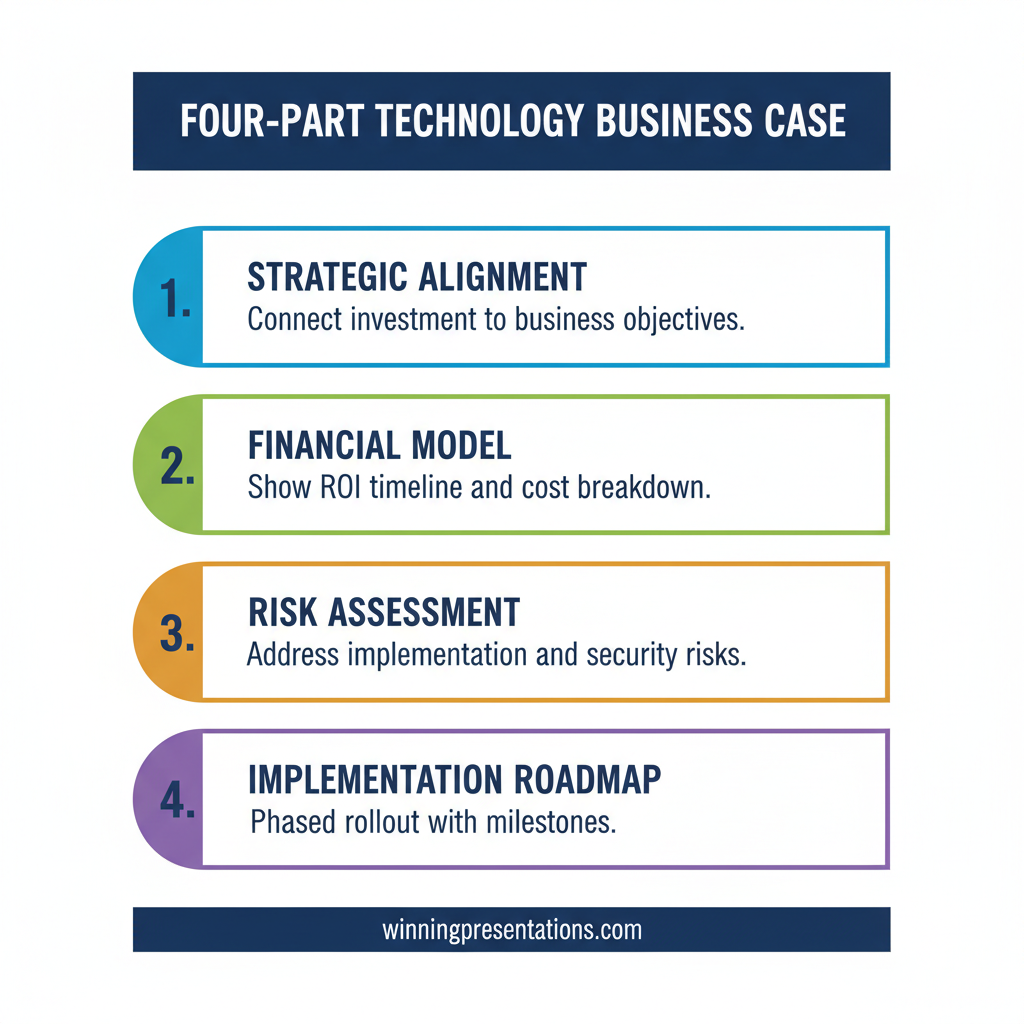
A financial narrative is not a spreadsheet summary. It is a story about what money does and what money loses. For technology investments, the most effective financial narrative follows a four-part sequence:

1. Current-state cost. Quantify what the organisation spends today on the process, system, or capability that the proposed technology will replace or improve. Include direct costs (licence fees, headcount, maintenance contracts) and indirect costs (manual workarounds, error rates, delayed reporting). Board members need to see that the status quo already has a price.

2. Risk-of-delay cost. This is the element most proposals omit. If the board defers the decision for six months, what does the organisation lose? Market position, regulatory compliance risk, staff attrition from outdated tooling, or competitive exposure? Frame the delay in financial terms, not hypotheticals.

3. Investment breakdown by phase. Present the total cost, but immediately break it into phases. Phase one should represent the smallest viable commitment that demonstrates value. This gives the board a decision to make, not just a number to absorb.

4. Return timeline. Not a five-year NPV analysis buried in an appendix. A simple, clear statement: “Phase one delivers measurable efficiency gains by month four. Phase two breaks even by month nine.” Board members can anchor a decision to a concrete timeline far more easily than to a discounted cash flow model.

This four-part structure works because it mirrors how board members already think about capital allocation. They assess exposure, weigh risk, evaluate commitment size, and look for a return horizon. Your job is to hand them those four elements in that order.


Infographic showing four-part financial narrative sequence for technology business case presentations: current-state cost, risk-of-delay cost, phased investment breakdown, and return timeline

The Risk Framework That Makes Approval Feel Conservative

Board members do not see themselves as blocking innovation. They see themselves as protecting the organisation from poorly structured risk. The distinction matters, because it tells you exactly how to frame your proposal.

Instead of presenting the investment as an opportunity the board should seize, present it as a risk the board should manage. That means including three explicit risk elements:

Risk of inaction. What specific business risks increase if this investment is not made? Regulatory non-compliance, loss of competitive capability, dependency on unsupported legacy systems, or exposure to security vulnerabilities? Quantify where you can, describe where you cannot.

Risk of execution. Every technology implementation carries execution risk. Acknowledge it openly. Describe the three most likely failure modes and explain exactly how each will be mitigated. This is not a weakness in your proposal — it is a signal that you have thought beyond the sales pitch.

Risk mitigation through phasing. When the board can see that Phase One costs 20% of the total budget and delivers a testable proof of concept, the perceived risk drops dramatically. The approval shifts from “should we spend this much?” to “should we spend this much to find out?” That is a fundamentally easier decision. Your executive summary slide should crystallise this phased logic in a single view.

When you frame a technology investment as the prudent, risk-managed course of action rather than an ambitious bet, you align your proposal with the board’s own risk appetite. That alignment is what gets proposals approved in a single session.

If you want board-ready templates that help you structure this kind of risk-framed proposal, the Executive Slide System includes scenario playbooks designed specifically for high-stakes investment presentations.

Structuring Your Slides for Board-Level Decision Making

The slide structure for a technology business case should follow a decision logic, not a project plan. Board members are not sitting through your presentation to learn about the technology. They are looking for enough clarity to make a yes-or-no decision before the meeting overruns.

Here is a structure that works for most board-level technology cases:

Slide 1: The business problem in one sentence. Not “We need a new CRM.” Rather: “Our client retention rate has dropped 12% in eighteen months because our account managers cannot access real-time client data during renewal conversations.” One slide. One problem. No preamble.

Slide 2: Financial impact of the problem. What is this problem costing the organisation right now? Annual revenue loss, staff efficiency drag, compliance exposure. Numbers only. No narrative required — the numbers tell the story.

Slide 3: Proposed solution overview. What you intend to implement, in plain language. One paragraph maximum. Save the architecture diagram for the appendix.

Slide 4: Phased investment and timeline. Three columns: Phase, Cost, Deliverable. Board members should be able to read this slide in ten seconds and understand the commitment structure.

Slide 5: Risk analysis. Two-column layout: “Risk of proceeding” on the left, “Risk of not proceeding” on the right. Let the board compare the two positions visually.

Slide 6: Decision request. State exactly what you are asking for: the amount, the timeline, and the governance mechanism. “We are requesting approval for Phase One: £180,000 over four months, with a board review before Phase Two commitment.”

Six slides. That is the core decision narrative. Everything else — vendor evaluation, technical architecture, integration mapping, resource plans — belongs in a clearly labelled appendix that the board can review on their own time. This approach aligns with the principles behind effective dashboard presentations for executives: give decision-makers the signal, not the noise.

Structure Your Next Board Presentation With Confidence

The Executive Slide System gives you a complete framework for building board-level presentations: 26 templates, 93 AI prompts, and 16 scenario playbooks. £39, instant access.

Get the Executive Slide System →

Instant download. Works with PowerPoint and Google Slides.

Phased Implementation: How to De-Risk a Large Technology Spend

The single most effective technique for getting board approval on technology spending is phasing. A phased implementation plan does three things simultaneously: it reduces the initial financial commitment, it creates natural review points for governance, and it gives the board evidence-based confidence to approve subsequent phases.

Here is how to structure a technology investment into phases that boards can approve:

Phase One: Proof of Concept (10-20% of total budget). Select one business unit or one process to pilot. Define success criteria before starting. The board is approving a test, not a transformation. When Phase One delivers results, you return with data rather than projections.

Phase Two: Controlled Rollout (30-40% of total budget). Expand to additional business units based on Phase One results. Adjust scope and resources based on what you learned. This is where most of the integration complexity lives, and boards appreciate knowing you have planned for it separately.

Phase Three: Full Deployment (remaining budget). Organisation-wide rollout with training, change management, and legacy decommissioning. By this point, the board has seen evidence from two prior phases and the approval is a formality.

The key detail: include explicit exit criteria for each phase. If Phase One fails to meet its defined success metrics, Phase Two does not proceed. This gives the board the confidence that they are not signing a blank cheque. It also demonstrates that you have the discipline to kill your own project if the evidence does not support continuation.

If your organisation is simultaneously navigating other structural changes, the principles in this restructuring presentation guide apply equally to how you position the human side of technology transformation.


Infographic showing three-phase technology investment implementation roadmap with budget allocation percentages, exit criteria, and board review points

Five Mistakes That Stall Technology Approvals

Even well-prepared technology proposals can stall when they trigger the wrong response from a board. These five patterns account for most delays:

1. Vendor enthusiasm instead of business objectivity. If your slides read like a sales deck for the vendor you have selected, the board will question whether you have evaluated the decision objectively. Present the vendor choice as one component of a broader business decision, not as the centrepiece.

2. Optimistic timelines without contingency. Boards have seen enough delayed IT projects to be sceptical of any timeline that looks too clean. Build 15-20% contingency into your schedule and say so explicitly. This signals maturity, not weakness.

3. Burying the ask. If the board reaches slide fifteen before discovering how much money you need, they will spend the first fourteen slides wondering when the bad news arrives. State your ask early. Let the rest of the presentation justify it.

4. Ignoring the human cost. Technology implementations affect people. If your proposal does not address change management, retraining, and potential role changes, the board will raise these questions themselves — and your credibility drops when you do not have answers prepared.

5. Treating the board meeting as a presentation instead of a decision session. The goal is not to inform the board. The goal is to give them enough clarity to approve. Every slide should serve the decision, not the education. If a slide does not help the board say yes or no, move it to the appendix.

Frequently Asked Questions

How many slides should a technology investment presentation have?

The core decision narrative should be six to eight slides: problem statement, financial impact, proposed solution, phased investment plan, risk analysis, and a clear decision request. Supporting material — vendor comparisons, architecture diagrams, resource plans, and detailed financial models — belongs in a labelled appendix that board members can review independently. Boards make better decisions when the presentation focuses on clarity rather than comprehensiveness.

How do you justify ROI for a technology investment to a sceptical board?

The most effective approach is to shift the conversation from projected return to documented cost. Start by quantifying what the current state costs the organisation in direct expenses, manual workarounds, error rates, and missed opportunities. Then position the technology investment as a cost reduction or risk mitigation measure rather than a speculative bet on future gains. Boards are more comfortable approving spending that eliminates a known cost than spending that promises an uncertain return. Where possible, use Phase One results rather than projections to support Phase Two ROI claims.

Should a CTO or a business leader present the technology business case to the board?

The business leader who owns the problem should present the business case, with the CTO or IT director available for technical questions. Boards respond to business rationale presented by someone who understands the operational impact. When a technology leader presents alone, the conversation tends to drift toward implementation detail rather than business outcomes. The ideal format is a joint presentation where the business sponsor opens with the problem and financial case, and the technology lead covers the solution approach and risk mitigation. This signals cross-functional alignment, which boards value highly when approving large investments.

Join The Winning Edge

A weekly newsletter with practical frameworks, executive presentation strategies, and insights from 35 years of corporate experience. No fluff. No spam.

Subscribe to The Winning Edge →

Looking for a quick reference before your next board presentation? The Executive Presentation Checklist covers the essentials in a single page.

Mary Beth Hazeldine | Owner & Managing Director, Winning Presentations

With 24 years of corporate banking experience at JPMorgan Chase, PwC, Royal Bank of Scotland, and Commerzbank, she advises executives across financial services, healthcare, technology, and government on structuring presentations for high-stakes funding rounds and approvals.

06 Apr 2026
A senior executive at a polished boardroom table reviewing a concise follow-up slide deck, with a glass office background and navy blue document folders, editorial photography style

Follow-Up Deck: Why Approvals Die After the Meeting and How to Fix It

Most approvals do not die in the meeting. They die in the three days afterwards, when the decision-maker returns to a full inbox, the urgency fades, and your proposal becomes one of twelve things waiting for attention. A well-structured follow-up deck is the single most underused tool for keeping executive approvals alive — and most executives never build one.

Ngozi had presented her transformation programme to the executive committee on a Tuesday. The room had been engaged. The CFO asked detailed questions about the cost model. The CEO nodded through the implementation timeline. At the end, the chair said the words every presenter dreads: “Thank you, Ngozi — we’ll come back to you on this.” By Friday, she had heard nothing. By the following Wednesday, two committee members had left for conferences. A month later, her proposal was still listed as “under review.” She had done everything right in the meeting. What she had not done was send a follow-up deck. Instead, she had sent a two-paragraph email with a PDF attachment of her original slides. The email got a read receipt but no response. The proposal stalled not because the committee disagreed — they had signalled support — but because no one had given them a clear, decision-ready document to move forward with. When she finally sent a structured follow-up deck six weeks later, it was approved within forty-eight hours.

Preparing a post-meeting deck for a stalled approval? The Executive Slide System includes decision-focused templates designed for high-stakes executive approval presentations. Explore the System →

Why Approvals Stall After Successful Meetings

The moment an executive presentation ends, the executive committee disperses back into their own priorities. A positive meeting creates intent, but intent is not a decision. Without something concrete to act on, that intent degrades. The half-life of a “we’ll come back to you on this” is shorter than most presenters realise.

Three dynamics work against you in the post-meeting window. First, decision-making friction: even supportive executives need a trigger to commit formally. Your original slides were designed for a live presentation — they do not function as a standalone decision document. Second, stakeholder drift: committee members who were aligned on Tuesday may have heard a counterargument by Thursday. Without a written reference point, the alignment you built in the room has nowhere to anchor. Third, competing priorities: the urgency your proposal felt in the room evaporates when the committee chair’s diary fills with unrelated crises.

The follow-up deck solves all three. It provides a trigger — a concrete document that moves the process forward. It anchors alignment — a written record of the direction the meeting was heading. And it reintroduces urgency — not through pressure, but through a clear next step with a defined timeline.

Understanding the pre-decision conversation that precedes executive approval is equally important — the follow-up deck works best when the right groundwork has been laid before the meeting, not improvised afterwards.

Build the Deck That Closes the Approval Gap

The Executive Slide System gives you templates for every stage of the executive approval journey — from the initial presentation to the follow-up deck that turns a promising meeting into a signed decision.

  • ✓ Slide templates for executive and board approval scenarios
  • ✓ AI prompt cards to build decision-ready decks fast
  • ✓ Framework guides for high-stakes approval presentations

Get the Executive Slide System → £39

Designed for executives preparing high-stakes presentations

What a Follow-Up Deck Contains — and What It Isn’t

A follow-up deck is not a compressed version of your original presentation. It is a different document with a different purpose. Where the original presentation was designed to persuade, the follow-up deck is designed to decide. These are distinct tasks that require distinct structures.

An effective follow-up deck for executive approval contains five components. The first is a decision summary — a single slide or opening section that restates what the committee is being asked to approve, in plain language. Avoid the qualifying language you might have used in the live presentation. “We are proposing a phased investment in infrastructure modernisation” becomes “The committee is asked to approve a £1.2M infrastructure investment with implementation beginning May 2026.” Clarity is not aggression. It is respect for the committee’s time.

The second component is a concise rationale update — two to three slides maximum that distil the business case to its essential logic. These are not a replay of your full argument. They are a written anchor that reminds decision-makers why the proposal was compelling. Include any new information that emerged during the meeting — questions that were asked and answered, concerns that were addressed, or data points that were requested and can now be provided.

The third component is a risk and mitigation summary. Committee members often stall not because they disagree, but because they cannot articulate a response to objections they anticipate from colleagues. A clear risk table — three to five rows covering the most likely concerns with specific mitigations — gives your supporters the language they need to champion the proposal in conversations you are not part of.

The fourth component is the implementation overview. A single timeline slide showing the first ninety days — milestones, owners, decision points — converts abstract approval into concrete commitment. Executives who approve a vague proposal often feel exposed. Executives who approve a specific plan feel informed. The difference is consequential.

The fifth component is the next-step request. This is the most frequently omitted section, and its absence is why so many follow-up decks fail to accelerate a decision. State clearly what you are asking the committee to do, by when, and how they should signal their response. “Please confirm approval by email to [chair] by April 10 to allow the project team to begin procurement” is actionable. “We welcome any questions” is not.

The five components of an effective executive follow-up deck: decision summary, rationale update, risk and mitigation, implementation overview, and next-step request

Timing and Delivery: When to Send It and How

The follow-up deck should be sent within twenty-four to forty-eight hours of the meeting. This is not a guideline — it is a strategic imperative. Within that window, the meeting is still recent, the committee’s impressions are still fresh, and you have the highest probability of capturing attention before competing priorities crowd your proposal out.

Waiting a week to prepare a polished document is a common mistake. A clean, clear five-slide deck sent the morning after a meeting outperforms a beautifully designed twelve-slide document sent five days later. The follow-up deck’s job is to maintain momentum, and momentum is time-sensitive.

Delivery should be direct, not through an assistant. Send it personally to the meeting chair with the committee members copied. The covering note should be one paragraph: acknowledge the meeting, state what is attached, and name the specific response you are requesting. Do not write a summary of your proposal in the email body — that is what the deck is for. Do not ask if there are any questions — that invites delay rather than decision.

The structure of high-stakes decision slides follows a specific logic that applies equally to live presentations and follow-up decks — the principles of decision architecture do not change because the medium has shifted from live to asynchronous.

If you are preparing multiple executive presentations for different stakeholders in parallel, the Executive Slide System provides the structural templates that allow you to build each deck — presentation and follow-up — from a consistent, decision-tested framework.

Structuring the Decision Summary Slide

The decision summary slide is the most important slide in your follow-up deck. It is the slide the committee chair will use to introduce the item in any subsequent discussion, and it is the slide that will be referenced when the approval is communicated to the wider organisation. Getting it right is not optional.

The decision summary should contain four elements only. The first is the ask: a single sentence naming what is being approved, in specific terms. Quantify wherever possible — amount, timeline, scope. The second is the rationale: one or two sentences giving the business case in plain language. This is not a condensed version of your full argument. It is the sentence a committee member would say if asked to explain the decision to a colleague who was not in the room.

The third element is the key condition: if there is a circumstance or assumption that makes the proposal viable, state it here. “Subject to legal review of the contract terms” or “Contingent on Q2 budget reforecast confirming £400K headroom.” This does not weaken the proposal — it demonstrates that you understand the constraints the committee is working within. Decision-makers who see their real-world constraints acknowledged are far more comfortable committing.

The fourth element is the decision date: the specific date by which you need a response for the implementation timeline to hold. This is not a deadline you are imposing. It is a project-management reality you are communicating. Frame it as information, not pressure: “Approval by April 14 allows the procurement process to begin within budget cycle.”

Decision summary slide structure for executive follow-up decks showing the four essential elements: ask, rationale, key condition, and decision date

Maintaining Momentum With Stakeholders After You Send It

Sending the follow-up deck is not the end of your approval management process. It is the beginning of a structured follow-up sequence that keeps the proposal visible without becoming intrusive. Most executives send the deck and then wait passively. This is where proposals stall.

If you have not received a response within forty-eight hours of sending the deck, a single follow-up is appropriate. This is not a chaser. It is a value-add: “I wanted to check whether any additional information would be useful before the committee considers the proposal.” This phrasing invites engagement without creating pressure. If there are open questions, this is when they surface — and surfacing them now is better than discovering them after the decision window has closed.

Identify the internal champions from your original meeting — the committee members who were visibly supportive — and maintain direct contact with them. These are the people who will advocate for the proposal in conversations you are not invited to. Giving them easy-to-use language — a clear one-paragraph summary they can share informally — is one of the most effective forms of approval management. It is also one of the least practised.

If your proposal contains a third-party dependency — a vendor quote that expires, a regulatory window that closes, a budget cycle that resets — communicate this proactively. Do not wait for the deadline to arrive and then rush to inform the committee. Flag it in your follow-up correspondence with enough lead time for the committee to act. This is not about creating artificial urgency. It is about ensuring that legitimate constraints are visible before they create problems.

For the complete board presentation follow-up protocol, including email templates and the twenty-four-hour action checklist, that guide covers every step of the post-presentation process. And if your proposal involves expanding an existing client relationship, our guide to upsell presentations covers how to make the expanded case when the client already knows and trusts you.

Structure Your Follow-Up Deck for Faster Approval

The Executive Slide System gives you the decision-focused templates and frameworks to build the follow-up deck that moves stalled proposals to approval — for £39.

Get the System Now → £39

Frequently Asked Questions

How long should a follow-up deck be after an executive presentation?

Five to seven slides is the right range for most executive follow-up decks. The purpose is not to re-present your full case — it is to make the decision easy to take. A decision summary, a condensed rationale, a risk overview, an implementation timeline, and a clear next-step request cover the essential ground without adding reading time the committee does not have. Longer decks signal that you are not sure what the decision-maker actually needs — and that uncertainty becomes their reason to delay.

Should the follow-up deck be different from the original presentation?

Yes — significantly. The original presentation was designed for live delivery, with slides that support spoken explanation. The follow-up deck must be self-explanatory, readable in isolation, and structured for a committee reading it asynchronously rather than listening in real time. Every slide must be able to stand alone without narration. This typically means more text on each slide than you would include in a live presentation, with section headers that tell the reader exactly what the slide is doing in the argument.

What if the committee has already asked for more information before deciding?

If the committee requested specific additional information during the meeting, your follow-up deck must address each request explicitly — with a slide that names the question that was asked, and provides the answer. Do not bury the responses in an appendix. Put them in the main body of the deck with a clear label: “Requested: Cost model breakdown for Phase 2.” This signals that you listened, you acted, and you are organised. More importantly, it removes the committee’s stated reason for deferring and creates a clear path to decision.

The Winning Edge

Weekly insights on executive presentations, slide strategy, and boardroom communication.

Subscribe Free

Preparing a high-stakes approval deck? Download the Executive Presentation Checklist — a structured framework for building decision-ready slides from first draft to final review.

If the approval you are chasing relates to a client account, our guide to the upsell presentation covers how to structure the expanded case for existing clients who are ready to grow.

About the author

Mary Beth Hazeldine, Owner & Managing Director, Winning Presentations. With 24 years of corporate banking experience at JPMorgan Chase, PwC, Royal Bank of Scotland, and Commerzbank, she advises executives across financial services, healthcare, technology, and government on structuring presentations for high-stakes funding rounds and approvals.

02 Mar 2026
Board directors asking questions in a corporate boardroom setting with presentation screen

Board Meeting Q&A: The 7 Questions Directors Always Ask (And What They’re Really Testing)

The CFO rejected it in 11 words. But it wasn’t the presentation that killed the deal. It was the answer to question three.

Quick Answer

Board directors ask the same seven categories of questions in every Q&A session—budget challenges, risk probes, timeline pressure, stakeholder alignment, alternatives analysis, cost-of-inaction testing, and governance compliance. The directors are not testing your slides; they’re testing your judgment under pressure. If you can predict these seven question types and prepare topic-matched answers in advance, you’ll walk into the boardroom with the clarity that wins approval.

🚨 Rescue: Are You Getting Blindsided in Board Q&A?

Directors ask questions you should have anticipated. You don’t have a framework for predicting them. You answer reactively instead of strategically. Three immediate actions:

  1. Map the question types: Before your next board meeting, write down which of these seven categories will matter most to your specific director.
  2. Pre-write your answers: Don’t prepare talking points. Prepare exact answer scripts so you can deliver them under pressure without fumbling.
  3. Run mock Q&A: Have a colleague ask these seven question types back-to-back. Record yourself. Listen for hesitation, filler words, or pivoting—all signals the answer isn’t locked in.

Get the Executive Q&A Handling System → £39

Jump to Section

The £4M Question That Wasn’t About the Slides

A CFO from a biotech firm spent three weeks perfecting her board presentation. Forty-seven slides narrowed to twelve. Charts that sang. A narrative arc that built momentum. The deck was flawless.

She walked into the boardroom confident. The presentation went perfectly. Directors engaged, nodded, asked follow-up questions—all positive signals. Then the chair asked: “Walk us through your assumptions on customer acquisition cost if we hit 60% market penetration in year two.”

The CFO had numbers. Spreadsheets backed her up. But the way she answered—hedging, backtracking, diving into footnotes instead of speaking with conviction—signalled uncertainty. Not about the data. About her own judgment.

Three weeks of slide work collapsed in 40 seconds of Q&A. The board approved a smaller funding round. Later, the chair told her: “Your slides were excellent. But in Q&A, you sounded like you were presenting someone else’s work, not owning it as your own.”

She didn’t need better slides. She needed a framework to predict the question types directors ask, lock in answer scripts in advance, and deliver them with the authority that wins approval. The presentation didn’t kill the deal. The unpreparedness in Q&A did.


The 7 board question types directors always ask: budget challenges, risk probes, timeline pressure, stakeholder alignment, alternatives analysis, cost-of-inaction testing, governance compliance

The 7 Board Questions Directors Always Ask

Board directors operate from a playbook. Year after year, organisation after organisation, the same question categories appear. They shift in wording—sometimes sharper, sometimes softer depending on the chair’s style—but the underlying intent never changes.

Question Type 1: The Budget Challenge

The director looks sceptical. “How are you justifying this spend when we could allocate that budget elsewhere?” This question This question appears in most board Q&A sessions. Q&A sessions. Directors use it to test whether you understand the cost-benefit logic, not just the line items. They’re checking if you’ve competed against alternatives—even ones you didn’t present.

Question Type 2: The Risk Probe

“What happens if this assumption is wrong? What’s your downside scenario?” Directors live in risk. They ask this to see how you’ve stress-tested your thinking, whether you’ve prepared contingencies, and whether you’re overconfident about outcomes you can’t control.

Question Type 3: The Timeline Pressure

“Why this timeline? Could you accelerate it, or would delaying it be wiser?” This tests whether you’ve built slack into your schedule or whether you’re running on assumptions that evaporate under pressure. Directors know that execution delays cascade.

Question Type 4: The Stakeholder Alignment

“Have you confirmed buy-in from [HR / Finance / Sales]? What if they say no?” This uncovers whether you’ve done the pre-work or whether you’re asking the board to approve work that hasn’t been aligned below yet. Directors hate surprises downstream.

Question Type 5: The Alternatives Question

“Why this option and not the build/buy/partner approach instead?” Directors want evidence that you’ve evaluated other paths and chosen this one deliberately, not defaulted to it.

Question Type 6: The Cost-of-Inaction Test

“What happens if we don’t do this? What’s the cost of waiting?” This tests whether you understand the true business impact—not just what you’re proposing to build, but what’s at stake if you don’t.

Question Type 7: The Governance Compliance Question

“Does this align with our policy on [data / legal / regulatory / vendor management]? Have compliance and legal signed off?” Directors are gatekeepers. They ask this to confirm you haven’t built something that violates governance.

What Each Question Really Tests

Behind every question type is a hidden diagnostic. Directors aren’t listening for facts; they’re listening for the evidence of your judgment under pressure.

Budget Challenge tests: Your intellectual honesty. Can you say “This costs more, but here’s why it’s worth it” without sounding defensive? Can you acknowledge trade-offs?

Risk Probe tests: Your realism. Do you sound like you’ve war-gamed this, or are you presenting best-case assumptions as certainties?

Timeline Pressure tests: Your planning discipline. Have you built buffers and decision points, or are you hoping nothing goes wrong?

Stakeholder Alignment tests: Your organisational awareness. Do you understand who needs to move first, or are you presenting as if the board approval is the starting gun?

Alternatives Question tests: Your strategic thinking. Have you evaluated options, or did you arrive at this one by habit?

Cost-of-Inaction tests: Your business acumen. Can you quantify the risk of inaction, or are you asking the board to approve based on your assertion alone?

Governance Compliance tests: Your operational rigour. Do you move through the organisation systematically, or do you treat governance as an afterthought?

Notice what they’re not testing: the beauty of your slides. The eloquence of your storytelling. Your ability to read a room. Directors assume you’re competent at those things. They’re stress-testing your judgment.

Walk Into Board Q&A Knowing 80% of the Questions Before They’re Asked

Most executives enter board Q&A sessions unprepared for the actual questions that matter. They’ve rehearsed answers to what they think directors will ask, not what directors actually ask. The result: hesitation, backtracking, and the impression of judgment under fire.

The Executive Q&A Handling System flips this. You work through a proprietary question-mapping framework that identifies which of the seven question types matter most to your specific board composition. Then you build answer scripts—not talking points, but locked-in responses you can deliver under pressure without reaching for filler words or pivoting.

  • Predict the exact question categories your directors will ask, based on board composition and business context
  • Write answer scripts that acknowledge trade-offs and edge cases (the signals of strategic thinking)
  • Practise delivery until your answers sound conversational, not rehearsed—the hallmark of authentic authority

Get the Executive Q&A Handling System → £39

Used by executives preparing for high-stakes board Q&A in funding rounds, strategy approvals, and governance reviews.

If you’re presenting to a board for the first time, or you’ve noticed your Q&A answers lack the decisiveness directors expect, the Executive Q&A Handling System walks you through the exact process to map board questions and lock in your answers.

Stop Getting Blindsided by the Question You Should Have Predicted

Every director has a signature question type. Finance directors probe budget assumptions. Risk-focused directors stress-test downside scenarios. Operational directors test stakeholder alignment. When you walk into a board room unprepared for these predictable patterns, you’re already behind.

  • Know which question type matters most to each director on your board, before you sit down
  • Deliver answers that acknowledge complexity and edge cases—proof that you’ve genuinely thought this through

Get the Executive Q&A Handling System → £39

The framework includes a board profiling template and question-type checklists for finance, governance, risk, and operational directors.

Board Q&A often blends with hybrid presentation formats, where some directors are in the room and others are remote. Your Q&A framework needs to work across both delivery modes.


Board Q&A preparation checklist: question type identification, answer script writing, pressure delivery practice, stakeholder pre-alignment, downside scenario mapping, governance compliance review

How to Prepare Answers That Win Approval

Board approval doesn’t hinge on the quality of your slides. It hinges on your ability to answer the seven question types with authority and honesty. Here’s the preparation framework:

Step 1: Profile Your Board

Which directors are finance-focused? Which are risk-obsessed? Which care most about operations and execution? Map the board composition and predict which question types will dominate your Q&A. A board with strong finance and risk representation? Expect aggressive budget and risk probes. A board with operational executives? Expect timeline pressure and stakeholder alignment questions.

Step 2: Build Your Question Map

For each of the seven question types, write down the specific version that will appear in your board Q&A. Don’t write generic versions. Write the actual questions your board will ask, based on your business context. “Walk us through your CAC assumptions if we shift from direct sales to channel partnerships” is more useful than “How have you stress-tested your assumptions?”

Step 3: Write Answer Scripts (Not Talking Points)

Talking points are vague. “We’ve thought about budget and here’s why we’re confident” is a talking point. Answer scripts are specific and locked in. “Our budget assumes £2.8M in year-one implementation costs. That’s 2.4% of annual revenue—higher than our industry baseline, but necessary because we’re building custom integrations rather than using COTS software. If we used COTS, we’d cut implementation costs by 40%, but we’d lose the operational advantage we’ve modelled.”

That’s an answer script. It acknowledges the trade-off. It signals that you’ve weighed alternatives. It doesn’t overstate certainty.

Step 4: Pressure Test Your Delivery

Have a colleague sit across from you and ask these questions in rapid succession, the way a board does. Record yourself. Listen for:

  • Filler words (“um,” “uh,” “like,” “you know”)
  • Hedging language (“I think,” “probably,” “we hope”)
  • Pivoting instead of answering (starting to answer the question they asked, then pivoting to something you’d rather talk about)
  • Hesitation before you speak

These are all signals that your answer scripts aren’t locked in yet. Practise until you can deliver them conversationally, with the calm authority that comes from genuine preparation.

Step 5: Pre-Align Stakeholders

The stakeholder alignment question often catches executives off guard because they haven’t done pre-alignment work. Before your board Q&A, confirm that HR, Finance, Legal, and any other department affected by your proposal has actually signed off. Don’t let the board be the first place you hear “Wait, Finance didn’t agree to this timeline.”

3 Questions Board Executives Ask Us

Q: How far in advance should I prepare board Q&A answers?
A: At least two weeks before your board meeting. That gives you time to build scripts, run mock Q&A, refine your language, and pre-align with stakeholders. Preparing the morning of creates stress and shows in your delivery.

Q: What if a director asks a question that isn’t one of the seven types?
A: It rarely happens. But if it does, your response is the same: pause (don’t rush), acknowledge the question, and answer with specificity and intellectual honesty. Directors respect executives who take a moment to think before they answer.

Q: Should I memorise my answers or keep them conversational?
A: Memorise the core ideas and key numbers. Keep the delivery conversational. You want directors to hear someone who knows this subject deeply, not someone reciting a script. The script is your foundation, not your prison.

24 Years of Board Q&A. The 7 Questions Never Change. The Answers Do.

Over nearly a quarter-century, I’ve sat through hundreds of board Q&A sessions—as a CFO, as a founder, as an advisor, and as a director myself. The seven question types I’ve outlined in this article have never changed. Budget challenges, risk probes, timeline pressure, stakeholder alignment, alternatives analysis, cost-of-inaction testing, governance compliance. They’re constants.

What changes is the sophistication of the directors asking them, the complexity of the business context, and the stakes of the decision. Your board expects you to walk in with answers that reflect genuine strategic thinking—not hope, not assumption, but judgment that’s been pressure-tested and refined.

  • Learn the seven question types and how to map them to your specific board
  • Practise answer scripts until delivery is effortless and conversational
  • Walk into your next board meeting with the clarity that wins approval

Get the Executive Q&A Handling System → £39

Used by executives across finance, operations, strategy, and IT preparing for high-stakes board Q&A in funding rounds, governance approvals, and strategic reviews.

Is This Right For You?

The Executive Q&A Handling System is built for executives who:

  • Present to boards regularly and want to move from reactive to prepared
  • Know the questions are predictable but haven’t had a framework to map them
  • Have good slides but notice their Q&A answers lack the conviction directors expect
  • Want to understand what directors are actually testing, not just what they’re asking
  • Are preparing for high-stakes decisions (funding rounds, strategy approvals, governance reviews) where board confidence matters

Frequently Asked Questions

Do all directors ask the same seven question types?

The seven types are universal. But the emphasis varies. Finance directors will probe budget and risk aggressively. Risk-focused directors will stress-test downside scenarios. Operational directors will focus on timeline and execution risk. The framework helps you identify which types matter most to your specific board and prepare accordingly.

What if I don’t know the directors’ profiles in advance?

You can usually find their public profiles online—investor history, operational background, prior board roles. If not, use the generic board composition (assume you’ll face budget, risk, and stakeholder questions, because those appear in nearly every board Q&A). The Executive Q&A Handling System includes a profiling template that works for both prepared and unprepared situations.

Can I use this framework for investor pitches and presentations to other stakeholder groups?

Yes. Investors ask a variation of the same seven questions, with heavier emphasis on risk and alternatives. The framework is adaptable to investor Q&A, strategy review Q&A, and any high-stakes questioning scenario. The underlying logic—prediction, scripting, pressure testing—applies everywhere.

📬 Get weekly guidance on executive communication delivered to your inbox

Each week, I share frameworks for presenting to boards, handling difficult questions, and building your authority as a presenter.

Subscribe


Related articles from today:

Build on your foundation: If this is your first board presentation, read First Board Presentation: How New Directors Earn Authority in the Room. For deeper Q&A mastery, explore How to Handle Difficult Questions in Presentations and Predict Your Presentation Questions: The Question Map Framework.

About the Author

Mary Beth Hazeldine is Owner & Managing Director of Winning Presentations. Over nearly 25 years, She advises executives across financial services, healthcare, technology, and government on preparing for high-stakes board Q&A, funding rounds, and strategic approval presentations. She founded Winning Presentations to help executives move from hoping they’ll answer well under pressure to knowing they will.

Her frameworks—built on years of observation in real boardrooms—show executives how to structure their thinking, anticipate the questions that matter, and deliver answers with the authority that wins approval.

Book a discovery call | View services

Your next board Q&A will surface the same seven question types. The executives who win approval are the ones who walked in knowing this in advance. Map your board questions and lock in your answers today.

27 Jan 2026
Professional woman in navy blazer presenting confidently in executive boardroom, gesturing while making a point to colleagues

How to Get Executive Buy-In for Your Presentations: The Psychology Most Professionals Get Wrong

“Let’s take this offline.”

Four words. That’s all it took to kill a £4 million project I’d spent three months preparing.

The logic was solid. The data was compelling. The slides were polished. And yet the steering committee smiled politely, asked reasonable questions, and then… nothing. No decision. No approval. Just “let’s discuss further.”

It took me years — and hundreds more presentations — to understand why. The problem wasn’t my idea. It wasn’t my data. It wasn’t even my delivery. The problem was that I was structuring my message in a way that triggered doubt instead of confidence.

If you’ve ever struggled to get executive buy-in for your presentations — even when your recommendations are sound — you’re probably making the same mistake.

Quick Answer: Executives decide in the first 2-3 minutes of your presentation, then spend the rest looking for reasons to trust or doubt that initial instinct. When you lead with context, build to your recommendation, and back it up with extensive data, you’re accidentally signalling uncertainty. The unspoken question in their mind: “If they need this much explanation, is the recommendation actually solid?” Getting buy-in requires structuring your message to work with executive decision psychology, not against it.

Presenting for a decision this week? Check these first.

  1. Can you state your recommendation in one sentence? If not, you’re not ready.
  2. Is it on slide 1? Not slide 10. Not after “context.” Slide 1.
  3. Do you know the one concern they’ll have? Address it before they raise it.
  4. What’s the specific decision you need? Not “thoughts” — a decision.

If any answer is unclear, you’re at risk of “let’s discuss further.” For the structured framework, see the Executive Buy-In Presentation System.

Why Good Ideas Get Rejected

I spent 25 years in corporate banking — at JPMorgan Chase, PwC, Royal Bank of Scotland, and Commerzbank. I’ve sat on both sides of the table: the nervous presenter hoping for approval, and the senior stakeholder deciding whether to say yes.

Here’s what I learned from the decision-maker’s chair:

Most presentations that fail aren’t bad. They’re structured wrong.

The presenter builds carefully to their recommendation. Context first. Background. Analysis. Options considered. And finally — after 15 or 20 slides — the recommendation.

It feels logical. It feels thorough. It feels like you’re building a case.

But to the executive, it feels like something else entirely: uncertainty.

The unspoken question forming in their mind: “If this recommendation were solid, why would they need all this explanation?”

For more on why traditional structure fails with executives, see our guide to the Pyramid Principle.

How Executives Actually Decide

Research and experience confirm the same thing: senior people decide early.

Within the first 2-3 minutes of your presentation, they’ve formed an initial judgment. The rest of the time, they’re looking for reasons to trust that instinct — or doubt it.

This changes everything about how you should structure your message.

If you lead with context and build to your recommendation, you’re giving them 15 minutes of reasons to doubt before they even hear what you’re proposing.

If you lead with your recommendation and immediately address their likely concern, you’re giving them reasons to trust from the start.

The executive’s internal process:

  1. Initial judgment (first 2-3 minutes): “Does this feel right?”
  2. Confirmation seeking (next 10-15 minutes): “Can I trust this instinct?”
  3. Risk assessment (throughout): “What could go wrong if I say yes?”
  4. Decision: “Is ‘yes’ the safe choice?”

Your job isn’t to impress them. It’s to make “yes” feel like the obvious, low-risk choice.

How do you get executive buy-in for a project?

Executive buy-in requires structuring your presentation around how senior people actually decide — not how you naturally want to explain. Lead with your recommendation (not context), address their likely concern before they raise it, provide 1-2 proof points that reduce perceived risk, and make the decision you need crystal clear. Executives say yes when “yes” feels safe, not when they’re impressed by your analysis.

Diagram showing how executives decide: initial judgment in first 3 minutes, then confirmation seeking, with traditional vs buy-in structure compared

⭐ Build the case your stakeholders can’t dismiss

The Executive Buy-In Presentation System is a self-paced framework — 7 modules walking you through the structure, psychology, and delivery that get senior approval. Monthly cohort enrolment, optional recorded Q&A calls. £499, lifetime access to materials.

What’s covered:

  • The slide structure that aligns with how executives actually decide
  • Stakeholder analysis and concern-mapping before the meeting
  • How to choose proof that reassures rather than defends
  • Frameworks for handling pushback without getting defensive

Explore the Buy-In System on Maven →

Self-paced with monthly cohort enrolment.

The 4 Things That Trigger Doubt

Through hundreds of presentations — both giving and receiving — I’ve identified four patterns that accidentally signal uncertainty to executives:

1. Too Much Context

When you spend the first 5-10 minutes on background, you’re signalling that the recommendation needs extensive justification. Executives read this as: “They’re not confident enough to lead with the answer.”

2. Too Much Proof

Counter-intuitive, but piling on data often increases doubt instead of reducing it. It feels defensive. The executive wonders: “If this were obviously right, why would they need 15 supporting charts?”

3. Building to the Recommendation

The classic “options analysis” approach — where you present Option A, Option B, Option C, then reveal your recommendation — gives executives 20 minutes of uncertainty before they know what you actually think. By then, doubt has taken root.

4. Over-Explaining Your Credibility

Spending time establishing why you’re qualified to make this recommendation actually undermines your credibility. Senior professionals let their work speak for itself. Over-explaining signals insecurity.

For more on the structural mistakes that kill executive presentations, see our guide to executive presentation structure.

Why do executives say no to good ideas?

Executives rarely reject ideas because the ideas are bad. They reject them because the presentation triggered doubt — too much context, too much defensive proof, building to the recommendation instead of leading with it. When executives feel uncertain, the safe choice is “not yet” or “let’s discuss further.” Good ideas get approved when they’re presented in a way that makes “yes” feel low-risk.

Work at your own pace. Keep the materials forever. Executive Buy-In Presentation System — 7 modules, £499, self-paced with monthly cohort enrolment.

Explore the Buy-In System →

The Buy-In Structure That Works

Once you understand how executives decide, the structure becomes clear:

The Executive Buy-In Blueprint:

  1. Recommendation first (Slide 1). State what you’re proposing in one clear sentence. No preamble. No context. The answer.
  2. Stakes (Slide 2). Why this matters now. What’s at risk if we don’t act, or what we gain if we do.
  3. Their likely concern (Slide 3). Name the objection they’re probably already thinking. Address it before they raise it.
  4. 1-2 proof points (Slides 4-5). Not 10 charts. One or two pieces of evidence that directly address the concern you just named.
  5. The decision needed (Slide 6). Be specific. Not “your thoughts” — the actual decision. “I’m asking for approval to proceed with a £200K pilot in Q2.”
  6. Appendix. Everything else goes here. Available if they ask, not cluttering your core argument.

This structure works because it aligns with how executives actually process information. They know your answer immediately, which lets them spend the rest of the time confirming it’s sound — rather than wondering what you’re going to say.

For more on presenting to senior leadership, see our guide on how to present to a board of directors.

The Executive Buy-In Blueprint showing 6-slide structure: Recommendation, Stakes, Their Concern, Proof, Decision, Appendix

How do you present to senior leadership effectively?

Present to senior leadership by leading with your recommendation, not building to it. State your answer on slide 1, address their likely concern on slide 3, provide minimal proof that reduces perceived risk, and make your decision request specific and clear. Senior leaders decide early and spend the rest of the time confirming. Structure your presentation to support that confirmation, not create doubt.

⭐ Stop rewriting your proposal three times only to hear “we’ll think about it”

The Executive Buy-In Presentation System teaches the structure that gets decisions, not delays — 7 self-paced modules with optional recorded Q&A calls. £499, lifetime access.

Explore the Buy-In System on Maven →

Self-paced with monthly cohort enrolment.

Handling Pushback Without Getting Defensive

Even with perfect structure, you’ll face tough questions. Sceptical executives. Unexpected challenges.

How you respond determines whether you win the room or lose it.

Most professionals get defensive under pressure — justifying, over-explaining, or backing down too quickly. All of these destroy credibility.

The Pressure Response Framework:

When you face pushback, there are four types of pressure behind it:

  • Clarity pressure: “I don’t understand” → They need you to simplify, not elaborate
  • Risk pressure: “What if this fails?” → They need reassurance, not more data
  • Control pressure: “Why wasn’t I consulted?” → They need to feel included, not convinced
  • Status pressure: Challenging to look tough → They need acknowledgment, not argument

Recognising which type of pressure you’re facing changes how you respond. Most defensive reactions come from treating all pushback the same way.

And sometimes the right answer is: “I don’t know — I’ll find out and come back to you.” Said with calm confidence, this builds credibility. Said defensively, it destroys it.

Is This System Right For You?

The Executive Buy-In Presentation System is designed for professionals who present when decisions matter:

Qualification chart showing who the Executive Buy-In Presentation System is designed for

If you recognised yourself in the left column, this system will change how your presentations land — and how often you hear “approved” instead of “let’s discuss further.”

⭐ Built on 25 years in corporate banking

The Executive Buy-In Presentation System is the structured framework developed across 25 years in corporate banking and 16 years coaching senior professionals across financial services, insurance, consulting, and technology. £499, lifetime access to materials.

What you get:

  • 7 self-paced modules covering psychology, structure, and delivery
  • Frameworks for stakeholder analysis and concern-mapping
  • Approaches for handling pushback with calm authority
  • Bonus Q&A calls (optional, fully recorded — watch back anytime)
  • Lifetime access to all materials

Explore the Buy-In System on Maven →

Self-paced with monthly cohort enrolment — new cohort opens every month.

Frequently Asked Questions

How is this different from presentation skills training?

This course doesn’t teach you how to present — it teaches you how to win decisions. Presentation skills courses focus on delivery, design, and communication. This course focuses on how executives actually decide, and how to structure your message so “yes” feels like the obvious choice. Presentation skills are the vehicle; winning decisions is the destination.

What if I’m already confident but decisions still stall?

This is exactly who the course is for. Confidence isn’t usually the problem — structure is. Many capable, confident presenters unknowingly trigger doubt through too much context, too much proof, or leading with the wrong information. If you’re confident but decisions still stall, get delayed, or don’t go your way, the issue is almost certainly structural, not personal.

How much time does the course require?

The Executive Buy-In Presentation System is self-paced — you set the pace. The video content totals around 4-5 hours, designed to be watched in focused 30-minute sessions between meetings. Most professionals complete the modules alongside their normal work. The frameworks are designed to save preparation time on every presentation thereafter.

Does this work across different industries?

Yes. The system applies across industries because it’s based on how senior people make decisions — not on specific content. Whether you’re in banking, consulting, tech, healthcare, or government, the psychology of executive decision-making is the same. If you present to people more senior than you, this system is relevant.

Get Weekly Executive Communication Insights

Frameworks and techniques for winning decisions — from 25 years in corporate banking.

Subscribe to The Winning Edge →

Your Next Step

The next time you present for a decision, try one thing differently: put your recommendation on slide 1.

Not after context. Not after options. Slide 1.

Then watch how the energy in the room changes. Executives lean in differently when they know what you’re proposing from the start.

That one shift won’t fix everything. But it will show you how much of the problem was structural all along.

P.S. If you’re making a presentation this week, check out the presentation habit that’s quietly killing careers — it’s related to the structural mistake we covered here.

P.P.S. If anxiety is part of your presentation challenge, I wrote about how to speak confidently in meetings — including the nervous system reset that helps even when stakes are high.

About Mary Beth Hazeldine
Owner & Managing Director of Winning Presentations. 25 years in corporate banking at JPMorgan Chase, PwC, RBS, and Commerzbank. Qualified clinical hypnotherapist. I’ve sat on both sides of the table — the nervous presenter and the senior decision-maker — and I teach what actually works to win the room.