Category: Presentation Skills

18 Dec 2025
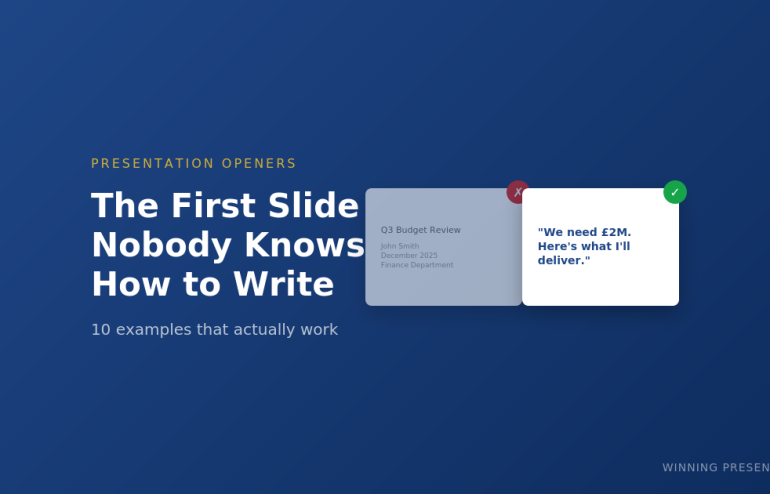
First slide examples for presentations before and after

The First Slide Nobody Knows How to Write (And 10 Examples That Work)

Stop staring at a blank title slide. Here’s exactly what to put on it.

You’ve got your presentation structured. You know your key points. You’ve even rehearsed the middle section.

But you’re still staring at slide one.

What do you actually put on the first slide? Your name and the date? A clever quote? The company logo? Something that “grabs attention”?

Most people get this wrong โ€” and it costs them the room before they’ve said a word.

After 24 years presenting to boards, investors, and C-suite executives at JPMorgan, PwC, and Royal Bank of Scotland, I’ve tested dozens of opening slide approaches. Here are the 10 that consistently work.

Why Your First Slide Matters More Than You Think

Your audience decides in the first 30 seconds whether to pay attention or check their phones. The first slide sets that tone.

A weak first slide signals: “This will be like every other boring presentation.”

A strong first slide signals: “This person knows what they’re doing. I should listen.”

The difference isn’t design. It’s intent. Your first slide should do ONE of three things:

  • Create curiosity โ€” make them want to know more
  • Establish stakes โ€” show them why this matters
  • State your position โ€” tell them exactly what you’re recommending

Here are 10 ways to do that.

10 First Slide Presentation Examples That Actually Work

1. The Bold Claim

State your conclusion upfront. No build-up, no context, no “let me walk you through.”

Example:

“We should acquire Company X for ยฃ15M. Here’s why.”

Why it works: Executives don’t want to wait for your conclusion. Give it to them immediately, then spend the rest of the presentation proving it.

Best for: Board presentations, executive briefings, any audience with authority and limited time.

Related: The Pyramid Principle for Presentations

2. The Provocative Question

Ask something that challenges assumptions or creates immediate tension.

Example:

“What if everything we know about customer retention is wrong?”

Why it works: Questions engage the brain differently than statements. The audience can’t help but start formulating answers.

Best for: Strategy presentations, innovation pitches, challenging the status quo.

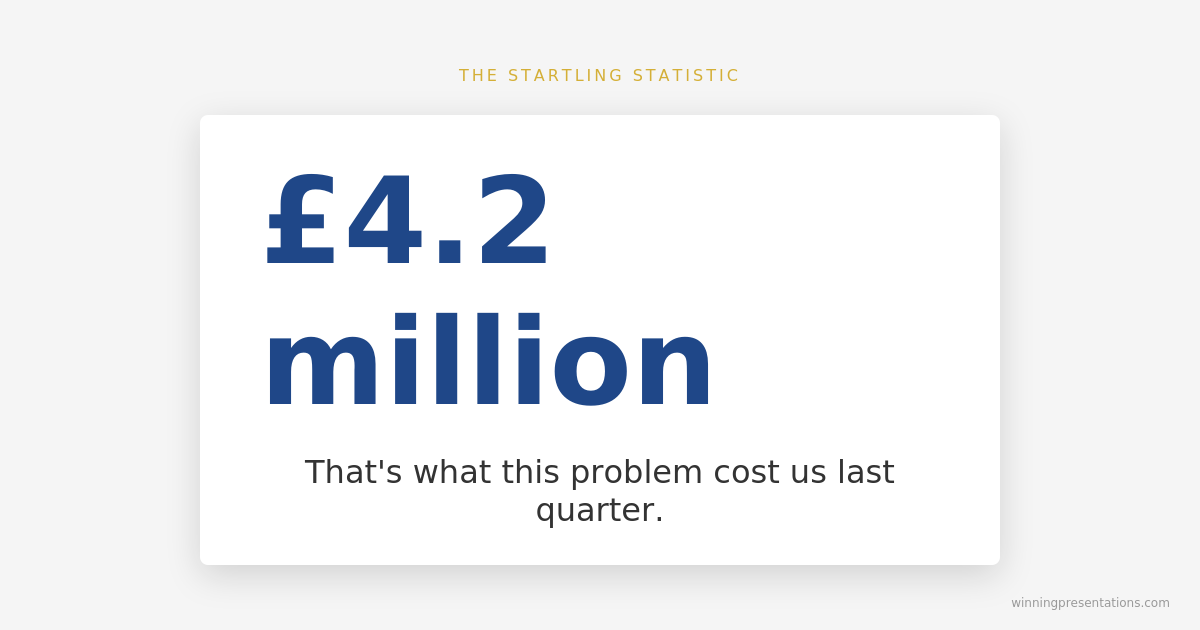
3. The Startling Statistic

Lead with a number that makes people sit up.

Example:

“ยฃ4.2 million. That’s what this problem cost us last quarter.”

Why it works: Specific numbers feel concrete and credible. They create immediate stakes.

Best for: Budget requests, problem presentations, any situation where you need to establish urgency.

First slide example showing startling statistic presentation opening

4. The Before/After Promise

Show the transformation you’re offering.

Example:

“From 6-hour turnaround to 45 minutes. This is what AI did for our team.”

Why it works: People understand contrast instantly. The gap between before and after creates curiosity about how you got there.

Best for: Case studies, sales presentations, process improvement updates.

5. The Enemy Slide

Name the problem your audience is fighting.

Example:

“Manual reporting is killing your team’s productivity.”

Why it works: When you articulate someone’s pain better than they can, you earn instant credibility. They think: “This person understands my world.”

Best for: Sales pitches, proposals, any presentation where you’re solving a problem.

Related: How to Structure a Presentation: The Step-by-Step Guide

6. The Counterintuitive Truth

Challenge conventional wisdom immediately.

Example:

“The best sales teams don’t focus on selling.”

Why it works: Contradictions create cognitive tension. The audience needs to hear the explanation to resolve it.

Best for: Thought leadership, keynotes, any presentation where you’re changing minds.

7. The Single Word

Maximum impact, minimum noise.

Example:

“Momentum.”

Why it works: A single word forces the audience to lean in. What does it mean? Why that word? You have their full attention for your verbal explanation.

Best for: Keynotes, team rallies, presentations where you want to create a memorable moment.

Get All 25 Templates

The Openers & Closers Swipe File includes:

  • 10 opening slide templates (with fill-in-the-blank scripts)
  • 15 closing slide templates (including “The Ask” and “The Callback”)
  • Before/after examples showing weak vs. strong versions
  • Guidance on which opener fits which situation

Stop reinventing the wheel for every presentation.

Get instant access (ยฃ9.99) โ†’

Sorted slide one โ€” now build slides two through twelve

Once you’ve nailed the opener, the Executive Slide System gives you 26 templates including Board Meeting Opener and Executive Summary. Drop your content in. ยฃ39, instant download.

Get the Slide System โ†’

8. The “What If” Scenario

Paint a picture of a different future.

Example:

“What if you could close deals in half the time with twice the confidence?”

Why it works: “What if” bypasses skepticism. It’s hypothetical, so there’s nothing to argue with. But it plants a seed of possibility.

Best for: Product launches, vision presentations, sales pitches.

9. The Audience Mirror

Describe exactly what they’re experiencing right now.

Example:

“You’ve got 47 slides, a meeting in an hour, and no idea what your main point is.”

Why it works: When someone describes your situation perfectly, you trust them. They clearly understand your world.

Best for: Training sessions, consulting pitches, any presentation where you’re positioning yourself as the expert.

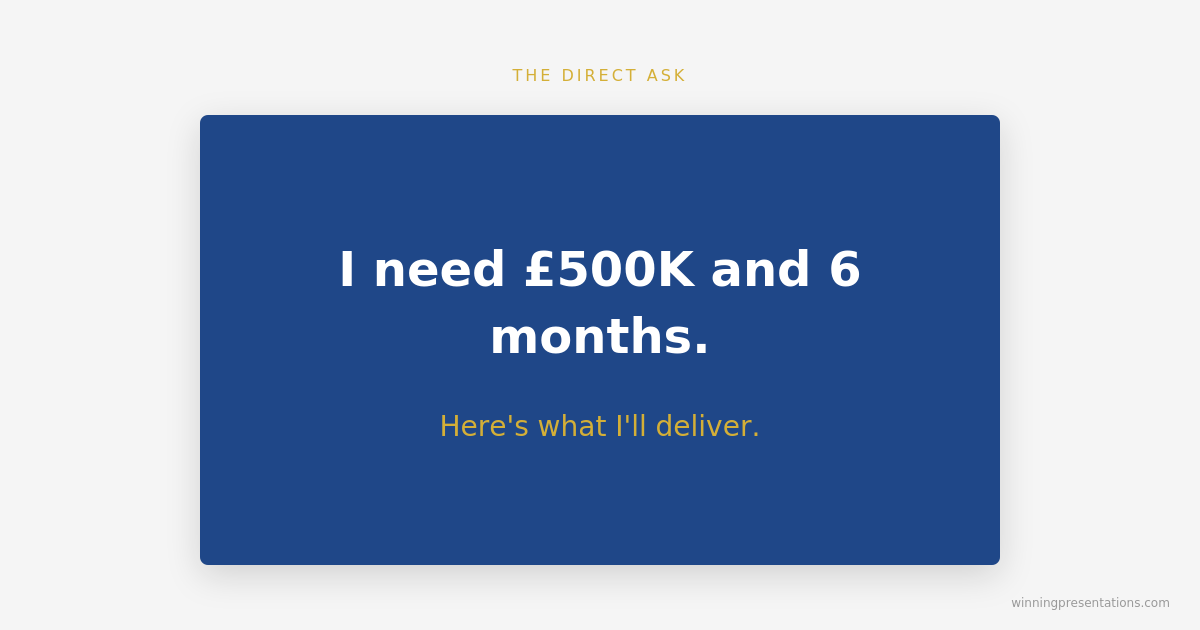
10. The Direct Ask

Skip the preamble entirely. Say what you want.

Example:

“I need ยฃ500K and 6 months. Here’s what I’ll deliver.”

Why it works: Directness signals confidence. It respects the audience’s time. And it frames everything that follows as justification for a specific request.

Best for: Budget requests, investor pitches, any presentation where you’re asking for a decision.

Related: How to End a Presentation: 7 Closing Techniques

Opening slide example showing direct ask presentation technique

What NOT to Put on Your First Slide

Now that you know what works, here’s what to avoid:

โŒ Your name and title โ€” Nobody cares yet. Earn their attention first.

โŒ The date and meeting title โ€” They know what meeting they’re in.

โŒ A table of contents โ€” Save it for documents. Presentations should flow.

โŒ “Today we’ll cover…” โ€” This signals a lecture, not a conversation.

โŒ A generic quote โ€” Unless it’s directly relevant, it’s filler.

โŒ Your company logo taking up the whole slide โ€” Branding matters, but not more than your message.

Your first slide has one job: make them want slide two.

Matching Your Opener to Your Situation

The right opening depends on your audience and goal:

Situation Best Openers
Board presentation Bold Claim, Direct Ask
Sales pitch Enemy Slide, Before/After, What If
Investor pitch Startling Statistic, Direct Ask, Bold Claim
Keynote / all-hands Single Word, Provocative Question, Counterintuitive Truth
Training session Audience Mirror, Before/After
Strategy recommendation Bold Claim, Provocative Question

Want the complete toolkit?

The first slide is one piece of a working executive presentation. The Complete Presenter Bundle pulls all seven products together โ€” slides, Q&A, anxiety, storytelling, delivery, openers, cheat sheets โ€” for ยฃ99 (save ยฃ91.97 vs buying separately). Lifetime access.

Get the Complete Presenter Bundle โ€” ยฃ99 โ†’

Frequently Asked Questions

Should I introduce myself on the first slide?

No. Earn their attention first, then introduce yourself โ€” either verbally after your opening or on slide two. The exception is if you’re unknown to the audience AND your credibility is central to the message. Even then, keep it brief.

What about title slides for formal presentations?

If protocol requires a title slide (some board meetings, academic presentations), use it โ€” but make it work harder. Instead of “Q3 Financial Update,” try “Q3 Results: Why We’re Accelerating Investment.” Same information, but it creates curiosity.

How do I choose between these openers?

Ask yourself: What does my audience need to feel in the first 10 seconds? Curious? Alarmed? Reassured? Challenged? Pick the opener that creates that emotion. When in doubt, go with The Bold Claim for executives or The Enemy Slide for sales.


Stop Staring at Blank Slides

Your first slide sets the tone for everything that follows. Get it right, and you’ve earned attention. Get it wrong, and you’re fighting uphill for the next 20 minutes.

The Openers & Closers Swipe File gives you 25 templates you can use immediately:

  • 10 opening slides with fill-in-the-blank scripts
  • 15 closing slides (including The Single Ask, The Callback, and The Forward Story)
  • Before/after examples showing weak vs. strong versions
  • Situation guide so you always pick the right one

Get the Swipe File (ยฃ9.99) โ†’

Instant download. Use it on your next presentation.


Mary Beth Hazeldine is the Managing Director of Winning Presentations. She spent 24 years in corporate banking at JPMorgan Chase, PwC, Royal Bank of Scotland, and Commerzbank before training thousands of executives to present with impact. Her clients have raised over ยฃ250M using her frameworks.

18 Dec 2025
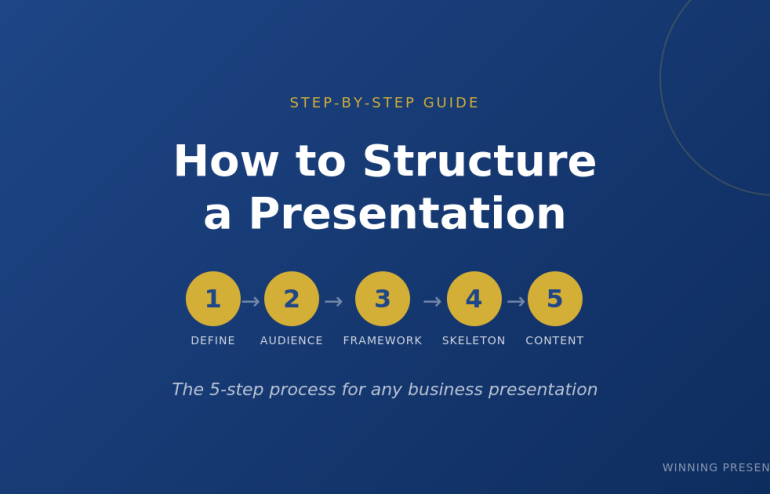
How to structure a presentation step by step guide

How to Structure a Presentation: The Step-by-Step Guide for Any Situation

The exact process I use to structure presentations that have helped clients raise ยฃ250M+

You have a presentation next week. Maybe it’s a board update, a sales pitch, or an investor meeting. You know your content โ€” the problem is figuring out what order to put it in.

Most people start with a blank slide and begin typing. That’s backwards.

After 24 years in corporate banking at JPMorgan, PwC, Royal Bank of Scotland, and Commerzbank โ€” and training thousands of executives since โ€” I’ve developed a step-by-step process for structuring any presentation. It works whether you have 5 slides or 50, whether you’re presenting to your team or the board.

Here’s exactly how to structure a presentation that gets results.

The 5-Step Process to Structure Any Presentation

Before you open PowerPoint, you need clarity on five things. Skip any of these and your presentation structure will fall apart.

Want ready-made structures instead of building from scratch?

The Executive Slide System includes 17 PowerPoint templates with proven structures for every business presentation โ€” board meetings, budget requests, sales pitches, QBRs, and more. Plus 51 AI prompts to generate your content.

Get the templates (ยฃ39) โ†’

Step 1: Define Your One Thing

Every presentation needs a single core message. Not three messages. Not “several key points.” One thing you want the audience to remember.

Ask yourself: If my audience forgets everything else, what’s the one thing they must remember?

Examples:

  • Budget presentation: “We need ยฃ500K to hit our Q3 targets”
  • Sales pitch: “Our solution cuts your processing time by 60%”
  • Board update: “We’re on track, but need a decision on the expansion”
  • Investor pitch: “We’re raising ยฃ2M to capture a ยฃ500M market”

Write this down before you do anything else. Every slide you create should support this one thing.

Presentation structure diagram showing one core message with supporting points

Step 2: Know Your Audience’s Starting Point

The biggest presentation structure mistake is assuming your audience knows what you know.

Before you structure anything, answer these questions:

  • What do they already know about this topic?
  • What do they care about most? (Hint: usually money, time, or risk)
  • What concerns or objections will they have?
  • What decision are they able to make?

A presentation to your team requires different structure than the same content presented to the board. Your team wants details. The board wants the decision and the headline numbers.

Related: How to Present to a CFO: The Finance-First Framework

Step 3: Choose Your Framework

Now you’re ready to pick a presentation structure. The right framework depends on your situation:

Situation Best Framework Why It Works
Sales pitch or proposal Problem-Solution-Benefit Creates urgency, then delivers relief
Executive briefing Pyramid Principle Answer first, details only if needed
Data presentation What-So What-Now What Turns numbers into decisions
Keynote or all-hands Hero’s Journey Inspires through narrative
Strategy recommendation SCQA Creates tension that demands resolution
Investor pitch 10-20-30 Rule Forces clarity and brevity
Client meeting (flexible) Modular Deck Adapts to conversation flow

Deep dive: Presentation Structure: 7 Frameworks That Actually Work

Don’t know which to choose? Default to Problem-Solution-Benefit for external audiences and Pyramid Principle for internal executives.

๐Ÿ’ก Want to combine these frameworks with AI? My AI-Enhanced Presentation Mastery course teaches you how to use Copilot as a strategic partner โ€” cut creation time from 6 hours to 90 minutes while doubling impact.

Step 4: Build Your Slide Skeleton

Now โ€” and only now โ€” open PowerPoint.

Don’t write content yet. Just create placeholder slides with titles only. This is your skeleton.

Example: Problem-Solution-Benefit structure for a sales pitch

  1. Title slide
  2. The Problem (what pain they’re experiencing)
  3. The Cost (what this problem costs them)
  4. The Cause (why the problem exists)
  5. The Solution (your answer โ€” benefits, not features)
  6. How It Works (3 steps maximum)
  7. Proof (case study with specific numbers)
  8. Next Step (one clear action)

Eight slides. That’s it. If you need more, you probably haven’t synthesised enough.

Pro tip: Read your slide titles in sequence. They should tell a complete story without any content. If someone read only your titles, would they understand your message?

Step 5: Fill In the Content (Last)

Only after your skeleton is solid do you write the actual content.

For each slide, ask:

  • What’s the ONE point this slide makes?
  • What’s the minimum evidence needed to prove it?
  • What can I cut?

Most slides need 3-5 bullet points maximum. If you have more, you’re putting two slides’ worth of content on one slide.

Related: Stop Writing Slide Titles Like This (Before and After Examples)

Skip the Skeleton โ€” Get Pre-Built Structures

The 5-step process works. But it takes time.

The Executive Slide System gives you 17 ready-made presentation structures โ€” just fill in your content. Includes:

  • 17 PowerPoint templates (Board, QBR, Budget, Sales, Investor, and more)
  • 51 AI prompts to generate content for each slide
  • 7 proven frameworks (Pyramid Principle, Problem-Solution-Benefit, SCQA, etc.)
  • Before/after examples showing exactly what good looks like

Get instant access (ยฃ39) โ†’

How to Structure Different Types of Presentations

The 5-step process applies universally. But each presentation type has nuances. Here’s how to structure the most common ones:

How to Structure a Sales Presentation

Use Problem-Solution-Benefit. The structure is:

  1. Problem โ€” State their pain (be specific to their situation)
  2. Cost โ€” Quantify what it’s costing them
  3. Cause โ€” Explain why the problem exists
  4. Solution โ€” Your answer (benefits first, features later)
  5. How It Works โ€” 3 steps maximum
  6. Proof โ€” Case study with specific numbers
  7. Next Step โ€” One clear action

Spend 70% of your prep time on slides 1-3. If they don’t feel the problem, they won’t care about your solution.

Template: Sales Presentation Template: The Structure Top Performers Use

How to Structure an Executive Presentation

Use the Pyramid Principle. Lead with your answer:

  1. The Answer โ€” Your recommendation in one sentence
  2. Supporting Point 1 โ€” Strongest argument + evidence
  3. Supporting Point 2 โ€” Second argument + evidence
  4. Supporting Point 3 โ€” Third argument + evidence
  5. Implications โ€” What this means for the business
  6. Next Steps โ€” What you need from them

Never more than 3 supporting points. If you have more, group related points together.

Template: Executive Presentation Template: 12 Slides That Command the Room

How to Structure a Board Presentation

Boards have specific expectations. Your structure must include:

  1. The Ask โ€” What decision you need (slide 1, not slide 12)
  2. Context โ€” Brief background (what they need to know)
  3. Recommendation โ€” Your proposed course of action
  4. Business Case โ€” ROI, costs, timeline
  5. Risks โ€” What could go wrong and your mitigation
  6. Decision โ€” Restate the ask with clear options

Board presentations fail when the ask is buried. Put it on slide 1.

Template: Board Presentation Template: The Complete Guide

How to Structure a Data Presentation

Use What-So What-Now What for every data point:

  • What โ€” The facts (specific numbers with context)
  • So What โ€” Why it matters (interpretation)
  • Now What โ€” What to do about it (action)

Every chart needs a “So What.” If you can’t explain why data matters in one sentence, don’t include it.

Related: Team Dashboards That Tell a Story (Not Just Show Numbers)

Data presentation structure using What So What Now What framework

Common Presentation Structure Mistakes

I’ve reviewed thousands of presentations. These mistakes appear in 80% of them:

Mistake 1: Starting with Background

“Let me give you some context…” is how most presentations start. It’s also where most audiences check out.

Fix: Start with why they should care. Context comes after you’ve earned their attention.

Mistake 2: Building to the Conclusion

Academic training teaches us to present evidence then reach a conclusion. Business presentations are the opposite.

Fix: Lead with your recommendation. Provide evidence for those who want it.

Mistake 3: Too Many Points

If you have 7 key messages, you have 0 key messages. The audience will remember none of them.

Fix: Three points maximum. If you need more, you haven’t synthesised enough.

Mistake 4: No Clear Ask

“Let me know what you think” is not an ask. “I need your approval by Friday” is an ask.

Fix: End every presentation with one specific action and a deadline.

Related: How to End a Presentation: 7 Closing Techniques I Teach C-Suite Executives

Using AI to Structure Your Presentation

Tools like ChatGPT and PowerPoint Copilot can accelerate your presentation structure โ€” if you use them correctly.

Related: The AI Presentation Workflow That Cut My Creation Time in Half

Good prompt:

“Create a presentation structure using Problem-Solution-Benefit framework for [TOPIC]. Include slide titles only โ€” no content yet. The audience is [AUDIENCE] and the goal is [DECISION NEEDED].”

Bad prompt:

“Create a presentation about [TOPIC].”

AI gives you speed. Your judgment gives you substance. Use AI for the skeleton, then refine with your expertise.

Related: Best Copilot PowerPoint Prompts That Actually Work

Want to Master AI-Enhanced Presentations?

The frameworks in this article become 10x more powerful when combined with AI. My new course teaches you exactly how to use Copilot as a strategic thinking partner โ€” not just a slide generator.

What you’ll learn:

  • The AVP Framework โ€” Strategic planning before you prompt AI
  • The 132 Rule โ€” Structure any presentation in minutes
  • The S.E.E. Formula โ€” Make every slide persuasive
  • 50+ tested prompts from my personal library
  • 2 live coaching sessions with deck reviews

AI-Enhanced Presentation Mastery

ยฃ249 ยฃ499 โ€” Early bird until December 31st

January cohort โ€ข 60 seats maximum โ€ข Lifetime access

See the Full Curriculum โ†’

Frequently Asked Questions

How many slides should a presentation have?

There’s no universal answer, but here are guidelines: 1 slide per minute of speaking time is a reasonable maximum. A 20-minute presentation should have 15-20 slides. More importantly, each slide should make ONE point. If you have 40 slides for a 20-minute presentation, you’re probably putting too little on each slide โ€” or talking too fast.

What’s the best presentation structure for beginners?

Start with Problem-Solution-Benefit. It’s intuitive (problem โ†’ solution โ†’ why it matters), works for most situations, and forces you to focus on the audience’s needs rather than your content. Once you’re comfortable, expand to Pyramid Principle for executive audiences.

How do I structure a presentation with lots of data?

Use What-So What-Now What for every data point. Don’t show data without interpretation. Every chart should answer: What does this show? Why does it matter? What should we do about it? Cut any data that doesn’t directly support your one core message.

Should I structure differently for virtual presentations?

Yes. Attention spans are shorter online. Use more frequent transitions (every 2-3 minutes), bigger text, and more visuals. Keep slides simpler โ€” viewers are on smaller screens. And build in interaction every 5 minutes to maintain engagement.


Get Presentation Structures That Work

The 5-step process will help you structure any presentation from scratch. But if you want to skip the blank-slide struggle, I’ve done the work for you.

The Executive Slide System includes:

  • 17 PowerPoint templates โ€” Every structure covered in this article, ready to use
  • 51 AI prompts โ€” Generate content for each slide in minutes
  • 7 presentation frameworks โ€” Pyramid Principle, Problem-Solution-Benefit, SCQA, and more
  • Before/after examples โ€” See exactly what transforms a weak presentation into a strong one

My clients have used these templates to raise over ยฃ250 million in funding and get budgets approved at Fortune 500 companies.

Get the Executive Slide System (ยฃ39) โ†’

Instant download. Lifetime access. 30-day money-back guarantee.


Mary Beth Hazeldine is the Managing Director of Winning Presentations, where she trains executives at investment banks, biotech companies, and SaaS firms to present with impact. Her clients have raised over ยฃ250M using her presentation frameworks.

17 Dec 2025
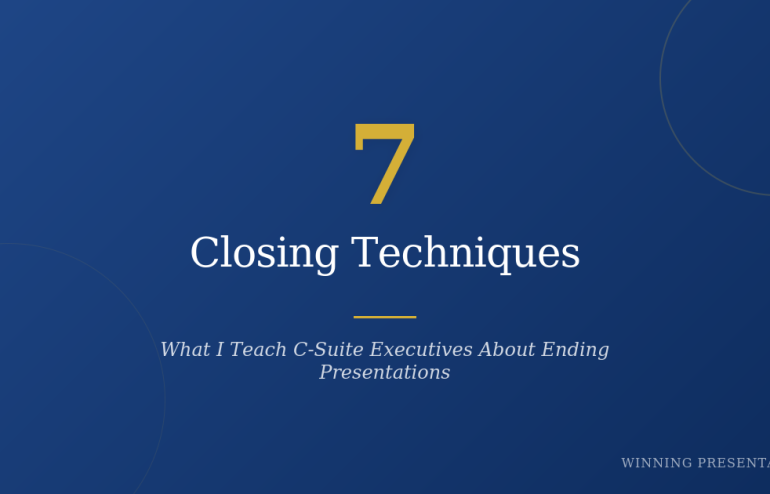
How to End a Presentation: 7 Closing Techniques I Teach C-Suite Executives

How to End a Presentation: 7 Closing Techniques I Teach C-Suite Executives

The difference between polite nods and signed approvals

I’ve trained executives at JPMorgan, PwC, and Royal Bank of Scotland. I’ve helped biotech founders raise ยฃ250M+ in funding. And after 24 years in corporate banking and thousands of presentations coached, I can tell you this:

Most presentations die in the last 60 seconds.

Everything else can be perfect โ€” compelling data, clean slides, confident delivery โ€” but a weak close kills the deal. The audience leaves nodding politely and then… nothing happens.

Here are 7 closing techniques I teach senior executives. I’m sharing 3 in full today. The other 4? Those are part of the deep-dive in my AI-Enhanced Presentation Mastery course launching in January.

Why Presentation Closings Fail

Before the techniques, let’s diagnose the problem.

Bad closings usually fall into three traps:

The Fizzle: “So… that’s it. Any questions?” You just handed control to the room and signalled uncertainty.

The Repeat: Summarising every slide again. Your audience isn’t stupid. They were there.

The Vague Ask: “Let me know what you think.” Think about what? Do what? By when?

Great presentation endings do the opposite. They create momentum, clarity, and commitment.

Technique 1: The Single Ask

This is the most important closing technique, and the one executives resist most.

The rule: End with ONE specific request. Not three options. Not “a few things to consider.” One thing.

Here’s why it works: Decision fatigue is real. When you give people multiple options at the end of a presentation, you’re asking them to do more cognitive work. Most will default to “I’ll think about it” โ€” which means nothing happens.

Weak close: “So we could either proceed with the pilot, or do more research, or schedule a follow-up discussion to align stakeholders.”

Strong close: “I’m asking for approval to start the pilot on January 15th. That requires your sign-off today.”

One ask. Specific. Time-bound.

When I coach executives on investor pitches, this is often where we spend the most time. They want to hedge, offer alternatives, seem flexible. But flexibility at the close reads as uncertainty.

Your call to action should answer: What do you want them to do, and by when?

Technique 2: The Forward Story

This technique works brilliantly for strategic presentations, board meetings, and any situation where you’re proposing change.

Instead of ending with what you’ve covered, end with what happens next โ€” told as a story.

Structure:

  • “Imagine it’s [specific future date]…”
  • Describe the outcome as if it’s already happened
  • Make the audience the hero of that story

Example:

“Imagine it’s July 2026. We’ve completed the integration, and your team is running both systems from a single dashboard. The CFO just told you the efficiency savings hit ยฃ2.3 million โ€” ยฃ800K more than we projected. That’s the future we’re building. The first step is approving the Phase 1 budget today.”

This works because it:

  • Creates emotional connection to the outcome
  • Makes the decision feel smaller (it’s just “the first step”)
  • Positions the audience as the one who made it happen

I use this technique constantly with biotech founders pitching investors. Investors aren’t buying your science โ€” they’re buying a future where your science changed something. Show them that future.

Technique 3: The Silence Close

This one takes nerve. Most people can’t do it without practice.

After you make your ask, stop talking.

Don’t fill the silence. Don’t add qualifiers. Don’t say “so yeah” or “if that makes sense” or “let me know what you think.”

Just ask, then wait.

Example:

“I’m recommending we proceed with Vendor A. The cost is ยฃ340,000, and I need your approval today to meet the Q2 deadline.”

[Silence]

Here’s what happens in that silence: the other person has to respond. They can’t just let your words hang there. And whatever they say next tells you exactly where you stand.

If they object, you’ve surfaced the real issue. If they agree, you’ve closed. If they ask a question, you’ve identified what’s actually blocking the decision.

Most presenters panic in silence and start backpedaling: “Of course, we could also look at other options…” You just undermined your own recommendation.

The silence close requires confidence. It requires believing your recommendation is sound. That’s why we practice it extensively in my course โ€” it’s a skill, not a personality trait.

โ†’ Learn all 7 techniques in the January course (early bird: ยฃ249)

The Other 4 Techniques

I’ve shared three. Here’s what’s in the full system:

Technique 4: The Callback Close โ€” Referencing your opening to create narrative closure

Technique 5: The Objection Preempt โ€” Addressing the unspoken concern before they raise it

Technique 6: The Social Proof Stack โ€” Using specific evidence at the close to overcome last-second doubt

Technique 7: The Next Yes โ€” For situations where you can’t get the final decision today

Each of these has specific language patterns, practice exercises, and real examples from executive presentations I’ve coached.

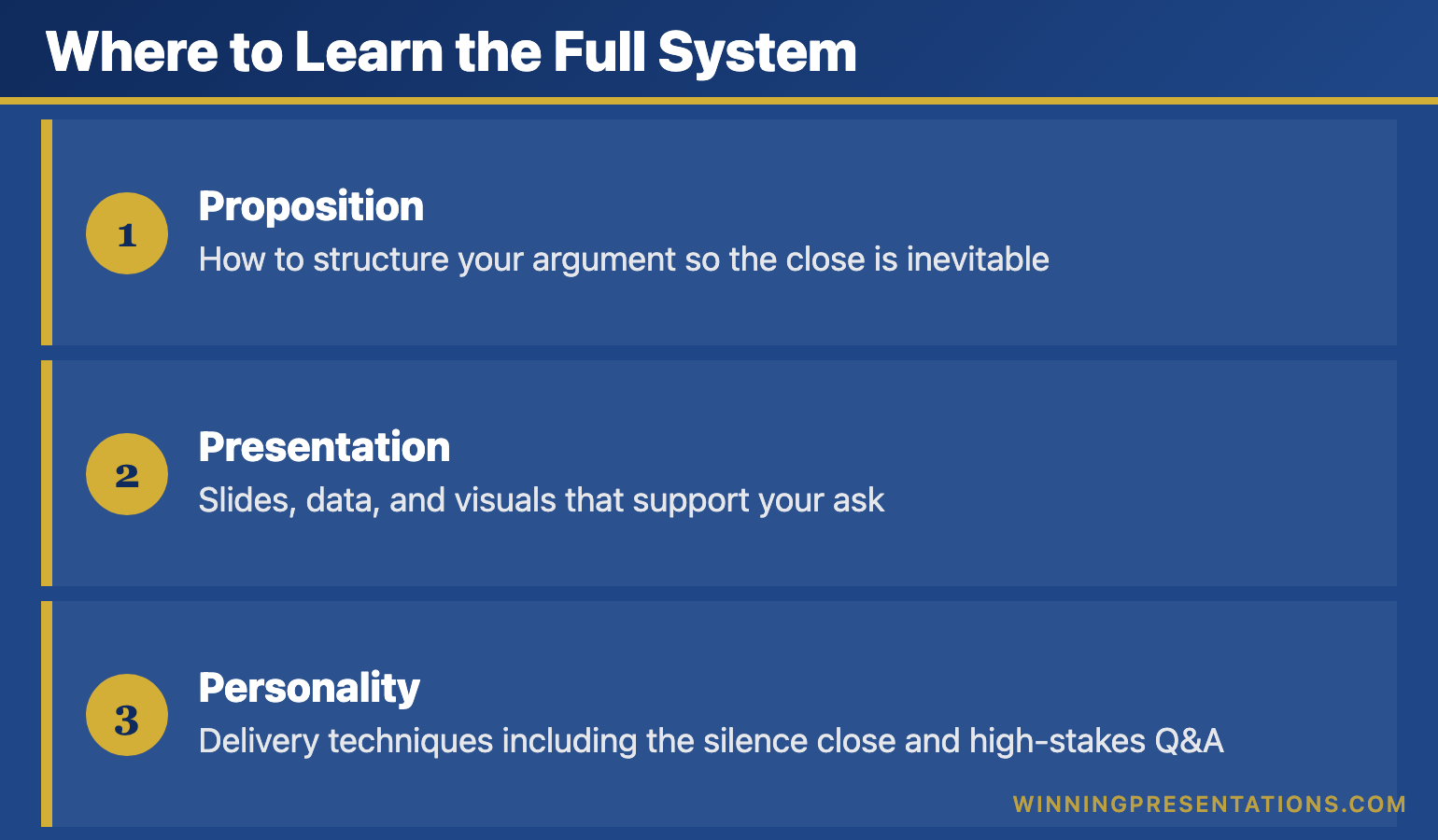
Where to Learn the Full System

I’m running AI-Enhanced Presentation Mastery on Maven starting January 2026.

It’s not just closing techniques. It’s the complete system:

Infographic for: how to end a presentation (image 1)

  • Proposition: How to structure your argument so the close is inevitable
  • Presentation: Slides, data, and visuals that support your ask
  • Personality: Delivery techniques including the silence close and high-stakes Q&A

This is the same methodology that’s helped my clients raise over ยฃ250 million in funding and get budgets approved at Fortune 500 companies.

Early bird pricing closes December 31st.

โ†’ Join the January cohort for ยฃ249 (save ยฃ50)

Try This Today

You probably have a presentation coming up. Before you finalise your final slide, ask yourself:

  1. What is my ONE ask?
  2. Can I paint a forward story of what success looks like?
  3. Am I prepared to stop talking after I make the ask?

If you can answer yes to all three, your presentation ending is already stronger than 90% of presenters.

Frequently Asked Questions

How long should a presentation closing be?

60-90 seconds maximum. Your close should be the most focused part of your presentation โ€” not a second summary. State your ask, paint the forward story if appropriate, then stop.

What’s the best way to end a presentation to executives?

Lead with your recommendation, not your reasoning. Executives want the answer first, then the supporting evidence. Use the Single Ask technique: one specific request with a deadline.

How do I end a presentation without saying “any questions?”

Replace it with a specific call to action. Instead of “Any questions?” try “I’m asking for your approval on the pilot budget. What concerns would you need addressed before signing off today?”


Mary Beth Hazeldine is the Managing Director of Winning Presentations, where she trains executives at investment banks, biotech companies, and SaaS firms to present with impact. Her clients have raised over ยฃ250M using her methodology.

Her AI-Enhanced Presentation Mastery course launches January 2026. Early bird enrollment (ยฃ249) closes December 31st.

17 Dec 2025
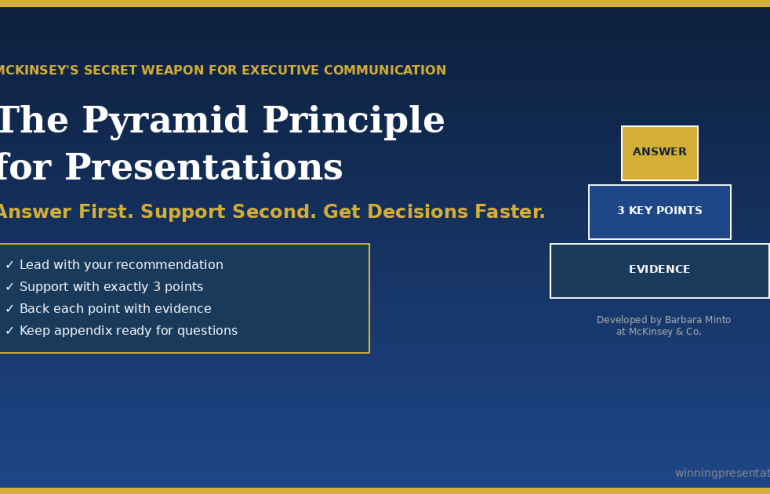
The Pyramid Principle for Presentations - McKinsey's secret weapon for executive communication

The Pyramid Principle for Presentations: McKinsey’s Secret Weapon (Used Wrong by Most)

๐Ÿ“… Updated: January 2026

Quick Answer

The Pyramid Principle is a communication framework developed by Barbara Minto at McKinsey that structures presentations top-down: lead with your answer first, then support it with 3 key points, each backed by evidence. It’s the opposite of how most people present (building to a conclusion) and dramatically more effective for executive audiences who want your recommendation, not your thought process.

Contents


“Win the room. Every time.” โ€” weekly tactics on executive presentations, Copilot for PowerPoint, and the psychology of persuasion. Free, from Mary Beth Hazeldine.

Send me the free newsletter โ†’

What Is the Pyramid Principle?

The Pyramid Principle was developed by Barbara Minto at McKinsey in the 1960s and has since become the standard for executive communication at consulting firms, investment banks, and Fortune 500 companies worldwide.

The core idea is simple: start with the answer.

Most people present bottom-up โ€” they walk through their analysis, build the case piece by piece, and finally reveal their conclusion. This feels logical to the presenter. It mirrors how they did the work.

But it’s torture for the audience.

Executives don’t want to follow your journey. They want your destination. They want to know what you recommend, then decide whether they need the supporting detail.

The Pyramid Principle flips the structure:

  1. Start with the answer โ€” your main recommendation or finding
  2. Group supporting arguments โ€” 3 key points that prove your answer
  3. Order logically โ€” each point supported by evidence

It’s called a “pyramid” because the structure looks like one: single point at the top, broader supporting base below.

Related: Presentation Structure: 7 Frameworks That Actually Work

Why It Works for Executive Presentations

I’ve trained executives at JPMorgan, PwC, and dozens of other firms. The Pyramid Principle works because it aligns with how senior leaders actually process information.

Executives are time-poor. A CEO might have 15 minutes between meetings. If your conclusion is on slide 12, they’ll never see it. If it’s on slide 1, they can engage immediately โ€” and choose whether to dig deeper.

Executives are decision-makers. They don’t need to understand every detail of your analysis. They need to know: What do you recommend? Why? What do you need from me? The Pyramid answers all three in the first 2 minutes.

Executives will interrupt. If you’re building to a conclusion, every question derails you. If you’ve already stated your answer, questions become productive exploration of supporting points.

A client of mine โ€” a director at a major consulting firm โ€” used to get interrupted constantly in partner meetings. His presentations were thorough but bottom-up. We restructured using the Pyramid Principle. The interruptions didn’t stop, but they changed: instead of “get to the point,” partners started asking “tell me more about point 2.” He made partner 8 months later.

Got the framework โ€” but your next deck is still bottom-up?

Executive Slide System has the Pyramid Principle built into 26 templates and 93 AI prompts, so you can apply Minto’s structure to a real deck without rebuilding from scratch. ยฃ39, instant download, 30-day refund.

Explore the System โ†’

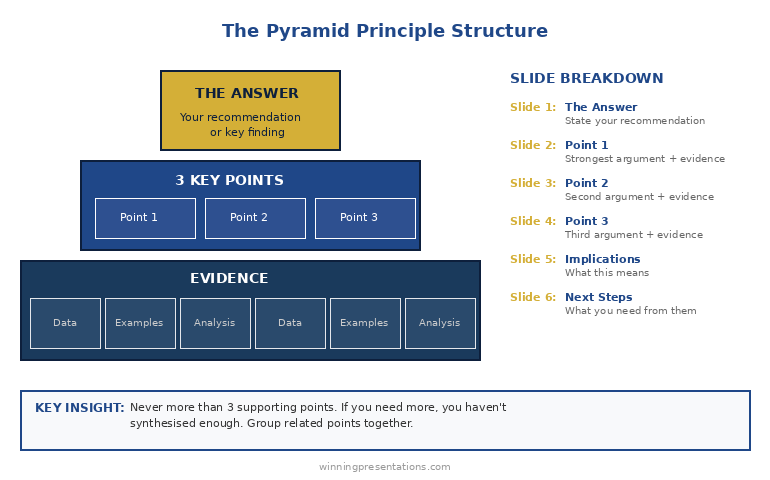
The Pyramid Structure (Slide by Slide)

Here’s how to apply the Pyramid Principle to a typical executive presentation:

Slide 1: The Answer

State your recommendation or key finding in one sentence. Be direct. Be specific.

  • โŒ “We’ve been analysing the market opportunityโ€ฆ”
  • โœ… “We should acquire Company X for ยฃ15M โ€” it will generate ยฃ4M annual savings within 18 months.”

Slide 2: Supporting Point 1

Your strongest argument. Lead with the point, then provide evidence.

  • Point: “The acquisition eliminates our largest cost centre”
  • Evidence: Current outsourcing costs, projected in-house costs, timeline to realise savings

Slide 3: Supporting Point 2

Second strongest argument, same structure.

  • Point: “Company X has technology we’d need 2 years to build”
  • Evidence: Capability comparison, build vs. buy analysis

Slide 4: Supporting Point 3

Third argument. Never more than 3 โ€” if you need more, you haven’t synthesised enough.

  • Point: “The asking price is below market value”
  • Evidence: Comparable transactions, valuation methodology

Slide 5: Implications

What this means for the business. Risks, dependencies, timeline.

Slide 6: Next Steps

What you need from the audience. One clear ask.

Pyramid Principle structure diagram - answer at top, 3 supporting points below, evidence at base

The Rule of Three: Why exactly 3 supporting points? Because humans can hold 3-4 items in working memory. More than 3 points and your audience starts forgetting the first one. Fewer than 3 and your argument feels thin. Three is the magic number.

The consulting director I mentioned earlier? He’d known the Pyramid Principle for years โ€” but still struggled to execute it. The Executive Slide System gave him ready-to-use templates that forced him to structure properly. Eight months later, he made partner.

The MECE Rule: Mutually Exclusive, Collectively Exhaustive

The Pyramid Principle has a companion concept: MECE (pronounced “me-see”). Your supporting points should be:

Mutually Exclusive: No overlap between points. Each argument is distinct.

  • โŒ “It saves money” and “It reduces costs” (these overlap)
  • โœ… “It saves money” and “It saves time” and “It reduces risk” (distinct)

Collectively Exhaustive: Together, they cover all the important ground. No major gaps.

MECE matters because overlap confuses your audience (“wait, didn’t you already say that?”) and gaps invite objections (“but what aboutโ€ฆ?”).

Before you finalise your 3 supporting points, ask:

  1. Is there any overlap between these points?
  2. If someone accepted all 3 points, would they accept my answer?
  3. What’s the strongest objection โ€” and is it addressed?

Apply the Pyramid Principle in under 30 minutes

26 templates + 93 AI prompts that fill slides in pyramid order. ยฃ39, instant access.

Get the System โ†’

Before and After: A Real Example

Here’s how the Pyramid Principle transforms an actual presentation:

BEFORE (Bottom-Up):

  1. Slide 1: Agenda
  2. Slide 2: Background on the project
  3. Slide 3: Methodology we used
  4. Slide 4: Data we collected
  5. Slide 5: Analysis of Option A
  6. Slide 6: Analysis of Option B
  7. Slide 7: Analysis of Option C
  8. Slide 8: Comparison matrix
  9. Slide 9: Risks and considerations
  10. Slide 10: Our recommendation

Problem: The CEO checked out by slide 4. The recommendation never landed.

AFTER (Pyramid Principle):

  1. Slide 1: “We recommend Option B โ€” it delivers 40% higher ROI with acceptable risk”
  2. Slide 2: Point 1 โ€” ROI comparison (Option B wins on financial returns)
  3. Slide 3: Point 2 โ€” Implementation timeline (Option B is fastest)
  4. Slide 4: Point 3 โ€” Risk profile (Option B risks are manageable)
  5. Slide 5: What we need to proceed
  6. Appendix: Methodology, detailed analysis, data (available if asked)

Result: CEO approved in the meeting. Total presentation time: 8 minutes.

Want ready-made before/after examples for your own presentations? The Executive Slide System includes real transformation examples you can use as models.

3 Common Mistakes (And How to Fix Them)

Mistake 1: Burying the answer in context

โŒ “Given the market conditions and our strategic priorities and the competitive landscapeโ€ฆ we recommend X.”

โœ… “We recommend X.” Full stop. Context comes after, if needed.

Mistake 2: More than 3 supporting points

If you have 5 points, you haven’t synthesised. Group related points together. “Financial benefits” can cover cost savings, revenue increase, and working capital improvement โ€” that’s one point, not three.

Mistake 3: Supporting points that don’t actually support

Every point must directly answer “why should I accept your recommendation?” If a point is interesting but doesn’t support your answer, cut it or move it to the appendix.

Related: Executive Presentation Template: 12 Slides That Command the Room

From Framework to Finished Presentation

The Pyramid Principle tells you how to structure your thinking. But there’s a gap between knowing the structure and having slides ready for Monday’s board meeting.

That’s where most people struggle. They understand “answer first, 3 supporting points” โ€” but what exactly goes on each slide? How do you phrase the opening? What evidence is compelling vs. overwhelming?

I’ve spent 24 years closing that gap.

The Executive Slide System gives you the complete Pyramid Principle deck โ€” not just a framework, but ready-to-use slides with placeholders you fill in. Plus AI prompts to generate content for each section and scripts for what to say when you present.

What’s Included: Free vs. Paid

What You Get Free Checklist Executive Slide System (ยฃ39)
Pyramid Principle overview โœ“ โœ“
7 frameworks reference card โœ“ โœ“
Ready-to-use PowerPoint templates โ€” โœ“ 17 templates
Pyramid Principle slide deck โ€” โœ“ 6-slide template
AI prompts for each slide โ€” โœ“ 51 prompts
Before/after examples โ€” โœ“ Real transformations
Result Understand the principle Present like McKinsey

Walk into the boardroom with slides that lead with the answer first

Executive Slide System โ€” 26 templates including Strategic Recommendation, Board Meeting Opener, and Executive Summary. Built-in frameworks: Pyramid Principle, SCQA, AVP. ยฃ39.

Get the Slide System โ†’

Want the complete toolkit?

The Pyramid Principle is one of seven frameworks senior presenters need. The Complete Presenter Bundle pulls all seven products together โ€” slides, Q&A, anxiety, storytelling, delivery, openers, cheat sheets โ€” for ยฃ99 (save ยฃ91.97 vs buying separately). Lifetime access.

Get the Complete Presenter Bundle โ€” ยฃ99 โ†’

Frequently Asked Questions

What is the Pyramid Principle in simple terms?

The Pyramid Principle means starting with your answer or recommendation first, then supporting it with 3 key points, each backed by evidence. It’s the opposite of building to a conclusion โ€” you state the conclusion immediately and let your audience decide how much supporting detail they need.

Who invented the Pyramid Principle?

Barbara Minto developed the Pyramid Principle while working at McKinsey & Company in the 1960s. She later wrote “The Pyramid Principle: Logic in Writing and Thinking,” which became the standard text for business communication at consulting firms worldwide.

When should you NOT use the Pyramid Principle?

Avoid the Pyramid Principle when your audience needs to be emotionally engaged before hearing your conclusion (use the Hero’s Journey instead), when you’re delivering bad news that requires context first, or when you genuinely don’t have a recommendation yet. It’s designed for situations where you have a clear answer and a decision-making audience.

What is MECE and how does it relate to the Pyramid Principle?

MECE stands for Mutually Exclusive, Collectively Exhaustive. It’s a test for your supporting points: they should have no overlap (mutually exclusive) and together cover all the important ground (collectively exhaustive). MECE ensures your argument is logically airtight.

How many supporting points should I have?

Exactly 3. Human working memory can hold 3-4 items comfortably. More than 3 points and your audience starts forgetting earlier ones. If you have 5 points, you haven’t synthesised enough โ€” group related points together.

๐Ÿ“ง The Winning Edge Newsletter

Weekly insights on presentations that close deals, win budgets, and advance careers. Join 2,000+ executives.

Subscribe Free โ†’

๐ŸŽ Not Ready to Buy? Start Here.

Get the free checklist with the Pyramid Principle template and 6 other frameworks. You can upgrade to full templates later.

Download Free Checklist โ†’

Related Resources

Struggling with nerves when presenting to executives? The Pyramid Principle helps you sound confident because you lead with your answer. But if physical anxiety is holding you back, see: Stage Fright Before Presentations: The First 60 Seconds Protocol


About the Author

Mary Beth Hazeldine has trained executives on high-stakes presentations for over 15 years. With 24 years in corporate banking at JPMorgan Chase, PwC, Royal Bank of Scotland, and Commerzbank, she’s used the Pyramid Principle in hundreds of board presentations and client pitches. Her clients have closed over ยฃ250 million using her presentation frameworks.

17 Dec 2025
Presentation Structure: 7 Frameworks That Actually Work - proven structures from McKinsey, TED, and top executives

Presentation Structure: 7 Frameworks That Actually Work [2026]

๐Ÿ“… Updated: December 2025

Want the complete toolkit?

Structure is one piece of presenting at executive level. The Complete Presenter Bundle pulls all seven products together โ€” slides, Q&A, anxiety, storytelling, delivery, openers, cheat sheets โ€” for ยฃ99 (save ยฃ91.97 vs buying separately). Lifetime access.

Get the Complete Presenter Bundle โ€” ยฃ99 โ†’

Quick Answer

The best presentation structure depends on your goal: use the Problem-Solution-Benefit framework for sales, the Pyramid Principle for executive briefings, or the What-So What-Now What structure for data presentations. This guide covers 7 proven frameworks with slide-by-slide breakdowns, so you can choose the right structure for any situation.

๐Ÿ“ฆ USED BY 250+ EXECUTIVES

Executive Slide System โ€” ยฃ39

All 7 frameworks as ready-to-use PowerPoint templates. 51 AI prompts. Slide-by-slide scripts. Stop starting from blank slides.

Get the Templates โ€” ยฃ39 โ†’

Instant download. Lifetime access. 30-day money-back guarantee.

“Win the room. Every time.” โ€” weekly tactics on executive presentations, Copilot for PowerPoint, and the psychology of persuasion. Free, from Mary Beth Hazeldine.

Send me the free newsletter โ†’


Why Structure Matters More Than Content

I’ve watched brilliant people give terrible presentations. PhDs who can’t explain their research. CFOs who lose the board in slide three. Salespeople who know the product cold but can’t close.

The problem is never knowledge. It’s structure.

A client came to me last year with a 47-slide deck for a ยฃ2M deal. Every slide was accurate. Every data point was relevant. And the prospect said: “This is really comprehensive. We’ll get back to you.”

They didn’t.

We restructured the same content into 12 slides using Framework 1 below. Same information, different architecture. The next prospect signed in the room.

Structure is the difference between information and persuasion.

Here are 7 frameworks that work โ€” each designed for a specific situation. Use the wrong one and you’ll confuse your audience. Use the right one and you’ll guide them exactly where you want them to go.

Framework 1: Problem-Solution-Benefit (Sales Presentations)

Best for: Sales pitches, proposals, any presentation where you’re asking for a decision

Why it works: Humans are wired to solve problems. When you start with a problem your audience recognises, they lean in. When you present the solution, they’re already primed to say yes.

The structure (7 slides):

  1. The Problem โ€” State the pain your audience feels. Be specific. “Most sales teams spend 40% of their time on admin instead of selling.”
  2. The Cost โ€” Quantify what the problem costs them. Time, money, opportunity. “That’s ยฃ180K per year in lost productivity for a team of 10.”
  3. The Cause โ€” Explain why the problem exists. This positions you as someone who understands.
  4. The Solution โ€” Introduce your answer. High-level, not features.
  5. How It Works โ€” 3 steps maximum. Keep it simple.
  6. Proof โ€” One case study with specific numbers. “Acme reduced admin time by 60% in 90 days.”
  7. Next Step โ€” One clear action. Not “any questions?” but “I recommend we start a pilot next week.”

Pro tip: Spend 70% of your time on slides 1-3. If your audience doesn’t feel the problem, they won’t care about your solution.

Related: Sales Presentation Template: The Structure Top Performers Use

Framework 2: The Pyramid Principle (Executive Briefings)

Best for: Board presentations, executive updates, any audience with limited time and high authority

Why it works: Executives don’t want to follow your thinking process โ€” they want your conclusion. The Pyramid Principle, developed at McKinsey, puts your answer first and lets the audience drill down only if needed.

The structure:

  1. The Answer โ€” Lead with your recommendation or key finding. “We should acquire Company X for ยฃ15M.”
  2. Supporting Point 1 โ€” First reason with evidence
  3. Supporting Point 2 โ€” Second reason with evidence
  4. Supporting Point 3 โ€” Third reason with evidence
  5. Implications โ€” What this means for the business
  6. Next Steps โ€” What you need from them

The rule of three: Never more than 3 supporting points. If you need more, you haven’t synthesised enough.

Pro tip: Prepare 10 slides of backup detail you may never show. Executives will ask questions โ€” have the data ready, but don’t put it in the main flow.

Related: The Pyramid Principle for Presentations: McKinsey’s Secret Weapon

โšก
Stop Reinventing the Wheel

The Executive Slide System includes the Pyramid Principle, Problem-Solution-Benefit, and all 15 other frameworks as ready-to-use templates. Just fill in your content.

Get All 7 Templates โ€” ยฃ39 โ†’

Framework 3: What-So What-Now What (Data Presentations)

Best for: Quarterly reviews, analytics presentations, any data-heavy content

Why it works: Data alone is meaningless. Your audience needs to know what it means and what to do about it. This framework forces you to interpret, not just report.

The structure:

  1. What โ€” The facts. “Revenue is up 12% but margin is down 3 points.”
  2. So What โ€” The interpretation. “We’re winning more deals but at lower prices โ€” likely due to competitor pressure in the mid-market.”
  3. Now What โ€” The action. “I recommend we raise prices 5% on enterprise while holding mid-market rates.”

Apply it to every chart: Before you show any data visualisation, prepare your “So What” statement. If you can’t explain why the data matters, don’t include it.

Pro tip: Most data presentations fail because they’re all “What” and no “So What.” Force yourself to have one insight per slide.

Related: QBR Presentation Template: Quarterly Reviews That Retain Clients

Framework 4: The Hero’s Journey (Keynotes & Vision Presentations)

Best for: Conference talks, company all-hands, any presentation meant to inspire

Why it works: Stories are how humans make sense of the world. The Hero’s Journey โ€” the structure behind every great film โ€” works because it’s hardwired into how we process information.

The structure:

  1. The Ordinary World โ€” Where we are today. Establish the status quo.
  2. The Challenge โ€” The disruption that demands change.
  3. The Journey โ€” The obstacles overcome, lessons learned.
  4. The Transformation โ€” What changed. The new capability or insight.
  5. The New World โ€” The better future now possible.
  6. The Call to Action โ€” What the audience should do to join this journey.

Pro tip: The hero isn’t you โ€” it’s your audience. Position them as the protagonist who can achieve the transformation.

Framework 5: SCQA (Consulting-Style Presentations)

Best for: Strategy presentations, recommendations, complex problem-solving

Why it works: SCQA (Situation-Complication-Question-Answer) creates narrative tension. By the time you reach the Answer, your audience is desperate to hear it.

The structure:

  1. Situation โ€” The context everyone agrees on. “We’re the market leader in the UK with 34% share.”
  2. Complication โ€” The problem or change that disrupts the situation. “But a new competitor entered last quarter and is winning on price.”
  3. Question โ€” The strategic question that must be answered. “How do we defend our position without destroying margin?”
  4. Answer โ€” Your recommendation, followed by supporting analysis.

Pro tip: The Complication is where you create urgency. Make it specific and quantified โ€” “They’ve taken 8 points of share in 6 months” hits harder than “competition is increasing.”

Framework 6: The 10-20-30 Rule (Pitch Decks)

Best for: Investor pitches, startup presentations, any high-stakes pitch with time pressure

Why it works: Guy Kawasaki’s rule forces discipline: 10 slides, 20 minutes, 30-point minimum font. It prevents the most common pitch mistake โ€” death by PowerPoint.

The 10 slides:

  1. Title โ€” Company, name, contact
  2. Problem โ€” The pain you solve
  3. Solution โ€” Your unique approach
  4. Business Model โ€” How you make money
  5. Secret Sauce โ€” Why you win (technology, team, timing)
  6. Marketing Plan โ€” How you reach customers
  7. Competition โ€” Landscape and your differentiation
  8. Team โ€” Why you’re the right people
  9. Financials โ€” Projections and key metrics
  10. Ask โ€” What you want and what you’ll do with it

Pro tip: 30-point font isn’t just about readability โ€” it forces you to cut words and focus on what matters.

Related: Investor Pitch Deck Template: The Sequoia Format That Raised Billions

Framework 7: The Modular Deck (Flexible Meetings)

Best for: Client meetings, consultations, any presentation where the conversation might go in different directions

Why it works: Not every presentation is linear. The Modular Deck gives you building blocks you can rearrange in real-time based on audience interest.

The structure:

  1. Opening Module โ€” 3-5 slides that always come first (context, agenda, key question)
  2. Core Modules โ€” 4-6 self-contained sections of 3-5 slides each, any of which can be skipped or reordered
  3. Closing Module โ€” 3-5 slides that always come last (summary, next steps, call to action)

Pro tip: Number your core modules clearly (Section 1, Section 2) so you can say “Let’s skip to Section 4” without fumbling. Use PowerPoint’s Zoom feature to navigate non-linearly.

Comparison chart showing which presentation framework to use for different situations - sales, executive, data, keynote, consulting, pitch, flexible

How to Choose the Right Framework

Use this decision tree:

Are you asking for money or a decision?

  • Investor pitch โ†’ 10-20-30 Rule
  • Sales presentation โ†’ Problem-Solution-Benefit

Are you presenting to executives?

  • Board or C-suite โ†’ Pyramid Principle
  • Strategy recommendation โ†’ SCQA

Are you presenting data?

  • Quarterly review โ†’ What-So What-Now What

Are you trying to inspire?

  • Keynote or all-hands โ†’ Hero’s Journey

Is the conversation unpredictable?

  • Client meeting โ†’ Modular Deck

Why Frameworks Alone Aren’t Enough

Here’s what I’ve learned training executives for 35 years: knowing the framework is 20% of the battle. Executing it is the other 80%.

I’ve seen people use the Pyramid Principle and still bury the lead. I’ve watched sales presentations with perfect Problem-Solution-Benefit structure fail because the proof wasn’t credible. I’ve reviewed decks that followed every rule but still felt flat.

The difference between good and great is in the details: how you phrase the opening line, which proof points you choose, how you handle the “so what,” what you put on each slide.

That’s why I built the Executive Slide System.

It’s not just frameworks โ€” it’s ready-to-use templates with every slide designed for maximum impact. You get the exact structure, the placeholder text, the AI prompts to generate content, and the scripts for what to say.

My clients have used these templates to close over ยฃ250 million in deals. Not because the frameworks are secret โ€” you just read them above. Because the execution is dialled in.

What’s Included: Free vs. Paid

What You Get Free Checklist Executive Slide System (ยฃ39)
7 framework summaries โœ“ โœ“
One-page reference card โœ“ โœ“
Ready-to-use PowerPoint templates โ€” โœ“ 17 templates
Before/after examples โ€” โœ“ Real transformations
AI prompts for each framework โ€” โœ“ 51 prompts
Slide-by-slide scripts โ€” โœ“ What to say per slide
Result Know the theory Present like a pro

๐ŸŽฏ MOST POPULAR

Executive Slide System

17 PowerPoint templates. 30 AI prompts. Slide-by-slide scripts.
Built from frameworks that have closed ยฃ250M+ in deals.

Get Instant Access โ€” ยฃ39 โ†’

โœ“ Instant downloadย ย ย โœ“ Lifetime accessย ย ย โœ“ 30-day guarantee

Frequently Asked Questions

What is the best structure for a presentation?

The best presentation structure depends on your goal. For sales presentations, use Problem-Solution-Benefit. For executive briefings, use the Pyramid Principle (answer first, then supporting points). For data presentations, use What-So What-Now What. The key is matching structure to audience expectations โ€” executives want conclusions upfront, while sales prospects need to feel the problem first.

How do you structure a 10-minute presentation?

For a 10-minute presentation, use 5-7 slides maximum: opening hook (1 slide, 1 minute), main point with 3 supporting arguments (3-4 slides, 7 minutes), and closing call to action (1 slide, 2 minutes). The most common mistake is trying to cover too much โ€” focus on one core message and make it memorable.

What is the 5-5-5 rule in PowerPoint?

The 5-5-5 rule suggests no more than 5 words per line, 5 lines per slide, and 5 text-heavy slides in a row. It’s a useful guideline for preventing death by PowerPoint, but I prefer the “one idea per slide” principle โ€” each slide should make exactly one point that your audience can grasp in 3 seconds.

How do you structure a presentation for executives?

Use the Pyramid Principle: lead with your recommendation or conclusion, then provide 3 supporting points with evidence, then implications and next steps. Executives have limited time and want your answer, not your thought process. Prepare backup slides for detailed questions but keep the main flow to 6-8 slides.

What is the SCQA framework?

SCQA stands for Situation-Complication-Question-Answer. It’s a consulting-style framework that creates narrative tension: start with agreed context (Situation), introduce the problem (Complication), frame the strategic question, then deliver your recommendation (Answer). It works because by the time you reach the Answer, your audience is primed to hear it.

Not Ready to Buy? Start Here.

Get the free checklist with all 7 frameworks as a one-page reference. You can upgrade to templates later.

Download Free Checklist โ†’

๐Ÿ“ง
The Winning Edge Newsletter

Weekly insights on presentations that close deals, win budgets, and advance careers.

Subscribe Free โ†’

Related Resources

About the Author

Mary Beth Hazeldine has trained executives on high-stakes presentations for 35 years. With 24 years in corporate banking at JPMorgan Chase, PwC, Royal Bank of Scotland, and Commerzbank, she’s seen what separates presentations that close from those that stall. Her clients have closed over ยฃ250 million using her presentation frameworks. She teaches at Winning Presentations.

16 Dec 2025
The First 30 Seconds: Why Most Presenters Lose Their Audience Immediately

The First 30 Seconds: Why Most Presenters Lose Their Audience Immediately

I’ve sat through over 500 executive presentations in my career.

Board meetings at JPMorgan. Investor pitches at PwC. Strategy sessions at RBS. Budget reviews at Commerzbank.

And I can tell you the exact moment most presenters lose their audience: somewhere between second 5 and second 30.

Not minute 5. Not slide 5. Second 5.

After 25 years in investment banking and 16 years training executives, I’ve seen the pattern so many times I can predict it. The presenter walks up, clears their throat, and says some version of:

“Good morning everyone. Thanks for having me. Today I’m going to talk about our Q3 results and the strategic initiatives we’re planning for next year. I’ll try to keep this brief because I know you’re all busy.”

And just like that โ€” before a single piece of content has been delivered โ€” the room is gone.

Phones come out. Eyes glaze over. The CFO starts reviewing emails. The CEO is mentally planning their next meeting.

The presenter hasn’t even started, and they’ve already lost.

What’s Actually Happening in Those First 30 Seconds

Here’s what most people don’t understand about audiences: they’re not neutral. They’re not sitting there thinking, “I can’t wait to hear what this person has to say.”

They’re thinking: “Is this going to be worth my time?”

That’s the only question running through their minds. And they answer it fast โ€” usually within 10-30 seconds.

Neuroscientists call this the “primacy effect.” We form impressions quickly and then spend the rest of our time confirming them. If you open weak, you’re fighting that first impression for the next 20 minutes.

If you open strong, everything that follows lands better.

The stakes couldn’t be higher. And most presenters waste this moment completely.

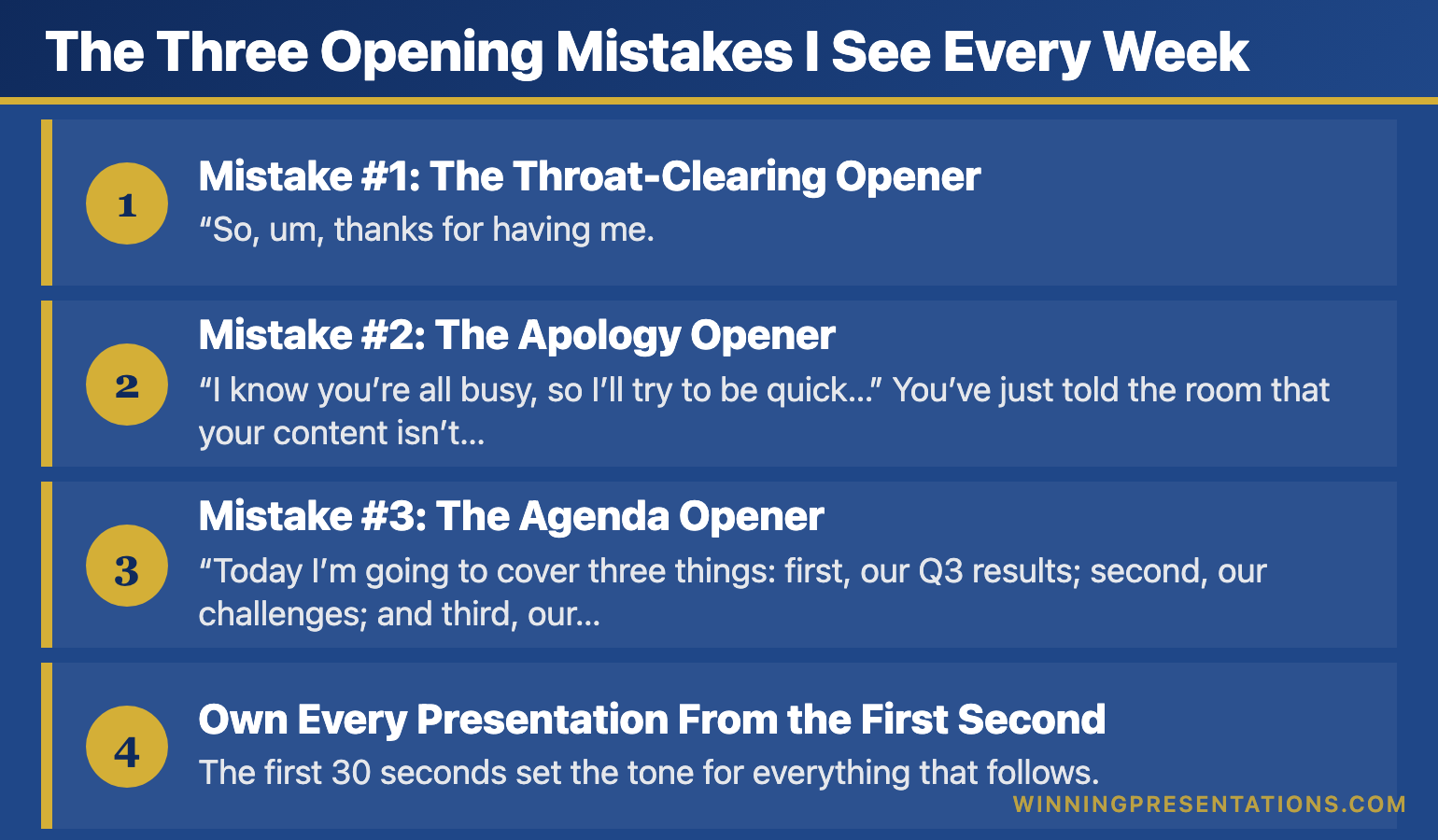
The Three Opening Mistakes I See Every Week

After training over 10,000 executives, I’ve identified the three opening mistakes that kill presentations before they start:

Infographic for: first 30 seconds presentation (image 1)

Mistake #1: The Throat-Clearing Opener

“So, um, thanks for having me. Let me just get my slides up here… okay, there we go. So today I’m going to talk about…”

This signals nervousness, lack of preparation, and โ€” worst of all โ€” that what’s coming isn’t important enough to be planned properly.

Mistake #2: The Apology Opener

“I know you’re all busy, so I’ll try to be quick…”

You’ve just told the room that your content isn’t valuable enough to deserve their full attention. Why would they give it to you?

Mistake #3: The Agenda Opener

“Today I’m going to cover three things: first, our Q3 results; second, our challenges; and third, our plan for next year.”

Boring. Predictable. Zero reason to pay attention. You’ve just told them everything they’re going to hear, so now they don’t need to listen.

The Pattern I’ve Noticed: The executives who get promoted, who close deals, who get their budgets approved โ€” they never open this way. They’ve learned (often through painful experience) that the first 30 seconds determine everything that follows.

Own Every Presentation From the First Second

The first 30 seconds set the tone for everything that follows. The Executive Slide System gives you the exact opening frameworks senior leaders use to command attention and establish authority from the very first word.

Executive Slide System โ†’

What I Learned from a ยฃ4 Million Mistake

Early in my banking career, I watched a senior colleague lose a ยฃ4 million deal in the first 30 seconds of a pitch.

He walked in, fumbled with the projector, apologized for being “a bit under the weather,” and opened with: “So, I know you’ve seen a lot of these pitches, but hopefully we can show you something different today.”

Hopefully? Hopefully?

The investors checked out immediately. I watched their body language shift โ€” arms crossed, eyes down, phones appearing. The rest of the presentation was technically excellent, but it didn’t matter. The decision had already been made.

Afterwards, the lead investor told us: “You lost me at ‘hopefully.’ If you’re not certain your solution is different, why should I be?”

That moment changed how I thought about presentations forever.

If your first slides need to earn attention instead of losing it, The Executive Slide System gives you 22 ready-made templates to start from.

The 30-Second Framework That Changes Everything

After years of testing, refining, and watching what actually works in high-stakes situations, I developed a simple framework for the first 30 seconds:

Seconds 1-5: PRESENCE
Don’t speak immediately. Walk to your spot. Plant your feet. Make eye contact with three people. Breathe. This silence signals confidence and commands attention.

Seconds 6-15: HOOK
Open with something that creates curiosity โ€” a surprising statistic, a bold statement, a relevant story, or a thought-provoking question. Make them need to hear what comes next.

Seconds 16-25: RELEVANCE
Connect your hook to their world. Why should they care? What’s at stake for them? Make it personal and immediate.

Seconds 26-30: PREVIEW
Tell them exactly what they’ll get from the next few minutes. Be specific about the value you’re delivering.

That’s it. Thirty seconds to transform your presentation from forgettable to commanding.

After the First 30 Seconds, Then What?

The Executive Slide System gives you the complete structure to follow through on a powerful opening โ€” so every presentation you deliver is as strong at the end as it was at the start.

Executive Slide System โ†’

Master Your First 30 Seconds (And Everything After)

The 30-Second Framework is just one module in my comprehensive AI-Enhanced Presentation Mastery course on Maven.

Over 6 weeks, you’ll learn:

  • How to open any presentation with confidence
  • The structure that keeps executives engaged
  • How to handle tough Q&A without freezing
  • Using AI tools to cut preparation time by 80%
  • The closing techniques that drive action

This isn’t theory โ€” it’s the exact system I’ve used to train 10,000+ executives at companies from startups to leading organisations.

Live cohort starts January 2026.

Join the Course โ†’

Why This Matters More Than Ever

In an age of Zoom fatigue and shrinking attention spans, the first 30 seconds matter more than they ever have.

Your audience has more distractions than ever. More tabs open. More messages pinging. More reasons to tune out.

But here’s what hasn’t changed: humans are still wired to pay attention to what’s interesting, relevant, and delivered with confidence.

Master those first 30 seconds, and you’ve earned the right to the next 30 minutes.

Waste them, and you’re talking to a room that’s already moved on.

The choice is yours.


Frequently Asked Questions

Why are the first 30 seconds of a presentation so important?

Research on first impressions shows audiences form judgements about a speakerโ€™s credibility within seconds. If you open weakly โ€” fumbling with slides, apologising, or reading your agenda โ€” the audience mentally downgrades everything that follows. A strong opening creates a halo effect that carries through the entire presentation.

How do I make a strong first impression in a presentation?

Pause before speaking, make eye contact with the room, and deliver your opening line with conviction. Your first sentence should be surprising, relevant, or emotionally resonant โ€” not logistical. Physical presence matters as much as words: stand still, speak clearly, and project confidence even if you do not feel it.

What should I say in the first 30 seconds of a presentation?

Lead with a hook: a striking observation, a question the audience has been thinking, or a brief scenario that illustrates the problem you are solving. Follow immediately with why this matters to them specifically. Do not introduce yourself or outline your agenda โ€” save that for after you have earned their attention.

How do I recover if I start a presentation badly?

Pause, take a breath, and reset. You can say something like โ€œLet me start with the most important pointโ€ โ€” this reframes the opening without drawing attention to the stumble. Audiences are forgiving of a rocky start if the content that follows is strong. The recovery matters more than the mistake.

Mary Beth Hazeldine spent 25 years in investment banking at JPMorgan, PwC, RBS, and Commerzbank before becoming an executive presentation coach. She has trained over 10,000 executives and her clients have raised over ยฃ250 million using her presentation frameworks. Learn more at Winning Presentations.

One More Thing โ€” Before You Go

Owning the first 30 seconds is the hardest part. The Executive Slide System gives you the structure to back it up โ€” a complete decision-first framework that keeps executives with you all the way through.

Explore the System

Related Reading:

16 Dec 2025
Presentation Opening Lines: 50 Examples from TED Talks to Boardrooms

Presentation Opening Lines: 50 Examples from TED Talks to Boardrooms

Quick Answer: The best presentation opening lines create instant curiosity. Examples: “What if everything you knew about [topic] was wrong?” or “In the next 10 minutes, I’ll show you how to [specific benefit].” Avoid “Today I’m going to talk about…” โ€” it kills attention immediately.

You’re standing in front of the room. Everyone’s looking at you. And you have exactly 10 seconds before they decide whether to pay attention or check their phones.

What do you say?

After training over 10,000 executives, I’ve collected the opening lines that actually work โ€” from TED stages to investment banking boardrooms. Here are 50 you can steal today.

Want these 50 lines in a swipe file?

Get my Presentation Openers & Closers Swipe File โ€” ready to copy, paste, and customize for your next presentation.

Get the Swipe File โ†’

Opening Lines That Create Curiosity

These openers make your audience need to know what comes next:

1. “What if everything you’ve been taught about [topic] is wrong?”

2. “There’s a reason 90% of [audience] fail at [challenge]. And it’s not what you think.”

3. “I’m about to show you something that changed how I think about [topic] forever.”

4. “The biggest lie in [industry] is that [common belief]. Here’s the truth.”

5. “Three years ago, I discovered something that [specific result]. Today, I’m sharing it with you.”

“Win the room. Every time.” โ€” weekly tactics on executive presentations, Copilot for PowerPoint, and the psychology of persuasion. Free, from Mary Beth Hazeldine.

Send me the free newsletter โ†’

Opening Lines with Shocking Statistics

Numbers that surprise create instant engagement:

6. “75% of [audience] will [negative outcome] this year. You don’t have to be one of them.”

7. “In the time it takes me to finish this sentence, [striking statistic].”

8. “ยฃ4.2 million. That’s what [problem] cost companies like yours last year.”

9. “The average [professional] spends 23 hours a week on [activity]. I’m going to show you how to cut that in half.”

10. “Only 3% of [audience] ever achieve [goal]. Here’s what they do differently.”

Opening Lines with Stories

Stories activate emotion and memory:

11. “Last Tuesday, I watched a CEO lose a ยฃ10 million deal in eleven words.”

12. “When I walked into my first board meeting at JPMorgan, I made a mistake I’ll never forget.”

13. “Picture this: It’s 2am, you’re staring at 47 slides, and your presentation is in 6 hours.”

14. “The worst presentation of my career taught me the most valuable lesson.”

15. “A client called me last week in a panic. What happened next surprised us both.”

5 Categories of Powerful Presentation Opening Lines

Got the opening line โ€” now build the rest in under 30 minutes

Once your hook lands, you still need 11 more slides that hold attention. Executive Slide System: 26 templates, 93 AI prompts, frameworks built in. ยฃ39, instant download.

Get the Slide System โ†’

If you want slides that match the impact of a strong opening line, The Executive Slide System gives you 22 ready-made templates to start from.

Want the complete toolkit?

A strong opening is one piece of an executive presentation. The Complete Presenter Bundle pulls all seven products together โ€” slides, Q&A, anxiety, storytelling, delivery, openers, cheat sheets โ€” for ยฃ99 (save ยฃ91.97 vs buying separately). Lifetime access.

Get the Complete Presenter Bundle โ€” ยฃ99 โ†’

Opening Lines with Questions

Questions force active engagement:

16. “When was the last time you sat through a presentation and thought, ‘I wish this was longer’?”

17. “What would it mean for your career if you could [specific outcome]?”

18. “How many of you have ever [common frustrating experience]?” (Wait for hands)

19. “What’s the one thing standing between you and [goal]?”

20. “If I could guarantee [result], would that be worth 15 minutes of your time?”

Opening Lines with Bold Statements

Confidence commands attention:

21. “Everything you’re about to hear contradicts conventional wisdom. And it works.”

22. “I’m not here to give you information. I’m here to change how you think.”

23. “This presentation will either transform your approach or confirm you’re already doing it right.”

24. “By the end of this session, you’ll never [common mistake] again.”

25. “I’ve spent 25 years in boardrooms. Here’s what actually matters.”

Opening Lines for Specific Situations

For Board Presentations:

26. “I’ll give you the recommendation first, then the reasoning. We need ยฃ2.3 million to [goal].”

27. “Three numbers tell the story of this quarter: [X], [Y], and [Z].”

28. “Before I show you the data, let me tell you what it means for next year.”

For Investor Pitches:

29. “[Market] is a ยฃ4 billion problem. We’ve built the solution.”

30. “In 18 months, we’ve gone from idea to ยฃ2 million ARR. Here’s how we’ll 10x that.”

31. “The companies that invested in [comparable] early made 40x returns. This is that opportunity.”

For Sales Presentations:

32. “Your competitors are already doing this. Let me show you what you’re missing.”

33. “I’ve spoken to 50 companies like yours. They all have the same problem.”

34. “What if I told you there’s a way to [benefit] without [sacrifice]?”

For Team Meetings:

35. “I’ve got good news and better news. Which do you want first?”

36. “We’ve achieved something this quarter that’s never been done before.”

37. “I need your help solving a problem that’s been keeping me up at night.”

Opening Lines to Avoid

Never start with these โ€” they kill momentum instantly:

โŒ “Good morning, my name is… and today I’m going to talk about…”

โŒ “Can everyone hear me okay?”

โŒ “I know you’re all busy, so I’ll try to be quick…”

โŒ “I’m just going to quickly run through…”

โŒ “Sorry, let me just get my slides working…”

โŒ “I’m not really an expert, but…”

For a deeper dive into why these openings fail and the psychology behind what works, read my complete guide: How to Start a Presentation: 15 Powerful Openers That Grab Attention.


Mary Beth Hazeldine has trained over 10,000 executives in presentation skills. With 25 years in investment banking (JPMorgan, PwC, RBS, Commerzbank) and 16 years as a presentation coach, she knows what works in high-stakes situations. Learn more at Winning Presentations.

Frequently Asked Questions

What are good opening lines for a presentation?

Strong opening lines create curiosity or recognition. Examples include posing a specific problem your audience faces, sharing a brief scenario they relate to, citing a surprising piece of data, or making a bold claim you will then support. Avoid generic openers like “Good morning, my name is…” or “Today I will be covering…”

How do you write an opening statement for a presentation?

Start by identifying the one thing your audience cares about most, then craft a sentence that speaks directly to that concern. Use specific language โ€” name the scenario, the stakes, or the outcome. Test it by asking: would this make a busy executive look up from their phone?

What is the 10-20-30 rule for presentations?

The 10-20-30 rule, popularised by Guy Kawasaki, suggests presentations should have no more than 10 slides, last no longer than 20 minutes, and use font no smaller than 30 points. While not universally applicable, the principle โ€” simplicity, brevity, and readability โ€” applies to all executive presentations.

How many words should a presentation opening be?

Your opening should be 30-50 words โ€” roughly 15-20 seconds of speaking time. This is enough to deliver one compelling hook. Longer openings risk losing momentum. After the hook, transition to your key message within the first 60 seconds.

Related Reading:

16 Dec 2025
How to Start a Presentation: 15 Powerful Openers That Grab Attention

How to Start a Presentation: 15 Powerful Openers That Grab Attention

Quick Answer: The best way to start a presentation is to grab attention in the first 10 seconds with a surprising statistic, a bold statement, a relevant story, or a thought-provoking question. Avoid starting with “Today I’m going to talk about…” โ€” you’ll lose your audience before you begin.

I’ve watched over 500 executive presentations in my career. Investment bankers pitching billion-pound deals. Biotech founders presenting to skeptical investors. Senior leaders defending budgets to hostile boards.

And I can tell you exactly when most of them lost their audience: the first 30 seconds.

The opening of your presentation isn’t just important โ€” it’s everything. Get it wrong, and you’re fighting an uphill battle for the next 20 minutes. Get it right, and your audience leans in, ready to hear what you have to say.

After 25 years in investment banking at JPMorgan, PwC, RBS, and Commerzbank โ€” plus 16 years coaching executives on high-stakes presentations โ€” I’ve identified exactly what works. Here are 15 powerful openers that grab attention and set you up for success.

Want 50 ready-to-use opening lines?

My Presentation Openers & Closers Swipe File gives you structured opening lines for every situation โ€” from board meetings to investor pitches.

Get 50 Opening Lines โ†’

Why the First 10 Seconds Matter More Than Anything Else

Neuroscience tells us something uncomfortable: your audience decides whether to pay attention within the first 10 seconds. Not 10 minutes. Ten seconds.

This is called the “primacy effect” โ€” we remember beginnings and endings far more than middles. And in those crucial first moments, your audience is asking one question:

“Is this going to be worth my time?”

If you start with “Good morning, my name is Sarah and today I’m going to talk about our Q3 results…” โ€” you’ve already answered that question. And the answer is no.

Here’s what the best presenters do differently.

15 Powerful Ways to Start a Presentation

15 Powerful Presentation Openers Infographic

1. The Shocking Statistic

Numbers that surprise create instant engagement. The key is contrast โ€” show them something that challenges their assumptions.

Example: “75% of venture-backed startups fail. But the companies that master investor presentations are 40% more likely to get funded. Today, I’m going to show you exactly what separates the funded from the forgotten.”

Why it works: You’ve created a gap between what they know and what they need to know. Now they have to keep listening.

2. The Bold Statement

Make a claim that’s unexpected or even slightly controversial. This triggers curiosity and positions you as someone with a point of view.

Example: “Everything you’ve been taught about presenting to boards is wrong. And it’s costing you promotions.”

Why it works: You’ve challenged the status quo. Even if they disagree, they want to hear your reasoning.

3. The Relevant Story

Stories activate different parts of the brain than data alone. A well-chosen story creates emotional connection and makes abstract concepts concrete.

Example: “Three years ago, I sat in a boardroom in Frankfurt and watched a CFO lose a ยฃ4 million budget approval in eleven words. He opened with ‘I know we’re over budget, but let me explain.’ The meeting was over before it started.”

Why it works: Stories create suspense. Your audience wants to know what happened next โ€” and how to avoid the same fate.

4. The Thought-Provoking Question

Questions engage the brain differently than statements. They force your audience to think, which means they’re actively participating rather than passively listening.

Example: “When was the last time you sat through a presentation and thought, ‘I wish this was longer’?”

Why it works: You’ve made them smile and acknowledged a shared frustration. You’re on the same side now.

5. The “Imagine” Scenario

Invite your audience into a future state. This technique, borrowed from hypnotherapy, creates a vivid mental picture that makes your solution feel tangible.

Example: “Imagine walking into your next board presentation completely calm. You know exactly what to say. The executives are nodding. And when you finish, the CEO says, ‘That was exactly what we needed.’ What would that be worth to you?”

Why it works: You’ve made them feel the outcome before you’ve explained the process.

6. The Counterintuitive Truth

Share something that goes against conventional wisdom. This positions you as an expert with insider knowledge.

Example: “The best presentations I’ve ever seen had zero bullet points. None. And they won billion-pound deals.”

Why it works: You’ve challenged a default assumption. Now they need to understand why.

Stop Fumbling Your Presentation Openings

The Executive Slide System gives you structured opening frameworks that command attention immediately โ€” so you walk into every presentation knowing exactly how to start.

Executive Slide System โ†’

7. The Specific Promise

Tell them exactly what they’ll get from the next few minutes. Be specific and benefit-focused.

Example: “In the next 12 minutes, I’m going to give you the three-slide structure that’s helped my clients raise over ยฃ250 million in funding. You can implement it in your next presentation tomorrow.”

Why it works: You’ve set clear expectations and promised immediate value. They know what’s coming and why it matters.

8. The Shared Problem

Articulate the pain your audience is experiencing. When people feel understood, they trust you to provide the solution.

Example: “You’ve spent three weeks on this presentation. You’ve rehearsed it a dozen times. And you still can’t shake the feeling that when you stand up, your mind will go blank and everyone will see you’re not ready.”

Why it works: You’ve demonstrated that you understand their world. You’re not just another presenter โ€” you’re someone who gets it.

Struggling with presentation anxiety?

My Calm Under Pressure Toolkit gives you breathing techniques, confidence frameworks, and mental preparation strategies used by professional speakers.

Get the Confidence Toolket โ†’

9. The Behind-the-Scenes Insight

Give them access to information they wouldn’t normally have. This creates a sense of exclusivity and trust.

Example: “I’ve sat in due diligence meetings at four global banks. And I can tell you exactly what the investment committee says after you leave the room…”

Why it works: You’re offering insider knowledge. They’re getting something not everyone gets access to.

10. The Historical Parallel

Connect your topic to a famous moment in history. This adds weight and context to your message.

Example: “In 1984, Steve Jobs stood in front of shareholders and said three words that changed Apple forever. Those three words weren’t about technology โ€” they were about belief. And they’re the same three words you need in your next pitch.”

Why it works: You’ve borrowed credibility from a known success story and created curiosity about the connection.

11. The Live Demonstration

Show rather than tell. A well-executed demo captures attention like nothing else.

Example: Start by silently walking to the front of the room, pausing for three full seconds, and making eye contact with five people before saying a word. Then say: “That silence made you pay attention. Today, I’m going to show you how to command a room before you even speak.”

Why it works: You’ve demonstrated your expertise in real-time. No one is checking their phone now.

12. The Personal Failure

Vulnerability creates connection. When you share a mistake, you become human โ€” and your audience trusts you more.

Example: “The worst presentation of my career was in front of 200 people at a banking conference. I blanked on my own name. Literally forgot who I was. And what I learned in the next 30 seconds saved my career.”

Why it works: They want to know how you recovered. And they believe you’ll help them avoid the same fate.

13. The Unexpected Object

Bring a physical prop. Objects create visual interest and give you something to anchor your message.

Example: Hold up a single slide printout. “This is the only slide that mattered in a ยฃ50 million deal. One slide. The other 47 were background noise. Today, I’ll show you how to find your one slide.”

Why it works: Physical objects break the pattern of typical presentations. People pay attention to what’s different.

14. The Direct Challenge

Challenge your audience to think differently or take action. This creates engagement through a sense of urgency.

Example: “By the end of this presentation, you’ll either change how you open every meeting โ€” or you’ll keep losing your audience in the first 30 seconds. The choice is yours.”

Why it works: You’ve raised the stakes. This isn’t just information โ€” it’s a decision point.

15. The Silence

Sometimes the most powerful opening is no words at all. Strategic silence commands attention and demonstrates confidence.

Example: Walk to the front. Stand still. Look at your audience for 5 full seconds. Then, quietly: “Now that I have your attention… let’s talk about why most presentations lose it.”

Why it works: Silence is unexpected. In a world of noise, quiet commands the room.

The Openings That Kill Your Credibility

Now that you know what works, here’s what to avoid:

โŒ “Can everyone hear me?” โ€” Start as if you’re already in command.

โŒ “I’m just going to quickly talk about…” โ€” The word “just” diminishes your message before you’ve delivered it.

โŒ “I know you’re all busy, so I’ll try to be quick…” โ€” You’ve just signaled that what you’re about to say isn’t important.

โŒ “Today I’m going to talk about…” โ€” Boring. They know you’re going to talk. Show them why they should care.

โŒ “Let me just share my screen…” โ€” Technical fumbling kills momentum. Have everything ready before you speak.

โŒ Apologizing for anything โ€” Never open with an apology. It puts you on the back foot immediately.

A Powerful Opening Deserves an Equally Powerful Deck

The Executive Slide System pairs your strong opening with a decision-first slide structure that keeps executives engaged from your first word to your final ask.

Executive Slide System โ†’

If you want opening slides that command attention from the first second, The Executive Slide System gives you 22 ready-made templates to start from.

How to Choose the Right Opening for Your Situation

Not every opener works for every context. Here’s how to match your opening to your audience:

Board presentations: Use the Bold Statement, Specific Promise, or Shocking Statistic. Executives want confidence and clarity.

Investor pitches: Use the Relevant Story, Specific Promise, or Behind-the-Scenes Insight. Investors need to trust you before they trust your numbers.

Team meetings: Use the Shared Problem, Thought-Provoking Question, or “Imagine” Scenario. Internal audiences need to feel included.

Sales presentations: Use the Counterintuitive Truth, Direct Challenge, or Personal Failure. Buyers are skeptical โ€” surprise them.

Conference keynotes: Use the Live Demonstration, Silence, or Historical Parallel. Large audiences need theatrical moments to stay engaged.

Ready to Transform How You Present?

For immediate help:

For complete transformation:

My AI-Enhanced Presentation Mastery course covers everything โ€” from opening to closing, from confidence to content. Live cohort starts January 2026.

Join the Maven Course โ†’

The 30-Second Opening Framework

If you remember nothing else from this article, use this simple framework for your next presentation:

Second 1-5: Establish presence (pause, make eye contact, breathe)

Second 6-15: Hook them (statistic, story, question, or bold statement)

Second 16-25: Create relevance (why this matters to THEM)

Second 26-30: Preview the value (what they’ll get from the next X minutes)The 30-Second Opening Framework: Presence, Hook, Relevance, Preview

That’s it. Thirty seconds to change the trajectory of your entire presentation.

One More Thing โ€” Before You Go

If you want a complete presentation system โ€” not just a strong opening โ€” the Executive Slide System gives you the full structure from first slide to final close.

Explore the System

What Happens After a Great Opening

A powerful opening does more than grab attention โ€” it changes the dynamic of the entire presentation.

When you open strong, you feel more confident. Your audience is engaged. You have momentum. Everything that follows is easier.

When you open weak, you spend the rest of the presentation trying to recover. You can feel the room’s attention drifting. You rush. You doubt yourself.

The difference between a presentation that wins and one that’s forgotten often comes down to those first 30 seconds.

Choose your opening carefully. Practice it until it’s second nature. And walk into that room knowing that before you’ve even finished your first sentence, you’ve already won half the battle.


Mary Beth Hazeldine is an executive presentation coach with 25 years in investment banking (JPMorgan, PwC, RBS, Commerzbank) and 16 years training executives to present with confidence. She has trained over 10,000 executives through Winning Presentations.

Related Reading:

Frequently Asked Questions

How should I start a presentation to grab attention?

Open with a surprising statistic, a bold statement, a relevant story, or a thought-provoking question. The first 10 seconds determine whether your audience leans in or checks out. Avoid starting with your name, your agenda, or ‘Today I’m going to talk about…’ โ€” these signal a routine presentation.

What is the best opening line for a business presentation?

The best opening lines create immediate relevance for the audience. Try a specific problem statement they recognise (‘Every quarter, we lose three days rebuilding the same slides’), a counterintuitive claim, or a brief client scenario. The key is making the audience feel the topic matters to them personally, not just to you.

How do you start a presentation without being nervous?

Prepare your opening line word-for-word and practise it until it feels natural. Arrive early, claim your space, and take one slow breath before speaking. Starting with a well-rehearsed line gives you momentum โ€” nervousness typically drops after the first 30 seconds once you hear your own voice sounding confident.

Should I start a presentation with a joke?

Only if humour is natural to your style and the setting allows it. In executive and board settings, opening with a relevant observation or insight is more effective than a joke. A failed joke creates awkwardness that takes minutes to recover from, while a compelling question or story creates instant engagement with zero risk.

๐Ÿ“ง The Winning Edge Newsletter

Weekly insights on executive presentations, QBR strategies, and what’s actually working in boardrooms right now.

Subscribe Free โ†’

15 Dec 2025
Why AI presentations fail - the hidden problem with AI-generated slides and how to fix them

Why AI Presentations Fail (And How to Fix Them)

๐Ÿ“… Updated: December 2025

Why AI presentations fail - the hidden problem with AI-generated slides and how to fix them

Why AI Presentations Fail (And How to Fix Them)

Want a structured framework for this?

71 structured prompts for ChatGPT and Copilot โ€” covering board decks, investor pitches, quarterly reviews, and strategy presentations.

Explore the Prompt Pack โ†’

Quick Answer

AI presentations fail because they optimise for speed, not persuasion. Tools like Copilot, ChatGPT, and Gamma generate slides in seconds โ€” but the output is generic, forgettable, and often counterproductive. The fix isn’t avoiding AI; it’s using frameworks first (AVP, 132 Rule, S.E.E. Formula) and AI second. This article explains why most AI-generated presentations underperform and the 4-step system to make yours actually work.

Executive Resource

Stop Writing AI Prompts From Scratch

The Executive Prompt Pack (ยฃ19.99) gives you 71 tested prompts for executive-level presentations โ€” board updates, budget requests, investor briefs, and Q&A preparation. Built for PowerPoint Copilot and ChatGPT.

Get the Executive Prompt Pack โ†’

Designed for executives preparing for board briefings, budget requests, and high-stakes presentations.

๐ŸŽ FREE DOWNLOAD

Executive Presentation Checklist

The 12-point framework that makes AI presentations actually persuade. Complete this BEFORE you prompt any AI tool.

Download Free Checklist โ†’

No spam. Unsubscribe anytime.


AI presentation tools promise to save you hours. And they do โ€” if you measure success by how fast you create slides.

But speed isn’t the goal. Persuasion is. Decisions are. Results are.

And by those measures, most AI presentations fail spectacularly.

I’ve trained executives on presentations for more than 16 years. In the last two years, I’ve watched AI tools transform how people create slides โ€” and I’ve seen the results. The presentations are faster to create. They’re also worse at persuading.

Here’s what’s actually happening, and how to fix it.

The 5 Reasons AI Presentations Fail

1. AI Optimises for Completeness, Not Clarity

Ask ChatGPT or Copilot to create a presentation about your product, and you’ll get comprehensive slides covering every feature, benefit, and use case.

The problem? Comprehensive isn’t persuasive.

Human attention is limited. The best presentations focus ruthlessly on 2-3 key messages. AI doesn’t know which messages matter most to YOUR audience in THIS context. So it includes everything โ€” which means nothing stands out.

The result: Your audience remembers nothing. The decision gets delayed. You’ve saved 4 hours of creation time and lost 4 weeks of momentum.

2. AI Can’t Read the Room

A CFO cares about ROI and risk. A technical buyer cares about integration and security. A CEO cares about strategic fit and competitive advantage.

AI doesn’t know who’s in the room. It generates generic content for a generic audience โ€” which resonates with no one specifically.

I recently reviewed a sales deck created with Copilot for a client pitching a private equity firm. Beautifully formatted. Professionally structured. And completely wrong for the audience โ€” they wanted 3 slides on financial returns, not 15 slides on product features. The deal went to a competitor who understood what the audience actually wanted.

The result: The AI presentation looked professional but felt tone-deaf.

3. AI Produces “Correct” But Forgettable Content

AI-generated text is grammatically perfect and factually accurate. It’s also utterly forgettable.

Why? Because AI optimises for the average of all presentations it’s trained on. It produces the most statistically likely content โ€” which is, by definition, the most generic.

Great presentations aren’t average. They have a point of view. They take a stance. They make you think. AI doesn’t do that โ€” unless you specifically prompt it to, and most people don’t.

The result: Your slides look like everyone else’s slides. In a competitive pitch, you blend in when you need to stand out.

5 reasons AI presentations fail - completeness over clarity, generic content, no audience awareness, missing structure, false confidence

4. AI Skips the Strategic Thinking

The hardest part of a presentation isn’t making slides. It’s deciding what to say.

What’s your core message? What action do you want? What objections will arise? What story ties it together?

AI tools skip this entirely. They jump straight to slide creation โ€” which is like writing a novel by generating sentences without knowing the plot.

When I work with clients, we spend 70% of our time on strategy and 30% on slides. AI inverts this ratio. You spend 5 minutes prompting and get 20 slides โ€” none of which answer the fundamental question: “Why should this audience care?”

5. AI Creates False Confidence

This might be the most dangerous failure mode.

When you struggle to create a presentation manually, you’re forced to think. You wrestle with structure. You cut slides that don’t work. You refine your message through iteration.

AI eliminates that productive struggle. You get a polished-looking deck in minutes and assume it’s ready. But “looks professional” isn’t the same as “will persuade.”

I’ve seen executives walk into board meetings with AI-generated decks that looked beautiful and completely failed to land. They trusted the tool instead of testing the thinking.

๐Ÿ“„
Fix Your AI Presentations

Start with the free checklist โ€” complete this BEFORE prompting any AI tool. It’s the strategic thinking AI can’t do for you.

Download Free Checklist โ†’

If you want a structured approach to executive presentations, the Executive Prompt Pack gives you everything you need โ€” ยฃ19.99, instant access.

The Hidden Costs of Failed AI Presentations

When AI presentations fail, the costs are real โ€” even if they’re invisible.

Lost revenue: A SaaS company I worked with had a 23% close rate with AI-generated decks. We restructured their pitch around the AVP framework (Action-Value-Proof) and their close rate hit 34%. On an ยฃ8M pipeline, that’s an ยฃ880K swing โ€” from changing how they presented the same product.

Wasted time: The promise of AI is saving time. But if your AI presentation requires 3 follow-up meetings to clarify what you meant, you’ve saved nothing. I’ve seen teams spend 4 hours “perfecting” AI output that would have taken 90 minutes to create properly from scratch.

Career stagnation: The executives who rely on AI for high-stakes presentations often plateau. They’re not developing the strategic thinking that separates good from great. Meanwhile, colleagues who understand frameworks and audience psychology advance faster.

I worked with a director at a major consulting firm who’d been passed over twice for partner. His presentations were technically solid but forgettable. After applying the AVP framework to his next client pitch, the feedback was: “That’s the clearest we’ve ever seen our strategy articulated.” He made partner 8 months later.

Decision paralysis: Generic AI presentations don’t drive decisions. They create more questions. “Can we schedule a follow-up to clarify…?” is the sound of an AI presentation failing.

Related: Best Copilot PowerPoint Prompts That Actually Work

How to Make AI Presentations Actually Work

AI isn’t the problem. Using AI without frameworks is the problem.

Here’s the 4-step approach that transforms AI from a liability into a genuine advantage:

Step 1: Start With Frameworks, Not Prompts

Before you touch any AI tool, answer these questions:

  • What’s the ONE action you want? (Not three actions. One.)
  • What’s the core value proposition for THIS audience?
  • What proof will they find credible?

This is the AVP framework: Action-Value-Proof. It takes 10 minutes to complete and makes your AI prompts 10x more effective.

Step 2: Use the 132 Rule for Structure

The 132 Rule: 1 message, 3 supporting points, 2 minutes maximum per section.

AI generates endless content. The 132 Rule forces focus. Before you prompt, decide your one message and three supporting points. Then prompt AI to develop ONLY those โ€” not everything it thinks might be relevant.

Step 3: Prompt for Specificity, Not Completeness

Bad prompt: “Create a presentation about our product for potential customers.”

Better prompt: “Create 5 slides for a CFO audience. Core message: Our platform reduces month-end close from 12 days to 4. Focus on: (1) time savings, (2) error reduction, (3) ROI within 6 months. Tone: Direct, data-driven, no fluff.”

The difference? The second prompt embeds your strategic thinking into the AI request. You’re using AI as an execution tool, not a thinking tool.

Step 4: Apply the S.E.E. Formula to Proof

AI-generated proof is generic: “Companies see significant improvements…”

The S.E.E. Formula makes proof memorable: Story-Evidence-Emotion.

  • Story: “Acme Corp’s finance team was drowning in manual reconciliation…”
  • Evidence: “Within 90 days, they reduced close time from 12 days to 4.”
  • Emotion: “Their CFO told me it was the first time she left work before 7pm during month-end.”

AI can help you draft this โ€” but only after YOU identify which story, what evidence, and what emotional hook matters for this audience.

Related: Executive Presentation Template: 12 Slides That Command the Room

The 4-step framework for AI presentations that work - AVP, 132 Rule, Specific Prompts, S.E.E. Formula

Who Gets AI Presentations Right โ€” And Wrong

In my experience, AI presentations work for:

  • People who already know how to present โ€” They use AI to execute faster, not to think for them
  • Internal updates with low stakes โ€” When “good enough” is actually good enough
  • First drafts that will be heavily edited โ€” AI as starting point, not final product

AI presentations fail for:

  • High-stakes pitches โ€” Board meetings, investor presentations, competitive deals
  • Audiences you don’t understand well โ€” AI can’t compensate for missing audience insight
  • People who skip the strategic thinking โ€” Garbage in, garbage out

The professionals pulling ahead use AI as a strategic execution tool, not a content generator. They apply frameworks first, then use AI to execute 10x faster.

Stop Prompting AI Without a Framework

The Executive Prompt Pack (ยฃ19.99, instant access) gives you 71 tested prompts for every executive presentation scenario โ€” built for PowerPoint Copilot and ChatGPT. Stop generating generic slides. Start producing board-ready decks that land decisions.

  • 71 prompts covering board updates, budget requests, investor briefs, and Q&A preparation
  • Frameworks embedded in every prompt โ€” AI executes your strategy, not a generic template
  • Built for executives presenting at board and leadership level

Get the Executive Prompt Pack โ†’

Instant digital download. Works with PowerPoint Copilot and ChatGPT.

Frequently Asked Questions

What are the disadvantages of AI presentations?

The main disadvantages are: generic content that doesn’t resonate with specific audiences, missing strategic structure, false confidence from polished-looking slides that don’t actually persuade, and skipping the thinking work that makes presentations effective. AI optimises for completeness and speed, not for the focus and audience awareness that drive decisions.

Why do AI-generated slides fail?

AI-generated slides fail because they produce statistically average content โ€” the most likely output based on training data. Great presentations aren’t average. They have a point of view, focus ruthlessly on 2-3 key messages, and tailor everything to the specific audience. AI can’t do that thinking for you.

Is Copilot good for presentations?

Copilot is excellent for presentations โ€” if you use it correctly. The tool itself is powerful. The problem is how people use it. When you apply frameworks like AVP (Action-Value-Proof) before prompting, Copilot becomes a massive time-saver. When you skip frameworks and just prompt, you get fast garbage. The tool is only as good as the thinking you bring to it.

How do I make AI presentations better?

Four steps: (1) Use the AVP framework to clarify your action, value proposition, and proof before touching AI. (2) Apply the 132 Rule โ€” 1 message, 3 supporting points, 2 minutes per section. (3) Prompt for specificity, not completeness โ€” tell AI exactly what to focus on. (4) Use the S.E.E. Formula (Story-Evidence-Emotion) to make proof memorable. This approach takes 25 extra minutes upfront but saves hours of follow-up and dramatically improves results.
>

14 Dec 2025
Title + three frameworks (AVP, 132, S.E.E.) + "Save 10+ hours/week" + January 2026 badge

AI-Enhanced Presentation Mastery: Why January is Perfect to Level Up

๐Ÿ“… Published: Updated: March 2026 | Cohort 3 active โ€” Cohort 4 starts April 2026

Title + three frameworks (AVP, 132, S.E.E.) + "Save 10+ hours/week" + January 2026 badge

executive presentation mastery. They shape decisions, win clients, and move careers forward.

But creating them? That’s exhausting.

You spend hours wrestling with structure, rewriting messaging that doesn’t land. By the time you’re done, you’re not even confident it will work.

AI promises to help โ€” but most people end up with generic outputs and robotic messaging. The tool saves time on the wrong things.

Here’s what’s actually needed: a strategic approach combining AI efficiency with presentation psychology โ€” the clarity, structure, and persuasion that makes people act.

That’s what I’ve spent the last two years developing. And it’s running right now, with monthly cohorts throughout 2026.

๐ŸŽ FREE DOWNLOAD

Executive Presentation Checklist

12-point framework for presentations that get decisions. One page. Use it before your next meeting.

Download Free Checklist โ†’

No spam. Unsubscribe anytime.


The Q2 Advantage

Q2 isn’t about new year’s resolutions โ€” it’s about acceleration. For presentation skills specifically, it’s one of the best times to invest โ€” and here’s why:

1. Q1 Is When Careers Are Made

Think about what happens in the first quarter of any year:

  • Annual planning presentations to leadership
  • Budget requests and resource allocation
  • Strategy rollouts to teams
  • Performance reviews where you advocate for yourself
  • New projects that need stakeholder buy-in

The presentations you give in Q1 set the tone for your entire year. They determine which projects get funded, which ideas get traction, and which people get noticed.

I watched a Director at RBS transform her career trajectory with one January presentation. She’d been passed over for promotion twice โ€” stuck at the same level for four years despite strong performance reviews. We worked together over the holiday break, restructured her Q1 strategy presentation, and she delivered it with a completely different presence.

By March, she was leading a new division. By year-end, her compensation had increased by 40%.

Same person. Same ideas. Different presentation skills.

2. You Have Time Before It Matters

Most people try to improve their presentation skills the week before a big presentation. That’s like training for a marathon the night before the race.

Starting now gives you runway. You can learn frameworks, practise techniques, and build confidence before the high-stakes moments arrive.

The executives I work with who see the fastest improvement are the ones who start now and have the rest of Q2 and beyond to apply what they learn before their major presentations.

3. The Competition Is Distracted

While everyone else is recovering from the holidays, catching up on email, and easing back into work, you can be sharpening skills that 90% of professionals never develop.

Presentation skills are a competitive advantage precisely because most people avoid working on them. They’re uncomfortable. They require practice. They force you to confront weaknesses.

That discomfort is the barrier that keeps most of your competition on the other side.

All three frameworks explained with bullets + workflow arrow + time comparison (4-6 hrs โ†’ 90 min)

What “Presentation Mastery” Actually Means

Let me be direct about what presentation mastery is and isn’t.

It’s not:

  • Being a natural extrovert
  • Having a perfect voice or presence
  • Eliminating all nervousness
  • Memorising scripts
  • Creating beautiful slides

It is:

  • Knowing how to structure information so people can follow it
  • Understanding what your specific audience needs to hear
  • Delivering with enough confidence that people trust your message
  • Handling questions without losing control of the room
  • Making it easy for decision-makers to say yes

The best presenters I’ve trained aren’t the most charismatic people in the room. They’re the most prepared. They’ve learned frameworks that work, and they’ve practised until those frameworks feel natural.

The Turning Point Most People Miss

In my 25 years at JPMorgan, PwC, RBS, and Commerzbank, I saw hundreds of talented people plateau in their careers. Not because they lacked intelligence or work ethic, but because they couldn’t communicate their value.

There was a particular moment at JPMorgan that changed how I thought about this.

I was sitting in a leadership meeting watching two people present back-to-back. The first was brilliant โ€” genuinely one of the smartest analysts I’d worked with. She had data that would have changed how we approached a ยฃ50M decision. But her presentation was a wall of spreadsheets with no narrative. The room lost interest by slide 3.

The second presenter had a simpler idea, but he told a story. He started with the problem, made us feel the cost of inaction, and presented his solution as the obvious next step. He got the budget. She didn’t.

That’s when I realised: the best idea doesn’t win. The best-presented idea wins.

It’s not fair. But it’s true. And once you accept that, you can do something about it.

๐Ÿ“„
Start With the Basics

Get the 12-point executive presentation checklist โ€” the same framework I use with clients before any high-stakes presentation.

Download Free Checklist โ†’

The AI-Enhanced Approach: What Makes It Different

Most AI presentation advice tells you to “use ChatGPT to write your slides.” That’s backwards. You end up with generic content that sounds like everyone else.

The AI-enhanced approach I teach uses AI as a strategic thinking partner, not a content generator. You learn frameworks first, then use AI to execute them faster.

Framework 1: AVP (Action-Value-Proof)

Every persuasive presentation answers three questions in sequence:

  • Action: What do you want the audience to do?
  • Value: Why should they care? What’s in it for them?
  • Proof: Why should they believe you?

Most presenters bury the action on slide 15. They lead with proof (data, background, context) and hope the audience figures out what to do with it.

AVP flips this. You lead with the ask, make the value impossible to ignore, then provide just enough proof to remove doubt.

Once you understand AVP, you can teach AI to structure any presentation in this format โ€” in minutes, not hours.

Framework 2: The 132 Rule

This is how you organise information so audiences actually remember it:

  • 1 core message (what you want them to remember tomorrow)
  • 3 supporting points (the structure of your argument)
  • 2 minutes per point maximum (before attention drops)

The 132 Rule forces clarity. If you can’t distill your presentation to one message with three supports, you don’t understand your own argument well enough.

AI becomes powerful here because you can generate multiple 132 structures for the same content, then choose the strongest one.

Framework 3: S.E.E. Formula (Story-Evidence-Emotion)

This is how you make proof memorable instead of forgettable:

  • Story: A specific example that illustrates your point
  • Evidence: The data that backs it up
  • Emotion: The feeling you want to leave them with

“Our NPS increased 18 points” is forgettable. “Sarah, our longest-tenured customer, called to say it’s the first time in three years she hasn’t dreaded using our product โ€” and our NPS reflects that, up 18 points” โ€” that’s memorable.

AI can help you find stories, format evidence, and craft emotional hooks. But only if you know what you’re asking for.

Related: Best Copilot PowerPoint Prompts That Actually Work

The Real Promise: 10+ Hours Saved Per Week

Here’s what changes when you combine these frameworks with AI:

Before: You stare at a blank slide for 20 minutes. You write, delete, rewrite. You move sections around. You’re not sure if it’s good or just done. Total time: 4-6 hours for a 15-slide deck.

After: You spend 10 minutes defining your AVP structure. You prompt AI to generate a 132-compliant outline. You refine the S.E.E. elements for your key points. AI handles formatting while you focus on strategy. Total time: 90 minutes for a better deck.

This isn’t about AI replacing your thinking. It’s about AI handling the mechanics so you can focus on what actually matters: the strategy, the persuasion, and the stakeholder impact.

The professionals I’ve trained with this approach report saving 10+ hours per week on presentation work. That’s not an exaggeration โ€” it’s what happens when you stop wrestling with structure and start with a system.

Related: PowerPoint Copilot December 2025: What’s New and What Works

Side-by-side: WITHOUT AI (6 painful steps, 4-6 hours) vs WITH AI SYSTEM (5 efficient steps, 60-90 min) + results box Complete Maven Post Now Includes Element Status Title: executive presentation mastery.E.E. explained โœ… Value prop: 10+ hours saved, 30-min first drafts โœ… AI-specific tips: Strategic prompting examples โœ… Course details: Match Maven page exactly โœ… Images: All 3 reflect AI focus โœ… Word count: 2,605 โœ… Ready for Dec 14 LinkedIn and Spoke? Presentation mastery january maven post Code ยท HTML Ai presentation mastery hero Image ยท PNG Ai frameworks system Image ยท PNG Ai workflow before after Image ยท PNG

What You Can Start Doing Now

Whether or not you join the course, here’s how to start using AI more strategically for presentations today:

1. Stop Asking AI to “Write My Presentation”

That prompt produces garbage. Instead, ask AI to help you think:

  • “What are the three strongest arguments for [your recommendation]?”
  • “What objections will a sceptical CFO have to this proposal?”
  • “How would you structure this information using the situation-complication-resolution framework?”

Use AI to think better, not write faster.

2. Define Your Structure Before You Prompt

Before you touch AI, write down:

  • What action do I want the audience to take?
  • What’s the one message they need to remember?
  • What are the three supporting points?

Then prompt AI to help you execute that structure. You’ll get 10x better results than “write me 10 slides about Q4 results.”

3. Use AI to Find the Story, Not Just the Structure

Ask: “What’s a specific example that would illustrate [your point] to a sceptical audience?”

AI is surprisingly good at generating story angles you haven’t considered. You still need to verify and personalise, but it can accelerate your thinking.

Related: Best Copilot PowerPoint Prompts That Actually Work

Who This Course Is For

This course is for you if:

  • You create presentations regularly and want to save hours while delivering clearer, more persuasive results
  • You’re in a client-facing or stakeholder role โ€” manager, consultant, analyst โ€” where influence matters
  • You’ve tried using AI for presentations but ended up with generic outputs that don’t sound like you
  • You want to stand out by mastering communication skills that position you as a clear, strategic thinker
  • You have Q1 presentations coming and want to make them count

It’s not for you if you rarely give presentations, if you’re already getting the outcomes you want, or if you’re looking for a quick hack rather than a system you’ll use for years.

The Cost of Waiting

Here’s what I’ve seen happen to people who keep putting this off:

They give a mediocre Q1 presentation. Their budget request gets cut. Their project gets deprioritised. Someone else gets the promotion. And they tell themselves they’ll work on it “next year.”

Then next year comes, and they’re in the same position โ€” or worse, because they’ve now been passed over again.

Meanwhile, AI tools are making good presenters even better. The gap between “average” and “excellent” is widening. The professionals who learn to use AI strategically will have an unfair advantage over those still wrestling with blank slides.

Why I Built This Course

For 16+ years, I’ve watched brilliant people struggle to communicate their ideas. I’ve seen careers stall because someone couldn’t present their value. I’ve seen worse ideas win because they were packaged better.

I built this course because I believe presentation skills shouldn’t be a mystery. The frameworks that work can be taught. The confidence that comes from mastery can be developed. And the results โ€” the promotions, the funded projects, the influence โ€” follow naturally.

If you’ve been putting off working on your presentation skills, now is the time. Not because of some arbitrary motivation, but because the next high-stakes presentation is coming โ€” and you still have time to prepare.

๐ŸŽ“ JANUARY 2026 COHORT

executive presentation mastery.6; color: #e0e0e0; margin-bottom: 20px;”>Master AI-powered presentations that save 10+ hours per week while dramatically improving quality. 8 self-paced modules + 2 live coaching sessions.

  • AVP Framework โ€” Structure presentations that guide audiences to yes
  • 132 Rule โ€” Organise information so people actually remember it
  • S.E.E. Formula โ€” Make your proof memorable and impossible to dismiss
  • AI Workflow System โ€” Create first drafts in 30 minutes with your personal prompt playbook
  • Templates & Assets โ€” AI outline generators, slide cleanup prompts, before/after transformations
  • Lifetime access โ€” All modules, recordings, and future updates

Investment: ยฃ499

60 seats total โ€ข Monthly cohorts throughout 2026

“Mary Beth’s frameworks changed how I approach every presentation. I used to dread board meetings โ€” now I look forward to them.” โ€” Senior Director, Biotech

Reserve Your Seat โ€” ยฃ499 โ†’

Backed by the Maven Guarantee. Full refund available until halfway point.

What’s the Difference?

You can learn to use AI for presentations on your own. Many people try. Here’s what the course gives you that YouTube tutorials and blog posts don’t:

Approach DIY / Free Resources executive presentation mastery.E.E.) Scattered / incomplete Complete system
AI prompts that actually work Trial and error Tested prompt playbook
Before/after examples Generic samples Real transformations
Live coaching feedback None 2 live sessions
Time to competence Months of experimentation Immediate application

Not Ready for the Course?

Start with the free checklist. It’s the same framework I use with clients, and it’ll improve your next presentation immediately.

Download Free Checklist โ†’

Questions You Might Have

I’m not an executive. Is this course for me?

Yes. The frameworks work for anyone who presents to stakeholders โ€” managers, clients, investors, or teams. If your ideas need buy-in from others, this course will help.

What if I’m already a decent presenter?

Most people in the course are already competent. They’re looking to go from good to great โ€” to handle high-stakes moments with confidence, not just survive them.

How much time does it require?

Plan for 2-3 hours per week over 8 weeks. The modules are self-paced, but the live sessions are scheduled (recordings available if you miss them).

When does the next cohort start?

Cohort 3 runs from March 30. Cohort 4 launches April 2026. Join the waitlist to be first in line.

๐Ÿ“ง
The Winning Edge Newsletter

Weekly insights on executive presentations, AI tools, and what’s working right now.

Subscribe Free โ†’

Related Resources

About the Author

Mary Beth Hazeldine has trained executives on presentations for 16+ years. With 25 years of corporate banking experience at JPMorgan Chase, PwC, Royal Bank of Scotland, and Commerzbank, she’s seen firsthand how presentation skills determine careers. She teaches at Winning Presentations.