02 May 2026
Confident male CFO in a charcoal suit presenting at the head of a modern boardroom table to a group of institutional investors

Investor Update Deck Structure: What to Include When the Numbers Are Mixed

Quick Answer: A strong investor update deck has a consistent structure: headline position first, segment performance with variance explanations, forward quarter outlook with named risks, and a decisions-needed slide. The deck’s credibility depends on how you handle the weakest number, not the strongest. Investors learn to trust the reporting rhythm before they trust the forecast.

Astrid had to present her company’s Q2 update to a group of institutional investors who had been in the stock for six years. The quarter was uneven. Core business grew eleven percent. A newer product line — the one investors had been most vocal about — missed target by thirty-four percent. The natural instinct was to structure the deck around the good news and park the disappointing segment near the back.

She resisted that instinct, and it saved her reputation. When we rebuilt the deck together, the mixed segment went on slide four, named clearly, with a specific diagnostic and a revised twelve-month outlook. Her investor call that quarter had the same pushback you would expect. But six months later, when the segment had recovered, one of the largest holders told her on a private call: “The reason we held through that quarter was that you were the only management team who actually named what was broken.”

An investor update deck is a quarterly trust-building exercise. You are not presenting quarterly numbers. You are presenting your reliability as a reporter of those numbers. The deck that handles a bad quarter well is worth more than the deck that handles a good quarter well, because reliability is tested by bad quarters.

If your next investor update is mixed

The Executive Slide System includes structural templates for quarterly reviews and investor updates — including the mixed-quarter slide sequence referenced here.

Explore the System →

Why investor deck structure matters more than content

Institutional investors read many decks every quarter. They look for patterns. A consistent deck structure, repeated quarter after quarter, does something content alone cannot: it establishes reporting rhythm. Investors start to anticipate the deck, and when the structure changes they notice — which is exactly what you want during a difficult quarter.

An inconsistent structure — different slide order each quarter, different segment groupings, different variance explanations — signals that management is reacting to the numbers rather than operating a stable reporting discipline. Even if the quarter’s results are strong, inconsistent structure erodes the underlying trust relationship.

The practical implication: decide your investor deck structure once, document it, and resist the temptation to restructure it when the numbers are uncomfortable. If you have to hide a segment inside a new slide arrangement, the investors have already seen the trick.

The headline slide: position before numbers

The first slide is not a title slide. It is the headline, and it takes a clear position. Three components:

The quarter in one sentence. Not a metric — a position. “Core business accelerated; newer product line underperformed materially and we have taken specific action.” The sentence earns its place by being true under scrutiny.

Three to five headline numbers. Revenue, growth rate, margin, cash position, and one forward indicator. These are always in the same order. Investors can compare at a glance to prior quarters.

The one-line outlook. Not detailed forecasts — a position on whether the forward quarter outlook has changed from the prior update. “Outlook unchanged” or “Outlook revised — details on slide seven.” Either is credible. What is not credible is an outlook that moves materially without explanation.

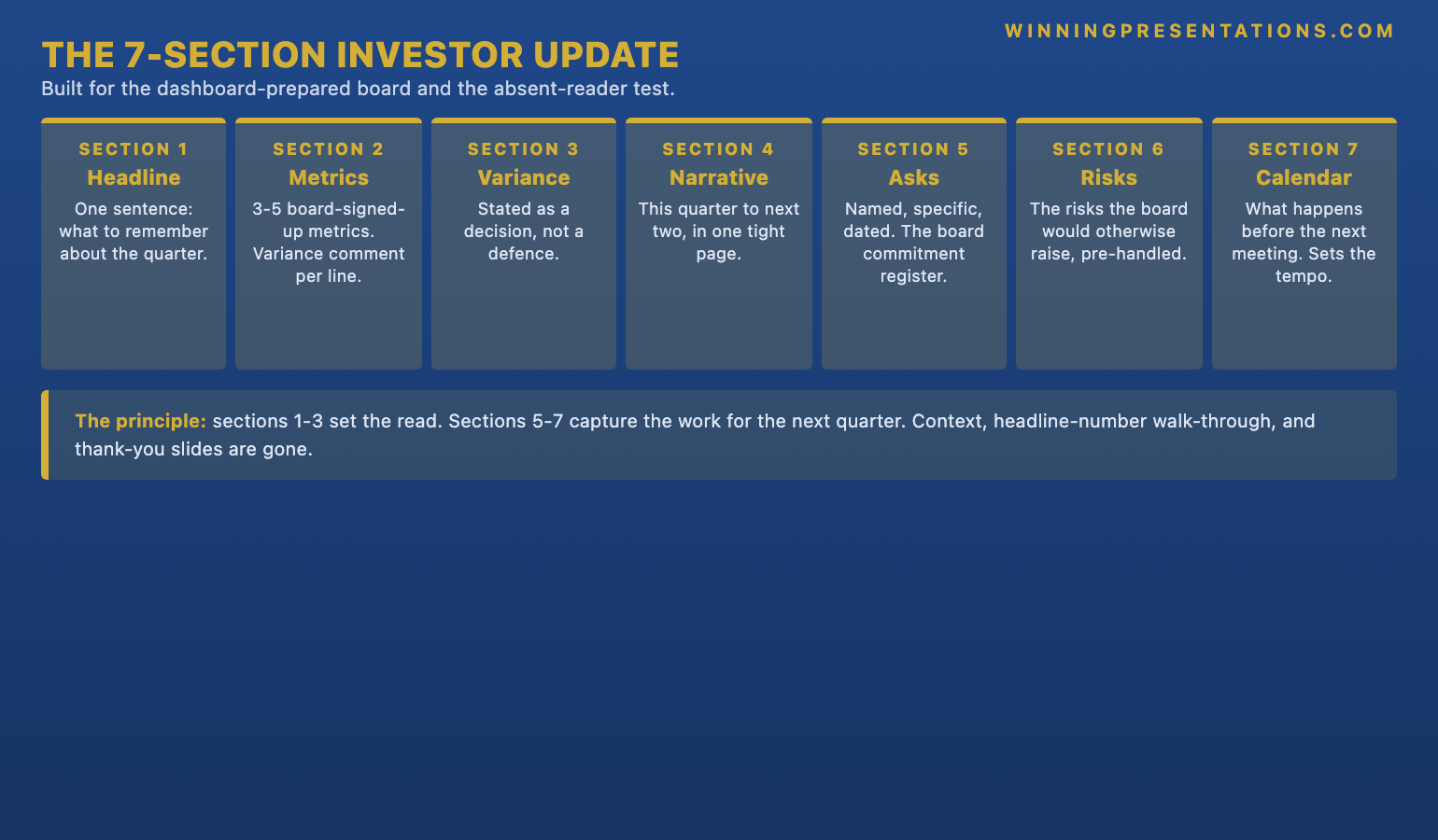
Stacked cards infographic showing the four-layer structure of an investor update deck: headline slide, segment performance, forward outlook, and decisions needed

THE EXECUTIVE SLIDE SYSTEM — £39

The same deck structure, every quarter, without rebuilding from scratch

26 templates, 93 AI prompts, 16 scenario playbooks. The investor update playbook has the full slide sequence — headline, segments, outlook, decisions — with formatting that works for both in-person board settings and shareholder calls. £39, instant access.

Get the Executive Slide System →

Designed for recurring investor, board, and executive reporting cycles.

Segment performance with honest variance

The segment section is where mixed quarters are won or lost. A single layout applied to every segment — whether the segment performed well or poorly — creates the consistency that investors recognise and reward.

The layout is four blocks per segment:

  • What happened: the actual number versus the prior-quarter forecast, plus trend direction.
  • Why: the specific driver, in operational language, not marketing language. “The largest customer delayed a contracted order from Q2 to Q3” is operational. “Macro headwinds impacted demand” is marketing.
  • What we are doing: the specific action being taken. If the answer is “monitoring closely,” the investors have already stopped listening.
  • What to expect next quarter: the specific, falsifiable expectation. “We expect the contracted order to close in Q3 and margin to normalise.” If that expectation is wrong next quarter, that becomes the next quarter’s opening admission.

The discipline of naming a falsifiable next-quarter expectation is what separates reporting from narrative. Investors track these expectations across quarters. When you meet them, credibility compounds. When you miss them, the miss is already embedded in the reporting structure — it is a known miss against a named commitment, not a surprise.

For the related structure on annual reviews, the quarterly business review framework applies the same discipline to internal reporting cycles.

Forward outlook with named risks

The forward outlook section has a simple rule: no range is credible unless accompanied by the assumptions that would move it. A revenue outlook of £240m to £270m means nothing on its own. A revenue outlook of £240m to £270m, with the lower bound assuming the top-two customer renewals do not close in Q4 and the upper bound assuming they close on historical terms, is a range investors can pressure-test.

Name three to five specific risks that would move the outlook materially. Name them in the deck — not in the appendix, not in the Q&A. The risks investors can see are the risks they trust you are managing. The risks you hide are the risks they will surface themselves, and the surfacing will damage the update.

Specific, named risks also create a useful asymmetry in the Q&A. When an analyst raises a risk you have already named, you answer from your prepared position. When an analyst raises a risk you have not named, you answer from a defensive position. The difference matters. Investors cannot tell whether your analysis is accurate, but they can tell whether you are answering from strength or weakness.

Related: the annual budget presentation framework covers how to structure forward outlook for internal budget approval committees.

The decisions-needed slide

Some investor updates do not require decisions. Most do. Even a routine update typically has one or two items where investor input is genuinely useful: a capital allocation question, a strategic sequencing question, a governance matter. A dedicated decisions-needed slide near the end of the deck is how you surface these items with enough signal for them to get addressed.

The slide has three sections. The question (specific, framed as a choice between named alternatives). The management recommendation (clear, with the reasoning in two sentences). The decision path (who decides, by when, and what the next check-in looks like). Without this slide, decisions drift through Q&A and often do not get resolved. With it, investor input shapes the next ninety days.

If you need a ready-made template for the decisions-needed slide — including the recommended formatting for the recommendation and decision-path sections — the Executive Slide System scenario playbook for investor updates includes it.

Dashboard-style infographic showing the four critical sections of the decisions-needed slide: the question, the management recommendation, the decision path, and the next check-in

How to handle a mixed quarter

A mixed quarter is the quarter that most damages or most reinforces your reporting credibility. The choice between the two outcomes is structural.

Lead with the mixed result, not the strong result. If core business was up and the newer product line missed, the opening headline names both — in that order. Opening with only the strong number and introducing the miss later in the deck signals that the sequence was chosen to manage the message. Investors notice.

Provide an operational diagnostic, not a narrative one. “Demand softened in the segment” is a narrative. “Three of our top-five customers in the segment deferred orders after a procurement change; we have re-engaged with each and expect resolution by end of Q3” is a diagnostic. The diagnostic is harder to write but more credible.

Name what you have changed. Not the corrective action plan — the actual change. If nothing has changed, say so and explain why the segment is expected to recover without intervention. “No structural change required; Q2 delay was transactional, not systemic” is a valid position if you can defend it.

The related risk committee presentation framework uses the same diagnostic discipline for risk-weighted internal decisions.

STOP REBUILDING THE DECK EVERY QUARTER

A consistent investor update framework, scenario-by-scenario

The Executive Slide System includes the investor update playbook — headline slide, segment performance layout, forward outlook structure, decisions-needed slide. £39, instant access.

Get the System →

Frequently Asked Questions

How long should an investor update deck be?

For a quarterly update, fifteen to twenty-five slides is typical. Longer decks signal a lack of editorial discipline. If you cannot cover the quarter in twenty slides, the material has not been edited enough. The appendix is where extended detail lives — it stays available but does not occupy presentation time.

Should I include questions I expect investors to ask?

Yes, but in the Q&A preparation document, not on the slides. The deck is your narrative. The Q&A document is your side preparation. Anticipating the top ten investor questions and rehearsing the answers is one of the highest-value uses of preparation time — arguably more than a final pass on the slides.

What if the CFO and I disagree on how to position a segment?

Resolve it before the meeting. A visible disagreement between the CEO and CFO during an investor update is more damaging than either of your individual positions. Align first, then present. If alignment is genuinely not possible, one of you presents and the other supports without contradicting — and the disagreement goes into a private follow-up session.

How do I handle investor pushback on the forward outlook?

Pushback on the outlook is useful signal. Take it, note it specifically, and commit to a follow-up. Do not defend the outlook in the moment if the pushback has merit. “That is a fair challenge. Let me take it back and come back to you with a revised view by end of next week” is a stronger position than trying to defend a number live. Investors respect the willingness to revise more than the defence of a position.

Structures for the meetings that matter, every Thursday

The Winning Edge is a weekly newsletter on the structural mechanics of high-stakes presentations. Concise, practical, no filler. Typically read in four minutes.

Subscribe to The Winning Edge →

Not ready for the full system? Start here instead: download the free Executive Presentation Checklist — a one-page structural review for any high-stakes executive presentation.

Partner post: For the narrower case of presenting to a single risk-averse decision-maker, the risk-averse CEO presentation framework covers the one-to-one dynamic.

Your next step: Before your next investor update, pull up the deck from two quarters ago. If the structure is different, you have already identified the problem. Fix it once and commit to it.

About the Author

Mary Beth Hazeldine is Owner & Managing Director of Winning Presentations Ltd. With 24 years of corporate banking experience at JPMorgan Chase, PwC, Royal Bank of Scotland, and Commerzbank, she advises executives across financial services, healthcare, technology, and government on structuring presentations for high-stakes funding rounds and approvals.

01 May 2026
Executive presence training online that goes beyond posture and voice. Build the room authority that shapes how your pre

Executive Presence Training Online: What Actually Builds Authority in the Room

Quick answer: Executive presence training online is useful when it addresses the structural components of presence — clarity of thinking under pressure, structural discipline in how ideas are sequenced, and composed live response to challenge — rather than surface features like posture and voice alone. Surface coaching produces a polished presenter who still does not hold the room. Structural training produces a presenter whose thinking is visible enough that the room orients around them. The right programme teaches both layers and connects them to the scenarios senior executives actually present in.

Tomás Alvarez, a divisional managing director in a European logistics group, had completed two executive presence courses in three years and paid for a third before he noticed the pattern. Each programme had produced a short-term lift in confidence and feedback. Each had receded within ninety days. His executive committee presentations were still landing as technically competent but not quite commanding. His chair had continued to say, in good faith, that he needed to “work on his presence.”

What each programme had taught him was surface technique. Where to stand. How to project. When to pause. When to make eye contact. He had absorbed all of it. None of it had changed the underlying experience of his presentations, because the issue was not his posture. The issue was that his thinking was not visible enough in the room for the committee to orient around it. He was reaching his conclusions in his head and presenting the conclusions. The structure that led to them was compressed inside him, invisible to the people he was trying to persuade.

The fourth programme Tomás chose was different. It spent the first three weeks on how executives structure arguments, how they sequence information for a senior audience, and how they make their thinking visible. Posture and voice were covered in a single module. By the end of the programme, Tomás was presenting to his committee at the same technical level — but his thinking was now visible in the sequence of the deck, in the pace of his narration, and in how he responded to questions. The chair stopped mentioning presence.

Tomás’s conclusion: the surface features of presence are real, but they are the symptom of the underlying discipline, not the cause. Training programmes that start with posture and voice are training symptoms. Programmes that start with thinking and structure are training the cause.

If you want structured, online executive presence training that works at the level of thinking, structure, and response — not just posture and voice — the AI-Enhanced Presentation Mastery programme on Maven covers the full architecture of how senior executives build and sustain room authority.

Explore the Programme →

What Executive Presence Actually Is

Executive presence is often described in terms of how someone carries themselves. That description is accurate but incomplete. Presence is a multi-layered phenomenon with three distinct components, and programmes that address only one layer produce partial results.

Layer one: surface signals. Posture, voice, eye contact, pacing, use of silence. These are the signals most directly observable, and they are what most coaching programmes focus on. They matter, but they are diagnostic, not causal. A senior executive with strong surface signals and weak underlying thinking reads as polished but not credible. A senior executive with imperfect surface signals and strong underlying thinking reads as credible despite the surface gaps.

Layer two: structural thinking visible in the room. How clearly the sequence of your argument can be traced by someone hearing it for the first time. How well the deck structure signals where the argument is going before it gets there. How concisely a complex idea can be expressed when asked to repeat it in a single sentence. This is the layer that most differentiates senior executives who hold the room from those who merely occupy it.

Layer three: composure under challenge. The specific ability to remain structured and non-defensive when a question lands unexpectedly, a data point is challenged, or a sceptical board member pushes back. This is the layer that separates presence in calm conditions from presence in adversarial ones. A senior executive whose presence collapses under pressure never holds the room beyond the introduction.

Executive Presence Training That Works at All Three Layers

AI-Enhanced Presentation Mastery is a self-paced executive programme covering structural thinking, slide architecture, composure under challenge, and the AI workflow that accelerates preparation. Eight modules, 83 lessons, two optional live coaching sessions — enrolment is open, join at your own pace.

£499 per seat. Designed for senior executives whose next presentation is to a board, committee, or investor audience.

Explore the Programme →

What Online Presence Training Usually Gets Wrong

Most online executive presence training is built around video modules covering voice, body language, and communication style, followed by exercises and sometimes peer feedback. The format is not the problem. The problem is the curriculum design.

Over-indexing on surface technique. A programme that spends six modules on voice and body language and one module on structural thinking is teaching presence upside down. The surface components should occupy roughly a quarter of the curriculum, with the remaining three quarters on the structural and composure layers.

Generic scenarios. Training exercises that use generic business scenarios — “present a new product to your team” — do not transfer to the specific settings senior executives present in. A programme calibrated for senior audiences should use board meetings, audit committees, investor calls, capex committees, and strategic away-days as its scenario base.

Absence of live application. Passive video learning produces knowledge that does not transfer to live performance. The best online programmes build in live application — exercises the participant completes on a real upcoming presentation, or optional coaching sessions where a draft deck or Q&A scenario is stress-tested.

No connection to the tools the executive actually uses. Executives build decks in PowerPoint, increasingly with AI assistance. A presence programme that ignores the tooling executives use is asking them to mentally translate abstract principles into their actual working environment. Programmes that integrate the thinking discipline with the tools — including AI prompting for slide construction — deliver much higher transfer to live work.

The broader guide to building executive presence goes deeper into why structure precedes style.


Three-layer executive presence model showing surface signals like posture and voice, structural thinking visible in the room, and composure under challenge, with relative weighting for a credible training curriculum

The Structural Components That Actually Build Presence

Presence is built in four structural disciplines. Any serious online programme must cover each of them — not as a surface topic, but as a practiced skill.

Thinking architecture. How to structure an argument so that the conclusion is earned by the sequence of points that support it. The Pyramid Principle, SCQA, problem-solution-benefit, and similar frameworks are not stylistic — they are how senior executives make their thinking visible to audiences that need to be convinced efficiently. A presenter who has internalised these frameworks can construct a clear argument in fifteen minutes of preparation that a less-trained presenter would need three hours to draft.

Slide architecture. How the structure of the deck itself signals the argument. Headline-as-conclusion. One concept per slide. Jump-to structure. Appendix discipline. A deck whose architecture is clear does most of the work of establishing presence before the presenter has opened their mouth. The executive whose decks always look structured is read as structured by extension.

Live response under challenge. The capacity to handle an unexpected question, a challenged assumption, or a hostile frame without the structure of the presentation falling apart. This is a trainable skill — through rehearsed bridge statements, question classification disciplines, and structured response patterns. The presenter who handles challenge composedly is read as in command, regardless of whether they had the perfect answer.

Surface craft. Voice, pacing, silence, eye contact, posture. This layer is real and should be trained — but as the finishing polish on a structure that already works, not as a substitute for one.

What to Look For in an Online Programme

Six diagnostic questions before committing to any online executive presence programme:

1. What proportion of the curriculum is structural versus surface? If voice and posture modules outnumber structural and composure modules, the programme is surface-weighted. Look for programmes where structural thinking and live response together account for sixty per cent or more of the content.

2. What scenarios are used? Ask for an example of a module scenario. If the examples are generic, the programme is not calibrated for senior executive work. Look for board meetings, audit committees, capex committees, and executive team presentations in the core scenario base.

3. Is AI workflow integrated or ignored? Senior executives now build decks with AI assistance. A programme that treats AI as irrelevant is teaching presence for a working environment that no longer exists. Look for integrated prompt workflows that support structural discipline rather than undermine it.

4. Is there live application? Not just video modules and exercises. Does the programme include at least one opportunity to apply the learning to a real upcoming presentation — through coaching, critique, or structured feedback? Passive content alone does not transfer.

5. Is the format self-paced or time-bound? Both can work. Self-paced suits executives with unpredictable schedules who prefer to progress around live work. Time-bound suits executives who need the discipline of a cohort rhythm.

6. Who is the programme author? Presence is a practitioner discipline. Programmes built by practitioners who have presented at the level they are training — and who continue to advise senior executives — transfer better than programmes built primarily by academic or HR professionals.

A broader framework on the full set of capabilities that support senior-level speaking appears in executive communication skills.

If you want a programme that addresses all three presence layers with AI workflow integration, AI-Enhanced Presentation Mastery sequences structural thinking, slide architecture, and composure protocols across eight self-paced modules.


Six-question diagnostic checklist for evaluating an online executive presence training programme covering structural versus surface weighting, scenario calibration, AI integration, live application, format, and practitioner authorship

An Online Executive Presence Programme Built for Senior Work

AI-Enhanced Presentation Mastery on Maven covers thinking architecture, slide architecture, live response, and surface craft — integrated with the AI workflow executives actually use. Eight modules, 83 lessons, optional fully-recorded live coaching sessions.

£499 per seat. Enrolment is open — join at your own pace.

Explore the Programme →

Self-Paced or Live? The Format Question

Online executive presence training comes in several formats. The choice matters less than the curriculum quality, but it is worth matching the format to how an executive actually works.

Self-paced with optional live sessions. The participant works through the modules on their own schedule. Optional live coaching or Q&A sessions are offered — attended live if possible, watched back on recording if not. This is the format that best fits the rhythm of most senior executives, whose diaries cannot support a fixed weekly time commitment over months. Ensure the live sessions are genuinely optional and fully recorded.

Cohort-based with fixed sessions. A group progresses through the material at a fixed pace, with live sessions at fixed times. This format suits participants who rely on the discipline of a schedule. The risk is that a missed live session leaves a gap that is harder to fill, particularly if recordings are not provided.

One-to-one coaching. The most intensive format and the most effective for individually tailored development. Also the most expensive. Most useful after a structural foundation has been built through a programme — coaching compounds on top of structure more than it substitutes for it.

For most senior executives balancing a demanding role, the self-paced programme with optional live coaching is the right choice. It provides structure without imposing rigid timing, and the live layer remains accessible when needed without penalising the weeks when it is not.

How to Measure Whether Your Presence Is Actually Building

Executive presence training is worth the investment only if it produces change in how the executive is received in their actual working environment. The measurement is not satisfaction with the programme. It is the shift in the room.

Observable shift 1: sharper questions from senior audiences. When your presence strengthens, senior audiences stop asking polite questions and start testing the thinking. The tone of the Q&A shifts from process to substance. This is the single most reliable signal. A chair who used to close with “thank you, very thorough” now closes with “that was a useful challenge to the committee.”

Observable shift 2: fewer requests to “take it offline.” A presentation that lands with presence produces decisions in the room, not deferrals. If the pattern of deferrals reduces over time on comparable material, the underlying presence has shifted.

Observable shift 3: shorter meetings, not longer. Strong presence compresses the meeting around the decision rather than expanding it through clarification. A presenter whose thinking is visible gets to the decision faster because the audience is not spending the first ten minutes reconstructing the argument in their heads.

Observable shift 4: invited to higher-stakes rooms. When presence consolidates, the executive is increasingly asked to present on strategic topics at the most senior level. The invitation is a downstream signal, not a direct measure, but over six to twelve months it is usually the clearest indicator that the room reads the executive differently. The deeper discussion of the measurement frame appears in senior leader presence.

Frequently Asked Questions

Is executive presence training online as effective as in-person?

Yes, if the programme is structurally weighted and includes live application. Online delivery allows far greater depth of curriculum — eighty-plus structured lessons is not feasible in an in-person format. The trade-off is the direct observation benefit of in-person coaching, which is why many senior executives combine a structured online programme with occasional one-to-one coaching sessions.

How long does online executive presence training take to show results?

Most participants see shifts in their next one or two presentations, particularly if they apply the structural modules to a live deck during the programme. Durable shift in how senior audiences receive them typically emerges over three to six months of repeated application. Programmes that promise transformation in weeks are usually selling surface technique, not building structural capability.

What is the right budget for online executive presence training?

Structured online programmes for senior executives typically sit in the £400–£1,500 range, with some premium offerings higher. Below £200 is usually surface-level content with limited application. Above £2,000 often carries bundled one-to-one coaching. For a senior executive whose next twelve months will include ten to twenty high-stakes presentations, the return on a well-calibrated programme is usually realised within one or two of those presentations.

Can you train executive presence without addressing posture and voice?

You can produce significant improvement without starting with posture and voice — but a complete programme should include them. The sequence matters: structure first, surface craft second. A curriculum that reverses the sequence produces a presenter who looks polished but whose thinking is still not making it into the room in a form the audience can follow.

Join The Winning Edge

Free weekly newsletter for senior executives working on presence, structural presentation, and the capacity to hold the room under challenge — delivered every Thursday.

Subscribe Free →

Not ready for the full programme? Start here instead: download the free Executive Presentation Checklist — a quick-reference guide for structuring any high-stakes executive presentation at board and committee level.

Read next: If you are about to present a specific capital request to a finance committee and want to see structural presence applied concretely, see Capex Presentation Finance Committee: How to Structure the Request for Approval.

The next step is diagnostic. Look at the last presentation where a chair or senior colleague suggested you needed to work on your presence. Classify the gap: was it surface, structural, or composure? The classification determines which part of a programme will actually shift the outcome. Surface feedback asking for structural change — or vice versa — is the most common reason a previous programme did not land.

Mary Beth Hazeldine is the Owner & Managing Director of Winning Presentations. With 24 years of corporate banking experience at JPMorgan Chase, PwC, Royal Bank of Scotland, and Commerzbank, she advises executives across financial services, healthcare, technology, and government on structuring presentations, developing presence, and holding senior rooms under challenge.

01 May 2026
Handle a question you cannot answer in an executive meeting without losing credibility, with a structured response that

Handling a Question You Genuinely Cannot Answer in an Executive Setting

Quick answer: When you cannot answer a question in an executive setting, credibility comes not from admitting you do not know, but from what you do in the three seconds after. A structured response — pause, classify the question, offer the best available partial answer, commit to a specific follow-up — signals judgement and composure. The phrase “I don’t know” delivered cleanly and followed by a commitment carries more authority than a fabricated answer that collapses on the first follow-up.

Henrik Bergstrom was three years into his role as head of risk at a Northern European bank when the audit committee chair interrupted his presentation with a question he had not anticipated. The question was about a specific regulatory interpretation that had come out from the competent authority the week before. Henrik had read the paper. He had not worked through how it applied to the bank’s specific position on a particular trading book.

He had two seconds to decide. He could attempt an answer on the edge of what he knew. He could say he did not know. Or he could do something more structured. He took the breath. He said: “Chair, I have read the paper but I have not worked through the specific application to our Treasury book. The honest answer is I do not have that today. I will come back to the committee with a written note by Friday, and if the interpretation materially affects the risk appetite framework we are recommending, I will request a short addendum to this paper before you vote.”

The audit chair nodded once and moved on. Friday’s written note went out on Thursday afternoon. Three weeks later, in a private conversation, the chair told the CEO that Henrik’s response that afternoon had been the single thing that gave him confidence in Henrik at the role level. Not a brilliant answer. A clean non-answer followed by a structured commitment.

Every executive who handles high-stakes Q&A for long enough will face questions they genuinely cannot answer. The separation between those who retain credibility and those who lose it is almost never about what they know. It is about what they do in the three seconds after the question lands.

If you want a structured framework for handling unexpected, hostile, or unknown questions in executive settings, the Executive Q&A Handling System covers bridge statements, deflection techniques, and composure protocols designed for board-level and committee-level Q&A.

Explore the Q&A System →

The Three-Second Gap That Decides Everything

When an executive presenter is asked a question they do not know the answer to, the temptation is to start talking immediately. Speech feels like competence. Silence feels like exposure. The instinct is wrong. A pause of two to three seconds before responding signals judgement, not hesitation — particularly at senior levels, where considered responses are respected and speed-of-reply is not what the room is measuring.

Use the pause actively. In those three seconds, classify the question. Is it something you fully do not know? Something you partially know? Something you know but do not want to answer at this level? Something ambiguous that needs clarifying before any answer is possible? The question type determines the response, and giving the wrong response to the wrong question type is the most common way credibility is lost.

The silent pause also gives the questioner time to re-phrase or expand. Sometimes the question, asked again or explained further, is different from what you first heard. The pause is not empty time — it is diagnostic time.

Handle the Questions You Cannot Predict

The Executive Q&A Handling System is a complete framework for handling hostile, unexpected, and high-stakes Q&A in executive settings — including structured responses for questions you genuinely cannot answer in the room.

£39 — instant access. Designed for executives who face board, committee, and investor Q&A where not knowing is not the end of the conversation.

Get the Q&A System →

Classify the Question Before Answering

Not every unknown question is the same. The classification you do in the three-second gap determines which response pattern to use. Four categories cover almost every question that presents as unanswerable.

Genuinely unknown. You do not know and cannot reasonably be expected to know. The question may be outside your remit, may rely on information you were not briefed on, or may require data that sits in another function. The response here is direct acknowledgement plus commitment.

Partially known. You know the broad shape but not the specific figure or detail. You can give a directional answer without committing to precision. The response is a partial answer with the caveat explicit, plus a commitment to provide the precise number in writing.

Premature. The question is about a decision or assessment that is not yet concluded. An honest answer is “the analysis is not complete.” The trap is giving a speculative answer that later proves wrong and becomes part of the narrative.

Clarification needed. The question is ambiguous, or you are not sure which dimension it is targeting. The response is a short clarifying question before any answer. “Chair, to make sure I am answering the right question — are you asking about the Q1 position or the full-year forecast?” This costs five seconds and can be the difference between a useful answer and a useless one.

A broader treatment of the live classification discipline appears in the framework for handling difficult questions, where question taxonomy is the foundation of composed live response.

If you want a full set of bridge statements and response patterns mapped to each question type, the Executive Q&A Handling System provides the complete framework used in board and committee settings.


Four question classification types for executive Q&A: genuinely unknown, partially known, premature, and clarification needed, each mapped to a specific structured response pattern

The Four Response Types for Unknown Questions

Response type 1: Clean acknowledgement plus commitment. For genuinely unknown questions. “That is a specific figure I do not have with me. I will come back to you by the close of business Wednesday with the exact number and the context around it.” The power of this response lies in its composure and its specificity. A specific follow-up date and scope shows that you have immediately moved from defence to planning.

Response type 2: Directional answer with caveat. For partially known questions. “I do not want to commit to the precise figure without checking. Directionally, we are seeing the number move in the low single digits, and the drivers are on the revenue side rather than the cost side. I will send the precise breakdown within twenty-four hours.” This is usually the best response where it applies — it advances the discussion without overclaiming.

Response type 3: Honest “not yet concluded.” For premature questions. “The analysis is still live. I do not want to give a speculative answer that later misleads the committee. What I can tell you is where we are in the process and when we will have a position.” Then describe the process and the timing. The underlying principle is to never provide speculative precision when the honest answer is ongoing work.

Response type 4: Clarify first, then answer. For ambiguous questions. Ask the clarifying question. Listen. Then give the specific answer. Do not merge the two — do not try to answer while also asking for clarification. The sequencing is clarify, pause, answer.

Reach for one of these four and avoid the fifth response type — the speculative answer designed to fill the silence. It almost always backfires on the first follow-up question.

The Follow-Up Commitment That Rebuilds Credibility

A non-answer that ends with “I’ll come back to you on that” is not a follow-up commitment. It is a verbal placeholder. Executives hear it several times a day and forget it immediately. A structured follow-up commitment has three components.

Specificity of scope. What precisely will you come back on? “The exact Q1 impairment figure and the composition of the top three drivers” is specific. “More information on the point you raised” is not.

Specificity of timing. By what day and time? “By close of business Wednesday” beats “shortly.” If the questioner is a chair, offering a time sooner than the next scheduled meeting signals seriousness. If you are uncertain about the timing, say what it depends on and when you will confirm.

Specificity of channel. Written note to the committee? Direct email? Inclusion in the next pack? Being explicit about how the follow-up will arrive prevents the ambiguity that lets a commitment quietly dissolve.

Then, critically, execute. Follow-ups that arrive early land with authority. Follow-ups that arrive on time are adequate. Follow-ups that miss the commitment are where reputation erodes. The follow-up is not just a commitment to respond — it is a test of operational discipline, and senior people know this.


The three-component follow-up commitment after an unanswerable question showing specificity of scope, specificity of timing with deadline, and specificity of channel for how the response will arrive

A Framework for Every Question You Cannot Predict

The Executive Q&A Handling System includes bridge statements, deflection techniques, composure protocols, and structured response patterns for hostile, unexpected, and unknowable questions in board, committee, and investor settings.

£39 — instant access.

Get the Q&A System →

Recovery Language That Protects Your Standing

The specific phrasing matters. Some forms of acknowledging that you do not know land as composed. Others leak uncertainty. Choose language that sounds like a senior executive taking a principled position, not an apologetic employee caught out.

Avoid. “I’m not sure, but I think…” (speculative precision, the worst of both). “That’s a great question.” (a stall; senior audiences register it as an evasion). “Sorry, I should know that.” (self-deprecation that amplifies the gap). “Let me get back to you” (no scope, no timing, no channel). “I don’t have that to hand” (implies you should have it to hand, but don’t).

Prefer. “That is a question I want to answer precisely, not approximately. I will come back to you by…” (reframes the pause as diligence). “I have a view but do not want to commit to the number without checking. Directionally…” (partial answer with honest caveat). “The analysis is live. Giving you a number today would be speculative — here is where we are and when I will have a position.” (honest on premature questions without sounding evasive).

The underlying principle: never apologise for not knowing. Describe the action you are taking to know. Senior audiences read the difference immediately — apology signals subordinate posture; action signals peer posture. Board Q&A handling at its core is about maintaining peer posture under direct challenge, and recovery language is the most visible instrument of that posture.

The Four Mistakes That Cost Credibility

Mistake 1: Fabrication. Giving a confident answer to fill the silence when you do not actually know. This is the single most damaging pattern, because the first follow-up question exposes it. Senior executives remember who fabricated far longer than they remember who acknowledged.

Mistake 2: Deflection to a colleague without warning. “Katya might be better placed to answer that” when Katya has not been briefed and is now on the spot in a room where she was not planning to speak. Deflect only to someone who has been pre-positioned to handle a handoff, or to the chair for a reroute.

Mistake 3: Over-explaining the reason for not knowing. A two-sentence commitment is more credible than a four-minute explanation of how the information sits in a different function and is pending a reconciliation between two systems. The audience does not need the backstage detail. They need the answer and the follow-up.

Mistake 4: Failing to close the loop. The commitment in the room is only half the work. The follow-up that arrives on Wednesday as promised is what actually rebuilds the moment. Executives who promise well and deliver inconsistently lose far more credibility through the delivery gap than they would have lost with a slightly weaker in-room response.

More on the preparation discipline that reduces how often these moments arise in the first place appears in executive Q&A preparation.

Frequently Asked Questions

Is it acceptable to say “I don’t know” in an executive committee?

Yes — but only when it is followed by a specific follow-up commitment. “I don’t know” on its own reads as unprepared. “I don’t know, and I will come back to you by Wednesday with the exact figure and the context” reads as composed. The issue is not the admission. It is the absence of a structured next step after the admission.

How do you handle being asked the same unanswerable question twice in one meeting?

The second time, do not repeat the acknowledgement. Say the commitment is unchanged and the written response will cover both the original question and any refinement from the re-asking. Repeating the first-time acknowledgement twice sounds evasive. Confirming that the commitment already captured covers the second instance reads as disciplined.

Should you offer a partial answer if you think it might be wrong?

Only if you can frame the caveat cleanly and the direction is more useful than silence. “Directionally it is moving in the low single digits, but I do not want to commit to the precise figure without checking” is acceptable when the direction is well-established. If there is material risk the partial answer is wrong in direction, not just magnitude, hold the answer for the written follow-up.

What if the questioner is visibly frustrated by your non-answer?

Acknowledge the frustration briefly and shorten the commitment window. “I recognise this is information the committee wanted today. I will have the answer by eleven tomorrow morning rather than end of day.” The tightening of the commitment, offered proactively, often resets the tone more effectively than any defensive explanation of why you cannot answer now.

Join The Winning Edge

Free weekly newsletter for executives who handle high-stakes Q&A in board, committee, and investor settings. Practical frameworks, live response techniques, and the language of composed recovery — delivered every Thursday.

Subscribe Free →

Not ready for the full system? Start here instead: download the Public Speaking Cheat Sheets — nine printable guides covering Q&A composure, pre-presentation protocols, and quick-reference recovery techniques.

Read next: If a single unanswerable question destabilised your confidence for a subsequent presentation, see Rebuilding Confidence After a Presentation That Went Badly for the recovery framework that restores composure without over-correcting.

The next step is preparation. Before your next high-stakes Q&A, rehearse the three-second pause. Draft your standard commitment sentence — specific scope, specific timing, specific channel — and have it ready as a reflex. The Q&A that most protects your credibility is the one where the hardest question is handled with the same composure as the easiest.

Mary Beth Hazeldine is the Owner & Managing Director of Winning Presentations. With 24 years of corporate banking experience at JPMorgan Chase, PwC, Royal Bank of Scotland, and Commerzbank, she advises executives on structuring presentations and handling high-stakes Q&A — including board, audit committee, and investor scenarios where unexpected questions are routine.

01 May 2026
Rebuild confidence after a presentation that went badly, separate the story you are telling yourself from what actually

Rebuilding Confidence After a Presentation That Went Badly

Quick answer: Rebuilding confidence after a presentation that went badly starts with separating what actually happened from the story you are telling yourself about what happened. The body remembers threat before the mind remembers detail, so the first task is to settle the nervous system before attempting any analysis. What you do in the seventy-two hours after a difficult presentation determines whether it becomes a setback you recover from or a narrative that shapes the next twelve months of your speaking life.

Ines Moreira, regional head of supply chain for a European consumer group, walked out of her first executive committee presentation on a Tuesday afternoon in March and went straight to her car. She had not started it. She sat in the driver’s seat for twenty minutes and went through the whole thing in her head, sentence by sentence. She had lost the thread at minute fourteen. The CFO had asked a question she had not expected and she had said the words “I’ll come back to you on that” four times in two minutes. She was certain she had damaged her standing with the executive team.

That evening she sent a long, apologetic email to her line manager detailing everything she thought she had got wrong. He replied the next morning with three lines. She had not damaged her standing. She had lost the thread for roughly forty seconds, not fourteen minutes. The CFO’s question had been off-agenda and nobody in the room had expected her to have an answer. The reason she was now certain she had failed was not because she had failed. It was because her body had decided she had and her mind had spent the night building evidence to match.

Ines kept that email. Six months later, before her next executive committee presentation, she re-read it. Reading it did not remove the nerves. But it removed the story she had been carrying — that she was someone who lost the thread — which had been a far heavier thing to walk into the room with than the nerves themselves.

What Ines did in the seventy-two hours after that first presentation determined whether she came back to the committee six months later as herself or as a more cautious, more over-prepared, more apologetic version of herself. The difference is rarely made in the presentation. It is made in the recovery.

If you want a neuroscience-based approach to rebuilding confidence after a difficult presentation, Conquer Your Fear of Public Speaking covers nervous system regulation, cognitive reframing, and the specific protocols for recovering from a presentation setback without over-correcting into permanent caution.

Explore the Programme →

The First Hour: What Not to Do

The first hour after a presentation that went badly is the worst time to analyse what happened. The nervous system has just come down from a threat response. Cortisol is still circulating. The part of the brain that constructs narrative is wide awake and looking for patterns, and the patterns it finds are disproportionately negative because it is still interpreting the environment as dangerous.

If you replay the presentation in detail during this hour, you are not reviewing a performance. You are laying down memory in an elevated state. The memory that forms now is the memory you will carry forward, and it will be more catastrophic than the actual event. Every executive who has ever walked out of a difficult presentation and gone straight to their desk to write a brutal post-mortem knows this feeling. The post-mortem, written in that state, is almost always harsher than the reality warrants.

Three protective moves in the first hour. Walk — physically move for at least twenty minutes, outside if possible. This is not a wellness cliche. It is how the body metabolises the cortisol still in the bloodstream. Eat a proper meal — a real one, not a snack. Low blood sugar amplifies threat-interpretation. Do not email your manager tonight. The email you write in the first hour will not be the email you would write in the morning. Write it if you need to, but save it as a draft and open it at 8 a.m. the next day.

Recover Without Over-Correcting Into Permanent Caution

Conquer Your Fear of Public Speaking is a neuroscience-based programme covering nervous system regulation, cognitive reframing, physical symptom management, and pre-presentation protocols — including recovery strategies for after a presentation that did not go the way you wanted.

£39 — instant access. Designed for executives who need a structured way back after a difficult speaking experience.

Explore the Programme →

Separate What Actually Happened From the Story

Every difficult presentation generates two records. The first is what actually happened — the sequence of words, questions, responses, and reactions in the room. The second is the story you are telling yourself about what happened. The two are never the same, and in the aftermath of a presentation that felt bad, the gap between them becomes the central problem to solve.

A concrete exercise. Twenty-four hours after the presentation — not sooner — write two lists on the same page. On the left, write only the observable facts. “I was asked to present for twenty minutes. I spoke for twenty-three. There were four questions. I did not know the answer to one of them. Two people nodded during the executive summary. The chair closed with thank you and moved to the next item.” Observable. Describable to someone who was not there. No interpretation.

On the right, write the story you are telling yourself. “I was too slow. The question I could not answer made me look unprepared. The chair’s tone was dismissive. The exec team now thinks I am not ready for this level of exposure.” This is not the truth — it is the interpretation. Naming it as interpretation is the point of the exercise. Both lists on the same page make visible what the mind is adding on top of the facts.

The right column almost always contains future tense and mind-reading — “they now think,” “they will remember,” “they will not trust me.” None of these are observations. They are predictions about what other people are thinking, based on a mind that is still in threat response. Treat them as hypotheses, not facts. The principles in the broader guide to presentation anxiety recovery go deeper into how interpretation loops form and how to break them.


Two-column exercise showing observable facts from a presentation on the left versus the interpretation and story being told on the right, separating what actually happened from what the mind is adding on top

The Three-Day Rule for Post-Presentation Review

Most executives conduct their post-presentation review within twenty-four hours, often the same evening. This is the wrong timing. The review is too emotionally coloured to be accurate, and the conclusions drawn then tend to stick. Wait three days before writing anything approaching a considered analysis.

Day one. Nervous system recovery only. No analysis. No replay. If intrusive thoughts come — they will — write them down in one line and move on. The writing-down itself is protective; the mind is less likely to keep rehearsing a thought it knows has been captured.

Day two. Observable facts only. The two-column exercise above. Still no conclusions. Still no “what should I have done differently.” The task today is just to get the facts and the interpretations onto separate sides of the same page.

Day three. The structured review. Three questions, in this order. What were the two or three things that went well — specific, observable, not generous? What were the two or three things that did not land — specific, observable, not catastrophic? What is the one thing I would prepare differently for a comparable situation? Not everything. One thing. A review that produces a list of fifteen learning points produces no learning at all, because nothing gets implemented.

The reason for the three-day gap is not psychological indulgence. It is accuracy. A review written in an elevated state conflates the felt experience with the observable performance. By day three, the physiology has returned to baseline and the review reflects what actually happened rather than how it felt.

Why You Must Talk to Exactly One Person

Talking to nobody is a mistake. Talking to everyone is a bigger one. After a difficult presentation, the instinct is either to go silent — hoping the event fades — or to process it with half a dozen colleagues. Neither works. Silence lets the story solidify unchecked. Multiple conversations produce multiple reinforcements of whichever narrative you have already started telling.

The correct protocol is exactly one person. A trusted colleague who was in the room, or a line manager who has context but was not in the room. Their role is not to reassure you. Their role is to compare their version of what happened to yours, and to notice where the two diverge. The divergence is the diagnostic.

Frame the conversation carefully. “I am trying to work out what actually happened in that presentation, not whether it was good or bad. What did you see from your seat? What landed, what did not?” This framing disarms the reassurance reflex. Most colleagues, asked directly how a presentation went, will offer reassurance. Asked what they observed, they will describe. The description is useful. The reassurance is not.

Do this conversation on day two or three, not day one. Do it once. Do not keep returning to it. The conversation is a calibration check, not a source of ongoing validation.


The three-day recovery timeline after a difficult presentation showing day one nervous system recovery, day two observable facts separation, and day three structured review with three questions

Recover the Confidence the Experience Is Trying to Take

Conquer Your Fear of Public Speaking covers the neuroscience of presentation recovery: how the nervous system stores a difficult speaking experience, how to keep a setback from becoming a narrative, and structured protocols for the days and weeks that follow.

£39 — instant access.

Explore the Programme →

Preparing for the Next One Without Over-Preparing

The biggest risk after a difficult presentation is over-correction. The presenter who stumbled on one question prepares twelve hours of Q&A answers for the next session. The presenter who lost the thread at minute fourteen scripts every word. The presenter who got a sceptical response from one board member rewrites the deck three times. Each of these is a caution response, and caution looks like preparation but behaves like constriction.

Over-prepared presentations land worse than well-prepared ones. They read as defensive, they sound rehearsed, and the presenter loses the responsiveness that makes live executive presentations feel alive. The audience feels the difference even when they cannot name it.

The discipline is to prepare the next presentation to the same standard you would have prepared it if the last one had gone well. Not more. Not less. If you would normally rehearse twice, rehearse twice. If you would normally prepare three anticipated questions, prepare three — including the one you could not answer last time. Preparing six because of last time is over-correction. Preparing two because you do not want to think about the topic is avoidance. Neither serves the next audience.

The one allowable change. Pick one specific thing from the day-three review and build it into the preparation for the next presentation. One. A single micro-change — “I will pause for three seconds before answering any question I do not immediately know the answer to” — produces the confidence gain that a global rewrite cannot. The brain registers that something has been improved. It does not need ten improvements to register that.

Related principles apply across any public speaking confidence setting — the fewer the deliberate changes, the more sustainable the rebuilding.

If you want a structured path through the recovery weeks, Conquer Your Fear of Public Speaking covers the nervous system regulation protocols and cognitive reframing techniques that underpin sustainable recovery.

The Long-Term Confidence Question

A single difficult presentation is a data point. A series of difficult presentations without recovery is a pattern. The long-term confidence question is whether the pattern is forming and, if it is, whether the cause is within the presentation itself or somewhere upstream.

Sometimes the upstream cause is physical — chronic sleep debt, under-recovery, caffeine stacked on cortisol. A presenter who is running on nothing will find any presentation destabilising, because the nervous system has no reserve. Addressing the physiology is upstream of addressing the presentation.

Sometimes the cause is structural — a role that requires presenting to an audience for which the presenter has not yet built the right mental model. Executive committee presentations are a different cognitive load from functional team updates, and the first few at a new level will feel harder even when preparation is identical. This is development, not failure, and treating it as failure compounds the problem.

And sometimes the cause is narrative — a story the presenter has been carrying for years, possibly from a single formative event early in their career, that now attaches itself to every difficult presentation. The solution is not another rehearsal. It is examining the story.

The practical move is to distinguish between these three causes before deciding what to change. Adding rehearsal to a physiology problem does not help. Adding rehearsal to a narrative problem makes it worse. Adding rehearsal to a developmental curve is appropriate but insufficient. Bouncing back from a setback depends on matching the intervention to the actual cause, not the apparent one.

Frequently Asked Questions

How long does it take to recover confidence after a bad presentation?

Most executives recover the felt confidence within two to four weeks if they follow a structured recovery process. The nervous system settles within seventy-two hours. The narrative takes longer, because the mind continues to rehearse the story in the weeks that follow. A deliberate, one-time structured review followed by the next presentation at comparable stakes usually closes the loop.

Should you apologise to the audience after a presentation you think went badly?

Rarely. Most apologies post-presentation are driven by the presenter’s discomfort rather than any need in the audience. They also amplify the signal that something went wrong — the audience often did not register the issue until the apology arrived. Only apologise if there is a specific, observable error that materially affected the audience’s understanding, and keep the apology factual and brief.

Is avoiding the next presentation ever the right move?

Almost never. Avoidance compounds the issue by making the next presentation bigger, not smaller. The shorter the gap between a difficult presentation and the next opportunity, the less the narrative has time to solidify. If you can present again within three to four weeks at comparable stakes, do.

Does it help to watch a recording of the presentation?

Only after day three, and only once. Before day three, the recording is experienced through the elevated state and tends to confirm the catastrophic story. After day three, one viewing, with a specific question in mind — “where did I lose the thread?” — can be diagnostic. Repeated viewings are rarely useful and often harmful.

Join The Winning Edge

Free weekly newsletter for executives working on speaking confidence, recovery from difficult presentations, and the neuroscience of presenting under pressure — delivered every Thursday.

Subscribe Free →

Not ready for the full programme? Start here instead: download the Public Speaking Cheat Sheets — nine printable guides covering pre-presentation protocols, nervous system regulation, and quick-reference recovery techniques.

Read next: If the thing that destabilised the presentation was a question you could not answer, see Handling a Question You Genuinely Cannot Answer in an Executive Setting for a complementary framework on responding in the moment.

The next step is tactical. If you are inside the first seventy-two hours, protect the physiology. If you are inside the first week, do the two-column exercise once, on paper, not in your head. If the next presentation is within a month, prepare it to your normal standard and build in exactly one micro-change. Recovery is not glamorous and is rarely dramatic — it is the accumulation of small, deliberate moves in a settled state.

Mary Beth Hazeldine is the Owner & Managing Director of Winning Presentations. With 24 years of corporate banking experience at JPMorgan Chase, PwC, Royal Bank of Scotland, and Commerzbank, she advises executives on structuring presentations and managing the psychology of high-stakes speaking — including the recovery period after a presentation that did not go as planned.

01 May 2026
Structure an acquisition integration board briefing that holds board attention, surfaces real risks, and converts a stat

Acquisition Integration Board Briefing: How to Update the Board Without Losing Them

Quick answer: An acquisition integration board briefing holds board attention when it is structured as a governance review rather than a project status report — opening with the integration thesis, reporting against defined synergy and risk milestones, and surfacing the two or three integration decisions the board is being asked to endorse. Boards lose interest in integration updates not because the topic is dull, but because the presenter treats them as a weekly project meeting rather than a quarterly fiduciary review.

Rafael Quintana, group integration director for a European financial services group, had been leading the integration of a mid-market acquisition for eight months. His quarterly board briefings had settled into a rhythm: forty slides, a workstream-by-workstream walk-through, a colour-coded RAG status on every initiative. The board listened politely. Questions were thin. The last chair had closed with “Thank you, Rafael, very comprehensive.”

Three weeks before the next briefing, the senior independent director sent Rafael a note. The board was concerned. They had received eight months of status reports and still could not answer a simple question: was the integration on track to deliver the deal thesis, or not? The granularity was masking the governance question.

Rafael rebuilt the deck. Forty slides became twelve. The workstream walk-through was replaced by a four-page integration scorecard against the original deal case. Risks were classified by whether they threatened the thesis or just the timeline. Two explicit board decisions were added at the close.

The next board meeting ran eighteen minutes over allocated time, but every minute was on substance. The board approved the two decisions and asked three pointed questions about the people plan. Rafael had gone from a reporter the board tolerated to an advisor the board tested.

If you want a structured approach for acquisition integration briefings and post-deal board updates, the Executive Slide System includes scenario playbooks and slide templates designed for integration governance, synergy reporting, and board-level programme reviews.

Explore the Executive Slide System →

Why Integration Briefings Drift Away From the Board

Most acquisition integration board briefings start credible and drift. In the first quarter after close, the board is engaged, the deal thesis is fresh, and the presentation naturally tracks against it. By quarter three, the integration team has built a detailed programme structure — workstreams, sub-workstreams, RAG indicators, milestone trackers — and the board briefing has quietly become an extract from the internal programme dashboard.

This drift is structural, not negligent. Integration directors report upwards using the same frame they use to run the programme. What works for a Monday morning steering committee does not work for a quarterly board. The steering committee wants granularity because they will intervene on any workstream that turns amber. The board wants altitude because their role is to test whether the deal thesis is still intact.

The test of a good integration briefing is simple: after forty minutes, can a board member who was not in the detail say with confidence whether the integration is tracking to the deal case? If the answer is no, the briefing has optimised for completeness at the cost of clarity. The board leaves reassured that work is happening without being able to conclude whether the work is enough.

Integration Slides That Test the Thesis, Not Just the Plan

The Executive Slide System includes 26 templates, 93 AI prompts, and 16 scenario playbooks — covering acquisition integration, post-deal board updates, synergy reporting, and programme governance reviews. Built for governance clarity, not project density.

£39 — instant access. Designed for executives presenting integration programmes to boards and governance committees.

Get the Executive Slide System →

Start With the Governance Frame, Not the Status Update

An integration briefing should open with three lines, not three slides. The lines are: the deal thesis in one sentence, the current scorecard against that thesis, and the two or three board-level decisions or acknowledgements being requested today. From the first ninety seconds, the board knows what the briefing is for and can orient every subsequent slide against that frame.

The thesis restatement. “At close, this acquisition was approved on the basis of three pillars: an estimated twenty per cent cost synergy by year two, entry into the mid-market corporate segment, and retention of the top twenty customer relationships. Today’s briefing reports on progress against those three pillars.” Every board meeting. Every briefing. The restatement is deliberate — it forces the integration team to keep measuring against the thesis, not against the evolved programme plan.

The integration scorecard. A single slide with the three or four thesis elements on one axis and status, forecast, and variance on the other. Green, amber, red against the deal case — not against the internal project milestones. This slide is the most important in the deck. It tells the board in thirty seconds whether the deal is on track.

The decisions requested. State upfront what the board is being asked to do in this meeting. Endorse a scope change? Approve a budget uplift? Acknowledge a risk escalation? Ratify a leadership appointment? Boards that know what they are being asked to do listen differently to the supporting material.


Integration board briefing opening sequence showing thesis restatement, integration scorecard against three deal pillars, and board decisions requested for the quarterly governance review

Synergy Tracking: Report Against the Deal Case, Not the Plan

Every integration briefing includes synergy reporting. The quality of that reporting determines whether the board leaves reassured or sceptical. Three discipline points separate credible synergy tracking from internal programme reporting.

Report against the original deal case. Not the rebased plan. The number the board approved the deal on is the number the board will test the integration against, and the moment you stop reporting to that number is the moment the board begins to suspect the thesis has quietly moved. If the deal case needs rebasing, that is a board decision — present it as one, not as a silent update to the baseline.

Separate identified from delivered. “Identified synergies” tell the board what the integration team has found. “Delivered synergies” tell the board what has flowed to the P&L. Both numbers matter. Boards lose confidence when a presenter conflates them, because the risk profile of a synergy that has been identified is very different from one that has actually been realised.

Surface synergy drag. Every integration produces synergy drag — dis-synergies from customer churn, attrition, operational disruption. Most integration briefings understate these because the integration team is incentivised on the positive number. A board briefing that reports gross synergies, drag, and net synergies on the same page is treated as far more credible than one that reports only the gross number with drag in a footnote.

This discipline of reporting against the original case mirrors the principles in presenting to the board, where the test is always what the board approved, not what the programme has since evolved into.

How to Present Integration Risk Honestly

Risk reporting is where most integration briefings lose credibility. The default pattern — a RAG-coded table listing fifteen risks with mitigations and owners — is a programme management artefact. It tells the board that risks are being tracked but not which of them actually threaten the thesis. Replace the list with a two-tier classification.

Thesis risks. Risks that, if they materialised, would call into question whether the deal still delivers on its original case. Customer loss above a specific threshold. Synergy slippage beyond a defined variance. Cultural divergence that breaks the retention of named key people. These are the risks the board needs to engage with. There should only be three or four.

Delivery risks. Risks that threaten the timeline or the cost of the integration but do not threaten the thesis. IT migration delays. Regulatory approval timing. Local operational disruption. These belong in the deck but subordinated — a one-line summary, not a discussion point. The board does not need to chair a workstream review.

The candour line. Include one sentence per thesis risk on what the board would need to know — and when — if the risk moves from amber to red. “If Q3 customer churn exceeds six per cent, we will return to the board within thirty days with a recommendation on whether the thesis remains deliverable.” This line converts a risk register into a governance commitment.

If you want a starting point for structuring risk presentation at board level, the Executive Slide System includes templates designed for thesis-level risk framing and governance-grade integration reporting.


Two-tier integration risk classification showing thesis risks that threaten the deal case versus delivery risks that threaten timeline only, with candour escalation commitments to the board

Structure Integration Briefings the Board Engages With

The Executive Slide System gives you 16 scenario playbooks and 93 AI prompts for structuring integration updates, synergy reporting, thesis-level risk slides, and governance-grade board briefings — built for quarterly review settings.

£39 — instant access.

Get the Executive Slide System →

The People and Culture Slide the Board Actually Wants

Most integration briefings treat people and culture as a single amber slide: “Attrition tracking within expected range. Leadership team stable. Engagement scores being monitored.” This is the slide boards find the least informative in the deck, because it is written in the language of generic programme reporting rather than governance judgement.

A board-grade people and culture slide answers three specific questions without being asked. Who are the three to five named individuals whose retention is essential to delivering the thesis, and what is the status of their retention? Where are the cultural pressure points showing up in the data — pay equity disputes, reporting line tensions, policy divergence — and are any of them escalating? What is the current executive committee composition in the acquired business, and does the board have confidence in that leadership team to deliver the next phase?

These are uncomfortable questions to answer directly. Named retention is a political topic. Cultural pressure points imply that integration is not going smoothly. Leadership team confidence is a judgement the integration director may be reluctant to make about people they work with daily. But the board is making exactly these judgements implicitly by the questions they ask in the meeting — and they ask them far more sharply when the presenter has dodged them in the deck.

Closing the Briefing With Decisions, Not Observations

A board briefing that ends with “I am happy to take any questions” teaches the board that the briefing was an update. A briefing that ends with three explicit asks teaches the board that the briefing was a governance event.

Restate the decisions requested. The board has heard thirty minutes of context. Remind them what they are being asked to do. “Chair, based on the briefing, we are asking the board today to endorse the scope extension to Phase Two, to acknowledge the revised synergy timing for FY27, and to approve the proposed retention package for the acquired leadership team.”

Record the decisions in the meeting. Do not wait for the minutes. “Chair, are we able to record endorsement of the scope extension in today’s minutes?” The question is not aggressive — it is what a seasoned chair would ask themselves. Doing it for them moves the decision from implicit to explicit.

Confirm the next governance touchpoint. “The next scheduled integration briefing is the September board. If thesis risk indicators move materially before then, the commitment is to return within thirty days with an interim paper.” This closes the loop between today’s briefing and the next point of board accountability. The same principle applies across broader board risk presentations and quarterly governance reviews, where the test of the briefing is not how comprehensive it was, but how clearly it converted information into decisions.

Frequently Asked Questions

How many slides should a quarterly integration board briefing have?

Ten to fifteen slides in the live deck. Additional detail belongs in an appendix or pre-read. If you find yourself exceeding fifteen slides, the structure is likely a programme reporting artefact that has migrated into the board briefing and needs to be separated.

Should you rebase the deal case synergy targets during integration?

Only with an explicit board decision. If integration experience has shown that original synergy assumptions are no longer realistic, the right move is to present the rebasing as a decision for the board to endorse — not to silently update the baseline and continue reporting green against the new number. Boards find the silent rebasing far more concerning than the honest request to rebase.

How honest should the culture and people slide be?

As honest as the private conversation you would have with the SID over dinner. Boards read the delta between the formal slide and the informal corridor conversation. Closing that gap is what earns the presenter credibility. If the slide says “stable” and the corridor conversation says “two of the top five are wobbling,” the board will trust the corridor and distrust the presenter.

What is the biggest signal of a drifting integration briefing?

The board stops asking sharp questions. Sharp questions mean the board is engaged with the thesis. Polite questions mean the board has stopped believing the briefing is testing the thesis and has defaulted to treating it as a status report. When the meeting tone shifts from testing to tolerating, the briefing structure needs rebuilding before the next session.

Join The Winning Edge

Free weekly newsletter for executives who present integration programmes, synergy reporting, and post-deal governance briefings to boards and committees — delivered every Thursday.

Subscribe Free →

Not ready for the full system? Start here instead: download the free Executive Presentation Checklist — a quick-reference guide for structuring any high-stakes executive presentation, including integration and post-deal board scenarios.

Read next: If the integration programme involves a material capex component, see Capex Presentation Finance Committee: How to Structure the Request for Approval for the complementary framework on structuring the capital decision that sits underneath.

The next step is a restructuring test. Open your most recent integration board pack. Can a non-expert reader say whether the deal is on track to thesis? If not, rebuild the opening three slides around the thesis restatement, the integration scorecard, and the decisions requested. Most of the remaining work is then subtraction.

Mary Beth Hazeldine is the Owner & Managing Director of Winning Presentations. With 24 years of corporate banking experience at JPMorgan Chase, PwC, Royal Bank of Scotland, and Commerzbank, she advises executives across financial services, healthcare, technology, and government on structuring presentations for high-stakes scenarios — including acquisition integration programmes, post-deal board briefings, and governance reviews.

01 May 2026
Structure a capex presentation for a finance committee that survives the first challenge, defends the assumptions, and g

Capex Presentation Finance Committee: How to Structure the Request for Approval

Quick answer: A capex presentation to a finance committee succeeds when the request is framed as a strategic decision rather than a spending ask, when the assumptions behind the investment case are surfaced before the committee uncovers them, and when the sequence of slides gives the chair a reason to approve on the information in the room — not a reason to defer. Committees do not reject capex because the amount is too high; they reject it when the structure of the argument leaves them with unresolved questions they cannot approve around.

Astrid Halvorsen, finance director at a Nordic industrial group, walked into the quarterly finance committee with a €28m capex request for a new production line. She had the engineering numbers, the payback calculation, and the competitive context. She opened with the strategic rationale, walked through the financial model, and finished with the timeline. Forty-two minutes. No interruptions. Professional silence.

The committee chair thanked her, paused, and said the words every capex sponsor dreads: “Thank you, Astrid. Very thorough. We’d like to take this offline and come back at the next session.” Four months of work, and the only decision in the room was to defer the decision.

In the corridor afterwards, the CFO was honest. The numbers were fine. The engineering was fine. The issue was that nobody on the committee could see, in the sequence of what Astrid had shown, what they were actually being asked to approve. The slides had explained the project. They had not structured a decision.

Six weeks later, Astrid re-presented with a different structure. Same project, same numbers, same €28m. The committee approved in nineteen minutes. What changed was the order in which she surfaced the strategic choice, the assumptions, and the sensitivities. The content had not been the problem. The sequence had been.

If you want a structured approach for capital expenditure presentations to finance committees, the Executive Slide System includes scenario playbooks and slide templates designed for capex, budget defence, and investment committee approval scenarios.

Explore the Executive Slide System →

Why Finance Committees Defer, Not Reject

Finance committees rarely reject capex outright. They defer. A deferral feels softer than a rejection, but it is functionally the same outcome: the project does not happen on the timeline the business needs. The deferral signal is almost always structural. The committee has been given information in a sequence that did not build toward a decision, and so the safest decision — defer — is the one they reach by default.

The typical capex presentation starts with project context, walks through the financial model, ends with a timeline, and invites questions. This is a description of a project. It is not a decision frame. The committee is asked to approve a spend without being given a clear articulation of what they are choosing between. The absence of a choice architecture is what generates the “take it offline” response.

The second cause of deferrals is unresolved assumptions. Every capex case rests on forecast assumptions — demand growth, utilisation rates, unit economics, commodity inputs, discount rate. If the presenter does not surface those assumptions explicitly, the committee surfaces them in the discussion. Once a committee starts uncovering assumptions themselves, they lose confidence that they have been told the full picture, and the default response is caution. Caution equals deferral.

Stop Rebuilding Capex Decks From Scratch

The Executive Slide System includes 26 templates, 93 AI prompts, and 16 scenario playbooks — covering capital expenditure, budget defence, investment committee, and financial approval scenarios. Structured for committees that need a decision frame, not another project description.

£39 — instant access. Designed for executives who present capex and investment cases to finance committees.

Get the Executive Slide System →

The Six-Slide Structure That Earns Approval in the Room

A finance committee capex presentation that secures an in-room decision follows six slides in a specific order. More than six and you dilute the decision frame; fewer and you leave defensible questions unanswered.

Slide 1 — The decision being asked for. Not the project. Not the context. The explicit decision. “We are asking the committee to approve €28m of capital expenditure to build a second production line in Gothenburg, to be commissioned by Q3 next year, funded from the 2027 capex envelope.” State the ask in the first forty seconds. The committee now knows what they are deciding on and can orient every subsequent slide against that frame.

Slide 2 — The strategic choice. What does approving this enable, and what does not approving it concede? This is the “do nothing versus do this” slide, and it is the slide most often missing from capex decks. Without it, the committee has no basis for comparison. A capex request is never evaluated in isolation — it is always evaluated against the alternative use of the capital. Make that alternative explicit.

Slide 3 — The financial case. NPV, IRR, payback period, and the basis for the discount rate. One slide. No financial modelling deep-dive. The detailed model sits in the appendix or pre-read. The committee needs three numbers in the room, not thirty.

Slide 4 — The assumptions. Explicit. Listed. Owned. The three or four assumptions the financial case rests on, with the direction of sensitivity. This slide pre-empts the committee’s most common question (“what are we assuming about demand?”) by surfacing the answer before they ask.

Slide 5 — The sensitivity and risk frame. What happens if the key assumptions shift by twenty per cent? What is the break-even demand level? What would cause us to recommend pausing the project mid-build? This slide is the committee’s confidence slide — without it, every question becomes a challenge to your optimism.

Slide 6 — The decision and timeline. Restate the ask. Restate what happens if approved today versus approved next quarter. State the governance structure for the project post-approval. End with the explicit request: “We are asking for approval today.”


The six-slide capex presentation structure for finance committee approval: decision ask, strategic choice, financial case, explicit assumptions, sensitivity frame, and decision timeline

Surface the Assumptions Before the Committee Does

The most common error in a capex presentation is burying the assumptions. Presenters want the financial case to look robust, so they state the NPV and IRR confidently and leave the assumptions implicit. A finance committee has decades of collective experience reading capex cases. They know the assumptions are there. The only question is whether the presenter will surface them first, or whether the committee will have to extract them.

Surfacing first is strategically better for one reason: it signals intellectual honesty. A presenter who says “this case depends on sustaining 78 per cent utilisation for the first four years — if that slips below 65 per cent, the NPV turns negative” has pre-empted the committee’s suspicion. A presenter who leaves the utilisation assumption buried in a financial model appendix creates the impression of having something to hide, even when they do not.

Structure the assumptions slide around three questions. What are the three or four most important numerical inputs? Where do those inputs come from — market data, internal forecast, vendor commitment, historical trend? What is the sensitivity of the NPV to each input? A committee that can see your thinking on these questions treats you as a credible counterpart. A committee that cannot treats the presentation as a sales pitch.

Related frameworks for structured financial storytelling appear in the guide to presenting financial data, which covers the broader discipline of converting numerical cases into decision-ready narratives.

The Sensitivity Slide: Your Most Important Defence

Every experienced finance committee member asks the same question, in some form, during capex presentations: “What happens if you’re wrong?” The sensitivity slide is the answer. Build it, show it, and refer to it by default whenever a challenge is raised.

Single-variable sensitivity. For each of the three or four key assumptions, show the impact on NPV if that assumption moves by twenty per cent in the adverse direction. A simple table: assumption, base case, minus twenty per cent scenario, NPV outcome. The committee can read this in five seconds and is no longer asking the question in their head.

Break-even point. At what level of the key assumption does the project stop being NPV-positive? “If utilisation falls below 64 per cent across the first four years, the project returns its cost of capital but nothing more.” This number is more useful to the committee than an optimistic central case — it tells them the floor, which is what a committee actually approves against.

Pause triggers. Under what conditions would you recommend pausing the project mid-build? This is the slide that converts you from a sponsor into a fiduciary. A sponsor says “I believe in this project.” A fiduciary says “I believe in this project, and if these three conditions emerge during execution, I will recommend we pause and revisit.” Committees approve fiduciaries.

If you want a starting point for structuring sensitivity and risk slides, the Executive Slide System includes templates built for investment committee and capex defence scenarios.


Finance committee sensitivity slide structure showing single-variable sensitivity table, break-even point analysis, and pause trigger conditions for capex project mid-build review

Slide Templates for Committee Approval, Not Project Descriptions

The Executive Slide System gives you 16 scenario playbooks and 93 AI prompts for structuring capex, budget, and investment committee presentations — with decision frames, assumption slides, and sensitivity structures built in.

£39 — instant access.

Get the Executive Slide System →

The Seven Questions Every Finance Committee Asks

Finance committee questions cluster around seven predictable themes. A presenter who pre-empts these in the deck structure faces a much shorter and more collaborative Q&A. A presenter who does not faces forty minutes of reactive defence.

1. Why now? Why does this capex need to be approved in this cycle rather than deferred to the next budget round? The answer is almost always a combination of commercial opportunity cost and execution constraint — make both explicit.

2. What are we assuming about demand? The most common challenge. Answered by the assumptions slide.

3. What is the alternative use of this capital? Capital has a cost and a next-best use. Committees think in portfolios. Demonstrate that you have too.

4. What happens if we phase it? Can this be split into tranches with decision gates? Phased capex is easier to approve than a single lump approval, and offering a phased option voluntarily often earns approval on the full amount.

5. Who owns delivery? Committees approve capital to named executives, not to projects. Make the accountability explicit.

6. What is the post-investment review plan? When will the committee see the actuals against the plan, and against what milestones? A presenter who proposes a review protocol voluntarily signals confidence and discipline.

7. What could go wrong that we have not discussed? The hardest question. The best answer is a two-sentence acknowledgement of the biggest risk you genuinely lose sleep over, with a one-sentence mitigation. Fake candour is worse than no candour — experienced committees detect it instantly.

Chairing Your Own Request: Pacing the Conversation

You are not just the presenter. You are the chair of your own decision request. How you pace the conversation is part of the deck.

Open with the ask, not the story. A capex committee is not an audience that wants to be taken on a journey. They have read the pre-read. Open with the decision you are asking for, then walk the structure. You lose ten minutes of goodwill if you spend the first ten minutes on project context they already have.

Pause for interruption after each structural slide. The assumptions slide and the sensitivity slide are the two where the committee will want to interject. Build a five-second pause into your delivery after each, and make eye contact with the chair. If they have a question, this is the moment. If they do not, move on. Not building in the pause means they interrupt anyway — but now in the middle of your next slide, which fragments your flow.

Convert a discussion point into a decision point. When the committee starts debating the merits of the case, the temptation is to let the discussion run. Do not. After four or five minutes, intervene: “Chair, would it be useful if I restated the specific decision we are asking the committee to take today?” This is a chair move, not a presenter move, and it is legitimate when your deck is the subject of the discussion. Committees rarely resent it — they appreciate a presenter who helps them reach a decision rather than one who lets the discussion drift.

Close with explicit confirmation. “Chair, on the basis of what the committee has heard, are we able to record approval for the €28m capex in today’s minutes?” This direct close feels uncomfortable the first time. It is also the move that most often secures the approval in the room rather than next quarter. The same discipline applies across related board presentation slides where the presenter must convert discussion into decision.

Frequently Asked Questions

How long should a capex presentation to a finance committee be?

Twelve to fifteen minutes of presented content, followed by fifteen to twenty minutes of Q&A and discussion. The six-slide structure delivers to this timing. If your deck needs more than six slides to tell the story, the appendix is the right place for the detail — not the live presentation.

Should the pre-read contain the full financial model?

Yes, but separated from the executive summary. The pre-read should include a two-page executive summary that mirrors the six-slide structure, followed by the full model as an appendix. This lets committee members who want to engage with the detail do so at their own pace, without forcing the rest to wade through it.

How do you handle a committee that wants to defer despite strong numbers?

Ask explicitly what specific piece of information would move the decision from defer to approve. A committee that is deferring on structural grounds will often be unable to articulate the answer — at which point you can help surface the actual concern. A committee that can articulate a specific gap has given you a focused piece of work rather than a vague deferral.

What is the biggest mistake in capex presentation structure?

Treating the presentation as a description of the project rather than a structured decision request. Descriptive decks explain what the project is; decision-structured decks tell the committee what they are choosing between, what the case rests on, and what they are being asked to approve. Committees defer on descriptive decks. They decide on structured ones.

Join The Winning Edge

Free weekly newsletter for executives who present capex, budgets, and investment cases to finance committees. Practical frameworks, decision-structured slide approaches, and committee chairing techniques — delivered every Thursday.

Subscribe Free →

Not ready for the full system? Start here instead: download the free Executive Presentation Checklist — a quick-reference guide for structuring any high-stakes executive presentation, including capex and investment committee scenarios.

Read next: If the capex request relates to a recent acquisition or integration programme, see Acquisition Integration Briefing: How to Update the Board Without Losing Them for a complementary framework on structuring post-deal investment requests.

The next step is structural. Take your current capex deck and check it against the six-slide sequence. Is the decision slide first, or buried? Is there a strategic choice slide, or just a project description? Are the assumptions explicit, or implicit? Rebuild the order before your next committee, and the Q&A will compress by half.

Mary Beth Hazeldine is the Owner & Managing Director of Winning Presentations. With 24 years of corporate banking experience at JPMorgan Chase, PwC, Royal Bank of Scotland, and Commerzbank, she advises executives across financial services, healthcare, technology, and government on structuring presentations for high-stakes scenarios — including capital expenditure requests, budget defence, and investment committee approvals.

30 Apr 2026
Executive Influence Training Online: Build Credibility With Senior Stakeholders

Executive Influence Training Online: Build Credibility With Senior Stakeholders

Quick answer: Executive influence training online teaches senior professionals how to build credibility with stakeholders, anticipate objections, and engineer consensus in rooms where authority is shared rather than assigned. Genuine programmes cover stakeholder mapping, objection handling, credibility building, and presentation frameworks — not charisma tricks or manipulation tactics. Self-paced online formats suit senior executives better than residential workshops because they fit around board cycles, international travel, and unpredictable diary pressure.

Soraya Hashemi had been appointed Chief Commercial Officer at a FTSE 250 industrial group six weeks earlier, recruited from a competitor where she had spent fourteen years. On paper, the brief was straightforward: reset the commercial strategy and take three material investment cases to the board over her first twelve months. In practice, she discovered something no recruiter mentions at offer stage. The board that hired her was not the board she now had to influence.

Her first presentation was a pricing realignment case worth £48 million in projected margin recovery. The content was unimpeachable — she had built the same type of case four times at her previous organisation, each one approved within a single meeting. This time, the non-executive chair asked a procedural question she had not anticipated, the senior independent director raised a cultural concern about customer disruption, and a newly appointed director — an ex-regulator — probed the risk framework for thirty minutes. The case was deferred. Not rejected. Deferred pending further analysis.

The second presentation, two months later, was the same pattern in a different suit. Strong content. Weak buy-in. She left the meeting with another round of work, another deferral, and a creeping sense that the board did not yet trust her judgement at the level they trusted her predecessor’s.

What changed was not the quality of her analysis. What changed was that Soraya stopped presenting information and started engineering consensus. Before the third case, she spent three weeks having individual conversations with every board member — not selling the case, but understanding what each director was worried about, what past experiences shaped their instincts, and what evidence they would need to move from scepticism to support. By the time she presented, every objection she heard in the room had already been surfaced, absorbed, and addressed. The case was approved in forty minutes. The chair called it the most composed board paper he had seen all year.

The difference between presentation one and presentation three was not confidence or delivery. It was a skill Soraya had never been explicitly taught — the skill of building influence before you enter the room.

If you want to develop this skill systematically, the Executive Buy-In Presentation System is a self-paced online programme that teaches the influence architecture senior professionals rarely learn on the job. Enrolment is open — join at your own pace.

Explore the Buy-In System →

What Executive Influence Actually Is (And What It Isn’t)

The phrase “executive influence” carries baggage. For many senior professionals, it evokes images of corporate politics, backroom dealing, or charisma-driven persuasion that feels uncomfortably close to manipulation. That framing is misleading, and it causes capable executives to avoid developing a skill they genuinely need.

Executive influence is the ability to align stakeholders around a decision when you do not have unilateral authority to impose it. It is not about changing what people fundamentally believe. It is about helping them see how your proposal connects to what they already care about — their strategic priorities, their organisational concerns, their professional risks. When done well, influence feels like clarity, not pressure. Stakeholders leave the room feeling understood rather than sold to.

The distinction matters because manipulation and influence produce different long-term outcomes. Manipulation extracts a single decision at the cost of future trust. Influence accumulates credibility that compounds across every subsequent interaction. Senior stakeholders — board directors, C-suite peers, institutional investors — are generally sophisticated enough to detect the difference within minutes. Attempting to manipulate a room of experienced non-executive directors is a short career strategy.

Genuine influence rests on three foundations: accurate understanding of what each stakeholder actually needs from the decision, credible evidence that your proposal serves those needs, and a presentation architecture that makes the fit between the two impossible to miss. None of these foundations are glamorous. All of them are teachable. This is the underlying logic of stakeholder buy-in psychology — and it is the core of any executive influence training worth the investment.

Executive Influence Training, Engineered for Senior Professionals

The Executive Buy-In Presentation System is a self-paced online programme that teaches the influence architecture used by senior executives to move material decisions through boards, investment committees, and C-suite peer groups. Stakeholder mapping, objection handling, credibility construction, and decision-ready presentation frameworks — all delivered in modules you can work through around your diary.

£499, self-paced with optional live Q&A calls (all recorded). Enrolment is open — join at your own pace.

Enrol in the Buy-In System →

Why Online Training Beats In-Person for Senior Professionals

There is a lingering assumption in executive education that the best training must happen in a room — a residential programme at a business school, a three-day off-site with a named professor, a corporate university cohort that meets quarterly. For many learning contexts, in-person retains real advantages. For executive influence training specifically, the calculus has shifted.

Calendar reality. Senior professionals do not have consecutive uninterrupted days. Board cycles, earnings windows, regulatory deadlines, and international travel make three-day workshops a scheduling fantasy for most executives above director level. A self-paced online programme that accommodates ninety-minute working sessions between meetings is not a compromise — it is a better match for how senior careers actually operate.

Applied repetition. Influence skills mature through repeated application in live situations, not through a single intensive workshop followed by a certificate. Online training that you can revisit before a specific board meeting, investment committee, or C-suite peer conversation compounds value in a way that a one-off residential cannot. You learn the framework once and then return to the relevant module the week before you need it.

Evidence-based learning. In-person executive programmes tend to favour memorable stories and charismatic delivery. Online formats favour systematic coverage — frameworks with worked examples, templates with live use cases, recorded sessions you can reference at the point of need. For a discipline where precision matters more than inspiration, systematic coverage wins.

Privacy. Many senior executives are reluctant to practise influence skills in front of peers. A shadow board, a regulatory scrutiny case, a private equity management presentation — these are exactly the scenarios most in need of training, and exactly the scenarios no executive wants to rehearse in front of strangers on a residential programme. Self-paced online learning allows genuine practice in a private environment.

The shift is not that in-person has become ineffective. It is that online delivery has become structurally better matched to how senior professionals actually learn and apply new skills in their day-to-day work.


Comparison of online versus in-person executive influence training showing calendar flexibility, applied repetition, systematic coverage, and privacy advantages of self-paced online formats

What Genuine Executive Influence Training Covers

If you are evaluating executive influence training options, the syllabus matters more than the brand. Many programmes badge themselves as “executive influence” but cover little beyond generic communication skills repackaged for a premium audience. A credible syllabus addresses four specific domains:

Stakeholder mapping. Before you can influence a stakeholder, you need an accurate picture of their decision-making drivers, their information preferences, their past positions on similar issues, and the organisational pressures they are carrying. Training that teaches you to map this systematically — not just intuit it — is training that produces durable results.

Objection handling. Senior stakeholders raise objections in predictable structural categories: risk, cost, timing, precedent, alternatives, and fit with existing priorities. Training that teaches you to anticipate which category of objection each stakeholder will raise — and to build responses into the presentation itself rather than scrambling in Q&A — transforms how meetings unfold. This is one of the disciplines explored in depth in influencing senior executives.

Credibility building. Credibility is not a personality trait. It is a pattern of signals that stakeholders use to decide whether to trust your judgement. These signals include how you frame uncertainty, how you handle questions you cannot fully answer, how you position your recommendations relative to alternative options, and how you reference past decisions. Training that teaches credibility signalling explicitly is rare — and valuable.

Presentation frameworks. Influence is not delivered through free-form conversation. It is delivered through structured communications — board papers, investment cases, strategy proposals — that lead stakeholders through a sequence of logical steps towards the decision you are seeking. Training that gives you the underlying frameworks (not just templates) allows you to adapt to any high-stakes scenario rather than being trapped by a single format.

A programme missing any of these four domains is a communication course with an executive label, not genuine influence training.

If you want a structured approach to each of these domains, the Executive Buy-In Presentation System dedicates separate modules to stakeholder mapping, objection handling, credibility construction, and decision-ready presentation architecture.

Stakeholder Mapping: The Discipline Most Programmes Skip

Most executive training courses treat stakeholder analysis as a two-by-two matrix exercise — interest versus influence, plotted on a whiteboard. That is a useful starting point for junior managers. For executives operating at board level, it is woefully incomplete.

Effective stakeholder mapping at senior level answers four questions for each individual whose support matters:

What is their decision history? How have they voted or positioned themselves on comparable issues in the past twelve to twenty-four months? Past decisions are the single best predictor of future receptivity. A director who has consistently challenged capital commitments above a certain threshold will challenge yours too — unless you pre-empt the challenge in the paper itself.

What are they professionally carrying? Every senior stakeholder has a set of external pressures that shape their instincts — a recent audit finding, a regulatory examination, a personal reputation concern, a committee they sit on, a past failure they are determined not to repeat. Understanding these pressures lets you frame your proposal in language that addresses what they are actually worried about, rather than what you assume they should be worried about.

What is their information preference? Some directors read every appendix before the meeting. Others scan the executive summary and rely on the discussion. Some want financial modelling detail; others want strategic narrative. Matching your presentation density to each stakeholder’s preference is not about flattery — it is about reducing the cognitive load that produces defensive responses in governance settings.

Who do they take counsel from? Senior stakeholders rarely form positions alone. They consult informally with trusted peers, executive search contacts, ex-colleagues, and advisers. If you can identify who your key stakeholders listen to, you can often shape the informal context around your presentation in ways that make a positive outcome significantly more likely.

This depth of mapping takes time — typically two to three hours per stakeholder for a major decision. Executives who do not make time for it are relying on intuition in a context where the penalties for being wrong are asymmetric.

Building Credibility Before You Need to Use It

The hardest moment to build credibility is the moment you need it. By the time you are standing in front of a sceptical board with a £48 million case, your credibility balance is already fixed — you are spending it, not accumulating it. This is why the most effective executive influence training emphasises credibility construction as a continuous discipline, not a meeting-specific skill.

There are four credibility signals that senior stakeholders weigh unconsciously in every interaction:

Calibrated confidence. You demonstrate calibration when you distinguish explicitly between what you know, what you believe, and what you are uncertain about. “Our modelling indicates a 70 per cent probability of hitting plan, with the downside scenario driven primarily by supply chain concentration” is a calibrated statement. “We are confident in the plan” is not. Calibration builds credibility because it shows your judgement is trustworthy — you are not overselling.

Predictable follow-through. If you commit to a piece of analysis by a committee meeting, deliver it — and if you cannot, flag it early. Stakeholders accumulate a mental ledger of who delivers on commitments and who generates drift. A clean ledger is one of the quietest forms of credibility, and one of the most durable.

Appropriate challenge. Executives who agree with everything their board says lose credibility as fast as executives who challenge everything. The sweet spot is disagreeing rarely but substantively, with evidence, when the disagreement genuinely matters. A director who sees you push back thoughtfully on a peer’s position is more likely to trust your analysis of your own material. This is one of the dimensions covered in executive presence training.

Intellectual generosity. Acknowledging the strongest version of opposing arguments — rather than straw-manning them — signals that you have genuinely engaged with the decision on its merits. Senior stakeholders notice this instantly. The executive who can articulate the case against their own proposal more compellingly than the sceptics in the room almost always wins the room.

These signals are teachable, but they require the kind of systematic, repeated application that self-paced online training supports better than a single residential programme.


Four credibility signals used by senior stakeholders showing calibrated confidence, predictable follow-through, appropriate challenge, and intellectual generosity with worked examples

The Online Influence Training Senior Professionals Actually Use

The Executive Buy-In Presentation System is a self-paced online programme for executives who need to move material decisions through boards, investment committees, and C-suite peer groups. Modules on stakeholder mapping, credibility construction, objection handling, and decision-ready presentation frameworks — designed to be worked through around senior diaries.

£499, self-paced with optional live Q&A calls (all recorded).

Enrol in the Buy-In System →

How the Executive Buy-In System Teaches Influence

The Executive Buy-In Presentation System is built around a single operating premise: senior professionals do not need more theory about influence — they need a system they can apply to the specific meeting on their calendar next month. The programme is organised around the decisions executives actually face, not around abstract competencies.

Module architecture. The programme is structured as a sequence of self-paced modules covering stakeholder mapping, objection pre-empting, credibility construction, slide architecture for high-stakes scenarios, and recovery tactics when meetings go sideways. Each module combines a framework, worked examples from real executive scenarios, and a set of templates you can adapt to your specific context.

Optional live Q&A calls. Alongside the self-paced content, the programme includes optional live Q&A sessions where enrolled executives can bring their own upcoming presentations for critique. All sessions are recorded, so missing a call never means missing the content. This is not a live cohort with fixed attendance requirements — it is a structured self-paced system with live support attached.

Applied practice. Each module includes practice scenarios built from real-world executive contexts — board meetings, investment committees, regulatory hearings, C-suite peer conversations. Rather than abstract exercises, the scenarios are designed to be worked through using an actual upcoming meeting on your calendar, which means the training pays for itself on the first presentation where you apply it.

Revisitable reference. The programme is designed to be returned to repeatedly rather than consumed once. An executive preparing for a board transformation vote can revisit the objection-handling module. An executive entering a new company can return to the stakeholder mapping module in their first ninety days. The value compounds across years, not just weeks.

Enrolment is open on a rolling basis, which means you can join at the point you need the training — not when a residential calendar dictates. For senior professionals whose diaries are the binding constraint, that flexibility is often the difference between investing in development and postponing it indefinitely.

Frequently Asked Questions

What is executive influence training?

Executive influence training teaches senior professionals how to align stakeholders around a decision in settings where authority is shared rather than assigned — boards, investment committees, C-suite peer groups, and regulatory forums. Genuine training covers stakeholder mapping, objection handling, credibility building, and presentation architecture. It is distinct from generic communication or public-speaking training because it focuses on the specific dynamics of rooms where experienced decision-makers are evaluating both the content and the judgement of the person presenting.

How long does online executive influence training take?

Self-paced online programmes typically require twelve to twenty hours of focused study to work through the core content, spread over four to eight weeks depending on the learner’s diary. Senior executives usually consume the material in ninety-minute blocks between meetings rather than in full-day sessions. The genuine value of influence training accrues over the following six to twelve months as learners apply the frameworks to specific upcoming presentations and revisit the material at the point of need. Unlike a three-day residential, online training is not finished when the calendar says so — it is finished when you have applied it across enough scenarios to make the skills reliable.

Is executive influence training worth it?

For senior professionals whose career progression depends on moving material decisions through groups they do not directly control, the return on structured influence training is difficult to beat. A single board paper that moves from deferral to approval often represents more economic value than the cost of the training itself. The more relevant question is not whether training is worth it, but whether the specific programme you are considering teaches the four foundational disciplines — stakeholder mapping, objection handling, credibility construction, and presentation architecture — or whether it is a communication course with an executive label. If a syllabus does not explicitly address those four domains, the training will polish delivery without building the underlying capability senior stakeholders actually respond to.

How does online training compare to in-person executive coaching?

One-to-one executive coaching remains valuable for deeply personalised situations — a specific leadership transition, a public reputation challenge, a particular board dynamic. For the underlying skill of influence, self-paced online training typically offers better coverage at a fraction of the cost and with greater schedule flexibility. The most effective approach for many senior professionals is a hybrid: a structured online programme to build the frameworks and templates, supplemented by targeted one-to-one coaching around specific high-stakes situations. Online training builds the repeatable system. Coaching sharpens its application to a particular moment. They are complements, not substitutes.

Join The Winning Edge

Free weekly newsletter for executives who present at board and committee level. Practical frameworks, stakeholder influence strategies, and slide structure guidance — delivered every Thursday.

Subscribe Free →

Read next: If you are preparing to present to senior leadership specifically, see How to Present to Senior Management: A Framework for High-Stakes Meetings for a complementary guide on structuring communications that survive boardroom scrutiny.

Your next step: If you are evaluating executive influence training and want a programme built around the specific dynamics of senior stakeholder decision-making, explore the Executive Buy-In Presentation System. Enrolment is open — join at your own pace.

Mary Beth Hazeldine is the Owner & Managing Director of Winning Presentations. With 25 years of corporate banking experience at JPMorgan Chase, PwC, Royal Bank of Scotland, and Commerzbank, she advises executives across financial services, healthcare, technology, and government on structuring presentations for high-stakes scenarios where stakeholder buy-in determines the outcome.

30 Apr 2026
How to Present to Senior Management: The Structure That Earns Attention Fast

How to Present to Senior Management: The Structure That Earns Attention Fast

Quick answer: To present to senior management effectively, open with the decision you need and the bottom-line recommendation within the first 90 seconds, use a four-slide opening that front-loads the answer before the evidence, sequence your data from conclusion to support rather than support to conclusion, treat interruptions as engagement rather than disruption, and close with a specific decision ask instead of a summary. Senior executives judge your credibility on clarity and prioritisation, not on the completeness of your analysis.

Kenji Watanabe had been promoted to Director of Commercial Strategy six months earlier, and the new role meant he was presenting to senior management every fortnight instead of twice a year. He knew how to build a deck. He had been praised for his analysis throughout his career as a manager. What he had not prepared for was how differently senior executives listened.

The presentation that shifted his understanding was a quarterly commercial review to the executive committee. Kenji had prepared 22 slides covering market context, competitor moves, pricing dynamics, segment performance, and his three-part recommendation. Two minutes in, on slide 2, the COO cut across him: “Kenji, stop. What are you asking us to decide?”

He was not ready for the question. He had planned to build to the recommendation across the full 22 slides, the way he had been trained to present to his previous manager. The next 90 seconds were painful. He fumbled through an explanation, flipped forward to slide 18, and watched the CFO glance at her phone. The meeting moved on to the next agenda item after eleven minutes, with his recommendation noted but not approved.

What Kenji changed for his next executive committee presentation was the order, not the content. He opened with one sentence — “I am recommending we exit the SMB segment in Southern Europe and redirect the £4.2 million investment into enterprise accounts in DACH.” The rest of the deck became support for that recommendation. The decision was approved in 18 minutes. The CFO asked two sharp questions. The COO said, at the end, “That was a useful paper.” Kenji did not present better. He presented in the sequence senior management listens in.

If you are now presenting to senior management regularly and want a structured template library for executive-level presentations, the Executive Slide System provides scenario playbooks and slide frameworks designed for exactly this audience.

Explore the Executive Slide System →

What Senior Management Actually Wants in the First 90 Seconds

Senior management does not listen the way middle management listens. A department head or functional manager will typically follow a conventional narrative arc — context, problem, analysis, recommendation. They have the time and the domain familiarity to absorb the story as it unfolds. Senior executives have neither. By the time material reaches the executive committee or the leadership team, the audience is optimising for three things: what decision is needed, what the recommendation is, and whether the reasoning stands up to scrutiny.

This is why the first 90 seconds are disproportionately important when you present to senior management. During that window, the room is deciding how much of the remaining meeting they need to pay attention to. If you open with background context, they will start scanning the deck for the conclusion. If you open with your recommendation, they will listen to every slide that follows because they are now testing your logic rather than searching for it. The same psychology underpins the advice in our broader guide on presenting to executives — senior audiences reward clarity at the start, not clarity at the end.

Three specific questions are running in every senior manager’s head as you open: “What is this really about?”, “What do you want from me?”, and “Do I trust your judgement on this?” Your opening 90 seconds should answer all three. The decision at stake, the recommendation you are making, and a single sentence of credibility — typically the data point or evidence base that makes your recommendation defensible. Anything else in the first 90 seconds is delaying the moment the room starts listening properly.

There is a deeper reason this matters. Senior managers absorb information under time pressure and attentional fragmentation. They may have read two board papers before your meeting and will read three more after it. They are not being rude when they skip ahead — they are pattern-matching your material against dozens of other inputs competing for the same mental bandwidth. Your job is to make the pattern obvious in the first 90 seconds so they can commit to engaging with the detail.

Stop Building Senior Management Decks from a Blank Slide

The Executive Slide System includes 26 templates, 93 AI prompts, and 16 scenario playbooks — covering executive committee briefings, senior leadership reviews, and decision-ask presentations. Templates for the exact scenarios where you need to earn attention fast.

£39 — instant access. Designed for high-performers now presenting to senior management regularly.

Get the Executive Slide System →

The Four-Slide Opening That Earns Attention Fast

The structure that consistently works for senior management is a four-slide opening that front-loads the answer and earns the right to present the supporting detail. Each slide serves a specific purpose, and the sequence is non-negotiable.

Slide 1: The decision slide. One sentence at the top identifying the decision you are asking senior management to make. Underneath, three bullets: your recommendation, the expected outcome if approved, and the risk if the decision is deferred. Nothing else. This slide is a contract with the room — it tells them what you need from the meeting and what will happen if they give it to you. If your first slide is a title slide or an agenda, you have already lost the first 30 seconds of attention.

Slide 2: The one-number case. A single metric or financial figure that captures why this decision matters now. Revenue impact, margin opportunity, cost exposure, regulatory deadline — whatever quantifies the stakes. Senior managers do not need three numbers to understand materiality; they need one number that they believe. Support it with a short sentence explaining the basis of the figure and the confidence level.

Slide 3: What is changing. Senior executives care disproportionately about change, not steady state. Why is this decision needed now rather than six months ago or six months from now? Market shift, competitor move, regulatory window, internal capability gap — whatever the triggering context is. This slide answers the unspoken question “why is this on the agenda?” and demonstrates that you have thought about timing, not just substance.

Slide 4: The alternatives considered. Before you defend your recommendation, briefly show the two or three realistic alternatives you evaluated and why you rejected them. This is the slide that earns you credibility. It signals that you have done the work of thinking about the problem properly, not just advocated for your preferred answer. Senior managers are far more willing to approve a recommendation when they can see that the alternatives have been considered than when they feel they are being pushed down a single path.

This four-slide opening typically takes four to six minutes to present. By the end of slide 4, the senior management audience knows what you are asking, why it matters, why now, and that you have done the analytical work. Every slide that follows is support for a conclusion they have already heard — which is exactly how senior executives prefer to process material. For a deeper treatment of the opening itself, see our guide on the executive presentation opening.


Four-slide opening structure for presenting to senior management showing decision slide, one-number case, what is changing, and alternatives considered with example content for each

Sequencing Data So Senior Leaders Do Not Skip Ahead

The body of your presentation — the slides that follow the four-slide opening — needs to sequence data in the order senior leaders actually consume it. This is the opposite of how most analysts are trained to build decks. Analytical training teaches inductive structure: data, analysis, synthesis, conclusion. Senior management wants deductive structure: conclusion, supporting logic, supporting data, caveats.

For each major claim in your recommendation, follow a consistent three-layer pattern. Lead with the claim as a full sentence at the top of the slide. Follow with the two or three supporting points that make the claim defensible. Finish with the specific data or evidence underneath. This pattern respects the reading habits of senior managers who skim the slide before listening — they read the top-of-slide claim, form a hypothesis, and then use your verbal explanation to confirm or challenge it.

Avoid the common mistake of embedding your actual conclusion in a chart legend or a table footnote. If the key insight on a slide is that margin compression is accelerating in one segment, that sentence should be the slide title, not a callout box on a busy chart. Senior managers will miss it if it is not at the top. This is part of developing a senior leader presentation style that translates analytical depth into executive-ready communication.

Data density is the other sequencing trap. A slide with four charts, two tables, and six callouts will be ignored — not because the audience is incapable of absorbing detail, but because they will not invest effort in decoding material that the presenter has not prioritised. One primary chart per slide, with secondary data either on a follow-up slide or in an appendix, consistently performs better in senior-level meetings.

What order should you present data in when briefing senior management? Conclusion first, supporting logic second, detailed data third. Never build from data to conclusion in a senior-level meeting. Executives will either skip ahead to find the conclusion or disengage by the time you reach it.

If this structure feels different from what you were taught, you are not alone. Most analytical training optimises for accuracy and completeness. Presenting to senior management optimises for decision velocity. Both matter. The Executive Slide System includes templates that make the conclusion-first structure the path of least resistance when you are building under time pressure.

Handling Interruptions from Senior Executives

Senior executives interrupt. It is not rudeness, and it is not a signal that your presentation is failing. It is how they process material under time pressure. A CFO who stops you on slide 3 to ask about the working capital assumption is engaging with your recommendation, not rejecting it. The mistake most mid-level presenters make is treating interruptions as disruptions to their planned flow. The adjustment is treating them as the flow.

Three techniques help. First, answer the question directly and briefly — one or two sentences — rather than launching into the slide you had prepared on that topic. If the executive wants more, they will ask. If they do not, you have saved three minutes and maintained the room’s pace. Second, signal clearly that the question is addressed before returning to your sequence: “To your point on working capital, the assumption is three months stretched from current terms. That is built into slide 7 if we want more detail. Returning to the segmentation…”

Third, welcome interruptions verbally. A simple phrase at the start of your presentation — “Please stop me wherever it is useful” — lowers the interpersonal cost of interrupting and creates a dialogue rather than a monologue. Senior managers are more engaged in discussions they shape than in presentations they receive.

The interruption you most need to prepare for is the early one — the “what are you asking us to decide?” question that hits in the first two minutes when the audience is impatient with context. If your four-slide opening is disciplined, this question rarely arrives, because you have already answered it. If it does arrive, respond with the one-sentence version of your recommendation and then continue from where you were. Do not apologise. Do not restart. Senior executives respect presenters who absorb interruptions without losing composure.

There is also a subtler form of interruption to handle — the sidebar conversation between two executives while you are mid-slide. This is usually a sign that your material has triggered a discussion they need to have. Pause briefly, let them finish, and resume without comment. Fighting for the floor when senior executives are deliberating among themselves damages your standing faster than almost any other behaviour.


Senior management interruption handling framework showing the three response techniques of direct brief answer, clear signal of return, and welcoming interruptions upfront with example phrasing

The Slide Templates Senior Management Actually Respects

The Executive Slide System gives you 26 templates, 93 AI prompts, and 16 scenario playbooks — built around the conclusion-first, decision-led structure senior leaders expect. Stop guessing at the right format for executive audiences.

£39 — instant access.

Get the Executive Slide System →

Closing with a Decision Ask, Not a Summary

The closing slide of a presentation to senior management should not summarise what you just said. Senior executives were in the room; they do not need a recap. The closing slide should crystallise the decision the meeting has been building towards and make it easy to say yes, no, or modify.

An effective closing slide has three elements. First, the recommendation restated as a single sentence — the same sentence that opened slide 1. Repetition at the end anchors the ask in the room’s memory as the meeting concludes. Second, the specific decision required with explicit options. Not “we recommend proceeding” but “we are asking the executive committee to approve Option A, with a review point in Q3.” Third, the next step that follows approval — what will happen in the 30 days after the decision is made. This signals operational readiness and reduces the risk of the committee deferring because implementation feels uncertain.

Avoid the closing slide that says “Thank you — questions?” It wastes the most strategically important slide in your deck. The room will ask questions regardless; you do not need to invite them. Use that final slide to make the decision ask impossible to miss.

A well-constructed decision ask also forces clarity on you as the presenter. If you cannot articulate the decision as a binary or three-option choice, you probably do not have a presentation-ready recommendation yet. The act of writing the closing slide first — before building the rest of the deck — is a diagnostic for whether the thinking behind the presentation has matured sufficiently to warrant senior management time.

Common Mistakes That Lose Senior Management Fast

Four patterns recur in presentations to senior management that fail to land. Recognising them in your own material before the meeting is the fastest way to improve how you present at this level.

Context-first openings. Any opening that begins with market context, historical background, or a recap of the project to date is delaying the signal the room is waiting for. Move all context to a later slide or into the appendix. If context is genuinely essential before the recommendation makes sense, limit it to one slide and no more than 60 seconds.

Passive recommendations. Phrases like “we could consider” or “one option might be” tell senior management that you have not made a recommendation. Say what you are recommending, as a full sentence, with conviction. Senior managers will push back if they disagree; they will not respect hedging.

Excessive appendix reliance. Referring to slides 24, 31, and 47 during a live presentation signals that the main deck is not self-contained. A main deck for senior management should stand on its own at 10 to 15 slides. Use the appendix for material you expect to be asked about, not for content you could not fit in.

Reading the slides. Senior managers can read faster than you can speak. If you narrate what is on the screen, you insult their processing speed. Use the verbal channel to add interpretation, emphasis, or caveats that are not visible on the slide — and let the slide itself carry the facts.

The common thread across all four mistakes is a mismatch between the presenter’s preparation habits and the audience’s consumption habits. Senior management is a specific audience with specific expectations. Presenting to them well is a skill built deliberately, not an extension of presenting to peers or direct reports.

Frequently Asked Questions

What do senior executives actually want in a presentation?

Senior executives want three things in a presentation: a clear decision ask, a well-reasoned recommendation, and confidence that the alternatives have been properly considered. They are not looking for comprehensive coverage of the topic — they are looking for professional judgement applied to a specific question. The strongest signal you can send in the first two minutes is that you know what you are recommending and why. Context, analysis, and data are supporting material, not the main event.

How long should a senior management presentation be?

For a standalone senior management presentation, aim for 10 to 15 slides and 15 to 20 minutes of presentation time, with the rest of the allocated meeting slot reserved for discussion and decision. If you are one agenda item in a longer executive committee meeting, you may have as little as 10 minutes, in which case 6 to 8 slides is more realistic. In both cases, your presentation should never fill the entire time slot — leaving room for questions and deliberation is how decisions actually get made.

How do you open a presentation to senior management?

Open with the decision you are asking them to make, followed by your recommendation, the expected outcome, and the risk of deferring. This “decision slide” opening replaces the conventional agenda or context slide and earns attention within the first 30 seconds. Senior management listens differently from middle management — they want the conclusion first, not the build-up. An opening that withholds the recommendation in favour of context will lose the room before your evidence arrives.

How do you handle being cut off by a senior executive mid-presentation?

Answer the question directly and briefly, signal clearly that you are returning to your sequence, and continue from where you were without apologising or restarting. Do not treat the interruption as a failure of your presentation — it is almost always a sign of engagement, not rejection. The best presenters to senior audiences welcome interruptions at the start (“please stop me wherever it is useful”) and absorb them without losing pace. A composed response to an early interruption often builds more credibility than the rest of the deck combined.

Join The Winning Edge

Free weekly newsletter for high-performers now presenting to senior management. Practical frameworks, executive audience strategies, and slide structure guidance — delivered every Thursday.

Subscribe Free →

Not ready for the full system? Start here instead: download the free Executive Presentation Checklist — a quick-reference guide for structuring any high-stakes senior management or board presentation.

Read next: If you are being promoted into roles where executive influence is as important as execution, see Executive Influence Training Online: How to Build the Skill Deliberately for a complementary framework on building influence with senior audiences.

Mary Beth Hazeldine is the Owner & Managing Director of Winning Presentations. With 25 years of corporate banking experience at JPMorgan Chase, PwC, Royal Bank of Scotland, and Commerzbank, she advises executives across financial services, healthcare, technology, and government on structuring presentations for high-stakes scenarios.

30 Apr 2026
Emotional Regulation in Q&A: The 5-Second Reset Between Tough Questions

Emotional Regulation in Q&A: The 5-Second Reset Between Tough Questions

Quick answer: Emotional regulation in Q&A is the skill of managing your physiological response in the five seconds between receiving a hostile question and beginning to answer. A structured three-part micro-reset — controlled breath, physical anchor, verbal acknowledgement — interrupts the amygdala spike that narrows your thinking under pressure. Used correctly, the reset looks like considered engagement, not hesitation. It is the difference between an answer shaped by panic and one shaped by judgement.

Osman Yildiz had been CFO of a London-listed infrastructure group for five years when he walked into his first AGM as the company’s public face. The share price had fallen 18 per cent in the preceding quarter. Seven hundred retail shareholders were in the hall. The chair’s introduction was smooth. His own opening remarks landed cleanly. By slide 11, he felt he had the room.

Then a shareholder at the back stood up and asked, with a calm that was somehow more cutting than anger: “Mr Yildiz, do you personally believe the board has been honest with shareholders about the write-down in the Manchester joint venture?” The question had not been in the pre-submitted list. Osman’s face tightened visibly before a single word came out. A press photographer’s flash went off. The silence stretched for four seconds. When he finally spoke, his voice had thinned. His answer was technically accurate, but the photograph that ran in the financial press the next morning showed a man who looked cornered.

Two weeks later, working with a Q&A coach, Osman learned what had happened physiologically: the hostile framing of the question had triggered an amygdala response before his prefrontal cortex had time to engage. His face had given him away because his body had reacted faster than his thinking. He had not been unprepared for the content of the question. He had been unprepared for the five seconds between the question landing and his mouth opening.

The reset he built afterwards — three deliberate actions taking no more than five seconds — is what he now uses in every investor Q&A, every board session, and every media interview. At the following year’s AGM, facing a question equally hostile, the photograph in the next morning’s paper showed a composed executive holding a pen, pausing briefly, then answering with measured authority. The question had not become easier. He had become harder to rattle.

If you want a structured approach to handling hostile, technical, and off-script questions at board and investor level, the Executive Q&A Handling System provides frameworks for the full Q&A cycle — from the five-second reset through to structured answers and controlled bridging.

Explore the Executive Q&A Handling System →

Why the First Five Seconds Decide the Answer

When a hostile or emotionally charged question lands, your nervous system responds before your thinking does. The amygdala — the brain’s threat-detection system — processes the tone and framing of a question in roughly 150 to 300 milliseconds. That response triggers a physiological cascade: heart rate accelerates, breathing shortens, blood is redirected away from the prefrontal cortex to the large muscle groups. Within two to three seconds, the part of your brain responsible for nuanced judgement has measurably less capacity than it did when you were presenting calmly on slide 10.

This narrowing of thinking is the core problem. Under amygdala activation, executives tend to default to one of three unhelpful responses: over-defending, over-explaining, or collapsing into a hedged non-answer. None of these reflect the quality of thinking the executive is actually capable of. They reflect a brain trying to protect itself, not a brain trying to communicate.

The five-second window between the question ending and your answer beginning is therefore not dead time. It is the window in which you either allow the amygdala response to shape your answer or you actively interrupt it. A structured reset during these five seconds restores access to the executive brain you rely on. Without it, you are answering from a diminished version of yourself — and the audience can see it.

There is a second reason the window matters: audience perception. Research on persuasion consistently shows that audiences form judgements about credibility within the first few seconds of a response. If the first signal they receive is a tightened face, a rushed inhalation, or a defensive micro-expression, your subsequent words have to fight uphill to recover authority. A composed five-second opening establishes that you have control of yourself, which is the precondition for the audience trusting that you have control of the content. The same dynamic shapes effective hostile question handling, where composure is the prerequisite for credibility, not an afterthought.

Stop Losing the First Five Seconds of Every Tough Answer

The Executive Q&A Handling System is a structured playbook for handling hostile, technical, and off-script questions at board and investor level. Response frameworks, bridging templates, pre-mortem prompts, and pressure drills — designed for executives who cannot afford to be caught flat-footed in live Q&A.

£39 — instant access. For executives who present under scrutiny.

Get the Executive Q&A Handling System →

The 3-Part Micro-Reset: Breath, Anchor, Acknowledge

An effective reset is not a single action — it is a short sequence of three deliberate steps that together take no more than five seconds. Each step addresses a distinct aspect of the stress response. Done in sequence, they restore physiological composure, re-anchor attention, and buy you the cognitive window you need to choose a response rather than react.

Step 1: Breath (1–2 seconds). The moment the question ends, take a single controlled inhalation through the nose, count of two, and release slowly. This is not a deep diaphragmatic breath — that would be obvious and slow. It is a measured, normal-volume inhalation that signals to your autonomic nervous system that the threat response can stand down. Physiologically, a controlled exhalation activates the vagus nerve and begins to lower heart rate within seconds. Behaviourally, it interrupts the rushed inhale that audiences read as nerves.

Step 2: Anchor (1–2 seconds). Use a small physical anchor to redirect attention away from the internal stress response and into the external environment. Effective anchors are subtle: the feel of a pen between your fingers, the pressure of your feet on the floor, a glance at a single point on your notes. The anchor does two things. It pulls your focus out of your own body’s alarm system, and it gives you a consistent physical cue that you associate with composure through repetition. Over time, the anchor itself becomes a trigger for the calm state.

Step 3: Acknowledge (1–2 seconds). Open your answer with a short verbal acknowledgement of the question — not a stall, not a hedge, but a sentence that confirms you have heard and understood. Examples: “That’s an important question, and I want to answer it directly.” “Let me take that in two parts.” “I appreciate you raising that — here is how I would frame it.” The acknowledgement serves three purposes simultaneously. It gives your prefrontal cortex another one to two seconds to engage. It signals respect to the questioner, which often de-escalates hostility. And it gives you a cognitive runway into the structured answer that follows.

Together, the three steps form a sequence that fits inside the natural pause audiences expect between a question and an answer. The sequence is: Breath → Anchor → Acknowledge → Answer. Executives who build this into a reflex report that the reset becomes automatic within six to eight weeks of deliberate practice.


The 3-part Q&A micro-reset framework showing breath step, anchor step, and acknowledge step with timing and physiological purpose of each

How long should the pause between a question and an answer be? Between three and five seconds is the natural range for a considered response at executive level. Anything shorter reads as reactive. Anything longer begins to read as uncertainty. The three-part reset is calibrated to fit inside this window, so the pause looks like judgement rather than hesitation.

The Difference Between a Reset and Stalling

The instinct under pressure is often to buy time with verbal filler — “that’s a great question,” long throat-clearing, or a restatement of the question back to the room. These tactics feel like a reset but are actually stalling. The audience reads them correctly: you are not thinking, you are delaying. Once that perception lands, the credibility cost of your subsequent answer is substantial.

A genuine reset is physiologically and behaviourally different. It is short — five seconds, not fifteen. It is silent in its first two steps, and the verbal acknowledgement step is tight and purposeful, not a hedge. It moves you into the answer, rather than holding you in a holding pattern.

The test is simple. A stall delays the answer. A reset prepares the answer. If the audience cannot distinguish your pause from thoughtful engagement, you are executing a reset. If they are shifting in their seats, checking the chair’s face, or beginning to smell weakness, you have drifted into stalling. The cue is your body’s state: a reset ends with you calmer and more focused than when the question landed; a stall ends with you more agitated because the pressure has compounded while you searched for words.

Stalling also has a corrosive second-order effect: it trains you to associate pauses with panic. Over time, presenters who stall habitually develop an aversion to silence itself, which degrades their delivery long after the Q&A ends. A disciplined reset does the opposite — it teaches you that silence is an asset you can use deliberately, which is a pattern also central to the bridging technique in Q&A, where controlled pauses are part of the structural move, not a sign of struggle.

If you want a structured set of response frameworks to go with the reset reflex, the Executive Q&A Handling System provides templates for answering after the reset lands — including bridging structures, pre-mortem question libraries, and hostile-question response patterns.

How to Use the Reset Without Looking Frozen

The fear many executives have about pausing is that it will look like paralysis. This is a real risk — a poorly executed reset can look worse than a rushed answer. The difference comes down to three execution choices.

Keep the face neutral-engaged. During the reset, your face should show engagement, not blankness or a defensive hardening. Slight forward lean, a small nod of acknowledgement, eyes on the questioner or moving calmly between the questioner and the wider room. The goal is an expression that reads as “I am considering your question with the seriousness it deserves,” not one that reads as “I have stopped functioning.”

Keep the hands deliberate. Nervous hands — shuffling papers, tapping the lectern, touching the face — broadcast the internal stress response that the reset is meant to interrupt. The simplest solution is a physical anchor that occupies the hands purposefully: holding a pen, resting one hand on the lectern, or holding a clicker still. Deliberate stillness is far more composed than fidgeting, and it supports the anchor step of the reset.

Keep the eyes calm. Under threat response, eyes tend to dart or lock. Neither looks composed. Practice a soft, steady gaze: on the questioner during the breath step, drifting to a neutral point during the anchor step, returning to the questioner as the acknowledgement begins. This pattern is natural enough to read as engaged thinking and slow enough to mask the internal work of the reset.

Executives who find the reset feels mechanical in the first few attempts are experiencing exactly what should happen. Deliberate sequences always feel mechanical before they become automatic. The point is not to perform the reset visibly — the point is for the reset to become invisible through repetition, leaving only a composed executive who happens to take a thoughtful three to five seconds before answering hard questions.


Reset versus stalling comparison table showing behavioural markers of a composed micro-reset against the audience-visible signals of a panicked stall

Answer Tough Questions With Structure, Not Reflex

The Executive Q&A Handling System includes the full response library — reset drills, bridging frameworks, hostile-question playbooks, and pre-mortem templates — for board, investor, media, and regulator Q&A.

£39 — instant access.

Get the Executive Q&A Handling System →

A Drill to Build the Reflex Under Pressure

Knowing the reset intellectually is not the same as having it available when your heart rate is climbing in a live Q&A. The reflex is built through deliberate practice in conditions that approximate the stress of the real setting. Reading about the reset will not install it. The following drill will.

Step 1: Build a hostile question bank. Write down 20 questions that would genuinely rattle you if asked in your next board, investor, or media setting. These are not generic challenge questions — they are the specific ones you dread. Include questions about personal judgement, assumptions, credibility, decisions you made that did not land well, and anything a well-informed adversarial questioner would raise. This tough question response framework approach — building your own worst-case library — makes the practice meaningful rather than abstract.

Step 2: Practise the reset in isolation first. Record yourself on video. Have a colleague read one question at a time, with the hostile tone intact. Your only job on the first pass is to execute the reset — breath, anchor, acknowledge — without rushing into the answer. Watch the recording. Check facial composure, hand stillness, and eye behaviour. Repeat until the three steps take consistently between three and five seconds and look deliberately composed, not mechanical.

Step 3: Add physiological load. Do the drill after 30 press-ups, or after sprinting on the spot for 45 seconds. Elevated heart rate approximates the physiological state you will be in during live Q&A. If the reset holds under that load, it will hold in the boardroom. If it collapses, you have found the work you actually need to do.

Step 4: Combine reset with structured answer. Once the reset is stable, extend the drill to include a structured answer after the acknowledgement. Practise bridging from the reset into a clear, two- or three-sentence response. This is the full sequence: breath → anchor → acknowledge → answer. Run through the full sequence on all 20 questions. The goal is not perfect answers — the goal is consistent composure, so that your judgement is what shapes the answer rather than your alarm system.

Twenty minutes of this drill, three times a week, for six weeks, is enough to make the reset reflexive for most executives. It is a small investment for a skill that can determine how you are photographed, quoted, and remembered in your most consequential public moments.

When the Reset Fails — and How to Recover

Even well-practised executives occasionally meet a question that overrides the reset. It may be unusually personal, factually ambushing, or timed cruelly. When this happens — and it will — the priority shifts from composure to recovery.

The single most effective recovery move is explicit. A short, honest line — “That question landed harder than I expected. Let me think about it for a moment.” — is almost always received better than a fumbled answer delivered through visible stress. Audiences forgive a moment of honest composure-gathering far more readily than they forgive a defensive or incoherent response. The trick is to do it once, briefly, and then deliver a clear answer. Recovery is not a second reset — it is a reset made audible.

The second recovery move is to write down, immediately after the Q&A, exactly what triggered the override. Was it a specific word? A tone? A reference to a decision you still feel conflicted about? Each override you document becomes material for your next question bank. Over time, the set of questions that can blow through your reset shrinks toward zero — not because the questions become easier, but because you have pre-rehearsed the specific ones that exploit your remaining vulnerabilities.

This discipline — treat every override as data, not failure — is the quiet difference between executives who plateau after their first difficult Q&A and those who keep getting harder to rattle year after year. The reset is the tool. The drill installs it. The review after overrides sharpens it. Together, they turn emotional regulation in Q&A from a wish into a reliable reflex.

Frequently Asked Questions

What is the 5-second reset in Q&A?

The 5-second reset is a structured three-step sequence used between receiving a difficult question and beginning to answer. It consists of a controlled breath, a physical anchor, and a short verbal acknowledgement. The purpose is to interrupt the amygdala-driven stress response that narrows executive thinking under pressure, so that the answer is shaped by judgement rather than reaction. Done well, the reset fits inside the natural pause the audience expects between a question and a considered response.

Does pausing before answering make me look uncertain?

A three-to-five-second pause reads as considered engagement, not uncertainty — provided your face, hands, and eyes remain composed during the pause. Uncertainty is communicated by fidgeting, darting eyes, tightened expression, or verbal filler. Calm stillness during a short pause reads as executive-level thinking. The pause only becomes problematic when it extends past five or six seconds or when the body language during the pause broadcasts internal panic. A well-executed reset is, in fact, one of the clearest signals of composure an audience can receive.

How do I stop my face giving me away during hostile questions?

The facial response to hostile questions is driven by the same stress cascade that narrows your thinking — which means the reset addresses both at once. The breath step lowers the physiological activation that produces the micro-expression. The anchor step redirects attention away from the internal alarm system. Over time, the combined effect is a softer, more neutral facial response during the opening seconds. Video practice is essential here. Most executives significantly underestimate what their face is doing and only see it clearly when they review footage.

How long does it take to build the reset into a reflex?

With deliberate practice — 20 minutes, three times a week, using a hostile question bank and ideally some physiological load — most executives report the reset becoming reflexive within six to eight weeks. The first two weeks feel mechanical. Weeks three and four introduce stability. By week six, the sequence runs without conscious effort in moderate-pressure settings, and by week eight it typically holds in the live high-stakes settings it was designed for. The timeline can be shorter for executives who already have meditation or breathwork experience, and longer for those whose Q&A history includes a specific traumatic incident they are still processing.

Join The Winning Edge

Free weekly newsletter for executives who present under scrutiny. Q&A handling, composure techniques, and structural frameworks for board, investor, and media settings — delivered every Thursday.

Subscribe Free →

Read next: If the anxiety you feel in Q&A is compounded by a wider sense that you are being tested for a role you are not sure you deserve, see Imposter Syndrome and Promotion Anxiety: How Senior Executives Stay Composed Under Internal Scrutiny for the cognitive framework behind long-term composure.

Next step: If your next board, investor, or media Q&A is already on the calendar, build your 20-question hostile bank this week and begin the reset drill. Emotional regulation in Q&A is not a personality trait — it is a reflex, and it is trainable.

Mary Beth Hazeldine is the Owner & Managing Director of Winning Presentations. With 25 years of corporate banking experience at JPMorgan Chase, PwC, Royal Bank of Scotland, and Commerzbank, she advises executives across financial services, healthcare, technology, and government on structuring presentations and handling Q&A in high-stakes scenarios.

30 Apr 2026
Imposter Syndrome Promotion Anxiety: Why Presentations Feel Harder Higher Up

Imposter Syndrome Promotion Anxiety: Why Presentations Feel Harder Higher Up

Quick answer: Imposter syndrome often intensifies after a promotion because the stakes, visibility, and peer group all shift upwards at once — while your internal sense of competence lags behind your new title. Presentations feel harder because you are now performing for a room that you used to be in the audience for. The solution is not to wait until the feeling fades but to build a competence-evidence protocol that steadies the brain before high-stakes delivery, so your preparation, pacing, and opening language do not betray the confidence you have actually earned.

Ines Carvalho had presented hundreds of times at her previous level. As Head of Commercial Strategy she had been calm, clear, occasionally funny. Three months after her promotion to Chief Commercial Officer, she stood in front of the board for the first time — a full agenda item on pricing architecture — and by slide four she felt the imposter wave rise through her chest.

It was a specific moment. She had just finished explaining the margin implications of a tiered pricing model when she noticed the senior non-executive chair frown and glance at the CFO. That was all. A frown. But inside Ines the internal voice started a recursive commentary: he thinks this is basic, they can see you do not belong here, any minute now someone will ask the real question and you will not have the answer. Her next sentence came out in a higher register and slightly too fast.

What saved her was a small intervention she had used once years earlier. She stopped talking, looked at her slide, took one deliberate breath, and said, “Let me slow down on this next point, because it is the most commercially important one.” The chair’s frown, as it turned out, was not about her — he had been puzzled by a figure on the previous slide. The presentation recovered. The board approved the direction.

Ines came through. But on the drive home she knew she could not run her C-suite presenting life on the hope that a panic-interruption technique would save her every time. She needed a way to walk into a board room already anchored in evidence of her own competence, so that a frown from a non-exec could never again become a five-minute internal spiral while her mouth kept moving.

If the step up into a more senior presenting role has brought a sharper edge of anxiety with it, Conquer Speaking Fear is a structured programme for executives who need to steady their nervous system before high-stakes delivery — without pretending the feeling is not there.

Explore Conquer Speaking Fear →

Why Promotion Triggers Presentation Imposter Syndrome

Imposter syndrome is often framed as a confidence problem that people should have grown out of by the time they reach senior leadership. In practice, the opposite tends to happen. Many executives who felt entirely steady at their previous level experience a distinct uptick in presentation anxiety in the first year of a more senior role. The title changes faster than the self-image, and the gap between the two expresses itself most clearly in front of a room.

Three structural shifts drive this, and understanding them matters because it separates the feeling from any judgement about your actual capability. First, the peer group changes. You are no longer presenting to the people you used to lunch with; you are presenting to people who chaired your interview panel, or to non-executives whose CVs you quietly read before the meeting. The social signalling you used to rely on — the warm nods, the in-jokes, the familiar rhythm of a team you have worked with for years — disappears overnight.

Second, the stakes rise. A presentation at Head-of-X level that went sideways was embarrassing; a presentation at C-suite level that goes sideways affects strategic decisions, capital allocation, or regulatory standing. Your brain registers that escalation accurately, and it responds with heightened arousal. That heightened arousal is useful in small amounts. In larger amounts, it starts to read the room through a threat-detection filter rather than a collaboration filter. The same people who would look engaged before a promotion start to look sceptical after one, even when nothing about their actual expression has changed.

Third, and most uncomfortably, there is no longer a mentor above you on the slide track. At Head-of level, you could privately rehearse with the director above you. At director level, the EVP. At C-suite, the options narrow dramatically — the CEO is not going to walk you through your own pricing presentation, and you would not ask. The loss of that rehearsal scaffolding is under-recognised. It is a real structural change, not a character flaw. These overlapping dynamics are explored further in our guide on promotion presentation anxiety, which looks at the first-year transition in more detail.

Steady Your Delivery Before the Next Board Meeting

Conquer Speaking Fear is a structured programme for senior professionals whose presentation anxiety has followed them into a more exposed role. It addresses the nervous-system response, the internal commentary, and the delivery distortions that imposter feelings create — so that your preparation can actually reach the room.

£39, instant access. Designed for executives presenting at board and committee level.

Get Conquer Speaking Fear →

Fraud-Detection Anxiety at Board Level

There is a specific flavour of imposter experience that appears for the first time when executives start presenting to boards or board committees. It is not the familiar “I hope I do well” nerves of earlier career stages. It is closer to a low-grade fear of being detected as a fraud — even in people with decades of genuine expertise behind them. This is worth naming because the usual confidence advice (“remember how qualified you are”) does not touch it.

Fraud-detection anxiety has a few recognisable features. It tends to activate around the presence of one specific person in the room — often the non-exec whose expertise overlaps most with your own, or the long-serving chair. It focuses your attention on the questions you cannot answer rather than the material you have prepared. And it creates a distinctive somatic pattern: a tightness in the upper chest, a dryness in the throat, and a narrowing of peripheral vision so that the room starts to feel smaller and more claustrophobic than it actually is.

The brain under this kind of load is running an old pattern-match: “people with more experience than me are going to notice that I do not really know what I am doing.” The fact that you do know what you are doing, that you were promoted precisely because you demonstrated that knowledge, does not land emotionally. The body is treating the room as an audit of your legitimacy, and it is preparing accordingly.

The paradox is that this anxiety is most common in people who are very well prepared. Over-preparation is often a coping response to fraud-detection fear, not an expression of conscientiousness. The pattern is: the more scared I am of being exposed, the more I will try to pre-empt every possible question. And the more pre-emptive detail I load into the deck, the more anxious I become about whether I can hold all of it together under pressure. This overlap between preparation and fear is explored in our companion piece on executive confidence in speaking.


Four-part framework showing how promotion intensifies imposter syndrome through peer-group shift, higher stakes, loss of mentor-above, and fraud-detection anxiety in board presentations

How Imposter Feelings Distort Your Delivery

One of the most painful aspects of post-promotion imposter syndrome is that it produces visible signals in your delivery, which then reinforce the feeling. The internal experience is “I am worried they can see I am not meant to be here.” The external behaviour includes a cluster of small tells that make the room subtly less sure of you than it otherwise would be — which increases the chance of exactly the sceptical look that triggered the spiral in the first place.

Over-preparation. A 60-slide deck for a 20-minute agenda item. Every possible objection pre-answered in a back-up slide. A briefing pack so thick that it telegraphs anxiety rather than mastery. Senior rooms read over-preparation as a lack of editorial judgement, which is the opposite of what the over-prepared presenter wants to signal.

Hedging language. “I think this might suggest that perhaps we could consider…” The sentence arrives with so many softeners that the actual recommendation is invisible. This is almost always an imposter-driven linguistic choice — the presenter is distancing themselves from the claim so that, if challenged, they have an escape route. Boards experience this as evasiveness even when it is really self-protection.

Apologetic openings. “Sorry, this is going to be quite technical,” or “I know this is not my area of core expertise, but…” These openings pre-concede the room before the material has even started. They come from a place of trying to manage expectations downward, but they function as an invitation for the audience to listen less carefully — which then often results in the outcome the presenter was most afraid of.

Speed. The single most common delivery distortion under imposter stress is accelerated pace. The brain wants to get through the exposed moment as quickly as possible, and the mouth cooperates. Pace is the first thing to go and the most reliable outward signal that something internal has shifted. This is particularly noticeable when presenting to former peers, where the contrast between your usual pace and your promoted-role pace is most visible to the room.

Eye-contact collapse. Under imposter load, the eyes start to find the easy faces — the one friendly peer, the people looking at their papers, the back of the room. The person most likely to trigger the fraud-detection fear is precisely the person you stop looking at, which is often the senior figure whose engagement you most need.

Recognising these distortions is not the same as fixing them. You cannot out-will a nervous-system response mid-sentence. But naming them in advance makes them catchable, and catchable is the first step to manageable. If you would like a structured tool for resetting during a presentation when one of these patterns appears, the Conquer Speaking Fear programme includes specific in-the-moment protocols for each of them.

The Competence-Evidence Protocol

The most durable intervention for post-promotion presentation anxiety is not a breathing technique or a power pose. It is a structured pre-meeting protocol that gives the anxious brain something specific to do with the evidence of your actual competence, rather than leaving it abstract. Generalised affirmations (“you are qualified, you belong here”) do not work well under pressure because the threat-detection system discards them as reassurance. Concrete, reviewable evidence does work, because the brain can anchor to it.

The protocol has four steps, and it takes about forty minutes in total. It is done the afternoon or evening before the presentation, not in the ten minutes beforehand — the work is to enter the room already regulated, not to try to rescue a panicked state at the door.

Step 1: Write out the appointment evidence. In specific, factual language, note the decisions that were made by named people to put you in this role. Who interviewed you. Who signed off. What capability they cited in doing so. The goal is not to flatter yourself; it is to externalise the reality that this promotion was a deliberate, informed decision by people whose judgement you respect. Imposter thinking floats when the appointment feels vague. It steadies when the appointment becomes an event with names and reasoning attached.

Step 2: List three pieces of relevant track record. Not your whole career — three specific pieces of work that map to the subject of the presentation you are about to give. For a pricing architecture presentation: the pricing decision you drove in 2023, the margin recovery you led last year, the model you built that is still in use. The brain needs to see that the topic of the meeting is not a novel exposure — it is a field in which you have demonstrable history.

Step 3: Pre-answer the three hardest questions. Not in slide form — in plain English, written out in full sentences. The act of writing, rather than mental rehearsal, is what embeds the answer. Under pressure, written-out answers retrieve far more reliably than rehearsed ones. This is the single highest-leverage part of the protocol. It also short-circuits the “what if they ask the thing I cannot answer” loop, because you have already gone and found the thing.

Step 4: Define the minimum successful outcome. Write one sentence: “If this meeting goes well enough, what will have happened?” Often the imposter brain treats the meeting as a career-defining exam. Defining a minimum successful outcome shrinks it to a manageable transaction: “The board will have understood the commercial logic of the recommendation and agreed the direction, even if the detail needs a follow-up session.” That is a realistic target. “The board will think I am brilliant” is not.

This protocol does not remove the anxiety. What it does is prevent the anxiety from colonising your preparation and your opening minutes. You arrive with a written anchor. When the familiar wave rises, you have something specific to return to — which is what a nervous system actually needs in a high-stakes room.


Four-step competence-evidence protocol for reducing imposter syndrome before board presentations showing appointment evidence, track record, hardest questions, and minimum successful outcome

A Structured Programme for Senior-Role Presentation Anxiety

Conquer Speaking Fear walks through the nervous-system response, the imposter patterns that follow a promotion, and the in-the-moment protocols for steadying your delivery when the wave rises mid-sentence. Written for executives, not beginners.

£39, instant access.

Get Conquer Speaking Fear →

Reframing Your New Peer Group

One of the quieter drivers of post-promotion imposter anxiety is a subtle misreading of the new room. At earlier career stages, an audience full of more senior people is genuinely auditing you; that is part of how progression works. By the time you reach C-suite, the room’s orientation is different, but the presenter often does not update their internal model to match.

A board committee or executive committee is not primarily there to audit your legitimacy. They are there to make a governance decision or a strategic decision based on material you know more about than they do. Your expertise is the reason you are in the room; they are looking to you for judgement, not for justification. The non-exec who frowns is usually not thinking “does she belong here?” She is thinking “do I understand this figure?” or “how does this affect the risk appetite we set in January?”

This reframe is important because the feeling of being audited produces defensive behaviour, and defensive behaviour produces exactly the outcome the imposter brain most fears. The presenter hedges, over-explains, or apologises, and the room’s attention subtly re-orients from the content to the presenter’s discomfort. By contrast, a presenter who walks in holding the frame “my job is to help you make a good decision” tends to sound clear, specific, and calmly authoritative — because the relationship to the room is cooperative, not performative.

In practical terms, try rewriting your opening line to reflect this reframe. Not “I am going to talk you through the pricing architecture,” which is presenter-centred, but “There is a commercial decision in front of the board today that I want to make as straightforward as possible. The pricing architecture matters because…” The second version positions you as a partner to the committee’s work, not a candidate for their approval.

Building a Steady State for Future Presentations

The first year after a promotion is when imposter-driven presentation anxiety is most acute. By the end of that year, most executives have either built a stable presenting rhythm at the new level — or they have developed chronic avoidance patterns that will shape the rest of their tenure. The difference between the two outcomes is rarely about natural confidence. It is about whether a few specific habits are deliberately put in place.

After every significant presentation, write a three-line debrief. What worked. What did not. What I will do differently next time. Do not rely on memory. Imposter thinking systematically misremembers presentations — it retains the moments of perceived failure and discards the moments of competence. A written debrief corrects for this distortion over time. After twelve presentations, you have a factual record of what actually happens when you present at your new level, which is far more useful than a feeling.

Find one peer-level rehearsal partner. Ideally someone else who has been recently promoted into a similar exposure. You are not asking for coaching; you are asking for thirty minutes of “run your opening past me before the meeting.” This restores a version of the mentor-above rehearsal scaffolding that the promotion removed, just in a horizontal rather than vertical form.

Build a personal file of competence evidence. Save the email where the CEO said the board was impressed. Save the note from the non-exec chair. Save the pricing decision that your model produced. Not for vanity — for review before the next high-stakes meeting. When fraud-detection anxiety rises, concrete evidence has to be retrievable within sixty seconds, or the anxiety will win.

Normalise the feeling. The goal is not to reach a state where board presentations feel easy. Senior presentations should carry a healthy weight — the stakes are real, and a certain level of internal arousal is both appropriate and useful. The goal is to uncouple the arousal from the self-concept. You can feel the wave rise and not take it as evidence that you do not belong. That is a skill, and it is trainable. The same uncoupling principle underpins our framework for emotional regulation during Q&A, which is often the moment when imposter pressure peaks.

Frequently Asked Questions

Why does presentation anxiety get worse after a promotion?

Because three things shift upwards at the same time: the stakes of the presentation, the seniority of the audience, and the absence of a mentor above you to pre-rehearse with. Your internal sense of competence tends to catch up more slowly than your title does, and that gap is where imposter-driven anxiety lives. It is not a sign that you are less capable than before — it is a predictable response to a more exposed role.

Does imposter syndrome eventually go away on its own?

For some people it settles as they accumulate a track record in the new role. For many others it becomes quieter but does not disappear, and it can re-intensify at the next promotion or whenever the stakes rise again. Waiting for it to fade is a high-risk strategy because it can shape avoidance patterns that constrain your career. A deliberate pre-meeting protocol, a written debrief habit, and a peer rehearsal partner tend to produce more reliable steadying than the passage of time alone.

How do I stop apologising at the start of board presentations?

Write your opening line out in full and read it back. If it contains any version of “sorry,” “I know this is,” or “bear with me,” rewrite it. Replace the apology with a framing sentence that positions you as a partner to the committee’s decision rather than a candidate for approval — for example, “There is a commercial decision in front of the committee today, and the purpose of the next ten minutes is to give you what you need to make it well.” Apologetic openings are almost always a learned habit, and they are changeable with a written script.

Should I tell my CEO or chair that I am feeling imposter syndrome?

There is no universal answer, but a measured version of the conversation is often helpful with a trusted chair or sponsor — not framed as a request for reassurance, but as a practical discussion about how your first year in the role is going. A good chair will usually respond with specific feedback on what they have observed, which is more useful than generalised encouragement. Keep it professional and structural. The aim is not to be rescued but to open a feedback channel that the promotion might otherwise have closed.

Join The Winning Edge

Free weekly newsletter for executives navigating high-stakes presenting at senior level. Practical frameworks, nervous-system protocols, and board-room communication strategies — delivered every Thursday.

Subscribe Free →

Read next: Imposter pressure often peaks in the Q&A rather than the prepared remarks. See Emotional Regulation and the Q&A Reset for a practical protocol on steadying yourself between a difficult question and your answer.

Next step: Pick your next board or committee presentation and run the four-step competence-evidence protocol the evening before — written out, not mental. Compare how the opening five minutes feel against your last one. That is the quickest way to test whether a structured approach changes your delivery in the rooms that now matter most.

Mary Beth Hazeldine is the Owner & Managing Director of Winning Presentations. With 25 years of corporate banking experience at JPMorgan Chase, PwC, Royal Bank of Scotland, and Commerzbank, and 16 years training executives, she advises senior leaders across financial services, healthcare, technology, and government on presenting with confidence in newly promoted and board-level roles.