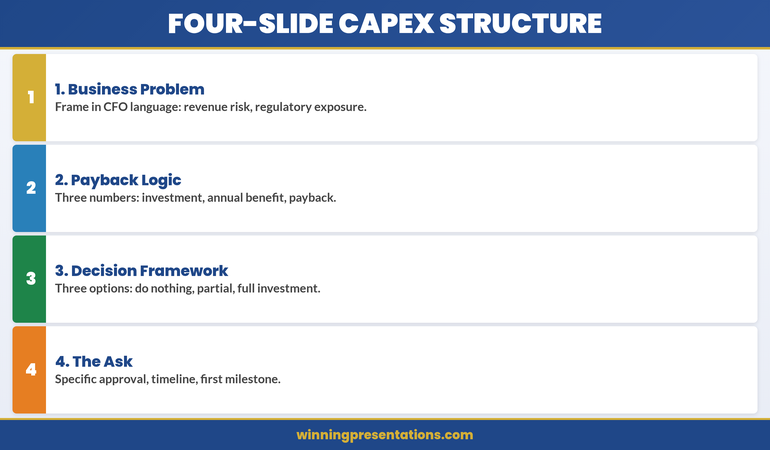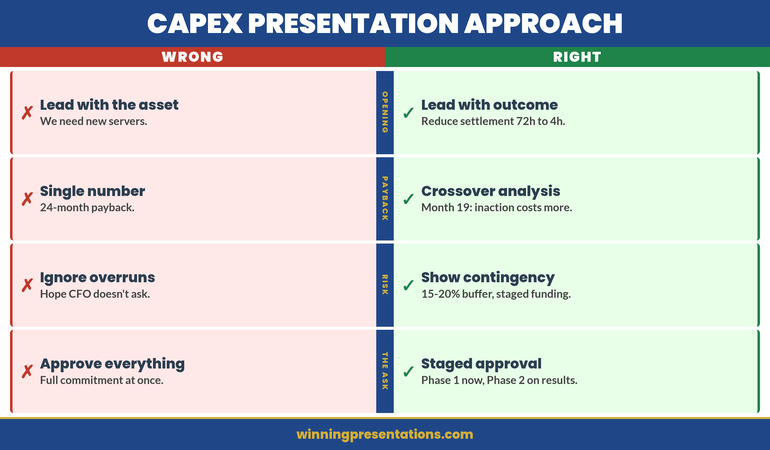
Quick Answer
An annual budget presentation survives CFO scrutiny when every number connects to a business outcome and every assumption is stated openly. The executives who get their budgets approved are not the ones with the most detailed spreadsheets — they are the ones who anticipate the challenge questions, present clear trade-offs, and show what happens if funding is reduced. Structure your deck around defensibility, not justification.
In this article
- Why budget presentations fail at the executive level
- How to structure your assumptions so they hold up
- The challenge question framework
- Building contingency slides that show you have thought ahead
- Presenting trade-offs without weakening your case
- The follow-up protocol that protects your budget
- Frequently asked questions
Leila had rehearsed the numbers until she could recite them from memory.
Her department’s annual budget request was £2.8 million — a twelve per cent increase on the previous year, driven almost entirely by two new hires and a platform migration that had been deferred twice already. She had cost every line item, benchmarked salaries against market data, and built a phased implementation plan for the platform project. The deck was forty-one slides. She felt prepared.
The CFO let her get to slide nine before asking: “Leila, what happens if I give you two million instead of 2.8?”
She hesitated. She hadn’t built that slide. She had built the case for what she needed, not the case for what she would do with less. The next four minutes were improvised answers about which hires could be delayed and which platform costs were flexible — none of which she had modelled. The CFO made a note. Leila knew the note was not in her favour.
Three weeks later, the budget came back approved at £2.1 million — with no input from her on where the reduction should fall. The CFO had made the cuts himself, and they landed on the platform migration. The project that had already been deferred twice was deferred again.
The following year, Leila presented differently. She walked in with her request, her assumptions, and three pre-built scenarios showing exactly what each funding level would deliver and what it would sacrifice. The CFO asked fewer questions. The budget was approved at £2.6 million — and Leila chose where the £200,000 reduction fell.
Presenting your budget to the executive team this quarter?
The Executive Slide System includes templates for structuring budget requests, assumption frameworks, and trade-off slides — so you walk into the room with the scenarios your CFO is going to ask for.
Why Budget Presentations Fail at the Executive Level
Most budget presentations at the executive level fail for one of three reasons — and none of them is having the wrong numbers.
The first failure is presenting a wish list rather than a business case. When a department head presents everything they want, ranked by internal priority, the CFO’s job becomes cutting — and they cut based on their own logic, not yours. The moment your presentation feels like a request rather than a strategic argument, you lose control of where the reductions land.
The second failure is treating assumptions as invisible. Every budget is built on assumptions: growth rates, headcount plans, vendor pricing, project timelines. When those assumptions are buried in the spreadsheet rather than stated explicitly, the CFO has to dig for them. CFOs who have to dig for assumptions assume the worst.
The third failure is having no contingency position. If your presentation contains only one number — the number you want — you have given the CFO a binary choice: approve or cut. Executives who present with pre-built scenarios retain influence over the outcome even when the total envelope is reduced. This is the same principle that underpins effective budget variance presentations — showing you have anticipated the conversation before it happens.
How long should an annual budget presentation be? Most effective budget presentations for CFO or executive committee review run between twelve and twenty slides. The main deck covers strategic context, key assumptions, the request, trade-off scenarios, and risks. Detailed line-item breakdowns belong in appendix slides or a pre-read document that the finance team can review independently.
How to Structure Your Assumptions So They Hold Up
The single most effective thing you can do to strengthen an annual budget presentation is to make your assumptions explicit, visible, and testable.
Create a dedicated assumptions slide — ideally the second or third slide in the deck, before any numbers appear. List every material assumption: revenue growth rate, headcount trajectory, vendor contract terms, project timelines, and inflation adjustments.
For each assumption, include three elements:
The assumption itself: “We are assuming a 6% increase in cloud infrastructure costs based on the current contract renewal trajectory.”
The basis: “This is based on the vendor’s published pricing roadmap and our usage growth over the last eighteen months.”
The sensitivity: “If the actual increase is 10% rather than 6%, the impact on the total budget is £140,000.”
This structure moves the CFO’s questioning from “Where did this number come from?” to “Do I agree with this assumption?” The first question puts you on the defensive. The second invites a collaborative conversation.
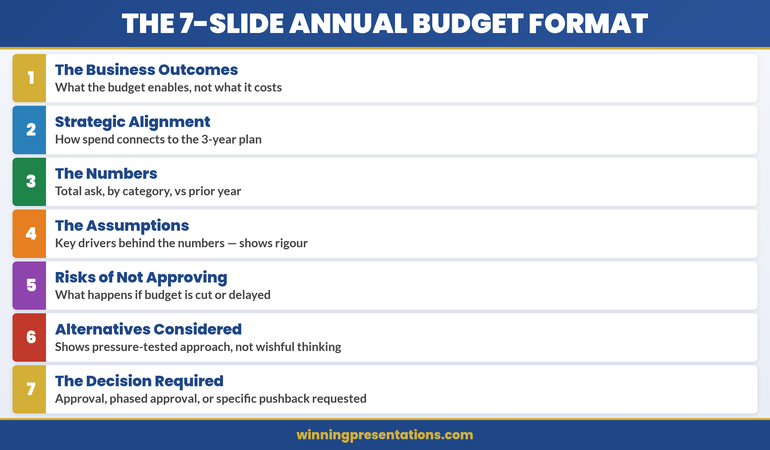
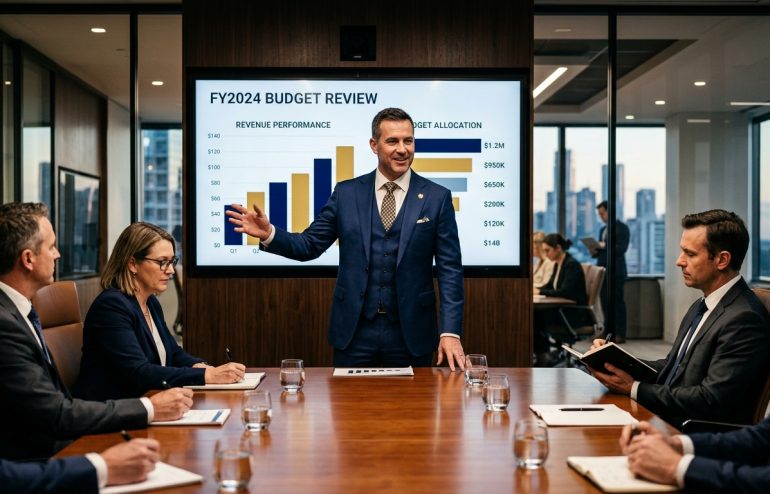
The executives who defend their budgets most effectively are not the ones who hide their assumptions — they are the ones who surface them first, before anyone else has to ask. This mirrors the approach used in strong capital expenditure presentations, where every investment line connects to a stated planning assumption.
Walk Into Your Budget Review With the Slides Already Built
Structuring a budget presentation that survives CFO scrutiny takes preparation. The Executive Slide System — £39, instant access — gives you the frameworks to build it with confidence:
- 26 slide templates for executive scenarios including budget approvals and financial cases
- 93 AI prompts to structure assumptions, trade-offs, and contingency arguments
- 16 scenario playbooks covering the conversations senior leaders actually have
Get the Executive Slide System →
Designed for executives presenting budget requests, investment cases, and financial proposals to senior leadership.
The Challenge Question Framework
CFOs and finance directors ask a predictable set of questions during budget reviews. The executives who lose budget are the ones who improvise answers. The executives who protect their numbers are the ones who have rehearsed them.
There are five challenge questions that appear in nearly every budget review conversation. Prepare a clear, concise answer for each one before you present.
1. “What happens if I give you 80% of this?” Your answer must be specific: “At 80% funding, we defer the platform migration to Q3 and reduce the contractor budget by two FTEs. Maintenance costs increase by approximately £45,000 per quarter.” Never answer with “we would have to look at that” — you should already have looked at it.
2. “Why is this more than last year?” Prepare a bridge slide that walks from last year’s approved budget to this year’s request. Show each incremental change: inflation, new initiatives, headcount, deferred items. The bridge makes the increase feel like the sum of specific decisions rather than a single large number.
3. “What are you not asking for that you should be?” This tests whether you are being strategic. Have a clear answer: “We considered a second analyst role but deferred it because automation should reduce the manual workload by Q3. If it doesn’t, we will raise this at mid-year review.”
4. “What is the cost of doing nothing?” For every significant budget line, articulate what happens if the investment is not made. This reframes your request from a cost to a risk mitigation decision.
5. “How confident are you in these numbers?” Answer with a confidence range, not a single assertion. “Personnel and infrastructure costs are contractually fixed. Project costs carry a plus-or-minus fifteen per cent range, reflected in the contingency provision.” A presenter who acknowledges uncertainty and has planned for it is more credible than one who claims total confidence.
What should you include in a budget presentation to the CFO? A strong CFO budget presentation includes: strategic context connecting the budget to business priorities, an explicit assumptions slide, a year-on-year bridge showing what changed and why, the core request with supporting detail, at least two alternative funding scenarios with trade-offs, a contingency provision, and a clear statement of what is at risk if funding is reduced or denied.
Building Contingency Slides That Show You Have Thought Ahead
The most strategically valuable slides in any budget presentation are the ones that never get presented. These are your contingency slides — the pre-built scenarios that sit behind your main request, ready to be pulled forward the moment the CFO asks “what if?”
Build three scenarios:
Scenario A — Full funding. This is your primary request. Everything you need, fully justified, with the business outcomes each investment delivers.
Scenario B — Reduced funding (typically 75–85% of the full request). Show exactly what gets deferred and what risk the reduction introduces: “At this level, we deliver the platform migration but defer the two new hires, delaying analytics capability by four months.”
Scenario C — Minimum viable funding (typically 60–70% of the full request). The floor. “At this level, we maintain current operations but defer all new initiatives. The deferred platform migration will cost approximately twenty per cent more when eventually undertaken.”
The purpose of these scenarios is not to negotiate against yourself. It is to retain control of the conversation. When the CFO asks for a reduction, you are the one who defines where the cut falls — not the finance team making decisions about your department without your input.
The Executive Slide System includes scenario planning templates and trade-off frameworks that make building these contingency slides straightforward, even under time pressure.
Presenting Trade-Offs Without Weakening Your Case
Many executives avoid presenting trade-offs because they fear it undermines their budget request. The opposite is true. A budget presentation that acknowledges trade-offs signals strategic maturity. A budget presentation that pretends every line item is equally critical signals a lack of prioritisation — and that is what makes CFOs reach for the red pen.
The framework for presenting trade-offs effectively has three components:
Categorise every budget line as “protect,” “flex,” or “defer.” Protect items are non-negotiable: contractual obligations, regulatory requirements, business-critical operations. Flex items have timing or scope flexibility. Defer items are valuable but can wait. When you present this openly, the CFO engages with your thinking rather than imposing their own.
Quantify the impact of each trade-off. “Deferring the CRM upgrade saves £180,000 this year but increases manual processing costs by £40,000 per quarter.” Trade-offs expressed in specific terms are far more useful than “this would have a negative impact on efficiency.”
Present trade-offs as decisions, not losses. “If we reduce the marketing technology budget by £90,000, we choose to delay the attribution project until the second half” positions the trade-off as a conscious strategic choice. “We would lose the attribution capability” positions it as a defeat. CFOs respond better to the first framing.
This approach to presenting financial trade-offs is equally applicable to cost reduction presentations, where the ability to articulate what you are choosing and what you are sacrificing determines whether the audience trusts your judgement.
The Follow-Up Protocol That Protects Your Budget
The budget presentation does not end when you leave the room. What happens in the forty-eight hours after you present often determines the final outcome more than the presentation itself.
Within 24 hours: Send a one-page summary to every attendee restating your request, key assumptions, the recommended scenario, and any questions raised. This document becomes the reference point for the finance team’s internal discussion. If you do not provide it, the CFO’s notes become the reference point — and their notes may not reflect your framing.
Within 48 hours: Respond to every question raised during the presentation in writing, even if you answered it verbally. Written answers carry more weight in budget deliberations than remembered exchanges.
Before the final decision: Offer a fifteen-minute follow-up with the CFO. Position it as “I wanted to check whether anything needs further clarification” rather than “I want to make sure my budget is approved.” The first framing is helpful. The second is political.
How do you defend your budget when finance pushes back? The most effective budget defence is preparation, not persuasion. Before you present, build pre-modelled scenarios for reduced funding levels, state your assumptions explicitly with supporting evidence, and quantify the impact of every potential cut. When the pushback comes, you are not arguing — you are walking the CFO through analysis you have already completed. This shifts the dynamic from confrontation to collaboration.
See also today’s related articles on structuring a risk committee presentation, managing physical anxiety before high-stakes presentations, and presentation skills training for UK professionals.
Build Your Budget Deck in Half the Time
The Executive Slide System — £39, instant access — gives you ready-made templates for budget requests, assumption frameworks, and scenario slides. Stop building from scratch every budget cycle.
Get the Executive Slide System →
Designed for executives presenting budget requests, investment cases, and financial proposals.
Frequently Asked Questions
How do you structure a budget presentation for a CFO audience?
Start with strategic context that connects your budget to the organisation’s priorities. Follow with an explicit assumptions slide, a year-on-year bridge showing what changed, your core request with trade-off scenarios, and a contingency provision. End with a clear recommendation and the specific decision you are asking for. Keep the main deck under twenty slides and put detailed line items in an appendix.
How many budget scenarios should you present?
Three scenarios is the standard that works most effectively: full funding, reduced funding (75–85% of request), and minimum viable funding (60–70%). Each scenario should specify exactly what is delivered, what is deferred, and what the operational or strategic impact of the reduction is. This gives the CFO the information they need to make an informed allocation decision rather than an arbitrary cut.
What is the biggest mistake people make in budget presentations?
Presenting a single number without alternatives. When your budget deck contains only the amount you want, you force the CFO into a binary approve-or-cut decision — and the cuts will be made without your input. The executives who protect their budgets most effectively are the ones who present pre-modelled scenarios showing exactly where reductions would fall and what each reduction would cost the organisation.
The Winning Edge — Weekly Presentation Intelligence
Every Thursday, frameworks and techniques from 24 years of presenting in boardrooms, budget committees, and executive sessions. Join The Winning Edge →
Related reading: How to structure a risk committee presentation that earns confidence, not concern
About the Author
Mary Beth Hazeldine is the Owner & Managing Director of Winning Presentations. With 24 years of corporate banking experience at JPMorgan Chase, PwC, Royal Bank of Scotland, and Commerzbank, she advises executives across financial services, healthcare, technology, and government on structuring presentations for high-stakes scenarios.