Tag: executive presentation course

02 May 2026
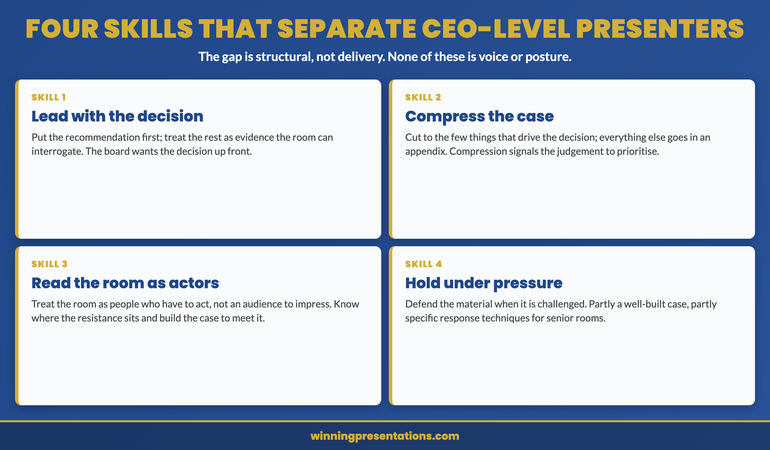
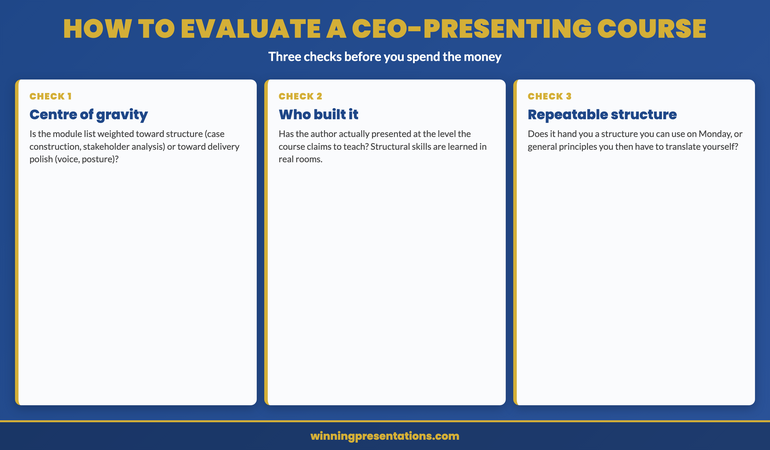
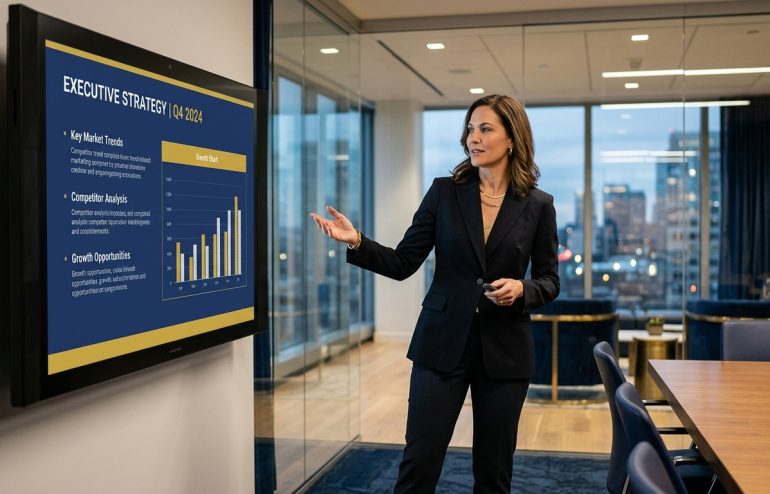
Executive professional presenting a structured navy and gold strategy slide in a modern glass-walled boardroom, demonstrating executive slide design in a corporate setting

Executive Slide Design Course Online

If you are searching for an executive slide design course online, you are likely looking for something more specific than a general PowerPoint tutorial. The Executive Slide System is a structured, downloadable course-in-a-box that teaches you executive slide design through 26 ready-to-use templates, 93 AI prompt cards, 16 scenario playbooks, a master checklist, and a framework reference. It is designed for senior professionals who need to build board-ready, decision-first presentations — not decorative slide decks. Available for £39 with instant access. This page explains what the system covers, how it differs from traditional slide design training, and whether it fits your situation.

Why Most Slide Design Courses Miss the Executive Context

There is no shortage of online courses that teach slide design. Most of them cover the same ground: visual hierarchy, font pairing, colour theory, how to use whitespace, how to avoid cluttered layouts. These are real skills. They are also insufficient for the specific challenge that senior professionals face when building presentations for executive decision-making audiences.

The gap is structural, not visual. A well-designed slide that delivers information in the wrong sequence will not generate the outcome you need. A board committee reviewing a budget proposal does not want a chronological build-up to a recommendation on slide fourteen. They want the ask in the first three slides, the evidence next, the risk assessment after that, and a clear decision point at the end. That sequencing is not taught in most slide design courses because most courses are designed for general business presentations, not governance or approval contexts.

This is the problem that senior professionals hit repeatedly. They invest time in making their slides look professional — clean fonts, consistent branding, well-spaced layouts — and the committee still defers the decision or asks them to “come back with a clearer recommendation.” The design was fine. The structure was wrong.

An effective executive summary slide is not a design challenge. It is a structural one — what information appears, in what order, and what the audience is expected to do with it. That distinction is what separates an executive slide design course from a general presentation skills tutorial.

What the Executive Slide System Teaches You

The Executive Slide System is a self-paced, downloadable resource that functions as a complete slide design course for executive contexts. Rather than teaching abstract principles and leaving you to apply them, it gives you the finished structures — templates you open, populate with your content, and present. The learning happens through use: you see how each template is sequenced, why each slide appears where it does, and what the framework reference explains about the underlying logic.

The system is built around three components that work together. The 26 templates give you the starting structure for every major executive scenario — from board updates to investment cases. The 93 AI prompt cards give you specific, scenario-matched prompts to use with Microsoft Copilot, ChatGPT, or similar tools to populate each slide section efficiently. And the 16 scenario playbooks walk you through the narrative logic for each context, explaining what the audience expects and how the template addresses it.

This is not a passive learning experience. You are not watching someone else build slides. You are working with the materials directly — opening a template for your next budget proposal, using the prompt cards to draft the content, and referring to the playbook to confirm the structure fits your committee’s expectations. The slide title best practices embedded in each template show you how to write titles that signal decisions rather than topics.

The master checklist ties it together — a structured quality check covering clarity, executive tone, decision readiness, persuasion logic, slide flow, CFO-level questions, and AI-human content balance. You run through it before every presentation to catch the structural errors that visual design alone cannot fix.

What You Get — Full Contents

  • 26 scenario-specific slide templates — structured PowerPoint files for board updates, budget proposals, project sign-offs, strategic initiatives, investment cases, quarterly reviews, and client escalation scenarios. Each follows decision-first narrative logic.
  • 93 AI prompt cards — scenario-matched prompts for Microsoft Copilot, ChatGPT, and similar tools. Each card follows the Instant Draft / Refine / Executive Polish workflow so your AI-generated content matches executive expectations.
  • 16 scenario playbooks — detailed guides for each executive presentation context, covering audience expectations, slide sequencing, narrative structure, and common structural errors to avoid.
  • Master checklist — a quality assurance framework covering clarity, structure, executive tone, decision readiness, persuasion logic, slide flow, CFO-level questions, and AI-human content balance.
  • Framework reference — the structural principles behind each template, including Problem-Solution-Benefit, Pyramid Principle, SCQA, and What-So What-Now What frameworks, explained for executive contexts.

Price: £39 — instant access, no subscription. 3 files. Complete system.

Build Board-Ready Slides Without Starting From Scratch

The Executive Slide System gives you 26 structured templates, 93 AI prompt cards, and 16 scenario playbooks — everything you need to build decision-first executive presentations. No design skills required. No subscription. £39, instant access.

Get the Executive Slide System → £39

Instant download. Works in PowerPoint and Google Slides. No subscription.

Is This Right for You?

This is designed for you if: you regularly build presentations for senior decision-makers — board committees, investment panels, steering groups, or executive leadership teams — and you need a structured starting point that reflects how those audiences actually process information. It is particularly useful if you have been told your presentations “need more clarity” or if committees frequently defer decisions after your presentations.

This is probably not for you if: you are looking for a general slide design course covering visual principles like colour theory, typography, and animation. The Executive Slide System focuses on content structure and narrative sequencing for decision-making audiences, not on visual design fundamentals. If your slides already generate the decisions you need and you want them to look more polished, a visual design course is a better fit.

The distinction matters. Understanding how to build a strong decision slide for executive audiences is a structural skill that complements visual design, but they solve different problems. The Executive Slide System addresses the structural side.

Frequently Asked Questions

Is this a video course or a downloadable resource?

The Executive Slide System is a downloadable resource, not a video course. You receive 26 structured slide templates, 93 AI prompt cards, 16 scenario playbooks, a master checklist, and a framework reference — all delivered as files you can open and use immediately. There are no login requirements after purchase, no scheduled sessions, and no expiry date. You work through the materials at your own pace and apply them directly to your presentations.

Do I need PowerPoint to use the Executive Slide System?

The templates are delivered as PowerPoint files (.pptx), so they work in Microsoft PowerPoint on both Windows and Mac. You can also import them into Google Slides if that is your preferred tool, though formatting renders most reliably in PowerPoint. The AI prompt cards work with any AI tool — Microsoft Copilot, ChatGPT, or similar — regardless of which slide software you use.

What scenarios do the 16 playbooks cover?

The playbooks cover the executive presentation scenarios that senior professionals encounter most frequently — board updates, budget proposals, project sign-off requests, strategic initiative presentations, investment cases, quarterly reviews, and client escalation scenarios. Each playbook includes the narrative structure, slide sequencing, and decision logic specific to that context.

How is this different from a traditional slide design course?

Traditional slide design courses teach visual principles — colour theory, typography, layout composition. Those are useful skills, but they do not address the structural problem that causes most executive presentations to underperform. The Executive Slide System teaches you how to sequence your content for decision-making audiences — where to place the recommendation, how to structure risk information, and what a governance committee expects to see in the first three slides.

Can I use these templates for client presentations?

Yes. Once purchased, you can use the templates for any presentation — internal board meetings, client pitches, investor updates, or team briefings. The templates are designed for individual professional use and are not restricted to internal contexts. They are not for resale or redistribution as standalone products.

The Winning Edge — Weekly Executive Presentation Insights

Practical frameworks, structural techniques, and decision-making strategies for senior professionals. Delivered every Thursday.

Subscribe Free

About the Author

Mary Beth Hazeldine is the Owner & Managing Director of Winning Presentations. With 25 years of corporate banking experience at JPMorgan Chase, PwC, Royal Bank of Scotland, and Commerzbank, she advises executives across financial services, healthcare, technology, and government on structuring presentations for high-stakes board meetings, investor pitches, and approval scenarios.

29 Apr 2026
Professional woman leads a business meeting, pointing to a whiteboard with a strategic flow diagram while colleagues listen around a long conference table in a glass-walled office with city skyscrapers outside.

Business Presentation Skills Training UK: What Executive Programmes Actually Deliver

Quick Answer

Business presentation training in the UK ranges from half-day workshops on slide design to comprehensive programmes covering executive-level structure, stakeholder analysis, and AI-assisted preparation. What separates credible programmes from generic courses is specificity: training built around the presentation types executives actually deliver — board updates, investment committee pitches, budget proposals — rather than general public speaking advice.

Parveen had been a divisional director at a FTSE 250 for three years when her CEO asked her to present the digital transformation business case to the board. She knew the material — she had built the strategy herself. What she lacked was a framework for structuring a twenty-minute argument that would convince eight non-executive directors to approve £12 million. She searched for presentation skills courses and found dozens: a £49 online course promising “boardroom confidence in two hours,” a £3,500 two-day London workshop, and everything in between. The cheaper options covered slide design and body language. The expensive workshops focused on group role-plays with no connection to investment committee dynamics. None addressed her actual challenge: structuring an argument so a sceptical board understood the recommendation before slide three. She eventually found a programme that broke executive presentations down by scenario — board approvals, budget pitches, stakeholder updates — and gave her a methodology she could apply to this case and every presentation after it. The board approved the investment on the first hearing. The difference was not confidence. It was structural.

If you want a structured programme designed for executives who present at board level and to senior stakeholders — the AI-Enhanced Presentation Mastery programme covers executive structure, stakeholder analysis, and AI-assisted preparation across 8 modules. Explore AI-Enhanced Presentation Mastery →

What Executive Presentation Training Should Cover

The challenges executives face are fundamentally different from those addressed by general presentation courses. A finance director presenting a restructuring proposal to a board needs a structural methodology that sequences the argument for a sceptical audience under time pressure — not tips on slide transitions or vocal projection.

Credible executive training addresses four capabilities. First, structural methodology — how to lead with the recommendation, position evidence strategically, and address risk before the audience raises it. Second, stakeholder analysis: a board of non-executive directors evaluates differently from an investment committee, which evaluates differently from a leadership team. Training that treats all audiences as interchangeable produces presentations that are competent but not persuasive.

Third, scenario-specific practice. The presentation types executives deliver — annual budget presentations, risk committee updates, project approvals — each have their own structural logic. Generic role-plays miss this entirely. Fourth, Q&A preparation: for many executives, it is the question-and-answer session that determines the outcome, not the presentation itself.

If you are evaluating training options, the guide on choosing a presentation skills course for executives provides a detailed comparison framework.

A Complete Executive Presentation Programme — Self-Paced, Structured, Practical

AI-Enhanced Presentation Mastery covers the full executive presentation skill set: structural methodology, stakeholder analysis, AI-assisted preparation, and delivery under pressure. Self-paced. 8 modules. 83 lessons. £499/seat.

  • ✓ 8 structured modules covering executive presentation methodology
  • ✓ 83 lessons — work through at your own pace, no deadlines
  • ✓ 2 optional live coaching sessions with Mary Beth (fully recorded)
  • ✓ AI-assisted preparation techniques for faster, sharper presentations

Explore the Programme → £499/seat

Enrolment is open — join at your own pace. Self-paced. 8 modules. 83 lessons. Optional coaching sessions — fully recorded.

Red Flags in Budget Presentation Courses

Many courses marketed as “executive” or “advanced” are repackaged entry-level content with a higher price tag. Knowing what to avoid saves money and the opportunity cost of training that does not transfer to the presentations you actually deliver.

Generic content with executive branding. If the curriculum covers slide design basics, vocal projection, and “power poses” without addressing structural logic for board-level presentations, it is designed for a general audience regardless of how it is marketed.

One-day transformation promises. Complex skills do not transfer in a single workshop. Programmes that promise “boardroom confidence in eight hours” are selling motivation, not capability. Lasting improvement requires structured practice across scenarios, with feedback.

No scenario differentiation. A risk committee presentation requires a fundamentally different structure from a team strategy update. Courses that teach one framework for all contexts miss the point.

Trainer credentials without executive experience. Trainers with backgrounds in theatre or general communication may teach delivery well but struggle with executive-level structure. Look for trainers with corporate experience at the level you present to.

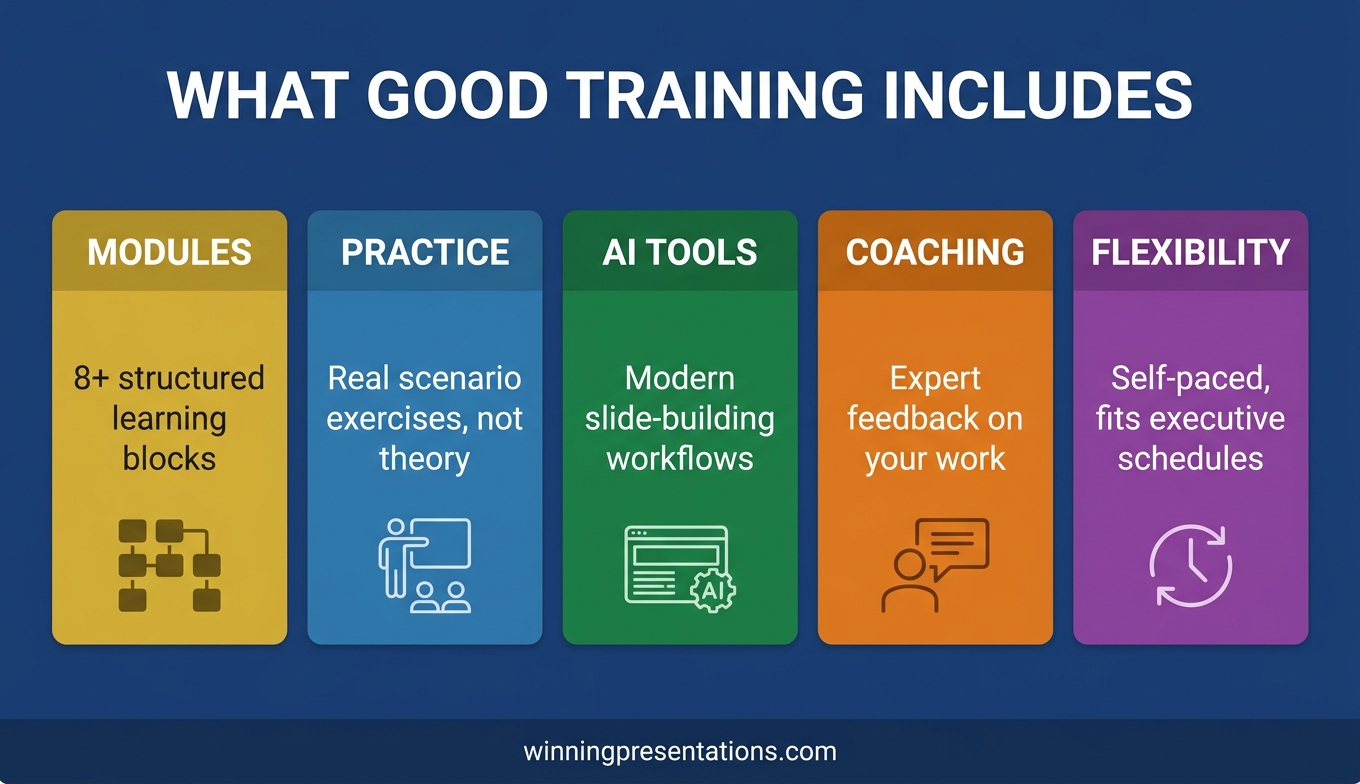
What Good Programmes Actually Include

The programmes that consistently improve executive presentation performance share several characteristics worth understanding before you evaluate marketing pages.

A repeatable structural methodology. The best programmes teach a framework covering argument sequencing (recommendation first, evidence second, risk addressed early), headline construction, and audience-specific framing. Once learned, this methodology accelerates preparation for every future presentation.

Scenario-based modules. Effective programmes break executive presentations into distinct types — board updates, budget proposals, investment pitches, strategic reviews — and address the structural logic of each.

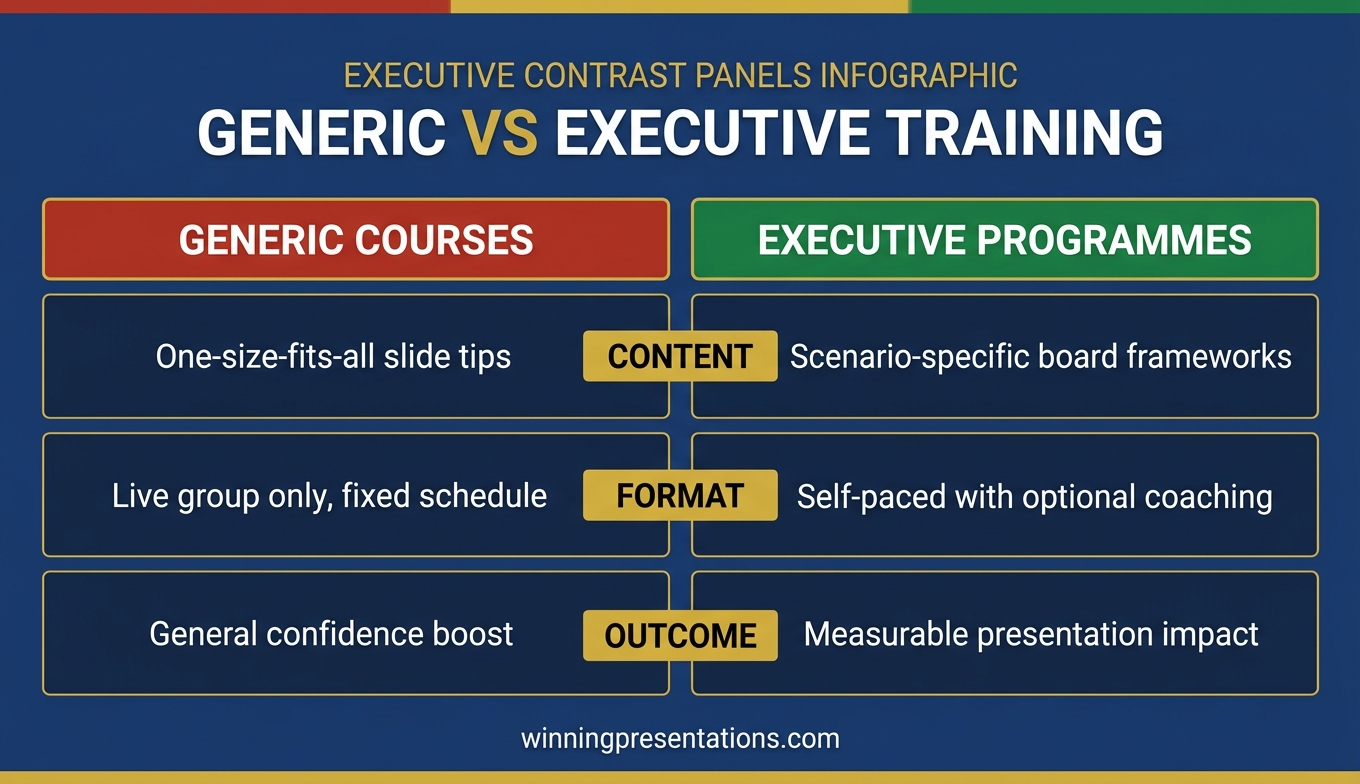
Comparison chart showing what executive presentation training should include versus what generic courses typically cover: structural methodology, scenario-specific practice, stakeholder analysis, and Q&A frameworks versus slide design, body language tips, and generic role-plays

AI integration. The most current programmes now incorporate AI-assisted preparation — teaching executives how to use tools like Copilot, ChatGPT, or Gemini effectively for presentation development. The critical distinction is between programmes that teach prompt engineering for executive scenarios specifically (where the structural methodology informs the AI prompts) and those that simply demonstrate generic AI features.

Flexible access. Senior executives rarely have the schedule flexibility for multi-day residential workshops. Programmes that offer self-paced learning — with optional live coaching for those who want direct feedback — respect the reality that most participants are fitting professional development around demanding roles.

For a deeper look at what distinguishes executive-level courses from standard offerings, the guide on executive presentation masterclasses online examines what the market currently offers and where the gaps remain.

Do presentation courses improve confidence?

Confidence in executive presentations is primarily a function of preparation quality, not personality. Executives who have a clear structural methodology — who know their recommendation is on the right slide, their evidence is sequenced correctly, and their risk mitigation is positioned before the audience raises it — present with significantly more confidence than those relying on general delivery techniques. The most effective training builds confidence indirectly, by giving presenters a reliable preparation framework rather than coaching them to “appear confident” through body language adjustments.

Self-Paced Versus Live Formats

The format question — self-paced online learning versus live workshops — is one of the first decisions when choosing presentation skills training. Both formats have genuine strengths, and the right choice depends on the executive’s primary gap.

Self-paced programmes work well for structural skills. Learning how to sequence an argument or prepare for board-level Q&A does not require a live instructor. These skills benefit from reflection and application — working through a module, applying the framework to an upcoming presentation, then returning with real experience to build on.

Live workshops have an advantage for delivery feedback: pacing, presence, and the ability to read the room. However, for executives whose primary challenge is structural, a live workshop may address the symptom (delivery confidence) while missing the cause (weak argument architecture).

The hybrid model — self-paced structural methodology with optional live coaching — is increasingly common and offers the benefits of both.

The AI-Enhanced Presentation Mastery programme uses this hybrid approach — 83 self-paced lessons covering executive methodology, with two optional live coaching sessions that are fully recorded for those who cannot attend in real time.

How long does it take to improve presentation skills?

Structural presentation skills — argument sequencing, headline framing, evidence positioning — can be applied immediately. An executive who learns to lead with the recommendation rather than build up to it will see an immediate difference in how board members engage with their next presentation. Delivery skills take longer because they involve habit change, but most executives see noticeable improvement within four to six weeks of structured practice. The key is consistent application: each presentation becomes a practice opportunity when you have a methodology to apply.

Decision framework for choosing between self-paced and live presentation training formats: comparing flexibility, structural skills, delivery feedback, schedule fit, and cost considerations for executive professionals

How to Evaluate the ROI of Presentation Training

Most organisations evaluate training on satisfaction scores rather than on whether it changed presentation outcomes. A more useful framework looks at three indicators.

Preparation time. Presentations that currently take four to six hours should take one to two hours after effective training. If the programme provides structural frameworks, preparation becomes assembly rather than invention. This saving alone often justifies the investment.

Decision outcomes. If an executive consistently faces “come back next month with more detail” responses, the issue is almost always structural. Effective training reduces the number of presentations that require a follow-up session before a decision is reached.

Stakeholder feedback quality. After effective training, questions shift from “what are you asking us to approve?” to substantive challenges — assumptions, implementation detail, risk mitigation. This shift indicates the audience is engaging with the argument rather than struggling to find it.

For senior leaders preparing for high-stakes scenarios, the article on senior executive presentation skills explores the specific capabilities that distinguish competent presenters from genuinely persuasive ones at the highest levels.

Invest in the Methodology, Not Just the Motivation

AI-Enhanced Presentation Mastery is a self-paced programme for executives who want a repeatable system for structuring presentations that win decisions. 8 modules. 83 lessons. 2 optional coaching sessions. £499/seat — a career investment that applies to every high-stakes presentation from this point forward.

Explore the Programme → £499/seat

Self-paced. 8 modules. 83 lessons. Optional coaching sessions — fully recorded.

Choosing the Right Programme for Your Role

The “right” programme depends on the gap you are trying to close.

If your gap is structural — you know the material but struggle to build arguments that land with senior audiences — prioritise programmes that teach methodology, not delivery coaching. Look for modules organised by scenario type rather than skill type.

If your gap is delivery — your content is sound but you struggle with nerves or presence — a programme with live coaching is more valuable. For executives dealing with genuine anxiety, the guide on managing stomach-churning nerves before presentations addresses the physiological dimension that many programmes overlook.

If your gap is both — common for executives promoted into roles requiring more senior presentations — a comprehensive programme covering structure, preparation, and delivery is the most efficient path.

Finally, evaluate the trainer. The most credible trainers have worked directly with senior leaders in corporate environments, not just taught presentation skills in academic settings. Industry experience gives them an understanding of the decision dynamics and political sensitivities that shape how executive presentations succeed or fail.

Can AI replace presentation training?

AI tools accelerate preparation but do not replace the structural knowledge that determines whether a presentation persuades a senior audience. If the executive does not know the correct structure for a board approval versus a budget proposal, AI output will be fluent but structurally generic. The most effective approach combines structural training with AI tools. Without the structural foundation, AI produces more slides faster — but they remain the wrong slides for executive audiences.

Frequently Asked Questions

How much does executive presentation training cost in the UK?

Executive presentation training in the UK ranges from under £100 for self-paced digital programmes to £2,000–£5,000 per day for bespoke in-person delivery with a senior consultant. Mid-range options — typically £300–£800 — often include structured modules, scenario-based exercises, and some form of coaching or feedback. The price alone does not determine quality; what matters is whether the programme addresses the specific presentation types you deliver (board updates, investment committee pitches, stakeholder proposals) rather than generic public speaking or slide design.

What should executive presentation training include?

Credible executive presentation training should cover four areas: structural methodology (how to sequence arguments for senior audiences), stakeholder analysis (adapting content and delivery to different decision-makers), scenario-specific practice (board presentations, budget proposals, executive approvals — not generic role-plays), and a framework for handling Q&A under pressure. Programmes that focus primarily on body language, vocal projection, or slide design are typically designed for general business audiences, not executives presenting at board level or to investment committees.

Is online presentation training as effective as in-person?

For structural and strategic presentation skills — how to frame an argument, sequence evidence, and build a recommendation — online training can be equally effective, particularly when delivered as self-paced modules that allow executives to apply concepts between sessions. Where in-person training has an advantage is in real-time delivery feedback: body language, voice modulation, and room presence. The best approach depends on what the executive needs most. If the gap is structural (decks that fail to persuade despite clear delivery), online or self-paced programmes address the core issue efficiently.

How do I choose the right presentation training programme?

Start by identifying the specific gap: is the challenge structural (arguments that do not land with senior audiences), delivery-related (nerves, pacing, presence), or both? Then evaluate programmes against four criteria: does it address your specific presentation scenarios (not just generic business contexts), does the trainer have credible experience with senior audiences, does it include practical application (not just theory), and does the format fit your schedule (self-paced versus scheduled workshops)? Avoid programmes that promise transformation through a single workshop — presentation skills improve through structured practice, not one-off sessions.

The Winning Edge

Weekly insights on executive presentations, stakeholder communication, and career-defining moments at the podium — for professionals who present at the highest stakes.

Subscribe Free

About the author

Mary Beth Hazeldine is the Owner & Managing Director of Winning Presentations. With 24 years of corporate banking experience at JPMorgan Chase, PwC, Royal Bank of Scotland, and Commerzbank, she advises executives across financial services, healthcare, technology, and government on structuring presentations for high-stakes scenarios.

25 Apr 2026
Female executive presenting to senior professionals in a modern London boardroom with structured slides on screen, demonstrating executive-level presentation skills training

Presentation Skills Online Course UK: Executive-Level Training

If you are looking for a presentation skills online course designed specifically for UK executives and senior professionals, AI-Enhanced Presentation Mastery is a self-paced programme covering 8 modules, 83 lessons, and AI-powered slide-building frameworks — all at your own pace, with no fixed schedule to attend.

This page covers exactly what the course includes, who it is designed for, and how it differs from generic presentation training. If you are evaluating options, the details below will help you decide whether this is the right investment.

The Problem With Most Presentation Skills Courses

You have been asked to present a restructuring plan to the board in three weeks. The stakes are real — headcount decisions, departmental budgets, and your credibility with senior leadership all hinge on how you frame the next forty minutes.

You search for a presentation skills course. What you find is a parade of generic options: two-day workshops that teach you to “engage your audience” and “use powerful body language.” The exercises involve presenting about your favourite holiday destination to a room of strangers. The feedback is warm and supportive and completely irrelevant to your board meeting.

The gap between what most courses teach and what executive professionals actually need is significant. Generic courses assume your challenge is confidence or stage presence. In reality, your challenge is structuring complex commercial information so that a room of experienced decision-makers says yes — under time pressure, with competing priorities, and with questions designed to test your thinking.

That requires a different kind of training entirely.

What an Executive-Level Online Course Actually Looks Like

AI-Enhanced Presentation Mastery is built for people who already present at work — and need to do it better at senior level. It is not an introductory course. It is a structured, self-paced programme that takes you from slide structure through to delivery, with AI-powered tools to accelerate every stage.

The programme is designed by Mary Beth Hazeldine, who spent 24 years in corporate banking at JPMorgan Chase, PwC, Royal Bank of Scotland, and Commerzbank before building Winning Presentations. It draws directly on the kind of presentations she delivered and advised on — board papers, investor updates, procurement pitches, and restructuring proposals.

The course runs entirely online. You access 8 modules and 83 lessons at your own pace — no fixed dates, no mandatory live sessions. There are two optional coaching sessions with Mary Beth included with every enrolment, both fully recorded so you can watch back at any time. New cohorts open every month, which simply means a new group of professionals begins alongside you. The material is available from the moment you enrol.

What sets this apart from generic training is the integration of AI tools — specifically ChatGPT and Microsoft Copilot — into the presentation-building process. You learn how to use AI to draft slides, restructure arguments, and prepare for Q&A, cutting preparation time significantly while improving the quality of your output. This is relevant whether you work in technology, finance, healthcare, or government.

What You Get

  • 8 modules, 83 lessons — covering executive slide structure, narrative frameworks, data presentation, stakeholder management, delivery techniques, and AI-powered preparation
  • Self-paced access — no deadlines, no mandatory attendance. Work through the material on your schedule, at your speed
  • AI integration throughout — practical prompts and workflows for ChatGPT and Microsoft Copilot, built into every module so you can apply them immediately
  • 2 optional live coaching sessions — with Mary Beth Hazeldine, fully recorded. Get direct feedback on your specific presentation challenges
  • Monthly cohort enrolment — join at any time. New cohorts open regularly, so there is no waiting period
  • UK-designed, globally relevant — built from real executive scenarios in British corporate environments, applicable across industries and geographies

Price: £499 per seat — instant access, no subscription, no recurring fees.

Stop Rebuilding Every Presentation From Scratch

AI-Enhanced Presentation Mastery gives you the frameworks, AI prompts, and executive-level structure to build compelling presentations in a fraction of the time. 8 modules. 83 lessons. Self-paced. £499 — one payment, lifetime access.

Explore AI-Enhanced Presentation Mastery →

Designed for senior professionals who present to boards, investors, and executive committees

Is This Right for You?

This course is designed for you if:

  • You present regularly to boards, senior leadership, investors, or clients
  • You want to use AI tools like ChatGPT and Copilot to speed up your preparation
  • You need structured frameworks, not generic tips
  • You prefer self-paced learning that fits around a demanding schedule
  • You are UK-based or work in UK corporate environments (though the content is globally applicable)

This course is not the right fit if:

  • You are looking for a basic public speaking course (this is executive-level, not introductory)
  • You need in-person classroom training with group exercises
  • Your primary challenge is acute presentation anxiety — for that, consider this overview of executive presentation approaches or the dedicated anxiety programmes

If you are not sure, explore the articles on this site for a sense of the approach. Many of the frameworks taught in the course are introduced in our executive presentation training guide — the course goes deeper with full implementation, AI tools, and coaching.

Frequently Asked Questions

Is this presentation skills course fully online?

Yes. AI-Enhanced Presentation Mastery is entirely online and self-paced. You access all 8 modules and 83 lessons from any device, at any time. The two optional coaching sessions with Mary Beth are conducted online and fully recorded. There is nothing to attend in person.

How long does it take to complete the course?

That depends entirely on your pace. Some participants work through the material in two to three weeks alongside their day job. Others take longer. There are no deadlines and no expiry date on your access. You can revisit modules before specific presentations as needed.

Do I need to know how to use ChatGPT or Copilot before starting?

No prior AI experience is required. The course teaches you how to use these tools specifically for presentation preparation — from drafting slide content to stress-testing your arguments. The prompts and workflows are provided ready to use.

Is this course relevant outside the UK?

Absolutely. The frameworks are built from real executive scenarios in British, European, and international corporate settings. Participants come from financial services, technology, healthcare, government, and professional services across multiple countries. The principles of structuring a compelling executive presentation are universal.

What if I have a specific presentation coming up — can I get direct feedback?

Yes. The two optional coaching sessions included with your enrolment are specifically designed for this. Bring your real presentation, and Mary Beth will review your structure, slides, and approach. Both sessions are recorded so you can refer back to the feedback.

Is this worth £499 compared to a free presentation course?

Free courses cover the basics — how to structure a beginning, middle, and end, how to make eye contact, how to manage nerves. If that is what you need, there are good options available at no cost. This course exists for professionals who already know the basics but need to present at a level that influences senior decision-makers. The difference is specificity: real executive scenarios, AI-accelerated preparation, and frameworks built from 24 years of corporate banking experience. If your next presentation has genuine commercial or career consequences, that specificity is what makes the investment worthwhile.

About the Author

Mary Beth Hazeldine is the Owner & Managing Director of Winning Presentations. With 24 years of corporate banking experience at JPMorgan Chase, PwC, Royal Bank of Scotland, and Commerzbank, she advises executives across financial services, healthcare, technology, and government on structuring presentations for high-stakes funding rounds, board approvals, and investor meetings.

16 Apr 2026
Female manager presenting a business case to senior leadership team, composed and authoritative, navy blazer, corporate boardroom

Presentation Skills Training for Managers

Presenting to your own team and presenting upward to senior leadership are different disciplines. Most managers discover this the hard way — they prepare thoroughly, they know their material, and then something goes wrong in the room. The director asks a question they were not expecting. The CFO challenges the numbers before slide five. A non-executive cuts across the argument with a concern that derails the structure. Generic presentation skills training does not prepare managers for any of this. It teaches confidence and delivery. It does not teach the structural decisions that determine whether a senior audience accepts or defers your recommendation.

Priya had been presenting internally for six years by the time she was asked to bring a business case to the executive leadership team. She was confident in front of groups. She had done presentation training as a new manager and had put it into practice. She could hold a room, manage nerves, and take questions. What she had not done was present to people whose job is to interrogate recommendations, not receive them. Her slide deck covered the case logically, building from context through evidence to conclusion over fourteen slides. Forty seconds into slide three, the Operations Director interrupted: “Just tell me what you’re asking for and why it’s better than doing nothing.” The room fell silent. Priya had prepared thoroughly for a presentation. She had not prepared for that question — because she had placed the recommendation on slide twelve, and no executive committee has ever waited that long. She found the slide, gave the ask, and recovered well. But she had lost the room’s confidence in the architecture of her thinking before the case was made. What she needed was not more confidence. She needed a different structure.

Preparing to present to senior leadership? The Executive Slide System gives managers the slide templates, AI prompt cards, and structure guides for presenting upward with authority. Explore the System →

Why Generic Presentation Training Does Not Prepare Managers for Senior Audiences

Most presentation skills training for managers focuses on delivery: voice projection, eye contact, posture, managing nerves, using pauses effectively. These are useful skills. They are not the skills that determine whether a senior leadership presentation succeeds or fails.

Senior leaders do not typically evaluate presentations on delivery quality. They evaluate them on the quality of the thinking. Is the recommendation clear? Is the evidence logically structured? Has the presenter anticipated the objections? Is there a credible path forward? A manager who delivers with polished confidence but buries the recommendation on slide nine will lose a senior audience before the middle of the deck. A manager who presents with visible nerves but opens with a clear recommendation, supports it with organised evidence, and closes with a specific next step will hold that audience’s attention and respect.

The other thing generic presentation training does not cover is the dynamics specific to presenting upward. In a standard presentation, the presenter controls the floor. In a senior leadership presentation, the audience frequently interrupts — not to be difficult, but because that is how executive committees work. They identify their priority question early and ask it, often before the presenter has reached the slide that addresses it. A manager who has not prepared for this dynamic — who experiences the interruption as a derailment rather than as a normal feature of senior stakeholder engagement — can lose composure at exactly the moment when composure matters most.

Effective presentation skills training for managers must therefore cover three things that generic training omits: presentation architecture for senior decision-makers, objection anticipation and pre-emption, and composure strategies for live challenge. Without these, even a well-delivered presentation may fail to secure the outcome the manager needs.

The Structure Managers Need for Senior Presentations

The Executive Slide System gives managers scenario-specific slide templates, AI prompt cards, and framework guides — built for presenting upward to senior leadership, not for general team communication. £39, instant download.

  • ✓ Slide templates for high-stakes upward presentations
  • ✓ AI prompt cards to build decision-ready decks faster
  • ✓ Framework guides covering structure, evidence, and risk
  • ✓ Instant download — use immediately for your next presentation

Get the Executive Slide System → £39

Designed for managers and executives preparing high-stakes upward presentations

The Structure Gap: How Managers Need to Present Differently Upward

The most consequential structural difference between presenting to peers and presenting to senior leadership is the position of the recommendation. When presenting to a team or a peer group, building context before the conclusion is natural — you establish shared understanding before making the ask. When presenting upward, this approach works against you.

Senior leaders are time-constrained and operate under high cognitive load. They process information more efficiently when they know the conclusion first and evaluate the evidence in light of it, rather than receiving the evidence and forming a view independently. A presentation that opens with context and builds toward a recommendation asks the senior audience to hold all the evidence in working memory until the conclusion arrives — which is not how executive committees read or listen.

The recommendation-first structure that works for senior audiences looks like this: a brief context statement (one to two slides establishing why this is being presented now), the recommendation itself (stated plainly — what you are asking for, or what you recommend doing), the evidence that supports it (organised logically, not chronologically), a risk acknowledgement (the two or three most likely objections, each with a specific response), and a clear next step. This is the structure that allows a senior leader to engage with your recommendation from slide two, rather than suspending judgement for twelve slides.

For new managers presenting upward for the first time, the hardest part of this structural shift is placing the recommendation before they feel they have earned the right to make it. The impulse is to build the case first. But senior audiences are not waiting to be persuaded before hearing the ask — they want the ask upfront so they can evaluate the case with the recommendation in mind. The structure that feels presumptuous in practice is the one that works.

The five-part executive presentation outline maps this structure in full — covering the exact sequencing decisions that allow a manager’s recommendation to land before the room has had time to form a counter-position.

Handling Scrutiny: When Senior Leaders Challenge Your Case

The moment that separates managers who build a reputation in senior presentations from those who do not is usually not the quality of their slides. It is how they respond when a director challenges their numbers, their logic, or their assumptions.

Senior leaders challenge presentations not primarily to undermine them but to test them. A challenge is, in most cases, a signal of interest: the director is engaging with the proposal seriously enough to probe it. A manager who receives a challenge as an attack and becomes defensive has misread the dynamic. A manager who receives a challenge as a question and responds with specific, calm, well-organised information has demonstrated exactly the credibility that senior presentations are designed to establish.

Preparing for scrutiny requires identifying the three to five objections most likely to be raised before you present, and building your response to each into the deck. Not buried in an appendix — in the main body, as a risk acknowledgement section that addresses the objection before it is raised. This has two effects: it pre-empts the objection, which removes one source of challenge from the room, and it demonstrates that you have engaged with the downside, which builds credibility for the recommendation.

When challenges come in real time during the presentation, three composure practices matter most. First, pause before responding — two or three seconds is not a long silence, but it signals that you are considering the question rather than reacting to it. Second, name the question before answering it: “That’s a question about the timeline — let me address that directly.” This gives you a moment to organise your response and signals to the questioner that you have understood what they are asking. Third, answer specifically and move on — do not over-explain or qualify excessively. A direct, specific response followed by a return to the structure of your presentation is more authoritative than a detailed elaboration that leads the room further from the decision.

For managers whose primary concern about senior presentations is the challenge dynamic rather than the structural one, the framework for presenting to resistant or hostile audiences covers the specific techniques for managing a room where the challenge level is sustained rather than occasional.

The Executive Slide System includes framework guides covering how to structure the risk acknowledgement section that pre-empts the objections most likely to arise in management presentations to senior leadership.

Presenting Resource Requests and Business Cases to Senior Leadership

The presentation type that causes managers the most difficulty is the resource request: a budget ask, a headcount case, a capital investment proposal. These are presentations where the manager needs something from the senior audience and the senior audience is simultaneously under pressure to limit or reduce what it gives. The structural and psychological challenge is significant.

The most common failure mode in resource request presentations is what might be called the apologist structure: the manager spends the first half of the deck establishing how much they have achieved with existing resources, implying that they should not need more before eventually making the ask. This structure undermines the request before it is made. It signals awareness that the ask may not be welcome and pre-emptively hedges against it. Senior leaders read this defensiveness and it reduces their confidence in the manager’s conviction about the proposal.

An effective resource request presentation starts from a different premise: the ask is not a favour, it is an investment decision. Framing the request as an investment decision shifts the conversation from “please give us more” to “here is what the organisation gets if it commits this resource.” The financial logic is the same either way, but the framing is entirely different — and framing is what determines whether a senior audience evaluates a resource request as a cost or as an opportunity.

The evidence section of a resource request also needs specific elements that general business presentations omit. The cost of not approving the request — the operational impact, the missed opportunity, the accumulated risk of deferral — is as important as the case for approval. Senior leaders who are undecided between approving and deferring a resource request will often make their decision based on their assessment of what happens if they do nothing. Making that case explicitly, rather than leaving the senior audience to infer it, is one of the structural choices that separates resource requests that are approved from those that are deferred for further consideration.

The framework for presenting difficult information to senior leadership is directly relevant here — resource requests where the current situation is unsustainable require the same credibility-preserving structure as formal difficult-results presentations.

Building Credibility Through Repeated Senior Presentations

Credibility with senior leadership is built presentation by presentation, over time. Each presentation is an opportunity to demonstrate a specific set of qualities: clear thinking, organised evidence, sound judgement about risk, and a realistic understanding of what the organisation can and cannot do. Managers who consistently demonstrate these qualities in their presentations build reputations that precede them — which changes how senior leaders engage with their proposals.

The most important credibility signal in any senior presentation is specificity. Vague language — “we need more resource,” “the timeline might be challenging,” “there are some risks to consider” — signals that the presenter has not done the analytical work to support a recommendation. Specific language — “we need two additional analysts by the end of Q2,” “the implementation timeline has a four-week dependency on the vendor contract review,” “the primary risk is budget overrun in the infrastructure phase, which we have mitigated by capping the vendor commitment until Phase 1 completion” — signals that the presenter has thought the problem through. Senior leaders recognise the difference immediately.

The second credibility signal is the ability to stay on structure when the room becomes difficult. A manager who loses their thread under challenge or who abandons their prepared structure and begins improvising will leave senior leaders with a residual impression of unpreparedness, regardless of how strong the content was. Managers who can acknowledge a challenge, address it specifically, and return cleanly to the structure of their argument demonstrate exactly the composure under pressure that senior leadership values.

Over time, the managers who build the strongest track records in senior presentations are those who treat each presentation as a structured communication exercise, not a performance. The goal is not to impress the room with delivery quality. The goal is to make the decision the room needs to take as easy as possible to take — by providing the right information, in the right order, with the right level of specificity. Managers who do this consistently find that their presentations become shorter, more direct, and more effective with each iteration, because they have learned what senior audiences actually need from them.

Slide Templates and Frameworks for Presenting Upward

The Executive Slide System gives managers scenario-specific slide templates, AI prompt cards, and framework guides for business cases, resource requests, and senior leadership presentations. £39, instant download.

Get the System Now → £39

Frequently Asked Questions

What presentation training do managers actually need?

Managers presenting upward need training in three specific areas that generic public speaking courses do not cover: structuring a recommendation for senior decision-makers, handling the scrutiny that comes with resource requests and business cases, and managing composure when a director challenges their numbers or their logic. Generic presentation skills training teaches eye contact and vocal variety. Effective management presentation training teaches how to structure a case, anticipate objections, and hold your position under pressure.

How do I improve my presentation skills for presenting to senior leadership?

The most important improvement for managers presenting upward is structural — moving the recommendation to the beginning of the presentation rather than building to it at the end. Senior leaders evaluate evidence more effectively when they know what they are being asked to approve. Beyond structure, the specific skills that make the most difference are: concise evidence sequencing (supporting the recommendation without overwhelming it), a risk acknowledgement that shows you have thought through the downside, and a clear next step that defines what you are asking the senior audience to do.

Is there presentation skills training for managers in the UK?

Yes. Winning Presentations offers the Executive Slide System — a self-paced resource covering slide structure, AI prompt cards, and framework guides for managers presenting to senior leadership in UK organisations. It is designed for managers who are preparing a specific high-stakes presentation and need structured guidance rather than a generic training course. It covers the structural and language decisions that matter most when presenting upward in a UK business environment.

How long does it take to improve presentation skills for senior-level presentations?

Structural improvements — particularly recommendation-first framing, concise evidence sequencing, and risk acknowledgement — can be applied to any presentation within a single preparation session once you understand the principles. The Executive Slide System is designed for this: it provides the framework and templates to apply immediately to your next presentation, not a multi-week course before you see results. Sustained improvement in composure under scrutiny takes longer, but the structural improvements that make the biggest difference to senior audience reception can be implemented straight away.

The Winning Edge

Weekly insights on executive presentations, slide strategy, and boardroom communication.

Subscribe Free

About the author

Mary Beth Hazeldine, Owner & Managing Director, Winning Presentations. With 25 years of corporate banking experience at JPMorgan Chase, PwC, Royal Bank of Scotland, and Commerzbank, and 16 years training managers and executives across financial services, healthcare, technology, and government, she works with leaders preparing high-stakes presentations to senior decision-makers.

11 Apr 2026
Female executive presenting board paper slides to non-executive directors, confident posture, glass-walled boardroom, navy and gold

Board Presentation Training Course

A board presentation training course addresses one of the most underserved gaps in executive development: the specific competence of communicating to a board of directors. Presenting to a board is not an extension of presenting to your management team — it demands a different structure, a different register, and a fundamentally different understanding of what the audience needs to make a decision. This guide explains what effective board presentation training covers, how to evaluate a course that will genuinely build that competence, and what to expect from the process.

Priya had been an impressive presenter inside her organisation for years. Her quarterly updates to the executive committee were concise, well-structured, and always received positively. When she was asked to present the case for a new market entry strategy to the board for the first time, she prepared exactly as she always had: a deck with clear data, a logical flow, and a confident delivery. The board was polite, but the questions came in directions she had not anticipated. A non-executive director asked about regulatory exposure in the second market — Priya had not included it because it had not yet been flagged internally. Another asked what the position would be if the entry assumption turned out to be wrong by thirty percent. She answered as best she could, but the meeting ended without a decision. She had not failed because she lacked intelligence or preparation — she had prepared for the wrong audience. Board presentation skills, it turned out, needed specific training she had never received.

Looking for structured support before your next board presentation? The Executive Slide System includes scenario-specific templates for board updates, strategic investment cases, and executive approvals — with the narrative structure boards expect built in. Explore the System →

What Board Presentation Training Actually Covers

Effective board presentation training is not a general public speaking course with a boardroom backdrop added. It addresses the specific conditions of board-level communication: an audience of non-executives and executive directors who have limited time, broad governance responsibilities, and a mandate to scrutinise rather than simply receive information.

At its core, a board presentation skills course covers four areas. The first is decision architecture — how to structure a presentation so the board can make a decision rather than simply review information. This is one of the most commonly misunderstood aspects of board communication. Many executives still structure board papers the way they structure internal reports: background first, analysis in the middle, recommendation at the end. Boards work the other way around. They need the recommendation upfront, the rationale second, and the supporting detail available but not dominant.

The second area is risk fluency. Boards are constitutionally interested in risk — it is a core governance function. Board presentation training teaches executives to anticipate and address risk proactively, to frame risk in terms the board uses (strategic, financial, reputational, operational), and to present mitigations that are specific rather than reassuring. “We have contingency plans in place” is not a risk response. “If the primary supplier fails, we have a secondary supplier in place at eight percent additional cost with a two-week onboarding period” is.

The third area is slide architecture. A board presentation training course will typically cover how to build slides that work without narration — because board papers are often pre-read. This means slide titles that are declarative rather than descriptive, visual hierarchies that make the key point obvious at a glance, and appendices that hold detailed data without cluttering the main deck.

The fourth area is Q&A management. Board questions are often probing, occasionally adversarial, and sometimes emerge from a governance agenda you are not fully aware of. Training in this area develops the skills to handle unexpected questions without losing composure, to acknowledge uncertainty without appearing unprepared, and to redirect to your core argument without seeming evasive.

Why Board Presentations Fail — and What Training Must Address

Most board presentation failures share a common cause: the presenter has optimised for the wrong outcome. They have built a presentation that demonstrates thoroughness — extensive analysis, comprehensive data, detailed process explanations — when what the board needs is a clear case for a specific decision. Thoroughness and clarity are not the same thing. A board presentation training course that does not address this distinction directly will not produce meaningful improvement.

A second common failure is a mismatch in time horizon. Operational leaders spend their days in the detail of implementation. Boards operate at the level of strategy, governance, and accountability. When an executive presents an operational initiative to the board, they often remain at the level they know best — talking about how something will work rather than why it matters at the strategic level and what risk it manages or creates. Training that does not actively develop the capacity to shift between levels will leave this gap intact.

The third failure mode is under-preparation for challenge. Many executives prepare thoroughly for the content of their presentation and almost not at all for the questions they might face. Board questions are unpredictable — they can come from a prior agenda item, from a concern a non-executive has raised in a pre-meeting, or from a pattern the board has observed across multiple management presentations. A board presentation skills course should include structured practice in fielding unexpected challenges, not just rehearsing delivery.

Understanding the board presentation best practices that experienced presenters apply consistently is a useful starting point — but training builds the muscle memory to apply them under pressure, not just to understand them in principle.

Build Your Board Presentation Skills With the Right Structure

The Executive Slide System — £39, instant access — gives you scenario-specific slide templates for board updates, investment cases, and executive approvals, with AI prompt cards and framework guides that put the right structure at your fingertips every time.

  • ✓ Scenario-specific templates for board presentations and executive approvals
  • ✓ AI prompt cards to build decision-ready decks efficiently
  • ✓ Framework guides for narrative structure and risk communication
  • ✓ Designed for executives who present to boards and senior leadership

Get the Executive Slide System →

Instant download · £39 · No subscription

Slide Structure for Board Presentations

Board presentation structure training is one area where the gap between general presentation coaching and board-specific training is most visible. General presentation courses typically teach chronological or problem-solution structures that work well in sales or management contexts. Board presentations follow a different logic.

The structure that works consistently for board presentations opens with a one-slide executive summary containing the recommendation, the rationale in three to five words, and the decision required. This is not the conclusion — it is the starting point. Everything that follows is the evidence base for a decision the board already knows you are asking them to make. This structure reduces the cognitive load on board members who are managing multiple agenda items, and it allows the board chair to set context before you have said a word.

The second structural principle is the separation of the main deck from the supporting material. A well-structured board presentation rarely exceeds twelve slides in the main body. The detail that management teams typically include — detailed financial models, operational timelines, process diagrams — belongs in an appendix that board members can reference if they choose, not in the main presentation flow. This discipline is harder than it sounds: it requires genuine confidence that your argument holds without the scaffolding of exhaustive supporting data.

The third structural principle is explicit risk architecture. Every substantive board presentation should include a dedicated section — typically two to three slides — that addresses the risk landscape directly: what are the primary risks, how are they being mitigated, and what early indicators would signal that the risk picture is changing? This is not an optional addition for risk-averse organisations. It is what boards expect to see, and its absence is often interpreted as a sign that management has not thought carefully enough.

For board presentations that involve ESG or sustainability investment, the ESG board presentation approach adds additional dimensions — regulatory framing, materiality assessment, and stakeholder accountability — that require their own structural treatment. The Executive Slide System includes templates designed specifically for these governance-sensitive presentation scenarios.

How to Evaluate a Board Presentation Training Course

Not all board presentation training courses are built to the same standard. Several factors distinguish courses that build durable competence from those that provide a day of interesting frameworks that fade quickly without sustained application.

The first factor is specificity. A course that positions itself as covering “executive communication” broadly is unlikely to develop board-specific skills to a useful depth. Look for training that explicitly addresses the governance context of board communication — the roles of non-executive directors, the difference between board papers and management reports, and the way board-level risk scrutiny functions. If those elements are not mentioned in the course description, the training is probably not board-specific in any meaningful way.

The second factor is practice structure. Reading about slide architecture or watching someone else demonstrate it does not build skill. Effective board presentation training includes structured practice in building a board paper or deck from a real scenario, followed by feedback from someone who has genuine experience of presenting at board level. One-way instruction without application practice is better than nothing — but only marginally.

The third factor is what happens between formal training sessions. The best board presentation skills courses provide frameworks and templates that participants can use independently — so that each board presentation they prepare becomes its own training opportunity, reinforcing what they learned rather than allowing it to atrophy. A course that ends with a certificate but no ongoing structural support will not produce lasting change in high-pressure situations.

The executive presentation structure principles that underpin effective board communication are transferable across industries and seniority levels — what changes is the depth of application and the specific governance context. Strong training helps you develop that application across all the board presentations you will face in your career, not just the one you are preparing for now.

Applying Your Training Before the Next Board Meeting

The most common mistake after completing a board presentation training course is treating the new frameworks as aspirational — ideas to implement eventually rather than tools to apply immediately. The single most effective thing you can do in the days after training is to apply the structure you have learned to a presentation you are already preparing. This creates immediate reinforcement and allows you to identify where the framework requires adaptation for your specific context.

Begin with slide titles. If you cannot read only the title row of your deck and understand the argument it makes, the titles are doing the wrong job. This single discipline — making slide titles declarative rather than descriptive — will change how your board papers read more than almost any other structural intervention. A title that reads “Market Entry Options” tells the reader nothing. A title that reads “European expansion carries lower regulatory risk than APAC — recommendation: prioritise Europe” gives the board the conclusion before they have read a word of the slide body.

After titles, move to the opening summary. Write the one-slide executive summary last, once you know exactly what you are recommending and why. This forces clarity: if you cannot write the recommendation in a single sentence and the rationale in three to five words, the argument is not yet clear enough. The process of writing the summary often reveals gaps in the logic that would otherwise only surface under board questioning.

Finally, prepare for the three most difficult questions you would not want the board to ask. Not the questions you expect — the ones that would catch you off guard. This is the practice that separates presenters who survive board scrutiny from those who genuinely command it. The board presentation follow-up protocol covers the post-meeting process that keeps decisions moving — because a strong board presentation and an effective follow-up are equally important to achieving a result.

Put the Right Board Presentation Structure to Work Now

The Executive Slide System gives you templates, AI prompt cards, and framework guides for building board presentations that communicate decisions clearly — at £39, instant access. Use it alongside any training programme or independently to build every board deck on a decision-tested foundation.

Get the System → £39

Frequently Asked Questions

What is the best board presentation training available for senior executives?

The best board presentation training combines governance-specific content — understanding the role of non-executive directors, the board’s risk function, and the difference between management and board-level communication — with structured practice and transferable frameworks. One-size-fits-all executive communication training rarely develops genuine board-specific competence. Look for training that explicitly addresses board paper structure, Q&A under scrutiny, and how to communicate at the strategic level, not just the operational one.

How do I learn how to present to a board of directors?

Start with the structural differences between board and management presentations. Boards need the recommendation first, the rationale second, and the supporting detail available but not dominant in the main deck. Then build your risk fluency — understand the risk categories boards use and practise articulating mitigations specifically rather than reassuringly. Finally, practise Q&A with someone who can ask from a governance perspective rather than a management one. Formal training accelerates this significantly, but self-directed preparation using the right frameworks can achieve meaningful improvement before your next presentation.

What does a board presentation skills course cover?

A board presentation skills course should cover decision architecture (structuring for a decision, not an information transfer), slide construction for pre-read documents, risk communication at the governance level, Q&A handling under board scrutiny, and the specific language register boards expect. Courses that focus only on delivery skills — voice, posture, confidence — without addressing the structural and governance dimensions will not produce the improvement most executives need for board-level presentations.

What is the right structure for a board presentation?

The structure that works consistently for board presentations opens with a one-slide executive summary: the recommendation, the rationale, and the decision required. The main deck — typically eight to twelve slides — covers the strategic context, the business case, the risk landscape, and the implementation overview. Supporting detail belongs in an appendix. Slide titles should be declarative (stating the conclusion) rather than descriptive (naming the topic). Every board presentation should anticipate the three to five questions the board is most likely to ask and address them in the deck before they are asked.

The Winning Edge

Weekly insights on executive presentations, slide strategy, and boardroom communication — straight to your inbox.

Subscribe Free

Preparing for an upcoming board presentation? Download the Executive Presentation Checklist — a structured framework for building decision-ready slides from first draft through to final board review.

About the author

Mary Beth Hazeldine, Owner & Managing Director, Winning Presentations. With 25 years of corporate banking experience at JPMorgan Chase, PwC, Royal Bank of Scotland, and Commerzbank, she advises executives across financial services, healthcare, technology, and government on structuring presentations for high-stakes board approvals and funding decisions. She has spent 16 years in executive training, working directly with leaders preparing for their most consequential boardroom moments.

09 Apr 2026
Senior professional woman presenting to a board committee in a corporate boardroom, authoritative and composed, navy and gold tones

Executive Presentation Training Online

Quick Answer

Executive presentation training online takes several forms — self-study courses, pre-recorded video programmes, and live cohort-based training. For senior professionals presenting to boards and committees, live cohort training with expert feedback produces the most transferable results. The AI-Enhanced Presentation Mastery programme is a structured online cohort programme covering strategic structure, AI-assisted preparation, and high-stakes delivery for executives presenting at board level — 8 self-paced modules, optional live coaching sessions, and lifetime access to all content. This page explains what to look for in any executive presentation training programme, and why live structured cohorts outperform self-paced alternatives for the specific demands of senior-level communication.

When Valentina was promoted to Managing Director at a mid-sized infrastructure firm, she had fifteen years of experience presenting to clients. What she was not prepared for was the board. The pace was different. The questions came before she had finished her second slide. The CFO wanted the conclusion first; the chair wanted the risk mitigation before she had even explained the proposal. In her third board presentation, she watched the chair check his phone while she was three minutes into her opening. She had a reputation as an engaging speaker. None of that counted for anything in that room.

She did not need a public speaking course. She needed to understand how boards receive information, how to structure a recommendation so it survives the first thirty seconds, and how to use her preparation time in a way that produced documents — not just rehearsed scripts. What she needed was executive presentation training that understood the specific demands of senior leadership communication. She found a live cohort programme. Six weeks later, she presented to the same board and received approval for a £4.2M capital programme before reaching slide four.

Looking for structured guidance on presenting to senior stakeholders? The AI-Enhanced Presentation Mastery cohort is built for exactly that. A self-paced programme with optional live coaching for executives presenting at board level. Explore the programme →

What Executive Presentation Training Online Actually Covers

Executive presentation training at the senior level addresses a different set of challenges than standard presentation skills training. Most professionals can manage a client update or a team briefing without formal support. The difficulty emerges when the audience is a board, a committee, a C-suite, or a room where decisions are made by people who are simultaneously sceptical, time-pressed, and expert in scrutiny.

Quality executive presentation training covers four interconnected areas. The first is strategic structure — how to organise a complex business case so that the most important information reaches the decision-maker before their attention narrows. This is fundamentally different from how most presentations are taught. The instinct is to build context before the recommendation, to earn the conclusion through exposition. Executive audiences reverse this. They want the recommendation first, and they want to know whether to engage with the rest of the presentation at all.

The second area is slide architecture. A slide that works in a client meeting — text-heavy, sequential, narrative — often fails in a board presentation. Executive presentation training teaches the logic of decision-focused slides: what belongs on a slide, what belongs in the spoken presentation, and what belongs in an appendix. Getting this wrong does not just make a deck look cluttered; it signals to the board that the presenter does not understand what the board needs.

The third area is delivery under pressure. Not public speaking confidence in the general sense — but the specific skills required when a board member interrupts before slide two, when a hostile question reframes the entire premise of your proposal, or when the chair calls for a vote and you need to close clearly. These are not scenarios that general presentation training addresses. They require practice in conditions that mirror the real environment.

The fourth area is AI-assisted preparation. Senior professionals increasingly use tools such as Microsoft Copilot and ChatGPT to build first drafts of presentations, sharpen language, and test arguments. Executive presentation training that integrates these tools — and that teaches how to prompt them for board-level outputs rather than generic slide content — closes a gap that most self-study programmes do not address.

Self-Paced vs Live Cohort: Which Format Works for Executives

Online executive presentation training exists across a spectrum of formats: self-paced video courses, cohort-based live programmes, and one-to-one coaching delivered remotely. Each format suits a different situation. Understanding the differences prevents a significant investment of time and money in the wrong approach.

Self-paced video courses are the most widely available and lowest-cost option. Their advantage is flexibility — they can be accessed around a busy diary and paused when work demands spike. Their limitation is feedback. A video module can explain how to structure a recommendation slide; it cannot tell you whether your specific slide achieves that goal, or why the CFO in your organisation might respond differently to a particular framing. For executives who already have a strong foundation and need to refine specific techniques, self-paced courses can be valuable. For executives preparing for a significant step up in presentation context — a first board appearance, a funding round, a new organisation — they frequently fall short.

Live cohort programmes offer a structured learning environment with expert input and, critically, feedback on real work. Participants bring their own presentations and receive coaching on their specific decks rather than working through generic exercises. The cohort element also provides a form of peer learning that is often underestimated: seeing how others from different industries and functions approach the same structural challenges accelerates the transfer of new skills into practice.

One-to-one coaching delivers the most personalised attention but at a significantly higher time and financial investment. For executives with a specific high-stakes event on the near horizon — a board appearance, an investor presentation, a merger announcement — one-to-one coaching is often the appropriate choice. For building durable skills over time, cohort-based learning is typically more effective because it sustains practice beyond a single event.

The AI-Enhanced Presentation Mastery cohort sits at the intersection of live expert coaching and cohort-based peer learning — self-paced modules with optional live coaching and feedback on real executive presentations.

New Cohorts Open Every Month

AI-Enhanced Presentation Mastery is a structured online cohort programme for executives presenting at board level. 8 self-paced modules, optional live coaching sessions, and lifetime access — covering strategic structure, AI-assisted preparation, and high-stakes delivery for senior professionals.

  • ✓ 8 self-paced modules with 83 lessons — work at your own pace
  • ✓ Strategic structure framework for board and C-suite audiences
  • ✓ AI tools (Copilot + ChatGPT) integrated throughout — built for executive outputs
  • ✓ Optional live coaching sessions, fully recorded — lifetime access to all content

Explore the Programme → £499/seat

New cohorts open monthly — enrol and begin with the next available start date

How AI Tools Are Changing Executive Presentation Preparation

The executive presentation workflow has changed materially in the past two years. Microsoft Copilot, embedded in the Office suite used by most large organisations, can now generate slide drafts from written briefs. ChatGPT can restructure an argument, sharpen language, and flag logical gaps in a business case. These tools are increasingly present in the preparation stage of senior presentations — whether or not the organisation has formally adopted them.

The gap that has emerged is not access to the tools; it is knowing how to direct them. Generic prompts produce generic outputs. A Copilot prompt that asks for “a board presentation on the Q3 results” will produce a competent but structurally weak document — one that follows the instincts of a general presentation rather than the logic of board communication. The executives who get the most value from AI preparation tools are those who understand what a board needs and can translate that into specific, targeted prompts.

This is one reason that executive presentation training and AI tool proficiency have converged. Learning to structure a board presentation and learning to prompt AI to assist with that structure are now related skills. Training that addresses only the structural framework — without integrating the AI tools that executives are already using — leaves a meaningful gap in the preparation workflow.

The AI-Enhanced Presentation Mastery cohort integrates Copilot and ChatGPT throughout — not as an add-on module, but as a thread running through how participants build, refine, and finalise their presentations. The goal is not to replace judgment with automation; it is to use automation to handle the mechanical work while executive judgment focuses on the strategic decisions that AI cannot make.

What Board-Level Presentation Training Actually Looks Like

Board-level presentation training is distinct from general executive communication training in the specificity of its scenarios. A boardroom is not simply a bigger meeting room with more senior people in it. It operates according to governance conventions, information hierarchies, and decision-making dynamics that are specific to the context. Training that does not address these specifics will improve general presentation skills without improving board communication.

Quality board presentation training covers the pre-meeting phase — understanding the paper trail your presentation sits within, knowing which committee members have already formed views, and identifying the one question that will determine whether your proposal advances. It covers the structure of a board paper versus a live presentation, and how the two need to work together rather than duplicate each other. It covers the decision architecture of the presentation itself — the specific sequence of information that gives a busy, expert, sceptical audience the fastest possible path to a clear decision.

It also covers the post-meeting phase: what happens after the presentation ends, how to manage a decision that was deferred rather than declined, and how to structure follow-up communication that maintains the momentum built in the room. Executives who focus exclusively on the live presentation and treat everything before and after as administrative work consistently underperform relative to those who manage the entire decision cycle.

The live cohort format allows participants to work through real presentations — their own current decks — rather than hypothetical cases. Feedback is applied to material that will actually be delivered in the near term, which means the learning transfers immediately rather than waiting for a future opportunity.

The AI-Enhanced Presentation Mastery cohort applies this approach across eight self-paced modules — building from strategic structure through slide architecture, delivery under pressure, and AI-assisted preparation.

Choosing the Right Programme: Questions to Ask Before You Enrol

Executive presentation training represents a real investment of time, money, and professional attention. Before committing to any programme, it is worth asking a small number of questions that quickly distinguish programmes built for senior professionals from those that have simply repositioned general training materials.

The first question is: does the programme address board and committee presentation specifically, or does it cover presentations in general? General presentation skills training will help with pace, clarity, and slide design. It will not help with the specific dynamics of a board room — the interruptions, the paper-reading environment, the governance conventions that determine how information is received. Ask the programme provider to describe a specific module on board or committee presentations and what it covers.

The second question is: does the programme include feedback on real presentations, or only on exercises? The transfer from learning to performance happens at the point where a participant receives specific feedback on their own material. A programme that delivers frameworks but never responds to actual presentations will produce participants who understand the theory but struggle to apply it to their specific organisation, audience, and subject matter.

The third question is: who delivers the training, and what is their background in executive communication? Presentation skills trainers often come from theatre, media, or coaching backgrounds. These backgrounds produce excellent insights on delivery. They do not always produce reliable insights on the strategic and structural dimensions of senior executive communication. Look for trainers with direct experience advising executives on high-stakes presentations — board appearances, funding rounds, regulatory hearings — rather than those whose expertise is primarily performance-based.

The fourth question is: does the programme integrate AI preparation tools in a way that reflects how executives actually work, or does it treat them as an optional extra? AI tools are now embedded in most senior professionals’ preparation workflows. Training that ignores this leaves participants to figure out the integration on their own — which often means reverting to manual methods when under pressure.

Build the Skills That Board Presentations Actually Require

The AI-Enhanced Presentation Mastery programme is built around the structure, tools, and guidance every board-level presenter needs. 8 self-paced modules, optional live coaching, and lifetime access. New cohorts open every month — join the next available start date.

Explore the Programme → £499/seat

Frequently Asked Questions

What is the best executive presentation training online?

The best online training for executive presentations combines live expert coaching with a structured framework designed for high-stakes scenarios — board presentations, funding rounds, and C-suite approval processes. The AI-Enhanced Presentation Mastery cohort on Maven provides exactly this: a self-paced programme with optional live coaching covering strategic structure, AI-assisted preparation, and delivery under pressure, designed specifically for senior professionals who present to boards and committees. New cohorts open every month. Enrol and begin with the next available start date.

Is there an online presentation course specifically for executives and directors?

Yes. The AI-Enhanced Presentation Mastery cohort is designed specifically for executives, directors, and senior managers who present to boards, committees, or senior leadership teams. It is not a general public speaking course. Every module is built around the real dynamics of senior executive communication — including how boards receive information, how to structure a recommendation that survives interruption, and how to use AI tools to build board-level presentations efficiently.

How long does online presentation training for executives take?

The AI-Enhanced Presentation Mastery cohort is self-paced with 8 modules and 83 lessons. Optional live coaching sessions are available and fully recorded. The programme is designed around the reality of senior professional schedules — not student timetables. Most participants find they can integrate the weekly sessions without disrupting existing commitments, and the practical exercises use real work they are preparing anyway rather than adding separate workload.

What does executive presentation training for directors cover that standard courses do not?

Director-level presentation training addresses the specific governance and decision-making dynamics of board and committee contexts. This means understanding how board papers relate to live presentations, how to manage expert sceptical audiences who read while you speak, how to close clearly when a decision has been deferred rather than declined, and how to structure a presentation so that the recommendation survives the first ninety seconds of scrutiny. These are not skills that general presentation training develops — they require a framework built explicitly for high-stakes executive communication.

The Winning Edge

Weekly insights on executive presentations, slide strategy, and boardroom communication — for senior professionals who need to communicate at the highest level.

Subscribe Free

About the author

Mary Beth Hazeldine, Owner & Managing Director, Winning Presentations. With 25 years of corporate banking experience at JPMorgan Chase, PwC, Royal Bank of Scotland, and Commerzbank, and 16 years training senior professionals, she advises executives across financial services, healthcare, technology, and government on structuring presentations for high-stakes funding rounds, board approvals, and regulatory hearings.

09 Apr 2026
Senior male executive in a one-to-one coaching session with a presentation trainer, focused and engaged, navy and gold tones

Presentation Skills Course for Executives

If you are an executive looking for a presentation skills course, the central question is not which course is the most popular. It is which course is actually designed for what you do. Generic public speaking training addresses nervousness and structure at a basic level. Senior professionals presenting to boards, investment committees, and executive leadership teams need something more specific — and the gap between the two is consequential.

This guide covers what separates a strong executive presentation skills programme from a standard course, what to look for when evaluating options, and how a structured cohort programme like AI-Enhanced Presentation Mastery addresses the specific challenges senior professionals actually face.

Tomás had been a divisional director for eleven years. He had presented at dozens of board meetings, led investor briefings, and chaired regional leadership sessions. When his company promoted him to the executive committee, he assumed his presentation skills would simply scale with the new role. Three months in, the feedback from his sponsor was direct: “Your content is strong, but the committee can’t find the decision in your slides.” He had been trained, early in his career, on the principles of clear communication and effective structure — but that training was designed for internal team updates, not for C-suite approval presentations. The frameworks were different. The audience psychology was different. The stakes were different. He enrolled in a structured executive presentation programme not because he lacked confidence, but because he needed the right architecture for a context his original training had never addressed.

Looking for a structured presentation skills course built for senior professionals? AI-Enhanced Presentation Mastery is a four-week live online cohort designed specifically for executives preparing board-level and high-stakes presentations. April cohort closes 26 April 2026. Explore the programme →

What a Presentation Skills Course for Executives Actually Covers

The skills required for effective executive presentations are not simply advanced versions of general presentation competencies. They are structurally different. An executive presenting to a board or investment committee is not trying to inform — they are trying to generate a specific decision from an audience with competing priorities, partial information, and significant scepticism about any proposal that asks for resources or approval.

A well-designed presentation skills course for executives will address at least four distinct areas that standard training typically skips entirely.

Strategic narrative structure. This is not the same as “clear communication.” It is the specific architecture that allows a senior audience to find the logic, locate the ask, and assess the risk within the first five minutes of a presentation. Most executives build their slides in a way that reflects how they think through the problem — chronologically, or in order of effort. A board audience needs to receive the conclusion first, the evidence second, and the decision required third. The sequencing is counterintuitive, and it requires deliberate practice.

High-stakes Q&A management. The question session after an executive presentation often determines the outcome more than the presentation itself. Hostile questions, loaded assumptions, and challenging committee members require a specific response framework — not improvisation, and not the generic “acknowledge and pivot” advice that appears in standard presentation coaching. Executive presentation training addresses the specific question types that appear in board rooms and investment panels, and gives presenters a structured approach to each.

Presenting to sceptical audiences. This is a distinct psychological context. A sceptical committee is not the same as a disengaged audience. Understanding how to present confidently to people in positions of power is a skill in itself — and it requires different preparation, different slide architecture, and different delivery calibration than presenting to a supportive internal team.

AI-assisted preparation. The most current executive presentation programmes now integrate AI tools into the preparation workflow — using structured prompts to stress-test arguments, anticipate objections, and identify narrative gaps before the room does. This is a genuine capability shift, not a technology trend, and executives who learn to use AI well in preparation have a material advantage over those who do not.

AI-Enhanced Presentation Mastery — April Cohort

A structured online cohort programme for senior professionals preparing board-level, investment, and high-stakes executive presentations. 8 self-paced modules, optional live coaching sessions, and lifetime access — combines strategic narrative structure with practical AI tools. £499 per seat.

  • ✓ 8 self-paced modules with 83 lessons — work at your own pace
  • ✓ Strategic narrative frameworks for board and committee contexts
  • ✓ AI prompt library for preparation, stress-testing, and Q&A anticipation
  • ✓ Optional live coaching sessions with Mary Beth — fully recorded, lifetime access

Explore the April Cohort → £499/seat

April cohort closes 26 April 2026. Places are limited.

What to Look for When Evaluating a Programme

The market for executive presentation training varies considerably in depth, rigour, and relevance. A course that reviews basic slide design and reminds you to make eye contact is not the same as a programme that teaches you to build a compelling case for £5M of capital investment in forty-five minutes with a hostile CFO in the room.

When evaluating a presentation skills course for senior managers and executives, look for the following indicators of genuine depth.

Specificity of scenario coverage. Does the course address the exact types of presentation you deliver — board updates, budget proposals, investor presentations, crisis briefings? Generic public speaking curricula do not map onto these contexts. A strong programme names the specific scenarios it was built for.

Practitioner credibility. Who is facilitating, and what is their direct experience with executive presentations? A facilitator who has spent years as a presentation skills trainer for general audiences is not the same as one who has worked at board level in banking, consulting, or financial services, and has coached senior professionals through high-stakes approval presentations specifically.

Live feedback component. Skill development in presentation requires iteration on real material, not just theoretical frameworks. A programme that includes live delivery practice with structured feedback on actual presentations you are working on is qualitatively different from a video series you watch independently.

Audience psychology, not just slide technique. The most frequently neglected dimension in executive presentation training is the psychology of the decision-making audience. Understanding how a board committee processes information differently from a line management team, and how to structure a presentation accordingly, is the skill that produces measurable improvement in approval rates and stakeholder alignment.

Live Cohort vs Recorded Course: What Works for Senior Presenters

The format of a presentation skills programme matters as much as its content, and this is particularly true for senior professionals. Pre-recorded video courses offer flexibility, but they have a structural limitation: they cannot respond to your specific situation, challenge the way you frame an argument, or give you live feedback on the presentation you are actually preparing.

Executive presentation is a contextual skill. The principles are learnable from reading or watching. The application requires practice in conditions that simulate the real context — which means live interaction, real-time challenge, and structured feedback from someone who understands the context you are presenting in.

A live cohort format — where a small group of senior professionals work through the same programme together over four weeks — adds a dimension that pre-recorded content cannot replicate: peer perspective. Hearing how a fellow executive director from a different sector approaches a board update, or how a finance director from a FTSE-250 company structures a budget proposal, surfaces insights that a facilitator working with you alone would not generate.

For executives preparing for a specific high-stakes presentation — a board sign-off, an investor roadshow, a major restructuring announcement — a live programme that lets you bring your actual material into the sessions and receive specific, expert feedback on it is considerably more valuable than any pre-recorded alternative.

The AI-Enhanced Presentation Mastery programme is a structured online cohort designed for exactly this — executives who need both the framework and the coaching on real presentations they are already working on.

How AI Tools Are Changing Executive Presentation Training

AI tools are now a practical part of executive presentation preparation, and training programmes that ignore this are already behind the pace of how senior professionals actually work. The question is not whether to use AI in preparation — it is how to use it in a way that improves the quality of the argument rather than just accelerating the production of slides.

The most effective use of AI in executive presentation preparation is not slide generation. It is structured challenge. Using well-designed prompts to interrogate your own argument — to identify the weakest link in the logic, anticipate the most likely objection from the finance director, or test whether your opening slide positions the decision clearly for a sceptical reader — is a preparation advantage that was not available to senior professionals five years ago.

The key word is “structured.” Generic AI prompts produce generic output. Presentation-specific prompts — designed for board context, investment committee dynamics, and high-stakes approval scenarios — produce output that is actually useful in the preparation process. The difference between asking “What are the weaknesses in my argument?” and asking a specific prompt framed for board psychology is the difference between vague feedback and actionable preparation insight.

A training programme that integrates AI preparation methods alongside structural frameworks gives executives both the architecture and the tools — which is why the combination is increasingly the standard for senior-level presentation training rather than a niche addition.

Build Board-Level Presentation Skills in Four Weeks

AI-Enhanced Presentation Mastery combines strategic structure, Q&A frameworks, and AI-assisted preparation in a structured cohort programme built for senior professionals. 8 self-paced modules, optional live coaching, lifetime access. April enrolment closes 26 April 2026 — £499 per seat.

View the April Cohort → £499/seat

The Gaps Standard Training Leaves — and Why They Matter at Senior Level

Most executives who go through standard presentation training in the earlier stages of their careers learn a set of principles that serve them adequately until the stakes change. The moment you are presenting for budget approval, board sign-off, or significant organisational change, the standard framework stops being sufficient — and the gap usually appears not in confidence, but in structure.

The most common structural gap is the absence of a clear decision signal early in the presentation. Executives who were trained to build towards a conclusion — to present the evidence and then reveal the recommendation — are applying a logic that works for educational contexts and fails in executive approval contexts. A board committee with twelve agenda items and forty-five minutes for your slot does not wait for the conclusion. If they cannot find the decision in the first three slides, they will start asking questions that derail your structure before you have had a chance to make your case.

The second common gap is Q&A preparation. Most presentation training addresses nerves around questions, and offers techniques for handling difficult moments — the pause, the reframe, the acknowledge-and-pivot. What it rarely addresses is the specific taxonomy of questions that appear in executive settings: the loaded assumption, the false dichotomy, the technical challenge designed to expose preparation gaps, and the political question that is actually about territory rather than substance. Understanding how a board agenda presentation is structured is one dimension; knowing how to handle the Q&A that follows is an equally critical skill that standard training rarely addresses at the right level of specificity.

The third gap is the transition from solo presenter to executive-level communicator. At more senior levels, how you occupy the room, how you respond under challenge, and how you calibrate your language for a committee audience become as important as the content of your slides. These are learnable skills — but they require a specific training context to develop, not just feedback on whether your slides are clean and your voice is clear.

Frequently Asked Questions

What is the best presentation skills course for executives?

The best presentation skills course for executives focuses on strategic structure, high-stakes Q&A, and board-level communication — not generic public speaking techniques. Look for a programme that works with real executive scenarios, teaches narrative logic for senior decision-makers, and includes specific guidance on presenting to boards, committees, and investment panels. Live cohort programmes with practitioner-led feedback typically outperform pre-recorded courses for executives who present in high-stakes contexts.

Is there an executive presentation course online in the UK?

Yes. Several executive presentation programmes run as live online cohorts, meaning you can participate from anywhere in the UK without travel. The most effective online formats combine live instruction, breakout practice sessions, and direct feedback from a facilitator with board-level presentation experience. Ensure any online course includes live interaction — asynchronous video courses rarely produce the behavioural change that senior presenters need.

How is presentation training for senior managers different from standard public speaking courses?

Senior managers and executives face different challenges from general audiences. Standard public speaking courses address nervousness and basic structure. Executive presentation training focuses on strategic narrative, committee psychology, how to handle adversarial questioning, and how to build a compelling case for resources or change at board level. The stakes are higher, the audiences are more sceptical, and the skills required are more specific.

How long does it take to improve executive presentation skills?

Most executives see measurable improvement within four to six weeks when working through a structured programme with regular practice and feedback. Skills like narrative architecture and Q&A handling require repetition — reading a framework is not the same as internalising it. A live cohort programme that spans four weeks gives executives enough time to apply what they learn between sessions and bring real cases to the group for structured review.

The Winning Edge

Weekly insights on executive presentations, slide strategy, and boardroom communication — direct to your inbox.

Subscribe Free

If you are preparing a specific board or approval presentation alongside developing your skills, the guide to structuring a budget resubmission presentation covers the specific architecture that works when you are making the case again after an initial rejection. And if you are preparing for a situation where speaking to figures in positions of authority feels particularly challenging, our guide on presenting confidently to people in power addresses the specific dynamics that make those situations different.

About the author

Mary Beth Hazeldine, Owner & Managing Director, Winning Presentations. With 25 years of corporate banking experience at JPMorgan Chase, PwC, Royal Bank of Scotland, and Commerzbank, she now trains executives across financial services, healthcare, technology, and government on structuring presentations for high-stakes approval, investment, and board-level contexts.