
Tag: ai presentation training

15 Jun 2026
Senior UK executive presenting confidently from a modern home office over a video call, laptop in foreground showing a structured executive slide layout, navy bookshelf and brass desk lamp behind, navy and gold editorial photography.

Virtual Presentation Training Course Online UK: A Self-Paced System

If you are evaluating a virtual presentation training course online in the UK, the most useful structured option for senior professionals is AI-Enhanced Presentation Mastery — a self-paced programme with 8 modules and 83 lessons that covers slide structure, narrative, and AI-assisted preparation, with two optional recorded coaching sessions with Mary Beth Hazeldine. £499, lifetime access to materials.

This page explains what virtual presentation training actually needs to cover at senior level, how the AI-Enhanced programme is structured, and how to decide whether it fits your situation before you enrol.


Senior executive presenting confidently on a video call from a modern UK home office, navy suit and gold accents, laptop screen showing a structured slide, editorial photography

Already evaluated the alternatives? If you would prefer to skip the comparison and see the programme directly, view AI-Enhanced Presentation Mastery on Maven — 8 self-paced modules, 83 lessons, monthly cohort enrolment, with two optional recorded coaching sessions. The remainder of this page is for readers who want context first.

Why Most Virtual Presentation Training Misses What Senior Professionals Actually Need

Search for a virtual presentation training course online in the UK and most results read identically: how to set up your camera, how to use lighting, how to engage a remote audience, how to manage Zoom fatigue. The advice is fine for a first-time virtual speaker, but it is not the gap most senior professionals are trying to close. By the time a director, partner, or head of function is searching for training, the camera and the lighting are settled. The challenge is what appears on the slides and how the case is structured for an audience watching through a 13-inch screen with their inbox open in another tab.

Virtual delivery compresses everything. The room cues that hold an in-person audience together — eye contact, the energy of a shared physical space, the visible reaction of the senior person at the head of the table — are all stripped out. What remains is the structure on the screen and the clarity of the narrative driving it. Generic virtual training does not address that structural shift; senior professionals need training that treats the virtual format as the primary design constraint, not an afterthought. Preparation has shifted too: AI tools have changed how a virtual deck gets built, but most courses either ignore them entirely or over-promise on what they can deliver.

A Self-Paced Course Built for Senior Virtual Presenters

AI-Enhanced Presentation Mastery is the self-paced programme built around how senior professionals now prepare for virtual presentations — with structure as the foundation and AI as the preparation accelerator. It is not a beginner course on virtual delivery; it is a practical system for people who already present at senior level and want their virtual decks to land with the same authority their in-person ones do.

The programme was built by Mary Beth Hazeldine, who spent 24 years in corporate banking at JPMorgan Chase, PwC, Royal Bank of Scotland, and Commerzbank before taking over Winning Presentations in 2023. The frameworks draw on the kind of presentations she designed and advised on across financial services, healthcare, technology, and government — many of them now delivered virtually, often to senior audiences split between London, New York, and Frankfurt. The virtual presentation overview on this site is a useful broader reference if you want a sense of the approach before enrolling.

The course runs entirely online and entirely on your schedule. There are 8 modules and 83 lessons covering slide structure, narrative architecture, data visualisation, stakeholder analysis, and AI-assisted preparation. Two optional live coaching sessions with Mary Beth are included with every enrolment, both fully recorded so you can watch back at any time — useful when a virtual presentation appears on the calendar at short notice and you want to refresh on the most relevant material. New cohorts open every month, which simply means a new group of professionals begins alongside you. You have access to the materials from the moment you enrol.

What the Programme Includes

  • 8 modules, 83 lessons — covering slide structure, narrative frameworks, data presentation, stakeholder analysis, virtual delivery considerations, and AI-assisted preparation
  • Self-paced access — no deadlines, no mandatory live attendance, no fixed schedule. Work through the material on your timetable
  • AI integration throughout — practical prompts and workflows for ChatGPT and Microsoft Copilot, mapped to specific stages of preparation
  • 2 optional live coaching sessions with Mary Beth Hazeldine — both fully recorded so you can watch back any time
  • Monthly cohort enrolment — new cohort opens every month; enrol whenever it suits
  • UK-designed, globally relevant — built on real senior scenarios in British corporate environments and applicable across industries and time zones

Price: £499, single payment, lifetime access to materials.

Build Virtual Presentations That Land at Senior Level

AI-Enhanced Presentation Mastery is a self-paced programme with 8 modules and 83 lessons covering slide structure, narrative, and AI-assisted preparation. Enrol with this month’s cohort, work through at your own pace — two optional live coaching sessions are fully recorded. £499, lifetime access to materials.

  • 8 modules, 83 lessons — slide structure, narrative, data, AI-assisted preparation, virtual delivery
  • Monthly cohort enrolment — new cohort opens every month, start when it suits you
  • 2 optional live coaching sessions with Mary Beth, fully recorded — watch back any time
  • Practical prompts and workflows for ChatGPT and Microsoft Copilot, mapped across modules
  • £499, single payment, lifetime access to all materials

Explore AI-Enhanced Presentation Mastery → £499

Designed for senior professionals presenting virtually to boards, executive committees, and investor panels

How AI Changes Preparation for Virtual Presentations

The reason virtual presentations now warrant their own training approach is not just the screen — it is the way preparation has shifted. A senior professional preparing a virtual board update in 2026 has tools available that were not part of the picture five years ago: ChatGPT and Microsoft Copilot can draft an opening, restructure a deck against a chosen narrative framework, and generate the most likely Q&A given a set of slides. Used well, those tools cut hours of preparation and improve the rigour of the final output. Used badly, they produce generic copy that any senior audience will recognise within thirty seconds.

The course teaches the editorial judgement that decides which of those outcomes you get. It works through prompt design for executive contexts, the workflow patterns that produce usable output rather than draft-of-a-draft, and the structural principles that AI cannot supply on its own. Whether you are presenting to a virtual audience that needs holding through forty minutes or fielding live Q&A on a complex case, the goal is the same: the structure carries the room.

Stop producing AI-assisted virtual decks that read like everyone else’s.

AI-Enhanced Presentation Mastery teaches the prompt and structure work that makes AI-assisted decks genuinely executive-ready — 8 self-paced modules, 83 lessons, with two optional recorded coaching sessions. Monthly cohort enrolment. £499, lifetime access to materials.

See AI-Enhanced Presentation Mastery → £499

Is This the Right Course for You?

This programme is designed for you if:

  • You present regularly to virtual audiences — boards, executive committees, investor calls, client meetings, internal senior reviews
  • You want to use AI tools like ChatGPT and Copilot to accelerate preparation without sacrificing rigour
  • You need structured frameworks, not generic delivery tips on lighting and camera angles
  • You prefer self-paced learning that fits around a demanding diary
  • You are UK-based or work in UK corporate environments — though the frameworks travel across markets

This programme is probably not the right fit if:

  • You are looking for a beginner-level virtual presentation course on the basics of camera, microphone, and screen sharing
  • You need in-person classroom training with group exercises and role-play
  • Your primary challenge is acute presentation anxiety on camera — the dedicated speaking-confidence programmes are a closer fit

If you are not certain, the articles on this site cover the underlying frameworks in summary form. Our virtual presentation Q&A guide and the executive presentation masterclass overview are useful before you enrol.

Lifetime access to 8 modules, 83 lessons, and two optional recorded coaching sessions.

No deadlines, no mandatory live attendance. Enrol with this month’s cohort, work through at your own pace, and keep the materials forever — pull the relevant module off the shelf each time a virtual presentation appears on the calendar. AI-Enhanced Presentation Mastery — £499, single payment.

Join AI-Enhanced Presentation Mastery → £499

Frequently Asked Questions

Is this virtual presentation training fully online and self-paced?

Yes. AI-Enhanced Presentation Mastery is delivered entirely online and entirely on your schedule. You access the 8 modules and 83 lessons from any device at any time. The two optional coaching sessions with Mary Beth are conducted online and fully recorded, so you can watch back whenever it suits. There are no fixed dates and no mandatory live attendance.

How long does it take to work through the course?

That depends on your pace and the time you can give it. Some senior professionals work through the core modules over two or three weeks alongside their day job, then return to specific lessons as virtual presentations come up. Others move more slowly. There are no deadlines and no expiry on your access — the materials are yours to revisit indefinitely.

Do I need experience with ChatGPT or Copilot before starting?

No prior AI experience is required. The course teaches you how to use these tools specifically for executive presentation preparation — from drafting slide content to stress-testing your case before going live. The prompts and workflow patterns are provided ready to apply, with the editorial judgement built into the lessons.

Is the course relevant outside the UK?

Yes. The frameworks were built from real senior scenarios in British corporate environments, but the principles of structuring an executive virtual presentation are not UK-specific. Participants come from financial services, technology, healthcare, government, and professional services in multiple countries. Virtual delivery, by definition, crosses time zones — the course assumes that.

What if I have a specific virtual presentation coming up — can I get direct feedback?

Yes. The two optional coaching sessions included with your enrolment are designed for exactly this. Bring your real virtual presentation, and Mary Beth will review the structure, slides, and approach. Both sessions are recorded, so you can refer back to the feedback whenever the next similar meeting appears on the calendar.

The Winning Edge — weekly newsletter for senior professionals

Short, practical essays on executive presentations, virtual delivery, and the structures that earn senior approval. One email a week.

Subscribe to The Winning Edge →

About the Author

Mary Beth Hazeldine is the Owner & Managing Director of Winning Presentations. With 24 years of corporate banking experience at JPMorgan Chase, PwC, Royal Bank of Scotland, and Commerzbank, she advises senior professionals across financial services, healthcare, technology, and government on structuring presentations — in-person and virtual — for boards, executive committees, and investor panels.
30 May 2026
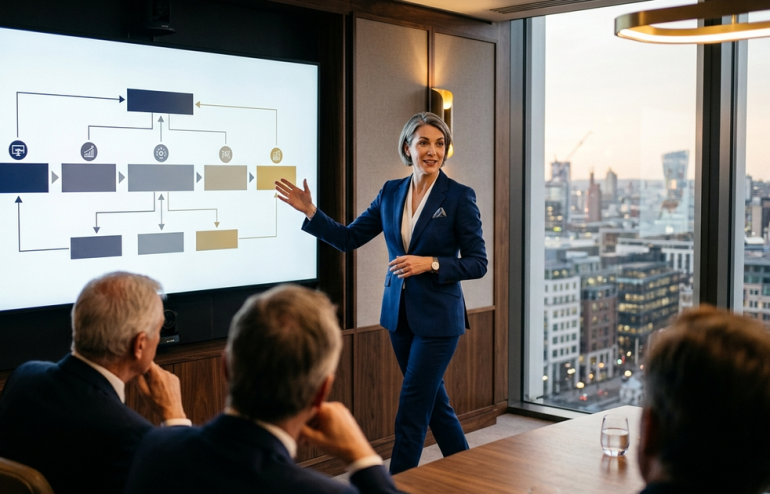
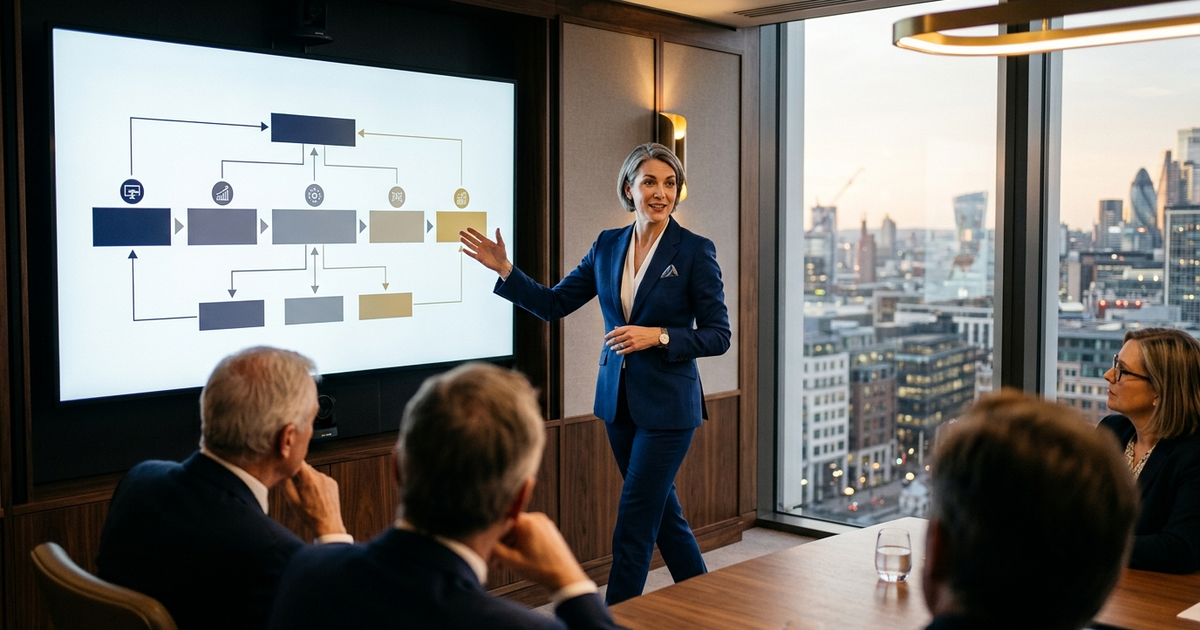
Senior executive presenting a strategic proposal to a boardroom, confident stance, navy and gold editorial palette.

Strategic Presentation Skills Training Online: An Executive Programme

If you are looking for strategic presentation skills training online — specifically for senior professionals who present decisions that shape direction, not just deliver updates — AI-Enhanced Presentation Mastery is a self-paced programme covering 8 modules and 83 lessons, with AI-assisted frameworks for building board-level arguments and executive-grade decks.

This page explains exactly what the programme includes, who it is designed for, and how it differs from generic communication training. If you are evaluating options, the detail below is written to help you decide.


Senior executive presenting a strategic proposal to a boardroom, confident stance, navy and gold editorial photography

Short on time? If you would rather skip the analysis and see the programme directly, view AI-Enhanced Presentation Mastery on Maven — 8 modules, self-paced, monthly cohort enrolment. The remainder of this page is for readers who want the context first.

Why Strategic Presentations Need Different Training

There is a real difference between delivering an update and presenting a strategy. The update explains what happened. The strategy asks a room of senior people to commit capital, headcount, or reputation to a particular direction — and to defend that choice against competing priorities they have been told about all week.

Most presentation training does not acknowledge the difference. Two-day workshops teach you to open with a hook, structure three key messages, and close with a call to action. That template works fine for a town hall and falls apart when the audience is an investment committee or an executive sponsor with three competing proposals on the table.

Strategic presentations live or die on structure and anticipation. How you frame the problem. How you sequence the evidence. How you pre-empt the objection the CFO will raise in minute eight. These are editorial and analytical skills, not delivery skills — and generic training does not teach them.

What an Executive-Level Programme Covers

AI-Enhanced Presentation Mastery is built for professionals who already present at work and now need to present strategically. It is not an introductory course. It is a structured programme of 8 modules and 83 lessons that takes you from slide architecture through to stakeholder preparation, with AI-assisted workflows at every stage.

The programme is designed by Mary Beth Hazeldine, who spent 24 years in corporate banking at JPMorgan Chase, PwC, Royal Bank of Scotland, and Commerzbank before taking over Winning Presentations in 2023. The content draws directly on the kinds of strategic presentations she delivered and advised on — capital requests, restructuring proposals, investor updates, and cross-border regulatory submissions.

Delivery is entirely online and self-paced. You access all 8 modules and 83 lessons from enrolment, with no deadlines. Two optional coaching sessions with Mary Beth are included, both fully recorded so you can watch back. New cohorts open every month — here, a cohort is an enrolment group, not a fixed live timetable. For broader context, the executive presentation masterclass overview is a useful reference.

What the Programme Includes

  • 8 modules, 83 lessons — covering strategic slide architecture, narrative sequencing, evidence structuring, stakeholder analysis, Q&A preparation, and AI-assisted drafting
  • Self-paced access — no deadlines, no mandatory attendance. Work through the material on your own schedule
  • AI workflows throughout — practical prompts for ChatGPT and Microsoft Copilot, integrated into every module so you apply them immediately to your real presentations
  • 2 optional live coaching sessions — with Mary Beth Hazeldine, fully recorded. Bring a real presentation and receive direct feedback
  • Monthly cohort enrolment — join any month. The cohort is an enrolment batch, not a fixed timetable
  • Lifetime access to materials — revisit modules before future presentations for as long as you need

Price: £499 per seat — one payment, lifetime access to materials.

Build Strategic Presentations That Hold Up Under Senior Scrutiny

AI-Enhanced Presentation Mastery gives you the structural frameworks and AI-assisted workflows that senior professionals use to prepare strategic decks — from the first outline to the final objection-handling brief.

  • 8 self-paced modules, 83 lessons — structural and editorial focus, not delivery drills
  • AI prompts and workflows for ChatGPT and Microsoft Copilot, built into every module
  • 2 optional coaching sessions with Mary Beth (fully recorded — watch back anytime)
  • Monthly cohort enrolment, lifetime access to all materials

Explore AI-Enhanced Presentation Mastery → £499

Designed for senior professionals who present strategic decisions to boards, investment committees, and executive sponsors

How AI Changes Strategic Preparation

Strategic presentations are editorial work before they are delivery work. The hours disappear into outlining, pulling data, rewriting after feedback, preparing answers to questions you expect, and rehearsing. AI does not replace any of the thinking. What it compresses is the drafting cycle — early structuring, first-pass slide content, stress-testing arguments, and generating objection banks for Q&A preparation. Used properly, it turns a twelve-hour prep cycle into something closer to four.

Used poorly, AI produces generic output that a senior audience recognises immediately. The programme covers both sides — what AI is genuinely good at, and what still requires human judgement: reading a specific audience, weighting political considerations, and anticipating the question that will actually get asked in your room. Participants leave using AI as a drafting partner, not a drafting replacement. For the broader frameworks, the executive presentation training overview covers the underlying approach.

Stop burning twelve-hour prep cycles on strategic decks.

AI-Enhanced Presentation Mastery gives you the prompt libraries and workflow patterns that compress drafting without producing generic output. 8 modules, 83 lessons, self-paced. £499, lifetime access.

See the Programme → £499

Is This the Right Programme for You?

This programme is designed for you if:

  • You present strategic decisions — capital requests, restructuring, market entry, major partnerships — to senior decision-makers
  • You want AI workflows that genuinely cut preparation time without producing generic slide output
  • You want structural frameworks, not delivery drills
  • You prefer self-paced learning that fits around a senior role
  • You work across multiple industries or geographies and need frameworks that travel

This programme is probably not the right fit if:

  • You are looking for an introductory public speaking course (this is senior-level, not beginner)
  • You need in-person workshop training with group exercises
  • Your primary challenge is presentation anxiety rather than structural and analytical
  • You want live, instructor-led weekly sessions — this is self-paced with two optional recorded coaching sessions

If the fit looks right but you want to test the approach first, the executive presentation coaching overview explains how Mary Beth frames strategic preparation in shorter articles. The programme is where the full implementation, AI workflows, and coaching sessions live.

No deadlines, no mandatory attendance, lifetime access.

You keep the materials forever. Work at your pace, revisit modules before future presentations. AI-Enhanced Presentation Mastery — 8 modules, 83 lessons, 2 optional recorded coaching sessions. £499, one payment.

Enrol in the Next Cohort → £499

Frequently Asked Questions

Is this strategic presentation training fully online?

Yes. AI-Enhanced Presentation Mastery is entirely online and self-paced. All 8 modules and 83 lessons are accessible from any device at any time. The two optional coaching sessions with Mary Beth are run online and fully recorded, so you can watch back whenever suits you.

How long does the programme take to complete?

That is entirely up to you. Some participants work through the material across two to three weeks alongside a senior role. Others take two to three months. There are no deadlines, and your access to the materials does not expire. Most people dip back into specific modules when preparing for particular presentations after finishing.

Do I need AI experience before starting?

No. The programme assumes no prior AI knowledge. You are taught how to use ChatGPT and Microsoft Copilot specifically for strategic presentation preparation — from drafting slide content and structuring arguments to generating Q&A banks. The prompts and workflows are provided ready to use.

Is this only for UK-based professionals?

No. The programme is designed by a UK-based instructor and draws on British and European corporate scenarios, but participants come from financial services, technology, healthcare, government, and professional services across multiple countries. The principles of structuring strategic presentations travel well across markets.

What if I have a specific strategic presentation coming up?

This is exactly what the two optional coaching sessions are for. Bring a real presentation — draft slides, outline, or just the brief — and Mary Beth will work through the structure and approach with you. Both sessions are recorded, so you can revisit the feedback when you build the next version.

How is this different from a generic communication course?

Generic communication training focuses on delivery — body language, voice, managing nerves. This programme focuses on the editorial and analytical work that sits behind a strategic presentation: how to structure evidence, sequence an argument, pre-empt objections, and use AI to accelerate the drafting cycle. Delivery matters, but it is not the reason strategic presentations get rejected.

The Winning Edge — weekly newsletter for senior professionals

Short, practical essays on strategic presentations, boardroom communication, and AI-assisted preparation. One email a week.

Subscribe to The Winning Edge →

About the Author

Mary Beth Hazeldine is the Owner & Managing Director of Winning Presentations. With 24 years of corporate banking experience at JPMorgan Chase, PwC, Royal Bank of Scotland, and Commerzbank, she advises senior professionals across financial services, healthcare, technology, and government on structuring strategic presentations for board approvals, investor updates, and capital requests.

08 May 2026
Professional woman with glasses analyzes data charts on a large monitor in an office, highlighting graphs and analytics.

Microsoft Copilot for Presentations Training: What Senior Professionals Should Look For

Quick answer: Most Microsoft Copilot presentations training teaches button clicks — what menu to use, where the prompt box is, how to generate slides from a Word document. Senior professionals do not need that. They need workflow training: how to structure source documents for compression, how to draft executive narratives, how to do the editorial pass that turns generic AI output into board-ready material. The right course teaches the workflows. The wrong course teaches the interface.

Tomás is a programme director at a global engineering consultancy. His company rolled out enterprise Copilot in January and ran the standard onboarding training — a two-hour live session covering the interface, the basic prompts, and the integration with Outlook, Word, and PowerPoint. Tomás finished the session, opened PowerPoint, generated his first AI-assisted deck for an upcoming client review, and produced thirty slides in eleven minutes. The slides looked polished. They were also generic in a way that would have been embarrassing to send to the client. He spent the next three hours fixing them by hand.

The fix took longer than building the deck from scratch would have. Not because Copilot was unhelpful, but because the training had taught him the buttons and not the workflow. He knew how to generate slides; he did not know how to direct Copilot toward executive-grade output, how to compress source documents into a structured input, how to instruct the model on headline syntax, or what the editorial pass on AI output should actually look like. The training had been useful for an administrative assistant doing meeting notes. It had been the wrong training for a senior professional building a client-facing deck.

This pattern is the most common reason senior professionals abandon Copilot after the initial novelty fades. The mainstream training market is built around what is easy to teach in a short live session — interface tours and basic prompts. The training that would make Copilot genuinely useful at executive level — workflow design, prompt engineering for narrative work, editorial discipline on AI output — requires more time, deeper material, and a different teaching shape than most enterprise training provides. Knowing what to look for, and what to avoid, makes the difference between a course that pays back its cost in the first week and one that wastes a quarter of your training budget.

Looking for a structured Copilot training programme designed for senior professionals?

The AI-Enhanced Presentation Mastery course is the self-paced programme for senior professionals using AI (including Copilot) to build executive-grade presentations. Eight modules, eighty-three lessons, monthly cohort enrolment.

Explore the Programme →

Why most Copilot presentations training fails senior professionals

The standard Copilot training market is shaped by who pays for it. Enterprise IT departments fund Copilot rollouts. The training that gets bought tends to optimise for “broad adoption across the workforce” rather than “deep capability for the senior cohort.” The two goals require different curricula, but the second one is harder to design and harder to sell, so the first one wins by default.

Broad-adoption training is appropriate for the eighty per cent of users who will use Copilot for routine tasks — drafting emails, summarising meetings, generating starter documents. For those tasks, knowing the interface and a handful of basic prompts is enough. The training pays back quickly because the use cases are simple.

Senior professionals are in the other twenty per cent. Their use cases are not routine. They need Copilot to participate in executive presentation work, board paper drafting, strategic briefing compression, complex Q&A preparation. None of those use cases are taught in a two-hour broad-adoption session. The interface knowledge transfers; the workflow knowledge does not. Senior professionals leave broad-adoption training with the false impression that they have been trained on Copilot, when what they have actually been trained on is the interface. The mismatch shows up the first time they try to use Copilot for senior-level work and find that their training does not equip them for the task.

Split comparison infographic showing button-click Copilot training versus workflow Copilot training across three dimensions: what gets taught, what the user can do afterwards, and what stays useful three months later

Workflow training versus button-click training

The clearest way to evaluate a Copilot presentations course is to look at the time allocation. Button-click training spends most of its time on the interface — where the prompt box is, how to invoke Copilot in PowerPoint, what each menu option does. Workflow training spends most of its time on the structures of work the tool enables — how to compress source documents for input, how to specify executive-grade output, how to verify and edit AI-generated material before it reaches a senior audience.

The two types of training produce different outcomes. After button-click training, the participant can generate AI output. After workflow training, the participant can produce work product that is genuinely better than what they would have produced without the tool. The first is a feature demonstration. The second is a capability shift. For senior professionals whose output is judged on quality and credibility rather than throughput, the second is the only one that matters.

Workflow training tends to be longer because the workflows themselves take time to teach properly. A single executive deck-building workflow — source compression, narrative drafting, editorial pass, Q&A pre-mortem — typically requires two to three hours of structured learning, with worked examples and practice. A two-hour session that promises to cover “Copilot for presentations” cannot, by arithmetic, teach more than the surface of one workflow. If the marketing copy implies otherwise, the course is selling the interface and calling it the workflow.

What to evaluate before enrolling

Five evaluation criteria separate workflow-focused Copilot training from button-click training dressed up as professional development. Apply them to any course you are considering, including the one your IT department is offering for free.

One: who is the explicit target audience? Look for courses that name “senior professionals”, “executive presenters”, or “board-level work” specifically. Avoid courses that target “everyone using Copilot” — they are by definition designed for the broadest audience, which means the depth required for senior work has been removed in favour of breadth.

Two: what is the time allocation? A serious workflow course spends at least eighty per cent of its time on workflow and editorial work. The interface should be covered in the first hour and not returned to. If the syllabus shows multiple sessions on “Getting started with Copilot in PowerPoint”, “Setting up your prompt library”, “Customising the Copilot pane” — that is the wrong training. The interface is not the work.

Three: does the curriculum cover the editorial pass? AI output requires editorial work before it reaches senior audiences. A course that does not teach the editorial pass is teaching you to produce drafts, not finished work. Look for explicit modules on “editing AI output”, “rewriting AI-generated headlines”, “verifying AI-generated claims”, or “the editorial pass on Copilot drafts”. The editorial pass is what separates board-approved decks from generic AI output.

Four: are worked examples at the right seniority level? A course that teaches Copilot for presentations using examples like “draft an internal team update” or “create a marketing pitch” is not teaching to your context. Look for worked examples involving board papers, investment committee briefings, executive summary documents, regulatory presentations, or strategic recommendations. The complexity of the worked examples is the most reliable signal of the course’s actual depth.

Five: who is the instructor? Copilot training instructors split into two types. Microsoft-certified trainers know the product features in detail; they often do not know what executive presentation work looks like. Senior practitioners with presentation experience know the workflows; they may have less depth on niche product features. For senior-level training, the second profile is materially more valuable. Product features change every quarter; presentation craft does not.

Stacked cards infographic showing the five evaluation criteria for Copilot presentations training: target audience, time allocation, editorial pass coverage, worked example seniority, and instructor profile

A workflow-first Copilot training programme for senior professionals

Move beyond basic AI usage. The AI-Enhanced Presentation Mastery course gives you eight self-paced modules and eighty-three lessons on using AI (including Copilot) to structure, draft, and refine presentations that work at senior levels. Two optional recorded coaching sessions. £499, lifetime access to materials.

  • 8 modules, 83 lessons of self-paced course content
  • 2 optional live coaching sessions, fully recorded — watch back anytime
  • No deadlines, no mandatory session attendance
  • New cohort opens every month — enrol whenever suits you
  • Lifetime access to all course materials

Explore the AI-Enhanced Programme →

Designed for senior professionals using AI to produce executive-grade output, not generic drafts.

The five workflows a senior-level course should cover

If a Copilot presentations course is going to be useful at executive level, it needs to cover at least these five workflows in depth. Most courses cover one or two and present them as the whole curriculum. The senior cohort needs all five.

Source-document compression. How to feed the agent a pile of mixed-format inputs (memos, reports, models, briefings) and produce a structured executive narrative outline. This is the workflow most often skipped. Without it, every AI-assisted deck starts from a blank prompt rather than from synthesised source material — which is the same workflow you would use for a generic deck and produces the same generic output.

Strategic narrative drafting. How to specify the narrative arc, headline syntax, and slide format precisely enough that the AI draft is a usable starting point rather than a structurally generic placeholder. This workflow is where prompt engineering for executive work actually matters. The course should teach the prompt patterns, not just provide examples.

The editorial pass. The six-move pass — rewrite headlines as findings, anchor every claim to evidence, replace generic language with insider phrasing, cut completeness slides, install the decision sentence, read aloud against the audience’s likely reaction. This is the highest-value workflow because it is the one that reliably converts AI drafts into approved decks.

Q&A pre-mortem. How to use AI to model the audience’s likely objections to a draft deck, with named-stakeholder context that makes the modelling specific to your committee rather than generic. This workflow surfaces holes in the underlying argument before the room does.

Live-meeting recovery. How to use AI between meetings to debrief, refine, and prepare for the next iteration. This is the workflow most courses skip entirely because it does not produce a tangible output people can show. It is also the workflow that compounds the value of AI use across multiple presentations rather than treating each deck as a one-off. The structured prompts that anchor each of these workflows are what move Copilot from feature demonstration to capability shift.

Self-paced versus live programmes — which fits senior schedules

The format question matters as much as the content question. Senior professionals’ calendars do not support fixed weekly two-hour live sessions. The diary collisions are unavoidable, the make-up sessions are awkward, and the cognitive load of “live training I cannot miss” adds friction that compounds across the programme. Most senior cohorts who enrol in fixed-schedule live training drop out within three weeks not because the content is bad, but because the format is incompatible with their actual working life.

Self-paced programmes solve the format problem. The participant moves through the material on the cadence that fits their week, returns to specific lessons before specific upcoming presentations, and can use the structured material as an in-the-moment reference rather than a one-time training event. Self-paced does not mean unsupported — well-designed self-paced programmes include optional live elements (coaching calls, Q&A sessions) that are recorded so missing one is not a setback. The recording is what matters: a live element you cannot rewatch is a single-attempt resource; a recorded one becomes part of the permanent material.

Two structural features distinguish a well-designed self-paced programme from one that is just a video library. The first is module structure that maps to specific use cases — “preparing the next board paper”, “compressing source documents for an investment committee” — rather than abstract topic categories. Use-case structure makes the material findable when you need it. The second is the editorial discipline of the worked examples. A self-paced programme lives or dies on the quality of its examples; if the worked decks in the lessons are themselves generic, the participant has no model to edit toward. Look for worked examples that match your seniority and your industry context, and that demonstrate the editorial pass explicitly.

Need the prompt library to start the workflows tomorrow?

The Executive Prompt Pack — £19.99, instant access — gives you 71 ChatGPT and Copilot prompts designed for PowerPoint presentation work. Includes prompt patterns for source compression, slide drafting, and headline sharpening that work in both chat and Agent Mode.

Get the Executive Prompt Pack →

FAQ

Is Microsoft’s own Copilot training enough for senior presentation work?

Microsoft’s training is excellent for what it is — interface familiarisation and basic prompt patterns aimed at broad workforce adoption. It is not sufficient for senior presentation work because it does not cover the workflow design, prompt engineering, and editorial discipline that turn generic AI output into board-ready material. Treat Microsoft’s training as a prerequisite, not a complete programme. Add workflow-focused training on top.

How long does serious Copilot presentations training take?

For a senior professional who already uses PowerPoint daily, learning the workflows that genuinely change executive presentation output usually takes between fifteen and twenty-five hours of structured material spread over several weeks. Compressed into a single weekend, the material does not absorb properly because it requires application between lessons. Spread too thin, momentum is lost. The right pace is two to three hours per week for two to three months, with deliberate application to live work between sessions.

Can I get the same outcome from free YouTube tutorials?

Free tutorials cover the interface and basic prompts well. They do not cover the editorial pass, the prompt engineering for executive narrative work, or the workflow integration across multiple presentation tasks. The free material is a useful supplement; it is rarely sufficient as a standalone training plan for senior presentation work because it lacks the structured progression that builds capability rather than feature familiarity.

Should I do live or self-paced Copilot training?

For most senior professionals, self-paced programmes with optional recorded live elements fit the diary better than fixed-schedule live training. Live training has a higher completion rate when the schedule is genuinely respected, but most senior calendars cannot guarantee weekly attendance. Self-paced removes the diary collision problem and makes the material available as a reference long after the initial learning period. The optional live elements — when recorded — provide the discussion benefit without the attendance constraint. Self-paced programmes designed specifically for the senior cohort tend to handle this trade-off better than enterprise training built for broad audiences.

The Winning Edge — Thursday newsletter

Every Thursday, The Winning Edge delivers one structural insight for executives presenting to boards, investment committees, and senior stakeholders. No general tips. No motivational framing. One specific technique, one executive scenario, one action. Subscribe to The Winning Edge →

Not ready for a full programme? Start here instead: download the free Executive Presentation Checklist — a single-page review you can run on any AI-assisted draft to flag the editorial gaps before sending it to a senior audience.

Next step: open whichever Copilot training your organisation has provided and check it against the five evaluation criteria above. If it fails three or more, treat it as the prerequisite it actually is and add a workflow-focused programme on top.

Related reading: The Copilot Agent Mode workflow that produces editable executive drafts.

About the author. Mary Beth Hazeldine is Owner & Managing Director of Winning Presentations Ltd, founded in 1990. With 24 years of corporate banking experience at JPMorgan Chase, PwC, Royal Bank of Scotland, and Commerzbank, she advises executives across financial services, healthcare, technology, and government on structuring presentations for high-stakes funding rounds, approvals, and board-level decisions.