13 Jan 2026
Professional woman in a navy blazer gesturing with hands while speaking at a discussion

Presentation Gestures: Why Your Hands Reveal Your Confidence

Quick Answer: Your hands broadcast your confidence level before you speak a word. Purposeful gestures—open palms, numbered fingers, size indicators—project authority. Nervous habits—fidgeting, pocket-diving, fig-leaf position—undermine everything you say. The goal isn’t eliminating movement but channelling energy into gestures that reinforce your message.

I once watched a CFO destroy a £3 million budget proposal without saying anything wrong.

His content was solid. His slides were clear. His recommendations were sound. But his hands told a different story.

Throughout the presentation, he gripped the sides of the lectern like it might fly away. When he stepped out to make a point, his hands immediately dove into his pockets. During questions, he crossed his arms tightly across his chest.

The board saw a nervous executive who didn’t believe in his own proposal. They rejected it.

Afterward, he asked me what went wrong. “Your hands,” I told him. “They were screaming that you weren’t confident. And the board listened to your hands, not your words.”

He was genuinely shocked. He had no idea his gestures were undermining him.

⭐ Slides That Free Your Hands

The Executive Slide System creates presentations you can deliver without clutching notes or reading from screens. When your slides guide you naturally, your hands are free to gesture with purpose instead of grasping for security.

Get the Executive Slide System → £39

The Gestures That Command Authority

Confident presenters use their hands with intention. Here are the gestures that project authority:

Open Palms

Palms facing slightly upward signal honesty and openness. Politicians and executives use this instinctively when making important points. It says “I have nothing to hide.” This is foundational to effective presentation body language.

Numbered Fingers

“There are three things to consider…” accompanied by three raised fingers creates structure and memorability. It signals organisation and helps audiences track your points.

Size and Scale Indicators

Showing “this big” or “that small” with your hands makes abstract concepts concrete. When discussing growth, expansion, or comparison, let your hands illustrate the scale.

Steepling

Fingertips touching in front of your chest projects confidence and thoughtfulness. Use it during pauses or when listening to questions. It reads as authoritative without being aggressive.

Purposeful Pointing

Pointing at slides, referencing audience members (carefully), or emphasising key moments creates direction and energy. The key word is purposeful—random pointing looks erratic.

For more on how your physical presence affects your message, see our complete guide to presentation body language.

Confident presentation gestures versus nervous hand habits - open palms, steepling, and numbered fingers versus fidgeting, pockets, and crossed arms

The Nervous Habits That Undermine You

These gestures signal anxiety—even when you’re not feeling it:

The Pocket Dive

Hands in pockets reads as disengaged or hiding something. One hand occasionally is acceptable; both hands continuously is a credibility killer.

The Fig Leaf

Hands clasped in front of your groin is a classic defensive posture. It screams discomfort and makes you look smaller.

The Lectern Death Grip

White-knuckling the podium broadcasts fear. It also locks you in place, preventing natural movement that creates engagement.

Self-Touching

Playing with hair, touching your face, adjusting clothing—all self-soothing behaviours that signal nervousness. Your audience notices even when you don’t.

The Fidget

Clicking pens, jingling coins, rubbing hands together. Nervous energy has to go somewhere—but these outlets distract your audience and undermine your message.

The challenge is that most people don’t know they’re doing these things. That’s why awareness of your body language is the first step to fixing it.

Your “Home Base” Position

Between gestures, you need somewhere for your hands to go. This is your home base—a neutral position that looks natural and confident.

Best options:

  • Arms relaxed at your sides (harder than it sounds, but projects most confidence)
  • Hands lightly clasped at waist level (comfortable and neutral)
  • One hand holding notes, other at side (practical for longer presentations)

Avoid:

  • Hands behind back (looks like you’re hiding something or being interrogated)
  • Arms crossed (defensive, closed off)
  • Hands on hips (can read as aggressive or impatient)

Practice your home base until it feels natural. Then gestures become departures and returns—purposeful movements rather than constant fidgeting.

This is part of the broader body language framework that transforms how audiences perceive you.

🏆 Master Your Complete Physical Presence

The Executive Buy-In Presentation System covers gestures, posture, movement, eye contact, and voice—the complete physical toolkit that separates good presenters from commanding ones.

Learn More → £199

📧 Join 2,000+ professionals getting weekly presentation insights. Subscribe to The Winning Edge →

Frequently Asked Questions

What should I do with my hands during a presentation?

Use purposeful gestures that match your words—open palms for honesty, numbered fingers for lists, size indicators for scale. Between gestures, rest hands at your sides or lightly clasped at waist level. Avoid pockets, crossed arms, or fig-leaf position. More techniques in our body language guide.

What hand gestures show confidence when presenting?

Open palms facing slightly upward signal honesty and openness. Steepling (fingertips touching) projects authority. Purposeful pointing emphasises key points. The key is intentional movement that matches your message, not constant motion.

How do I stop nervous hand gestures when presenting?

First, identify your specific habit (fidgeting, touching face, gripping lectern). Then practice with hands at sides as your ‘home base.’ Nervous energy needs somewhere to go—channel it into purposeful gestures rather than trying to eliminate movement entirely. This connects to broader presentation body language principles.

📥 Free Download: 7 Presentation Frameworks

Get the structural frameworks that let you present confidently—so your gestures can be purposeful rather than anxious.

Download Free →

Related: Presentation Body Language: The Complete Guide to Physical Presence


Mary Beth Hazeldine spent 24 years at JPMorgan, PwC, RBS, and Commerzbank. She’s a clinical hypnotherapist and MD of Winning Presentations.

13 Jan 2026
Smiling man in a navy suit speaks with open hands during a bright office meeting.

Speaking Off the Cuff: The PREP Formula That Saved My Career

Quick Answer: Speaking off the cuff becomes manageable when you have a framework ready. PREP (Point-Reason-Example-Point) works in almost any situation: state your position, explain why, give one example, restate. This structure buys thinking time while making you sound organised—even when you’re building your response in real-time.

The moment that changed my career happened in a Commerzbank elevator.

I was heading to lunch when the doors opened and the CEO stepped in. Just the two of us. Fourteen floors to go.

“Mary Beth,” he said, “I’ve been meaning to ask—what’s your honest assessment of the London integration?”

No warning. No preparation. The CEO of a major bank asking for my opinion with sixty seconds to deliver it.

Two years earlier, I would have panicked. Rambled. Said something forgettable or, worse, something I’d regret.

But by then, I had PREP. And in that elevator, it saved my career.

I took a breath, organised my thoughts around four letters, and delivered the most important sixty seconds of my professional life. Here’s exactly how—and how you can do the same.

⭐ Structure That Works With Zero Prep Time

The Executive Slide System teaches the same structural thinking that makes speaking off the cuff possible. When frameworks are internalised, you can organise thoughts instantly—whether presenting slides or answering an unexpected question.

Get the Executive Slide System → £39

What I Actually Said in That Elevator

Here’s the PREP response I delivered:

Point: “Honestly? The integration is six weeks behind where it should be, but it’s recoverable.”

Reason: “The delay is almost entirely regulatory—we underestimated the compliance requirements for cross-border data handling.”

Example: “For instance, the customer migration that was supposed to take two weeks has stretched to five because of documentation requirements we didn’t anticipate.”

Point: “So we’re behind, but the core integration is sound. The path to recovery is clear if we resource the compliance workstream properly.”

Forty-five seconds. Structured. Honest. Actionable.

The CEO nodded. “That’s the clearest answer I’ve had on this. Let’s discuss resourcing in Thursday’s meeting.”

That conversation led to my first direct presentation to the executive committee. Which led to visibility on strategic projects. Which led to promotions I wouldn’t have received if I’d rambled in that elevator.

PREP didn’t just help me answer a question. It changed my trajectory.


PREP formula for speaking off the cuff - Point, Reason, Example, Point with example response

Why PREP Works When Nothing Else Does

The genius of PREP is that it front-loads your conclusion.

Most people, when speaking without preparation, start with context. Background. Build-up. They’re buying time while figuring out their actual point. But they often never reach it—they run out of time, get interrupted, or lose their thread.

PREP forces you to state your position first. Even if you get cut off after one sentence, you’ve communicated your core message. Everything after is support.

This is exactly how executive communication works. Leaders don’t have patience for build-up. They want the answer first, then the reasoning. PREP trains you to think like an executive—which is why executives respond so well to it.

For a deeper dive into frameworks for any situation, see our complete guide to impromptu speaking.

The Practice That Makes It Automatic

PREP only works if it’s automatic. If you’re thinking about the framework under pressure, you’ve added cognitive load instead of removing it.

Here’s how I made PREP reflexive:

  • Every meeting question: Before answering, I’d mentally slot my response into PREP—even simple questions.
  • Every opinion: “What did you think of the film?” became PREP practice. Point, Reason, Example, Point.
  • Every status update: “Where are we with Project X?” got a structured response, not a ramble.

Within a month, I stopped thinking about PREP consciously. It became how I organised thoughts. The framework disappeared into competence.

That’s when speaking off the cuff stopped being terrifying and started being powerful.

🏆 Master Executive Communication Completely

The Executive Buy-In Presentation System goes beyond frameworks to give you complete command of high-stakes communication—prepared presentations, impromptu moments, and everything between.

Learn More → £399

📧 Join 2,000+ professionals getting weekly presentation insights. Subscribe to The Winning Edge →

Frequently Asked Questions

What does speaking off the cuff mean?

Speaking off the cuff means communicating without preparation—answering unexpected questions, giving impromptu updates, or presenting without notes. The phrase comes from speakers who wrote quick notes on their shirt cuffs. Master it with frameworks from our impromptu speaking guide.

How do I get better at speaking off the cuff?

Master one framework (PREP: Point-Reason-Example-Point) until it’s automatic. Practice it in low-stakes situations—casual conversations, meeting updates, dinner table opinions—so it’s ready when stakes are high.

Why do I struggle with off the cuff speaking?

Your brain is trying to decide WHAT to say and HOW to organise it simultaneously. Under pressure, this dual processing causes overload. A memorised framework handles the ‘how’ automatically, freeing you to focus on content. This principle also applies to building presentation confidence.

📥 Free Download: 7 Presentation Frameworks

Get PREP and six other frameworks that work for both prepared presentations and off-the-cuff moments.

Download Free →

Related: Impromptu Speaking: The Framework That Makes You Sound Prepared


Mary Beth Hazeldine spent 24 years at JPMorgan, PwC, RBS, and Commerzbank. She’s a clinical hypnotherapist and MD of Winning Presentations..

13 Jan 2026
Business meeting: man with glasses and a gray beard speaks, gesturing with his hands, as colleagues listen in the background.

Impromptu Speaking: The Framework That Makes You Sound Prepared (Even When You’re Not)

Quick Answer: The secret to confident impromptu speaking isn’t quick thinking—it’s having a framework ready before you need it. The PREP method (Point, Reason, Example, Point) works for almost any situation: state your position, explain why, give one concrete example, then restate. This structure buys you thinking time while making you sound organised and authoritative.

The most terrifying moment of my banking career happened in a JPMorgan conference room in 2008.

Want the complete toolkit?

Impromptu speaking is one piece of executive presence. The Complete Presenter Bundle pulls all seven products together — slides, Q&A, anxiety, storytelling, delivery, openers, cheat sheets — for £99 (save £91.97 vs buying separately). Lifetime access.

Get the Complete Presenter Bundle — £99 →

I was a mid-level analyst, sitting in the back of a quarterly review meeting. The CFO had just finished presenting, and the room was quiet. Then the CEO turned, looked directly at me, and said: “You’ve been working on the European integration. What’s your view on the timeline risks?”

Every head swivelled. Twelve senior executives waiting. I had exactly zero seconds to prepare.

My mind went completely blank. I felt my face flush. Words came out—I’m not sure which ones—and I rambled for what felt like an hour but was probably forty-five excruciating seconds. When I finally stopped talking, the CEO nodded politely and moved on.

I wanted to disappear.

That evening, I made a decision: I would never be caught unprepared again. Not by having all the answers—that’s impossible. But by having a framework that would let me respond coherently even when ambushed.

Over the next two decades, I’ve refined those frameworks through thousands of high-stakes moments—board meetings, investor calls, media interviews, client presentations. I’ve taught them to over 5,000 executives who face the same terror I felt that day.

The truth is, confident impromptu speaking has nothing to do with being quick-witted. It’s about structure. And structure can be learned.

Build the verbal framework — and the nervous system to deliver it

Calm Under Pressure: rapid-response techniques for the frozen-mind moment. The same neuroscience-based methods used with executive coaching clients. £19.99, instant download.

Get Calm Under Pressure →

Built the verbal framework — next week’s all-hands also needs slides

Executive Slide System: 26 templates, 93 AI prompts, 16 scenario playbooks. For the prepared deck side of the same skill. £39, instant download.

Get the Slide System →

Why Smart People Freeze When Put on the Spot

Here’s what’s actually happening when your mind goes blank:

Your brain is trying to solve two problems simultaneously: what to say and how to organise it. That’s an enormous cognitive load. Under pressure, with adrenaline flooding your system, it’s often too much.

The result? Your working memory overloads. Thoughts collide. You either freeze completely or start talking without direction—rambling, circling, losing your thread.

This happens to intelligent people precisely because they have so much to say. A simpler mind might blurt out the first thing that comes up. A sophisticated mind sees multiple angles, competing priorities, nuances to acknowledge. Without structure to channel that complexity, it becomes paralysis.

The solution isn’t to think faster. It’s to remove one of those cognitive tasks entirely.

When you have a framework memorised, you don’t need to figure out how to organise your response. That’s handled. Your entire brain can focus on what to say. The framework becomes a container that your content flows into automatically.

This is why the people who seem naturally eloquent often aren’t smarter or quicker than you. They’ve simply internalised structures that make organisation automatic. What looks like talent is really preparation meeting opportunity.

Why smart people freeze - diagram showing cognitive overload when trying to determine what to say and how to organise it simultaneously

The PREP Framework: Your Impromptu Safety Net

PREP is the framework I teach most often because it works in almost any situation:

P – Point: State your position clearly in one sentence.
R – Reason: Explain why you hold that position.
E – Example: Give one concrete example or piece of evidence.
P – Point: Restate your position (reinforces and signals you’re done).

Here’s how it sounds in practice:

“What’s your view on the timeline risks?”

Point: “The timeline has three significant risks we need to watch.”

Reason: “Each depends on external factors we don’t fully control—regulatory approval, vendor delivery, and legacy system migration.”

Example: “Take the regulatory piece. We’re assuming a six-week review, but similar applications in Q2 took eight to ten weeks. That alone could shift our go-live by a month.”

Point: “So those three risks—regulatory, vendor, and migration—are where I’d focus our contingency planning.”

That response takes about thirty seconds. It’s structured, specific, and actionable. It sounds like you knew exactly what you were going to say—even though you built it in real-time using the framework.

The power of PREP is that it forces you to lead with your conclusion. Most people, when nervous, bury their point at the end (if they reach it at all). PREP puts it first, which is exactly how effective presentation structure works.

3 More Frameworks for Different Situations

PREP handles opinions and recommendations. But some situations call for different structures:

Past-Present-Future (Status Updates)

When someone asks “Where are we with Project X?”:

  • Past: What we’ve accomplished so far
  • Present: Where we are right now, including any blockers
  • Future: What happens next and when

“We completed user testing last week with 94% satisfaction. Currently we’re in final QA with three bugs being fixed. We’ll be ready for soft launch by Friday.”

Problem-Cause-Solution (Troubleshooting)

When asked about issues or challenges:

  • Problem: Name the issue clearly
  • Cause: Explain why it’s happening
  • Solution: What you recommend doing about it

“We’re seeing a 15% drop in conversion. The cause appears to be the new checkout flow—users are abandoning at the payment step. I recommend A/B testing the original flow against the new one this week.”

What-So What-Now What (Making Information Actionable)

When sharing data or findings:

  • What: The fact or finding
  • So What: Why it matters
  • Now What: The action or decision needed

“Customer complaints increased 23% this quarter. That matters because it correlates with our highest churn segment. I think we need to prioritise the support ticket backlog before launching the new feature.”

Four impromptu speaking frameworks - PREP for opinions, Past-Present-Future for updates, Problem-Cause-Solution for issues, What-So What-Now What for data

How to Buy Thinking Time (Without Looking Evasive)

Even with frameworks, you sometimes need a few seconds to gather your thoughts. Here are techniques that buy time naturally:

Repeat the Question

“So you’re asking about the timeline risks specifically?” This confirms you understood, shows you’re taking the question seriously, and gives your brain 3-4 seconds to start organising.

Acknowledge the Importance

“That’s an important question, and I want to give you a thoughtful answer.” Not filler—genuine acknowledgment that earns you thinking time.

Take a Visible Breath

A deliberate pause reads as thoughtfulness, not uncertainty. The most authoritative speakers often pause before responding. It signals confidence, not confusion.

Bridge to Your Framework

“Let me break that down into three parts.” You’ve bought time AND signalled that a structured answer is coming. Your audience settles in to listen.

The Honesty Play

When truly caught off guard: “I haven’t thought about it from that angle before. Give me a moment.” Then pause, think, and respond. Authenticity beats stammering every time.

What you should never do: start talking before you know where you’re going. That’s how rambling happens. Better to pause for three seconds than wander for thirty.

How to Practice Impromptu Speaking Daily

Impromptu speaking improves dramatically with practice—but you don’t need to join Toastmasters or take a course. Everyday situations offer perfect training:

The Meeting Prep

Before any meeting, ask yourself: “What might I be asked about?” Pick two likely questions and mentally run through PREP responses. Even thirty seconds of preparation builds the habit.

The Elevator Conversation

When someone asks “How’s your project going?” use Past-Present-Future instead of “Fine, busy.” You’re practising structure in low-stakes situations so it’s automatic in high-stakes ones.

The Dinner Table

When asked your opinion on anything—a movie, a news story, a restaurant—use PREP. “I thought it was excellent [Point]. Here’s why [Reason]. For example [Example]. So yes, I’d recommend it [Point].”

The Daily Challenge

Pick a random topic each morning and give yourself sixty seconds to answer using a framework. Politics, sports, work issues, hypothetical questions. The topic doesn’t matter—the structure practice does.

Within a month of daily practice, frameworks become automatic. You stop thinking about the structure and start thinking entirely about content. That’s when impromptu speaking stops being terrifying and starts being powerful.

Daily practice opportunities for impromptu speaking - meetings, conversations, dinner table discussions, daily challenges

🏆 Master High-Stakes Communication at Every Level

The Executive Buy-In Presentation System goes beyond frameworks to give you complete mastery of executive communication—prepared and impromptu.

Learn how to command any room, handle unexpected questions with authority, and present with the confidence that comes from deep structural understanding.

Includes: Advanced frameworks, stakeholder psychology, real-time adaptation techniques, and live coaching sessions.

Learn More About the Programme → £399

Case Study: From Freezing to Fluent

Three years ago, I worked with a senior director at a pharmaceutical company—let’s call him David—who had a specific problem: he was brilliant in prepared presentations but fell apart when executives asked unexpected questions.

“I know the answers,” he told me. “I just can’t access them under pressure. My mind goes blank, and I start rambling. By the time I find my point, I’ve lost the room.”

David’s issue was classic: he was trying to think about content AND structure simultaneously under pressure. His intelligent mind saw too many angles, and without a framework to channel them, he became overwhelmed.

We spent four weeks drilling frameworks:

  • Week 1: PREP only. Every question, every conversation, every opinion—structured through PREP.
  • Week 2: Added Past-Present-Future for status questions and Problem-Cause-Solution for troubleshooting.
  • Week 3: Practised buying time techniques—repeating questions, bridging phrases, deliberate pauses.
  • Week 4: Simulated board meetings with rapid-fire questions, forcing framework selection under pressure.

His next board meeting was the test. When the CEO asked an unexpected question about market dynamics, David paused (deliberately), repeated the question (buying time), and then delivered a PREP response that took forty-five seconds.

“Where did that come from?” his boss asked afterward. “You sounded like you’d been preparing for that question all week.”

He hadn’t. He’d simply internalised structure to the point where it was automatic. The content was always there—he just finally had a container for it.

David’s experience reinforced what I’ve seen hundreds of times: impromptu speaking isn’t a talent. It’s a skill built on frameworks. And frameworks can be learned by anyone willing to practice them deliberately.

📧 Join 2,000+ professionals getting weekly presentation insights. Subscribe to The Winning Edge →

Frequently Asked Questions

How do I speak confidently when put on the spot?

Use a framework. The PREP method (Point, Reason, Example, Point) gives you instant structure. State your position, explain why, give one concrete example, then restate your position. This buys thinking time while sounding organised. The same principles apply to presentation structure.

Why do I freeze when asked to speak without preparation?

Your brain is trying to do two things at once: figure out WHAT to say and HOW to organise it. A memorised framework handles the ‘how’ automatically, freeing your brain to focus entirely on content. This is why structure is essential for presentation confidence.

How can I improve my impromptu speaking skills?

Practice frameworks until they’re automatic. Start with PREP (Point-Reason-Example-Point) for opinions, and Past-Present-Future for updates. Use everyday conversations—meeting questions, dinner table discussions, casual opinions—as practice opportunities.

What’s the best framework for impromptu speaking?

PREP works for most situations: Point (your position), Reason (why you believe it), Example (concrete evidence), Point (restate). For status updates, use Past-Present-Future. For problems, use Problem-Cause-Solution. For data, use What-So What-Now What.

How do I buy time when put on the spot?

Repeat the question back (“So you’re asking about our Q2 projections?”), take a visible breath, or use a bridging phrase (“That’s an important question. Let me address the core issue.”). These are natural, not evasive. Learn more techniques in our guide to handling difficult questions.

Can impromptu speaking skills be learned or are they innate?

Absolutely learned. The people who seem naturally eloquent have simply internalised frameworks through practice. What looks like talent is usually structure plus repetition. Anyone can develop this skill with deliberate practice.

📥 Free Download: 7 Presentation Frameworks

Get the structural frameworks that work for both prepared presentations and impromptu moments. When you internalise these patterns, speaking without notes becomes natural.

Download Free →

Related Resources

Continue building your communication skills:

The Framework Advantage

Impromptu speaking isn’t about being the smartest person in the room. It’s about having structure ready before you need it.

The PREP framework alone will handle 80% of situations you’ll face. Add Past-Present-Future, Problem-Cause-Solution, and What-So What-Now What, and you’re prepared for virtually anything.

The executives who seem naturally articulate aren’t smarter than you. They’ve simply practised these frameworks until they’re automatic. Structure plus repetition equals apparent eloquence.

Start today. Use PREP in your next meeting, your next conversation, your next dinner table discussion. Within a month, you’ll stop dreading “Can you say a few words?” and start welcoming it.

Because when you have structure, you don’t need preparation. You just need to open your mouth—and let the framework do its job.


Mary Beth Hazeldine is a qualified clinical hypnotherapist, NLP practitioner, and Managing Director of Winning Presentations. After 5 years terrified of presenting, she built a 24-year banking career at JPMorgan Chase, PwC, RBS, and Commerzbank. She has treated hundreds of anxiety clients and trained over 5,000 executives.

12 Jan 2026
Businesswoman in a navy blazer speaks with animated gestures during a meeting.

Read the Room Virtual Presentation: What You CAN See (When Everyone Says You Can’t)

Quick Answer: Everyone says you can’t read the room on Zoom. They’re wrong. You’re reading different signals—chat patterns, camera behaviour, response timing, voice tone—but the information is there. Virtual audiences are constantly telling you how engaged they are. You just need to know where to look.

“It’s impossible to read the room when everyone’s on mute with cameras off.”

I hear this from clients constantly. And I understand the frustration. You’re presenting to a grid of black rectangles, talking into silence, with no idea whether anyone is listening or scrolling Instagram.

But after coaching hundreds of executives through virtual presentations since 2020, I’ve learned something surprising: you can absolutely read a virtual room. You’re just looking for the wrong signals.

In person, you watch body language. Virtually, you watch behaviour patterns. And once you know what to look for, a “silent” Zoom room becomes remarkably readable.

Here’s what five years of virtual presentation coaching has taught me about reading the room when you can’t actually see the room.

🎯 Virtual Presentation Mastery

The Public Speaking Cheat Sheets include virtual-specific techniques for reading audiences, recovering engagement, and commanding attention through a screen.

Get the Cheat Sheets → £14.99

The Five Virtual Signals You’re Missing

Forget trying to read facial expressions through pixelated video. These behaviour patterns are far more reliable:

1. Chat Participation Patterns

Chat is your virtual equivalent of nodding and leaning forward. Watch for:

  • Early activity that goes silent: They were engaged, then you lost them. What changed?
  • Who responds vs. who doesn’t: If the same three people always engage, you’ve lost the rest.
  • Response speed: Instant replies mean they’re present. Delayed responses mean they’re multitasking.
  • Quality of responses: Thoughtful answers vs. “yes” or emoji reactions tell you depth of engagement.

2. Camera Behaviour

Cameras tell stories—even when they’re off:

  • Cameras turning off mid-presentation: You’ve given them permission to check out.
  • Cameras that were off coming on: Something you said pulled them back. Note what it was.
  • The decision-maker’s camera: If the senior person turns off, others often follow.

3. Response Timing to Direct Questions

When you ask “Marcus, what’s your take?”—the pause tells you everything:

  • Immediate unmute + response: They were listening.
  • Long pause, then “Sorry, could you repeat that?”: They were elsewhere.
  • Typing sounds before answering: They’re finishing something else first.

4. Unmute Patterns

Who jumps in voluntarily? Who stays silent even when invited?

  • Same people always unmuting: Others have mentally left.
  • Nobody unmuting after your question: Either they’re confused, disengaged, or the question was too vague.
  • People unmuting to add points: High engagement—they want to contribute.

5. The Audio Clues

Listen for what you can’t see:

  • Background typing: They’re doing something else.
  • Notification sounds: Their attention is being pulled away.
  • Children, dogs, doorbells: They’re dealing with distractions—grace required.
  • Complete silence vs. occasional “mmm” or acknowledgment: The first is concerning; the second shows presence.

For a complete guide to virtual delivery, see our virtual presentation tips.

Five virtual presentation signals - chat patterns, camera behaviour, response timing, unmute patterns, and audio clues

The “Create to Read” Principle

Here’s the key insight: in virtual presentations, you often need to create moments that force readable responses.

In person, you can passively observe. Virtually, you must actively prompt.

  • Instead of watching for nods: Ask “Type ‘yes’ in chat if this resonates with your experience.”
  • Instead of scanning for confusion: Say “On a scale of 1-5, how clear is this so far? Drop your number in chat.”
  • Instead of hoping for questions: Call on someone directly: “Priya, you’ve implemented something similar—what am I missing?”

The less you can see, the more you need to engineer visibility. Every 3-4 minutes, create a moment that requires your audience to do something observable.

This principle is central to effective audience engagement in presentations—and it matters even more in virtual settings.

When the Signals Say You’re Losing Them

You’ve spotted the warning signs. Now what?

  • Energy drop (cameras off, chat silent): “I want to pause here. I’m sensing this might not be landing the way I intended. What questions do you have before I continue?”
  • Confusion signals (hesitant responses, requests to repeat): “Let me approach this differently…” then simplify or use an analogy.
  • Multitasking sounds: “I know everyone’s juggling multiple priorities. Let me get to the decision point so we can wrap this up.”

Acknowledging reality—without apologising—builds trust. Your audience knows when they’re disengaged. Pretending otherwise loses credibility.

⭐ Slides Designed for Virtual Delivery

The Executive Slide System includes virtual-optimised frameworks—structured for screen sharing, with built-in engagement points that give you natural moments to read your audience’s response.

Get the Executive Slide System → £39

📧 Join 2,000+ professionals getting weekly presentation insights. Subscribe to The Winning Edge →

Frequently Asked Questions

Can you read the room in a virtual presentation?

Yes—but you’re reading different signals. Chat participation, camera behaviour, response timing, and voice tone all reveal engagement levels. The information is there; you just need to know where to look. See our full guide to audience engagement for more techniques.

What are the signs of a disengaged virtual audience?

Cameras turning off mid-presentation, chat going silent after early activity, delayed responses to direct questions, multitasking sounds (typing), and single-word answers when you ask for input. The earlier you spot these patterns, the easier to recover.

How do I keep a virtual audience engaged when I can’t see them?

Increase interaction frequency to every 3-4 minutes. Use chat prompts, polls, and direct name-calls. The less you can see, the more you need to create moments that require visible response. More strategies in our virtual presentation tips guide.

📥 Free Download: Virtual Presentation Checklist

Get the complete checklist for virtual presentation setup, delivery, and audience engagement—including the signals to watch for throughout.

Download Free →

Related: Audience Engagement Presentation: Why ‘Any Questions?’ Kills Every Presentation


Mary Beth Hazeldine spent 24 years at JPMorgan, PwC, RBS, and Commerzbank. She’s a clinical hypnotherapist and MD of Winning Presentations.

12 Jan 2026
Male presenter in a suit giving a presentation while pointing to a data dashboard on a tall screen in a glass-walled conference room, with attendees seated around the table

Presentation Eye Contact: Why Looking at Everyone Means Connecting with No One

Quick Answer: Scanning the room isn’t eye contact—it’s surveillance. When you try to look at everyone, you connect with no one. Effective presentation eye contact means focusing on one person for a complete thought (3-5 seconds), creating genuine connection, then moving to someone else. This builds trust and authority far more than nervous room-scanning ever could.

A director at RBS once asked me to watch her present and tell her why audiences seemed “disconnected.”

Within thirty seconds, I spotted the problem. Her eyes were everywhere—sweeping left to right, front to back, like a lighthouse beam. She was technically looking at everyone. She was connecting with no one.

“I was told to make eye contact with the whole room,” she explained. “So I keep my eyes moving.”

That advice had backfired completely. Her constant scanning read as nervous, evasive, even untrustworthy. Audiences sensed something was off, even if they couldn’t articulate what.

I taught her a different approach—one that transformed her presence within a single session. The technique is simple, but it contradicts what most people have been taught about presentation body language.

🎯 Master Every Aspect of Presentation Delivery

The Public Speaking Cheat Sheets include eye contact patterns, body language techniques, and voice control methods—everything you need to command a room with confidence.

Get the Cheat Sheets → £14.99

The “One Thought, One Person” Technique

Here’s the approach that actually works:

Pick one person. Make genuine eye contact with them—not a glance, but real connection. Hold it for one complete thought or sentence (typically 3-5 seconds).

Complete your thought. Finish what you’re saying while still connected to that person. They should feel like you’re speaking directly to them.

Move to a different section. Find someone in another part of the room. Repeat the process. Front, back, left, right—work the whole space, but through genuine individual connections.

This creates an entirely different effect than scanning. Each person you connect with feels seen. Others in that section feel included by proximity. And you project calm confidence rather than nervous energy.

For more on mastering your physical presence, see our complete guide to presentation body language.

One thought one person eye contact technique - diagram showing how to connect with individual audience members across different room sections

Why Scanning Backfires

When your eyes are constantly moving, several problems emerge:

  • You look nervous. Darting eyes are a universal signal of anxiety or evasiveness. Your audience reads this subconsciously.
  • No one feels connected. A glance isn’t connection. When you never settle on anyone, everyone feels like part of an anonymous crowd.
  • You can’t read the room. You need to hold eye contact long enough to register reactions. Scanning means you miss the signals that tell you how your message is landing.
  • You lose your train of thought. Constant visual movement is cognitively demanding. Your brain is processing new faces instead of focusing on your content.

The irony is that scanning is often taught as a confidence technique. In practice, it undermines confidence—both yours and your audience’s confidence in you.

What If Eye Contact Makes You Nervous?

If direct eye contact feels uncomfortable, use these adaptations:

Start with friendly faces. Identify people who are nodding, smiling, or visibly engaged. Begin your eye contact practice with them. Their positive feedback builds your confidence for tougher audience members.

Use the forehead trick. Look at the bridge of someone’s nose or their forehead. From presentation distance, this reads as eye contact. It’s less intense for you while appearing connected to them.

Section the room mentally. Divide the space into four to six sections. Make sure you connect with at least one person in each section during your presentation. This ensures coverage without requiring you to think about individual faces constantly.

These techniques work together with your overall body language to create a presence that feels authoritative and trustworthy.

⭐ Slides That Let You Focus on Connection

The Executive Slide System gives you slide structures you can present without memorising scripts. When you’re not worried about what comes next, you can focus on genuine eye contact with your audience.

Get the Executive Slide System → £39

📧 Join 2,000+ professionals getting weekly presentation insights. Subscribe to The Winning Edge →

Frequently Asked Questions

Where should I look when giving a presentation?

Focus on one person for a complete thought (3-5 seconds), then move to someone in a different section. This creates genuine connection rather than the ‘scanning’ effect that makes you look nervous. See our full guide to presentation body language for more techniques.

How long should I maintain eye contact during a presentation?

Hold eye contact with one person for one complete thought—typically 3-5 seconds. Shorter feels nervous and darting; longer can feel intense or uncomfortable. Complete your thought, then move on.

What if eye contact makes me nervous when presenting?

Start with friendly faces—people who are nodding or engaged. Build confidence there before including neutral or challenging audience members. You can also look at foreheads or the bridge of the nose; from presentation distance, it reads as eye contact.

📥 Free Download: 7 Presentation Frameworks

Get structures that support confident delivery—so you can focus on connection instead of content.

Download Free →

Related: Presentation Body Language: Look Confident Even When You’re Not


Mary Beth Hazeldine spent 24 years at JPMorgan, PwC, RBS, and Commerzbank. She’s a clinical hypnotherapist and MD of Winning Presentations.

12 Jan 2026
Man in a navy suit presenting to colleagues in a modern office meeting room.

Audience Engagement Presentation: Why ‘Any Questions?’ Kills Every Presentation

Quick Answer: “Any questions?” is the weakest possible way to engage your audience. It puts the burden on them to perform publicly, creates awkward silence, and signals you’ve run out of things to say. Real audience engagement happens throughout your presentation—not as an afterthought at the end. The best presenters create continuous connection through strategic interaction, directed questions, and reading the room in real-time.

The worst silence I’ve ever experienced in a presentation happened at Commerzbank in 2015.

I’d just delivered what I thought was a compelling 20-minute strategy update to the executive committee. I’d rehearsed thoroughly. My slides were polished. I’d hit every key point with precision.

Then I said the words that haunt every presenter: “Any questions?”

Silence. Twelve executives staring at their notepads. Someone coughed. The CFO checked his phone. After what felt like an eternity—probably eight seconds—the CEO said, “Thank you, let’s move on.”

I left that room convinced I’d failed. My content was wrong. My delivery was weak. I’d somehow lost them.

But when I reviewed the feedback later, I discovered something unexpected: they’d found the content excellent. The strategy was approved with minor modifications. The problem wasn’t my presentation—it was my ending.

“Any questions?” had killed the energy I’d built. It created an awkward moment that overshadowed everything before it. And it left everyone—including me—wanting to escape rather than engage.

That experience began a decade-long obsession with audience engagement. What I’ve learned from training over 5,000 executives since then has transformed how I think about presentations entirely. Engagement isn’t something you ask for at the end. It’s something you build from the first word—and maintain every moment until the last.

🎯 Quick-Reference Guides for Every Presentation Challenge

The Public Speaking Cheat Sheets include audience engagement techniques, body language cues to watch for, and recovery strategies when you’re losing the room—all in formats you can review minutes before presenting.

What’s inside:

  • Engagement techniques for every presentation length
  • Body language decoder: what audiences are really thinking
  • Recovery phrases when energy drops
  • Virtual vs. in-person engagement differences

Get the Cheat Sheets → £14.99

The ‘Any Questions?’ Trap

Here’s why “Any questions?” fails so consistently:

It puts the burden on your audience. You’re asking them to perform publicly—to raise their hand, formulate a coherent question, and speak in front of their colleagues. For most people, that feels risky. What if my question sounds stupid? What if I’ve misunderstood something obvious? The safest option is silence.

It signals you’ve finished. The moment you ask for questions, your audience’s brains shift from “receiving mode” to “escape mode.” They’re thinking about the next meeting, their inbox, their lunch. You’ve given them permission to mentally check out.

It creates awkward pressure. That silence after “any questions?” is excruciating for everyone. The longer it stretches, the more uncomfortable the room becomes. Your carefully built momentum collapses into mutual embarrassment.

It often comes too late. If someone had a question during your presentation, they’ve likely forgotten it by now. Or they’ve decided it wasn’t important enough to voice. The moment has passed.

The best presenters understand that ending a presentation well requires the same intentionality as starting it. “Any questions?” is the equivalent of ending a story with “and then some other stuff happened.” It’s not an ending—it’s an abdication.

Why 'any questions?' fails - diagram showing the psychological barriers that prevent audience participation

Why Audiences Disengage (It’s Not Your Content)

When audiences disengage, presenters almost always blame themselves: my content was boring, my delivery was flat, I should have been more dynamic.

Usually, they’re wrong.

After observing thousands of presentations across my banking career and coaching practice, I’ve identified the real reasons audiences check out—and content quality rarely makes the list.

Attention Cycles Are Biological

Research consistently shows that adult attention naturally dips every 10-15 minutes. This isn’t a choice your audience makes. It’s biology. Their brains need micro-breaks to consolidate information before they can absorb more.

If you’re presenting for 20 minutes without any pattern interrupt—a question, a story, a moment of interaction—you’re fighting neuroscience. And neuroscience will win.

Passive Listening Is Exhausting

Being talked at is tiring. It requires sustained focus without the relief of participation. Even the most fascinating content becomes draining when the audience has no role except to receive.

This is why great teachers don’t just lecture. They ask questions. They invite discussion. They create moments where students become participants rather than spectators.

Your presentations should work the same way. Presentation structure should include built-in moments where the audience shifts from passive to active.

They’re Distracted Before You Start

Your audience arrives with their own concerns: the meeting before yours, the deadline after, the email they didn’t finish. They’re not fully present when you begin, and it takes deliberate effort to pull them into your world.

A strong presentation opening creates that pull. But it’s not enough to hook them once—you need to keep reeling them back throughout.

The Room Itself Works Against You

Stuffy conference rooms, uncomfortable chairs, post-lunch timing, screens that are hard to see—environmental factors constantly pull attention away from you. You’re competing with physical discomfort, poor lighting, and the hypnotic lure of their phones.

Understanding these forces helps you fight them strategically rather than taking disengagement personally.

Four causes of audience disengagement - attention cycles, passive listening, prior distraction, and environmental factors

Reading the Room: The Signals You’re Missing

The best presenters I’ve worked with share one skill: they can read an audience in real-time and adjust accordingly. They notice disengagement early—and intervene before it spreads.

Here’s what to watch for:

Early Warning Signs (You Can Still Recover)

  • Shifting in seats: Physical discomfort is the first sign of mental restlessness
  • Eye contact dropping: They’re looking at slides, notes, or the table—anywhere but you
  • Micro-expressions of confusion: Furrowed brows, tilted heads, slight frowns
  • Pen tapping or fidgeting: Excess energy looking for an outlet

When you see these signals in one or two people, it’s normal. When you see them spreading across the room, you have 60-90 seconds before you’ve lost them completely.

Critical Warning Signs (Immediate Action Required)

  • Phone checking: They’ve decided your presentation is less interesting than their inbox
  • Crossed arms and leaning back: Physical withdrawal mirrors mental withdrawal
  • Side conversations: They’ve given up on you entirely
  • Glazed expressions: The lights are on but nobody’s home

Mastering presentation body language—both yours and theirs—is essential for real-time audience management.

Positive Engagement Signs (You’re Winning)

  • Leaning forward: Physical investment in what you’re saying
  • Nodding: Agreement and encouragement to continue
  • Note-taking: They want to remember this (strategic note-taking, not escape planning)
  • Direct eye contact: They’re with you, tracking your message
  • Subtle mirroring: Their body language matches yours—a sign of rapport

When you see these signals, you’re connecting. But don’t get complacent—engagement is easier to lose than to build.

7 Engagement Techniques That Actually Work

Forget the generic advice to “be more engaging.” Here are specific techniques I’ve refined across thousands of presentations:

1. The Directed Question

Instead of asking the room, ask an individual: “James, you’ve led similar projects—what’s been your experience with vendor resistance?”

This works because it removes the “who should answer?” ambiguity. James has been specifically invited to contribute. The rest of the room relaxes—and listens carefully, because any of them might be next.

Key rules: Only direct questions to people who can answer confidently. Never ambush someone with a question that might embarrass them. Read the room to identify who’s ready to contribute.

2. The Rhetorical Pause

Ask a question, then don’t wait for an answer: “What would happen if we launched six months late? [pause] We’d lose the entire holiday season. That’s £4 million in revenue.”

This creates mental engagement without requiring public participation. Your audience answers in their heads—and they’re primed to receive your answer.

3. The Show of Hands

Simple but effective: “How many of you have dealt with this exact problem in the last month? [wait for hands] That’s most of the room. Good—this is relevant to all of you.”

Physical participation creates investment. Once someone has raised their hand, they’ve committed—they’re more likely to stay engaged.

4. The Callback

Reference something from earlier in your presentation—or from a previous interaction: “Remember the statistic I mentioned about customer retention? Here’s where it becomes actionable.”

Callbacks reward people who’ve been paying attention and re-engage those who drifted. They also create coherence, showing that your presentation has intentional structure.

5. The Strategic Story

When you feel energy dropping, pivot to a story: “Let me tell you about a client who faced exactly this challenge…”

Stories engage different parts of the brain than data and analysis. They’re easier to follow, more memorable, and create emotional connection. Learn more about storytelling in presentations.

6. The Movement Reset

Physical movement creates visual interest: “Let me come over to this side of the room…” or simply moving to a different position while speaking.

This works because static presenters become invisible. Our eyes are drawn to movement. Strategic repositioning literally makes the audience look at you again.

7. The Genuine Check-In

Periodically pause and check: “Before I move on—is this making sense? Is there anything I should clarify?”

This is different from “any questions?” because it comes mid-presentation, not at the end. It shows you care about their understanding, and it catches confusion before it compounds.

Seven audience engagement techniques that actually work - directed questions, rhetorical pauses, show of hands, callbacks, stories, movement, check-ins

⭐ Slides That Support Engagement, Not Sabotage It

The Executive Slide System shows you how to design slides that create natural pause points for audience interaction. Stop letting your slides force you into monotonous delivery.

Includes engagement triggers built into every slide framework—so you never accidentally present for 15 minutes straight without a connection point.

Get the Executive Slide System → £39

Virtual Audience Engagement: Different Rules Apply

Everything I’ve said so far becomes harder in virtual settings—and some techniques simply don’t work at all.

In a Zoom or Teams presentation, you can’t read body language reliably. You can’t make eye contact. You can’t use movement to reset attention. And your audience is surrounded by distractions you can’t even see.

Here’s how to adapt:

Increase Interaction Frequency

Where you might engage every 5-7 minutes in person, go for every 3-4 minutes virtually. Attention drops faster when people are staring at screens. Combat this with more frequent pattern interrupts.

Use Technology as Your Ally

Polls, chat participation, raised hand features—these are virtual replacements for physical interaction. Use them aggressively: “Type in the chat: what’s your biggest challenge with stakeholder buy-in?”

Chat answers are lower-risk than speaking up. You’ll get more participation.

Call Out Names Early and Often

“Marcus, I know you’ve worked on something similar—can you share a quick thought?” Direct engagement is even more important virtually because anonymity makes it easy to mentally disappear.

Assume They’re Multitasking

Because they probably are. Design your presentation so someone who misses 30 seconds can still follow the thread. Use more recaps, more explicit transitions, more “here’s where we are” markers.

For more on this topic, see our complete guide to virtual presentation tips.

Case Study: From Silent Room to Standing Ovation

Two years ago, I worked with a director at a pharmaceutical company—let’s call her Amanda—who was struggling with a recurring problem: every time she presented to her global leadership team, she felt like she was talking into a void.

“They just stare at me,” she said. “Cameras off, nobody reacting. I finish and there’s just silence before someone says ‘thanks’ and moves to the next agenda item.”

When I observed her presentation, I saw the problem immediately. She was delivering 25 minutes of continuous content with zero interaction. Excellent slides. Clear message. But nothing that invited her audience into the conversation.

We rebuilt her approach:

Minute 2: “Before I dive in—quick poll. How many of you have had to delay a product launch because of regulatory issues in the past year? Use the reactions to give me a thumbs up if yes.”

Minute 8: “Dr. Patel, you’ve navigated FDA requirements longer than anyone on this call—what’s your read on the new guidance?”

Minute 15: “Let me pause here. I’m about to propose something that might seem counterintuitive. I want to give you 30 seconds to think about whether it would work in your region.”

Minute 22: “In the chat, give me one word: what’s your biggest concern about this timeline?”

Her next leadership presentation was transformed. Cameras started turning on. People contributed in chat. The silence after she finished was replaced by immediate discussion. The CEO, who typically said nothing, asked two follow-up questions.

“I felt like I was actually talking with them,” Amanda told me, “not just at them. For the first time in two years.”

That’s what real audience engagement feels like. Not a desperate “any questions?” at the end—but continuous connection throughout. It’s a skill that compounds with practice, and it’s essential for presentation confidence.

📧 Join 2,000+ professionals getting weekly presentation insights. Subscribe to The Winning Edge →

Frequently Asked Questions

Why does ‘Any questions?’ kill audience engagement?

It puts the burden on your audience to perform publicly, creates awkward silence, and signals you’ve run out of things to say. Most people won’t volunteer questions in group settings—it feels risky. Instead of open invitations, use specific prompts or directed questions throughout. Learn more about how to end a presentation effectively.

How do I keep my audience engaged during a presentation?

Use strategic audience interaction throughout—not just at the end. Ask direct questions to specific people, use polls, create moments of reflection, and read body language to adjust in real-time. Plan engagement points every 5-7 minutes minimum.

What are the signs of a disengaged audience?

Crossed arms, phone checking, avoiding eye contact, side conversations, glazed expressions, and excessive note-taking (they’re planning their escape). The earlier you catch these, the easier to recover. See our guide to reading body language in presentations.

How often should I interact with my audience during a presentation?

Every 5-7 minutes at minimum for in-person presentations. This aligns with natural attention cycles. Interaction doesn’t always mean asking questions—it can be a pause for reflection, a show of hands, or a directed look. For virtual presentations, increase to every 3-4 minutes.

What’s the best way to handle an unresponsive audience?

Don’t keep asking open questions into silence. Instead, use directed techniques: “Sarah, you’ve dealt with this—what’s your experience?” or rhetorical questions that don’t require answers but create mental engagement. Movement and story pivots also help reset energy.

How do I engage a virtual presentation audience differently?

Use chat features, polls, and direct name calls more frequently. Virtual audiences disengage faster because they’re surrounded by distractions. Increase interaction frequency to every 3-4 minutes. See our complete guide to virtual presentation tips for more strategies.

📥 Free Download: 7 Presentation Frameworks

Get proven structures with built-in engagement points—so you never accidentally talk for 15 minutes without connecting with your audience. Includes virtual and in-person adaptations.

Download Free →

Related Resources

Continue building your audience engagement skills:

The Engagement Imperative

Audience engagement isn’t a nice-to-have. It’s the difference between presentations that change minds and presentations that waste everyone’s time.

The best presenters don’t wait until the end to connect with their audience. They build engagement from the first word. They read the room constantly. They intervene at the first sign of disengagement. And they never—ever—finish with “any questions?”

Start treating your audience as participants, not spectators. Plan your interaction points as carefully as you plan your content. And remember that a silent room isn’t a sign of failure—it’s a sign that you haven’t yet given your audience permission to engage.

Give them that permission early. Give it often. And watch what happens to your impact.


Mary Beth Hazeldine is a qualified clinical hypnotherapist, NLP practitioner, and Managing Director of Winning Presentations. After 5 years terrified of presenting, she built a 24-year banking career at JPMorgan Chase, PwC, RBS, and Commerzbank. She has treated hundreds of anxiety clients and trained over 5,000 executives.

11 Jan 2026
A middle-aged man in a blue blazer and light shirt speaks to an audience, gesturing with hands during a presentation.

Presentation Energy: Why ‘Being Dynamic’ Backfires

Quick Answer: Forcing presentation energy makes you look desperate, not dynamic. When you manufacture enthusiasm you don’t feel, your voice says one thing while your face and body say another. Audiences detect this mismatch instantly. Real presentation energy comes from conviction about your content—not performance tricks.

Early in my banking career, a well-meaning mentor gave me the worst presentation advice I’ve ever received: “You need more energy. Be dynamic!”

So I tried. I gestured bigger. I varied my pitch. I smiled more. I practically bounced on stage.

The feedback after my next presentation was brutal: “You seemed nervous.” “It felt like you were selling something.” “Hard to take seriously.”

I wasn’t being dynamic. I was performing energy I didn’t feel—and everyone in the room could tell.

It took me years to understand what my mentor actually meant. He wasn’t asking me to perform. He was pointing at a symptom (low energy) without understanding the cause (disconnection from my content).

Here’s what I’ve learned from coaching over 5,000 executives on presentation confidence: energy can’t be faked.

🎯 Build Genuine Confidence, Not Performed Energy

Conquering Speaking Fear addresses the root cause of flat presentations—the anxiety that makes you disconnect from your content and retreat into performance mode.

Includes hypnotherapy techniques I’ve used with hundreds of clients to build authentic presence that audiences trust.

Get the Programme → £39

Why Forced Energy Always Fails

When you try to project energy you don’t feel, three things happen—all of them bad.

Your Signals Become Misaligned

Your words say “This is exciting!” but your eyes look terrified. Your gestures are big but your shoulders are tense. Your smile is wide but your jaw is clenched.

Audiences process these mixed signals as “something is wrong here.” They may not consciously identify the mismatch, but they feel it. Trust erodes. Engagement drops.

You Exhaust Yourself

Performing takes enormous cognitive resources. While you’re monitoring your energy level, you’re not present with your content or your audience. You can’t think clearly, respond to questions naturally, or adapt to the room.

I’ve seen executives finish “high-energy” presentations completely drained—not from the content, but from the performance.

You Look Desperate

There’s a specific quality to performed enthusiasm that reads as desperation. It’s the energy of someone trying too hard. Audiences instinctively pull back from it.

The irony: the harder you try to seem confident and dynamic, the less confident you appear. Real confidence in presentations looks almost effortless.

Comparison of authentic versus performed presentation energy showing audience perception differences

Where Real Energy Comes From

Authentic presentation energy has one source: conviction about what you’re saying.

When you genuinely believe your content matters—when you care about whether your audience understands and acts—energy happens naturally. Your voice becomes animated because you have something to say. Your gestures emerge because you’re emphasising what matters. Your eyes engage because you want to connect.

This is why preparation matters so much. The more deeply you understand your content and its importance, the more natural energy you’ll have. It’s not about memorising scripts—it’s about connecting to meaning.

Before your next presentation, ask yourself: Why does this matter? Who benefits if I communicate this well? What happens if I don’t?

Those answers create energy that no performance technique can match.

📧 Join 2,000+ professionals getting weekly presentation insights. Subscribe to The Winning Edge →

Frequently Asked Questions

How do I have more energy when presenting?

Stop trying to manufacture energy. Forced enthusiasm reads as desperate. Instead, connect to why your content matters—genuine conviction creates natural energy that audiences trust. Build this foundation with our guide to presentation confidence.

Why does my presentation energy feel fake?

Because it probably is. When you perform energy you don’t feel, your voice, face, and body become misaligned. Audiences detect this instantly. Authenticity always beats performance.

Can I be low-energy and still give a good presentation?

Absolutely. Quiet conviction often outperforms loud enthusiasm. The goal isn’t high energy—it’s appropriate energy that matches your content and feels genuine to your audience. See our tips on building authentic confidence.

📥 Free Download: 7 Presentation Frameworks

Structure creates confidence. When you know exactly where you’re going, energy flows naturally. Get proven frameworks that eliminate the uncertainty that kills authentic presence.

Download Free →

Related: Presentation Confidence: How to Build It (And Why “Fake It Till You Make It” Doesn’t Work)


Mary Beth Hazeldine spent 24 years at JPMorgan, PwC, RBS, and Commerzbank. She’s a clinical hypnotherapist and MD of Winning Presentations.

11 Jan 2026
Professional man in a dark suit sits at a desk with a laptop, resting his chin on his hand and gazing out the window in a modern office.

Presentation Time Management: Why Most Presenters Run Over

Quick Answer: Presenters run over for three predictable reasons: they don’t practice out loud, they have too much content, and they don’t know what to cut. Running over time destroys credibility faster than weak content—it signals you can’t prioritise, can’t prepare, and don’t respect your audience’s time.

The most painful presentation I ever witnessed wasn’t bad because of the content. It was bad because it wouldn’t end.

A senior director at RBS had been given 10 minutes to update the executive committee on his division’s performance. At minute 12, he was still on his third slide. At minute 15, the CEO started checking her phone. At minute 18, she interrupted: “We need to move on.”

He rushed through his final eight slides in 90 seconds, skipped his conclusion entirely, and sat down red-faced. Everything he’d prepared—the analysis, the recommendations, the ask—was lost in the scramble.

The irony? His content was strong. But nobody remembered that. They remembered he couldn’t manage his own time.

After 24 years in banking and coaching over 5,000 executives, I’ve seen this pattern destroy more presentations than weak content ever has.

🎯 Quick-Reference Guides for Every Presentation Challenge

The Public Speaking Cheat Sheets include timing guides, pacing frameworks, and delivery techniques you can review in minutes before any presentation.

Get the Cheat Sheets → £14.99

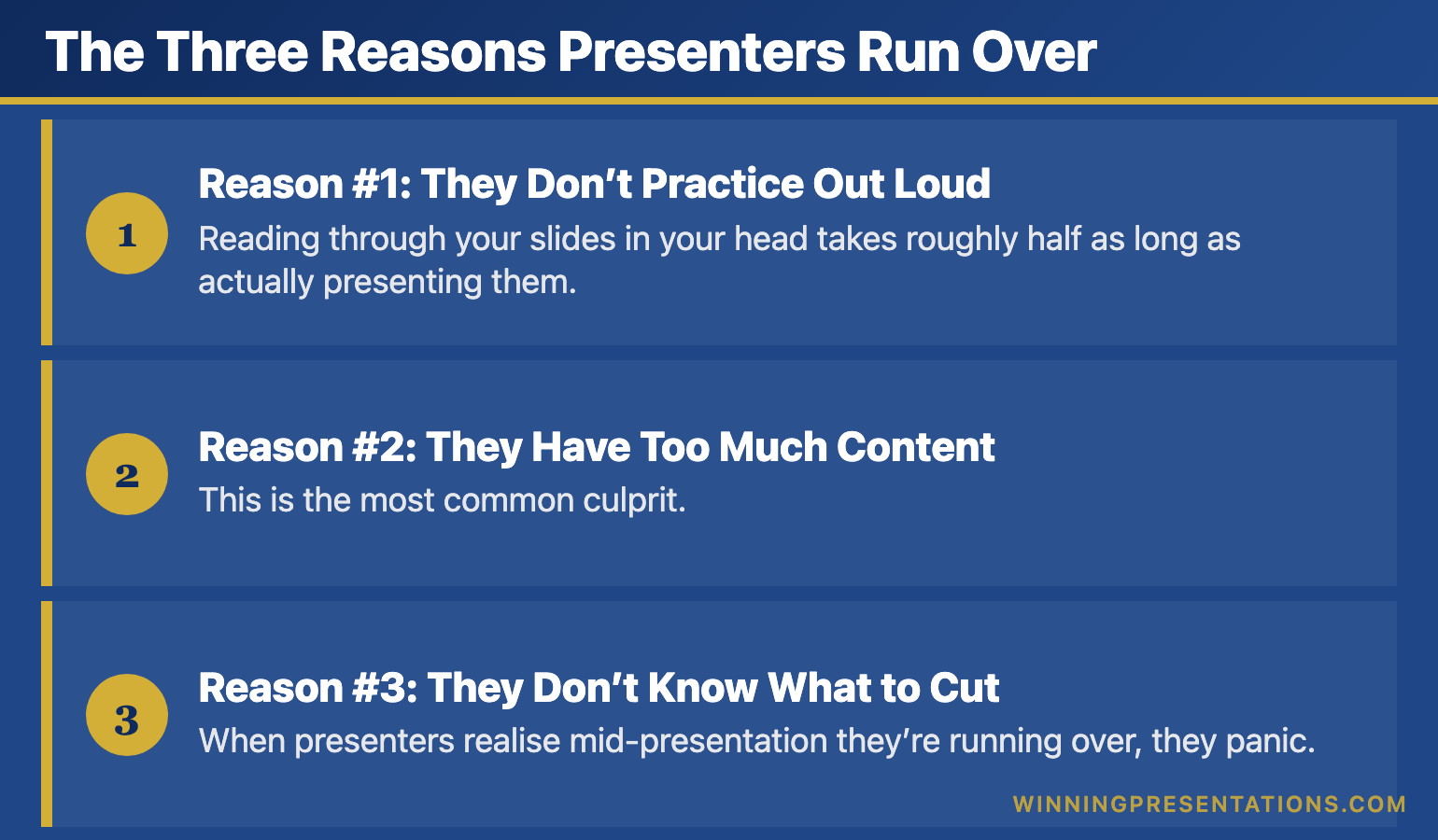
The Three Reasons Presenters Run Over

After analysing thousands of presentations that ran over time, I’ve found the cause is almost always one of three preparation failures—not delivery failures.

Infographic for: presentation time management (image 1)

Reason #1: They Don’t Practice Out Loud

Reading through your slides in your head takes roughly half as long as actually presenting them. Every time, without exception.

When you rehearse mentally, you skip the pauses. You don’t stumble over transitions. You don’t repeat yourself for emphasis. You don’t wait for the slide to advance. Mental rehearsal is a fantasy—it has almost nothing to do with real delivery time.

The fix: Practice standing up, speaking at full volume, with your slides actually advancing. Do this at least three times with a timer running.

Reason #2: They Have Too Much Content

This is the most common culprit. Presenters prepare 20 minutes of content for a 10-minute slot, then try to “speak faster” to fit it in.

Speaking faster doesn’t work. It makes you seem nervous. It overwhelms your audience. And you still run over because faster speech doesn’t compress pauses, transitions, or the inevitable moments where you lose your place.

The fix: Cut content until you can deliver comfortably in 85% of your allotted time. For a 10-minute presentation, that means practising until you hit 8:30.

Reason #3: They Don’t Know What to Cut

When presenters realise mid-presentation they’re running over, they panic. Without a pre-planned “cut list,” they either rush through everything (bad) or skip their conclusion (worse).

The fix: Before you present, identify one “nice to have” example or point in each section. Know exactly what you’ll skip if you need to recover time. Never cut your conclusion—it matters more than any supporting detail.

[IMAGE: presentation-time-management-three-reasons.png]

Alt text: Three reasons presenters run over time – don’t practice out loud, too much content, don’t know what to cut

Dimensions: 770 × 450px

The Buffer Rule

Here’s the principle that transformed my own presentation time management: your practice time is your minimum time.

Under pressure, you’ll speak faster in some places and slower in others. You’ll lose your place. You’ll add an unplanned clarification. It roughly nets out to taking longer than practice, not shorter.

Build buffer into your preparation:

  • 5-minute slot: Practise until you hit 4:15-4:30
  • 10-minute slot: Practise until you hit 8:30-9:00
  • 15-minute slot: Practise until you hit 12:30-13:00

That buffer will save you every time. It accounts for nerves, for audience reactions, for the technology hiccup you didn’t anticipate. Good presentation pacing requires this margin.

📧 Join 2,000+ professionals getting weekly presentation insights. Subscribe to The Winning Edge →

Frequently Asked Questions

Why do presenters always run over time?

Three reasons: they don’t practice out loud (mental rehearsal takes half as long), they have too much content for the slot, and they don’t know what to cut when time runs short. All three are preparation failures, not delivery failures. Master the 10-minute presentation format to build discipline.

How do I stay on time during a presentation?

Practice with a timer at least three times out loud. Build in 10-15% buffer (aim for 9 minutes if you have 10). Know exactly which points you’ll cut if needed. Place a clock or timer where you can see it without being obvious.

What should I cut if I’m running over during a presentation?

Cut examples and evidence first, not main points. Never cut your conclusion or call to action—these matter more than extra supporting detail. Decide before you present which examples are “nice to have” versus essential. Strong presentation structure makes these decisions easier.

📥 Free Download: 7 Presentation Frameworks

Get proven structures that naturally fit standard time slots—5 minutes, 10 minutes, and beyond. When your structure is right, timing takes care of itself.

Download Free →

Related: 10-Minute Presentation: Why This Format Dominates Business Communication


Mary Beth Hazeldine spent 24 years at JPMorgan, PwC, RBS, and Commerzbank. She’s a clinical hypnotherapist and MD of Winning Presentations.

This article was created with AI assistance; all stories and insights are based on 35 years of real client work.

11 Jan 2026
Professional woman in a navy blazer speaks and gestures to colleagues in a bright meeting space.

10-Minute Presentation: Why This Format Dominates Business Communication

Quick Answer: The 10-minute presentation isn’t an arbitrary corporate convention—it’s the format your brain is wired for. Research shows attention naturally peaks and dips in roughly 10-minute cycles. Master this format and you’ve mastered the workhorse of business communication: leadership updates, project reviews, interview presentations, and stakeholder briefings all default to 10 minutes for good reason.

When I joined Commerzbank’s investment banking division in 2002, I noticed something strange. Every meeting seemed to have the same invisible structure.

Leadership updates? Ten minutes per presenter. Project reviews? Ten-minute slots. Client pitches? “You’ll have about ten minutes before questions.” Even informal updates to managing directors somehow gravitated toward that same window.

At first, I assumed it was arbitrary—just how things were done. But after 24 years across JPMorgan, PwC, RBS, and Commerzbank, I’ve realised there’s nothing arbitrary about it.

The 10-minute presentation is the dominant format of business communication because it aligns with how human attention actually works. It’s long enough to make a substantive argument. Short enough to maintain engagement. Flexible enough to work across contexts—from boardrooms to team meetings to conference stages.

Every executive I’ve trained who mastered this format saw their influence grow. Not because 10 minutes is magic, but because it’s everywhere. The quarterly business review. The budget request. The interview presentation. The strategy pitch. The project update. All 10 minutes.

Master the 10-minute presentation and you’ve mastered the format you’ll use more than any other in your career. Fail to master it, and you’ll spend decades struggling with the one slot that keeps appearing on your calendar.

Here’s what 5,000 executive coaching sessions taught me about why this format works—and how to make it work for you.

🎯 50+ Openers and Closers for Every Situation

The Presentation Openers & Closers Swipe File gives you proven hooks and closing techniques for 10-minute presentations across every business scenario—updates, pitches, reviews, and more.

What’s inside:

  • Opening hooks calibrated for 10-minute formats
  • Closing techniques that drive decisions
  • Scenario-specific templates (reviews, pitches, updates)
  • The “bookend” technique that creates coherence

Get the Swipe File → £9.99

Why 10 Minutes Dominates (The Science)

The 10-minute presentation format isn’t a corporate invention—it’s a biological reality.

Neuroscience research consistently shows that attention operates in cycles. John Medina’s work on brain rules found that audience attention begins to significantly wane around the 10-minute mark. TED talks famously cap at 18 minutes because research showed that’s the outer limit of sustained attention without re-engagement techniques.

But here’s what’s often missed: attention doesn’t just decline—it cycles. Your audience’s brain naturally wants a “reset” roughly every 10 minutes. Fight that rhythm and you’re fighting biology. Work with it and you’re working with how humans actually process information.

This is why 10 minutes became the de facto standard for business presentations:

  • It respects cognitive limits. Your audience can genuinely focus for 10 minutes without heroic effort.
  • It forces prioritisation. Ten minutes prevents the “everything is important” trap that destroys longer presentations.
  • It enables decision-making. Leaders can hear multiple 10-minute presentations in an hour, compare perspectives, and decide.
  • It signals respect. Asking for 10 minutes shows you value your audience’s time.

Understanding presentation pacing becomes critical here. Ten minutes isn’t about cramming—it’s about flowing with how attention naturally works.

Graph showing attention cycles and why 10-minute presentations align with natural cognitive rhythms

Where You’ll Encounter the 10-Minute Format

Once you start looking, you’ll see the 10-minute presentation everywhere. Here’s where it shows up across a typical executive career:

Leadership and Team Updates

Weekly team meetings. Monthly leadership forums. Quarterly all-hands. The format is almost always “10 minutes per update.” I’ve seen this at every major bank and consultancy I’ve worked with—it’s the universal language of internal communication.

Project and Status Reviews

Steering committees. Programme boards. Portfolio reviews. Each project lead gets roughly 10 minutes to convey status, risks, and asks. Go over and you’re that person. Go under and leadership wonders what you’re hiding.

Interview Presentations

“Prepare a 10-minute presentation on…” This is the standard format for senior role interviews across industries. It tests your ability to structure thinking, communicate under pressure, and respect boundaries—all things leadership roles require.

Stakeholder Briefings

Updating the board. Briefing executives. Presenting to clients. When you need to inform decision-makers without consuming their entire calendar, 10 minutes is the expected format. Our guide to presenting to senior management covers these scenarios in depth.

Conference and Event Slots

Breakout sessions. Lightning talks. Panel introductions. Event organisers know that 10 minutes maintains audience energy across a full programme. Longer slots require exceptional content; 10 minutes just requires clarity.

The reality? If you can deliver a compelling 10-minute presentation, you can handle 80% of the speaking situations your career will throw at you.

A Different Mindset Than 5 or 30 Minutes

Here’s where most professionals go wrong: they treat the 10-minute presentation as either a stretched 5-minute presentation or a compressed 30-minute one. It’s neither.

Each format requires a fundamentally different mindset:

5 Minutes: The Single Message

A 5-minute presentation is a sniper rifle. You have one message, maybe three supporting points, and no room for tangents. It’s about ruthless focus—what’s the one thing you must communicate? Everything else gets cut.

10 Minutes: The Developed Argument

A 10-minute presentation is a structured conversation. You can develop three genuine points with evidence for each. You can build an argument with a beginning, middle, and end. You have room for one brief story or example. But you still can’t cover everything—you’re choosing depth over breadth.

30 Minutes: The Full Exploration

A 30-minute presentation allows comprehensive coverage. You can explore implications, address objections, and provide extensive evidence. But you’ll need to re-engage attention multiple times—the audience’s natural 10-minute cycle means you’re managing multiple phases of concentration.

The mindset shift for 10 minutes: What three things can I develop properly? Not “what can I mention?” but “what can I actually prove with evidence and make memorable?”

Comparison of mindsets for 5, 10, and 30-minute presentation formats

The Depth Paradox: More Time Doesn’t Mean More Content

The most counterintuitive lesson about the 10-minute presentation: having more time than 5 minutes doesn’t mean adding more content. It means going deeper on fewer points.

Consider the difference:

5 minutes: “We need to invest in customer analytics. Here’s why it matters.”

10 minutes: “We need to invest in customer analytics. Let me show you what our competitors are doing, what we discovered in our pilot, and what the ROI looks like based on real numbers.”

Same core message. But 10 minutes allows you to build a proper case—with evidence, examples, and implications. That’s not more topics; it’s more depth.

I worked with a VP at RBS who consistently ran over in her 10-minute updates. When I watched her present, I counted seven distinct topics in one update. “They all need to know this,” she said.

But her leadership team couldn’t follow seven topics in 10 minutes. They left confused about what actually needed their attention. When we restructured to three topics with proper evidence for each, her updates became the clearest in the leadership forum.

The paradox: Say less, communicate more. Ten minutes gives you room for depth, not breadth. Use it accordingly.

This is where strong presentation structure becomes essential. Your framework determines whether 10 minutes feels rushed or spacious.

The 10-Minute Depth Calculator

Content Type How Many in 10 Minutes Depth Possible
Major Points 3 maximum Full development with evidence
Supporting Examples 3-4 total Brief but concrete
Data Points 5-6 memorable Contextualised, not raw
Stories 1-2 maximum 60-90 seconds each
Slides 8-12 total One idea per slide

⭐ Pre-Built Frameworks for Every 10-Minute Scenario

The Executive Slide System gives you ready-to-use templates for 10-minute presentations across every business context—updates, reviews, pitches, and briefings. Stop reinventing structure for every presentation.

Includes scenario-specific frameworks so you can focus on content, not architecture.

Get the Executive Slide System → £39

The Scenario Playbook: Adapting to Context

While the 10-minute format is consistent, how you use it varies dramatically by context. Here’s the playbook I’ve developed across thousands of coaching sessions:

The Project Update (Status Focused)

What leadership wants: Where are we? What’s changed? What do you need?

Structure that works:

  • First 2 minutes: Bottom-line status and one headline. “We’re green for March launch with one amber risk to discuss.”
  • Middle 6 minutes: Progress highlights (what’s working), the amber/red items (what needs attention), and your ask (decisions, resources, air cover).
  • Final 2 minutes: Specific next steps and timeline for your ask.

The mistake: Starting with background or methodology. Leadership assumes you did the work correctly—they want to know the outcome.

The Proposal or Pitch (Decision Focused)

What the audience wants: Should we do this? Why? What’s the risk of not acting?

Structure that works:

  • First 2 minutes: The problem or opportunity, sized in terms they care about. “We’re losing £2M annually to a process we could automate.”
  • Middle 6 minutes: Your proposed solution, proof it works (pilots, case studies, benchmarks), and what implementation looks like.
  • Final 2 minutes: Clear ask and immediate next step. “I need approval to proceed. Here’s what happens Monday if you say yes.”

The mistake: Leading with your solution instead of the problem. Our guide to persuasive presentations covers this in depth.

The Interview Presentation (Capability Focused)

What the panel wants: Can you do this job? How do you think? Will you fit?

Structure that works:

  • First 2 minutes: Your thesis about the role or topic they’ve assigned. Show you understand the real challenge.
  • Middle 6 minutes: Three examples or arguments that demonstrate relevant capability. Each should answer: “Here’s what I did, here’s what happened, here’s what I learned.”
  • Final 2 minutes: Why this role, why this organisation, why now. Make it personal and specific.

The mistake: Treating it as a presentation about you instead of a presentation about what you can do for them.

The Executive Briefing (Information Focused)

What executives want: What do I need to know? What should I worry about? What do you recommend?

Structure that works:

  • First 2 minutes: The essential update in plain language. “Customer satisfaction dropped 12 points. Here’s why it matters and what we’re doing.”
  • Middle 6 minutes: Analysis of causes, implications for the business, and options you’ve considered.
  • Final 2 minutes: Your recommendation and what you need from them—even if it’s just acknowledgment.

The mistake: Data dumping without interpretation. Executives don’t need raw information; they need analysis. See our guide on data storytelling for more.

Four 10-minute presentation scenarios showing different structures for updates, pitches, interviews, and briefings

Case Study: The Quarterly Review That Changed Everything

Marcus was a senior director at a fintech company who dreaded quarterly business reviews. Every quarter, the same pattern: he’d prepare 45 minutes of content, race through it in 10, and leave the leadership team confused about what they’d just heard.

“The business is complex,” he explained when we first met. “Ten minutes isn’t enough to explain everything.”

But that was exactly his problem. He was trying to explain everything instead of communicating what mattered.

We restructured his approach entirely. Instead of comprehensive coverage, we focused on three questions leadership actually cared about:

  1. Are we hitting our numbers? (With one slide showing the answer clearly)
  2. What’s the one thing keeping us up at night? (With context and options)
  3. What decision do we need from you? (With a specific, actionable ask)

His next QBR used 9 slides instead of 34. He finished in 8 minutes and 40 seconds. The CEO’s response: “That’s the clearest update I’ve heard in two years.”

The questions after his presentation? Engaged and strategic, not confused and clarifying. Leadership was discussing implications instead of asking him to repeat basic information.

Marcus’s promotion to VP came six months later. “The QBR shift wasn’t the only factor,” he told me, “but it changed how leadership saw me. I went from the guy who overwhelms them with detail to the guy who cuts through complexity.”

That’s what mastering the 10-minute presentation does. It doesn’t just improve your presentations—it changes how people perceive your thinking. Strong business presentation skills signal strong business thinking.

📧 Join 2,000+ professionals getting weekly presentation insights. Subscribe to The Winning Edge →

Frequently Asked Questions

How many slides should a 10-minute presentation have?

Aim for 8-12 slides maximum. This allows roughly one minute per slide with time for transitions. Quality matters more than quantity—fewer strong slides beat many weak ones. See our guide to making effective presentations for more on slide design.

How many words is a 10-minute presentation?

Approximately 1,200-1,500 words at a comfortable speaking pace of 120-150 words per minute. Leave room for pauses and audience engagement—don’t script every second. Learn more about optimal presentation pacing.

Why is 10 minutes such a common presentation length?

Research shows attention naturally dips around the 10-minute mark. Organisations have learned this intuitively—10 minutes is long enough to be substantive but short enough to maintain engagement. It’s biology meeting business needs.

How do I avoid running over 10 minutes?

Practice with a timer at least three times. Cut 20% more content than you think necessary. Build in buffer time—aim for 9 minutes in practice to allow for nerves and natural variation. Know exactly what you’ll cut if time runs short.

What’s the difference between 5-minute and 10-minute presentations?

A 5-minute presentation forces a single message with minimal support—it’s about ruthless focus. Ten minutes allows for three developed points with evidence—enough to build a genuine argument. They require different mindsets, not just different timing.

What’s the biggest mistake in 10-minute presentations?

Treating it as a shortened long presentation instead of its own format. Ten minutes has specific rules about depth, evidence, and pacing that differ from both shorter and longer formats. Learn more about effective presentation structure.

📥 Free Download: 7 Presentation Frameworks

Get proven structures for every presentation scenario—from 5-minute updates to 30-minute deep dives. Includes specific templates optimised for the 10-minute format.

Download Free →

Related Resources

Continue building your presentation skills:

The 10-Minute Advantage

The 10-minute presentation is the most common format you’ll encounter in business—and for good reason. It aligns with how attention works. It forces prioritisation. It enables efficient decision-making.

But mastering it requires seeing it as its own format, not a compressed version of something longer. It’s the sweet spot: enough time to develop genuine arguments, not enough time to hide behind complexity.

Every executive update, project review, interview presentation, and stakeholder briefing will test your ability to communicate within this window. Get it right consistently, and you’ll be seen as someone who thinks clearly under constraint.

That’s a reputation that compounds over a career.


Mary Beth Hazeldine is a qualified clinical hypnotherapist, NLP practitioner, and Managing Director of Winning Presentations. After 5 years terrified of presenting, she built a 24-year banking career at JPMorgan Chase, PwC, RBS, and Commerzbank. She has treated hundreds of anxiety clients and trained over 5,000 executives.

10 Jan 2026
Businesswoman standing at a conference table, speaking with open hands to colleagues in a boardroom

Presentation Pacing: The Speed Trap That Loses Every Audience

Quick Answer: Most presenters speak too fast when nervous, losing their audience within minutes. Optimal presentation pacing is 120-150 words per minute—slower than natural conversation. The fix isn’t willpower; it’s cutting content so you don’t feel rushed, plus strategic pauses that signal confidence.

During my years at Commerzbank, I sat through a quarterly update where a brilliant analyst presented 47 slides in 12 minutes.

Forty-seven slides. Twelve minutes. Do the math—that’s roughly 15 seconds per slide.

He spoke so fast that words blurred into each other. Data points flew past before anyone could process them. By slide eight, half the room had mentally checked out. By slide twenty, people were checking phones under the table.

When he finished, breathless and sweating, the MD’s only comment was: “Could you send that round? I couldn’t follow it.”

All that work. All that data. Completely wasted because he confused speed with efficiency.

Here’s what nobody told him about presentation pacing—and what I wish someone had told me earlier in my career.

🎯 Master Your Delivery With Confidence

The Public Speaking Cheat Sheets give you quick-reference guides for pacing, pauses, vocal variety, and body language—everything that makes the difference between forgettable and commanding.

Get the Cheat Sheets → £14.99

Why Fast Feels Right (But Isn’t)

When you’re nervous, your brain interprets the situation as threatening. Your heart rate increases. Adrenaline floods your system. And your speech accelerates—it’s a physiological response, not a choice.

The problem is that fast speech signals nervousness to your audience. They may not consciously think “this person is nervous,” but they’ll feel something is off. Trust erodes. Credibility suffers.

Meanwhile, you’re burning through your content faster than anyone can absorb it. You’re not communicating more—you’re communicating less, just more quickly.

This is why voice control is so critical. Your pacing communicates as much as your words do.

Presentation pacing chart showing how speaking speed affects audience comprehension and speaker credibility

The Pacing Sweet Spot

Research consistently shows that audiences comprehend and retain information best when presenters speak at 120-150 words per minute. That’s noticeably slower than typical conversation (which runs 150-180 wpm).

Here’s what optimal presentation pacing looks like in practice:

  • Key points: Slow down to 100-120 wpm. Give important ideas room to land.
  • Transitions: Speed up slightly to 140-150 wpm. This signals movement.
  • Stories: Vary your pace. Speed up during action, slow down for impact moments.
  • Data: Always slower. Numbers need processing time.

The executives who command attention understand this intuitively. Their vocal delivery ebbs and flows with intention, not panic.

Three Fixes That Actually Work

1. Cut 20% of Your Content

If you feel rushed, you have too much material. The solution isn’t speaking faster—it’s saying less. Cut your content until you could deliver it comfortably with time to spare.

2. Script Your Pauses

Write “PAUSE” into your notes at key moments. After your opening hook. Before your main message. After important data points. Pauses feel awkward to you but powerful to your audience.

3. Record and Time Yourself

Most presenters have no idea how fast they actually speak. Record a practice run and count your words per minute. You’ll likely be shocked—and motivated to slow down.

These techniques work together with proper voice training to transform your delivery from rushed to commanding.

📧 Join 2,000+ professionals getting weekly presentation insights. Subscribe to The Winning Edge →

Frequently Asked Questions

How fast should I speak during a presentation?

Aim for 120-150 words per minute for most business presentations. This feels slower than conversation but gives your audience time to process. Slow down further for complex points and speed up slightly for transitions. For more on vocal delivery, see our complete guide to presentation voice tips.

Why do presenters speak too fast?

Nerves trigger faster speech as part of the fight-or-flight response. Presenters also speed up when they’ve crammed too much content and feel time pressure. The solution is editing content, not speaking faster.

How do I slow down my presentation pacing?

Use strategic pauses after key points, practice with a timer to catch rushing, and cut 20% of your content so you don’t feel time pressure. Breathing exercises before presenting also help regulate pace—see our guide to calming nerves before presenting.

📥 Free Download: 7 Presentation Frameworks

Get proven structures that naturally build in pacing variety—so you never feel rushed or monotonous again.

Download Free →

Related: Presentation Voice Tips: How to Sound Confident and Commanding


Mary Beth Hazeldine spent 24 years at JPMorgan, PwC, RBS, and Commerzbank. She’s a clinical hypnotherapist and MD of Winning Presentations.