Quick answer: The senior leaders who get the most useful output from Copilot for senior leaders are the ones who open it last, not first. They draft the recommendation in two lines on a piece of paper, write the three things the audience must believe by slide three, and decide the case-construction order before Copilot is touched. Then they open it with a prompt that carries the recommendation, the audience, and the case structure into the first request — and the output that comes back is usable on the first pass. Junior power-users open Copilot first, type “help me build a board deck on Q3 performance,” receive a generic deck shape, and spend the next two hours editing the AI’s shape into a structure they could have written from scratch in forty minutes. The structural difference is the ordering, not the prompt library.
JUMP TO:
- The ordering rule: structure first, Copilot last
- The two-line recommendation that frames every prompt
- The three beliefs the audience must hold by slide three
- The carrier prompt that does the structural work
- The single editing loop senior leaders run on every Copilot output
- The five-minute Copilot-readiness diagnostic
- One thing to do before your next Copilot session
- Frequently asked questions
In March 2024 I was running a small workshop for the senior leadership team of a London-based asset manager — nine managing directors, all with Copilot licences for about six months, all complaining that the tool was “not really saving them time.” The workshop was scheduled for two hours. I asked each of them to bring an upcoming board paper or investment committee deck they had to build in the next ten days. The first hour I watched them all do the same thing. They opened Copilot in PowerPoint. They typed something close to “help me build a deck on [topic].” The output was a generic eight-slide structure with placeholder text in the brand template. They then spent forty-five minutes restructuring it into the actual shape they needed — moving slides, deleting sections, rewriting headlines, and replacing the AI-generated text with their own. At the end of the hour I asked them: how much time has Copilot saved you so far on this deck? The honest answer from the room was around ten minutes — the time it would have taken to set up the file from a blank template. The deck was no closer to ready than it would have been if they had not opened Copilot at all.
(This article was created with AI assistance; all stories and insights are based on 35 years of real client work.)
This piece walks through the structural ordering senior leaders apply to Copilot that the asset-management leadership team did not. The ordering puts Copilot last in the workflow, not first. It treats the AI as the partner that builds inside the structure you have already designed — not as the partner that designs the structure for you. The result is a Copilot session that produces usable output on the first prompt, not on the seventeenth iteration. The structural method is named, testable, and learnable, and it applies whether the tool is Microsoft Copilot, ChatGPT, Claude, or Gemini. The vendor name does not matter; the ordering does.
Before your next Copilot session, a short reference card is worth keeping next to the keyboard.
The 10 Essential Copilot PowerPoint Prompts reference card covers the structural prompts senior leaders use most often — the recommendation-first opener, the audience-objection check, the slide-three rewrite, and the case-construction sequence. Free download, no email gate.
The ordering rule: structure first, Copilot last
The rule senior leaders apply is mechanical. Before Copilot is touched, three structural decisions are already made. The two-line recommendation is written down. The three beliefs the audience must hold by slide three are written down. The case-construction order — the four or five logical moves that take the audience from where they are now to the recommendation — is written down. These three things take seven to ten minutes on a piece of paper or in a single document at the top of the file. They are the structural scaffolding the rest of the deck hangs from. Once they exist, Copilot can be brought in to do the drafting work inside them. Before they exist, Copilot has nothing to build inside, which is why the output comes back as a generic deck shape.
The asset-management leadership team in March 2024 had skipped all three steps. They opened Copilot with the topic and the brand template and asked it to produce the deck. Copilot did exactly what it was asked: it produced a deck. The shape of the deck reflected the average board deck in its training data, not the specific board this leader was presenting to and not the specific decision this board was being asked to make. The forty-five minutes of restructuring they then did was the structural work the prompt had not given Copilot — the work that should have happened on paper before the file was opened. The leaders were doing the structural work, but in the wrong order and with much higher friction, because they were doing it as edits against AI-generated text rather than as design against a blank page.
The ordering rule has a second consequence the room did not see immediately. When the structural decisions live on a separate piece of paper, the leader can read them aloud and check whether they are right before any drafting begins. The two-line recommendation either holds up under read-aloud or it does not. The three beliefs either map cleanly to the case construction or they do not. If something is wrong at the structural level, the leader can fix it in ninety seconds before any slide content has been written. When the structural decisions are buried inside seventeen slides of AI-generated content, finding the structural error means re-reading the whole deck and is usually missed until the meeting itself. The cost of a wrong recommendation discovered at minute three of the board meeting is much higher than the cost of a wrong recommendation discovered at minute three of the paper-and-pen scaffolding step. The distinction between AI-enhanced and AI-generated work covers why the order matters even more for senior-level output than for junior drafting.
The two-line recommendation that frames every prompt
The first structural decision is the two-line recommendation. Two lines, not a paragraph, not a list. The recommendation states the action being proposed and the reason the audience should approve it. It is written in language a senior audience would actually use in a board discussion — not in the language of a topic, not in the language of a category, not in the language of an analysis. An example, written before Copilot was opened on a real asset-management committee paper later in 2024: “We recommend reallocating thirty percent of the European fixed-income allocation into short-duration credit by end of Q3. The duration risk in the current allocation no longer reflects our base-case rate path and the short-duration credit market is liquid enough to absorb the reallocation without execution drag.” Two lines. Action and reason.
The two-line recommendation does three things at once. It forces the leader to decide what the recommendation actually is before any case is built — which is the structural step junior power-users skip when they ask Copilot to “help with a deck on the European fixed-income allocation.” That phrasing is a topic, not a recommendation, and Copilot will produce a topic-shaped deck rather than a recommendation-shaped one. It gives the leader something to read back at the end of every Copilot output to check whether the slide actually advances the recommendation or merely circles around the topic. And it becomes the literal opening text of every Copilot prompt run in the session that follows, which carries the recommendation framing into every piece of generated content.
The two-line recommendation is harder than it sounds because most senior leaders begin a deck preparation with a problem statement, a data review, or a topic brief — not a recommendation. The recommendation is what the work is supposed to converge on, not what it starts from. Writing it first feels backward. The discipline pays back across the rest of the session because every Copilot prompt is now anchored to the destination rather than to the territory. The same applies to the deck a reader could write without any AI assistance, but the cost of doing the work topic-first rather than recommendation-first is paid in editing time after the AI has produced output, not before, which is where the cost compounds.
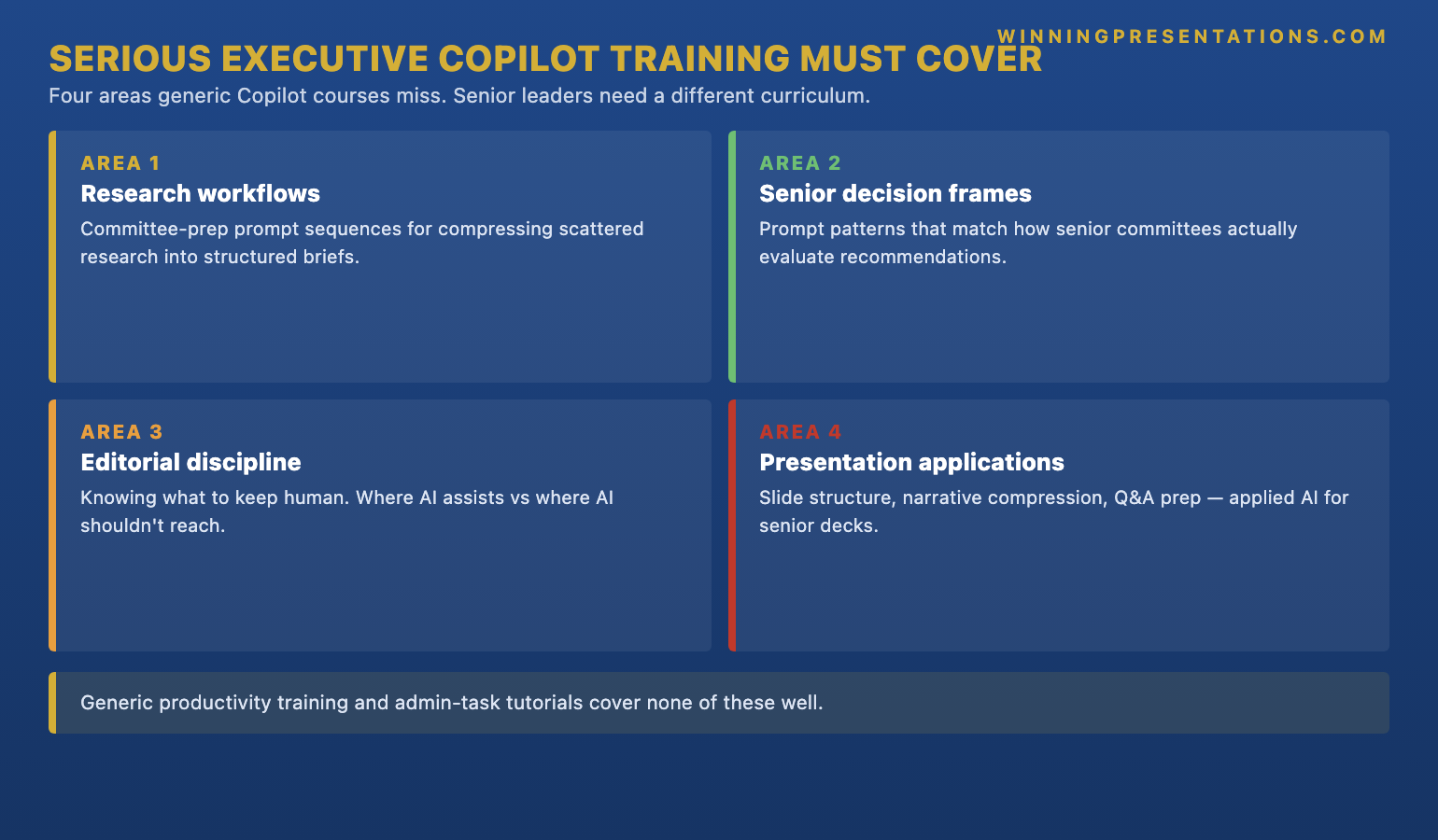
The senior leaders who get genuinely useful output from Copilot use a small library of structural prompts — not a long list of clever ones.
The Executive Prompt Pack is the prompt library senior professionals use to build executive-grade slides with AI assistance. Designed for the recommendation-first, structure-led ordering this article describes — not for the topic-first ordering that produces generic AI output.
- 71 prompts organised by the structural moves senior leaders make — recommendation framing, audience-objection mapping, case construction, slide-three discipline, executive-summary compression
- Carrier prompts that build the recommendation and the audience into the first request, so the output comes back inside the structure you have already designed
- Editing prompts that compress AI drafts into the shape boards and investment committees actually approve
- Works with Microsoft Copilot, ChatGPT, Claude, and Gemini — the structural logic is vendor-independent
- Instant download, lifetime access — usable across every presentation cycle, not just the one in front of you now — £19.99
![The Copilot Workflow Ordering infographic showing the senior-leader sequence versus the junior power-user sequence. Senior path: (1) Write two-line recommendation on paper; (2) Write the three beliefs audience must hold by slide three; (3) Decide the case-construction order in four to five moves; (4) Open Copilot with a carrier prompt that includes recommendation, audience, and structure; (5) Run a single editing loop on output. Junior path: (1) Open Copilot first; (2) Type 'help me build a deck on [topic]'; (3) Receive generic deck shape; (4) Spend forty-five minutes restructuring AI output into the deck the leader could have written from scratch in forty.](https://winningpresentations.com/wp-content/uploads/why-best-senior-leaders-open-copilot-last-in-article-1.png)
The three beliefs the audience must hold by slide three
The second structural decision is the three beliefs the audience must hold by slide three. Not by the end of the deck — by slide three. Senior audiences decide whether to engage with the rest of a deck within the first two or three slides, and the leader needs to know which three beliefs are non-negotiable for the recommendation to land. The beliefs are stated in the audience’s voice, not the leader’s. An example from the same asset-management committee paper: “Belief one: the duration mismatch in the current allocation is material. Belief two: the short-duration credit market can absorb the reallocation without execution drag. Belief three: end of Q3 is the right timing, not Q2 and not end of year.”
The three beliefs map the case-construction work. Each belief becomes a section of the deck — not necessarily one slide, but a coherent block of two or three slides that addresses the belief and provides the evidence the audience needs to accept it. The recommendation, in slide one or two, depends on all three beliefs holding. If the audience does not buy belief two, the recommendation does not survive even if beliefs one and three are accepted. This means each section of the deck is doing structural work, not topical work; each section is closing one of the three open questions the audience will have when they hear the recommendation.
The three beliefs also expose the recommendation that cannot survive the audience. If the leader cannot write three beliefs the audience would actually hold by slide three, the recommendation needs more case construction before any deck is built — or it needs to be reframed into a recommendation that can survive. The eighty-twenty rule for senior-level AI presentations covers the principle that the eighty percent of value lives in the structural decisions, not in the drafting; the three-beliefs step is one of the moves that earns that eighty percent.
The carrier prompt that does the structural work
The third structural move is the case-construction order — the four or five logical steps that take the audience from where they are now to the recommendation. Once all three structural pieces exist on paper, Copilot can be opened, and the opening prompt is the carrier prompt. The carrier prompt is not “help me build a deck.” The carrier prompt is the recommendation, the audience, the three beliefs, and the case-construction order — all in one request, with a specific deliverable named at the end.
An example carrier prompt that produced a usable first draft of the asset-management committee paper in roughly fifteen minutes: “I’m presenting to a six-person investment committee on Wednesday. The recommendation is: reallocate thirty percent of European fixed-income allocation into short-duration credit by end of Q3, because the duration risk no longer reflects our base-case rate path. The three beliefs the committee needs by slide three are: (1) the duration mismatch is material; (2) short-duration credit liquidity can absorb the trade without execution drag; (3) Q3 timing is right, not Q2, not end of year. The case construction is: open with the rate path that drove the prior allocation, show the rate path has moved, quantify the duration risk against the new path, present the short-duration credit alternative with liquidity evidence, close with the timing rationale. Produce a six-slide outline with the recommendation on slide one, the three beliefs as section headers on slides two, three, four, and the timing rationale and decision ask on slides five and six. Each slide should have a one-sentence headline that states what the slide proves, not what it covers.”
The carrier prompt is roughly a paragraph long. It does the work that “help me build a deck” cannot do, because it carries the structural decisions the leader has already made into the request. The output Copilot returns is inside that structure, not inside the average-deck shape it would otherwise default to. The fifteen minutes of structural work on paper becomes thirty minutes of useful AI drafting against a clear scaffolding, rather than two hours of edits against generic output. The total time-to-usable-draft is significantly shorter, but more importantly the cognitive shape is right. The leader is editing inside a structure they designed, not fighting an AI’s default structure.
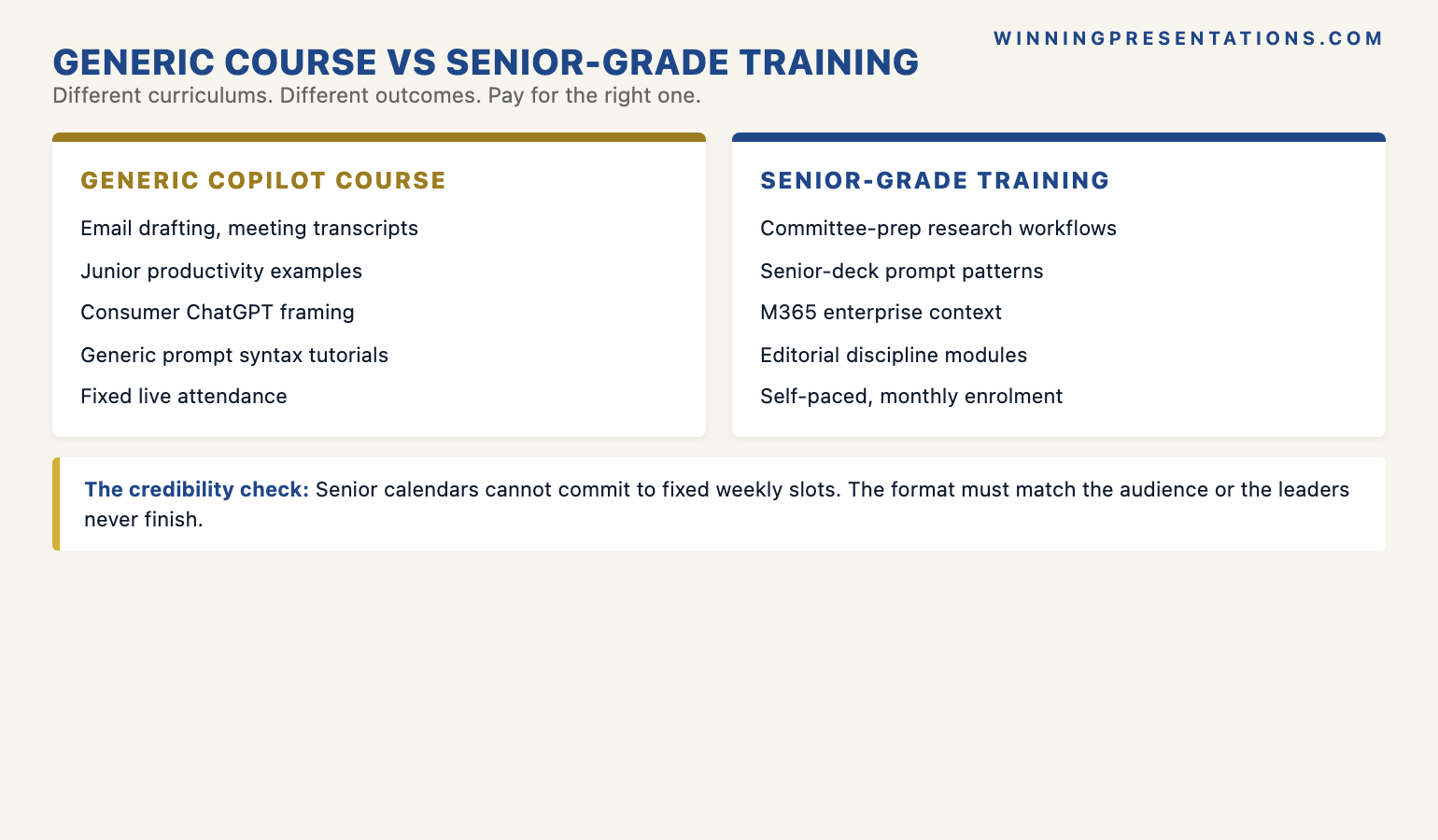
If using AI for presentations is a recurring part of the role, the structural method is worth learning end-to-end.
The AI-Enhanced Presentation Mastery course is the self-paced programme senior professionals use to move beyond basic AI usage into the recommendation-first, structure-led workflow this article describes. Designed for senior leaders who need AI to produce executive-grade output, not generic drafts. 8 modules, 83 lessons, no deadlines, no mandatory session attendance. 2 optional live coaching sessions, fully recorded. Self-paced with monthly cohort enrolment. Lifetime access to materials. £499.
The single editing loop senior leaders run on every Copilot output
The fourth move is the editing loop. Junior power-users run an unbounded editing loop on Copilot output — they read each slide, rewrite the headline, adjust the body, move on. The output gets better with each pass but the work is open-ended and the leader does not know when to stop. Senior leaders run a single, bounded editing loop with a named test for each slide. The test is: does the slide headline state what the slide proves — in the audience’s language — in a sentence that could stand alone if the rest of the slide were stripped out?
The test has a mechanical procedure. Read the slide headline aloud. If the headline could appear in the body of a board minute or an investment committee resolution without rewording, it passes. If the headline is a topic label (“Duration risk analysis”), a section divider (“Background and context”), or a generic claim (“Key considerations”), it fails. Rewrite the headline. The slide content underneath can be improved later or not at all; the headline is what the audience reads first, and the headline is what carries the audience through the deck. Headlines that pass the test are slides that earn engagement. Headlines that fail are slides the audience reads past.
The editing loop is single-pass because the structural work has already happened upstream. There is no need for a second pass to fix the recommendation, the three beliefs, or the case-construction order; those were locked before Copilot was opened. The single editing loop is therefore purely about whether each slide carries its weight as part of a structure that is already known to be sound. The leader runs through the deck once, rewrites any headline that fails the read-aloud test, and the deck is ready for a senior review. The whole process — from blank page to ready-for-review — takes ninety minutes to two hours rather than five to six hours. The broader workflow patterns senior leaders apply across multiple AI tools covers the variations on this loop for different deliverable types.

The five-minute Copilot-readiness diagnostic
The five-minute diagnostic tests whether the next deck is ready for the structural workflow before any AI is opened. The procedure is mechanical. Take a blank piece of paper or a blank document. Write the two-line recommendation. Read it aloud. If it reads as a recommendation a senior audience could approve or reject as stated, it passes. If it reads as a topic or as a question, it needs another pass. Spend two more minutes writing the three beliefs the audience must hold by slide three, in the audience’s voice. Read those aloud. If they map cleanly to a case the leader can construct, they pass. If any belief is vague, contested, or out of order with the other two, the case construction is not yet ready.
Spend the final minute writing the case-construction order — four to five logical moves that take the audience from current position to the recommendation. If the moves do not connect, the case is not yet ready and the next step is more thinking, not more drafting. If they do connect, the leader has the carrier prompt and Copilot can be opened. The diagnostic catches the structural gaps before they become editing problems, which is where the time cost of badly-ordered AI work actually accumulates. Most senior leaders who run the diagnostic the first time discover that the recommendation they had in mind was a topic, not a recommendation, and the five minutes of paper work prevents the next two hours of restructuring AI output. The diagnostic is also a transferable skill — the same structural readiness applies to decks built without AI, board papers written longhand, and verbal proposals delivered without any deck at all. The discipline travels.
Why the ordering matters more at senior level than at junior level
The ordering rule matters more at senior level for the same compounding reason structural moves usually do at senior level. A junior team-member running the topic-first prompt against Copilot can produce a serviceable draft of a Tuesday team update or an internal status note; the audience is forgiving, the stakes are low, and the structure of the deliverable does not need to survive senior scrutiny. The leader can review, redirect, and the work converges. A senior leader running the topic-first prompt against Copilot on a board paper or investment committee deck is producing an artefact that needs to land in a meeting where the audience will not be forgiving, the stakes will be material, and the structure of the deck will be assessed before the content is engaged with at all. The audience is reading for whether the leader has thought rigorously about the structure of the case — not for whether the content is well-drafted.
The compounding cost across multiple decks is significant. A senior leader who runs the topic-first ordering on four or five board papers a quarter is producing four or five artefacts that look like AI-assisted drafts edited into a presentable shape. The audience reads the structural pattern across the artefacts and concludes that the leader uses AI as a substitute for structural thinking rather than as a partner inside it. The senior reputation built on those four or five papers is “competent operator who relies on the AI for the architecture.” The senior leader who runs the structure-first ordering on the same four or five papers is producing artefacts where the structural rigour is visible — the recommendation is sharp on slide one, the case is constructed in audible logical steps, the headlines say what each slide proves. The senior reputation built on those same four or five papers is “strategic thinker who happens to use AI well.” Same tool, same hours, very different reputation curve.
One thing to do before your next Copilot session
Before you open Copilot for your next deck, take five minutes on a blank piece of paper. Write the two-line recommendation. Write the three beliefs the audience must hold by slide three. Write the case-construction order in four to five logical moves. Read all three aloud. If they hold together, write a carrier prompt that includes all three plus the audience and the deliverable spec, then open Copilot and run the carrier prompt as your first request. Run a single editing loop on the output, testing each slide headline against the read-aloud rule. The deck will be ready for senior review in under two hours, and the structure will hold up the first time someone reads it. The five minutes of paper work is the highest-leverage time you will spend on the deck, and it is the time the AI cannot do for you.
Frequently asked questions
Isn’t doing the structural work on paper first defeating the point of using AI to save time?
The intuition is reasonable but the maths runs the other way. The structural work on paper takes seven to ten minutes. Running Copilot with a carrier prompt against that structure takes another fifteen to thirty minutes and produces a usable first draft. The single editing loop on the output takes thirty to sixty minutes. Total: roughly ninety minutes to two hours for a deck that is ready for senior review. The topic-first approach — opening Copilot and asking it to build a deck on a topic — takes about ten minutes for the initial output and then four to five hours of restructuring, because the leader is doing the structural work as edits against AI-generated text rather than as design against a blank page. The structural work happens either way; the only question is whether it happens upstream in seven minutes or downstream in three hours. The same answer applies to most senior-level uses of AI: the leverage is in doing the structural thinking before the AI runs, not after.
What if I don’t actually know the recommendation yet — the deck is supposed to help me figure it out?
That is a different deliverable and Copilot is the wrong tool to start with. A deck that is meant to help the leader figure out the recommendation is a thinking document, not a presentation, and the work of figuring out the recommendation should happen in a different artefact — a one-page issue brief, a decision tree, or a notebook of options. Once the thinking work is done and the recommendation exists, the deck-building work begins, and Copilot can come in then. Running Copilot during the thinking phase produces a generic structure that locks the leader prematurely into a shape that may not fit the recommendation that eventually emerges. The two activities — thinking and presenting — are sequential, not concurrent. Conflating them is the most common reason senior leaders feel AI “is not really saving them time” on decks. They are using it on the wrong phase of the work.
Does this ordering work the same for ChatGPT, Claude, or Gemini, or is it Copilot-specific?
The ordering is vendor-independent. The structural reasoning — recommendation first, three beliefs, case construction, carrier prompt, single editing loop — works the same way against any general-purpose large language model that can take a long structured prompt and return organised output. Copilot has the advantage of being inside PowerPoint so the output appears as slides directly. ChatGPT and Claude require a copy-paste step to move the output into the deck but produce comparable structural quality when the carrier prompt is the same. Gemini is similar. The vendor differences are real but small compared to the difference between a topic-first prompt and a structure-first carrier prompt against the same model. The ordering is the eighty percent of the value; the vendor choice is closer to the twenty percent.
My team uses Copilot the topic-first way and it seems to work for them — should I be intervening?
It depends on the stakes of the work they produce. For low-stakes internal artefacts — weekly status notes, team updates, internal sprint reviews — topic-first prompting produces serviceable output and the cost of structural drift is low. For external-facing or senior-facing work — client decks, board papers, investment committee submissions — the structural drift compounds across the deck and the audience reads it. If your team is producing high-stakes work topic-first, the intervention is worth making, but the intervention is best framed as a structural method rather than as a prompt library. Teaching the team to write the two-line recommendation and three beliefs before opening Copilot is a more durable change than handing them a list of clever prompts to memorise. The prompts are the easy part once the structural discipline is in place.
The Winning Edge — weekly newsletter
The Winning Edge is a weekly (Thursday) newsletter for senior professionals who present at the executive level. One short email a week, focused on the structural moves that separate the AI-assisted decks executives engage with from the AI-generated decks they read past. Subscribe to The Winning Edge →
For the broader picture across slides, storytelling, confidence, and delivery, the seven-product Complete Presenter library is the bundle most senior professionals find useful as a single resource — £99 for everything, lifetime access.
About the author
Mary Beth Hazeldine is Owner & Managing Director of Winning Presentations Ltd. With 24 years of corporate banking experience at JPMorgan Chase, PwC, Royal Bank of Scotland, and Commerzbank, she advises senior professionals across financial services, insurance, consulting, and technology on the structural moves that separate AI-assisted presentations executives engage with from AI-generated decks they read past.