

QUICK ANSWER
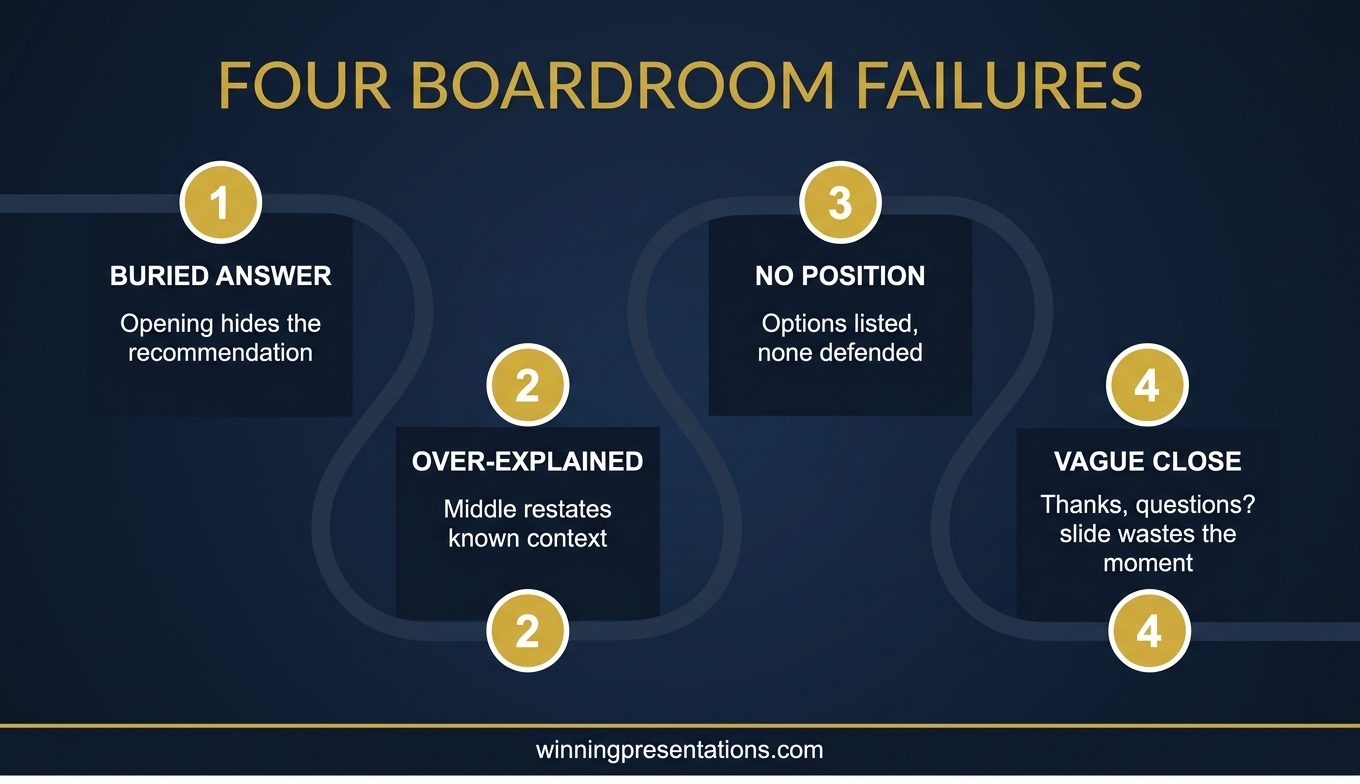
Copilot’s first draft of a board deck usually fails on four specific dimensions: the opening buries the answer, the middle over-explains context, the recommendation lacks a defended position, and the close invites vague Q&A instead of framing it. The fix is an editing pass with a specific order — answer first, cut context second, commit to a position third, frame the questions fourth. The editing pass takes around 30 minutes and is usually the difference between a deck that lands and one that earns polite nods.
For the full editing framework
The AI-Enhanced Presentation Mastery programme covers the full editorial pass that turns AI drafts into executive-grade material — from opening structure to Q&A preparation.
JUMP TO
Tomás, the commercial director at a European logistics business, sent me a Copilot-generated board deck the evening before his quarterly review. He was nervous. The deck looked professional. The sections were reasonable. The language was competent. But when I read it back from the perspective of a board member at 2pm after four other agenda items, the problem was obvious. The deck answered no specific question, took no defended position, and gave the board nothing to decide. It felt like a very well-dressed placeholder.
We spent 35 minutes editing it together. The deck that arrived at the meeting the next morning was the same length. The data was the same. The design was the same. What changed was the centre of gravity. The opening answered a question the board was actually asking. The middle cut the context that was not serving the decision. The recommendation committed. The close told the board what Tomás was ready to discuss. The decision went his way.
Copilot’s first drafts fail boardroom tests for predictable reasons. They are not bad drafts. They are first drafts that have not yet been edited with boardroom judgement applied. The four failures below are the ones that appear in almost every AI-generated executive deck. Each has a specific repair.
Failure 1: The opening buries the answer
Copilot’s default is to build toward the answer. The draft begins with context, moves through background, arrives at supporting data, and eventually reveals the recommendation three or four slides in. This is how students are taught to write essays. It is not how board presentations work.
Board members are not reading an essay. They are deciding whether to engage. The first two slides are where they decide. If the answer is not in those slides, the board mentally files the presentation as “update” rather than “decision”, and attention shifts elsewhere. The deck can still be delivered successfully — but the board is no longer leaning in.
The repair is to move the answer to Slide 1. One sentence. “We recommend investing £X in initiative Y to achieve Z by Q3.” Slide 2 is the three supporting points that justify the recommendation. Everything else becomes the evidence. This is the Pyramid Principle, and Copilot does not apply it by default because most text in its training data does not follow it. You have to apply it in the edit.
Failure 2: The middle over-explains context
Copilot writes thoroughly. For most uses that is a strength. For board decks it is a liability. The middle of a Copilot draft usually contains two to four slides of context that the board already knows — market overview, business background, historical performance — and that would otherwise be handled in two lines of the opening.
The test for every middle slide is: does this slide directly serve the decision the board is about to make? If not, it goes into the appendix or gets cut. Most Copilot drafts have at least one “journey of the quarter” slide that tells the board what happened in the sequence it happened. The board does not need this. They need to know what the presenter learned and what it means for the decision.
In the edit, read every middle slide and ask one question. “If I cut this slide, does the board’s decision get worse?” If no, cut it. The usual outcome is that a 12-slide Copilot draft becomes an 8-slide deck. The 8-slide version lands harder.
TURN AI DRAFTS INTO BOARDROOM MATERIAL
The editing framework senior professionals use to make AI output executive-ready
AI-Enhanced Presentation Mastery is a self-paced Maven programme. 8 modules, 83 lessons covering prompt design, editorial passes, and the workflow that turns AI drafts into decks that hold up under senior scrutiny. 2 optional live coaching sessions with Mary Beth, fully recorded. Monthly cohort enrolment; lifetime access.
- 8 modules, 83 lessons — self-paced
- Editing frameworks for AI-generated executive drafts
- Prompt patterns that reduce rework
- 2 optional live coaching sessions (recorded)
- Lifetime access to all materials
£499, lifetime access.
Explore AI-Enhanced Presentation Mastery →
Designed for senior professionals producing AI-assisted executive presentations.
Failure 3: The recommendation lacks a defended position
This is the most common failure and the hardest one to spot. Copilot drafts tend to present options. “Option A, Option B, Option C, each with these tradeoffs.” The board reads this and sees neutrality. Neutrality, in a board setting, gets interpreted as the presenter not having a view — or worse, not being willing to commit to one. Both readings cost credibility.
A defended position names the preferred option and explains why it is preferred — including the strongest argument against it and why that argument is not decisive. This is not the same as removing the other options. The options can still appear, usually in a single slide. But the recommendation slide names one and defends it.
In the edit, find the recommendation slide. Ask: “If a board member asked me ‘which option do you actually want?’ — is the answer unambiguous on this slide?” If not, rewrite until it is. Then add one sentence on the strongest counter-argument and why the recommendation still holds. Board members trust presenters who have already reasoned through the objection, because it signals they have done the work.
Failure 4: The close invites vague Q&A
Most Copilot drafts end with a “Thank you. Questions?” slide or a summary of everything that was said. Both are wasted. The slide on screen at the moment the Q&A opens is the slide that shapes the first question. A blank thank-you slide produces whatever question the board members happen to have first. A summary slide produces questions about what has already been covered.
A close that frames the Q&A does something different. It lists the three questions the presenter is ready to answer — the hardest questions about the proposal. This earns attention for two reasons. It signals that the presenter has anticipated the difficult parts. And it implicitly invites the board to ask one of those questions, which means the conversation stays on the terrain the presenter has prepared.
In the edit, replace the “Questions?” slide with a three-question framing slide. Draft the questions honestly — what are the hardest things the board could ask about this proposal? — and list them with one-sentence direct answers. This is not a script for the Q&A. It is a scaffold.
Ready-made editing prompts for AI drafts
The Executive Prompt Pack contains 71 ChatGPT and Copilot prompts, including editing-pass prompts for cleaning up AI-generated executive drafts. £19.99, instant download.
The editing pass that fixes the draft
Running the four fixes above in the order they appear in the deck takes about 30 minutes for a 10 to 12 slide draft. The order matters. Answer first, because the answer determines what the middle has to support. Context second, because cutting context reveals which supporting evidence is actually load-bearing. Position third, because only a defined recommendation can be defended. Close fourth, because the Q&A framing has to match the position the deck has committed to.
A useful way to run the pass is to read the deck end-to-end first, in one sitting, from the board’s perspective. Not yours. Not the drafter’s. The perspective of a board member who has already sat through three agenda items. What is missing? What would they actually decide on the basis of this? Where does their attention drift? The answers to those three questions tell you where to cut and where to sharpen.
The editing pass is where human judgement meets AI drafting. Copilot produces the draft. The presenter produces the decision-ready deck. The cleaner version of this is covered in Copilot PowerPoint for board presentations, which gives the three prompts that make the first draft closer to decision-ready from the start. And for the parallel view on tool selection, see Copilot vs ChatGPT for executive slides.
One more note. Do not skip the editing pass because the draft looks polished. Polish is the thing Copilot does best. Polish without a defended position is what gets board decks politely acknowledged and quietly shelved. The 30-minute pass is the work that prevents that outcome. The best Copilot PowerPoint prompts make the first draft stronger; the editing pass makes the final deck land.
Frequently asked questions
Can I prompt Copilot to avoid these four failures from the start?
Partially. The three prompts in the stakeholder-mapped, decision-framed, predicted-question sequence produce first drafts that are closer to decision-ready. But even those drafts need an editorial pass. No prompt gets you past the need for human judgement on what to keep, cut, and commit to.
How do I spot “buried answer” when I am close to the deck?
Open Slide 1 and read it aloud. If you cannot tell a colleague “this is what I am asking the board to do” from the text on that slide alone, the answer is buried. The fix is to rewrite Slide 1 as a one-sentence recommendation.
What if my organisation expects long, context-rich decks?
Separate the deck the board sees from the read-ahead pack. The read-ahead can contain all the context Copilot generated. The live deck is the 8-slide version with the answer first, the position defended, and the close framed. Most organisations respect this separation once they see it in action.
Does the editing pass work on ChatGPT drafts too?
Yes. The four failures are shared across both tools because they reflect how generative AI defaults to pattern-matched, essay-style output. The editing pass is the same. The difference is that ChatGPT drafts tend to be longer and may need more cutting; Copilot drafts tend to be shorter and may need more strengthening of position.
How long should I spend on the editing pass for a smaller internal deck?
The same time. A non-board internal deck does not have the same scrutiny, but the four failures still degrade any executive presentation. 30 minutes of editing is rarely the wrong investment for a deck that a senior audience will see.
The Winning Edge
Weekly thinking for senior professionals on executive presentation craft — slide structure, Q&A, delivery, AI, and the judgement calls the frameworks do not cover.
Not ready for the full programme? Start here instead: download the free Pyramid Principle Template — the structure that prevents the buried-answer failure in the first place.
Next step: pick the next AI-drafted deck on your desk. Run the 30-minute editing pass before you send it to anyone. The deck you send will land differently — and you will know why.
For a related deep-dive on the psychological side of AI-assisted executive work, see AI anxiety for executives.
About the author
Mary Beth Hazeldine is Owner & Managing Director of Winning Presentations Ltd, a UK company founded in 1990. With 24 years of corporate banking experience at JPMorgan Chase, PwC, Royal Bank of Scotland, and Commerzbank, she advises senior professionals across financial services, healthcare, technology, and government on structuring presentations for high-stakes decisions.