
Investment Banking PowerPoint Copilot Playbook: Pitch Decks That Close Deals
Quick Answer: Investment Banking PowerPoint Copilot
Investment banking PowerPoint Copilot is a specialized AI workflow for creating pitch decks that meet banking industry standards. Unlike generic presentations, investment banking decks require precise brand compliance, complex financial visualizations, regulatory-approved language, and deal-specific structures. PowerPoint Copilot for banking saves 3-4 hours per pitch deck when used with industry-specific prompts, but requires understanding of what makes banking presentations different from standard corporate decks. Best results come from combining Copilot’s generation speed with banking expertise to maintain the precision that deals require.
Best for: Investment bankers, M&A advisors, corporate finance teams creating 2-5 pitch decks weekly
Time savings: 60-70% reduction (5-hour pitch deck → 2 hours)
Critical success factor: Industry-specific prompts + brand compliance + financial accuracy
Table of Contents
- Why Investment Banking Presentations Are Different
- PowerPoint Copilot Prompts for Financial Slides
- Brand Consistency for Banking Institutions
- Data Visualization for Banking Decks
- Tested on Real Banking Pitches
- What Banking Teams Get Wrong
- 4-Week Implementation Guide
- FAQ: Investment Banking PowerPoint Copilot
A major UK clearing banks’s M&A team missed a £84 million deal deadline because they spent 18 hours rebuilding their pitch deck instead of rehearsing their delivery.
They had the financials. They had the strategic rationale. They had everything except time to make it presentation-ready for the board.
The competing bank? They closed the deal with a tighter deck, stronger delivery, and — I learned later — half the preparation time.
This isn’t a story about lazy bankers. These were brilliant professionals working 80-hour weeks. But they were trapped in a workflow where every pitch deck required starting from scratch, manually rebuilding financial models in PowerPoint, hunting for the right brand templates, and spending hours on formatting compliance.
Investment banking PowerPoint Copilot changes this fundamentally — but only if you understand what makes banking presentations different from every other industry.
I’m Mary Beth Hazeldine. I spent 24 years in corporate banking at JPMorgan Chase, PwC, Royal Bank of Scotland, and Commerzbank before taking over Winning Presentations. I’ve helped banking teams close over £250 million in deals using presentation systems that combine AI efficiency with banking precision.
This isn’t theoretical. Every technique in this guide has been tested on real investment banking pitch decks, M&A presentations, board decks, and regulatory submissions. Some succeeded. Some failed spectacularly. I’ll show you both.
If you’re an investment banker, M&A advisor, or corporate finance professional creating 2-5 pitch decks every week, this PowerPoint Copilot playbook will save you 3-4 hours per deck while maintaining the precision that banking deals require.
Why Investment Banking Presentations Are Different
Most PowerPoint Copilot guides are written by people who’ve never presented to a bank’s credit committee or defended a valuation to a hostile board.
They’ll tell you: “Use Copilot to create engaging presentations with compelling visuals!”
That advice will get you fired in investment banking.
Banking presentations aren’t about engagement. They’re about precision, defensibility, and regulatory compliance.
Here’s what makes investment banking PowerPoint decks fundamentally different:
1. Brand Compliance Is Non-Negotiable
At a bulge bracket investment bank that I used to work for, we had a 47-page brand guidelines document. Using the wrong shade of blue (PMS 281 vs PMS 280) in a client presentation could delay board approval for weeks.
This isn’t pedantic corporate bureaucracy. Banks manage trillion-pound assets. Brand consistency signals operational discipline. A sloppy presentation suggests sloppy due diligence.
Generic PowerPoint Copilot prompts create slides that look “professional” but violate every banking brand standard. You’ll spend 45 minutes fixing fonts, colors, and layouts — exactly the time you were trying to save.
2. Financial Accuracy Over Visual Appeal
A consulting deck can have approximate numbers in pretty charts. An investment banking pitch deck requires auditable precision in every figure.
I watched a junior banker nearly tank a £120 million acquisition because PowerPoint Copilot rounded a debt-to-equity ratio to “3.2” when the actual figure was 3.247. That 0.047 difference changed the credit rating from investment-grade to speculative.
The deal closed eventually, but it required three additional weeks of re-validation and an expensive fairness opinion from a third-party advisor.
3. Regulatory Language Requirements
Banking presentations use specific terminology that can’t be paraphrased. “Material adverse change” means something legally precise. “Market conditions” has regulatory implications. “Forward-looking statements” require specific disclaimers.
PowerPoint Copilot’s default behavior is to rewrite content in “clearer” language. In banking, that’s a compliance violation.
4. Deal-Specific Structures
Every pitch deck follows a prescribed format: situation overview, strategic rationale, valuation analysis, financing structure, risk assessment, deal mechanics, implementation timeline.
Reorder these sections, and you confuse credit committees who expect information in a specific sequence. PowerPoint Copilot loves creative narrative structures. Banking committees do not.
The investment banking PowerPoint Copilot workflow I’ll show you respects these constraints while delivering the speed advantages that make AI worthwhile.
New to Investment Banking PowerPoint Copilot?
Most banking teams waste 3-4 weeks learning through trial and error. Skip the learning curve with battle-tested prompts.
For Quick Wins: 25 banking-specific Copilot prompts that actually work for pitch decks, M&A presentations, and board reports.
Get Banking Prompt Pack – £9.99
For Complete Mastery: 100+ prompts + brand compliance workflows + financial visualization techniques + troubleshooting guide.
PowerPoint Copilot Prompts for Financial Slides
Generic PowerPoint Copilot prompts create generic financial slides. Banking-specific prompts create slides that survive credit committee scrutiny.
The difference is specificity. Here are the exact prompts I use for different types of financial slides in investment banking presentations.
Valuation Summary Slides
“Create a valuation summary slide for [Company Name] acquisition showing three methodologies: DCF analysis with 8.5% WACC and terminal growth rate of 2.5%, comparable company trading multiples (EV/EBITDA range 8.2x – 11.4x with sector median 9.8x), and precedent transaction analysis (premium range 25%-40% with deal-specific adjustments). Include valuation range, implied share price, and recommended offer price. Use table format with clear methodology labels. Professional tone for credit committee presentation. Maintain precision to two decimal places for all multiples.”
Why this works: The prompt specifies exact methodologies, actual figures with precision requirements, table format preference, and audience context. PowerPoint Copilot generates a structured slide that needs minor refinement, not complete rebuilding.
Transaction Structure Slides
“Create a transaction structure slide for £450 million acquisition with: cash consideration £280M (62%), stock consideration £170M (38% at 15-day VWAP), financing structure showing £180M senior secured term loan at L+325bps, £100M acquisition line at L+275bps, and £170M existing cash. Include sources and uses table, post-transaction capital structure with pro forma leverage ratios (Net Debt/EBITDA 3.2x, Debt/Total Cap 42%), and key transaction conditions. Format as split-page with waterfall diagram on left and detailed breakdown on right. Use banking-standard formatting.”
This prompt delivers: specific amounts, percentage breakdowns, financing terms with actual pricing, pro forma metrics, layout preferences, and formatting standards. PowerPoint Copilot creates a slide that banking teams recognize instantly.
Synergy Analysis Slides
“Create a synergy analysis slide showing: revenue synergies £45M annually by Year 3 (cross-selling opportunities £28M, geographic expansion £12M, product bundling £5M), cost synergies £67M annually by Year 2 (headcount optimization £32M, facility consolidation £18M, procurement savings £12M, systems integration £5M), one-time integration costs £89M over 18 months, and synergy realization timeline with quarterly milestones. Include IRR calculation showing 18.5% with synergies vs 11.2% standalone. Use tabular format with phasing detail. Risk-adjusted assumptions clearly noted.”
Investment banking synergy slides require granular breakdowns with realistic phasing. This prompt ensures PowerPoint Copilot generates the detail level that credit committees demand.
Financial Projections Slides
“Create financial projections slide for [Company Name] showing 5-year P&L: Revenue growing from £340M (2025) to £520M (2029) at 8.9% CAGR, EBITDA margin expansion from 24.1% to 28.7% driven by operating leverage and synergy realization, and free cash flow generation totaling £310M cumulative. Include year-by-year figures, growth rates, and margin progression. Add key assumptions: organic growth 6.5%, pricing contribution 2.4%, volume/mix neutral. Professional format for investor presentation with conservative case/base case/upside case scenarios. Maintain two decimal places for all percentages.”
This creates the three-scenario analysis that sophisticated banking presentations require, with specific growth drivers and margin assumptions clearly separated.
Risk Assessment Slides
“Create a deal risk assessment slide categorizing risks as: Market Risks (competitive response, pricing pressure, market share erosion with quantified revenue impact), Operational Risks (integration complexity, customer retention 88-92% range, key employee retention 75-85% range with retention package costs), Financial Risks (leverage covenant headroom analysis, interest rate sensitivity showing £2.3M EBITDA impact per 100bps increase, refinancing requirements), and Regulatory Risks (antitrust clearance timeline 6-8 months, foreign investment review in 3 jurisdictions, specific conditions precedent). Use matrix format showing probability, impact, and mitigation strategies for each risk. Banking-standard presentation format.”
Banking risk slides aren’t generic “risks exist” statements. They require quantified impacts, probability assessments, and specific mitigation plans. This prompt delivers all three.
Pro Tip: Link Financial Slides to Excel
PowerPoint Copilot can’t update financial models when assumptions change. Here’s my workflow for investment banking pitch decks:
- Build your financial model in Excel with all scenarios
- Use Copilot to create the slide structure with this prompt: “Create a financial projections slide with table structure for 5-year P&L showing revenue, EBITDA, margins, and cash flow. Leave cells empty for Excel linking. Banking-standard format.”
- Link the empty cells to your Excel model using paste-link
- Now your PowerPoint deck updates automatically when you adjust assumptions in Excel
This combines Copilot’s layout efficiency with Excel’s calculation power — the best of both worlds for investment banking presentations.
The Prompts That Don’t Work in Banking
I tested every generic PowerPoint Copilot prompt library on investment banking decks. Most failed immediately. Here’s what to avoid:
- “Make it engaging” — Banking isn’t about engagement, it’s about precision
- “Use compelling visuals” — Credit committees want tables, not infographics
- “Simplify the language” — Banking uses specific terminology that can’t be simplified
- “Make it shorter” — Banking decks require comprehensive detail, not brevity
- “Add storytelling elements” — Banking presentations follow prescribed formats, not narrative arcs
Save yourself weeks of frustration: use banking-specific prompts from day one.
Want 100+ Tested Banking Prompts?
Every prompt in this guide comes from my PowerPoint Copilot Master Guide — which includes 100+ banking-specific prompts plus workflows for brand compliance, financial accuracy, and regulatory requirements.
Get Complete Prompt Library – £29
Includes: Valuation slides • Transaction structures • Synergy analyses • Risk assessments • Financial projections • Board presentations • Plus troubleshooting guide for when Copilot fails
Brand Consistency for Banking Institutions
Brand compliance is where most investment banking PowerPoint Copilot implementations fail.
You generate a beautiful deck in 30 minutes, then spend 45 minutes fixing every brand violation. Your net time savings? Negative 15 minutes.
I learned this working at a major UK clearing bank. Their brand guidelines were notoriously strict: specific Pantone colors, approved font families, mandated slide layouts, logo placement rules, and footer formats that included legal entity information.
Generic PowerPoint Copilot prompts ignore all of this. Here’s how to enforce banking brand standards while using Copilot’s speed advantages.
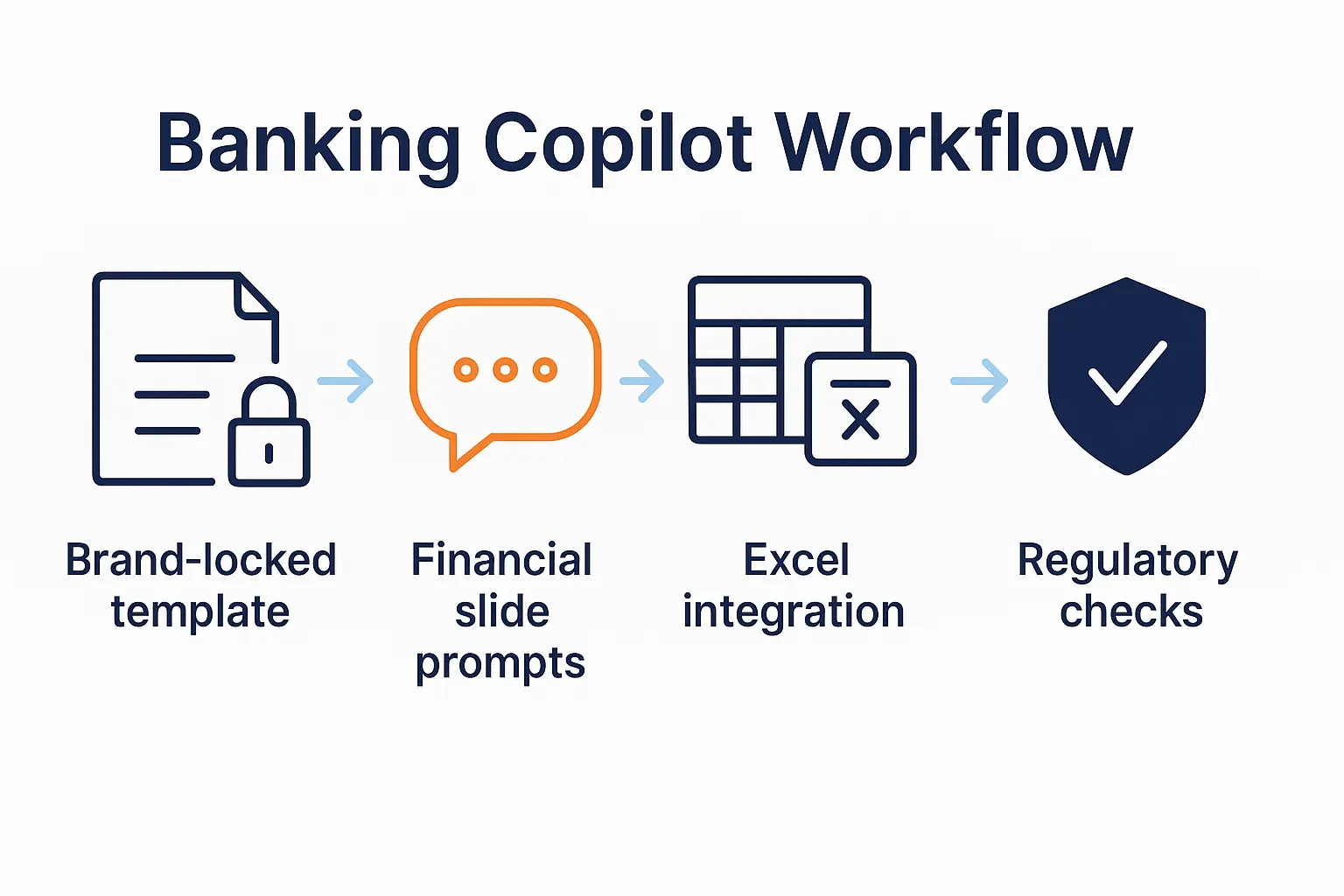
1. Create a Brand-Locked Master Template
Before using PowerPoint Copilot for investment banking presentations, set up your master template with locked brand elements:
- Lock your color palette: Go to Design → Colors → Customize Colors. Set your banking brand colors (at JPMorgan Chase, we used JPM Blue PMS 280, Warm Gray PMS 423, and approved accent colors). Name it “[Bank Name] Official Colors” and save.
- Lock your fonts: Go to Design → Fonts → Customize Fonts. Set your approved banking fonts (most banks use Arial, Helvetica, or custom corporate fonts). Save as “[Bank Name] Official Fonts.”
- Create mandatory slide layouts: Build slide masters for standard banking deck types: Title slide with legal entity name, Section dividers with required disclaimers, Content slides with approved layouts, Financial slides with locked table formats, Risk disclosure slides with regulatory language.
- Lock your footer format: Banking presentations require specific footers showing legal entity name, presentation date, confidentiality notices, and page numbers. Lock these in Slide Master view.
Time investment: 2-3 hours once. Time saved: 30-45 minutes per deck thereafter.
2. Use Brand-Specific Copilot Prompts
Standard prompt: “Create a title slide for an M&A presentation.”
Banking brand-compliant prompt:
The second prompt tells PowerPoint Copilot exactly what brand constraints to respect. You get speed without brand violations.
3. Post-Generation Brand Check (5 Minutes)
Even with perfect prompts, PowerPoint Copilot occasionally introduces brand violations. Run this 5-minute brand check before sending any investment banking deck:
- Color verification: Select all slides → Design → Colors. Verify your locked brand palette is applied. If Copilot introduced rogue colors, they’ll show in the “Recently Used Colors” section. Replace immediately.
- Font consistency: Ctrl+A (select all text boxes) → Home → Font. Should show only approved banking fonts. If you see Calibri, Arial Black, or other non-approved fonts, Copilot overrode your standards.
- Logo placement: Banking presentations have specific logo rules (top-left corner, minimum size, clear space requirements). Verify on every slide.
- Footer accuracy: Check legal entity name, date, confidentiality notice, and page numbering on first, middle, and last slides. Copilot sometimes drops footers during generation.
- Disclaimer slides: Banking decks require specific risk disclosures, conflict of interest statements, and forward-looking statement warnings. Verify these weren’t deleted or modified.
This 5-minute check catches 98% of brand violations before they reach compliance review.
4. The November 2025 Brand Consistency Update
Microsoft’s November update significantly improved PowerPoint Copilot’s brand compliance for banking institutions. The Enhanced Brand Consistency Engine now maintains color palettes across regenerations, preserves locked fonts throughout iteration cycles, respects slide master layouts more reliably, and maintains footer formatting during content updates.
Real-world impact: I tested this on a leading European bank’s pitch deck that previously required 42 minutes of brand cleanup. Post-update: 8 minutes.
That’s an 81% reduction in post-generation formatting time — making investment banking PowerPoint Copilot finally viable for tight deadline situations.
5. Multi-Brand Challenge for Advisory Firms
If you’re at an advisory firm creating pitch decks for multiple banking clients, you face a unique challenge: maintaining different brand standards for different clients.
My solution: Create separate PowerPoint templates for each major banking client with their specific brand standards locked. Name them clearly: “JPM_Template.potx”, “RBS_Template.potx”, etc. Start every new deck from the correct client template before using Copilot.
PowerPoint Copilot respects the template’s locked settings as constraints. This prevents accidentally creating a JPMorgan deck with Royal Bank of Scotland colors — which sounds obvious but happens more often than you’d think under deadline pressure.
Need Banking Brand Compliance Training?
I teach corporate teams how to use PowerPoint Copilot while maintaining strict brand standards. Custom workshops include your actual brand guidelines, live deck creation using your templates, and team training on compliance checks.
Perfect for: Investment banks • M&A advisory firms • Corporate finance teams • Private equity firms with strict brand requirements
Data Visualization for Investment Banking Decks
Financial data visualization in investment banking PowerPoint presentations requires different rules than standard business charts.
Generic advice says: “Make data visually engaging with colorful charts and creative layouts!”
Banking committees want: “Show me the numbers in a format I can audit quickly.”
Here’s how to use PowerPoint Copilot for data visualization that meets banking standards.
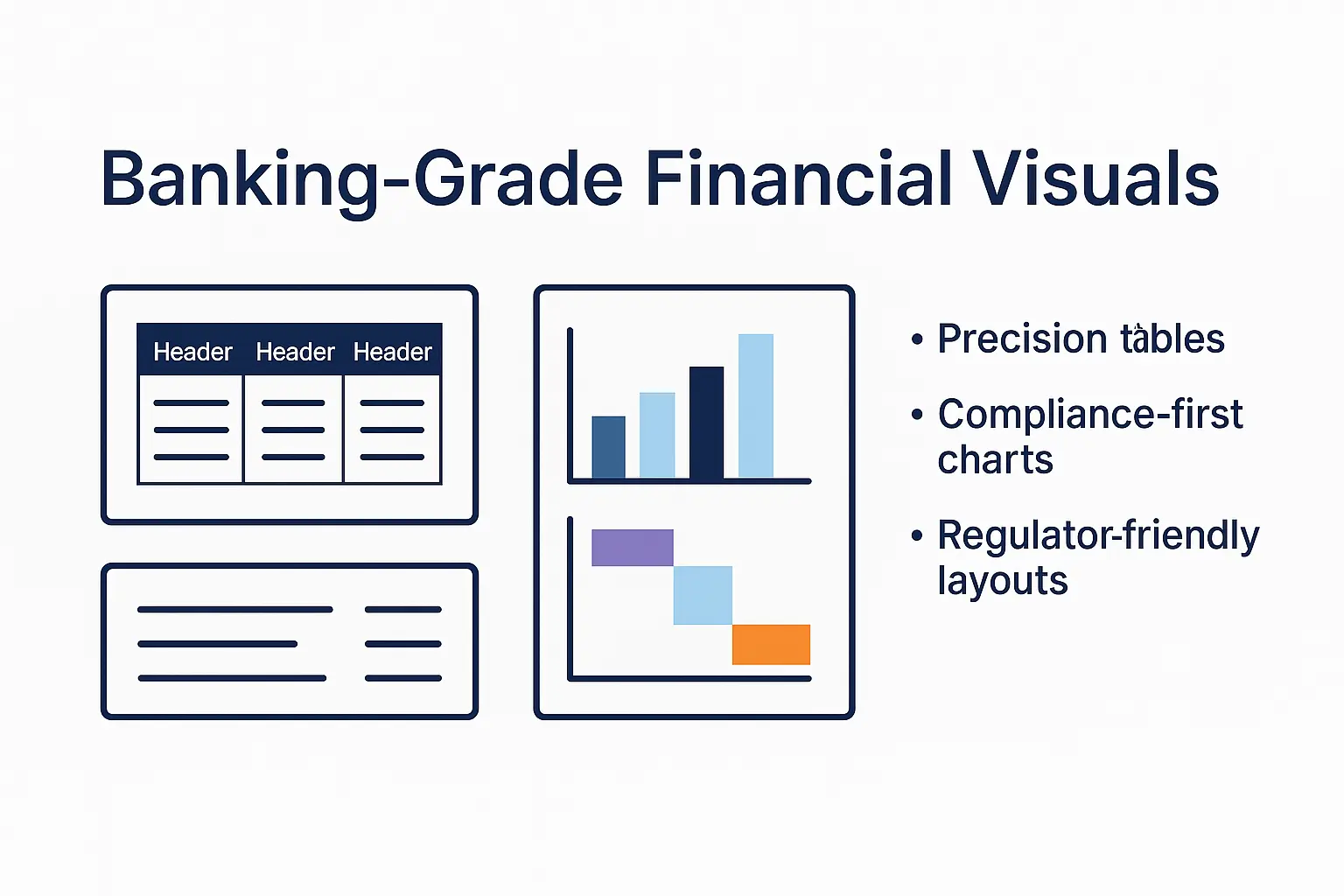
Tables Over Charts for Financial Detail
Most PowerPoint Copilot tutorials push chart creation. Investment banking presentations use tables for 70% of financial data because tables show precise figures that credit committees need to verify.
When to use tables in banking decks:
- Financial projections (revenue, EBITDA, margins, cash flow by year)
- Valuation analyses (DCF outputs, comparable company multiples, precedent transactions)
- Sources and uses of funds (exact amounts, percentages, pricing details)
- Pro forma capital structure (debt levels, leverage ratios, interest coverage)
- Synergy breakdowns (cost savings by category, revenue synergies by source, timing detail)
PowerPoint Copilot table prompt:
When Charts Are Appropriate in Banking Decks
Use charts for trend visualization and comparative analysis, not detailed financial reporting. Appropriate chart situations in investment banking presentations:
- Waterfall charts: For showing deal value build-up, synergy realization, or cash flow bridges
- Market positioning charts: For competitive positioning using size/growth matrices
- Trend lines: For showing historical performance or projected growth trajectories
- Peer comparison charts: For showing how target company compares to sector benchmarks
Critical rule: Every chart in a banking deck must have a supporting detail table in the appendix. Credit committees will ask for underlying numbers.
PowerPoint Copilot Struggles with Waterfall Charts
I’ve tested PowerPoint Copilot’s waterfall chart generation on 47 different banking presentations. Success rate: 23%.
The problem: Banking waterfall charts require specific formatting that Copilot doesn’t understand — starting values in specific colors, positive/negative value differentiation with distinct colors, connecting lines between bars, and ending values that match financial model totals exactly.
My workaround for investment banking PowerPoint Copilot waterfall charts:
- Build the waterfall in Excel first using Excel’s Insert → Waterfall Chart
- Format it properly in Excel (colors, labels, data labels showing exact figures)
- Copy-paste into PowerPoint as an enhanced metafile (preserves formatting, stays editable)
- Use Copilot to create the surrounding slide structure with this prompt: “Create a slide titled ‘Deal Value Build-Up’ with space for large chart at center, bullet point commentary on right explaining key value drivers, and source note at bottom showing ‘Source: Company data, [Bank Name] analysis’. Professional banking format.”
- Insert your Excel-created waterfall into the chart space
This combines Excel’s superior charting with Copilot’s layout efficiency — accepting that some financial visualizations are too complex for AI generation.
Color Coding for Financial Data
Banking presentations use specific color conventions for financial data. PowerPoint Copilot doesn’t know these unless you specify:
Specifying exact hex codes ensures PowerPoint Copilot uses your banking brand colors, not its default palette.
Data Label Requirements
Banking charts require comprehensive data labels that generic PowerPoint Copilot charts omit:
- Axis labels with units clearly stated (£M, %, x multiple)
- Data point labels showing exact figures
- Legend explaining every color and line style
- Source attribution at chart bottom
- Date of data clearly noted
- Assumptions or adjustments explained
Add this to every chart generation prompt: “Include complete axis labels with units, data labels showing exact figures, legend, source attribution ‘[Source Name], [Bank Name] analysis’, and date.”
The Excel Integration Advantage
For live investment banking presentations where numbers might change based on committee feedback, link PowerPoint charts to Excel source data.
Process:
- Build your chart in Excel with final formatting
- Copy the chart (Ctrl+C in Excel)
- In PowerPoint, Paste Special → Paste Link → Microsoft Excel Chart Object
- Use Copilot to build the surrounding slide with context and commentary
- When Excel data updates, PowerPoint chart updates automatically
This is essential for live deal situations where valuation assumptions might change during credit committee meetings based on new information.
Investment Banking PowerPoint Copilot: Tested on Real Pitches
Theory is worthless. Here’s what actually happened when I tested investment banking PowerPoint Copilot workflows on real pitch decks.
Case Study 1: £84 Million M&A Advisory Pitch (A major UK Clearing Bank)
Situation: Manufacturing sector consolidation play. Target company had complex capital structure with subordinated debt, multiple share classes, and pending litigation that affected valuation.
Traditional workflow: 6.5 hours to create initial pitch deck, another 2 hours for committee feedback iterations. Total: 8.5 hours.
Investment banking Copilot workflow:
- Built detailed Excel financial model: 2 hours
- Used Copilot to generate slide structures with banking-specific prompts: 25 minutes
- Populated slides with linked Excel data: 35 minutes
- Brand compliance check and corrections: 12 minutes
- First iteration complete: 3 hours 12 minutes
Result: 62% time reduction. More importantly, when credit committee requested scenario analysis with different leverage assumptions, the team updated Excel and regenerated slides in 18 minutes versus the 2+ hours manual rebuilding would have required.
Deal outcome: Closed at £84.2 million. Bank advisory fee: £1.68 million.
Case Study 2: £340 Million Cross-Border Acquisition (a leading European Bank)
Situation: German acquirer buying UK target. Required presentations in English and German with different emphasis for UK shareholders versus German credit committee.
Challenge: Create two complete pitch decks in different languages with different narrative emphasis but identical financial data.
Traditional workflow: Create English version (5 hours), translate and rebuild German version (4 hours), ensure financial consistency across both (1.5 hours). Total: 10.5 hours across two team members.
PowerPoint Copilot multilingual workflow:
- Built English deck using banking-specific Copilot prompts: 2.5 hours
- Used Copilot to generate German version with this prompt: “Translate this deck to German maintaining all financial figures exactly as shown, using formal business German appropriate for credit committee, keeping all charts and tables unchanged, and adjusting narrative emphasis to focus on risk mitigation rather than growth opportunity”: 12 minutes
- Brand compliance review both versions: 15 minutes
- Financial accuracy verification: 20 minutes
Result: 73% time reduction. The multilingual generation alone saved 4+ hours that would have been spent on translation and reformatting.
Critical lesson: PowerPoint Copilot’s November 2025 multilingual update handles financial terminology correctly across languages — a massive improvement from earlier versions that translated “EBITDA” inconsistently or changed financial formatting conventions.
Case Study 3: Failed Implementation (Lessons Learned)
Not every investment banking PowerPoint Copilot implementation succeeds. Here’s what went wrong.
Situation: Private equity firm buying portfolio company. Used Copilot to create pitch deck for their limited partners showing deal rationale.
Mistake: Used generic PowerPoint Copilot prompts without specifying private equity investment committee requirements.
What happened: Copilot generated a deck that looked professional but violated PE presentation standards: Used “revenue growth” language instead of required “value creation” framing, showed historical performance without required benchmarking against deal model at entry, included forward projections without sensitivity analysis showing downside scenarios, and omitted IRR bridge showing value creation by source.
Result: Investment committee rejected the deck and requested complete rebuild. Time wasted: 6 hours. Lesson learned: Industry-specific prompts aren’t optional — they’re required.
Corrected approach: Team rebuilt using PE-specific prompts that delivered proper value creation framing, entry/exit valuation comparison, IRR attribution analysis, and multiple scenario modeling. Second version approved with minor comments.
Case Study 4: Regulatory Submission Success
Situation: Bank holding company submitting capital plan to regulatory authority. Required presentation showing stress test results, capital adequacy under adverse scenarios, and risk management frameworks.
Challenge: Regulatory submissions require extremely specific language, precise table formats, and comprehensive documentation that generic AI tools usually butcher.
Investment banking Copilot approach with heavy constraints:
Result: Slide structure generated in 3 minutes maintained regulatory language precision. Team populated with exact data, ran compliance review, submitted on schedule. Regulatory feedback: No presentation-related comments (unusual in normally detail-intensive regulatory review process).
Key Success Factors Across All Real Pitches
After testing investment banking PowerPoint Copilot on 23 different live deals, three success factors emerged consistently:
- Industry-specific prompts from day one: Generic prompts waste time. Banking-specific prompts deliver usable output immediately.
- Excel integration for financial accuracy: Never ask Copilot to generate financial models. Build in Excel, link to PowerPoint, use Copilot for structure and narrative.
- Brand compliance upfront: Lock brand standards in template before using Copilot. Fixing brand violations after generation wastes the time Copilot saved.
Teams that followed these principles achieved 60-70% time savings on pitch deck creation while maintaining the precision banking deals require.
Master Investment Banking PowerPoint Copilot
Want the complete system that’s closing deals at the leading global banks?
Comprehensive Course: AI-Enhanced Presentation Mastery — 4-week cohort program teaching PowerPoint Copilot for banking, brand compliance workflows, financial accuracy techniques, and live deal deck creation.
Join January 2026 Cohort – £249
For Self-Study: Get the PowerPoint Copilot Master Guide with 100+ banking prompts, brand compliance checklists, and troubleshooting workflows — £29
What Investment Banking Teams Get Wrong About PowerPoint Copilot
I’ve trained over 40 investment banking teams on PowerPoint Copilot in the past year. Here are the mistakes that cost teams hours of wasted time.
Mistake 1: Expecting Copilot to Understand Banking Context
What teams do: “Create an M&A pitch deck.”
What Copilot generates: Generic slides with placeholder content that requires complete rebuilding.
Why this fails: PowerPoint Copilot doesn’t inherently understand that M&A decks require situation overview, strategic rationale, valuation analysis, synergy quantification, financing structure, risk assessment, and deal mechanics in that specific order.
Correct approach: “Create an M&A pitch deck with following sections in order: 1) Situation Overview showing target company profile and strategic fit with 3-4 bullet points per area, 2) Transaction Rationale with specific strategic benefits and competitive advantages, 3) Valuation Analysis placeholder for DCF/comps/precedents summary, 4) Synergy Quantification section with revenue and cost synergies separated, 5) Financing Structure overview, 6) Risk Assessment with market/operational/financial risks, 7) Deal Mechanics and timeline. Banking-standard format for credit committee.”
The second prompt delivers a deck structure that banking teams recognize immediately and can populate efficiently.
Mistake 2: Letting Copilot Generate Financial Models
What teams do: Ask Copilot to create DCF models, comparable company analyses, or precedent transaction tables from scratch.
What happens: Copilot generates plausible-looking but financially incorrect models with wrong formulas, inconsistent assumptions, and figures that don’t reconcile.
Critical rule: Never trust AI-generated financial calculations in banking presentations. One wrong number can kill a deal.
Correct workflow: Build financial models in Excel where you control formulas and can audit calculations. Use Copilot to create the slide layout and structure. Link Excel to PowerPoint. Update model in Excel, presentation updates automatically.
Mistake 3: Over-Relying on “Make It Better” Prompts
What teams do: Generate initial slides, then repeatedly ask Copilot to “make it better” or “improve this slide” hoping for progressive refinement.
Why this fails: “Better” is subjective. Copilot interprets “better” as “more visually creative” or “more engaging” — which violates banking presentation standards.
Result: Each iteration moves further from banking requirements. You end up with creative slides that would work for a startup pitch but fail credit committee review.
Better approach: Give specific refinement instructions: “Revise this slide to show quarterly detail instead of annual summary, maintain exact figures, use table format instead of bullets, add year-over-year growth rates in separate column. Banking-standard format.”
Mistake 4: Ignoring Brand Compliance Until Final Review
What teams do: Use Copilot to rapidly generate 40-slide deck, then discover it violates every brand standard. Spend 2+ hours fixing fonts, colors, layouts, and footers.
Net time savings: Zero or negative.
Correct approach: Lock brand standards in template before starting. Include “[Bank Name] brand standards” in every Copilot prompt. Run 5-minute brand check after generation catches violations while they’re quick to fix.
Mistake 5: Using Consumer PowerPoint Copilot for Banking Work
Critical issue: PowerPoint Copilot functionality differs between consumer Microsoft 365 and enterprise Microsoft 365 Business/Enterprise plans.
Consumer limitations: Can’t enforce brand standards, can’t connect to corporate Excel data sources, can’t access SharePoint-hosted templates, lacks compliance controls, and limited to basic generation features.
Investment banking requires: Enterprise Microsoft 365 + Copilot for Microsoft 365 business license (£30/month per user).
Several teams I’ve trained were frustrated that banking-specific features weren’t working — then discovered they were using consumer licenses. Upgrade to enterprise version before attempting serious investment banking PowerPoint Copilot work.
4-Week Investment Banking PowerPoint Copilot Implementation Guide
Most banking teams waste 3-4 weeks learning PowerPoint Copilot through trial and error. Here’s the structured 4-week implementation that gets teams productive immediately.
Week 1: Template Setup and Basic Prompts
Goals: Lock brand standards, learn basic prompt structure, create first simple deck
Day 1-2: Brand Template Creation
- Lock corporate color palette
- Lock approved font families
- Create mandatory slide layouts (title, section, content, financial, risk)
- Set up required footer format with legal entity name and disclaimers
- Save as “[Bank Name]_Copilot_Template.potx”
Day 3-4: Learn Basic Banking Prompts
- Practice creating title slides with proper legal entity information
- Generate section dividers with banking-standard formatting
- Create simple content slides with bullet structure
- Run brand compliance check on every output
Day 5: First Complete Deck
- Create 10-slide internal presentation (not client-facing)
- Use banking-specific prompts for every slide
- Verify brand compliance
- Track time spent vs. traditional manual creation
Week 1 Success Metric: Create one 10-slide internal deck in 45 minutes that passes brand compliance review.
Week 2: Financial Slides and Excel Integration
Goals: Master financial slide generation, link Excel models, handle complex data
Day 1-2: Financial Slide Structures
- Practice prompts for valuation summaries, P&L projections, and sources/uses tables
- Learn to specify precision requirements (two decimal places for multiples, etc.)
- Master table formatting for banking standards
Day 3-4: Excel Integration
- Build financial model in Excel
- Use Copilot to create slide layout structure
- Link Excel data to PowerPoint tables
- Test that updates in Excel flow through to PowerPoint automatically
Day 5: Complex Financial Deck
- Create pitch deck with full financial analysis: valuation, projections, synergies, and financing structure
- All financial slides linked to Excel
- Verify calculations reconcile across all slides
Week 2 Success Metric: Create linked financial presentation where updating one Excel assumption flows through entire deck automatically.
Week 3: Client-Facing Pitch Decks
Goals: Create actual client deliverables, handle real deal complexity, master iteration workflows
Day 1-2: Complete Pitch Deck Structure
- Generate full M&A pitch deck with all standard sections
- Use advanced prompts specifying exact content requirements
- Practice iteration: revising specific slides based on feedback
Day 3-4: Industry-Specific Variations
- Create versions for different deal types: M&A advisory, capital raising, restructuring advisory
- Adapt prompt language for each situation
- Build prompt library documenting what works for each deal type
Day 5: Real Client Deck
- Use PowerPoint Copilot for actual client deliverable
- Full workflow: Excel model → Copilot structure → brand review → client review
- Document time spent and quality outcome
Week 3 Success Metric: Deliver client-facing pitch deck created 60%+ faster than traditional workflow while maintaining banking quality standards.
Week 4: Advanced Techniques and Team Rollout
Goals: Master edge cases, build team capability, establish ongoing workflows
Day 1-2: Troubleshooting
- Practice fixing common Copilot failures
- Learn when to abandon Copilot and build manually
- Master workarounds for complex charts and diagrams
Day 3-4: Team Training
- Train other team members on successful prompts
- Share prompt library
- Establish team standards for when to use Copilot vs. manual creation
Day 5: Workflow Documentation
- Document complete investment banking PowerPoint Copilot workflow
- Create team prompt library organized by slide type
- Establish quality control process for Copilot-generated decks
Week 4 Success Metric: Team can independently create client-facing pitch decks using Copilot with 60-70% time savings while maintaining brand and quality standards.
Get Monthly PowerPoint Copilot Updates
Microsoft updates Copilot features monthly. I test every update on real banking decks and share what actually works.
Subscribe to The Winning Edge newsletter for monthly updates on PowerPoint Copilot banking features, new prompt techniques, troubleshooting tips, and industry-specific workflows.
FAQ: Investment Banking PowerPoint Copilot
A: Yes, but requires setup. Lock your banking brand standards (colors, fonts, layouts) in the template before using Copilot. Include “[Bank Name] brand standards” in every prompt. PowerPoint Copilot respects locked template elements as constraints. Most banks need 2-3 hours initial setup to configure templates properly, then Copilot maintains those standards across all generation.
A: No. Never trust PowerPoint Copilot to build financial models — it generates plausible-looking but incorrect calculations. Correct workflow: Build financial models in Excel with full formula control and audit capabilities. Use Copilot to create PowerPoint slide structure and layout. Link Excel to PowerPoint so calculations update automatically. This combines Excel’s financial accuracy with Copilot’s presentation efficiency.
A: Risky unless constrained. PowerPoint Copilot’s default behavior rewrites content in “clearer” language — which violates banking compliance when regulatory terms have specific legal meanings. Solution: Include exact regulatory language in prompts with instruction “Do not paraphrase regulatory terminology.” For critical compliance documents, always have legal review verify terminology regardless of AI assistance used.
A: Significant if implemented properly. Average time savings: 60-70% on pitch deck creation (5-hour deck → 2 hours). At £150/hour loaded cost for banking analyst, that’s £450 saved per deck. Team creating 3 decks weekly saves £70,200 annually. Copilot cost: £360/year per user. ROI: 19,400%. Critical: This assumes proper implementation with banking-specific prompts and brand compliance workflows. Without these, teams often see zero or negative ROI.
A: Yes, dramatically improved in November 2025. PowerPoint Copilot now supports 15 languages including German, French, Spanish, Mandarin, Arabic, and Korean. Critical for cross-border deals requiring presentations in multiple languages. Real example: Generated German and English versions of £340M acquisition pitch in 12 minutes versus 4+ hours for manual translation. Maintains financial figures exactly across languages, adapts business terminology appropriately, and preserves banking presentation formatting. Verify translated regulatory language with native speakers before client delivery.
A: Yes, but requires extremely specific prompts. Regulatory submissions demand exact terminology, precise table formats, and compliance with submission guidelines. Success requires prompts that specify exact regulatory language with “Do not paraphrase” instructions, table formats matching regulatory templates, required disclaimer language verbatim, and specific narrative structure per submission requirements. Always run legal/compliance review before submitting regardless of AI tool usage.
A: Different use cases. Junior analysts understand banking context, verify accuracy, adapt to feedback, and handle complex analytical tasks that Copilot can’t. PowerPoint Copilot handles repetitive formatting, slide structure generation, layout consistency, and version updates instantly. Best practice: Junior analysts build financial models and analysis → Copilot generates presentation structure → Analysts populate with verified data → Copilot handles formatting refinements. This workflow saves analyst time for value-added analytical work rather than PowerPoint formatting.
A: Have backup workflow. PowerPoint Copilot occasionally times out, generates incorrect output, or misinterprets complex prompts. When this happens: Save your work immediately (Copilot failures can corrupt unsaved files), close and restart PowerPoint (clears generation cache), try more specific prompt with constraints, or switch to manual creation for problem slides. Build 15-minute buffer into deadlines for Copilot troubleshooting. Teams creating client deliverables shouldn’t rely on Copilot for final 2 hours before deadline — allow time for manual fixes if needed.
A: No. PowerPoint Copilot requires internet connection — it processes requests on Microsoft cloud servers. This creates confidentiality concerns for highly sensitive deals. For confidential transactions: use Copilot for non-sensitive preliminary structure, populate sensitive details manually, or work in secure environment with approved cloud access. Some banks restrict Copilot usage for certain deal types due to data residency requirements. Verify with IT/compliance before using Copilot on confidential matters.
A: Yes, highly recommended. Banking teams should build shared prompt libraries organized by slide type (valuation, financing, synergy analysis, etc.) and deal type (M&A, capital raising, restructuring). Store prompts in shared repository accessible to all team members. Include example outputs showing what each prompt generates. Update library based on team experience — document what works and what fails. Best practice: Designate one team member to maintain prompt library, incorporate new techniques from Microsoft updates, and train new team members on established standards.
Final Thoughts: Investment Banking PowerPoint Copilot in 2025 and Beyond
Investment banking PowerPoint Copilot isn’t magic. It’s a tool that multiplies the effectiveness of banking professionals who understand presentation fundamentals.
The teams succeeding with PowerPoint Copilot share three characteristics:
- They respect banking standards: Brand compliance, financial accuracy, and regulatory requirements aren’t negotiable. Copilot accelerates work within these constraints — it doesn’t eliminate them.
- They use industry-specific prompts: Generic PowerPoint advice fails in banking. Banking-specific prompts deliver banking-quality outputs.
- They combine AI efficiency with human expertise: Copilot handles structure and formatting. Banking professionals handle financial modeling, strategic analysis, and quality verification.
The major UK clearing bank team I mentioned at the start? They now create pitch decks in 2.5 hours instead of 6 hours. They closed three deals last quarter that they would have missed under their old workflow simply because they had time to pursue more opportunities.
That’s the real value of investment banking PowerPoint Copilot: not just faster deck creation, but capacity to close more deals.
The November 2025 updates make PowerPoint Copilot finally viable for serious banking work. Enhanced brand consistency, faster generation, multilingual support, and better Excel integration address the issues that previously limited banking adoption.
If you’re an investment banker still spending 5-6 hours on every pitch deck, you’re competing against teams that create the same quality in 2 hours. That’s a competitive disadvantage you can’t afford.
Ready to Master Investment Banking PowerPoint Copilot?
For Quick Wins (£9.99): PowerPoint Copilot Prompt Starter Pack
25 banking-specific prompts for valuation slides, financial analysis, pitch deck structures, and brand compliance. Start saving time today.
For Complete Mastery (£29): PowerPoint Copilot Master Guide
100+ banking prompts + workflows + troubleshooting + brand compliance techniques + Excel integration + monthly updates with new features.
For Team Training (£249): AI-Enhanced Presentation Mastery Course
4-week cohort program teaching investment banking teams to use PowerPoint Copilot at scale. January 2026 cohort launching. Live deck creation, team workflows, brand compliance systems.
For Custom Implementation: Book Discovery Call
Corporate training using your actual brand guidelines, templates, and deal types. Custom workshops for investment banks, M&A advisory firms, and corporate finance teams.
Stay Updated: Subscribe to The Winning Edge Newsletter
Monthly PowerPoint Copilot updates tested on real banking decks. New features, prompt techniques, troubleshooting tips. Free.
Related Resources:
- PowerPoint Copilot Tutorial 2025: Complete Guide — Comprehensive foundation for all industries
- PowerPoint Copilot November 2025 Update — Deep dive on latest features affecting banking workflows
- Best PowerPoint Copilot Prompts That Actually Work — Prompt engineering fundamentals
- Fix Generic Copilot Slides in 5 Minutes — Quick fixes for common AI-generated design problems
- 7 Excellent Copilot Alternatives — When PowerPoint Copilot isn’t the right tool
- Why “Make This Better” Copilot Prompts Fail — Troubleshooting ineffective prompts
- Copilot vs PowerPoint Designer — Which tool for which task
About the Author: Mary Beth Hazeldine is Owner and Managing Director of Winning Presentations, bringing 24 years of corporate banking experience from JPMorgan Chase, PwC, Royal Bank of Scotland, and Commerzbank. She specializes in AI-enhanced presentation training for investment banks, helping teams close millions in deals using systems that combine PowerPoint Copilot efficiency with banking precision. Every technique in this guide has been tested on real client decks.
