

Internal Interview Presentation: The 15-Minute Format That Works
Quick answer: A 15-minute internal interview presentation should land on six slides: opening (the role and your read on it), context (what you have observed about the team or function from inside the organisation), a 90-day plan, a 12-month outlook, the operating model you would propose, and a clean ask plus open question. Aim for […]

Promotion Business Case Presentation: The 5-Slide Structure That Wins
Quick answer: A promotion business case presentation that wins committee approval uses five slides, in this order: (1) the role and the gap it fills, (2) the specific scope you have already been carrying, (3) the business outcomes attributable to your work, (4) the operating model after promotion (what changes for the team and the […]

High Stakes Presentation Course Online: What Senior Presenters Need
Quick answer: A high-stakes presentation course online needs to do four things most courses do not: address structure (how to build the deck a senior audience will actually approve), psychology (the nervous-system response that destabilises competent presenters in big rooms), Q&A handling (the questions that decide approvals), and stakeholder pre-work (the alignment that happens before […]
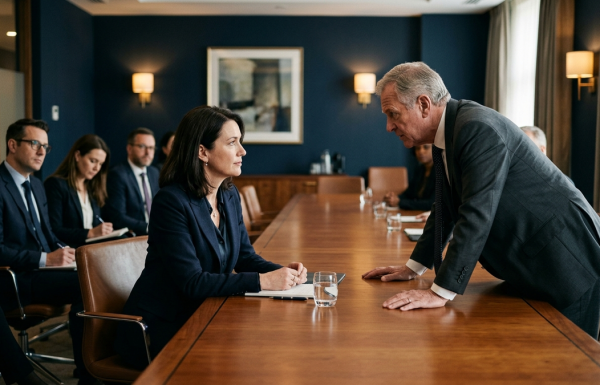
“If This Fails, What Happens to You?” — Answering the Career-Risk Question
Quick answer: The career-risk question — “if this fails, what happens to you?” — is a test of accountability ownership, not a literal interrogation. The 4-part answer that holds: acknowledge the personal stake honestly, separate it from the recommendation logic, name the governance reviews you have built in, and return the room to the decision […]

When Stakes Are Too High to Think Straight: The Pre-Presentation Ritual
Quick answer: When the stakes of a presentation are high enough to disrupt clear thinking, more preparation makes things worse, not better. What works is a structured 30-minute pre-presentation ritual: physical movement to discharge cortisol, slow exhale-led breathing to lower heart rate, a fixed verbal anchor for the opening line, and ten minutes of complete […]

The £10M Decision Slide: What Must Be On It (And What Must Be Off)
Quick answer: A high-stakes decision slide for a £10M-or-equivalent recommendation needs five elements: the recommendation in one sentence, the financial envelope, the option set considered, the principal risks named, and the explicit decision being requested. It needs to omit: build-up narrative, methodology paragraphs, multiple competing recommendations, and any chart that requires more than five seconds […]

High-Stakes Presentation: The 72-Hour Protocol Senior Leaders Use
Quick answer: Senior leaders treat the 72 hours before a high-stakes presentation as a structured protocol, not a panicked sprint. Day 1 (T-72 to T-48): final slide audit, message-discipline pass, internal stakeholder pre-read. Day 2 (T-48 to T-24): full out-loud rehearsal, hostile Q&A drill, technical setup test. Day 3 (T-24 to T-0): light review only, […]

Presenting to the C-Suite Training Online: What the Best Programmes Cover (and Why Most Don’t)
Quick answer: The best presenting-to-the-C-suite training programmes online cover four things most off-the-shelf courses miss — how the audience reads (top-down, decision-first), how to structure the deck (recommendation, trade-off, alternative, controls, decision), how to handle the Q&A that follows (where the meeting is actually decided), and how to manage the physiological response that arrives in […]

Presenting to Your CEO vs Your Manager: The Vocabulary and Pace Shift Most Get Wrong
Quick answer: Presenting to your CEO versus presenting to your manager calls for four shifts — vocabulary (commitment language replaces task language), pace (slower, with more pause), density (less information per slide), and posture (peer framing replaces reporting framing). The shifts are not optional. A presentation that uses manager-level vocabulary and pace with a CEO […]

CEO Presentation Style: How Top Executives Structure Information for Peers
Quick answer: CEO presentation style is structurally different from middle-management style in five ways — top-down sequencing rather than bottom-up build, point of view rather than balanced analysis, peer framing rather than reporting, density restraint rather than detail saturation, and decision-close rather than open discussion. CEOs present to other CEOs, board chairs, and senior peers […]